
What Is a Unified Communications Platform?
What is a unified communications platform? This guide explains what it is, who it's for, and how it replaces app chaos for your team.
Dan Robin
Teams generally don't wake up and say, "We need a unified communications platform."
They say, "Why did nobody see that shift change?" Or, "Which app did we post that update in?" Or, "Can someone please send me the latest policy, not the one from last month."
That's the starting point. Not strategy decks. Not software categories. Just the daily drag of running work through too many disconnected tools.
A manager gets a sick call. They text one employee, message another in WhatsApp, email HR, update a spreadsheet, and then call the site lead because nobody trusts the spreadsheet anyway. The work still gets done, but it takes too many steps and too much memory. People fill the gaps with personal phones, side conversations, and guesswork.
After a while, the problem stops looking like a communication issue and starts looking like culture. People miss updates. New hires feel lost. Managers become human routers, stitching together systems that were never built to live together.
The Daily Scramble Is a Symptom Not the Disease
The scramble isn't the disease. It's the symptom of fragmentation.
I've seen this most clearly with frontline teams. Office workers can survive a messy stack a little longer because they're sitting at a laptop all day. A store manager, nurse supervisor, warehouse lead, or hotel ops manager doesn't have that luxury. They need fast answers on a phone, in the moment, while work is moving.
When one simple task needs five apps, the hidden cost isn't only time. It's stress. It's rework. It's the quiet habit people develop of only half-checking systems because they know the actual answer is probably somewhere else.
The problem isn't communication alone
A lot of companies think they're fixing this by adding another chat tool or meeting app. That usually makes it worse. The issue isn't the lack of channels. It's the lack of one place where communication, coordination, and context live together.
You can run a team on scattered tools for a while. You can't build a calm operation that way.
That helps explain why this category keeps growing. The global Unified Communications market was valued at USD 136.2 billion in 2023 and is projected to reach USD 595.1 billion by 2032, at a CAGR of 17.8%, according to unified communications market projections from GlobeNewswire. That growth tracks with what operators already know firsthand. Remote work expanded the problem, but fragmented work was already breaking the day long before that.
What leaders usually misdiagnose
They assume people need better compliance with the current tools. More training. More reminders. Another SOP.
Sometimes that's true. Often it isn't.
If your workflow depends on employees remembering which app handles chat, which one stores files, which one tracks tasks, and which one has the "official" update, the system is asking too much from people. Especially people on shift-based teams who are moving, serving customers, handling patients, or loading trucks.
A unified platform matters because it removes that tax. It replaces the daily scramble with a single place to look, respond, act, and move on.
What a Unified Communications Platform Really Is
The standard definition is too narrow.
Yes, a unified communications platform brings together calls, chat, video, and messaging. That's true. But if that's all it does, it solves only part of the problem. A real platform isn't just a bundle of communication features. It's the place where the company actually runs.
Think multi-tool, not junk drawer
Most companies have the digital equivalent of a junk drawer. One app for chat. Another for video. A third for scheduling. A fourth for tasks. A shared drive for files. A wiki nobody updates. An HR system employees open only when forced.
That setup creates what Nextiva describes as app fatigue and fragmented work across communication, scheduling, tasks, and knowledge tools. That's the part many definitions miss.
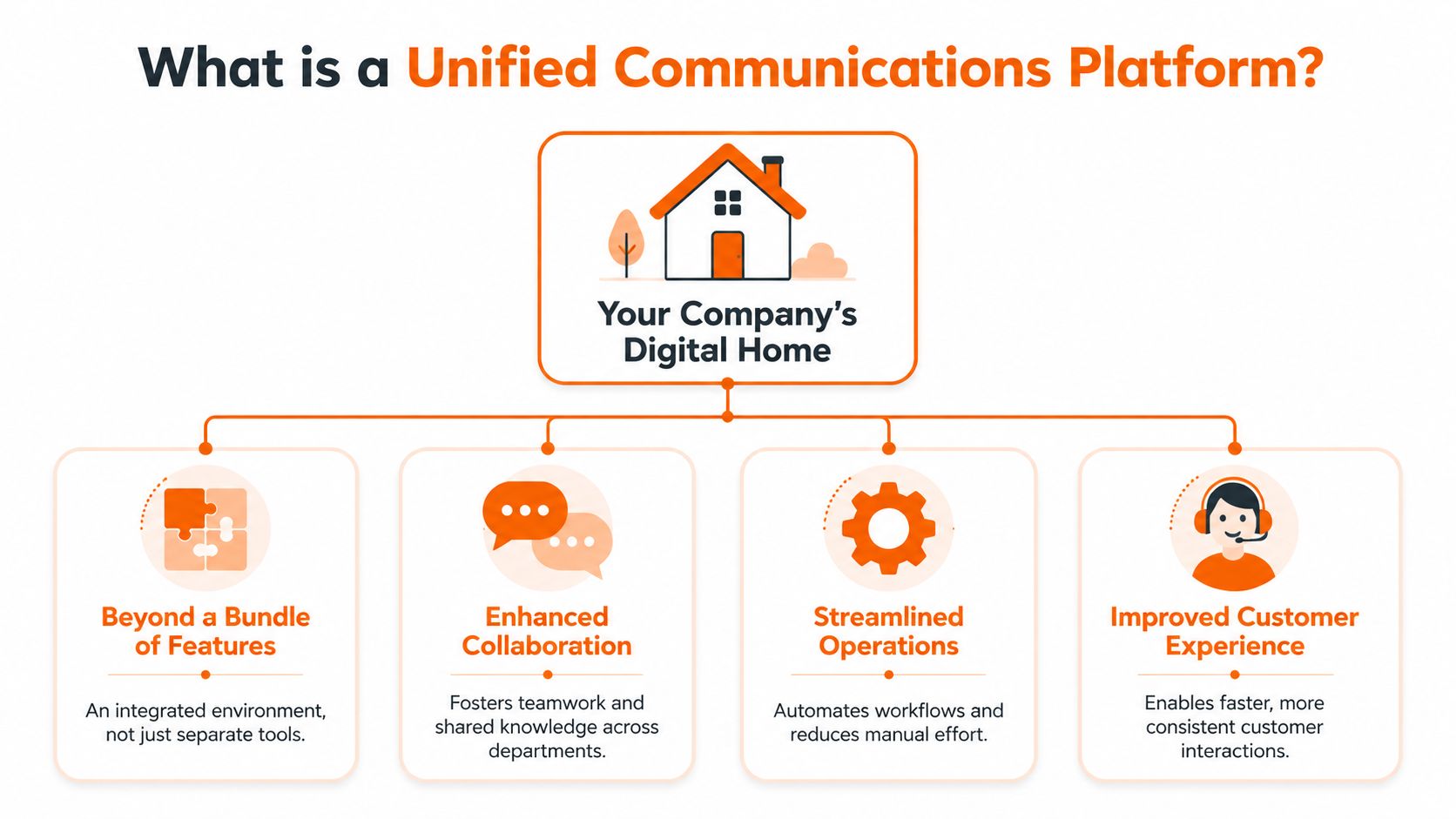
A better answer is a single digital home. Not in the fluffy sense. In the practical sense. One place where people can message each other, find announcements, manage tasks, check schedules, access policies, and know who to contact.
What belongs in a true platform
If you're asking what is a unified communications platform, start with this test. Can people do the work after the conversation ends?
If the platform only helps them talk, but forces them into other apps to assign a task, swap a shift, find a policy, or catch up on company news, it isn't unified in any meaningful way.
The strongest setups usually combine:
Core communication tools like chat, voice, video, and announcements
Operational tools such as tasks, scheduling, clock-in workflows, approvals, or shared team spaces
Knowledge access so policies, onboarding material, files, and updates are searchable
Cultural infrastructure like a people directory, team spaces, and a company feed that keeps everyone connected
Practical rule: If your "unified" app still sends employees to three other systems to finish basic work, it isn't unified. It's packaged fragmentation.
This is why I think the category has shifted. The useful question isn't whether a platform combines channels. The useful question is whether it gives people one reliable place to work.
For teams sorting through options, I've found it helpful to compare classic UC tools with broader employee communication platforms that bring messaging, updates, and operational coordination into one space. The label matters less than the outcome. Fewer handoffs. Less toggling. Clearer ownership.
Culture is part of the job
This is the piece software buyers often underrate.
A platform that handles chat but ignores culture leaves a big hole. People need more than direct messages. They need shared context. They need to see company updates, recognize names and roles, and feel that they belong to the same organization even if they work different shifts or locations.
That's why a company news feed, searchable profiles, and team spaces matter. They aren't extras. They're how a platform stops being a utility and starts becoming the place where people connect.
Clearing Up the Confusion with Related Acronyms
Work software loves acronyms more than it loves clarity. UC, UCaaS, CPaaS, CCaaS. It gets noisy fast.
Most leaders don't need a technical glossary. They need to know what they're buying, who it's for, and what problem it solves.

UC and UCaaS
UC means unified communications. It's the category itself. Calls, messaging, video, presence, and shared communication workflows in one system.
UCaaS means unified communications as a service. Same broad idea, but delivered through the cloud. That matters because the delivery model affects setup, maintenance, scaling, and how much hardware your team has to manage.
The cloud model has clearly become the default. The UCaaS market's public cloud segment is projected to capture 73% of revenue share in 2025, and the category is projected to reach USD 351.07 billion by 2033, according to SNS Insider's UCaaS market outlook. In plain English, more buyers want flexibility without running on-site infrastructure.
CPaaS and point tools
CPaaS is different. It's a developer toolkit. Think APIs for messaging, voice, or other communication functions that software teams embed into apps or workflows. Useful, yes. But not the thing most ops leaders are shopping for when they need an app employees can use tomorrow morning.
Then there are point tools. Slack for chat. Zoom for meetings. Asana for tasks. Workday or ADP for workforce workflows. Confluence or SharePoint for documents. Each one can be good at its job. That's not the issue.
The issue is what happens between them.
Term | What it is | Best for |
|---|---|---|
UC | The broad category of unified communication tools | Teams that want one system for communication |
UCaaS | Cloud-delivered UC | Companies that want flexibility and less hardware overhead |
CPaaS | Developer communication building blocks | Product and engineering teams embedding comms into software |
Point tools | Standalone apps for one function | Teams with narrow needs, or teams willing to tolerate fragmentation |
What most teams actually need
For most businesses, the choice isn't between fancy acronyms. It's between a stitched-together stack and a platform that reduces switching costs.
If you're running a distributed workforce, the better question is simple. Do you need a toolkit for developers, or a daily work app for employees and managers?
Most of the time, the answer is obvious.
The Real-World Business Value Beyond Convenience
Convenience is nice. It doesn't get budget approved on its own.
The case for a unified platform gets stronger when you look at what disconnected tools cost in money, time, and trust.
What leadership gets
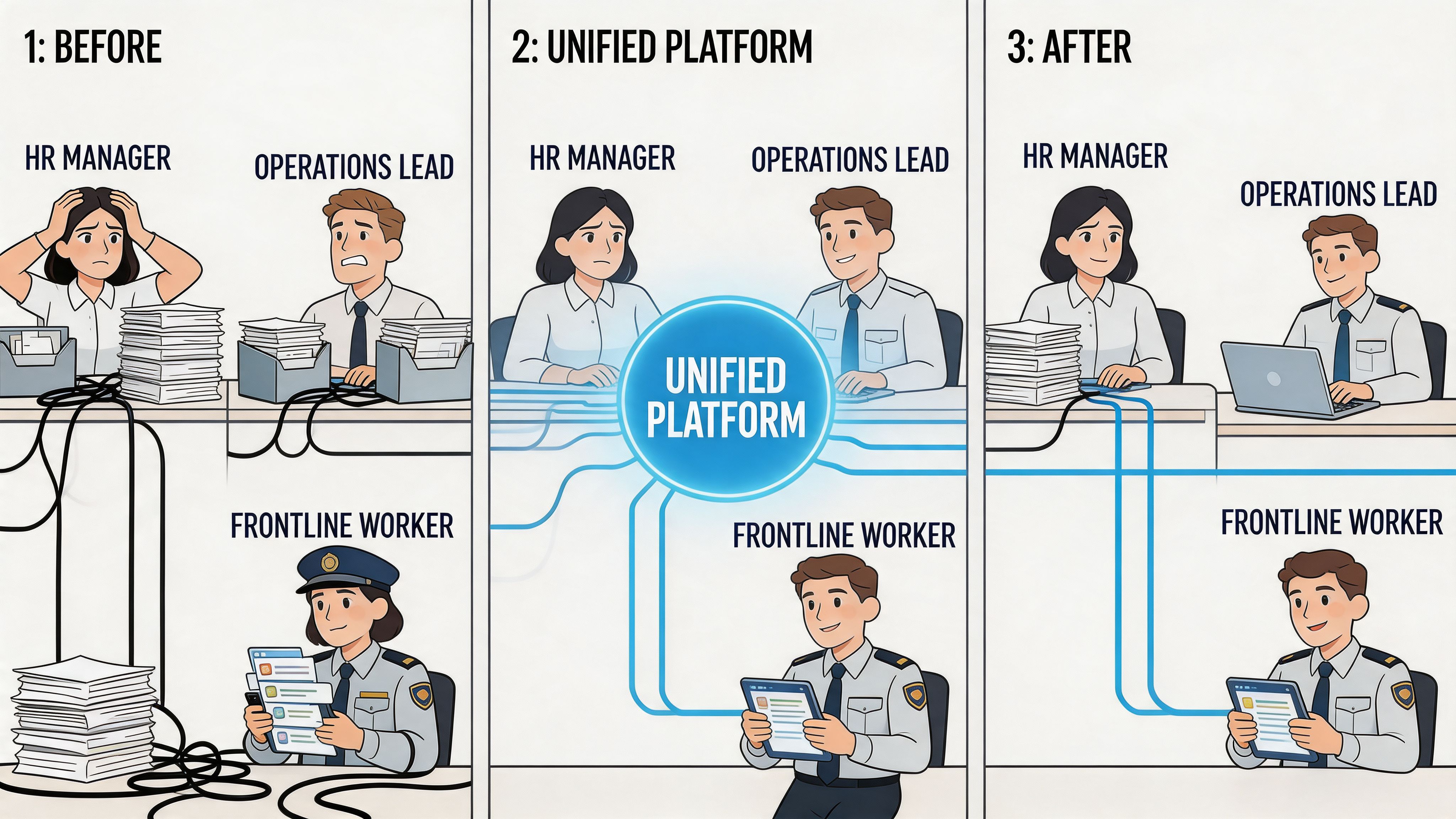
The first win is cleanup. Not glamorous, but important. When teams pile app on top of app, licenses keep renewing, overlapping features multiply, and nobody is fully sure which system is still necessary.
As noted earlier in the article, organizations can waste a meaningful share of software spend on redundant tools. That's why unification isn't just an IT preference. It's financial discipline.
Leaders also get something less obvious and more useful. Visibility. When communication, updates, tasks, and engagement signals live together, managers can see whether a message landed, whether a workflow moved, and where teams are getting stuck. That's much harder when data is scattered across separate systems.
For teams thinking beyond chat alone, a broader digital employee experience platform approach often makes more sense because it ties communication to the day-to-day work employees are already doing.
What employees get
Employees don't describe this in platform language. They describe it in friction.
They want one login. One app on the phone. One place to check updates, ask questions, find the schedule, read the policy, and finish the task. That sounds basic because it should be basic.
A unified platform also reduces the use of personal apps for work. That's a bigger deal than many buyers admit. Once employees start relying on side-channel texting and ad hoc groups, managers lose consistency and teams lose a shared record of what's been said and done.
A system earns trust when employees know where to look and managers know what happened.
Why this turns into retention and execution
When work gets clearer, people waste less energy chasing information. New hires ramp faster because the path is visible. Managers spend less time repeating themselves. Frontline staff feel less cut off from the rest of the company.
That doesn't mean software fixes culture by itself. It doesn't. But bad systems create bad habits. Good systems remove excuses for confusion.
This is also the one section where it's fair to mention a concrete example. Tools like Pebb package chat, calls, news feeds, tasks, knowledge, scheduling, clock-in, and people directory functions into one work app. That's useful when the goal isn't merely better messaging, but a shared operating environment for office and frontline teams.
The payoff isn't abstract. You cut duplicate tools, reduce handoffs, and give people one place to work. That shows up in cleaner operations long before anyone calls it transformation.
How Unified Platforms Work in the Real World
The theory sounds clean. Real work isn't.
The reason unified platforms matter is that they help messy, fast-moving environments stay manageable. That's especially important for frontline teams, who are often left out of office-first software design. In industries like retail, hospitality, and logistics, frontline workers make up 60% to 80% of the workforce, and Microsoft's overview of UCaaS for modern work notes that these teams face barriers such as limited device access and the need for mobile-first experiences.
Retail
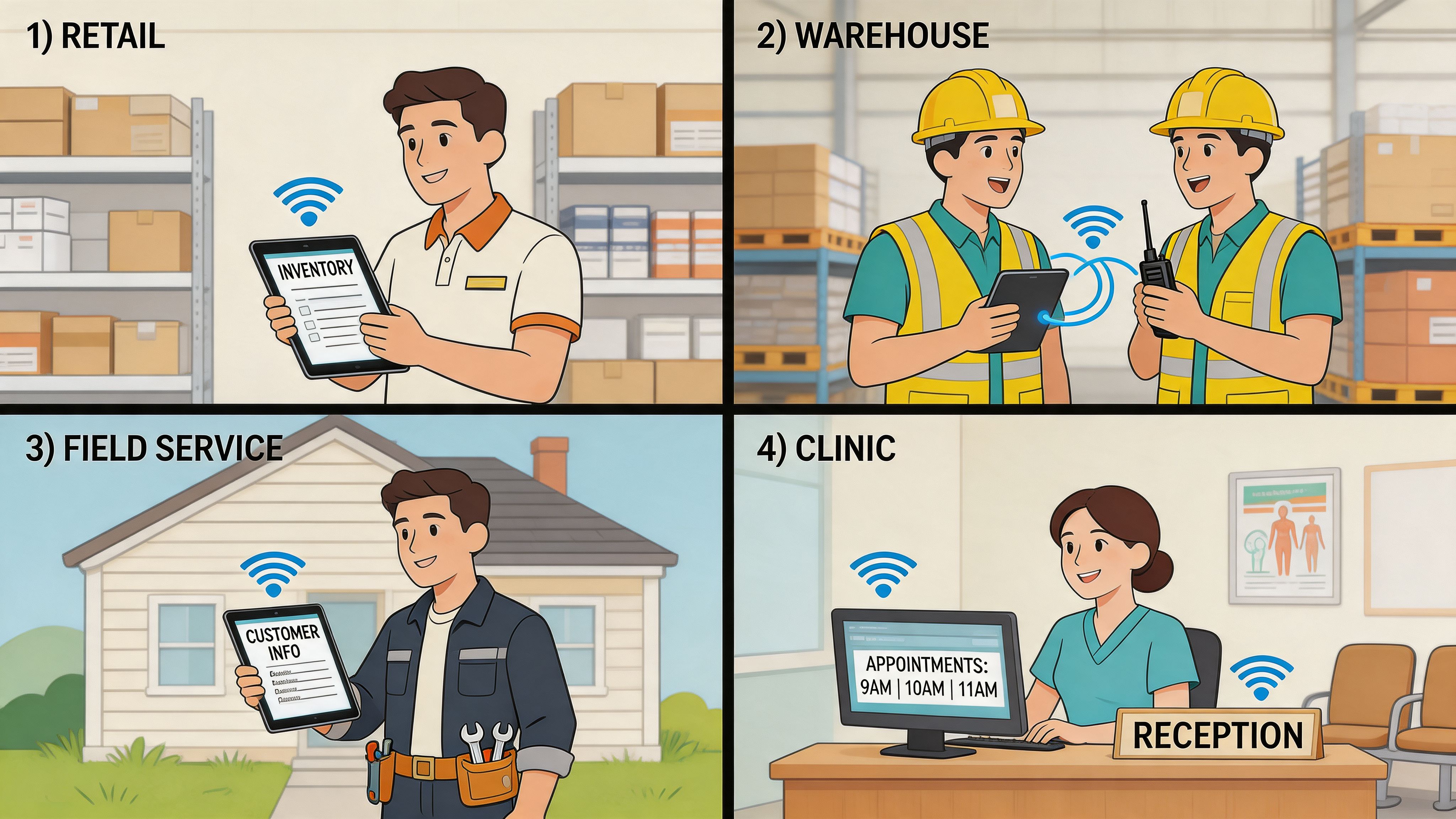
A regional store manager pushes a new weekend promotion to three locations from her phone. The promo brief sits in the same space as the staff chat, task checklist, and revised shift coverage. Nobody has to ask whether the latest version came by email or in a message thread. It's all attached to the same workflow.
That matters because retail work happens mid-motion. If a platform assumes everyone is at a desk, adoption dies fast.
Hospitality and healthcare
A front desk agent marks a room ready for inspection. Housekeeping sees the update inside the team space they already use, not in a separate dispatch tool. The manager can confirm who read it and who acted on it.
A clinic coordinator has a different need. The message can't be casual. The wording has to be clear, calm, and appropriate for on-call staff. That's where writing discipline matters more than people admit. If your team struggles with message clarity under pressure, Tonen's guide to message tone is worth a look because the tone of an internal message can change how fast and how well people respond.
Clear systems help. Clear writing still matters.
Logistics
In a warehouse, speed without context causes mistakes. A supervisor assigns a priority task to a forklift operator, includes a note, attaches the relevant document, and tracks completion in the same environment. The communication doesn't float away from the action.
That same idea applies to field teams and distributed crews. If a voice or video conversation happens, the work that follows should stay in the same place. Otherwise you get the familiar drift where the meeting happened in one app, the follow-up landed in another, and the task disappeared in a third.
For companies comparing communication stacks, it's useful to look at how a broader video conferencing system fits inside a more complete work platform, instead of treating meetings as a separate island.
The pattern behind all four examples
Different industries. Same lesson.
One thread for action: The message, task, file, and update live together.
Mobile first means usable on shift: Not a desktop product squeezed onto a smaller screen.
Context stays attached: People can see what changed, why it changed, and what needs to happen next.
This is what many traditional UC definitions leave out. Frontline work isn't just about reaching people. It's about helping them act without hunting across systems.
A No-Nonsense Checklist for Choosing the Right Platform
Most demos look good for the first twenty minutes.
The problems show up later, when a manager needs to onboard fifty people quickly, when someone forgets a password on a Saturday shift, or when a supervisor tries to find the latest file from a phone in a noisy back room. That's when the difference between a polished demo and a usable platform becomes obvious.
Questions worth asking before you buy
Don't start with the feature grid. Start with the daily reality.
Can a frontline worker use it comfortably from a phone? If the mobile app feels like a cramped desktop clone, adoption will stall.
Can a manager send an update, assign a task, and attach the relevant file in one flow? If those actions split across tools, you're buying more coordination work.
How fast can new people get in? If onboarding requires a long IT sequence, the platform will drag every rollout behind it.
Can non-technical managers handle permissions and team setup? If every small change needs admin support, the system becomes a bottleneck.
Is the knowledge actually searchable? A policy buried in folders isn't much better than no policy at all.
Do analytics show meaningful behavior? You want signals that help managers respond, not vanity dashboards.
What usually fails in practice
Some platforms are strong at meetings and weak at operations. Others handle chat well but feel dead as a company home. Some have every feature under the sun and still make basic tasks too hard.
A few trade-offs are normal. Confusion isn't.
If employees need extra training just to know where work happens, the platform is too complicated.
I also look for restraint. Good platforms don't try to impress you with endless tabs. They reduce choices at the moment of work. That matters more than a flashy roadmap.
A better buying lens
Use this simple test with your shortlist:
Ask this | Good sign | Warning sign |
|---|---|---|
Where does a task go after a conversation? | It stays in the same team space | It moves to another app |
Where do employees find updates and policies? | One obvious place | Multiple systems with overlap |
How does it work for non-desk staff? | Mobile-first and fast | Desktop-first with compromises |
Buy for the team you have, not the one your software vendor pictures in their slides.
Beyond Tools and Toward Trust
The best answer to what is a unified communications platform has very little to do with technology.
It's a trust system.
When people know where to find the truth, work gets calmer. When updates are visible, tasks are connected, and managers don't have to relay everything by hand, teams stop operating on rumor and memory. They start operating on shared context.
That matters for the front desk and the C-suite alike. Different jobs, same need. Clarity. A reliable place to communicate. A reliable place to act. A reliable place to belong.
A scattered stack tells employees to fend for themselves. A unified platform tells them the company has done the work to make working together simpler.
That's the shift that matters most. Fewer apps is nice. More trust is better.
If you're trying to replace a patchwork of chat, calls, tasks, updates, and frontline workflows with one calmer system, Pebb is worth a look. It brings communication, operations, and engagement into a single app so teams can message, share updates, manage tasks, access knowledge, and handle shift-based work in one place.
