
How To Improve Cross Team Collaboration In 2026
How to improve cross team collaboration - Practical steps to improve cross team collaboration for frontline & remote teams. No jargon, just real-world
Dan Robin
Cross team collaboration usually breaks in the same boring way. The office makes a plan, the frontline gets it late, nobody’s sure who decided what, and then everyone acts surprised when the rollout goes sideways.
I’ve seen this in retail launches, warehouse process changes, healthcare scheduling updates, and restaurant operations. The pattern barely changes. One group thinks the other group is resisting. The other group thinks nobody asked them what real work looks like. Both are partly right.
If you want to know how to improve cross team collaboration, stop shopping for a miracle app and stop adding meetings. Start by fixing the operating system your teams are already trapped in. Good collaboration is less about enthusiasm and more about design. Clear ownership. Visible work. Fewer channels. Better defaults. A mobile-first setup for people who don’t sit at desks all day.
That’s what actually works.
First See the Cracks in the Foundation
A familiar story. Corporate decides to change a picking process in the warehouse. Ops writes the SOP. HR sends the announcement. Store managers hear about it in a weekly email. Floor leads hear about it from a screenshot in a group chat. By the time the change reaches the people doing the work, half the details are missing and the deadlines are already locked.
Then the blame starts.
The warehouse says stores didn’t follow the process. Stores say the warehouse team built something that made sense on a slide, not on a loading dock. HR says they communicated it. IT says the tool was available. Nobody says the uncomfortable part out loud. The system was designed to fail.
This is a core problem with cross-team work. Most collaboration issues aren’t personality issues or effort issues. They’re systems issues that show up as human conflict.
Workplace collaboration statistics make that painfully clear. 85% of collaboration failures arise from poor communication management, including silos (67%), miscommunication linked to 28% of missed deadlines, and difficulty collaborating across departments (41%), according to these workplace collaboration statistics.
Stop calling it a communication problem
Most leaders say, “We need better communication.”
Usually they mean one of four things:
Goals don’t match: Sales is rewarded for speed, operations is rewarded for stability, and support is left cleaning up both.
Ownership is muddy: Too many people can comment, too few can decide.
Frontline reality is invisible: Office teams design work they never have to perform.
Information travels by accident: Updates live in email, chat, paper, memory, and whoever happened to be on shift.
That isn’t a communication issue. That’s a coordination issue.
Practical rule: If a project depends on people “remembering to loop others in,” you do not have a collaboration process. You have hope.
I like to compare this to physical operations. In a warehouse, bad layout creates delays no matter how hardworking the team is. The same is true for communication. If you’ve ever looked at effective warehouse design strategies, you already understand the principle. Friction hides in the layout. Teams are no different.
Look for recurring failure, not isolated drama
Every company has the occasional bad launch or missed handoff. That alone doesn’t mean your cross-team setup is broken. The warning sign is repetition.
Ask simple questions:
Do the same teams keep getting into the same fight?
Do projects slow down at the same handoff point every time?
Do frontline managers hear major updates after customers do?
Does “urgent” mostly mean “we didn’t coordinate earlier”?
If the answer is yes, you’ve built collaboration debt. And debt always collects interest.
A lot of leaders miss this because they only inspect the final failure. They look at the missed deadline, the incorrect order, the scheduling mess. They don’t inspect the weeks of small confusion that led there. Collaboration usually dies long before the obvious blowup.
Trust problems show up as process problems
People like to separate culture from operations. I don’t. In practice, they’re welded together.
When teams don’t trust each other, they hold back context. They protect their own metrics. They over-copy leaders. They save receipts instead of solving problems. Frontline teams stop raising issues because they assume nobody at HQ wants the truth anyway. Office teams stop asking for feedback because they think it will slow things down.
The output looks procedural. The root cause is human.
That’s why I’d start with an honest review of where your silos live. If you need a straight read on the patterns, this piece on the cost of communication silos and how to break them is worth your time.
The first fix isn’t a new tool. It’s naming the real bottleneck without dressing it up.
What the cracks usually look like
You don’t need a formal audit to spot them. You need attention.
Common signs include:
Office-first decisions that reach frontline staff late or stripped of context.
Shadow systems where teams keep private spreadsheets, side chats, and verbal workarounds because the official process is too clumsy.
Handoff confusion where nobody can answer one simple question: who has the ball right now?
If you miss these signals, you’ll keep treating symptoms. More reminders. More meetings. More status updates. More frustration.
None of that fixes the foundation.
Build Scaffolding Not Cages
Most companies respond to bad collaboration by tightening control. More approval steps. More forms. More required meetings. More people copied on everything.
That’s the wrong instinct.
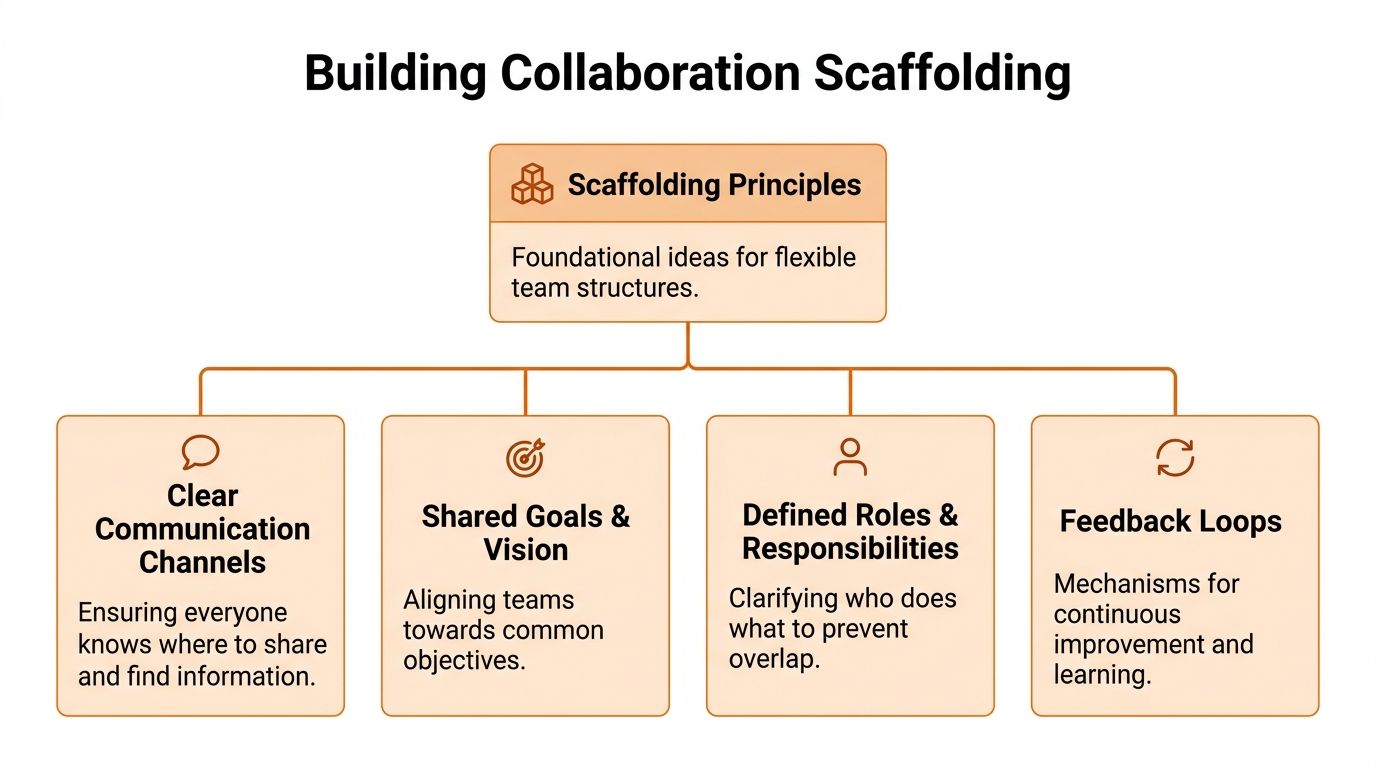
When work gets messy, teams need scaffolding, not cages. They need just enough structure to reduce confusion without making every decision crawl through wet cement. Good structure tells people where work lives, who decides, and how issues move. Bad structure turns adults into permission seekers.
This is the model I trust.
Give every cross-team project a driver
If nobody owns motion, work stalls in politeness.
That’s why I like DACI. Not because frameworks are exciting. They aren’t. I like it because it answers the question people keep dancing around. Who’s driving this? That one answer clears a lot of fog.
According to Leadership Circle’s guidance on cross-functional teams, implementing shared decision-making frameworks like DACI can reduce decision bottlenecks by up to 40%, and that matters because 75% of cross-functional teams are considered dysfunctional, often due to unclear roles and siloed goals.
Here’s the simple version I use:
Driver: Owns progress and chases decisions.
Approver: Makes the final call.
Contributors: Add expertise before the decision.
Informed: Need the outcome, not a seat in every debate.
That’s it. Keep it visible. Put it at the top of the project space, kickoff doc, or task board. When work crosses departments and shifts, role clarity beats enthusiasm every time.
Put the work in one place
A lot of collaboration breaks because the conversation lives in chat, the files live somewhere else, the tasks live in another tool, and the final decision lives in somebody’s head.
That setup guarantees rework.
For cross-team work, I want one shared operating area per initiative. One place where the chat, files, tasks, updates, and key decisions sit together. That could be a project hub in Asana, a shared board in Trello, a Basecamp project, or a space inside a work app. The exact tool matters less than the rule. If people have to hunt, your system is broken.
Pebb is one example of this approach. Teams can use Spaces to keep chat, tasks, files, posts, and schedules together in one area, which is useful when office staff and shift-based teams need the same context without bouncing between separate systems.
If your projects often get stuck between departments, this guide on managing workflow dependencies across teams covers the operational side well.
Don’t create a “collaboration layer” on top of scattered work. Move the work into a shared place.
Replace status meetings with a simple rhythm
Most recurring meetings are weak substitutes for visibility.
I’d rather see a lightweight weekly ritual than another standing meeting with twelve people pretending to listen. One of the best patterns I’ve used is a shared post with three short prompts:
What moved
What’s stuck
What changed
That works across office and frontline teams because it doesn’t require everyone to be online at once. A morning shift lead can post before lunch. A regional manager can catch up later. A support manager can see blockers without sitting through another calendar invite.
Office design advice still holds value, even if your team is mostly distributed. Some ideas in this guide to boosting office camaraderie are useful because they remind us that people collaborate better when interaction feels normal, not forced. The same principle applies digitally. Create easy places for connection. Don’t script every exchange.
Use standards where confusion is expensive
Not every part of collaboration needs freedom. Some things should be standardized.
I’d lock down a few basics:
Project naming: If every team uses different names for the same initiative, confusion is guaranteed.
Decision logging: Every meaningful decision gets written down where everyone can find it.
Escalation path: When a blocker can’t be solved at team level, people should know exactly where it goes next.
Everything else can stay light.
Keep the rules flexible at the edges
The trap with structure is overbuilding. Teams then spend more time complying with the process than doing the work. That’s when your scaffolding turns into a cage.
A good rule should make work easier within a week. If it adds drag, trim it. If frontline teams have to leave the floor, open a laptop, and fill out five fields just to report an issue, that process was designed by someone who doesn’t understand the floor.
Calm systems win. Simple ownership wins. Shared spaces win. Bureaucracy never does.
Establish the Rules of Engagement
Many teams don’t have a collaboration problem. They have a channel problem.
Everything is technically communicated, but nothing is clear. A vendor update arrives in email. An urgent staffing issue lands in a chat thread. A policy change gets posted in two places. A key file is buried under reactions, memes, and “just bumping this” replies. People stay anxious because they don’t know where truth lives.
That’s why I’m in favor of strict communication rules. Not stiff rules. Clear ones.
Fewer channels, stronger habits
One of the most productive things you can do is stop treating every tool as equal. They’re not. Every channel should have a job.
When teams create collaboration handbooks and standardize communication channels, they address handoff stalls and knowledge gaps that account for 39-60% of productivity losses in teams with poor processes, according to Teamwork’s write-up on cross-team collaboration.
That number tracks with what I’ve seen. Waste piles up in the seams.
Here’s the contrast I’d put in front of any team.
Situation | The Old Way (Default Chaos) | The Intentional Way (Calm & Clear) |
|---|---|---|
Urgent operational issue | Post in whichever chat seems active | Use one designated urgent channel with clear escalation rules |
Project update | Mention it in a meeting and hope people remember | Post it in the project space where tasks and files already live |
Policy change | Email everyone, then repeat it in chat | Publish it in the handbook and link to it from the announcement |
Vendor communication | Mix external updates with internal debate | Keep vendor comms in email, internal decisions in the project space |
New hire question | Ask whoever seems available | Send them to a handbook that explains how work happens here |
This is why I recommend a written communication charter. Nothing fancy. One page is enough if it’s sharp.
Ban ambiguity, not conversation
A good charter answers plain questions:
Where do urgent updates go?
Where do project decisions live?
Where do files live?
What belongs in chat and what belongs in documentation?
When do we use async updates instead of meetings?
If people can’t answer those questions quickly, they’ll make it up as they go. Then you get communication by habit instead of communication by design.
I’d also kill the expectation that the green “available” dot means instant access. That tiny icon has done real damage to focused work. It trains people to interrupt first and think later. Cross-team collaboration gets better when people write clear updates, leave context, and let others respond when they can process it.
“Available” is not a job description.
Build a handbook people will actually use
Most handbooks fail because they read like legal furniture. Heavy, dull, and ignored.
A useful collaboration handbook is practical. It tells people how work really moves. That matters even more for frontline teams, where onboarding is fast, turnover can be high, and there isn’t time to learn by osmosis.
I’d include five parts:
How we communicate
Spell out which channels exist and what each one is for.How we make decisions
Explain who decides, who contributes, and where final calls are recorded.How handoffs work
Show what one team must provide before another team can act.How we escalate blockers
Make it obvious what happens when work gets stuck.How we onboard into the system
Give new hires a map, not a scavenger hunt.
A lot of teams don’t need more software training. They need a shared agreement about how they work together. That’s the piece many managers skip.
If you want a broader baseline, these internal communication best practices are a useful reference for turning loose habits into clear defaults.
Write rules that lower stress
Good rules should make people calmer.
That’s the standard. If your communication setup leaves people checking four apps before a shift, scanning twenty threads for one answer, or asking three managers where the latest file is, you haven’t built clarity. You’ve built noise.
The point of rules isn’t control. The point is relief. People do better work when they know where to look, where to post, and where to stop paying attention.
Make the Work Visible and Connected
Hidden work is where collaboration goes to die.
A regional manager thinks the launch is on track because the deck says green. A store lead knows training hasn’t happened on half the shifts. A warehouse supervisor can see the backlog building, but nobody upstream sees it until orders slip. Each person holds one piece of the picture. Nobody holds the whole thing.
That’s why visibility matters more than talk. If work is visible, teams need fewer updates because the status is already there.
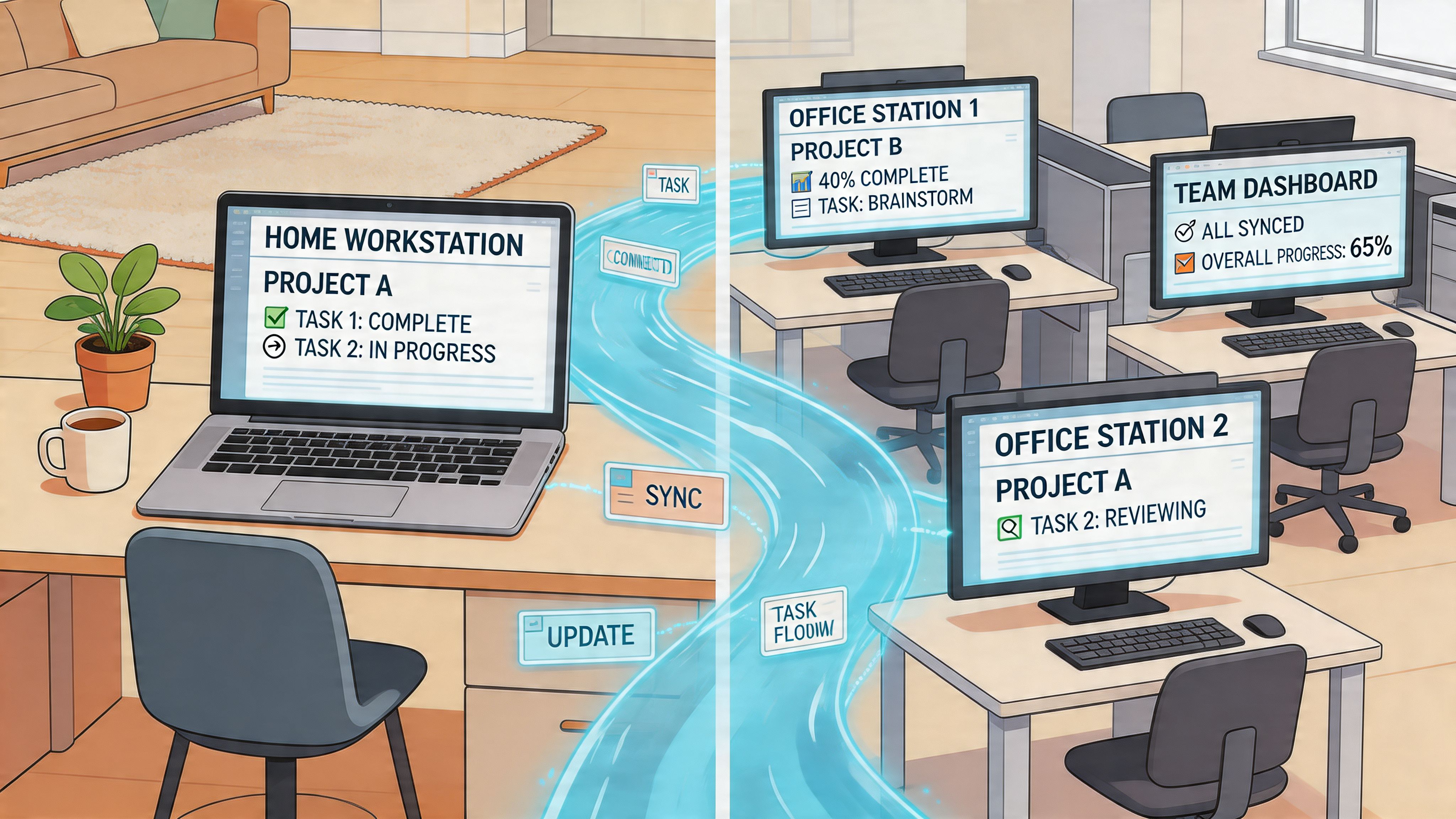
A 2023 Gartner report cited in ActivTrak’s discussion of cross-team collaboration says 68% of frontline workers report siloed communication, and only 22% of their organizations use analytics for cross-shift visibility. That gap is exactly why so many office-built processes break in frontline settings.
Make status obvious without asking
Many teams still rely on status meetings because the work itself isn’t legible. People have to ask for updates because there’s nowhere reliable to look.
Fix that first.
I want every cross-team initiative to have visible signals:
what’s in progress
what’s blocked
what changed
who owns the next move
That can live on a task board, in a project channel with pinned updates, or in a shared operations hub. The format doesn’t matter much. The visibility does.
When status is public by default, you cut down on the worst kind of communication. The ping that exists only because nobody can see what’s happening.
Documentation is part of the work
A lot of teams still treat documentation like cleanup. Something you do later if there’s time. That’s backward.
Documentation is how distributed teams share memory. It’s how the night shift learns from the day shift. It’s how a new store manager avoids repeating a mistake another location already solved. It’s how a support lead in one region understands why logistics changed a process in another.
Visible work beats verbal work. Spoken context disappears. Written context compounds.
This doesn’t mean writing long manuals for every tiny task. It means capturing the decisions, steps, exceptions, and dependencies that others will need. A shared knowledge library becomes the company’s working memory. Without it, every team starts over.
Build a people map, not just a org chart
One of the most underrated collaboration tools is a searchable people directory.
Not a static HR chart. A real directory that helps someone answer, “Who handles this?” and “Who’s done this before?” Frontline and distributed teams need this even more than office teams because they can’t swivel their chair and ask around.
A store manager trying to solve an inventory issue shouldn’t need three layers of management just to find the right logistics contact. A nurse supervisor trying to clarify a staffing process shouldn’t have to guess whether payroll, HR, or operations owns the answer.
The more visible your people and their roles are, the less friction your teams carry.
Design for phones first
Many collaboration systems fail. They assume everyone starts their day at a laptop.
Frontline teams don’t. They’re moving, serving, stocking, transporting, admitting, cleaning, checking, and responding. If critical work can only be understood from a desktop dashboard, your collaboration model is office-biased by design.
That means the visible work needs to be:
Readable on a phone
Easy to update in the flow of work
Organized by location, shift, team, or project
Searchable without training
If you miss those basics, people build workarounds. Screenshots. Side texts. Verbal relay. Whiteboards that drift out of date. Then leaders wonder why alignment feels fragile.
Connection needs context
Some leaders hear “make work visible” and respond by opening everything to everyone. That creates a different problem. Noise without relevance.
The answer isn’t total exposure. It’s connected context. Teams need access to the work that affects them, the decisions behind it, and the people attached to it. Not every conversation. Not every file. Just enough to act without waiting.
That’s the sweet spot. Visibility with boundaries. Openness with structure.
When you get that right, collaboration starts to feel less like coordination theater and more like shared work.
Measure What Matters and Nudge the Rest
A lot of collaboration measurement is nonsense.
Leaders count messages, meeting attendance, reactions, post views, and “engagement” as if activity proves alignment. It doesn’t. A noisy company can still be a confused company. In fact, that’s common.
The only collaboration metrics worth your attention are the ones tied to outcomes and friction. Did work move faster? Did handoffs improve? Did fewer tasks bounce back? Did frontline teams see and act on key updates?
That’s where measurement starts.
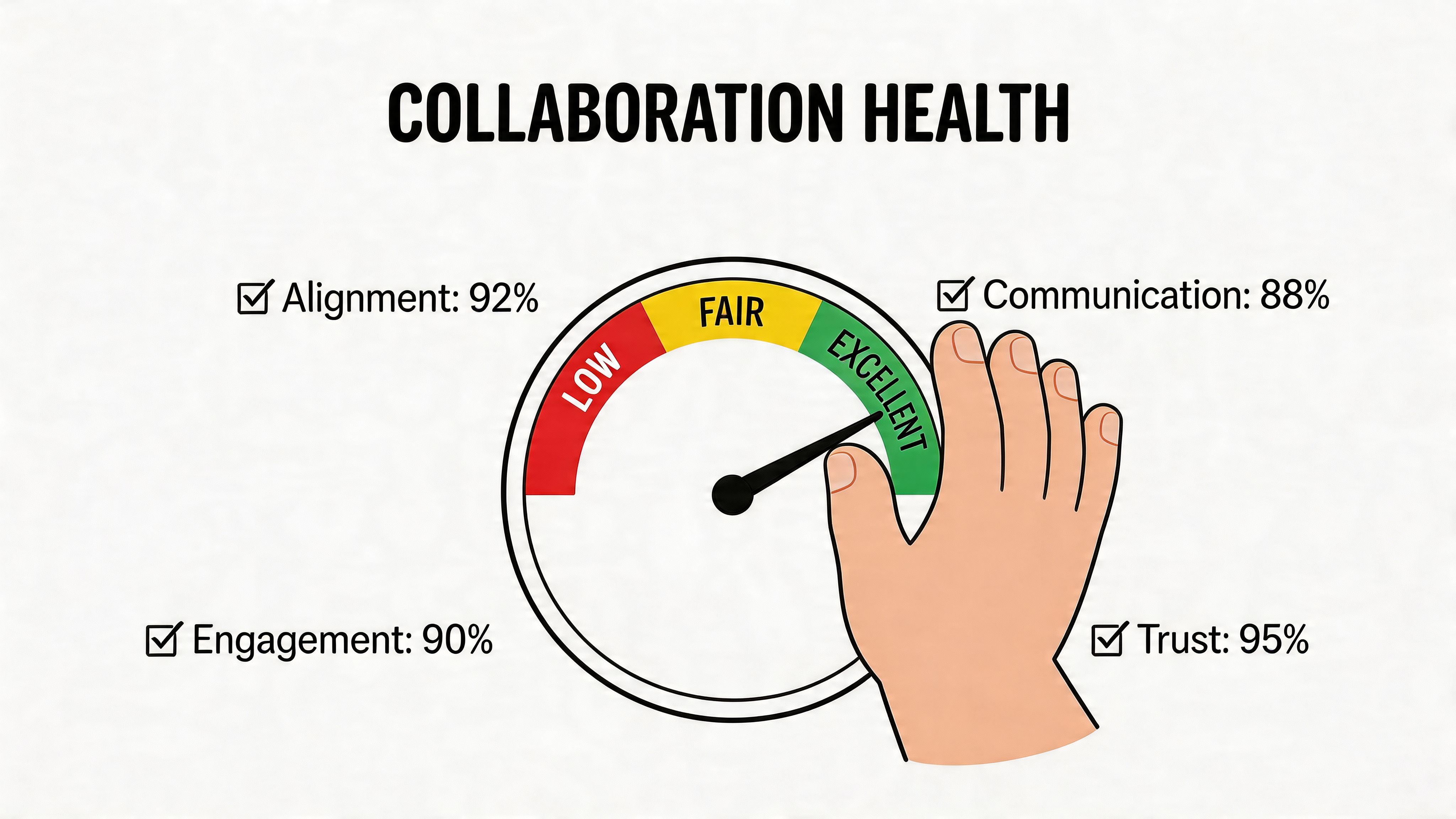
The upside is real when companies take this seriously. According to Cake’s workplace collaboration statistics, companies that strengthen team collaboration see a 39% increase in productivity. Their employees work 15% faster, produce 73% more effective work, and are 60% more creative. High-engagement teams also see 23% higher profitability.
Ignore vanity metrics
If I’m reviewing cross-team collaboration, I don’t start with chat volume. I start with friction points.
I want to know:
where projects stall
which handoffs get kicked back
which teams rarely interact until something breaks
whether key updates reach both office and frontline groups
whether the same blockers repeat across shifts or locations
Those signals tell you where the system needs a nudge.
A healthy collaboration setup doesn’t just generate conversation. It creates motion. Work gets from idea to execution with less confusion and fewer retries.
Watch the seams between teams
The best data often sits in the seams.
Look at places where one team depends on another. Sales to operations. HR to store managers. Warehouse to transport. Clinical leadership to scheduling. Those handoffs are where collaboration becomes visible enough to inspect.
I’d track a small set of indicators, such as:
Time from request to acknowledgment
Time from handoff to next action
Repeat questions on the same process
Whether updates are being read across roles and locations
Task completion patterns across shifts
That gives you something useful to act on without turning the workplace into a surveillance experiment.
Measure strain, not just participation.
Use analytics to spot isolation early
Modern work apps can help here if you use them with discipline. Not to police people. To spot disconnects.
For example, if leadership updates are getting attention from office teams but not from shift-based teams, that’s not a motivation problem until proven otherwise. It may be timing, channel choice, format, language, or mobile usability. If files are being shared heavily within departments but rarely across them, you may have a silo problem long before anyone says the word silo out loud.
That’s where analytics become useful. They don’t replace judgment. They sharpen it.
The trick is to ask operational questions, not performative ones. Don’t ask, “Are people engaging with our content?” Ask, “Can the people who need this information use it in time to do the job right?”
Nudge the system instead of lecturing people
Once you can see the pattern, keep the response small and specific.
If one shift misses updates, change the timing or format. If one handoff keeps failing, add a required checklist or a named owner. If one team hoards context, make decision logs visible. If frontline workers don’t use the desktop tool, stop insisting and move the work to a mobile-friendly flow.
That’s how improvements stick. You adjust the environment people work in. You don’t just deliver another speech about collaboration.
The companies that get this right aren’t magical. They’re disciplined. They build clear channels, visible work, shared ownership, and lightweight measurement. Then they keep refining.
That’s the core answer to how to improve cross team collaboration. Not more noise. Better design.
If your teams are spread across offices, stores, warehouses, hospitals, or job sites, it helps to have one place where communication, tasks, files, updates, and shift-based work actually connect. Pebb is built for that kind of setup, especially when frontline and office teams need the same context on web and mobile without juggling a pile of disconnected tools.
