
Your Guide to a Video Conferencing System
Unsure how to choose a video conferencing system? This guide explains everything from core features to choosing the right tool for your modern team.
Dan Robin
We all think we know what a video conferencing system is. It’s that grid of faces on our screens, the digital stand-in for a meeting room. But that’s only half the story.
The Tool We All Thought We Knew
The pandemic made video calls a daily ritual. We got so used to them that we started to overlook what these systems were quietly becoming. For a long time, we were just grateful they worked at all. We accepted the dropped calls, the awkward silences, and the “Zoom fatigue” as the price of admission. We thought it was a temporary fix.
But it was never temporary. That quick fix is now the central nervous system for countless modern companies. It’s time our understanding of it caught up.
More Than Just Meetings
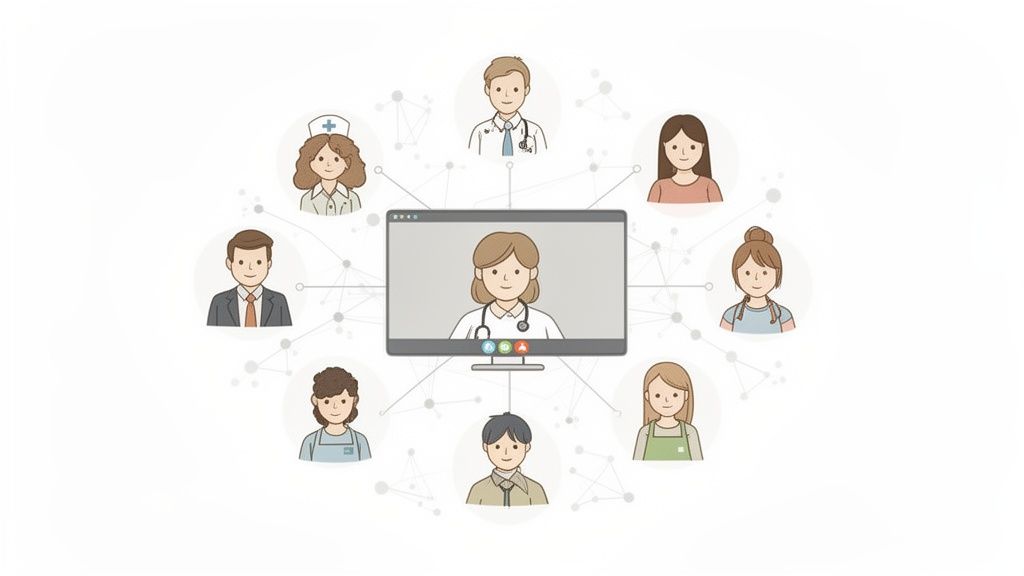
We lived this shift firsthand. Our own view of video calls went from a necessary evil for scheduled meetings to a real point of connection. This was especially true for our distributed and frontline teams—the people in warehouses, on shop floors, and in clinics who were often left out of the corporate conversation.
They couldn’t just swing by a colleague’s desk. For them, a quick video call from their phone became the new hallway chat. It was a way to show a problem, not just try to explain it in a text.
This is happening everywhere. Remote and hybrid work made the global video conferencing market explode. It's on track to hit USD 11.23 billion by 2026 and could grow to over USD 31 billion by 2035. For people in operations and HR, that number says one thing: this stuff matters. A lot. You can explore more data on the video conferencing market's growth and what it means for businesses.
A video conferencing system isn't just about meetings anymore. It’s about sharing context, building culture, and getting real work done, whether you’re at a desk or on your feet.
This isn’t about making meetings look prettier. It’s about building a workplace that’s more connected, efficient, and human. The best systems today do more than just broadcast faces—they help real interaction happen. They help you:
Solve problems faster: A technician can show a manager a broken part instead of describing it over the phone.
Build a real culture: A new hire can have a spontaneous virtual coffee with a teammate on the other side of the country.
Keep everyone in the loop: A retail manager can run a quick huddle with their team right before the store opens.
This isn't another feature comparison list. It’s our take on what a modern video conferencing system truly is, how it works, and how to pick one that actually connects your whole team. We’ll cut through the noise and get clear on what really matters.
How a Video Call Actually Works
It’s easy to take video calls for granted. You click a button, and you’re talking face-to-face with someone halfway around the world. It feels like magic. But what’s happening behind the screen is a pretty straightforward process.
I think of it like driving a car. You don't need to be a mechanic to get from A to B, but knowing a little about the engine and tires helps you understand why it’s running smoothly or making a funny noise. The same is true for your video calls.
Let’s lift the hood. Understanding the core parts will help you diagnose why one call is flawless and the next is a pixelated mess. More importantly, it shows you what you can actually do about it.
The Engine Room of Your Call
Every video call relies on something called a codec—a mashup of the words coder-decoder. Its job is simple but vital: it takes the huge streams of video and audio from your camera and mic and squeezes them into tiny packages to send across the internet. At the other end, it unzips those packages so your team can see and hear you clearly.
Without a good codec, a single HD video stream would crush most internet connections. It's the unsung hero that makes the difference between a fluid conversation and a choppy, frozen mess.
Once your audio and video are compressed, they need a highway to travel on. That’s your network—the office Wi-Fi, your home internet, or the cellular data on your phone. The quality of this road determines how quickly and reliably those data packets arrive. A spotty connection is like a road full of potholes; some packets get lost, causing those frustrating glitches and freezes.
Where Does Your System Live?
The final piece is figuring out where the video conferencing system itself is hosted. This decision impacts your security, costs, and how easily you can grow. There are really only three ways to go, and each one is built for a different kind of organization.
For some, like government agencies or defense contractors, keeping everything in-house is non-negotiable. They need total control and often run their calls on private networks, completely separate from the public internet.
This isn't just a theory. The Government of Bangladesh, for instance, operates a secure video conferencing system that runs over its own private satellite. This ensures sensitive government work stays completely isolated and reliable—absolutely critical for their day-to-day operations.
Choosing your deployment model isn't just a technical decision. It’s a strategic one that defines who controls your data, how much you can scale, and what it costs to stay connected.
Thankfully, most of us don't need our own satellite. You have options that balance control and convenience. Let’s be honest, you just want the thing to work.
Here’s a simple guide to help you choose the right path.
Choosing Your Deployment Model
Deployment Model | Best For | Key Consideration |
|---|---|---|
On-Premise | Organizations with strict security needs or in highly regulated industries. | Higher upfront cost and requires an IT team to manage the servers. Total control. |
Cloud-Based | Most businesses, from startups to large enterprises, that want flexibility and low maintenance. | You're trusting a third-party with your data, so their security matters. Ultimate convenience. |
Hybrid | Companies wanting the best of both worlds—keeping sensitive data on-premise while using the cloud for everything else. | Can be more complex to set up, but offers a great balance of security and scale. |
So there you have it. Understanding these basics—the codec, the network, and the deployment model—gives you a solid foundation. It helps you move the conversation from, "Why is my video lagging again?" to, "Okay, which part of our system needs attention?" You're no longer just a passenger; you're in the driver's seat.
What Really Matters: Essential Features vs. Distracting Bells and Whistles
Modern video platforms are in a constant arms race. Every month, there’s a new feature promising to revolutionize your meetings.
But here’s the thing: how many of those tricks do we actually use? For most of us, it’s about 20% of what’s on the menu. The rest is just noise—features that look good in a demo but just add clutter to our day. It's easy to fall into the "feature bloat" trap, where a simple tool becomes a complicated mess. The goal isn't to get the tool with the most features, but the one with the right ones.
Nailing the Basics
Before we get into AI magic and slick integrations, let’s talk about the fundamentals. These are the non-negotiables, the features so crucial they should feel invisible. You only notice them when they break.
Rock-Solid Screen Sharing: This is the cornerstone of remote work. It needs to be instant, clear, and so simple anyone can do it without a second thought. If you’re walking a colleague through a design or a spreadsheet, any lag just grinds the conversation to a halt.
Simple, One-Click Recording: The ability to record a meeting is table stakes. A great system makes it effortless, creating a reliable archive for anyone who couldn't make it or needs to double-check a decision.
A No-Fuss Chat: Sometimes you just need to drop a link or ask a quick question without derailing the speaker. A clean, integrated chat is a must-have.
Getting these basics right involves a surprising amount of technical heavy lifting, all happening in fractions of a second.
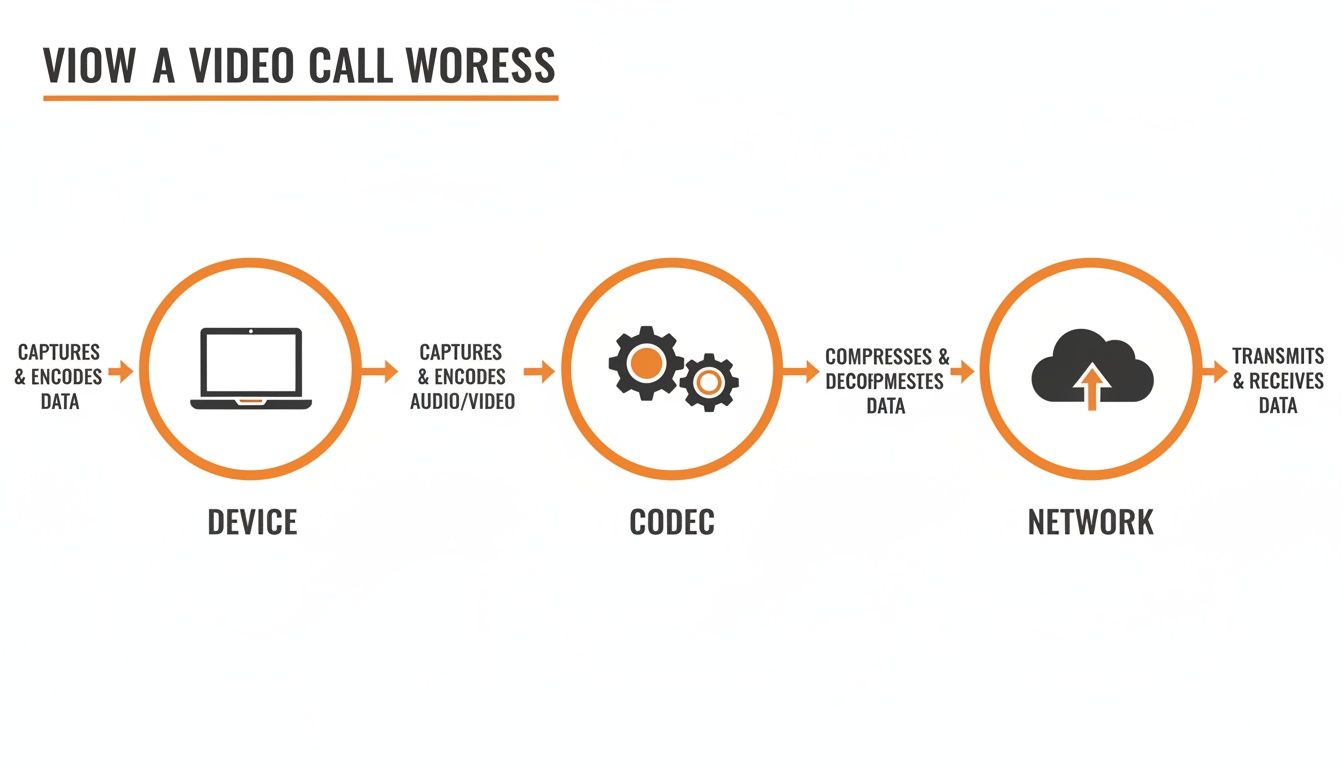
This process, from your device to the network, has to be seamless. If one step falters, the whole experience suffers.
Where Features Genuinely Make a Difference
Once that foundation is solid, a few features can truly elevate how your team works. These aren’t gimmicks. They solve real problems and turn fleeting conversations into lasting knowledge.
The best example is AI-powered transcription. By automatically turning everything said in a meeting into text, the conversation becomes a searchable document. Can’t remember the final decision on the Q3 budget? Just search the transcript for "Q3 budget." It's an incredible leap forward.
A transcription turns a meeting from a moment in time into a permanent, searchable piece of company knowledge. It’s one of the few features that delivers on the promise of making meetings more productive.
For example, while any tool can record, features like advanced Microsoft Teams transcription take it a step further, creating a text record that makes reviewing discussions incredibly efficient.
Other features that genuinely add value include:
Intelligent Virtual Backgrounds: Early versions were a distraction. Modern ones are different. They cleanly separate you from your surroundings, helping you maintain a professional look and protecting your privacy when you’re taking a call from home.
Workflow Integrations: The best tools don’t live in a silo. They connect with your calendar, project management software, and other essential apps. This kind of integration is key to reducing the constant app-switching that drains our focus, a common pain point when you compare remote collaboration tools.
When you're looking at a video conferencing system, focus on what your team will actually use. A global sales team will probably value mobile performance and recording above all else. A design team will care deeply about pixel-perfect screen sharing.
Don't let a long list of features you’ll never touch sway your decision. Instead, ask one simple question: "Will this actually help us work better together?"
Security Is More Than Just Encryption
When people think about security for a video conferencing system, they usually think about encryption and compliance checkboxes. And that stuff is absolutely vital. It's the technical fortress that keeps bad actors out. But it's only half the battle.
The other half is about people.
I've seen it time and again: the most powerful encryption in the world doesn't mean a thing if the system doesn't make people feel safe enough to have a real, honest conversation. Real security isn't just about what’s happening on a server; it's about what's happening in the mind of the person on the call.
The Human Side of Security
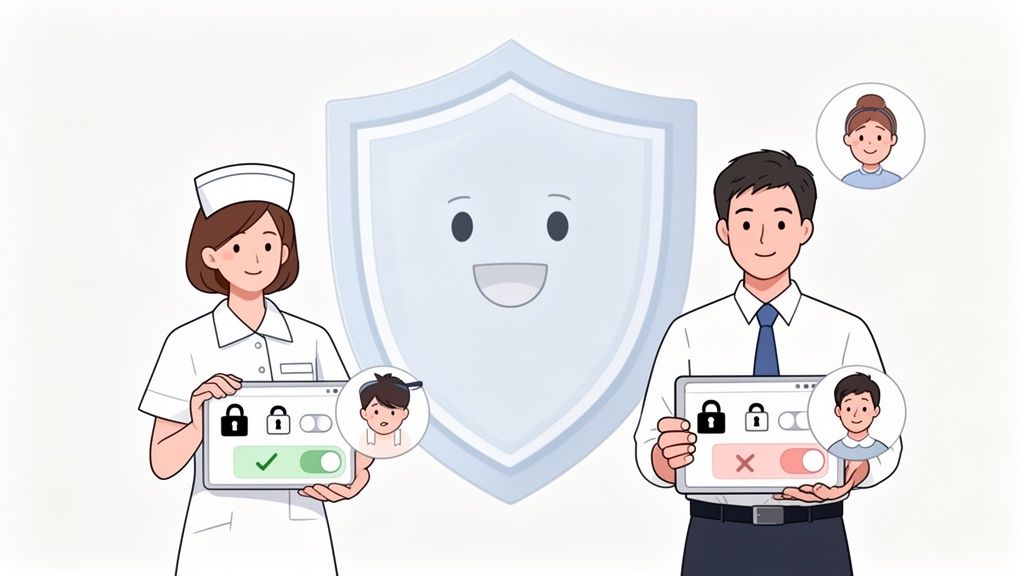
This is where user experience becomes a critical security feature. Simple controls, a clear indicator of who’s in the meeting, and easy-to-manage permissions aren’t just nice extras. They are the foundation of psychological safety.
Think about it. A nurse needs to know, without a doubt, that a quick video check-in with a doctor is completely private. A retail manager pulling their team into a huddle needs to control who joins without fumbling through a maze of settings.
It’s all about designing for people, not just for an IT checklist. While a deep dive into mastering network and wireless security is crucial for hardening your infrastructure, the person-facing side of the platform is just as important. The tech keeps the data safe; the design builds trust.
Building Trust Through Design
So, what does this actually look like? It boils down to two things: clarity and control. For frontline workers especially, who are often using their own phones or shared devices, these details make all the difference.
Here are a few design elements that are surprisingly powerful for building trust:
A Clear Roster: An always-visible list of participants that instantly shows who is in the room and whether their mic or camera is on. No surprises.
Simple Permission Levels: Intuitive roles like "host" and "participant" that leave no question about who can share their screen, record, or let others in.
Waiting Rooms: A simple virtual lobby that gives the host the final say over who enters the meeting.
Security isn't a feature you bolt on at the end. It's the feeling of confidence a user has when they click "start call." It’s the trust that their conversation will stay between the people it's meant for.
The best platforms are secure by default, not by complicated configuration. This means your conversations are protected from the second you start a call. For those in charge of governance, you can also explore the top tools for monitoring video call compliance to see how this works in the real world.
At the end of the day, the most secure video conferencing system is the one your team trusts enough to use for candid, meaningful conversations. When people feel safe, they communicate better. That’s the whole point, isn't it?
Connecting Everyone From the Office to the Frontline
Theory is great, but how do you actually roll out a video conferencing system that people will use and genuinely like? It’s one thing to pick a tool; it’s another to weave it into the fabric of your company. This is the practical, human side of the equation—the part that Ops and HR leaders live every day.
It all starts with an honest question: What problem are we really trying to solve for our people? The answer is almost never the same for everyone. For your team at headquarters, success probably looks like slick calendar integration and fancy presentation tools. They live in their inboxes and project management apps.
But what about the rest of your organization? What about the people who don’t have a desk?
Thinking Beyond the Desk
For your frontline teams—the people in the warehouse, the restaurant, the clinic, or the retail store—the priorities are completely different. Their work happens on their feet, with a phone in their hand. For them, a great video conferencing system comes down to three things.
It must be mobile-first, it has to work well on spotty low-bandwidth connections, and it needs to play nice with the tools they actually use, like scheduling apps. A clunky interface or a call that drops on cellular isn't just an annoyance; it's a complete failure.
This growing demand for a truly unified video conferencing system is playing out in the market. By 2026, enterprise video applications are on track to generate $5.8 billion, with small and medium-sized businesses making up a huge piece of that pie. As 5G makes high-quality mobile video a reality for more people, giving your frontline workers a top-notch experience is no longer a "nice-to-have." You can discover more insights about the enterprise video market on ElectroIQ.
From Selection to Adoption
Getting people on board isn't about sending a company-wide memo. It’s about showing them, in their world, how this tool makes their job easier. My advice? Start small. Find a few champions in different departments—a tech-savvy floor manager, a respected nurse—and get them using it first.
Let their success stories become your internal marketing. When a warehouse manager can solve an inventory issue in two minutes with a quick video call instead of a 20-minute walk across the facility, people notice.
And please, don't make training feel like a lecture. Forget long manuals and formal sessions. Instead, create short, bite-sized guides—maybe even a quick video—that show how to solve one specific problem.
How to join a team huddle with one tap.
How to share a photo of a damaged shipment instantly.
How to check in with a supervisor from the field.
Keep it simple. Keep it real.
A Single Place for Work
Let’s be honest, the last thing your team needs is another app to juggle. This is where a unified communication tool makes all the difference. Instead of a standalone video app, a separate scheduling tool, and a different chat program, you bring everything together.
Here’s what it looks like when communication is built directly into the workflow.
This isn't just a list of features; it’s a single, connected space where work happens. A manager can see who’s clocked in, start a group chat, and then jump into a video call, all without ever leaving the app.
This approach creates a single source of truth for the company. The office team and the frontline crew are finally operating from the same playbook, in the same digital space. It’s no longer about bridging the gap between different tools; it’s about removing the gap entirely. It's also worth exploring how a modern voice call app for work without phone numbers fits into this unified ecosystem.
The goal isn’t just to give everyone access to video. It’s to create a shared environment where a video call is a natural extension of any conversation, for any employee, no matter where they work.
Connecting your entire workforce isn't a technical challenge. It’s a human one. It requires empathy, a sharp focus on real-world needs, and the right kind of tool—one that brings people together instead of giving them one more thing to manage.
Is It a Tool or a Place?
We’ve spent this guide talking about video conferencing systems as tools. But is that really the right way to think about them? After all, a hammer is a tool. A spreadsheet is a tool. You pick them up, get a job done, and put them away. The interaction is purely transactional.
A truly great video conferencing system, especially when it’s part of a unified platform, feels like something more. It stops being a tool and starts becoming a place. A destination.
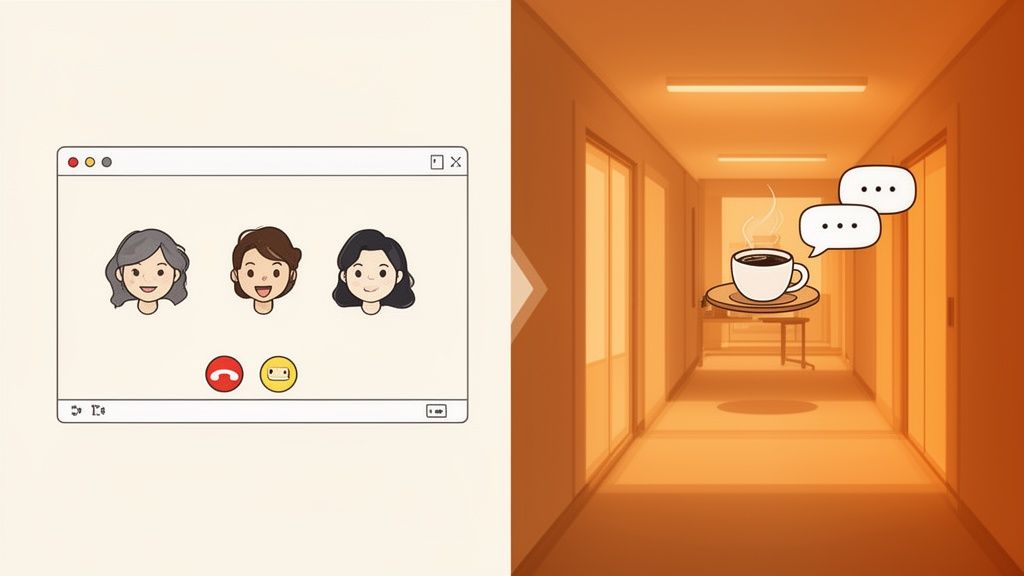
A Digital Third Place
Think about where the real magic happens in a physical office. It’s rarely in the boardroom during a scheduled meeting. It’s in the hallway on the way to grab coffee, the quick chat in the breakroom, or the spontaneous huddle around a desk to solve a problem.
These are the small, unplanned interactions that build trust, spark ideas, and make a company feel like a real community.
A modern communication platform, when done right, creates the digital equivalent of these spaces. It’s no longer just about that one-hour meeting on your calendar. It's about creating opportunities for connection.
This means being able to start a spontaneous five-minute call to get a quick answer. It’s checking in on a teammate face-to-face. It’s turning a chat message into a video call with a single click, keeping the entire conversation in one place. For too long, remote and frontline teams were cut off from these vital moments.
From Meetings to Moments
This shift in thinking—from tool to place—changes everything. Tools are about efficiency. Places are about connection and belonging. You don't feel a sense of culture inside a spreadsheet, but you absolutely can in a vibrant digital space where your team gathers.
When your communication platform starts to feel like a place, you’ll notice amazing things start to happen.
Spontaneity returns. Instead of scheduling a meeting for tomorrow, you see your team is available and just start a call right now.
Culture strengthens. Those small, personal connections begin to form across locations and departments, weaving the social fabric of your company.
Problems get solved faster. A quick video chat to share a screen or look at something visual is almost always better than a long, confusing email chain.
The question is no longer "What's the best tool for video meetings?" It's "How can we create a digital place where our team feels connected and can do their best work?"
The answer to that question forces you to think beyond a simple feature list and focus on the overall experience. It pushes you to find a system that feels less like a sterile utility and more like a digital home for your team.
So, as you think about what your company truly needs, ponder that. Are you just looking for a better way to hold meetings, or are you looking for a place where your team can truly connect? Your answer will define the future of how your company works together.
Frequently Asked Questions |
|---|
Q1: What's the most important feature for a frontline team? |
A1: Reliability on mobile. For workers in retail, logistics, or healthcare, work happens on their feet. The system must perform flawlessly on a smartphone over cellular data or spotty Wi-Fi. It needs to be dead simple to join a call with one tap. A stable, clear, and instant mobile connection is more important than any other feature. |
Q2: How is a unified app different from a standalone video tool? |
A2: It's about context. A standalone tool is for one thing: meetings. But work isn't just meetings. A unified app embeds video calling where conversations, tasks, and schedules already live. You can escalate a chat to a video call instantly. This removes the friction of switching between apps and keeps all context in one place, which is incredibly powerful for keeping everyone in sync. |
Q3: Do small businesses really need a formal video conferencing system? |
A3: Yes, but 'formal' doesn't mean 'complicated' or 'expensive'. Even a small team benefits from a dedicated communication hub. Using a patchwork of free, consumer tools creates confusion and security risks. A proper system, especially one integrated into a work app, provides a single, secure place for all team communication. It professionalizes your operations and is often more cost-effective than paying for multiple separate services. |
