
A Human's Guide to Tracking Billable Hours
Stop dreading timesheets. Our guide offers a calmer, more human approach to tracking billable hours, built on trust, fairness, and the right tools.
Dan Robin

Let's be honest. Nobody enjoys tracking their hours. For the person doing the work, it’s a distraction. For the person managing the work, it’s a headache. We're told it's a simple necessity—a way to invoice clients for our time. But the reality is a messy scramble of guesswork, anxiety, and second-guessing.
We’ve all been there. It’s Friday afternoon. The timesheet is blank. You’re trying to reconstruct your week from a trail of calendar invites and half-remembered conversations. Was that call ten minutes or twenty? Does this email count? It’s a frustrating ritual that feels completely disconnected from the actual work.
The problem isn't the work. The problem is the box we try to shove it into. Creative and professional work is fluid, chaotic, and unpredictable. But our systems for tracking it are often rigid, unforgiving, and built on a foundation of mistrust.
Why the old way feels so broken
Spreadsheets and manual logs just make this worse. They turn the simple act of accounting for your time into a draining chore that everyone puts off. It’s no surprise that a recent Legal Trends Report found that lawyers only manage to log about 2.9 hours of billable work per day. The rest gets lost in the shuffle—or eaten up by the act of tracking itself.
When the process is clunky, people procrastinate. And that leads to a few things we all know too well:
Bad data. Memory is a terrible bookkeeper. Time logged days after the fact is just a guess, and it's almost always an underestimate.
Lost money. Those forgotten 15-minute tasks add up. Just 15 untracked minutes a day can cost a business over 60 hours of unbilled time per employee, per year.
Broken trust. When timesheets are used to micromanage, they become a tool of suspicion. The conversation shifts from the value of the work to the surveillance of the worker.
Here’s the thing: The point of tracking billable hours shouldn't be to account for every second. It should be to create a fair, honest record of the value you provide without driving your team crazy.
This isn't about finding a more complicated spreadsheet or writing a stricter policy. It’s about finding a more human way to work—one that’s simple, calm, and built on mutual respect.
A clear and fair billing policy
Let's be honest: nobody loves tracking their time. But a good policy shouldn't feel like a punishment. When policies are confusing or unfair, people naturally look for ways around them. The best policies I've seen are built on clarity, fairness, and respect. They turn a chore into a simple, understood part of the day.
The goal isn't a dense rulebook. It's a simple framework that helps your team see how their work is valued.
First, you have to draw a bright, clear line between what’s billable and what’s not. This seems simple, but it’s where most of the confusion starts. Is a ten-minute huddle to prep for a client call billable? What about the hour spent researching new software for a project? If you don’t define this, you'll get a dozen different answers from a dozen different people.
Here’s a practical way to think about it:
Billable Hours: Time spent on tasks that directly move a specific client's project forward. This includes client calls, hands-on work, and project-specific research.
Non-Billable Hours: The essential work that keeps your business running but isn't tied to one client. Think internal meetings, general training, sales, and administrative tasks.
A word of advice: don't treat non-billable time as "wasted" time. It’s the cost of doing business—the engine oil that lets the billable work happen. Tracking it is how you understand your real operational costs and your team's true capacity.
A billing policy is really a conversation about value. It's about showing your team how their effort translates into client results and company revenue. When you frame it that way, they become participants, not just cogs in a machine.
Next, let's talk rounding. Billing down to the exact second is a nightmare. The two most common methods are rounding to the nearest 6-minute (0.1 of an hour) or 15-minute (0.25 of an hour) increment. The six-minute increment is a classic, especially in fields like law, because it neatly divides the hour into ten clean units.
There’s no single "right" answer, but there is one rule: be consistent and be fair. You can't just set a policy that always rounds up in your favor. If a 7-minute task rounds up to 15, a 2-minute task has to round down. The best way to avoid drama is to have a clear, documented policy that you share with both your team and your clients. Transparency is your friend.
Finally, it’s a rookie mistake to assume everyone's billable expectations should be the same. A project manager’s targets should look different from a developer’s. A big part of a PM’s job might be non-billable—but absolutely critical—internal coordination. Your policy has to reflect that reality.
When you take the time to build a thoughtful policy, you're building a system based on trust. You're saying, "We trust you to manage your time, and here’s the simple framework we’ll all use to make sure it’s accounted for fairly." That’s a foundation people can get behind.
2. Choosing Your Tools: Moving Beyond Spreadsheets
Picking a tool for tracking billable hours is a bigger decision than you might think. It can be the difference between a smooth, almost invisible process and a daily source of frustration for your entire team. Let's take an honest look at the options.
Most of us start with spreadsheets. They’re free, familiar, and seem simple at first. But that simplicity is a mirage. Spreadsheets quickly become a nightmare of manual data entry, broken formulas, and version control chaos. I’ve seen teams waste hours just trying to untangle a single corrupted file—time that could have been spent on actual billable work. It's a classic case of a "free" tool costing you a fortune.
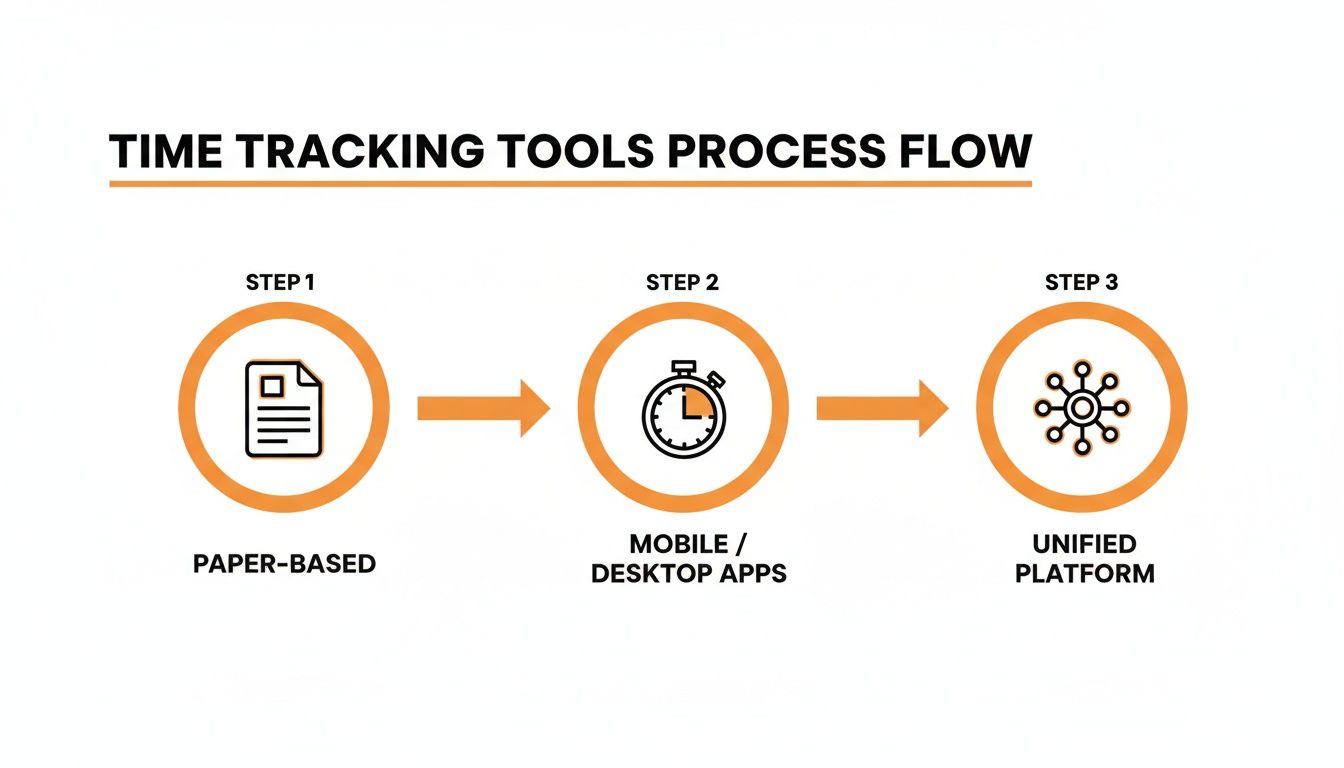
As you can see, the path forward is one of consolidation, moving away from fragmented tools toward a single, cohesive system.
The problem with "just another app"
So, you ditch the spreadsheets and get a dedicated time tracking app. Problem solved, right? Not quite.
While these tools are an improvement for capturing time, they create a new headache: app silos. Your team is now bouncing between their chat app, their project management board, and this separate time tracker. Every app has its own login, its own interface, and its own island of data. This constant context switching is a hidden tax on your team’s focus and momentum.
The goal shouldn't be to just add another specialized tool to the pile. It's about reducing the number of places your team has to go to get their work done. The best system for tracking billable hours is one that’s already living where the work is happening.
The power of a single workspace
Now, imagine something different. An employee clocks in, chats with a colleague about a project, and logs their hours against that very project—all in the same app, without ever switching windows. This isn’t a fantasy; it's the reality of a unified platform.
When time tracking is woven directly into the tool your team already uses for communication and day-to-day operations, the friction just melts away.
Accuracy skyrockets. Time gets logged in the moment, directly linked to the conversation or task it relates to. No more "best guesses" on a Friday afternoon.
Adoption is a breeze. You aren't asking people to learn new software; you're simply enabling a new feature in a tool they already depend on.
You get one source of truth. All work activity—from chats and task updates to logged hours and PTO requests—is in one place. This gives you a complete, contextual picture of how your business operates.
This integrated approach is a game-changer, especially for industries that demand both accountability and flexibility. Some fields have developed specific answers to this, like comprehensive law firm management software, which bundles billing with case management. For most businesses, though, the core principle is the same: bring your essential functions under one roof. If you're exploring this path, it's worth learning what to look for in modern employee time tracking software.
Ultimately, choosing your tool isn't just a technical decision. It’s a choice about the kind of workflow and culture you want to build. Do you want a fragmented process that weighs everyone down with admin, or a connected one that feels like a natural extension of their work? For me, the answer is pretty clear.
The Daily Rhythm of Capturing Time
This is where the rubber meets the road. Tracking billable hours shouldn’t be a mad dash at the end of the week; it should be a calm, daily rhythm. When you get it right, it becomes a simple habit that feels completely natural, almost effortless.
The secret? Capture time as it’s happening, not days later. For employees, this means weaving time tracking into the fabric of their workday. For managers, it’s about creating a respectful, efficient process for review and approval.
A simple workflow for your team
The best way to get accurate time entries is to make the process ridiculously easy. If tracking feels like a chore, people will procrastinate. If it’s part of their natural workflow, it just happens.
A good daily practice looks something like this:
Start the timer when you start the task. Don't wait until you're done. Whether you’re jumping on a client call or diving into a design mockup, hitting that timer should be muscle memory. A digital time clock for employees built right into their main work app is perfect for this.
Tag it to the right project. As you log your time, immediately link it to the correct client and project. This tiny step is vital for pulling accurate reports later.
Add a brief, useful note. You don't need to write a novel. A short, clear description like, "Drafted initial V1 of the project brief" or "Client call re: Q3 campaign feedback" gives crucial context to both your manager and the client.
That’s it. A loop you repeat all day. By making it an in-the-moment activity, you eliminate that Friday afternoon panic and make sure every billable minute is accounted for.
A manager's role in review
For managers, the daily rhythm is less about capturing time and more about respectful oversight. The goal isn’t to micromanage—it’s to approve timesheets efficiently while ensuring everything is fair and accurate. This means checking in on entries regularly, maybe daily or every couple of days, to catch any issues early.
A huge part of this is demystifying the final numbers. How do you get from tracked hours to a final billable amount? It boils down to a few key areas:
Applying Rates: Different people or tasks might have unique hourly rates. A good system lets you pre-set these so the calculation is automatic.
Handling Overtime: This is where things can get tricky, as overtime laws vary. Your system should help you apply the correct multipliers (like 1.5x) based on your configured rules, keeping you compliant.
Making Adjustments: Sometimes you need to make a write-down. Maybe a task took longer than it should have, or you want to give a client a goodwill discount. These adjustments should always be made with transparency, with a note explaining the "why."
Let's be honest, the gap between hours worked and hours billed can be massive. One recent analysis revealed that the average lawyer bills just 2.6 hours of an 8-hour workday. Even then, 7% of that billed time is lost to write-downs or amounts that never get collected. This really drives home how vital an efficient system is for closing that profitability gap.
The manager’s job isn’t to be a time cop. It’s to be the guardian of a fair and consistent process, ensuring the data is clean and the calculations are correct.
This rhythm of capture, review, and calculation turns what could be a contentious process into a simple, shared operational habit. It's about building a system so reliable that no one has to second-guess the numbers. It’s just how you work.
Turning Timesheet Data Into Business Insights
Tracking billable hours is pointless if you don’t use the data to learn something. The numbers tell a story about your business—where your team’s time is truly going, which projects are most profitable, and who might be overworked. But raw data is just noise.
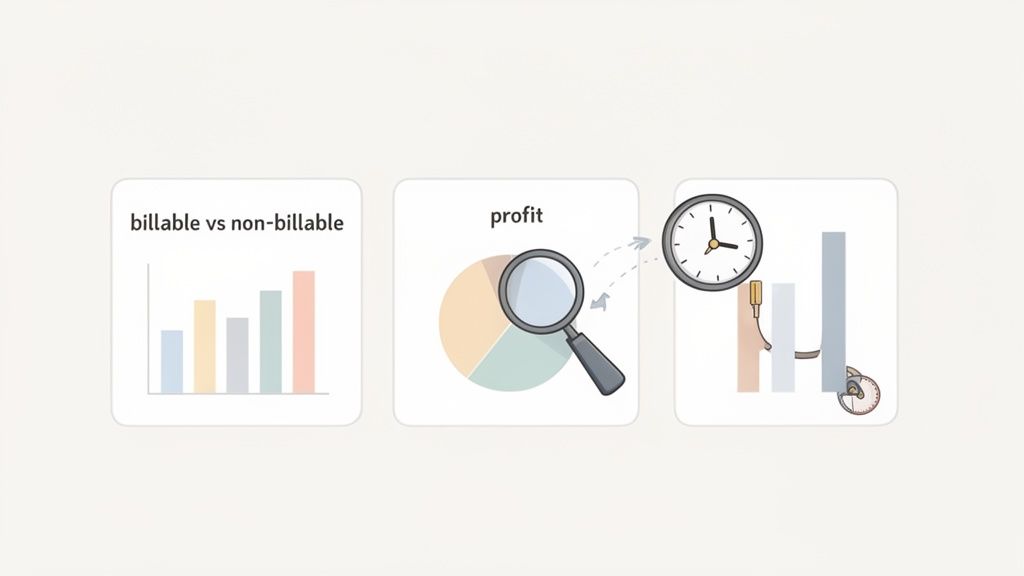
This section is all about turning that noise into real insight. It’s about using data not to police your people, but to guide your business with confidence and a clear head.
Look beyond the total hours
The first report anyone pulls is a simple summary of hours. That’s a start, but it’s just the cover of the book. The real story is hidden in the comparisons.
Instead of just looking at the total, you need to start asking better questions. The answers live in reports that slice your data in more meaningful ways. From my experience, these are the ones that have always mattered most.
Billable vs. Non-Billable by Team: Think of this report as your business health check. It shows you the true cost of operations and helps you see if your billable efficiency is trending up or down.
Project Profitability: By comparing total billable hours against a project's budget or fixed fee, you can see which clients and projects are actually making you money. This is often a huge eye-opener.
Resource Utilization: This one is crucial for team health. It helps you spot who is consistently overloaded and who might have the capacity to help, preventing burnout before it even starts.
These aren't just numbers on a screen; they’re signposts pointing you toward smarter decisions.
From data to smarter decisions
Once you have these reports, the real work begins. The goal is to connect what the data is telling you to real-world actions. It’s less about spreadsheets and more about conversations.
For example, if a project profitability report shows you consistently underbid a certain type of work, that’s your cue. Your next quote for a similar project should be higher. You now have hard data to back it up.
What if you see a team's non-billable hours creeping up? Don't panic. It could be a signal that they’re spending more time on internal training or process improvement, which is a fantastic long-term investment. The data gives you the starting point for that conversation.
The most powerful insights from timesheet data aren't about catching people doing something wrong. They're about discovering opportunities to work smarter, price fairer, and build a more sustainable business.
When you use a unified system, this becomes even clearer. The hours logged against a project live right next to the project’s budget, tasks, and communications. You see the full context in one place, which makes spotting trends almost effortless. It’s the difference between looking at a single puzzle piece and seeing the whole picture. Our guide on what is workforce analytics dives deeper into how this connected data can reveal powerful patterns about your organization.
This historical data becomes your roadmap for the future. You can identify your most valuable client relationships, not just by revenue, but by profitability. You can spot seasonal trends in workload, allowing you to plan for hiring or downtime with much greater accuracy. To truly unlock this level of insight, you might consider specialized data analytics services.
Ultimately, tracking billable hours shouldn't be about looking backward with suspicion. It should be about looking forward with insight. It’s about building a business that’s not just busy, but profitable, sustainable, and calm.
Avoiding the Common Traps
Alright, let's talk about the common tripwires. Believe me, we've stumbled over our fair share of them over the years. It's almost a rite of passage. Getting tangled up in overly complex systems or just falling into bad habits is incredibly easy.
Here are a few of the biggest traps I see teams fall into, and more importantly, how you can steer clear of them.
Inconsistent tracking: The data killer
This is the big one. It's what happens when half your team religiously logs their time every day, while the other half is scrambling on Friday trying to piece together their week from memory. That inconsistency completely poisons your data. Your reports become unreliable, and you can't trust them for future estimates or figuring out if a job was even profitable.
The solution is simple in theory but requires real discipline in practice. You have to build a culture where time tracking is an in-the-moment habit, not an end-of-week chore. A good tool with a built-in timer that lives where you work can make a world of difference.
Chasing perfection with complex systems
Another classic blunder is building a ridiculously complicated system of project codes and task categories. I've seen setups with hundreds of codes that were so convoluted, not even the person who created them could keep them straight. The intention is always good—capture granular data!—but the outcome is always the same: frustration, confusion, and people just picking a random code to get it done.
My advice? Keep it simple. You probably only need a handful of clear, distinct categories. If an employee has to pull up a manual just to log 15 minutes of work, the system has already failed.
The point of tracking billable hours isn't to build a flawless, academic model of your business. It's to get a "good enough" picture to make smart decisions. Don't let the hunt for perfect data get in the way of getting good data.
Wielding timesheets as a weapon
This is the most damaging mistake of all: turning timesheet data into a micromanagement tool. When managers start using time tracking to grill employees about every non-billable minute or digitally hover over their shoulders, trust goes right out the window. People stop feeling supported and start feeling watched.
The pressure to maximize billable time is real, especially as rising salaries drive up billing rates. We've seen some top firms raise rates by as much as 10% in a single year to cover compensation costs. You can read more about these market pressures on Brightflag's resource center.
But using that pressure to police your team is a recipe for disaster. The conversation around timesheets should always be about clarity, capacity, and profitability—never about surveillance. Focus on the big-picture trends, not the minute-by-minute details of one person's day. Are projects on budget? Is anyone overloaded? That’s the data that truly matters.
Questions We Hear All the Time
We field a ton of questions about tracking billable hours. It’s a topic filled with nuance, and frankly, the "right" answer often depends on how your business operates. Drawing from our experience helping teams nail this down, here are our thoughts on the questions we hear most often.
How do I get people to actually track their hours on time?
This is the big one. The secret? Make it incredibly easy and clearly explain the "why." The single biggest hurdle is friction. If your team has to open a separate app, wrestle with a clunky interface, and memorize a bunch of complex project codes, they're going to put it off. It's only human.
Use a simple, accessible tool that lives where they already spend their time. But just as important, you need to frame the purpose correctly. This isn’t about micromanaging. It’s about pricing projects fairly, understanding your team’s capacity, and making sure clients are billed honestly for the value you're providing.
When the process is low-friction and the purpose is clear, compliance tends to follow naturally. It becomes a shared responsibility, not a chore.
What should we do with non-billable time?
Track it. Seriously. It might seem counterintuitive, but tracking this time is essential.
Create simple, clear categories for all the crucial work that isn't directly billable, like internal meetings, professional development, and business development.
This time isn’t “wasted”—it’s the investment that keeps your business running and growing. Ignoring it gives you a completely skewed view of reality. Tracking non-billable hours gives you the full picture of your operational costs and helps you truly understand your team's capacity. It’s how you spot burnout before it happens and make smart decisions about future projects.
Is it okay to round employee hours?
Yes, rounding is a common and perfectly acceptable practice, but you have to be fair and consistent about it. The most popular methods are rounding to the nearest 6-minute (0.1 of an hour) or 15-minute (0.25 of an hour) increment.
The key thing to remember is that your rounding policy can't consistently favor the company. A simple, well-communicated policy that rounds both up and down is always your safest bet.
At the end of the day, tracking time is a strange, imperfect practice. But it doesn't have to be a source of stress. It can be a calm, quiet rhythm that helps you run a better, more honest, and more sustainable business. What story is your timesheet data trying to tell you?
Ready to bring your team’s workflow together and make tracking billable hours feel effortless? Pebb combines communication, scheduling, and time tracking into one simple app. See how it works.
