
A Digital Time Clock for Employees Can Fix More Than Payroll
Discover how a modern digital time clock for employees goes beyond payroll to build trust, improve operations, and create a better culture. Click to learn more.
Dan Robin
A digital time clock is a simple way to track work hours using a phone, tablet, or web browser. That’s the textbook definition. But let's be honest, it's about much more than just a payroll tool. It’s about bringing fairness and clarity to the workday, something that benefits everyone from the front line to the back office.
The Honest Truth About Time Tracking
The traditional time clock has always felt a little… adversarial. We’ve all seen it. That loud, clunky machine bolted to the wall wasn't just tracking time; it felt like a symbol of mistrust. A constant reminder that someone was watching, waiting for you to be a minute late.
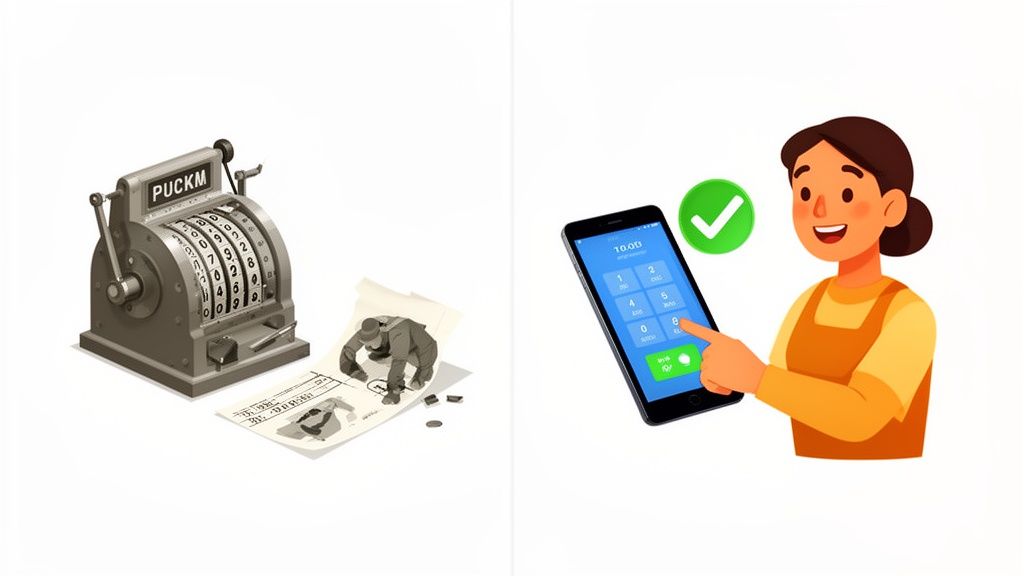
It created so much unnecessary friction. Lost punch cards. Illegible timesheets. Those dreaded payroll correction emails that nobody enjoys sending or receiving. For too long, we’ve treated time tracking like a chore instead of what it really is: a fundamental part of running a smooth, respectful workplace.
But what if clocking in felt different? What if it wasn't about policing your team, but about creating a more transparent and dignified workday for everyone?
Moving from Mistrust to Clarity
A digital time clock for employees is more than a tech upgrade; it’s a shift in culture. This is especially true for frontline teams in retail, healthcare, and logistics—the people who are the very heartbeat of a business.
For them, a clunky, outdated process adds another layer of stress to an already demanding job. A simple, mobile-first clock-in completely changes that dynamic.
It’s about replacing that friction with flow. It’s about building a foundation of trust from the first minute of the workday, guaranteeing every employee is paid accurately for every minute they work. No more disputes. No more guesswork.
This one change sends a clear message: "We trust you, and we have a tool that respects your time." Instead of a system that feels like surveillance, it becomes a shared source of truth for both employees and their managers.
It's All Connected
When time tracking is a standalone task, it’s a burden. It exists in its own little world, forcing managers to manually pull data just to run payroll or build a schedule. That tedious work quietly eats away at productivity and morale.
A modern digital time clock, on the other hand, is built to connect. It’s woven right into the fabric of the workday. It syncs with scheduling, so employees see their shifts and clock in all in the same app. It makes payroll a breeze by automatically sending accurate hours to your payroll system. It offers real-time visibility, giving managers a quick look at who’s on the clock without having to physically check.
Here's the thing. It’s not about watching your team. It’s about building an operation that runs so smoothly, you don’t have to. It's about giving everyone—from the front line to the back office—what they need to do their best work with less hassle.
What a Digital Time Clock Actually Is
Let's clear the air. When you hear “digital time clock for employees,” you might picture a tablet bolted to a breakroom wall or some new app designed to micromanage your team. That’s not what we’re talking about here.
Think of it more like a digital handshake. A clean, simple way for everyone to start and end the day with clarity. It’s not about surveillance; it's about running the business better.
At its core, a digital time clock is a tool that captures precise work hours. But the real value isn’t just in what it does, but how it does it. Employees can clock in through a mobile app on their own phone, a shared company tablet, or a simple web browser. A quick tap, and the system knows they’ve started their shift.
More Than Just a Clock
A basic time tracking app is just a fancy calculator. A true digital time clock is an operational hub. It doesn't sit on an island by itself; it’s woven directly into the daily workflow of your business.
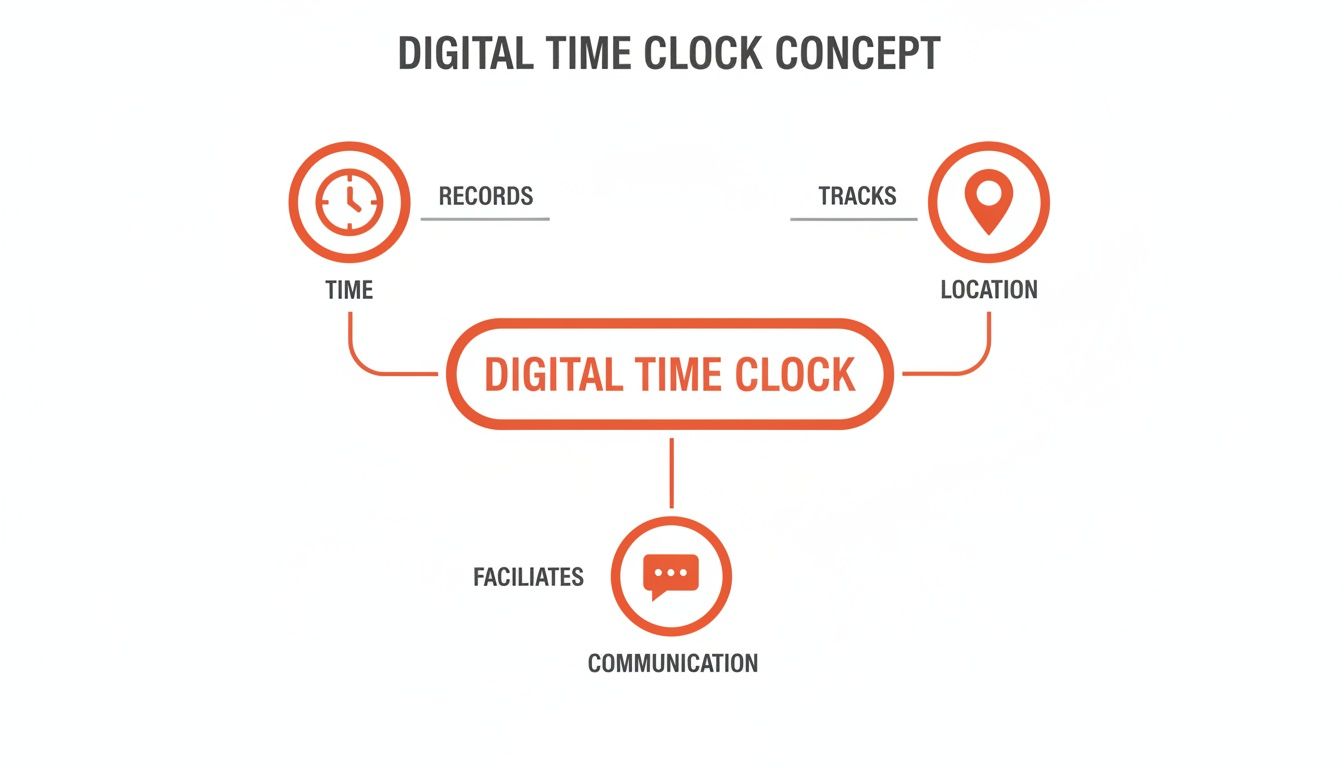
It’s the difference between a tool that passively records numbers and one that actively makes work smoother. For instance, when an employee clocks in, that simple action can trigger a whole chain of events—instantly notifying a manager, updating a live schedule, and even logging their time against a specific project or location.
We’ve moved past the era of software that just counts minutes. A modern digital time clock connects time to communication, scheduling, and tasks, turning a simple action into a meaningful part of the day's operations.
This shift is part of a much larger trend. Businesses are adopting digital tools at an incredible pace, with global spending on digital transformation hitting $1.85 trillion in 2022. It's not just about spending money; it's about getting results. Good tools like a modern digital time clock for employees have been shown to slash administrative time by as much as 40% for supervisors in demanding fields like retail and healthcare.
Reframing the Conversation Around Trust
Let's be honest about the elephant in the room: the fear that this is just another way for Big Brother to watch people. That’s an outdated view, rooted in the old, clunky punch-clock mentality.
A well-designed system isn’t for catching someone who’s two minutes late. It’s for ensuring the person who stayed 30 minutes over to help a customer gets paid for that extra time, automatically and without a fuss. It's also for protecting honest employees from things like "buddy punching," where one coworker clocks in for another. A good employee clock-in app, when part of a larger system, actually fosters a culture of accountability, not suspicion.
It provides a single, undisputed record that protects both the employee and the business. When it's time to run payroll, there are no arguments and no messy corrections. Everyone knows the data is accurate because they helped create it. That’s what a digital time clock is—a tool that brings accuracy, fairness, and simplicity to one of the most fundamental parts of work.
The Four Elements of a Great Digital Time Clock
Not all digital time clocks are created equal. Many are just glorified calculators—they get the job done, but they don't actually make anyone's life easier. A truly great tool is different. It feels less like a chore and more like a natural part of a well-run day.
After years of seeing what works and what doesn't, we've found that the best systems are built on four simple ideas. They're the pillars that separate a tool people appreciate from one they merely tolerate.
1. Simplicity Above All
Here’s a hard rule: if your team needs a manual to clock in, the tool has already failed. Simplicity isn't a feature; it's the foundation. Starting and ending a shift should be completely effortless, taking just a few seconds on an employee's phone. There's simply no room for clunky interfaces or confusing menus, especially for frontline teams who are always on their feet and short on time. A clean, intuitive mobile experience isn't a nice-to-have; it's non-negotiable.
2. Seamless Integration
A time clock can't live on an island. When it's disconnected from everything else, it creates more work than it saves. Managers get stuck manually transferring hours, correcting mistakes, and chasing down information from half a dozen different places. A great tool has to talk to your other software. It should flow directly into payroll, connect with your HR platform, and sync up perfectly with your scheduling tool.
Integration is what turns a time clock from a simple record-keeper into a powerful operational tool. It saves countless hours of administrative work and prevents the costly human errors that creep in when people are forced to copy and paste data.
This shift toward connected, intelligent systems is driving massive change. The global time tracking software market is projected to soar from USD 3.8 billion in 2025 to USD 16.1 billion by 2035. This incredible growth comes from businesses realizing that integrated, mobile-first tools can slash payroll errors by up to 50%.
3. Connection to the Daily Workflow
The best digital time clock doesn't feel like a separate task. Instead, it’s woven right into the fabric of the team's day. For instance, when an employee clocks in, it could automatically trigger a notification to their manager or post a quick "I'm here!" update in the team's chat space. It becomes a natural touchpoint—a clear signal that the day has begun. This is a subtle but powerful difference. Instead of being an isolated compliance tool, it becomes an active part of the team's communication and daily rhythm.
4. A Foundation of Trust
Let’s be honest. Features like geofencing can feel like they're all about management oversight. But a great system frames these features as tools for fairness and accuracy, not surveillance. When used the right way, they build trust. For example, geofencing ensures that clock-ins are accurate, which eliminates "buddy punching"—where one employee clocks in for another. This practice isn't just a problem for the business; it’s deeply unfair to the honest employees who show up on time and do the work. By creating a clear, undisputed record, a digital time clock protects both the business and its most reliable people. It's not about watching people; it’s about creating a level playing field where trust can flourish. Check out our guide on finding the best time and attendance software to learn more.
Putting Your Time Data to Work
Here’s where things get really interesting. Every clock-in and clock-out creates a little nugget of data. Most companies grab this data for one reason only: to run payroll. But after that? All that other valuable information just gets swept under the rug.
This is a huge missed opportunity. A digital time clock for employees isn’t just a fancy punch card; it's an intelligence tool that helps you make smarter decisions about your single most valuable resource—your team’s time.
When you connect that time data to your day-to-day operations, it starts to tell a story. It uncovers patterns you’d otherwise never see.
From Reactive to Proactive Management
Without real-time data, managers are always playing catch-up. They find out about overtime after it’s already happened. They only realize a department is understaffed when customers start complaining. It's a stressful cycle of constantly putting out fires.
A connected system flips the script. Instead of getting a nasty surprise on the payroll report, a manager can see overtime hours building up in real time. This lets them tweak schedules mid-week to prevent burnout and keep labor costs from spiraling. The data also shines a spotlight on where you need more support before it becomes a crisis. You can tag hours to specific projects or locations, which gives you a crystal-clear picture of what things actually cost—a game-changer for budgeting and quoting jobs accurately.
A Real-World Example
I know a retail store manager who used to build her weekly schedules based on gut feelings and last year’s sales numbers. Overtime was a constant headache, and her team was perpetually stretched thin.
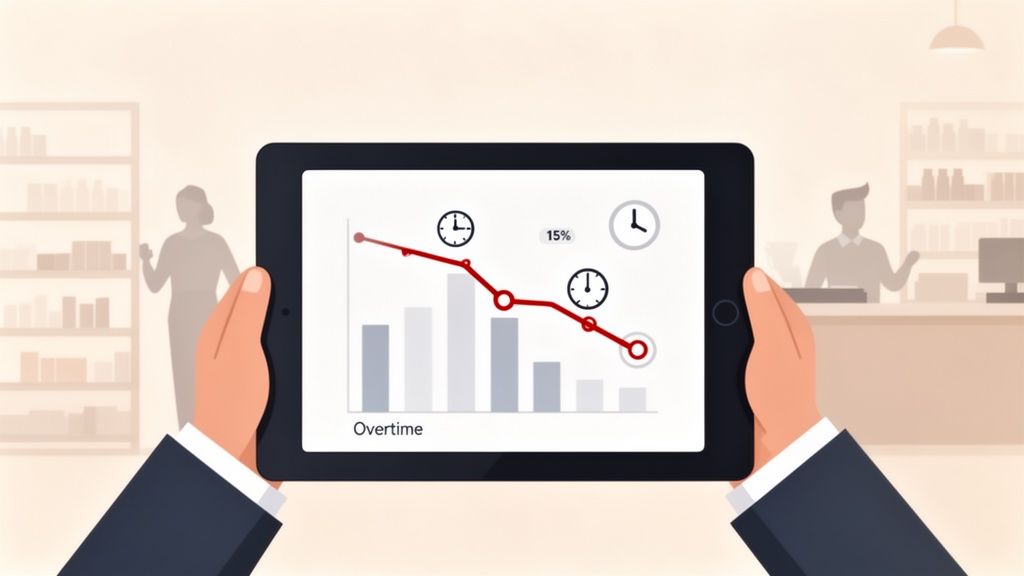
After she switched to a digital time clock, she got into the habit of checking the live data every morning. It didn't take long to spot a clear pattern: the morning shift was getting slammed between 10 AM and noon, leading to a frantic rush that forced the afternoon team to come in early just to clean up the mess.
Armed with this simple insight, she adjusted the schedule by shifting one person’s start time by just an hour. The result? Overtime costs dropped by 15% within a single month, and her team reported feeling way less stressed. That's the power of putting your data to work.
More Than Just Numbers
This operational data has a real human impact. Good data management is essential for everything from tracking productivity to ensuring people are paid fairly. Policies around paying wages for hourly employees rely on accurate, transparent timekeeping to build trust and meet legal standards.
The technology behind this is booming. The market for real-time clock ICs—the tiny chips that power this precision—is expected to grow from USD 5.04 billion in 2025 to USD 8.79 billion by 2035. For businesses on the ground, the analytics this tech provides can lead to 20-30% higher engagement in frontline roles. Why? Because accurate, real-time tracking virtually eliminates issues like buddy punching and ensures everyone is on a level playing field.
Ultimately, this isn’t about squeezing every last minute out of your team. It’s about building a smarter, fairer workplace where people can do their best work without the constant stress of being overworked or under-resourced. The data doesn’t just give you numbers; it shows you where your business can be better.
Making the Switch Without the Headaches
Let's be honest: change is hard. Even when everyone knows a new system will be better, asking people to adopt a new tool can feel like a massive disruption. The secret to a smooth switch to a new digital time clock for employees has very little to do with the tech itself—it's all about how you introduce it.
I've seen this go sideways more times than I can count. A company invests in a shiny new system, fires off a single email announcing the change, and then is shocked when the team is frustrated, confused, and resistant. They completely missed the most critical step: the people.
Start with "Why," Not "How"
Before you even breathe a word about a new app, you have to nail the why. People are naturally wary of change, especially when it touches something as sensitive as their pay. Your job is to connect the dots for them, framing the move as a genuine improvement, not just another corporate mandate.
So instead of a generic, "We're implementing a new time clock," try a more human approach. "Look, we know the old system was a pain. Chasing down timesheet corrections took forever, and those payroll errors were frustrating for everyone. We're bringing in a much simpler tool to make sure you get paid accurately and on time, without all the hassle."
It all comes down to showing you respect their time and effort. The goal is to make their lives easier, not just to simplify things for management.
Find Your Champions, One Team at a Time
Trying to roll out a new system to everyone at once—a "big bang" launch—is just asking for chaos. A much saner approach? A phased rollout.
Pick a single team or location to be your pilot group. Let them kick the tires, find the quirks, and get comfortable with the new way of doing things. This small, controlled test run gives you a chance to iron out any wrinkles before the entire company gets involved.
Even better, this creates your internal champions. When it's time for the company-wide launch, you'll have a group of peers who can genuinely tell their colleagues, "Don't worry, it's actually way better." That kind of word-of-mouth endorsement is infinitely more powerful than any memo from the top. For more tips on picking the right system, check out our guide on time clock systems for small business.
The objective is to turn a mandate into a collaborative process. Ask for feedback during the pilot phase and actually listen to it. When your team feels like they’re part of the solution, they become advocates for the change instead of obstacles.
The Right Tool Just Works
Here’s the good news. With a modern, mobile-first tool, the technical side of training is a breeze. You shouldn't need day-long training sessions or clunky user manuals. A well-designed app should be so intuitive that someone can download it, log in, and start clocking in within minutes.
This simplicity is crucial. It frees you up to focus your energy where it really counts: on the people. You can spend your time on clear communication, empathetic leadership, and building trust, all because the software itself doesn't get in the way.
Ultimately, this transition isn't a technical problem you need to solve; it's a human challenge you need to navigate with care. Get the people part right, and the headaches just seem to melt away.
It’s Not About Watching the Clock—It’s About Valuing Time
Let's bring this all home. After digging into features and data, it’s easy to get lost in the weeds and forget the simple truth at the heart of it all. The point of a modern digital time clock for employees isn't to chain people to their shifts for every last second.
It’s about making the entire experience of work feel smoother, fairer, and more transparent for everyone involved.
When you get that part right, something powerful happens. Your team can stop worrying about the small stuff—like whether their overtime was logged correctly or if they forgot to sign a smudged timesheet—and pour that energy back into the work you hired them to do.
A Signal of Respect
Think about it. A clunky, error-prone timekeeping system sends a pretty clear message, even if you don't mean it to. It quietly suggests that administrative hassles are just part of the deal and that employee time isn't a top priority. A simple, reliable digital system flips that message on its head.
It respects your employees' time by ensuring they're paid accurately and on time for every single minute they work. It also respects your managers' time by taking the soul-crushing work of manual data entry and payroll prep off their plates. That frees them up to actually lead their team, not just babysit a spreadsheet.
Ultimately, a great time clock is a signal to your entire team that you value their contribution. It shows you’re invested in giving them tools that make their work life genuinely better, not just more monitored.
It's one of those small details that says a lot about your company culture. It shows you care about getting things right because you care about your people.
The Real Question to Ask Yourself
This was never really about swapping an old punch clock for a shiny new app. It's about fundamentally rethinking what that clock even represents. For decades, it was seen as a tool of compliance, a necessary evil to keep the payroll engine chugging along. But it doesn't have to be that way.
So, I'll leave you with one final question: Is your current time clock just a tool for compliance, or is it a cornerstone of a well-run, people-first operation?
The answer tells you more than just how you track hours. It tells you what you truly value.
Frequently Asked Questions
We get it. Moving to a new system, especially one that touches something as personal as time and pay, brings up a lot of questions. Here are some honest, straightforward answers to the things we hear most often from managers and HR leaders thinking about a modern digital time clock for employees.
How Does a Digital Time Clock Handle Different Pay Rates or Overtime?
This is where a good system really proves its worth. A smart digital time clock handles complex pay structures without breaking a sweat. You can set up different pay rates for specific roles or locations, and the tool automatically applies the correct one the moment they start their shift.
When it comes to overtime, you just configure the rules to match your policy or local labor laws—for example, time-and-a-half for any hours worked over 40 in a week. From there, the system does all the heavy lifting. It automatically calculates those premium hours, making sure everyone is paid accurately. All this data flows directly into your payroll reports, wiping out the manual calculations that are so often a source of error.
Can Employees Edit Time Entries If They Forget to Clock In?
Let’s be real—people are human. Someone will inevitably get caught up in the morning rush and forget to clock in. A well-designed system anticipates this by allowing employees to request a correction, but with a crucial layer of manager oversight.
Here’s how it usually works: the employee submits an amendment to their timesheet with a quick note to explain what happened. Their manager instantly gets a notification to review and approve the change. This process creates a clean, transparent audit trail, keeping everyone accountable while still providing the flexibility real life requires. It’s the perfect balance of convenience and control.
What Is the Implementation Process Actually Like?
For a modern, mobile-first system, getting started should be refreshingly simple, not a months-long IT headache. The goal is to get your team up and running in minutes.
The process is usually straightforward: an administrator sets up the account, configures a few basic settings like work locations and overtime rules, and then invites the team with a single shareable link.
Employees just download the app—often one they're already using for team communication—sign in, and can start clocking in immediately. Because it’s built into a tool they’re already familiar with, the learning curve is practically zero. The whole point is to make the transition painless so you can start reaping the benefits right away.
Ready to see how a simple, all-in-one app can transform your operations? Pebb unifies time tracking, scheduling, communication, and more into a single digital home for your team. Find out more at https://pebb.io.
