
Your Gantt Chart Is A Beautiful Lie
Tired of project chaos? We explore what construction scheduling software actually is, why it matters, and how to choose a tool that truly works.
Dan Robin
We spend hours making them. Perfect, color-coded Gantt charts that map out a project with military precision. Then, the real world shows up. A materials delivery is late. An inspector finds something unexpected. A key person calls in sick. And just like that, our beautiful plan is a work of fiction.
We’ve all been there. Trying to manage a complex project with a messy stack of spreadsheets, printouts taped to a trailer wall, and a constant flood of phone calls. It feels like organized chaos, but let’s be honest, most days it’s just chaos. This isn't just another article about software. It’s a conversation about why the old ways are broken and what good construction scheduling software is actually for.
The Real Problem We’re Trying to Solve
The problem was never a lack of planning. We’re builders. We’re master planners. The problem is that reality on a jobsite moves faster than our plans can. A static document can't keep up. A project schedule isn’t a stone tablet; it's a living thing that needs to breathe and adapt. When it can’t, we waste time, blow budgets, and burn out our best people.
The goal isn't just to create a schedule. It's to manage the constant change that happens to that schedule. The best tools are built for the messy middle, not just the clean start.
This is why the industry is changing so fast. The market for this software is exploding—valued at $2.1 billion in 2024 and projected to hit $5.8 billion by 2032, according to recent market analysis reports. It’s not a fad. It’s a response to a deep, nagging pain we've all felt.
Moving From Theory to Practice
So, what is this software, really? Think of it as the central nervous system for your project. Instead of a plan collecting dust in a binder, it becomes a shared, interactive place where everything comes together.
A delay in one task automatically shows you the ripple effect on everything else. No more late-night math. You can see who is scheduled where, what equipment is available, and—most importantly—where a bottleneck is forming before it grinds things to a halt. The schedule becomes the single source of truth, accessible to everyone from the PM in the trailer to the crew on the scaffolding, all from their phones.
Here’s the thing. This isn’t about finding a perfect, one-size-fits-all tool. It’s about finding a better way to work. It's about turning scheduling from a frustrating guessing game into a quiet advantage.
Tools You’ll Actually Use
Every software salesperson loves to list features. You’ll hear about "Gantt charts" and "critical path analysis" as if those words mean anything on a muddy Tuesday morning when the concrete pour is three hours late. Let's cut through the jargon. These aren't just abstract ideas; they are tools that give you back control.
When we started looking for a better way, we weren't hunting for more features. We were hunting for clarity. We needed a tool that didn't just show us a plan, but showed us reality—and how to navigate it when things go sideways.
Gantt Charts That Don’t Lie
Let's start with the Gantt chart. For decades, it's been the familiar bar chart laying out tasks over time. The problem? The old paper or spreadsheet versions were static. They were snapshots of a perfect world, outdated the moment they were printed.
Modern construction scheduling software turns the Gantt chart from a picture into a living document.
Imagine you’re running a small commercial build-out. The electricians can't start rough-in until the framing is inspected. With a dynamic Gantt chart, if your framing crew gets delayed by a day, you just drag the "Framing" task bar. The connected tasks—like "Framing Inspection" and "Electrical Rough-in"—automatically shift. The ripple effect is instantly visible to everyone. That simple act turns the schedule from a source of confusion into a tool for proactive conversation.
A schedule isn't a command you give; it's a conversation you have with your project. The best tools let that conversation happen in real time, with everyone in the loop.
This shift from chaotic, disconnected planning to a more controlled, clear process is what it’s all about.
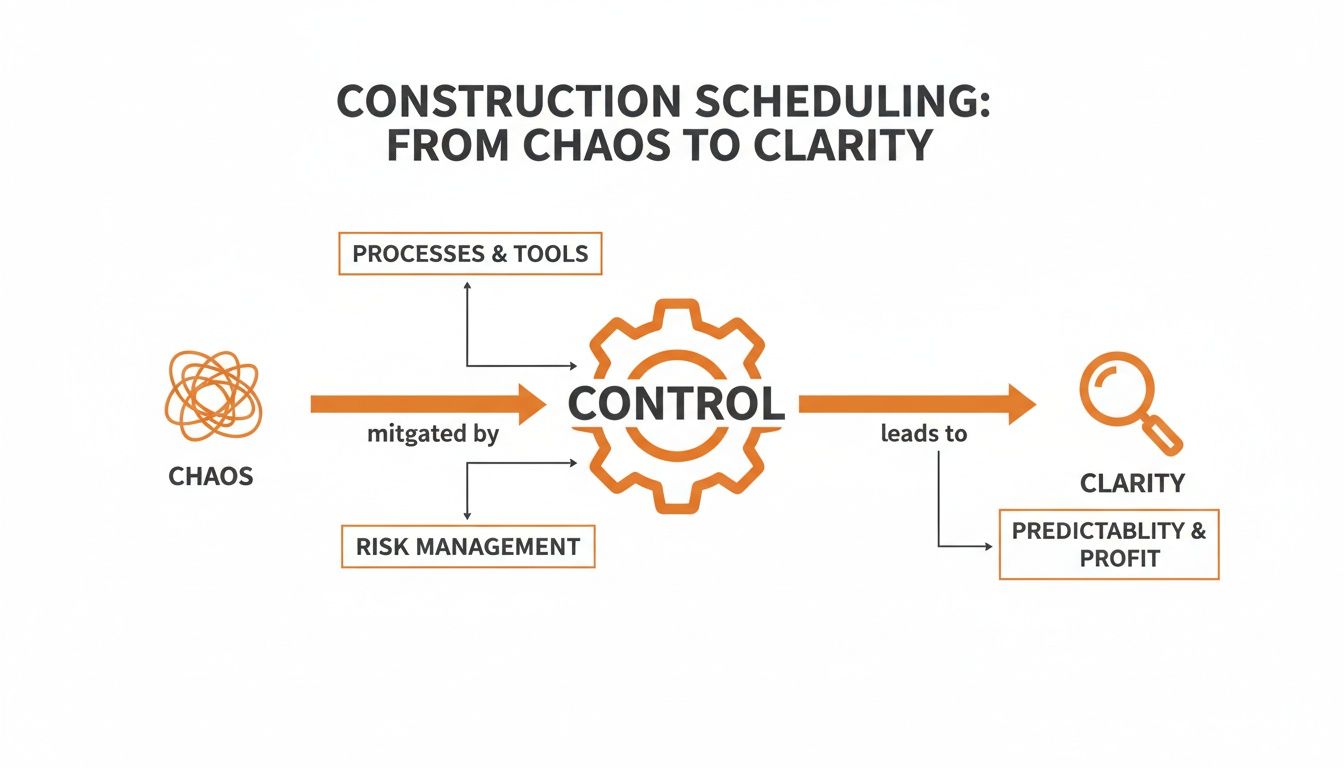
As the diagram shows, you move from chaos to control by bringing in organized processes and smart risk management. That’s how you deliver clarity for the whole team.
The Critical Path Is Your North Star
Now, let’s talk about the Critical Path Method (CPM). It sounds technical, but the idea is beautifully simple. On any project, some tasks have wiggle room (we call this "float"), and some don't. The critical path is the chain of tasks with zero wiggle room. Any delay in one of them directly pushes back your completion date.
Think of it as the project’s backbone. While you might have a hundred tasks happening at once, CPM helps you identify the 10 or 15 that truly matter today. It tells you where to focus.
If your foundation pour is on the critical path, you know a delay there is a five-alarm fire. But if the landscaping delivery is late and has two weeks of float, you can breathe and deal with it tomorrow. This isn't micromanagement; it's strategic focus.
Resource Allocation Is Just a Chess Game
Finally, there’s resource allocation. This is the chess game of getting the right people, equipment, and materials to the right place at the right time. A beautiful schedule is useless if your only skilled welder is double-booked.
Good software gives you a bird's-eye view. You can see that Bob, your best carpenter, is scheduled for two jobs at once and fix it before it becomes a problem. You can track equipment to ensure that expensive rental crane isn't just sitting idle. It’s about making sure your plan is not just possible on paper, but actually achievable with the team and tools you have.
To see how this fits in a bigger picture, a guide on residential construction management software can help you think about what really matters beyond just surface-level features. These core tools—dynamic Gantt charts, critical path, and resource allocation—aren’t just shiny objects. They are the building blocks for running a calmer, more predictable jobsite.
A Schedule Is Useless If It Lives in the Office
Let's be real. A master schedule locked away in a binder is a work of fiction. It's useless if the crew doing the work doesn’t know about it or can't adapt to it. This is where most construction scheduling software misses the point. The real work doesn't happen in the head office; it happens in the hands of your team on the ground.
The real work happens in the mud. In the basement with no cell signal. Up on the fourth-floor scaffolding. For a schedule to be more than a hopeful guess, it has to live there, too.
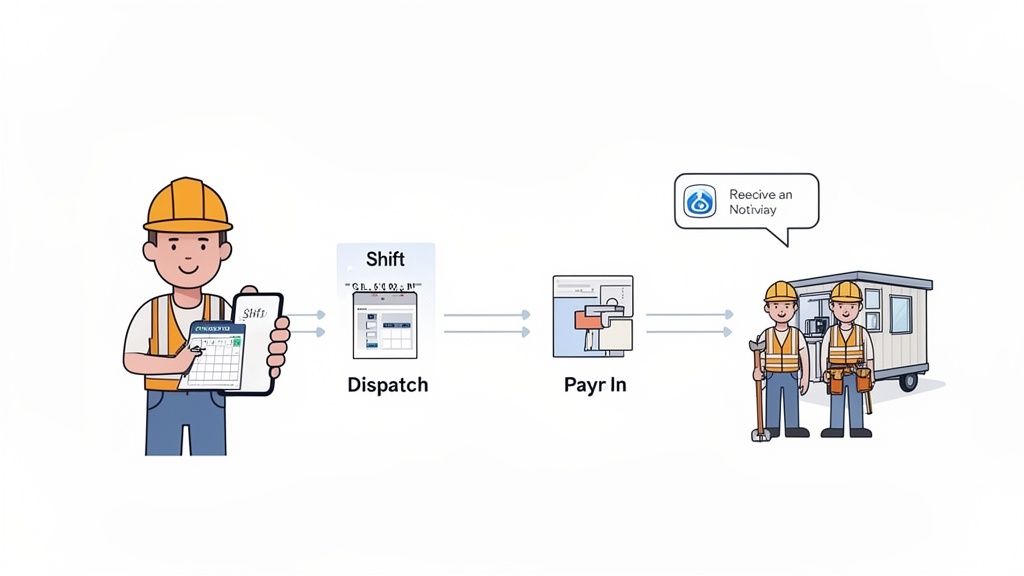
This is about closing the gap between the plan and the reality. It’s about features that don’t just track progress but actually help create it. It’s about turning your crew’s phones into the most powerful tool on the jobsite.
A Schedule That Lives on a Phone
The most critical feature has nothing to do with complex diagrams. It’s mobile shift scheduling. A supervisor needs to pull out their phone, see who is working, and make changes on the fly. When a sub is a no-show, they should be able to reassign a carpenter in seconds, not waste 20 minutes hiking back to the trailer to make phone calls.
Think about what this solves. It ends the morning scramble. Every crew member can check their phone and know exactly where to be and what their first task is. That clarity sets the tone for the entire day.
This matters more than you think. A Project Management Institute study found that 37% of project failures are due to a lack of clearly defined objectives at the team level. When the schedule is live and adjustable on a phone, those objectives are always clear.
Smart Dispatch and Mobile Clock-Ins
Dispatching can be a nightmare of missed calls and text message chains. Modern tools fix this. A good system lets you dispatch the right person to a specific task and get confirmation they’ve seen it. No more, "I didn't get the message."
But that’s only half the story. The real power comes when you connect dispatch to mobile clock-ins. When a crew member clocks in for their shift on their phone, that data is good. When they can clock in directly to a specific task or cost code, that data becomes invaluable.
The goal isn’t more software; it’s a single source of truth. It's about giving your team the information they need to make smart decisions in the moment, without a dozen phone calls.
Suddenly, you’re not just tracking hours; you’re seeing exactly how much labor is going into framing or electrical. This isn’t just for payroll. This is real-time job costing. You can see if you're blowing the budget on a task while it's still happening, not a month later. Our guide on mobile workforce management solutions explains how these connected tools bring clarity to field operations.
To see the difference, just look at a site supervisor's day. The contrast between the old way and the new way is stark.
A Day in the Life of a Site Supervisor
Daily Challenge | The Old Way (Spreadsheets & Phone Calls) | The New Way (Integrated Software) |
|---|---|---|
Morning Roll Call | Phone tag to confirm who is showing up. Last-minute texts about sick calls. | Open an app, see who has clocked in. Get instant notifications for no-shows. |
A Worker Calls In Sick | Frantic calls to find a replacement. Texting the crew to see who can cover. | See a list of available, qualified workers. Reassign the shift with a few taps. |
Urgent Task Change | Track down the crew lead on a noisy site. Shout instructions. Hope it's understood. | Dispatch a new task to the right person's phone. Get a read receipt. No confusion. |
End of Day Reporting | Collect crumpled time sheets. Try to decipher handwriting. Manually enter hours. | All time is already tracked and coded by task. Review a clean report. Approve with one click. |
The "new way" isn't about fancy tech. It’s about giving supervisors back their time so they can focus on managing the project, not managing paperwork.
Connecting Your Schedule to Your Business
Finally, your construction scheduling software can't be an island. It has to talk to your other systems. The best tools have built-in integrations that connect what’s happening in the field to your back office.
Payroll: Time-tracking data should flow directly into your payroll system, eliminating hours of manual data entry.
Accounting: Linking labor hours to your accounting software gives you a live, accurate picture of your project's financial health.
HR: Connecting with your HR system keeps your employee roster in sync, ensuring new hires are immediately available to schedule.
This isn’t about adding complexity—it’s about getting rid of it. When your tools talk to each other, you kill the double-entry and guesswork. Your schedule becomes the engine that feeds accurate, real-time data across your entire business.
Scheduling Is a People Problem, Not a Software Problem
Let's get real for a moment. You bought the fancy software. You built the perfect schedule. So why are you still putting out fires all day?
It’s because we’ve been sold on a myth. We've been told that scheduling is a software problem. It's not. It’s a people problem.
The most powerful scheduling tool on the planet is useless if it doesn't fundamentally improve how your team communicates. A schedule isn't a static document you send down from the office. It's a living, breathing conversation. If your software just broadcasts orders, it’s failing.
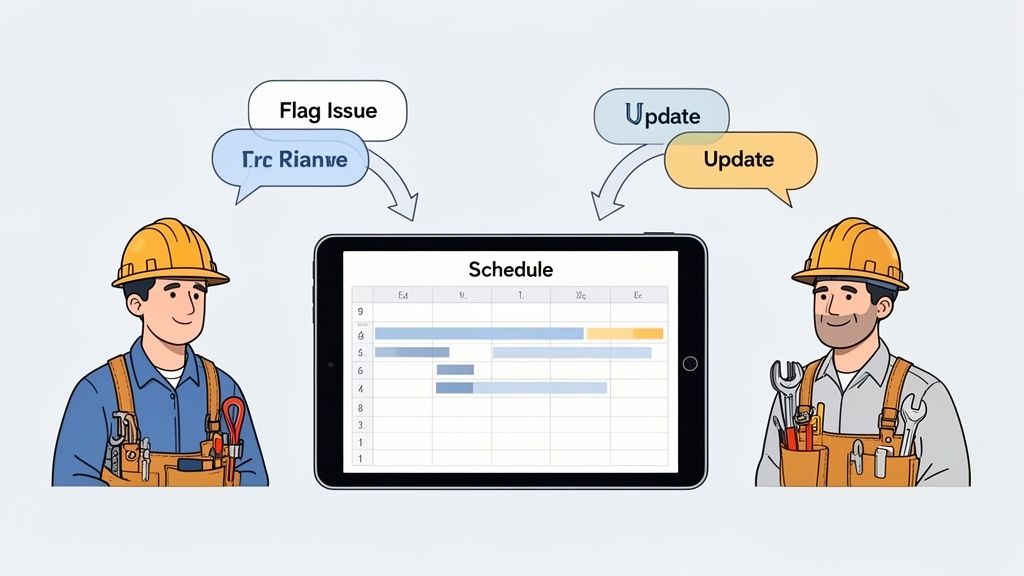
When your schedule is disconnected from your team's day-to-day communication, you create silos. But when it's integrated right into their daily workflow—right alongside their conversations and updates—everything changes.
Bridging the Field and the Office
We’ve all seen it: the classic friction between the office and the field. The office thinks the crew isn't following the plan. The crew knows the plan was out of date the second it hit the job site. This isn't anyone's fault; it's what happens when their tools keep them apart.
True construction scheduling software acts as a bridge.
When the schedule is transparent, live, and on everyone’s phone, it builds trust. A plumber can see their start date was pushed back because a storm delayed the concrete pour. They aren't left guessing. They have context.
Even better, they can become part of the solution. Imagine that same plumber spots an unmarked utility line. With the right tool, they snap a photo, drop a pin on the plan, and tag the project manager instantly. That’s not a complaint—it’s a critical, real-time update that prevents a costly mistake. The schedule transforms from a static document into a dynamic conversation.
A schedule should be a conversation, not a command. When your scheduling tool is also your team’s communication hub, you stop managing tasks and start leading a team.
This conversational approach is where you find real efficiency. It’s not about shaving a few minutes off a task. It's about eliminating the days lost to miscommunication and rework. As we've covered before, the best communication apps for construction crews are the ones woven directly into daily work.
Your Team, Connected
This shift toward integrated platforms is happening for a good reason. Modern, cloud-based tools have made it possible. In fact, cloud deployment is expected to command a massive 54.17% market share in construction software by 2026.
Unlike the old systems that chained you to a desk, cloud-based tools are accessible from anywhere. A supervisor on-site and a project manager in the office can look at the exact same information, at the same time. That sync is no longer a luxury; it's essential.
When your scheduling tool lives in the cloud and on your team’s phones, it becomes the central nervous system for the entire project. It's the single source of truth. This isn’t just a "nice-to-have" feature. It fosters a culture of shared ownership. When your team feels connected to the plan, they stop being cogs in a machine. They start acting like the skilled, problem-solving professionals they are. The schedule finally becomes what it was always meant to be: a tool that helps people build great things, together.
How to Choose a Tool Without Losing Your Mind
The market is flooded. A search for “construction scheduling software” throws a dizzying number of options your way, all promising to solve everything. It’s easy to get lost in feature lists and sit through a dozen soulless demos, only to end up more confused than when you started.
Let’s be honest: the typical feature-for-feature bake-off is a waste of time. Most software has the same basic stuff. Choosing the right tool isn’t about finding the one with the longest feature list; it’s about finding the one that fits how you actually work.
Questions That Actually Matter
Forget the sales pitch. When you're looking at a tool, ask questions that get to the messy reality of a jobsite. Here are a few I’ve learned to ask the hard way:
Does it work offline? Seriously. Can your super update a task in a basement with zero cell signal and have it sync automatically when they’re back online? If the answer is no, it’s a non-starter.
How fast can a new hire learn it? Can a brand-new laborer figure out how to see their schedule and clock in within five minutes? The success of your tool hinges on its simplicity for the least tech-savvy person on your team.
Can I customize it myself? Can you add a custom field or tweak a workflow without calling a consultant? The software should bend to your process, not the other way around.
These aren't just technical questions. They get to the heart of whether a tool will actually get used or just become another expensive, ignored subscription.
The right tool should feel like a natural extension of how you already want to work. It shouldn't be another complex system you have to fight with every day.
A tool that answers these questions well is built for the real world. It understands that your projects are chaotic and your team needs something dead simple to make their lives easier, not harder.
How to Start Smart
Even the best software will fail if you roll it out poorly. The “big bang” approach—forcing everyone to switch over on a Monday—is a recipe for rebellion. A smart implementation is strategic and, most importantly, human.
First, start small. Pick a single project and a small, dedicated crew. Here’s a tip: get buy-in from your most skeptical but respected supervisor. If you can win them over, they’ll become your biggest champion.
Second, define what a "win" looks like. Is it reducing a supervisor’s paperwork by five hours a week? Cutting payroll processing time in half? Getting daily reports from 100% of projects? Set clear, measurable goals. Without them, you’ll never know if your investment is actually paying off. For more ideas on what to track, look at how the best employee scheduling software impacts operations.
Finally, remember this is a long game. The goal isn't just to install software; it's to change habits. That takes patience, listening, and a willingness to adjust. The right tool doesn't just manage tasks—it brings your team closer together, making the entire project feel less like a frantic race and more like a coordinated effort.
The Future Is Connected, Not Just Scheduled
What if we stopped treating the schedule as a static document? For too long, we’ve been obsessed with perfecting the plan itself. But let's be real—the goal isn’t a flawless Gantt chart. It's a resilient project built by a connected and informed team.
The biggest shift happening in construction tech isn’t about making prettier timelines. It’s about tearing down the walls between planning, communication, and execution. The best tools don't just tell people what to do; they give them the context to do it better, together.
From Commands to Conversations
When your schedule is just a top-down order, your team is flying blind. They see their task, but they miss the "why." This is where mistakes and frustration are born. The future of construction scheduling software is about making the schedule the centerpiece of a conversation.
Picture this: your scheduling platform is also where your team talks. A drywaller discovers a leak and posts an update directly on the affected task. Instantly, the PM and the plumbing foreman are looped in. That’s not just a cool feature; it’s a fundamental change in how work gets done.
The schedule, in the end, isn't the point. The people are. The best tools recognize this and put human connection at the very center of the process.
This deep integration of scheduling and communication creates a single source of truth that builds accountability and shared ownership. It’s no longer about one person pushing a plan; it’s about the entire team steering the project forward together.
The Blurring Lines
Looking ahead, the lines separating scheduling, communication, and project management will continue to blur into a single, unified experience. It’s a natural evolution. After all, what is a project if not a series of coordinated conversations and actions?
The companies that thrive won't be the ones with the most complex critical paths. They'll be the ones who build a culture of transparency, supported by simple, human-centered tools that get out of the way. They’ll be the ones who recognize that scheduling isn't just an administrative task, but an ongoing process of team alignment.
Ultimately, we have to remember who we're building for. This isn't about hitting deadlines. It’s about empowering skilled people to do their best work. When we give them tools that connect them to each other and to the larger purpose of the project, we do more than build a better schedule. We build a better way to work.
A Few Questions We Hear a Lot
Switching to modern construction scheduling software is a big move. It’s smart to have questions. Here are a few we hear all the time, answered simply.
How much does this stuff cost?
It’s all over the map. Basic tools can start around $20-$50 per user, per month. A comprehensive platform for a large operation could run into the thousands.
But don't get stuck on the sticker price. The real conversation is about return. If a tool helps you sidestep just one two-day delay on a major project, it has likely paid for itself for years. Be wary of confusing pricing with hidden fees. A straightforward price usually means a company is confident in its product.
Will it work with our other tools?
This is a make-or-break question. The answer you want is a firm "yes." The best scheduling platforms are designed to play nice with the software you already use, especially accounting systems like QuickBooks or Sage.
This is where the magic happens. When your schedule talks to your accounting software, you connect project progress directly to your bottom line. You can even automate payroll from hours logged on the job site. Before you sign anything, double-check that the integrations you need are supported.
The most important question isn't about features or cost. It's about adoption. If it doesn't save your crew time and headaches within the first week, they won't use it. Period.
How hard is it to get our team to actually use it?
This is the million-dollar question. Because even the most powerful tool is useless if nobody uses it. Adoption is everything.
The secret is to pick software that’s dead simple on a smartphone and actually solves a daily problem for your crew. Can they easily see their schedule? Can they clock in without a paper timesheet? That’s what matters.
Don't go for a big-bang rollout. Start small. Pick one project and a few motivated team members to run a pilot. Let them prove the value for themselves. When they start telling everyone else how much easier their day is, their word of mouth will do more to get the rest of the crew on board than any top-down mandate ever could.
Ready to see how a connected platform can bring your scheduling, communication, and operations together? Pebb unifies everything your frontline teams need in one simple app. Get started with Pebb today.
