
Time Clock App for Staff: A Buyer's Guide
Choosing a time clock app for staff? This guide cuts through the noise. Learn what features matter, how to roll it out, and what questions to ask vendors.
Dan Robin
Payroll week has a smell. It's coffee, stress, and somebody saying, “I swear I worked that shift.”
If you manage staff, you already know the routine. A supervisor approves hours late. Someone forgot a break. Another person texted their manager instead of writing anything down. Then payroll gets stuck playing detective with scraps of memory and screenshots.
I've rolled out enough time tracking tools to know the truth. Organizations don't need more software. They need less confusion. A good time clock app for staff doesn't just record hours. It gives everyone the same record, the same rules, and fewer arguments.
The End of Timesheet Chaos
The old mess is older than commonly understood. The roots of time tracking go back to 1888, when Harlow Bundy patented the mechanical time clock, using punched cards to log employee hours and cut payroll disputes in factories, as noted in Clockify's history of time tracking. The tool changed. The job didn't. We still need a clean, trusted record of who worked when.
What changes now is speed.
Paper sheets, spreadsheets, and text-message approvals all create the same problem. Nobody is looking at one shared version of the truth. Staff remember one thing. Managers remember another. Payroll gets whatever survives the week.
What the chaos actually costs
The biggest cost isn't admin time. It's trust.
When people think their hours might be wrong, they stop assuming good intent. Every paycheck becomes a question mark. That wears teams down faster than most managers admit.
A time clock app works best when staff see it as a fairness tool, not a control tool.
That's why I think a modern app should be framed as an operations decision, not a tech purchase. You're not buying a shiny new dashboard. You're removing the weekly scavenger hunt.
A lot of scheduling problems start before the first clock-in. If you're dealing with shift gaps, late swaps, and labor waste, these tips to fix restaurant scheduling are worth reading because they get to the root of the mess, not just the symptom.
One record beats five explanations
When I'm helping a team choose a system, I look for one simple outcome. Can this become the one place everyone trusts for hours worked?
If the answer is yes, you've already won half the battle. If you want a practical starting point, this guide on how to track employee hours lays out the basics in plain language.
The best time clock app for staff doesn't create discipline by force. It creates clarity. Once that happens, payroll gets easier, manager follow-up drops, and the temperature in the room comes down.
What a Modern Time Clock App Actually Does
The wall-mounted punch clock is dead. Good riddance.
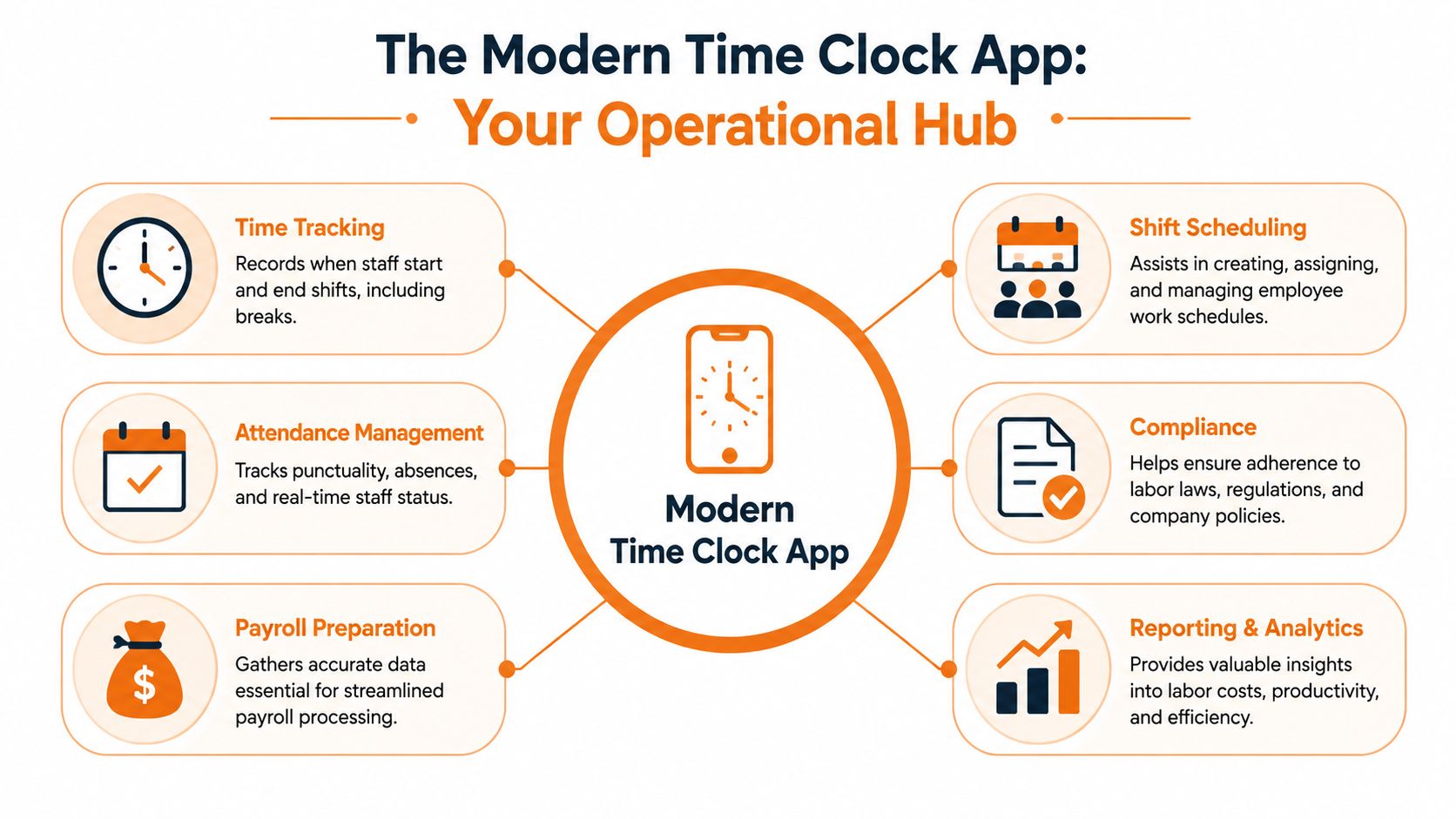
A modern time clock app for staff sits in the middle of your operation. Staff clock in on their phones. Managers see attendance in real time. Payroll gets cleaner inputs. Scheduling stops living in a separate universe.
It tracks reality, not just hours
At the simplest level, the app records start times, end times, and breaks. Useful, but basic.
The better systems turn those punches into operational data. You can see who's on site, who missed a shift, who's close to overtime, and what labor is costing while the day is still happening. That changes decisions. Managers stop reacting after payroll and start adjusting during the week.
The category itself has grown because businesses see real value in it. The global time tracking software market was valued at $2.15 billion in 2023 and is projected to reach $5.89 billion by 2030, and users often report 30 to 50 percent reductions in administrative time along with a 35 percent drop in payroll inconsistencies, according to Jibble's review of free time clock apps.
It becomes part of the whole workday
Buyers often get it wrong. They shop for a clock. What they really need is a hub.
A solid app should connect attendance, scheduling, approvals, and payroll prep so the same data doesn't get typed three times by three different people. In practice, that means one clock-in can affect staffing visibility, labor reporting, and pay calculations without a manager rebuilding the story by hand.
For teams that manage grants, rotating staff, or mixed hourly roles, a clear process matters even more. This practical piece on managing payroll for nonprofits is a good reminder that messy time data always leaks into payroll complexity.
Practical rule: If your app only records punches and leaves everything else to spreadsheets, you didn't solve the problem. You just moved it.
I'd also look at whether the app fits into a broader daily workflow. This overview of a mobile time clock in app is useful because it shows how clock-ins connect to the rest of operations, not just attendance.
That's a significant shift. A modern time clock app for staff isn't just a record keeper. It's the operating memory for the workday.
Features That Matter Versus Features That Distract
Shopping for time tracking software is a great way to get buried under nonsense.
Every vendor has a giant feature grid. Facial recognition. AI forecasts. Mood check-ins. Auto-this. Smart-that. Most of it is decoration. If your staff can't clock in easily and your managers can't trust the report, none of the extra stuff matters.
The short list I actually care about
I push buyers toward a brutally simple checklist first:
Easy clock-in and clock-out: If a new hire needs a tutorial just to start a shift, adoption will be ugly.
Clear timesheets: Managers need to review hours fast, not decode them.
Payroll-ready reporting: Approved hours should come out clean enough for payroll to use.
Job or location tracking when needed: Field teams, multi-site crews, and service businesses need more than a plain in-out record.
Offline support: If your people work where the signal is bad, the app can't fall apart.
That's the core. Build from there, not the other way around.
Geofencing is great, until it isn't
One feature does deserve real attention. GPS-enabled geofencing.
Modern apps can automatically trigger clock-in and clock-out events when employees enter or leave a job site, which helps block remote clock-ins and creates an auditable record of on-site presence. That matters enough that 72 percent of frontline managers in hospitality and healthcare prefer apps with GPS verification to fight buddy punching, according to TimeTac's overview of mobile time tracking and geofencing.
That said, context matters. A construction company with rotating job sites should care a lot. A warehouse with one front door might not need it. A neighborhood café definitely doesn't need to pay extra for a feature that solves someone else's problem.
Buy for your operation as it exists today. Not for the fantasy version a sales demo tries to sell you.
The cleanest tool usually wins
I'd rather have a plain app that staff use than a flashy one everybody avoids.
Here's my honest ranking of feature value:
What to prioritize | Why it matters |
|---|---|
Simple mobile experience | Staff will use it without friction |
Reliable attendance record | Managers stop chasing missing hours |
Clean payroll export or sync | Admin work drops |
Location checks where needed | Reduces disputes for mobile teams |
Fancy extras | Nice later, distracting now |
If you're comparing vendors, keep your standards low in the right way. Not low for accuracy. Low for complexity. This roundup of time and attendance software options is useful because it helps separate must-haves from noise.
A time clock app for staff should solve one headache completely before it tries to solve ten headaches halfway.
What Your Industry Really Needs from a Time Clock
The right app depends on the kind of mess you live with.
A restaurant manager has different problems than a field service dispatcher. A clinic supervisor doesn't care about the same details as a retail district manager. This is why generic software advice is mostly useless. The feature list only matters after you know the conditions on the ground.
Retail and hospitality need speed and simplicity
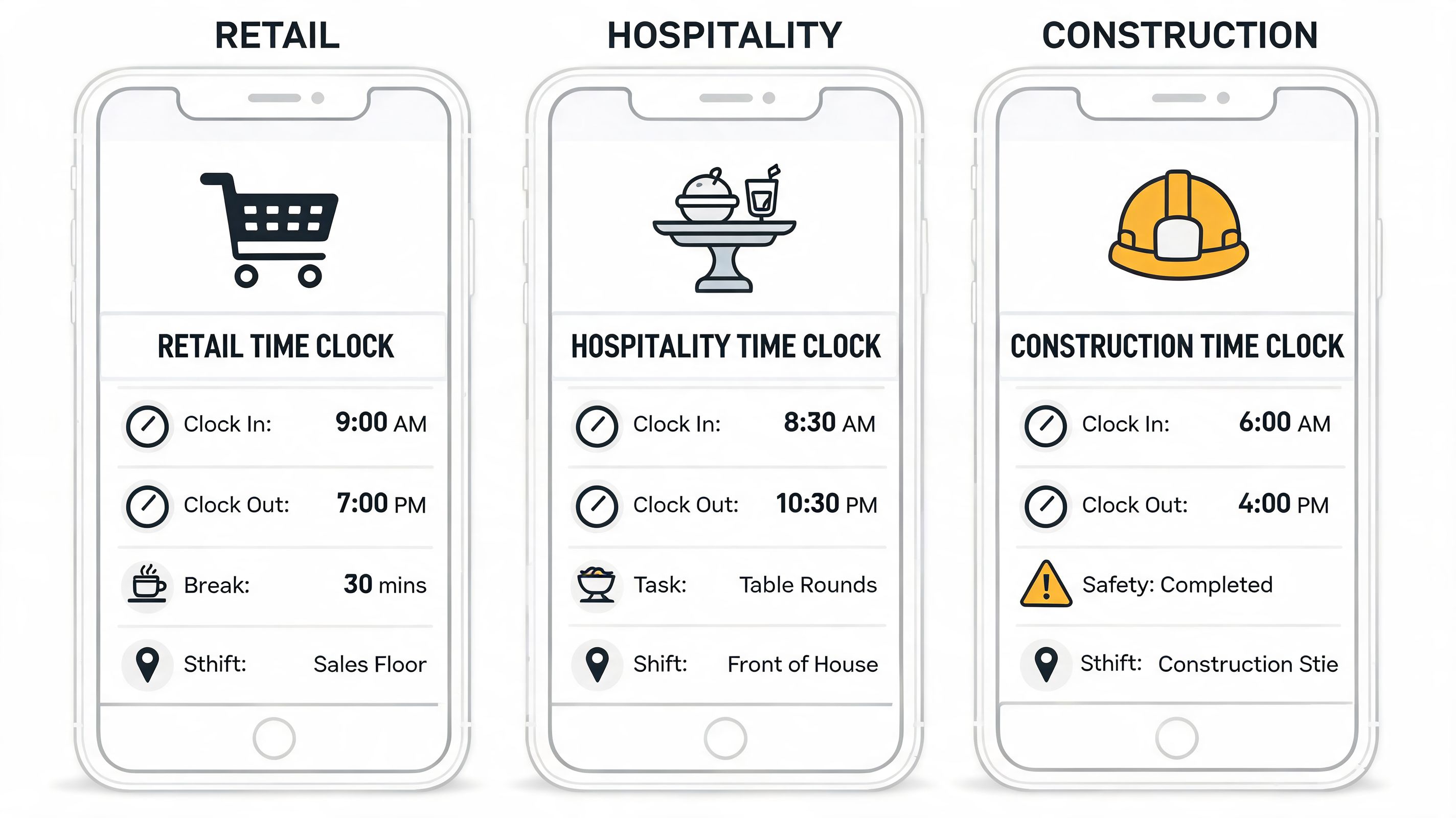
These teams live in shift changes, no-shows, break compliance, and constant staffing adjustments. Turnover is usually high, which means setup can't be precious. If onboarding takes forever, managers will cut corners and staff will drift back to text messages and paper notes.
For these teams, I'd prioritize:
Fast onboarding: New hires should be able to use the app on day one.
Break tracking: Managers need confidence that breaks are recorded consistently.
Schedule visibility: Staff should know where and when they're working without calling the store.
Manager approvals that take minutes: Nobody has time for a bloated workflow during a dinner rush.
The winning app here usually feels boring. That's good. Boring tools get used.
Healthcare needs records you can defend
Healthcare teams don't just need convenience. They need an audit trail that holds up when someone asks hard questions.
That means the app has to support precise records, role-based access, and a clear history of changes. If a manager edits a clock-in, that should be visible. If staff move across units or shifts, the system should reflect that without creating confusion.
I'd also want the app to fit around the way healthcare runs. People swap, stay late, cover emergencies, and move fast. A rigid tool creates side work. Side work creates bad records.
If your industry lives under compliance pressure, “good enough” time tracking isn't good enough.
Logistics and field service need mobility first
A driver, technician, or field rep can't rely on a desktop kiosk sitting in a break room. They need a phone-based app that works from the road and still keeps records straight when the signal drops.
For this group, the must-haves are different:
Offline use: Work shouldn't stop because coverage does.
Job-based time tracking: Hours often need to map to customers, routes, or service calls.
Location awareness: Not for spying. For proving where work happened.
Fast corrections: Field teams make real-time changes all day.
If the app assumes everyone starts and ends in one building, skip it.
Office and hybrid teams still need clarity
A lot of companies assume salaried or hybrid teams don't need structured time tracking. Sometimes that's true. Sometimes it's a lazy excuse for poor coordination.
The question isn't whether people are sitting at a desk. It's whether you need a shared record for attendance, projects, shift coverage, or client billing. If you do, the app still matters. It just needs a lighter touch.
The point is simple. Don't ask, “Which app has the most features?” Ask, “Which three problems do we need gone by next payroll?” That's how you pick a time clock app for staff that fits.
Integrations Are Not an Afterthought
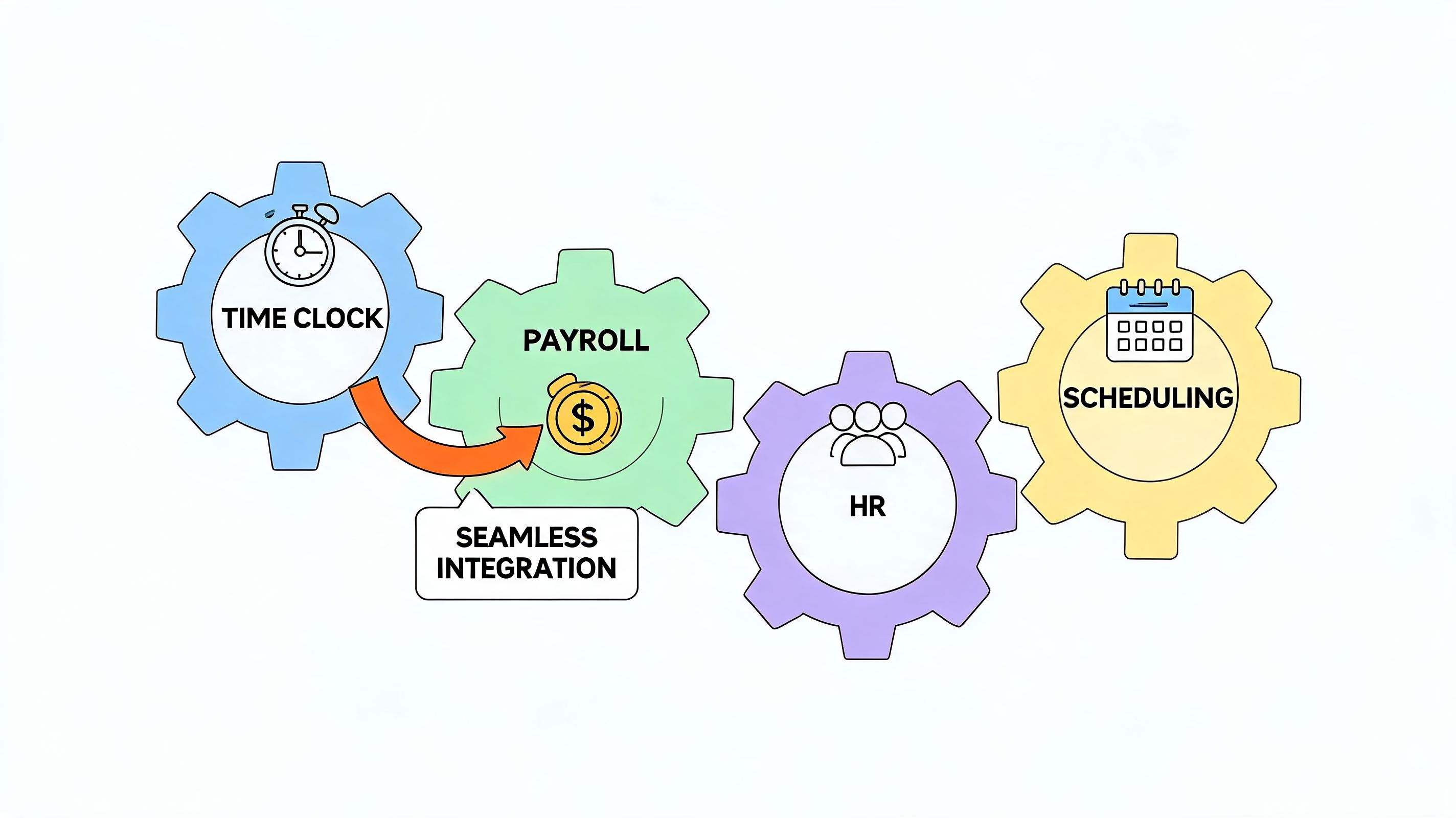
If your time clock app doesn't connect cleanly to payroll and HR, it's not finished.
Buyers are frequently deceived. A vendor says it “integrates” with QuickBooks or ADP. Then you learn that “integration” means exporting a CSV, cleaning it up, and uploading it manually. That's not integration. That's a chore in nicer clothes.
Manual transfer is where errors come back
This part isn't optional. A 2025 Gartner report found that 62 percent of small to mid-sized businesses abandon standalone time clock apps within six months due to poor integration with payroll systems, according to ShiftFlow's summary of time clock app challenges. That tracks with what I've seen. Teams don't quit because clock-ins are hard. They quit because the last mile to payroll is still messy.
A proper setup should handle things like:
Employee sync: New hires and terminations shouldn't require double entry.
Approved hours flow: Payroll should receive clean, current time data.
Policy consistency: Pay rules shouldn't need to be rebuilt in multiple places.
If a vendor can't show that in a live demo, I'd move on.
Ask ugly questions early
Being direct is beneficial. Ask the questions that make sales reps uncomfortable.
Ask this | Why it matters |
|---|---|
What does the payroll handoff look like, exactly? | You'll expose fake integrations fast |
What still needs to be done manually? | Hidden admin work shows up here |
How are edits logged? | You need accountability |
What breaks when a role or pay code changes? | Real life is messy |
For companies using outsourced HR or a layered stack, this guide to PEO HR software integration is useful because it shows how one weak connection can make every downstream process worse.
I'd also put unified tools on the shortlist if you're trying to reduce app sprawl. Pebb is one example. It combines clock-in tracking with shifts, PTO, communication, and HR and payroll integrations, which can reduce the number of handoffs managers deal with each week.
The wrong time clock app creates one more admin island. The right one disappears into the workflow.
Rolling It Out Without a Team Revolt
Most rollout failures aren't software failures. They're trust failures.
Management picks an app, sends a memo, and wonders why staff get defensive. Of course they do. From their side, a new time clock app for staff can feel like management is watching harder, not fixing anything.
Say what problem you're solving
Start with honesty. Tell people what's broken now.
If payroll corrections are common, say that. If managers are wasting hours chasing missing timesheets, say that too. Staff usually know the current system is sloppy. What they need to hear is that the new app is meant to make pay more accurate and the process more fair.
I've had the best luck using language like this:
We're not adding this to track people more closely. We're adding it so hours are recorded clearly, approved faster, and paid correctly.
That framing matters. A lot.
Keep the first week painfully simple
Don't launch with every feature turned on. That's how you create confusion and resentment in one move.
Use a short rollout sequence:
Show the basic action: how to clock in, clock out, and check hours.
Explain what staff can see: their shifts, their records, their time off.
Tell them how fixes work: who to contact, what happens next, how fast it gets corrected.
Train managers separately: they need to approve fast and answer questions calmly.
If the app supports location checks or photo verification, explain why in plain language. “We use this for on-site roles because we need a reliable record” lands better than “for compliance reasons.”
Let the team test it before you enforce it
Run a short parallel period if you can. Let people use the app, ask questions, and see their records before the stakes feel high.
You'll learn where the friction is. Maybe the login flow is clunky. Maybe one location has poor signal. Maybe a manager needs more training than they admitted. Better to discover that in a trial than on payroll deadline.
The rollout works when staff feel the system protects them too. Once they believe that, resistance drops fast.
How to Know If It's Actually Working
A lot of teams judge a time clock app too narrowly. They ask whether payroll runs faster. Fair question. Too small.
I look for different signs first. Are managers spending less time chasing people for missing hours? Are payroll conversations less tense? Do staff trust what they see in their records? If those things improve, the app is doing real work.
The dashboard won't tell you everything
A 2025 SHRM study found that 71 percent of frontline supervisors need visibility into shift adherence and engagement trends, and the stronger return comes from tools that connect clock-in data with broader engagement signals, with some unified platforms showing 25 percent higher engagement scores while also reducing overtime, according to the cited app marketplace research summary.
That's why I wouldn't stop at hours tracked or admin time saved. I'd ask:
Are shifts getting covered more cleanly?
Are fewer payroll disputes showing up?
Do supervisors feel more in control of the week?
Do staff think the system is fair?
Those answers usually matter more than a polished analytics screen.
Look for calmer operations
The best result is often quieter than people expect.
No one throws a party because the timesheet process became normal. But normal is the win. Payroll closes without drama. Staff stop screenshotting every shift for self-defense. Managers get time back for coaching, hiring, and fixing actual work.
That's the fundamental standard. A time clock app for staff should make the operation feel steadier. If it only gives you more data but the same friction, you bought reporting, not relief.
If you want one place for staff clock-ins, shifts, PTO, communication, and team updates, Pebb is worth a look. It's built for frontline and office teams, works on mobile and web, and makes the human side of rollout easier because people aren't bouncing between separate apps just to do basic work.
