
Best time and attendance software: What really works for teams
Discover the best time and attendance software that real teams actually use, with clear features, ease of adoption, and measurable impact.
Dan Robin
Hunting for the best time and attendance software can feel like wandering through a maze of feature lists and vendor promises. But here’s the thing: the best tool isn't the one with the most bells and whistles. It’s the one that fits so smoothly into your team’s day that it almost disappears. For many of us, that means finding a tool like Pebb where time tracking is just a natural part of how we communicate, not another chore to remember.
The Real Problem We’re Trying to Solve
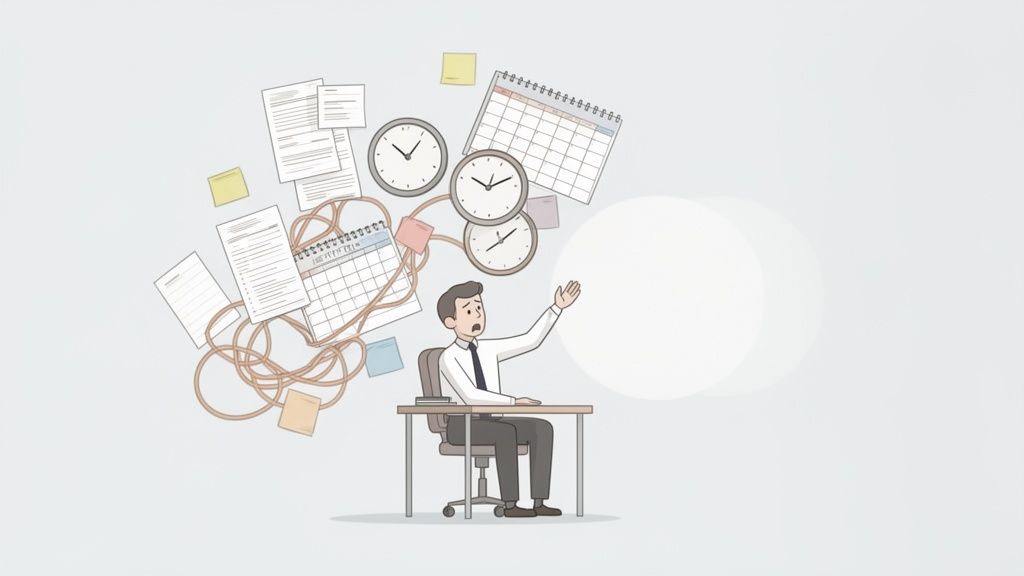
Let’s be honest. Nobody wakes up excited to track hours. The search for time and attendance software usually starts with a feeling of quiet desperation.
It’s the headache of wrestling with messy spreadsheets to build a schedule. It’s the endless, time-sucking back-and-forth over shift swaps. It’s that sinking feeling that the team is completely out of sync. I’ve seen it happen again and again: a manager spends weeks buried in product demos, only to pick a tool that solves one problem while creating three new ones.
This isn't another sterile buyer's guide. We’re going to talk about what’s really at stake. The goal isn’t just to track time—it's to get your time back.
Ditching the Administrative Drain
There's a reason the global market for this software is exploding—it hit around USD 3.1 billion in 2022 and is growing like a weed. Businesses are finally trading in their old-school timesheets for automated systems that can cut administrative busywork by up to 50%.
For frontline teams, especially, having a simple mobile app for schedules and PTO requests is a game-changer. Some studies even suggest this can reduce no-shows by as much as 30%. You can read the full research on this market growth if you want to dig into the numbers.
But the data only tells half the story. The biggest win is often much simpler: giving your managers their day back.
The best software is the one your team doesn't secretly resent using. It should feel like a helping hand, not another task on a to-do list.
What Truly Matters
I once talked to a retail manager who spent nearly a full workday, every single week, just fighting with the schedule. Between last-minute call-outs, availability changes scribbled on napkins, and manually calculating hours for payroll, she was drowning. Her problem wasn’t a lack of information; it was the lack of a single, simple place for everything to live.
This is the real issue. What looks like a time-tracking problem is usually a communication problem in disguise. When you start looking at different tools, the most important features are often the least technical:
Simplicity: Can a new hire figure it out in five minutes without a training manual?
Integration: Does it slide easily into their daily habits, or does it force them to open yet another app they’ll forget about?
Adoption: Is it designed so well that your team actually wants to use it?
Finding the right system is less about comparing feature lists and more about understanding the rhythm of your team. Check out our guide on apps for attendance tracking to see how modern tools are tackling this. This guide will help you reframe your search around that one core idea—choosing a tool that supports your people, not just your processes.
How to Evaluate Software Beyond the Feature List
Every vendor promises the same things: accurate tracking, easy scheduling, seamless payroll integration. Frankly, those are table stakes. If a tool can’t handle the basics, it’s not even in the race. But I've learned from experience that the features on a pricing page rarely tell the whole story.
The real difference between software that just works and software that actually helps is in the details—the small, thoughtful touches you only discover months after you’ve signed the contract. We're not talking about buzzwords. We're talking about the practical, day-to-day impact on your team.
This is our guide to looking past the sales pitch and focusing on the qualities that truly matter for the long haul. It’s about choosing software for how your team works today, and how you want to work tomorrow.
The Quality of the Experience
Let’s be honest: most business software is a chore to use. When a vendor says they have “mobile access,” that’s just a checkbox. The real question is, how good is that mobile experience really?
Was the app designed for a warehouse manager walking the floor, needing to approve a shift swap with one hand? Or is it just their desktop website, awkwardly shrunken down and barely usable on a phone? This isn't a minor point. It's everything. If the app is slow, clunky, or confusing, your team will find a reason not to use it.
Adoption isn't about features; it's about feel. A poorly designed tool adds friction to an already busy day. A great one fades into the background. It feels so intuitive that your team doesn’t even have to think about it.
Context Is Everything
A feature that’s a lifesaver for one team can be completely useless for another. A remote marketing team might just need a simple timer they can start and stop from their laptop. But for a retail team, that’s a recipe for disaster. They need a fixed, on-site kiosk or a geofenced mobile clock-in to prevent people from clocking in from the parking lot.
The best time and attendance software gets this. It isn’t a one-size-fits-all product. It offers different clock-in methods, flexible permissions, and workflows you can shape to fit the different parts of your business. Before you commit, walk through a few real-world scenarios for your own teams.
Frontline Teams: How does a cashier clock in? What happens if they forget to punch out for a break?
Office Teams: Can someone easily track time against a project without leaving the app they’re already working in?
Managers: How many clicks does it actually take to view and approve all timesheets for the week? Is it five, or is it fifty?
The goal isn’t to find a tool with the most features. It's to find the tool with the right features, thoughtfully designed for the people who will use them every single day.
The Truth About Integrations
The integrations page is often the most misleading part of any software website. Seeing a logo for your payroll provider means almost nothing. A deep, two-way integration is worlds apart from a simple data dump that forces you to manually clean up a messy CSV file every two weeks.
A true integration is seamless. It automatically syncs approved hours, new hires, and PTO balances without anyone lifting a finger. It’s a two-way street, where data flows smoothly between systems to create a single source of truth you can rely on.
When you’re looking at a tool, don’t just ask if it integrates with your other systems. Ask how it integrates. Demand a live demo showing the exact workflow with your specific payroll or HR platform. The difference between a real integration and a superficial one is the difference between saving 10 hours a month and creating a brand-new administrative headache.
Comparing the Three Main Approaches to Time Tracking
When you start digging into time and attendance software, you’ll quickly find there are a few fundamentally different ways to solve this puzzle. The "best" one really hinges on how your team gets work done. Let's set aside the generic pros and cons lists and look at this like someone who’s been in the trenches and had to make this call before.
You're really looking at three main camps: standalone time-tracking apps, add-on modules from big HR suites, and all-in-one work platforms. Each comes with its own philosophy. Choosing one isn't just about software; it’s a bet on which approach will actually make life easier for your people.
This decision tree can help you see which path might make the most sense for your team's unique setup.
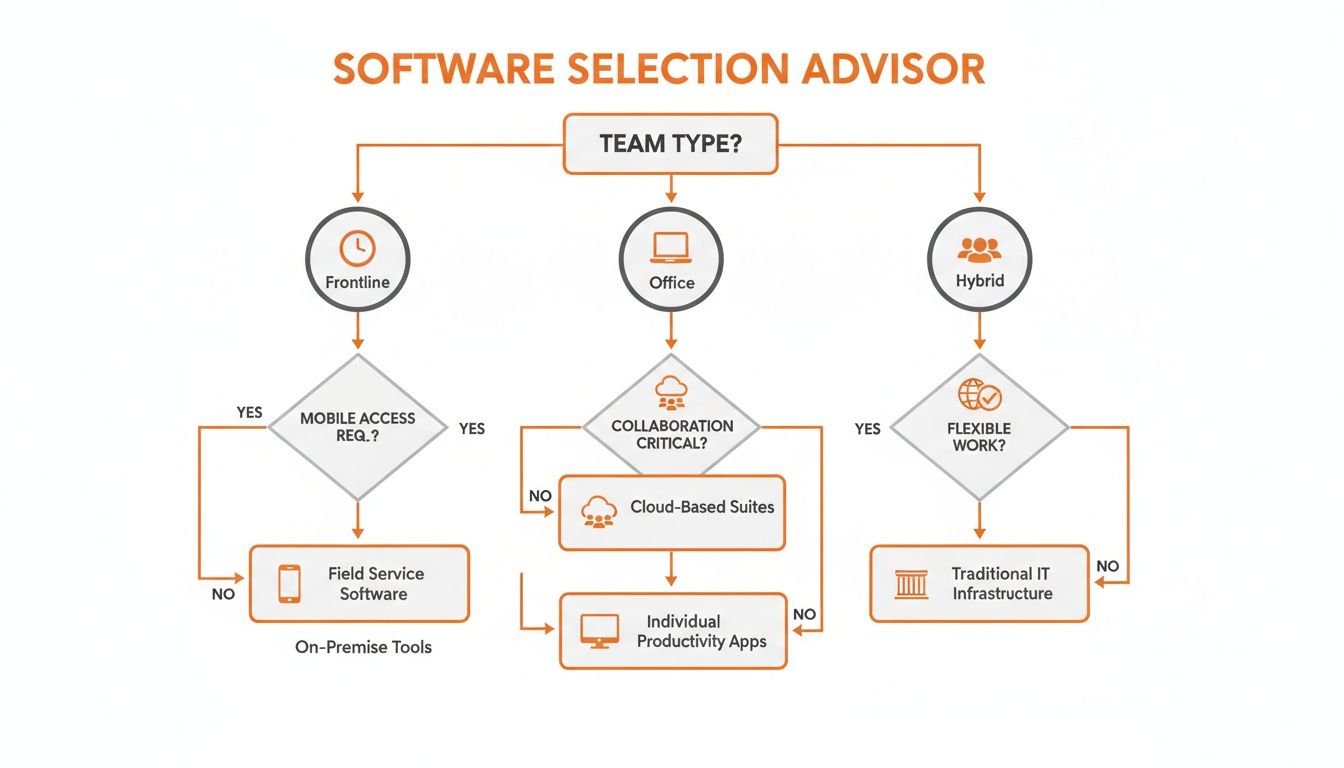
The big takeaway here is that the conversation has to start with your team—are they frontline, in the office, or a mix?—long before you start comparing features.
Standalone Time-Tracking Apps
This is the simplest, most direct route. Picture a small cafe with ten employees. All the owner really needs is a reliable way for baristas to punch in and out on an iPad by the register. Standalone apps do one thing, and they usually do it very well.
They're typically affordable, fast to get running, and super easy for employees to pick up. For a small business with straightforward needs, this is often the perfect place to start. The trouble begins when your needs get even a little more complicated.
Suddenly, you’re exporting timesheet data from one app and manually typing it into your payroll system. You’re posting the weekly schedule in a separate group chat that has zero connection to the tool tracking the hours. It’s a clean fix for a single problem, but it creates disconnected islands of information that someone has to bridge.
Add-Ons From Large HR Suites
For a bigger company, using the time and attendance module from your existing HR platform seems logical. You’re already paying for the system, all your employee data is right there, and the promise of a single source of truth is hard to resist. It feels like the responsible, enterprise-grade move.
But here’s what I’ve seen happen time and again: adoption is terrible. These HR suites are incredibly powerful, but they were built for HR admins, not for the employees on the floor. They are rarely the first—or even third—app an employee opens during their day.
Imagine you’re a manager running a warehouse team. Your HR suite’s time-tracking module might have deep compliance features, but it's useless if your crew never opens the app because it’s slow, clunky, and buried three menus deep. You get the data, but it’s probably wrong because people are just trying to remember their hours at the end of the week.
This approach often solves a problem for the back office by creating a huge headache for the people on the ground. A tool that nobody uses is worse than no tool at all.
All-In-One Work Platforms
This third way is built on a simple idea: time tracking shouldn't be a separate chore. It should be a natural part of the digital space where your team already communicates and works together. It’s about meeting your people where they already are.
This is the model we’ve built with Pebb. When an employee can see their schedule, ask their manager a question about a shift, and clock in from the very same app, the friction just disappears. There's no need to switch contexts or remember to log into another system. You can see how this works in a modern employee clock-in app.
This move toward integrated, cloud-based tools is changing the entire industry. The market for cloud time and attendance software is set to explode from USD 3.26 billion in 2024 to an incredible USD 11.92 billion by 2035. This isn’t just a passing trend. It's a direct response to the rise of hybrid work. Over 60% of mid-sized firms in North America had already adopted cloud tools by 2024 to manage remote and flexible teams. You can find more on this explosive market growth on Market Research Future.
The right approach isn't about which category is "best" on paper, but which one fits your company's culture. Do you see time tracking as a compliance task to be managed, or as a connected part of your team's daily rhythm? Your answer to that question tells you everything you need to know.
Why All-In-One Platforms Win for Modern Teams
After talking with countless frustrated managers over the years, I've come to a firm conclusion: time and attendance shouldn't be a separate chore. It shouldn’t be tucked away in some forgotten corner of your company’s software. It needs to be a natural, effortless part of where your team already works.
This isn’t just a preference; it’s a core belief. When you force your team to juggle a separate app just to clock in or check their schedule, you’re throwing a wrench in their day. It’s another password to remember, another notification to ignore, and another reason for data to get messy because someone forgot to log their hours until Friday afternoon.
The best time and attendance software gets this. It meets your people right where they are.
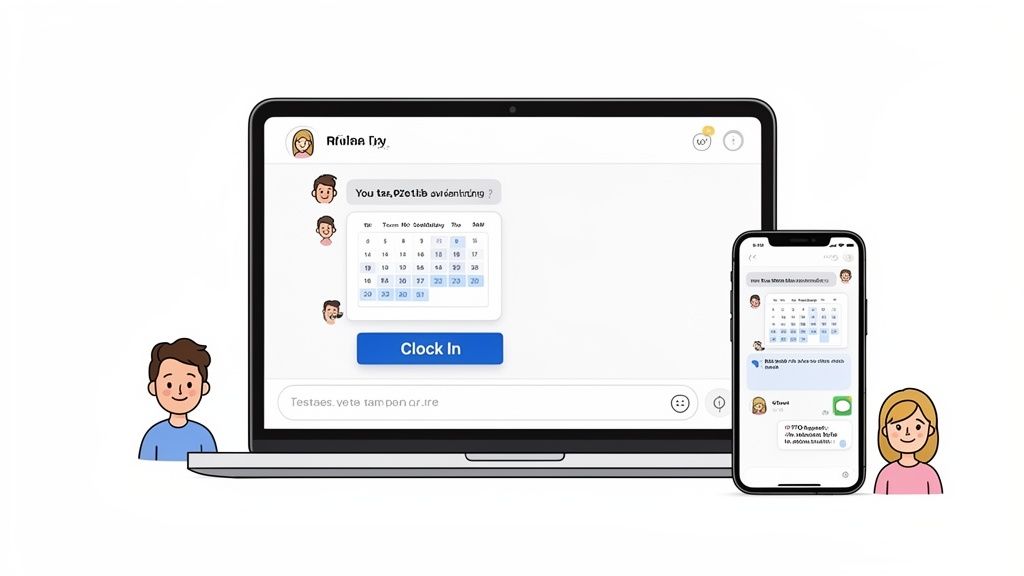
This is the goal—an experience so smooth that managing time on a phone feels just as intuitive as it does on a computer, because it's woven directly into an employee's daily workflow.
A Single Source of Truth
Let's imagine how this plays out. A manager posts the weekly schedule in a team channel. Immediately, every employee on that team gets a notification right next to their project updates and company news. An employee needs to request a day off? They do it in the same app where they chat with their boss. No more lost emails, messy spreadsheets, or confusion.
That's the power of an all-in-one platform like Pebb. When an employee can see their schedule, ask a question about a shift, and clock in from the same app, the administrative headache just disappears. You're not just buying another tool; you're creating a single, reliable source of truth that calms the chaos for everyone. We've seen how platforms like Monday.com can unify work far beyond simple time logging to really boost a team's productivity.
This isn't just about convenience. It's about clarity and real efficiency.
When your work tools live where your people communicate, adoption happens naturally. You’re no longer asking them to learn a new system; you’re simply adding a powerful new capability to a place they already trust.
Connecting Data to See the Full Picture
There’s another, quieter benefit to this integrated approach that often gets missed. When your time and attendance data is stuck in a standalone tool, that’s all it is: data. It tells you who was present and for how long. But when that data lives inside a broader work platform, it becomes something much more valuable—it becomes insight.
For the first time, you can actually see attendance patterns alongside team engagement. You might spot a link between chronic absenteeism on one team and low participation in company updates. You can see which managers are approving timesheets promptly and which ones are creating a bottleneck. This kind of holistic view of your team’s health is something a siloed tool can never give you.
The Clear Choice for Growing Businesses
This move toward integrated systems is especially crucial for small and medium-sized businesses. In 2024, SMEs made up the largest market for this software, with a market size of $3.26 billion. Medium-sized firms are the fastest-growing group, largely driven by the shift to remote work.
While getting everything integrated might seem like a hurdle, the payoff is massive. Companies often report a 30% reduction in administrative time and love the seamless links to their HR and payroll systems. For leaders managing distributed teams, these numbers point to a huge opportunity. Seeing activity trends from an all-in-one tool helps build culture and ensure compliance, even when everyone is spread out.
At the end of the day, the argument for an all-in-one platform is really an argument for simplicity. It's about cutting out unnecessary steps, reducing mental clutter, and giving your team tools that genuinely make their work life easier. When you get that right, accurate time tracking becomes a happy byproduct of a healthier, more connected workplace.
A Simple Plan for a Smooth Software Rollout
Rolling out new software can feel like a massive undertaking, but it doesn't have to be. Let's toss out those dense, 50-step implementation guides written for IT departments. In my experience, the process is much simpler—and way more successful—when you start with people, not technology. It's less about a technical setup and more about a thoughtful introduction.
The single biggest mistake I see companies make is dropping a new tool on everyone at once, followed by a dry, mandatory training session. This almost always backfires. It immediately creates resistance and makes people feel like something is being done to them, not for them. There’s a better way, and it starts small to build momentum.
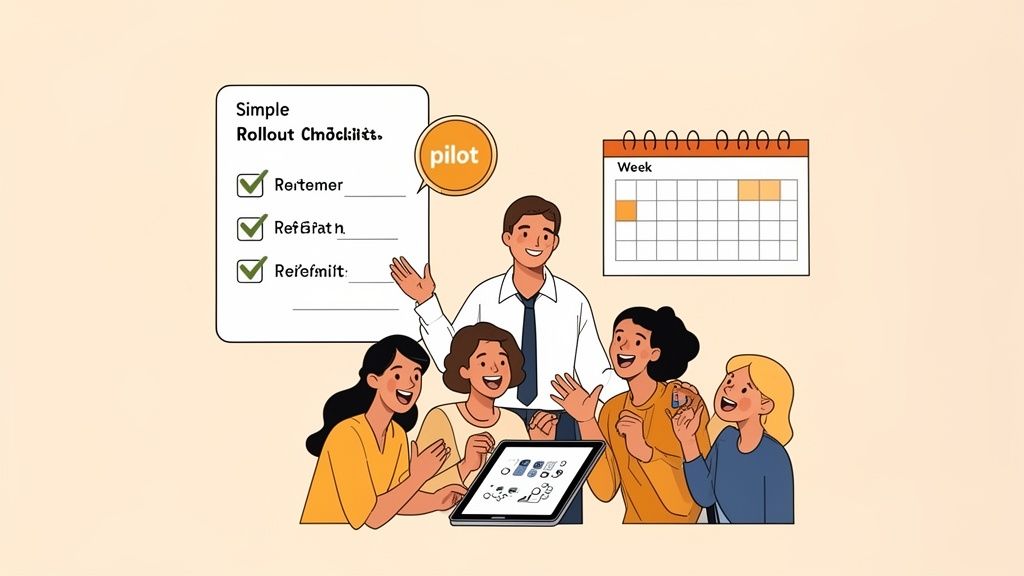
Start with Why and One Team
Before you even touch the "how," you need to clearly and honestly explain the "why." Your team deserves to know what problem this new tool is supposed to solve for them personally. Is it to make scheduling fairer? To finally kill that frustrating paperwork? To guarantee everyone gets paid correctly without any drama?
Once the "why" is clear, resist the urge to go big. Instead, pick a single, enthusiastic team to pilot the new software. I recommend choosing a group with a manager who is genuinely excited about the change and a team that’s generally open to new things. This small-scale test accomplishes a few crucial things:
It lets you work out any unexpected kinks in a low-stakes environment.
It creates a group of internal champions who can later help their peers.
It gives you a genuine success story you can share to get other teams on board.
This approach transforms a daunting company-wide project into a manageable, human-sized one.
The Human-Centric Checklist
This isn't about configuring servers; it's about leading people through change. Here’s a simple checklist focused on what actually matters for getting your new time and attendance software adopted, not just installed.
Communicate the Benefit First: Announce the change by focusing entirely on how it will make your team’s life easier. Frame it as a way to give them more clarity and control over their work lives.
Pilot with Volunteers: Run the software with your chosen pilot team for a couple of weeks. Ask for their honest feedback. What’s confusing? What do they love?
Keep Permissions Simple at First: It's tempting to set up complex, role-specific permissions from day one. Don't. Start with open, simple settings. You can always add restrictions later, but it's much harder to loosen them once people feel locked down.
Ask for Feedback After Week One: After the wider rollout, check in and specifically ask everyone how it’s going. This shows you care about their experience and gives you priceless insight for making small adjustments. For a deeper look at this, you can learn more about how internal campaigns drive platform adoption.
The goal isn't a flawless technical deployment. It's a thoughtful, respectful introduction that makes your team feel like they're part of the solution.
At the end of the day, a smooth rollout has very little to do with the software itself. It’s all about trust, clear communication, and remembering that you're asking real people to change a habit. Handle that part with care, and the technology will take care of itself.
Thinking Beyond Just Tracking Hours
When you get down to it, this was never really about a timesheet. It was always about creating a calmer, more organized, and more connected workplace. Searching for the best time and attendance software is often a cry for help—a signal that the old ways are adding more friction than they’re worth.
A great tool does more than just spit out accurate payroll reports. It gives managers back their day, helps employees with clarity, and quietly removes a massive source of frustration for everyone involved. It just smooths out the rough edges of daily operations.
Beyond simply ensuring accurate wages, solid time and attendance software has to play nice with your other essential HR tools. This becomes non-negotiable when you're working with leading payroll processing companies, as it ensures a seamless flow of data and compliance without the headache of manual entry.
A Reflection of Your Culture
What does your choice of software say about the kind of company you’re building? It’s a more important question than you might realize. When you choose a tool designed around your team’s actual, real-world needs, you send a clear message: you trust them, you respect their time, and you want to make their work lives easier.
A clunky, frustrating system signals the complete opposite. It suggests that time tracking is just a top-down chore, a necessary evil to be endured rather than a shared process that benefits everyone.
Choosing your tools is choosing your culture. A seamless system for managing shifts, clock-ins, and time off contributes directly to a better employee experience, and a better experience is what keeps good people around.
We won’t end with a final sales pitch. Instead, we’ll leave you with a simple thought. The right software doesn’t just solve logistical problems; it helps you build the kind of workplace where people feel seen, supported, and ready to do their best work.
So, as you make your decision, the real question to consider is this: what kind of company are you building, and how can your tools help you get there?
Got Questions? We've Got Answers
Over the years, we've walked hundreds of people through choosing the right time and attendance software. We've noticed the same questions tend to pop up, so let's tackle them head-on.
What’s the Single Biggest Mistake People Make When Buying This Software?
Hands down, the most common pitfall is getting so focused on features that you forget about the people who will actually use the software every day. It’s a classic case of seeing the trees but missing the forest.
You can find a tool with every bell and whistle imaginable—complex compliance reports, granular scheduling filters, you name it. But if that tool is clunky, slow, or just plain confusing for your employees, they won't use it correctly. They'll find workarounds, which means you'll end up with bad data, frustrated managers, and a system nobody trusts.
The best software isn't the one with the most features; it's the one that people actually want to use. If it feels like a chore for your team, the system has already failed, no matter how powerful it is.
How Big of a Deal Are Integrations With Payroll and HR Systems?
They are absolutely critical, but you have to look past the marketing claims. "Integration" is one of the most overused and misleading terms on software websites.
A true integration is seamless and automatic. It means approved hours, new hires, and PTO data flow directly into your payroll or HR platform without anyone lifting a finger. A bad integration is just a glorified export button that forces you to manually download and upload CSV files—adding another tedious step to your process.
Before signing any contract, insist on a live demo showing exactly how the integration works with your specific payroll provider. Seeing it in action is the only way to know if it will save you hours of admin headaches or just create new ones.
Can We Really Use One Tool for Both Our Frontline and Office Staff?
You can, but only if the platform was built from the ground up with that kind of flexibility in mind. Most tools are designed for one type of worker and then have features for the other tacked on as an afterthought.
The key isn't just offering different clock-in methods; it's about providing a fundamentally different user experience for different roles. Your field crew might need a geofenced mobile app or a shared kiosk, while your remote office team just needs a simple timer on their laptop.
A platform like Pebb is designed for this exact scenario. You can create completely separate workflows for each team or department, ensuring the tool feels intuitive and genuinely useful for everyone, all within a single, unified system.
Ready to see how an all-in-one platform can bring some much-needed calm to your scheduling and time tracking? Learn more about Pebb and see how we help frontline and office teams work better together. Explore Pebb today.
