
Choose Your Internal Communication Platform for 2026
Discover the best internal communication platform for 2026. Unify your team, simplify work, & build culture with the right tool. No jargon, just results.
Dan Robin
Organizations do not have a communication problem. They have a scatter problem.
One update lives in email. Another sits in a chat thread. Schedules get changed in a text chain. Policies hide in a folder nobody opens until something goes wrong. By the time Monday starts, people aren't just uninformed. They're tired.
That's why the phrase internal communication platform matters more than it used to. Not because companies need another app, but because they need one calm place where work news, team coordination, and day-to-day context stop fighting each other.
The Sunday Night Text Chain Problem
It usually starts with something small.
A manager sends a quick message on Sunday night. Someone swapped a shift. A delivery window moved. The opening checklist changed. One person replies all. Another asks whether the old plan still stands. A third never sees the message until the next morning. By then, the team has a dozen notifications and less clarity than when the conversation started.
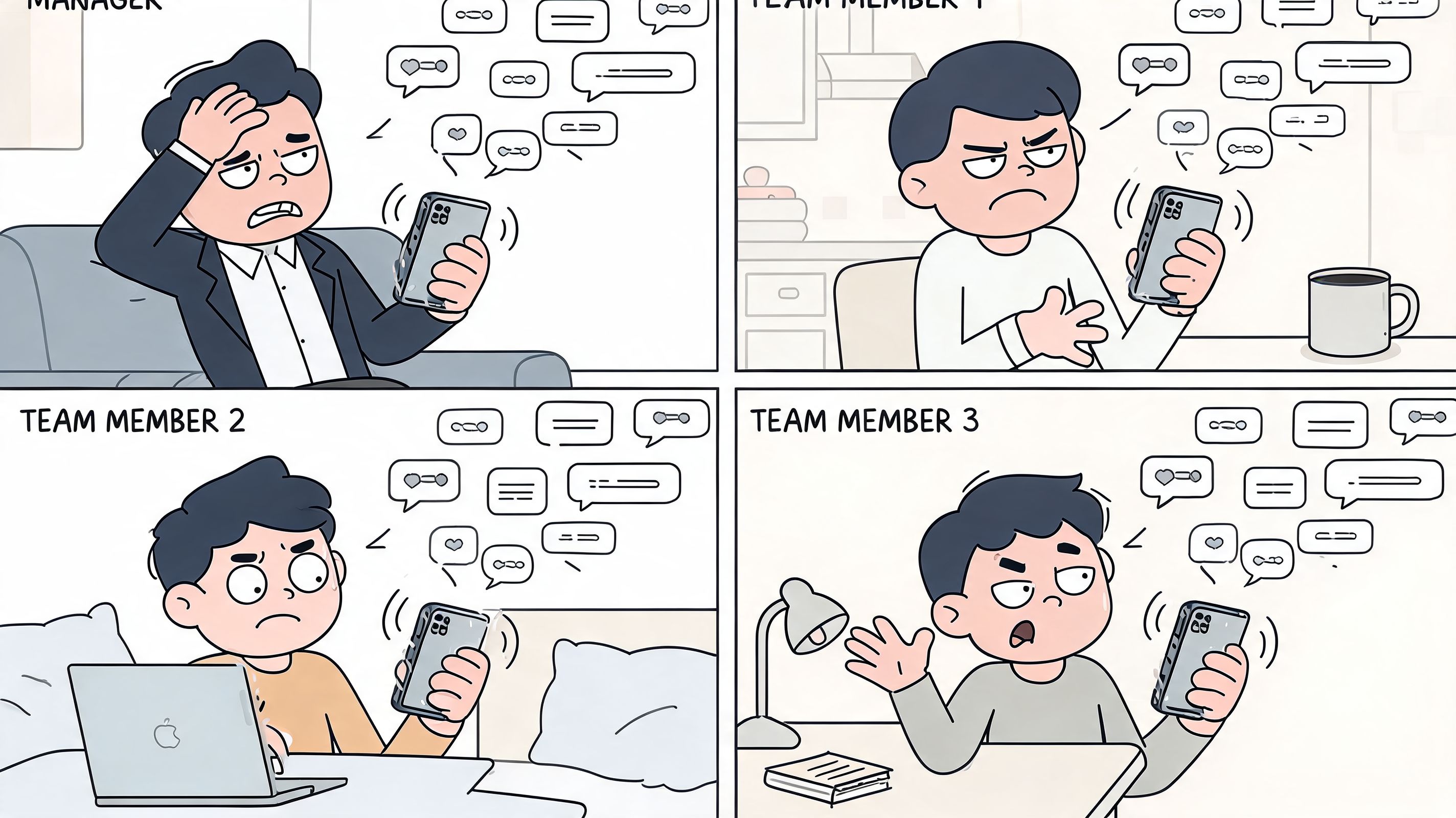
I've seen teams blame the wrong thing here. They think they need more channels, more reminders, or stricter rules about who can message whom. Usually they need the opposite. They need fewer places where important information can hide.
The market itself shows how serious this has become. The global internal communications platform market was valued at $5.2 billion in 2024 and is forecasted to reach $15.8 billion by 2033, growing at a 13.1% CAGR, according to Market Intelo's internal communications platform market report. That growth isn't about shiny software. It's a sign that remote work, hybrid schedules, and distributed teams have broken the old patchwork approach.
More tools don't create clarity
A lot of companies still run on a stack that was never designed to work together:
Email for formal updates. People miss it, ignore it, or read it too late.
Chat for urgent questions. Useful in the moment, terrible as a record.
Texts for last-minute fixes. Fast, but messy and easy to lose.
Printed notices or shared folders. Good luck getting everyone to check them.
That stack feels practical because it grew organically. It also creates constant low-grade confusion. Nobody knows which channel matters most, so everyone keeps checking all of them.
Practical rule: if employees have to guess where the real update lives, your system is already broken.
This is one reason so many teams end up using consumer messaging tools long after they should've moved on. If you're weighing that trade-off, this breakdown of why WhatsApp isn't ideal for employee communication and 3 better alternatives gets at the core issue. Convenience isn't the same as structure.
Chaos feels personal
Communication mess isn't only operational. It lands on people. The new hire feels out of the loop. The night shift assumes the day team gets better information. Managers start over-explaining because they don't trust the system. Frontline staff learn to shrug and wait for someone to tell them in person.
That doesn't look dramatic on a dashboard. It does show up in missed handoffs, duplicated work, and the quiet feeling that the company has no center.
An internal communication platform, when it works, fixes that center first.
What a True Digital Home Feels Like
The best internal communication platform doesn't feel like another system to manage. It feels like the place your company lives.
Not in a sentimental way. In a practical one. People know where to go when they need an update, a policy, a team conversation, or a name behind a job title. They don't hunt. They arrive.
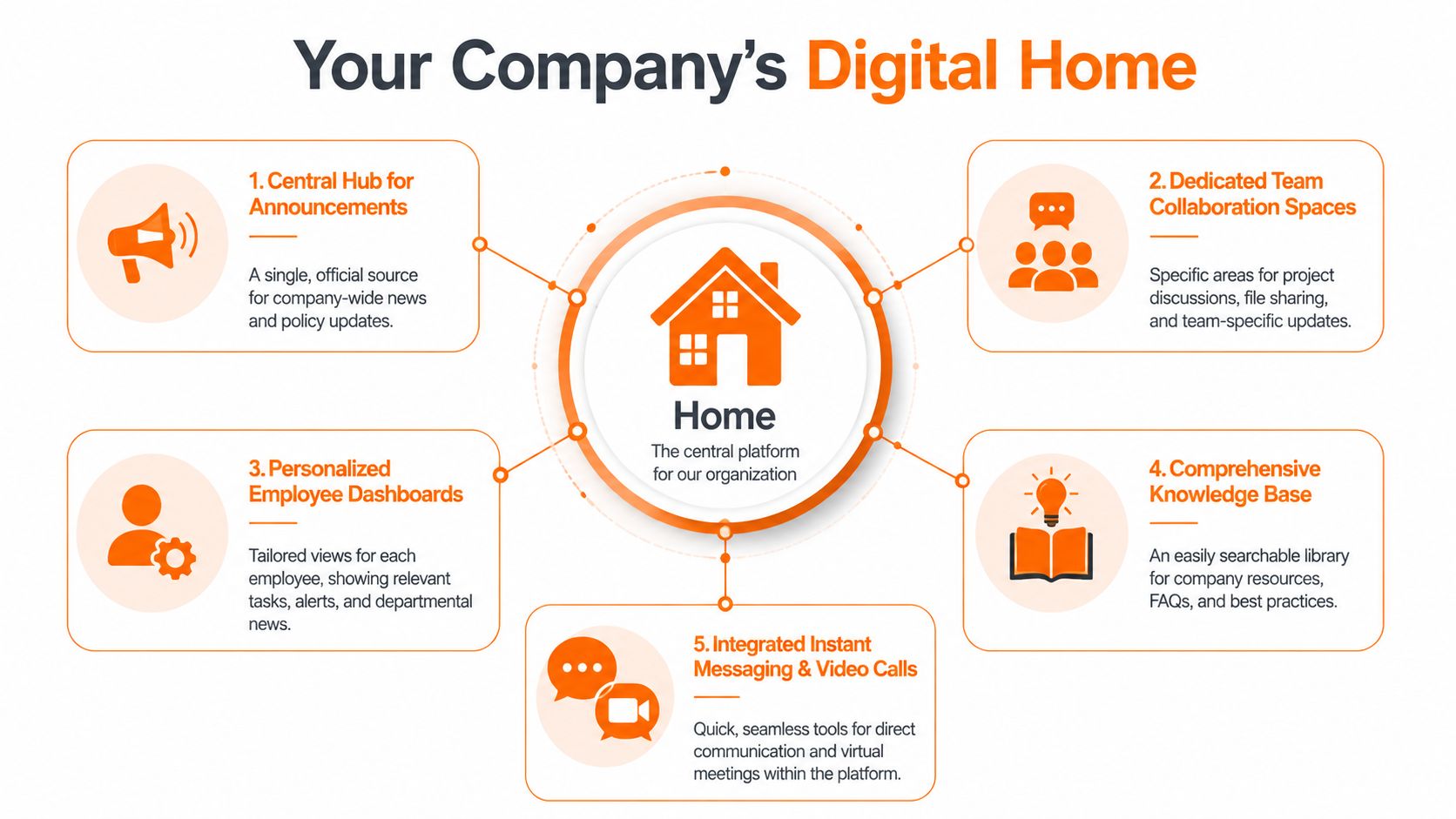
That's what I mean by a digital home. Not a feature list. A place with enough structure that people can move through the day without asking, "Where was that posted again?"
The need for that structure is obvious. 74% of employees feel they miss company news because of poor internal communication, and 60% of companies say they don't even have a long-term strategy for it, according to Oak Engage's internal communications statistics roundup.
A home needs an obvious front door
Every company needs one official place for company-wide news.
That doesn't mean every message belongs there. It means policy updates, leadership notes, shift-impacting changes, and major announcements shouldn't be scattered across inboxes and side conversations. People need a clear front door.
Without it, rumors become a channel.
A good platform also gives people a personal starting point. The sales lead doesn't need the same first screen as a warehouse supervisor. The nurse on a mobile phone doesn't need the same layout as someone working all day at a laptop. Relevance matters because noise is what taught employees to tune out in the first place.
Quiet rooms matter too
A digital home isn't one giant lobby. It needs smaller rooms.
Team spaces matter because not every conversation should be public or company-wide. Operations needs one area. HR needs another. Store managers need their own lane. Project work, files, small decisions, and running context belong in focused spaces where they can stay useful after the moment passes.
Many platforms struggle in this regard. They either transform into an announcement board lacking genuine collaboration, or they turn into pure chat and sacrifice the preservation of durable knowledge.
A platform earns trust when people can both hear the company and do the work.
If you're trying to shape that kind of environment, this explanation of what a digital workplace is is useful because it treats the workplace as an experience, not just a stack of apps.
The library cannot be an afterthought
Most companies say they have documentation. What they often have is storage.
A true internal communication platform needs a living library. Policies, onboarding steps, FAQs, training notes, contact lists, and process guides should be searchable, current, and easy to read on a phone. If a manager still has to answer the same question ten times a month because the answer is buried, the platform isn't doing its job.
Here are the pieces that usually matter most:
Capability | Why it matters |
|---|---|
Company news hub | Gives everyone one official source for important updates |
Team spaces | Keeps local conversations useful instead of buried in chat noise |
Knowledge library | Turns repeated questions into accessible answers |
People directory | Helps employees find the right person quickly |
Built-in messaging | Handles fast coordination without pushing people into side channels |
A digital home works because it reduces doubt. And doubt is what drains a company faster than most leaders admit.
Putting Communication to Work Across the Company
The test of an internal communication platform isn't whether it looks organized in a demo. The test is whether it helps real people get through real days with less friction.

I think about it in scenes, not features.
HR on a messy Monday
An HR manager is onboarding three people in different locations. In the old setup, that means a welcome email, a separate folder link, a PDF handbook, a chat invite, and at least one message asking where to find payroll forms.
In a better setup, the new hire opens one app. Their welcome post is there. The onboarding checklist is there. The policy library is there. Their team space is already waiting. They can see who their manager is, who to contact, and what happens on day one.
That matters because onboarding isn't just administrative. It's emotional. A scattered first week tells people the company improvises. A calm first week tells them someone thought this through.
Operations when speed actually matters
A warehouse supervisor spots a safety issue near a loading area. This isn't a "send an email and hope" moment.
Real-time features like push notifications and dedicated team spaces can deliver 100% reach to frontline workers and reduce response times by 50% to 70% compared to email, according to Talkfreely's internal communications platform overview. That difference matters most in places where people are moving, lifting, driving, serving, or treating patients.
The point isn't speed for its own sake. The point is that the right message reaches the right people while it can still change the outcome.
If your frontline team learns about urgent changes after the fact, you don't have communication. You have cleanup.
Retail, hospitality, healthcare, logistics
These teams expose every weakness in a communication setup.
A store team needs a promotion brief, visual guidance, and a fast channel for questions across locations. A restaurant group needs shift updates and policy reminders that reach people who aren't sitting at desks. A hospital unit needs secure, clear coordination that doesn't depend on who happened to be in the break room. A logistics team needs location-specific instructions without flooding everyone else.
What works across those settings is usually simple:
One feed for official updates so nobody argues about the latest version
Team spaces for local coordination so details stay with the people doing the work
Mobile-first access because frontline employees won't live inside a desktop intranet
Searchable knowledge so routine questions stop turning into endless calls and pings
The strongest teams also stop guessing about collaboration. They use data to spot where coordination keeps breaking down. This guide to a data-driven approach to improving team collaboration is worth reading if you're trying to move from anecdotes to actual operational fixes.
One place beats heroic effort
I've watched plenty of managers hold broken systems together through sheer effort. They resend things. They text backups. They walk the floor repeating updates. They become the platform.
That's admirable. It also doesn't scale.
One practical option in this category is Pebb, which combines chat, spaces, a news feed, knowledge, tasks, and people profiles in one employee app. That's useful when the goal is to reduce handoffs between separate tools instead of managing them better.
The right internal communication platform won't make management easy. It will make it less chaotic. That's a real improvement.
How to Choose a Platform Without Losing Your Mind
Most buying processes go off the rails because teams compare software the way they compare appliances. They build a giant spreadsheet, count features, and give every checkbox equal weight.
That method feels responsible. It also leads people straight into tools nobody wants to use.
A platform with twenty obscure features and weak adoption is worse than a simpler one people open every day. Modern platforms that fit into existing workflows like Outlook or Gmail, and use AI to improve content, can triple engagement metrics. Some also reach up to 90% of employees, compared with 20% to 30% open rates for traditional internal emails, as described in ContactMonkey's overview of internal communications tools.
The questions that matter more than the demo
I care less about feature volume and more about friction.
Ask the vendor what this looks like for your least technical employee. Ask what happens on an older Android phone with weak Wi-Fi. Ask how many steps it takes to publish an urgent update. Ask whether managers will need extra admin work to keep the system useful.
If the answers are slippery, move on.
Here's the short checklist I trust:
Can people learn it fast? If the core experience isn't obvious in a few minutes, adoption will stall.
Does it remove a tool or add one? A new layer on top of your chaos isn't progress.
Does mobile feel first-class? If frontline staff get a worse version, they'll drift back to texts and verbal updates.
Can you target information cleanly? Not everyone needs every message.
Will it fit your current habits? Tools that meet people in familiar workflows have a better chance of sticking.
What happens after launch? Good support matters because rollout questions always show up late.
For teams sorting through categories and use cases, this guide to choosing an employee communication app is a solid starting point.
Trade-offs are real
There isn't a perfect internal communication platform. There are only good trade-offs.
Some tools are strong at formal announcements and weak at day-to-day collaboration. Some are excellent for office teams and awkward for deskless staff. Some feel flexible at first and turn into maintenance projects six months later.
A small comparison helps:
If you prioritize | Watch out for |
|---|---|
Deep customization | Longer setup and more admin overhead |
Fast rollout | Fewer edge-case controls |
Office workflow integration | Gaps for frontline teams |
Broad all-in-one scope | Features that are good enough, not best-in-class |
Choose the tool your team will actually live in, not the one that wins the prettiest demo.
That one rule eliminates a lot of expensive mistakes.
The Gentle Art of Switching Tools
Most rollouts fail because leaders try to replace chaos with a mandate.
They announce the new platform, schedule a training session, migrate too much at once, and expect the whole company to change habits on command. People nod. Then they keep using the old text thread, the old inbox, the old side channel.
A calmer rollout works better because it respects how teams change. They switch when the new way is clearly easier.
Start where the pain is sharpest
Pick one team or location where the current mess is costing real time and trust. That might be a warehouse with shift confusion, a retail cluster juggling promotions, or a support team drowning in scattered updates.
Don't start with the group that has the most political importance. Start with the group most likely to feel immediate relief.
That pilot gives you something valuable that no launch deck can fake. Real usage. Real objections. Real proof of what needs adjusting before a wider rollout.
Migrate only what people need first
You don't need to move everything on day one.
Move the essentials first. Current announcements. One or two active team spaces. The most-used policies. A simple people directory. Anything that helps employees answer, "What's happening, where do I go, and who do I ask?"
A phased sequence usually works best:
Set the home base. Create the main news area and basic team spaces.
Add daily utility. Bring in files, FAQs, or checklists people already need.
Invite in waves. Let one group settle before adding the next.
Retire old habits slowly. Stop posting critical updates in old channels once the new one is reliable.
This isn't timid. It's disciplined.
Let champions do the convincing
The fastest way to kill adoption is to make the rollout feel like an IT instruction.
The better move is to let early users become translators. A respected supervisor telling peers, "I can finally find the latest version without chasing anyone," carries more weight than any internal campaign. Same with an HR lead who says onboarding got cleaner, or a store manager who no longer needs separate group texts.
Rollouts stick when people feel relief before they feel policy.
Keep the training light. Show people how to do three things that matter today. Find updates, message the right group, and locate key information. Many groups don't need a grand tour. They need one good first week.
A switch works when it feels less like implementation and more like common sense finally catching up.
How You Know It Is Actually Working
The easiest mistake in internal communication is treating open rates as the finish line.
They're not useless. They just don't tell the whole story. A person can open a message and still miss the point. They can tap a notification and still have no idea what changed on the floor, in the schedule, or in the process.
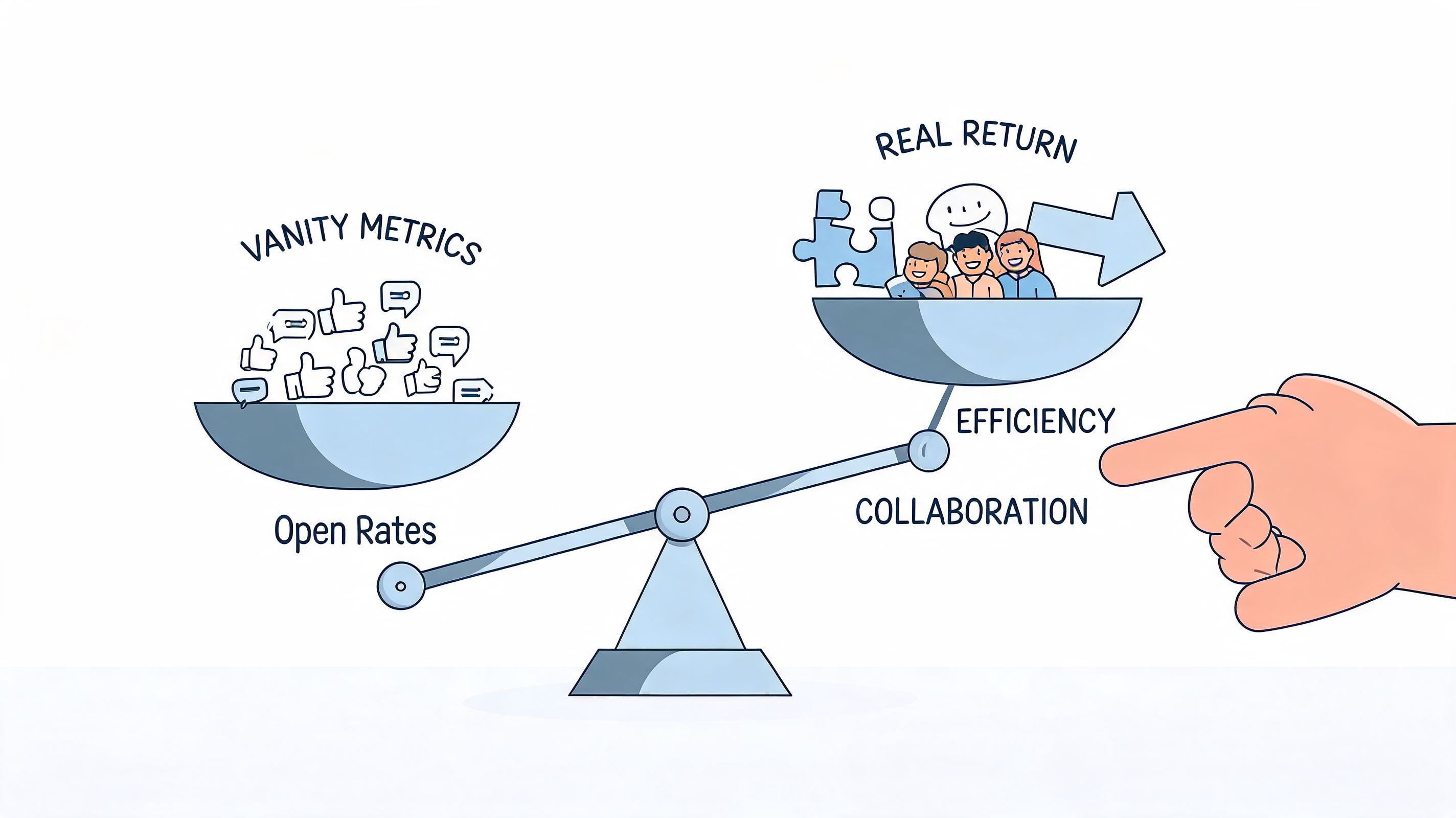
For frontline teams especially, the standard engagement playbook often breaks down. There is a documented blind spot in how engagement gets measured for shift-based teams. Standard KPIs like discussion participation don't line up well with frontline performance. The harder and more useful work is measuring outcomes tied to things like safety incidents, stock accuracy, or customer satisfaction, as discussed in this analysis of frontline communication measurement gaps.
Start with business friction
The cleanest way to judge an internal communication platform is to ask what got easier.
Did new hires stop asking the same setup questions? Are fewer shifts missed because schedule changes are clearer? Do managers spend less time repeating policy updates? Are fewer mistakes happening because people can find the latest process quickly?
Those are not soft signals. They are operational signals.
A simple framework helps:
What to watch | Better question to ask |
|---|---|
Message activity | Did people receive and acknowledge the update? |
Search behavior | Can employees find what they need without asking around? |
Manager effort | Are supervisors spending less time relaying the same information? |
Process outcomes | Did communication improve execution, safety, service, or onboarding? |
Frontline metrics need frontline logic
Many leadership teams become complacent at this stage. They apply office-worker metrics to people whose day looks nothing like office work.
A shift-based team may never comment on a post. That doesn't mean the communication failed. If the right crew got the safety update before a handoff, if the store executed the promotion correctly, if the stockroom followed the new receiving process, the communication did its job.
So measure behavior that follows the message.
For HR, look at onboarding consistency, repeated policy questions, and manager follow-up load.
For operations, watch incident reporting, checklist completion, and handoff clarity.
For customer-facing teams, look at execution consistency, service recovery speed, and avoidable confusion between locations.
The best metric is often one step downstream from the message itself.
Listen for the quieter signs
You can usually tell a platform is working before the dashboard catches up.
People stop asking where things are posted. Managers stop copying and pasting the same update into four channels. New employees sound less lost. Team leads trust that when they send something important, it lands in the right place.
That feeling matters because communication isn't only about distribution. It's about whether employees feel informed, included, and equipped to do good work without unnecessary friction.
If your system creates calm, that's not vague. That's operational.
If you're trying to replace a patchwork of email, chat, texts, and tribal knowledge with one steady place for work, Pebb is worth a look. It brings company updates, chat, spaces, knowledge, tasks, and employee profiles into a single app built for both frontline and office teams. The core benefit isn't having more features. It's giving people one place that finally feels like the company's home.
