
How to Track Employee Hours Without the Chaos
Learn how to track employee hours with calm, clear methods built for modern teams. A practical guide to ditching spreadsheets and improving payroll accuracy.
Dan Robin
Tracking employee hours seems simple on the surface. Clock in, clock out. Done. But anyone who’s ever run a business knows it’s rarely that clean. It's often a chaotic, time-sucking mess that feels more like detective work than management.
Let’s be honest. Getting this right isn’t about checking a compliance box. It’s about building a foundation for a fair, transparent, and calm business.
The True Cost of Messy Time Tracking
We need to talk about the real cost of bad time tracking. It’s not a loud, obvious problem. It’s a quiet one that slowly eats away at your bottom line, one messy timesheet at a time.
I’ve been there. I remember the end-of-month scramble, chasing down team members for their hours. We were wrestling with Excel, trying to decipher handwritten notes, and piecing together forgotten clock-ins. It was administrative quicksand.
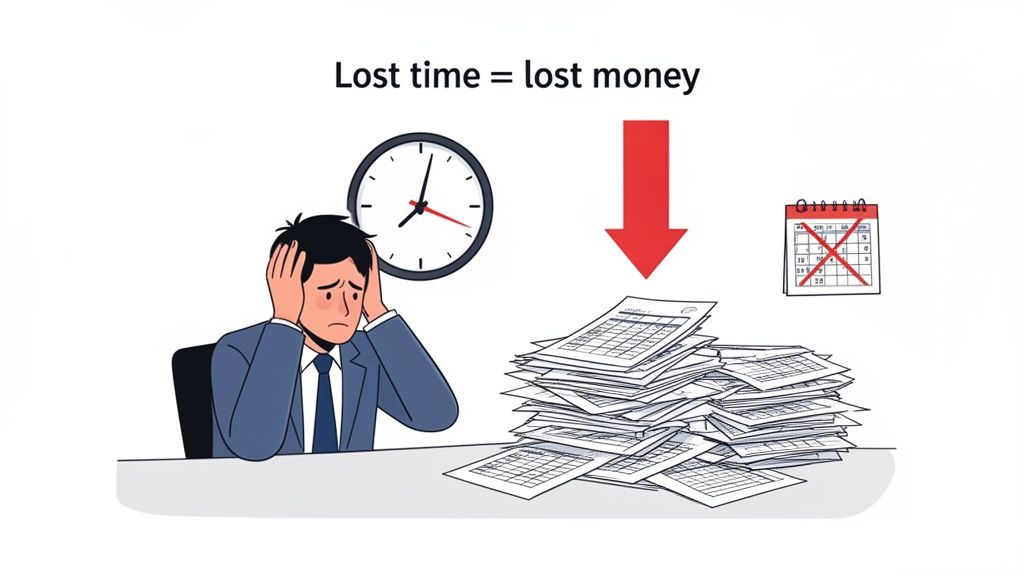
This manual chaos isn’t just an annoyance. It has deep, hidden costs that ripple through your entire operation.
The Problem with Paper and Spreadsheets
For modern teams, especially those with frontline or distributed workers, the old ways just don’t work. Paper timesheets get lost, stained with coffee, or filled out from memory days later. Spreadsheets might seem like a step up, but they're riddled with their own issues—manual entry errors, version control nightmares, and absolutely zero real-time insight.
This isn’t just a hunch. The data is staggering. The U.S. economy loses an incredible 50 million hours of productivity per day from unrecorded work. Even worse, some experts estimate that 80% of employee timesheets need to be corrected. Why? Because people are guessing their hours long after the fact. You can find more revealing numbers in these time tracking statistics.
These aren't just minor slip-ups. They're systemic failures that cause very real problems:
Payroll Errors: One small typo can lead to an incorrect paycheck. That's not just a number on a screen; it's an employee’s rent, their groceries, their peace of mind. Nothing erodes trust faster than payroll mistakes.
Lost Productivity: Think about it. Every minute a manager spends hunting down a timesheet or fixing a clerical error is a minute they aren't spending on coaching, strategy, or actually supporting their team. It's a massive, unnecessary time sink.
Lack of Insight: How can you truly know your labor costs if your time data is a collection of best guesses? Messy tracking makes it impossible to gauge project profitability, staff your shifts effectively, or make smart business decisions. If you're struggling with this, our guide on how to calculate your direct labor cost can help.
The biggest cost of messy time tracking isn't the lost minutes. It’s the broken trust, the administrative drag, and the operational blindness that holds your business back.
Getting this right isn't about micromanagement. It's about creating a system that’s fair for everyone involved. A system where your team feels confident they’ll be paid correctly and on time, and where you have the clear, accurate data you need to run the business well. It’s the bedrock of a healthy, efficient, and transparent operation.
Choosing Your Tools: Pen and Paper vs. Modern Apps
Let’s be honest. When you're deciding how to track employee hours, the choice often feels like it's between "simple but messy" and "modern but maybe complicated." On one side, you have the old guard: paper timesheets, that dusty punch clock in the back room, and a patchwork of spreadsheets. On the other, you have digital apps. It’s time for a calm, practical look at what these choices actually mean for your business.
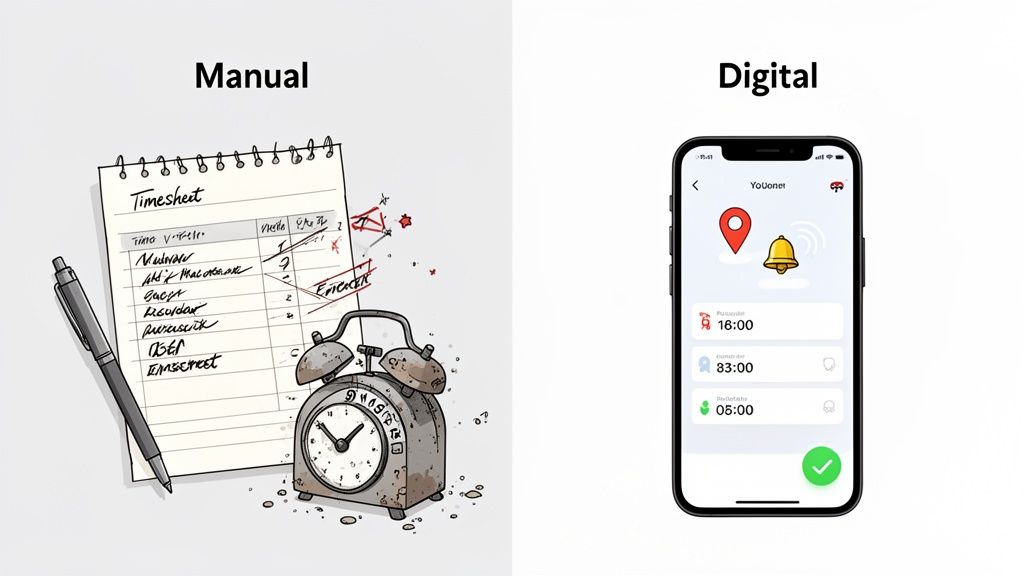
I’ve seen countless businesses cling to manual methods because they seem straightforward. The reality? A constant, low-grade headache of forgotten entries, illegible handwriting, and an endless cycle of administrative cleanup. It’s a system built on memory and good faith—and both are notoriously unreliable.
For those still deep in spreadsheets, we get the appeal. It feels like a step up. That's why we even put together a guide on how to make a timesheet in Excel. But it's a temporary fix at best.
The Hidden Costs of Pen and Paper
The hard truth is that manual tracking creates far more work than it saves. Research shows that a staggering 80% of timesheets need corrections due to simple human mistakes like forgotten clock-ins and miscalculations. That’s not a small problem; it’s a fundamental flaw in the process.
This isn't just about sloppy records. The consequences are very real.
Human Error: People forget. It's human nature. They round up, round down, or just guess their hours at the end of the week. Every guess introduces an error that someone—most likely you or a manager—has to waste time fixing.
Zero Real-Time Visibility: You have no idea what’s happening right now. Are people showing up on time? Is a project bleeding hours and going over budget? With paper, you only find out after the fact, when it's too late to do anything about it.
The Administrative Black Hole: The time spent chasing down, deciphering, and manually keying data into your payroll system is immense. It's tedious work that pulls you away from activities that actually grow your business.
The Clarity of Modern Apps
Now, let's talk about digital tools. A good app isn’t about adding complexity; it’s about bringing clarity and quiet confidence to your operations. It automates the tedious parts and gives you a real-time pulse on your business.
Instead of chasing down paper, you get accurate data that flows directly from an employee's phone to their timesheet and, eventually, to your payroll export. Instead of questioning hours, you get GPS verification that confirms your team was where they needed to be. This isn't about big-brother surveillance; it's about mutual accountability. Everyone knows the rules, and the system handles the rest fairly.
Plus, today's tools often do more than just track time. For example, a good CRM with invoicing and project management built-in can connect hours directly to client bills and project budgets, giving you a complete financial picture without any extra effort.
The goal isn’t to find a "solution" with the most features. It’s to find a tool that removes friction, cuts down on admin work, and builds trust with your team.
Time Tracking Methods: A Reality Check
To cut through the noise, here's a straightforward table comparing what each method truly delivers in practice.
Method | Accuracy & Reliability | Admin Effort | Ideal for Frontline/Remote Teams? |
|---|---|---|---|
Pen & Paper | Low. Prone to errors, rounding, and "best guesses." | High. Requires manual collection, data entry, and verification. | No. Impractical and impossible to manage effectively. |
Spreadsheets | Medium. Reduces math errors but still relies on manual entry. | Medium. Less data entry than paper, but still requires manual updates and consolidation. | No. Cumbersome and difficult to access or update from the field. |
Modern Apps (like Pebb) | High. Automated, real-time data with optional GPS verification. | Low. Data flows automatically to reports and payroll systems. | Yes. Designed for mobile, works anywhere with an internet connection. |
When you stop thinking about features and start thinking about outcomes, the choice becomes clear. Do you want a system that creates administrative work, or one that eliminates it? One that fosters doubt, or one that builds trust? How you track your team's hours says a lot about the kind of company you're building.
Creating a Timekeeping Policy People Actually Follow
A shiny new time tracking tool is fantastic, but it's only as good as the rules you build around it. And let’s be real for a second: most company policies are unreadable walls of text. They’re so dense and packed with legalese that they feel designed to cover the company’s back, not actually guide employees.
So, what happens? Nobody reads them. And if your team doesn't read the policy, they certainly won't follow it. The whole point isn't to create another document that collects digital dust. It's to build a simple, human-readable guide that builds trust, not suspicion. Think of it less like a legal contract and more like a friendly user manual for how time works at your company.
Ditch the Corporate Jargon
Before you even start writing, you need to get into the right mindset. You aren't writing for a lawyer; you're writing for a busy team member who just wants to know what you expect from them. That means using simple, direct language.
Here’s a little test I like to use: read a sentence from your draft out loud. Does it sound like something a real person would actually say? If it sounds like stiff corporate-speak, it’s time for a rewrite.
Instead of this: "Employees are required to accurately record all hours worked in the designated timekeeping system at the commencement and conclusion of each work period."
Try this: "Please clock in when you start your day and clock out when you're done. This helps us make sure you're paid correctly for all your time."
See the difference? One is a formal command that feels cold and distant. The other is a respectful explanation that connects the action (clocking in) to the benefit (getting paid correctly).
Focus on the Essentials
Your policy doesn't need to be an encyclopedia covering every bizarre what-if scenario. It just needs to give clear, consistent answers to the most common questions your team will have. This isn’t the place for a full-blown policy and procedure manual—that’s a much bigger project. (If you need help with that, our guide on creating a policy and procedure manual can walk you through it.)
For now, just stick to the basics. Your timekeeping policy should clearly answer:
What counts as "work time"? Define when the workday officially starts and ends. Is it when an employee arrives on-site? Or when they log into their first system? Be specific.
How do breaks work? Explain the rules for meal periods and rest breaks. Are they paid or unpaid? How long are they, and are they mandatory?
What's the process for overtime? Make it crystal clear who needs to approve overtime and how it should be requested. This ensures fairness and helps you manage labor costs effectively.
How are corrections handled? People will forget to clock in or out. It’s inevitable. Outline a simple, blame-free process for getting timesheets fixed.
A good policy is built on clarity, not control. It should feel like a guide that helps everyone stay on the same page, not a list of rules designed to catch people making mistakes.
Getting this right is more than just a nice-to-have; it's critical for the health of your business. Shocking research from ebillity.com shows that 69% of employees admit to tracking their time inaccurately. This isn't always malicious—it's often due to pure confusion, forgetfulness, or fuzzy rules. The result is a massive, silent productivity drain. A simple, clear policy is your best defense against that chaos.
Here’s the secret, though: to create a policy people actually follow, you have to involve them. Don't write it in an ivory tower. Talk to your team, and especially your managers. Ask them what’s confusing about the current process. What questions do they get asked over and over again?
When you listen first, you end up creating a policy that solves real, everyday problems. More importantly, you show your team that you respect their input. When people feel heard, they're far more likely to buy into the final result. They’ll see the policy not as something being forced on them, but as something they helped build. And that, right there, makes all the difference.
Rolling It Out: The Human Side of Implementation
You’ve done all the technical prep. You’ve picked the perfect tool, drafted a solid policy, and everything looks great on paper. So, why do so many time tracking rollouts quietly fizzle out?
It’s almost never the technology. I've seen gorgeous, powerful systems fail spectacularly. The real make-or-break moment is the human side of the launch. This is about empathy, communication, and getting your team to want to use the new system, not just feel forced to.
Start with "Why," Not with "What"
The natural instinct is to jump right into a demo. "Here’s the new app, here’s the login, you start Monday." That's a classic mistake. Before you show anyone a single screen, you have to answer the one question on everyone’s mind: “What does this mean for me?”
If you don't answer that question, your team will fill in the blanks themselves, and their assumptions usually aren't positive. They'll suspect it's about micromanagement or a lack of trust.
So, you have to frame the change first. The most effective way I've seen this done is by focusing on the benefits that directly help them, not just the company's bottom line.
For your employees: “This means no more trying to piece together your hours on a Friday afternoon. It means you get paid correctly, on time, every time. You can even request time off right from your phone instead of digging up a paper form.”
For your managers: “This means you can stop chasing down timesheets at the end of the month. You’ll be able to approve overtime in seconds, not in a convoluted email chain.”
When you lead with what’s in it for them, the whole dynamic shifts. It’s no longer a new mandate from on high; it’s a new tool designed to make their lives easier.
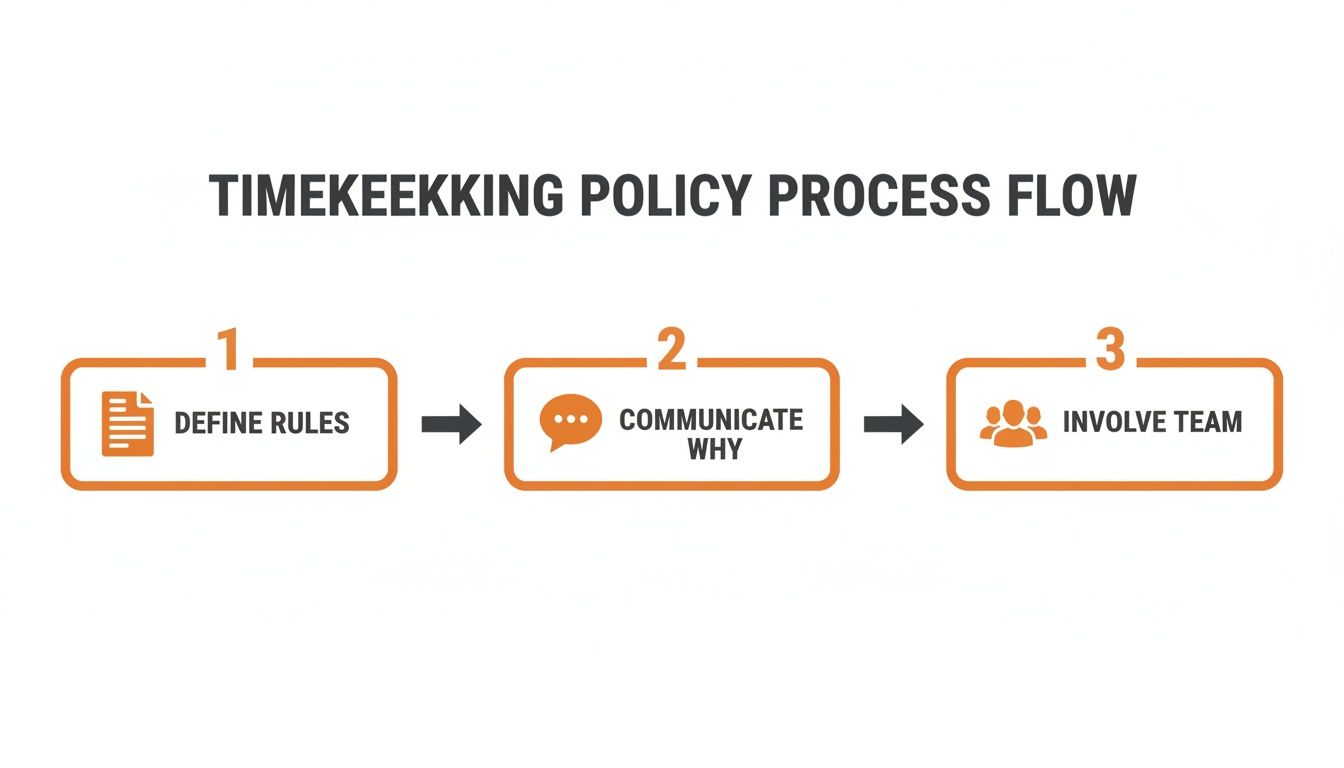
Think of it this way: clear rules set the foundation, but communicating the why and involving your team are the steps that actually build the house.
Make Onboarding Dead Simple
Okay, so you've sold them on the "why." Now the "how" needs to be ridiculously easy. Every extra step, every confusing login, every dense manual you throw at people just creates another reason for them to resist.
The goal is to make using the new system feel easier than sticking to the old, clunky way.
This is where a modern tool like Pebb really changes the game. Onboarding can be as simple as sending out an invite link. No complicated setup, no need to get IT involved. Just a link they can click on their phone or computer.
I remember a logistics client who was having a nightmare onboarding their drivers. The team was always on the road and wasn't known for being tech-wizards. Their solution? They sent a single text message with an invite link. Drivers downloaded the app, logged in, and were clocking in for their routes in minutes. Training was a one-minute video they could watch right in the app.
The best training isn’t a two-hour seminar. It’s an intuitive tool that doesn’t require much training in the first place.
Here’s another great example. A retail manager we worked with used the built-in messaging in her time tracking app for training. She created a "Shift Leads" group and posted quick, two-sentence tips about the new clock-in process. It was training delivered in the flow of work—not as a separate, formal chore.
Listen and Be Honest
No matter how well you prepare, people will have questions. They will have concerns. The absolute worst thing you can do is dismiss them. The best? Listen with genuine curiosity.
Create an open forum—a town hall, a dedicated Slack channel, or just one-on-one chats. When someone asks a tough question like, "Are you going to track me when I'm off the clock?", you have to meet it head-on with honesty.
A bad answer: “Company policy is to only track during work hours. Please refer to the manual.”
A good answer: “That's a fair question, and the answer is absolutely not. The system only tracks location when you're actively clocked in for a job, which helps us verify service calls for clients. We can show you exactly how it works on your own phone if you'd like.”
That kind of transparency is everything. It shows you respect your team and have nothing to hide.
Ultimately, rolling out a new time tracking system is a litmus test for your company culture. Are you a place that dictates from the top down, or are you a place that communicates, listens, and moves forward together? The tool is just the start. The real work is always human.
Turning Time Data Into Smarter Operations
Getting your time tracking right is about way more than just accurate payroll. Sure, that part is non-negotiable—it's the bare minimum for running a fair business. But the real magic, the part we don't talk about nearly enough, is what you can do with that data once it starts flowing in.
Here’s the thing: with clean, reliable time data, you can finally stop guessing. You can start asking much smarter questions about the true rhythm of your business. This isn't about micromanagement or breathing down people's necks. It’s about gaining a quiet confidence that your operation is running as smoothly and efficiently as it possibly can.
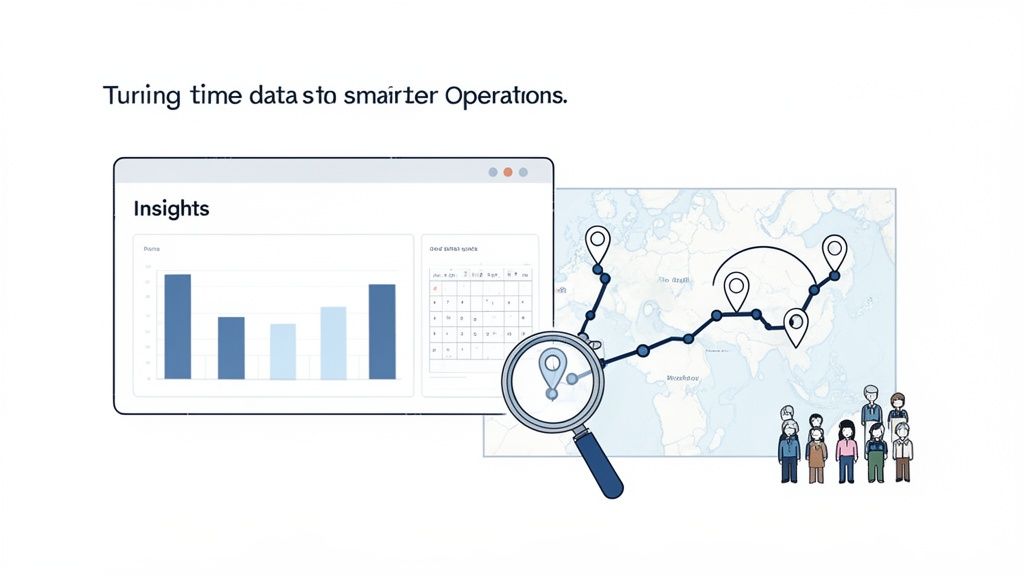
When you make the leap from just collecting data to actually using it for insights, everything changes. Raw numbers start telling clear stories, helping you see your business in a completely new light.
Moving Beyond Simple Timesheets
For decades, we treated timesheets as a necessary evil. They were a chore to get through for payroll, and then we'd promptly forget about them. Modern tools, however, give us dashboards that turn that raw data into something genuinely useful. It’s like upgrading from a blurry, black-and-white photo to a 4K video.
Once your data is clean, you can start spotting trends that were completely invisible before.
Scheduled vs. Actual Hours: Are certain shifts or teams constantly racking up overtime? A simple report comparing what you scheduled against what actually happened can be incredibly revealing. It might point to unrealistic workloads, hidden staffing gaps, or a dedicated team member who is quietly heading for burnout.
Project Profitability: By tagging hours to specific projects or clients, you finally get a true picture of your labor costs. It answers the crucial question: are you actually making money on that big new contract, or are the hours spent slowly eating away your profit margin? This is fundamental information every business owner deserves to have.
Team Productivity: How long does a specific task really take? Knowing your averages helps you set realistic deadlines, give more accurate quotes to customers, and pinpoint where your team might need better tools or a bit more training.
This level of analysis used to require a data scientist and a mountain of complicated spreadsheets. Now, a good dashboard can show you these things in just a few clicks. It's all about making smart operational decisions based on facts, not just gut feelings.
From Data Points to Human Insights
But that's only half the story. Often, the most powerful insights are the most human ones. Your time data is a direct reflection of your team’s daily experience. It can show you where people are stretched thin and where they might need more support.
I once worked with a field service company that was baffled by their technicians' inconsistent travel times. By looking at the location data from their mobile clock-ins, they realized the routing software was sending people on wildly inefficient paths. They weren't just wasting fuel; they were burning out their best people with frustrating, unnecessary drive time.
Good data doesn't just show you what is happening. It helps you understand why it's happening, so you can make things better for your team.
This is the real promise of tracking employee hours effectively. It’s not about squeezing every last second of productivity out of your people. It’s about building a smarter, more humane, and more sustainable operation. It’s about seeing your business clearly, so you can make informed choices that help everyone, from the front line to the back office.
Of course, accurate time tracking is also critical for efficient payroll processing. This is a task often managed by skilled bookkeepers who turn all your operational data into financial reality. Clean data makes their job infinitely easier and ensures everyone gets paid correctly and on time.
The end goal is simple. You want to spend less time chasing down timesheets and more time actually running your business. When the data takes care of itself, you’re free to focus on what really matters: supporting your team, delighting your customers, and building something you’re truly proud of. That's the real return on investment.
Common Questions About Tracking Employee Hours
After you've helped hundreds of businesses move away from clunky timesheets, you start to see the same questions pop up. They’re always the important ones—not just about the tech, but about trust, fairness, and the real-world challenges of managing a team.
We’ve heard them all. So, let’s skip the jargon and get straight to the practical, honest answers.
Is It Legal to Track Employee Hours with GPS?
This is a big one, and it gets right to the heart of the trust issue. The quick answer? Yes, in most places, it's perfectly legal to use GPS to track employees during work hours and for work-related purposes.
The real conversation isn't about the technology itself, but about transparency. You have to—and I mean have to—create a clear, written policy that lets your team know you're using location tracking and explains the legitimate business reasons behind it. Maybe you need to verify service calls for clients, ensure team members are safe on a job site, or figure out more efficient delivery routes. It's about accountability, not playing Big Brother.
Honestly, the moment you track someone without telling them, you’ve broken their trust. And that's nearly impossible to earn back. So, just be upfront. Explain the "why" with respect.
The goal should never be to play 'gotcha.' It’s about building a system where everyone is on the same page, and the data is used to make the business run more smoothly for everyone.
Laws do vary from state to state and country to country, so it’s always a good idea to have a quick chat with a legal expert. Make sure your policy is airtight for your specific location. A five-minute call now can save you a massive headache down the road.
How Do I Handle Employees Who Forget to Clock In?
It happens. Life is busy, mornings are hectic, and even your most dedicated employee will forget to clock in or out sometimes. The absolute worst thing you can do is jump straight to confrontation.
Your first move should always be a quiet, curious conversation, not an accusation. Try something like, "Hey, I saw you missed a few clock-ins this week. Is everything okay? Is the app acting up, or are you just getting slammed the second you walk in?"
More often than not, the reason is simple. Maybe they don’t have a good signal in the parking lot, or they just need a better morning routine. The initial goal is to help them solve the problem, not to punish them for it.
Here’s a simple game plan:
Start with a gentle reminder. Ask if they need any help with the tool or their workflow.
Let the tech help, too. A good time-tracking app should have automated reminders that can nudge an employee if they’re on-site but haven't clocked in yet.
If it becomes a pattern, after you’ve offered support, then you can follow the formal process outlined in your timekeeping policy, like a verbal or written warning.
How you handle this small, common issue says a lot about your management style. Are you a partner or a disciplinarian? Choose partner. It just works better.
What Is the Best Way to Track Hours for Remote Teams?
For remote or hybrid teams, trying to track time with spreadsheets or email chains is a recipe for chaos. It creates a mountain of administrative work and gives you zero real-time insight into what's happening. You need a modern, cloud-based tool that works just as smoothly on a phone as it does on a laptop.
But here’s the most important piece of advice: trust is everything.
Steer clear of tools that feel like spyware. Features like random screenshots or keystroke logging might sound good for accountability on paper, but in reality, they just breed resentment and destroy morale. They send one clear message: "We don't trust you."
Instead, look for simple, employee-driven systems. The best way to track hours for a remote team is with a tool that makes it incredibly easy for them to clock in and out, wherever they happen to be working. The system should be flexible enough to handle different time zones and schedules without becoming a tangled mess.
The real magic happens when time tracking isn't some separate, annoying chore. When it’s built into the same app your team uses for daily communication, it becomes a natural part of their workflow. It’s just another button, right next to the one they use to chat with their manager. That’s how you get your team on board without a fight.
Ready to stop chasing timesheets and start building a more connected, efficient team? Pebb unifies time tracking, communication, and operations into one simple app your team will actually love to use. See how it works.
