
The End of the Time Clock
Ditch clunky timesheets. We'll show you how a modern time clock in app unifies shifts, payroll, and compliance for frontline teams. A practical guide.
Dan Robin
We’ve all seen it. That dusty, plastic box bolted to the wall by the door. The clunky web portal with a password nobody can remember. The dreaded spreadsheet. For decades, clocking in has been a chore—an interruption that feels completely separate from the actual work.
It’s a necessary evil, we tell ourselves. But is it?
What if clocking in wasn’t a task at all? What if it was just a quiet, natural part of starting your day, as simple as sending a quick message to your team? That’s the big idea, and frankly, it’s about time.
Your Time Clock Should Be Invisible
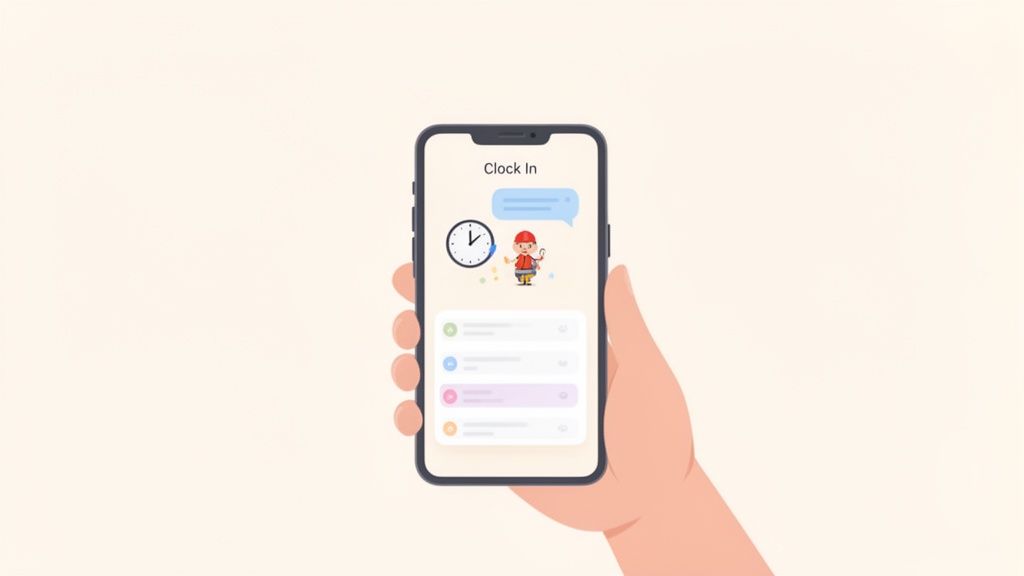
A time clock in app isn’t just another tool to juggle. The best ones are woven directly into the daily life of your team. It’s not about adding another icon to their phone; it’s about embedding a smart feature into a larger, genuinely useful work hub. We explore this unified approach in our guide to time and attendance software.
This simple shift changes the entire dynamic. It turns time tracking from a tool of surveillance into a simple utility. For your team on the ground, this means a few things.
It just works. When clocking in is a tap inside the app they already have open, the friction disappears. No more excuses, no more forgetting. It becomes a simple reflex, not another task to remember at the end of a long shift. That means fewer mistakes and fewer headaches for managers.
But here’s the real reason it matters: it builds trust. An integrated system feels less like “big brother” is watching and more like a tool designed to make sure everyone is paid fairly for their work.
The goal isn't to build a better time clock. It's to make the act of time tracking so seamless that it disappears.
This is about respecting your team’s time and attention, not just tracking it. You’re moving from disconnected systems to a single, calm space where work happens. The focus shifts from policing hours to enabling a smooth, productive day.
How to Set It Up in Five Minutes
Let’s be honest—rolling out a new tool can feel like a major project. We get it. But setting up your time clock in app should be a quick, five-minute task, not a week-long headache. The whole point is to simplify your life, not add another complex system to your plate.
First, your company policies. Forget digging through employee handbooks. A great tool lets you build your rules right where the action happens. Set your pay periods—weekly, bi-weekly, whatever you use—and define your overtime rules directly in the settings. You can even specify different kinds of breaks, like a 30-minute unpaid lunch or a 15-minute paid rest period. Once you set the rules, the app handles the rest.
One Size Doesn’t Fit All
Here’s something I’ve learned: one size rarely fits all. Your warehouse team in Texas probably has different break rules than your retail crew in California. Your time clock app needs to handle this without creating a tangled mess.
You should be able to create different policy groups and assign them to specific locations or departments. For instance:
A "California Retail" policy with strict meal break reminders to stay compliant.
A "Texas Warehouse" policy with its own overtime calculations.
The goal is effortless segmentation. The right rules automatically apply to the right people. This isn't just a nice-to-have; it’s essential for fairness and legal compliance. We dig into why this matters in our guide to apps for attendance tracking.
The best systems don't force you to change how you work. They adapt to you, making it easy to manage different teams with different needs.
A Quiet Guardrail: Geofencing
We've all heard the story. An employee gets a notification and accidentally clocks in from their couch. Geofencing is the simple, no-drama solution. It creates a virtual boundary around your worksite.
You enter an address, set a radius—say, 500 feet—and let the app take it from there. Employees can only clock in or out when their phone's GPS confirms they are physically on-site. It's a quiet but incredibly effective way to reduce honest mistakes and ensure your time records are spot-on. This builds trust in the system, and it’s not about micromanaging.
Smart features like these are why the global time tracking software market, valued at $3.9 billion in 2025, is expected to jump to $4.58 billion by 2026. These tools have been shown to cut administrative time by up to 50%. You can see more data on this trend in this detailed industry report.
For your team on the floor, the best tools are the ones they barely notice. Let's walk through a typical day.
Think about Maria, a retail associate. She arrives for her morning shift and opens the same app she uses for team messages and daily tasks. She sees a big, clear button: “Clock In.” One tap, and she’s done. No fumbling with a separate login, no waiting in line at a terminal. The app already knows she’s at the store because of the geofence. It’s frictionless.
From Breaks to Time Off
It’s not just about the start and end of the day. An hour into her shift, it’s time for her paid 15-minute break. She opens the app, taps the running clock, and selects “Start Break.” When she’s back, another tap on “End Break” gets her right back to it. The system handles the background math.
Lunch is just as simple. She taps to start her unpaid 30-minute break. Every punch is recorded cleanly in a digital log. No more guesswork for Maria or her manager.
Later, Maria needs a day off for a doctor's appointment. Forget hunting down a manager or scribbling on a paper form. She opens the app, sees her PTO balance, picks the date, and hits submit.
A good tool doesn't add steps; it removes them. For employees, this makes managing their time feel less like a chore and more like a simple, respectful conversation with the company.
Her manager gets a notification. From their own phone, they can view the request, check the team schedule for coverage, and approve it in a click. Maria gets the confirmation immediately. The whole thing takes less than a minute.
This integrated approach isn't a nice-to-have anymore; it’s becoming the standard. The market for employee time tracking apps is expected to hit $2 billion in 2025 and is projected to climb toward $7 billion by 2033. It’s not just about the numbers; leaders who have adopted these platforms report 25% better workforce accountability. You can dig into more of the data in this market research on employee tracking apps.
Before you roll this out, you'll need a quick, one-time setup. This gives you a bird's-eye view of how simple it is.
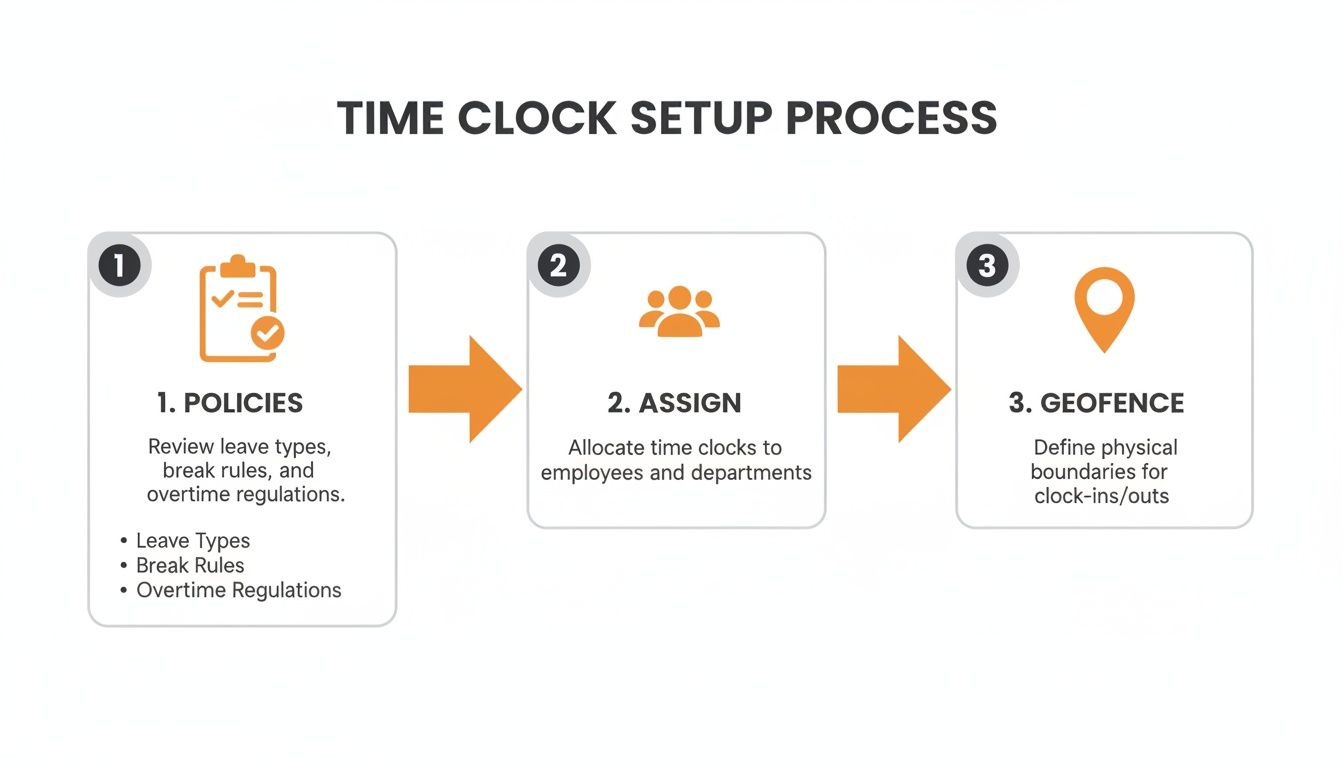
The flow from defining policies to assigning them and setting geofences is designed to be a one-and-done process that pays off every single day.
Look, the old way was a headache. It involved juggling tools, chasing paperwork, and constant back-and-forth. Let's compare that chaos to a calmer, integrated approach.
The Old Way vs. The New Way
Task | The Old Way (Chaos) | The New Way (Calm & Integrated) |
|---|---|---|
Clocking In/Out | Find the physical time clock or open a separate, clunky app. | Tap a single button in the app they already use for daily work. |
Requesting Time Off | Fill out a paper form, send an email, and hope it gets seen. | Submit a request and see PTO balance in-app. Instant manager notification. |
Viewing Schedule | Check a printed schedule in the breakroom or a separate calendar app. | Access the live schedule anytime, right from their phone. |
Checking Pay Stubs | Log into a completely different payroll portal with another password. | View pay stubs and history directly within the same app. |
Bringing these tasks into one place isn't just about efficiency—it shows your team you respect their time. Whether you have nurses in a hospital or drivers in a logistics fleet, the story is the same. When time management is woven into their daily tools, the work of tracking hours just melts away.
A Manager’s Job Is to Lead, Not Chase Timesheets
Let’s be real for a second. Managing timesheets has always been a messy, thankless job. We’ve all been there—deciphering bad handwriting, chasing down employees for corrections, getting those late-night texts because someone forgot to clock out. That isn't leadership. It's admin work.
A modern time clock in app flips that script. It’s not about giving you another dashboard to stare at. It’s about giving you your time back.
Picture this: your team member, Alex, wraps up a long shift and heads home, forgetting to punch out. In the past, that was a payroll headache. Now, you just get a simple notification on your phone. You open the app, see the flagged entry, and check it against Alex's scheduled end time. With a single tap, you can accept the scheduled time or make a quick fix. The entire process takes 30 seconds. No drama, no frantic texts.
From Reactive to Proactive
A good system doesn't just wait for you to find mistakes—it brings them to you. It acts like a helpful assistant, flagging issues before they become payroll nightmares. This means automated alerts for things like:
Missed Breaks: The app can notify you if an employee works through a required meal period, which is a huge help for staying compliant.
Approaching Overtime: Get a heads-up when someone is nearing their weekly hour limit. This lets you manage schedules proactively instead of reacting to surprise overtime costs.
Mismatched Punches: If someone clocks in late, the app flags the difference against their scheduled shift for you to review.
This isn’t about micromanaging. It’s about having the right information at the right time. In fact, studies show that automated time tracking can slash administrative work by as much as 50%. Think about what you could do with that time back.
The goal isn’t to watch your team’s every move. It’s to build a system of trust where fairness and accuracy are the default, freeing you to focus on leading, not chasing paperwork.
When the end of the pay period rolls around, the process is just as calm. You’re not starting from scratch. You’re giving a final once-over to a list of timesheets that are already 99% correct. You scan for any flagged exceptions, approve the batch with a click, and the data is ready for payroll. What used to take hours now takes minutes.
From Time Clock to Business Intelligence
A time clock is great, but what do you do with the data? Let's be honest—the most important, and often most painful, step is getting those hours into your payroll system without losing your mind. If you're still exporting CSV files and hoping for the best, there’s a better way.
A proper integration isn't just a file transfer; it’s a direct connection. It acts as a secure bridge between your time clock in app and payroll providers like ADP, Gusto, or QuickBooks.
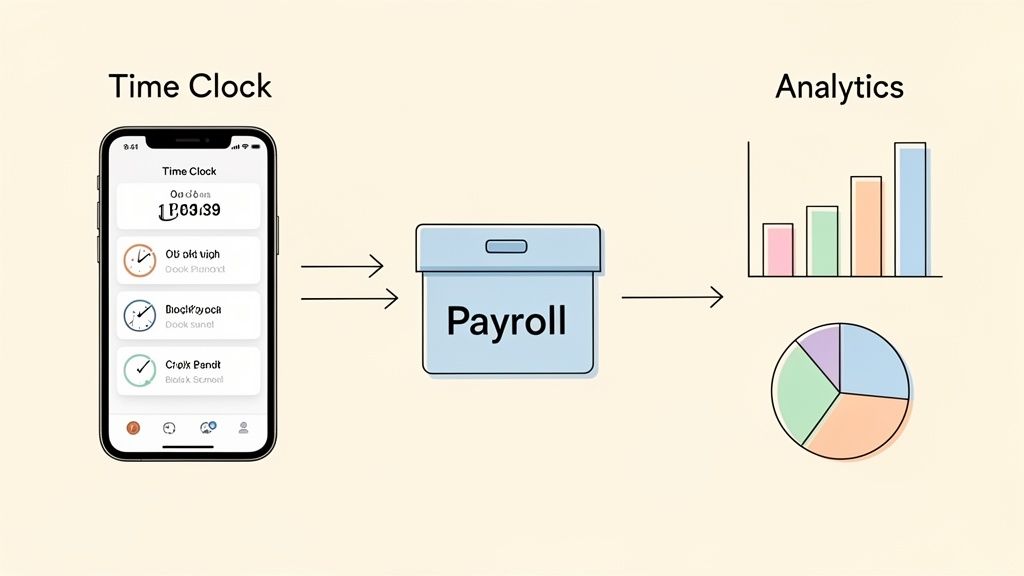
With this setup, all your approved hours, overtime, and PTO data flow right into your next payroll run. The usual culprits—typos and miscalculations—practically disappear. What used to be a frantic scramble becomes a calm click of a button.
Asking Better Questions
But payroll is just the start. The real magic happens when your time-tracking data stops living on an island and starts talking to your other business systems. This is how a simple tool becomes a way to make smarter decisions.
Suddenly, you can spot patterns you never saw before:
Location Performance: Are our downtown stores actually more efficient with staffing than the suburban ones?
Team Punctuality: Is there a link between the teams who are always on time and our highest engagement scores?
Project Profitability: How are our actual labor costs tracking against what we budgeted?
To make sure everything syncs up perfectly, many businesses use a dedicated API integrations platform. These are the pipes that ensure data flows smoothly between all your essential software.
This jump from just tracking hours to analyzing them is what separates a basic app from a true workforce partner. If you want to go deeper on this, our guide on https://pebb.io/insights/what-is-workforce-analytics is a great place to start.
Why This Matters Now
This isn't just a nice-to-have; it’s where the industry is heading. The global market for in-app time clocks, valued at $6.1 billion in 2025, is expected to balloon to $11.43 billion by 2030. It's a massive shift. We're seeing AI-driven tools that promise to slash administrative time by as much as 50%.
A connected time clock doesn’t just tell you when people worked. It helps you understand how the work gets done, revealing opportunities for improvement you never would have seen.
When you connect these data streams, your time clock stops being a glorified spreadsheet and becomes the engine for your business intelligence. You move from counting hours to understanding the rhythm of your operations.
What if the Best Time Clock Wasn’t a Clock at All?
Let's be honest, nobody likes clocking in. After all this, it comes back to that simple truth. So maybe the goal isn't just to find a better time clock, but to find a system that makes the whole process feel like it’s not even there.
It should be a quiet, effortless part of the workday. A reflex, not a task.
When a time clock in app is truly integrated—woven into the same platform your team uses for schedules, tasks, and communication—it stops being a chore. It becomes a silent, reliable engine that just works. Everyone gets paid accurately, and managers have the data they need without chasing anyone down.
This stops being about tracking and starts being about trust. The right system handles the details so your people can focus on their work.
So, as you’re weighing your options, try reframing the question. Instead of asking, "Which app is the best for tracking time?"
Maybe you should be asking, "Which platform makes tracking time an afterthought?"
The answer is always the one that brings all your operations and your team into a single space. When everything is already connected, the tedious stuff just melts away.
A Few Common Questions We Hear
When we talk to leaders about moving to a time clock in an app, a few questions always come up. Here are some honest answers based on what we've seen work.
Can It Really Help With Labor Law Compliance?
Yes. In fact, a good app is probably your best defense against compliance headaches. It automatically creates a clean, digital paper trail for every hour worked, including breaks and overtime.
Think of it as your built-in safety net. Many apps have features like automatic break reminders that pop up for employees and managers, helping you catch issues before they become problems. For anyone in states with complex rules, like California, this is a lifesaver. The app provides a clear audit trail showing that breaks were offered—exactly the kind of proof you need.
What Happens When Someone Forgets to Clock In or Out?
It's going to happen. Someone will be running late and forget to clock in, or walk out without clocking out. A well-designed tool is built for this.
Instead of a payroll fire drill, the system just flags the missed punch. The manager gets an alert and can pull up the timesheet to make a quick correction. The best apps will even pre-fill the scheduled time, so fixing it is often just a two-tap approval. It turns a human mistake into a non-issue.
How Does This Work for Teams in Different Locations?
This is where a modern time clock app really shines. You can set up unique rules for each location.
Different overtime rules for California and Texas? No problem.
Separate holiday schedules for your warehouses in different states? Done.
Local managers only see the people at their specific site, keeping their view clean and focused. You can also add geofencing to ensure people are on-site when they clock in. It’s a simple feature that adds a huge layer of accuracy, whether you're managing teams in retail, logistics, or home healthcare.
Ready to unify your team's workday? Pebb brings communication, operations, and time tracking into one simple, modern app. See how it works.
