
Choosing a Team Messaging App for Business in 2026
Team messaging app for business - Ditch the chaos. Our guide explains what a team messaging app for business is, which features matter most, and how to choose
Dan Robin
Most companies don't have a communication problem. They have a coordination problem that shows up in communication.
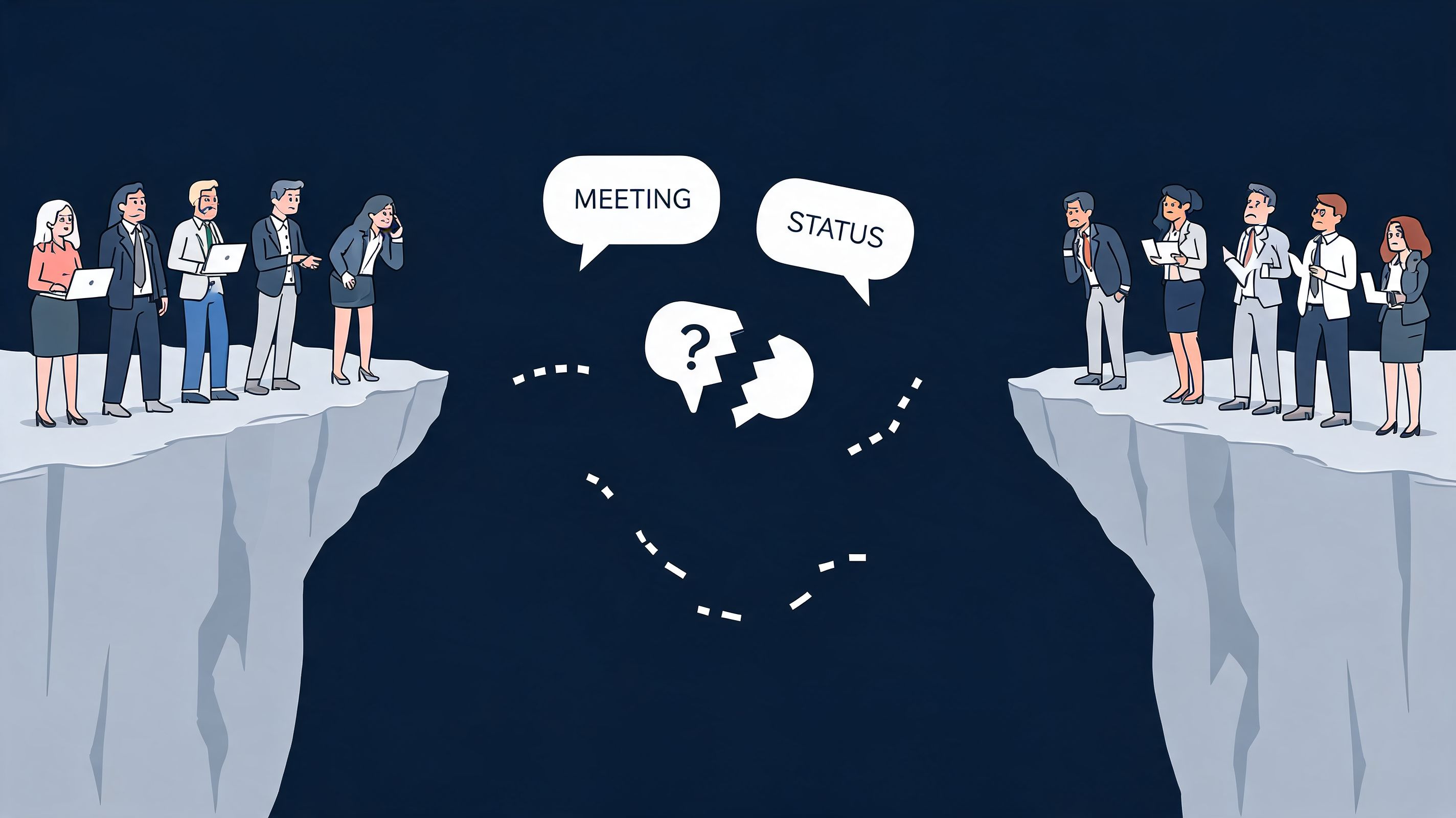
You can see it in a normal workday. A manager sends an update in email. A supervisor repeats it in a WhatsApp group. Someone asks a question in Slack. Files live in Google Drive, tasks live somewhere else, schedules live in a separate app, and the people serving customers or moving inventory miss half of it because they're not sitting at a desk.
That setup feels normal now. It shouldn't.
A good team messaging app for business isn't just a place to type messages. It's the place where work finds its shape. If the tool only helps office staff chat faster, while everyone else still relies on texts, paper schedules, and word of mouth, then the company hasn't fixed the underlying problem. It has just digitized part of it.
The Mess Is Now The Standard
It usually starts with a simple fix.
A team adds chat because email is too slow. Then another tool shows up for scheduling, another for files, another for tasks, and a consumer app fills the gaps for people who are rarely at a desk. None of those decisions look dangerous on their own. Together, they create a work environment where information is scattered, repeated, and easy to miss.
That mess now passes for normal in a lot of businesses.
I see it most clearly in companies with mixed workforces. Corporate teams sit in one system. Store teams, field crews, warehouse staff, or clinicians rely on something else. Leaders end up managing two communication models at once: one governed and visible, the other fast but fragmented. That split raises costs, slows decisions, and leaves frontline employees with the weakest access to timely information.
Workplace messaging matters because it has become part of daily operations, not just office chat. The question is whether the system gives everyone one dependable place to find updates, ask questions, and follow through. A scattered stack does the opposite. It asks people to remember where each kind of information lives.
I've watched teams confuse message volume with execution. Busy channels can still produce missed handoffs, duplicate work, and shift managers repeating the same update across three apps because they do not trust any single one to reach everyone.
That is why a business instant messaging approach that supports real operations matters. The goal is not to add another chat layer. The goal is to reduce the number of places work has to pass through before it reaches the person doing it.
The software market often treats this as a feature comparison exercise. In practice, it is a system design problem. If office staff live in one platform and the frontline lives in another, the company is still running on fragments. If you're thinking about the broader journey from noise to clarity, What works instead for B2B is a useful read because it makes the same point in another context. Fragmented systems create friction. Clear systems create momentum.
The Real Problem We're Trying to Solve
Most articles about workplace chat implicitly assume one kind of employee. Someone with a laptop, a calendar, a quiet place to sit, and enough time to keep up with threads.
That describes part of the workforce. It does not describe most of it.
The office bias in most tools
Frontline and deskless workers make up 80% of the global workforce, and a 2025 McKinsey report noted that 68% of frontline leaders report communication silos due to tool fragmentation, while only 15% use unified apps that cover both operations and engagement, as cited in this discussion of frontline communication gaps.
That gap matters more than most software buyers admit.
If you run retail stores, a hospital unit, a warehouse, a restaurant group, or a field service team, the problem isn't just “how do we message people?” The challenge lies in how people stay informed when their work is shift-based, mobile, and time-sensitive. Email doesn't fit. Desktop-first chat often doesn't fit either. And consumer apps create a mess of their own because they blur work boundaries and weaken governance.
This is why I don't treat communication as a narrow category anymore. Messaging sits inside a bigger system that includes updates, policies, schedules, tasks, and day-to-day coordination. If you want a deeper look at that overlap, this piece on instant messaging in business is worth reading.
The hidden cost of excluding frontline teams
When office teams and frontline teams live in different systems, the company starts behaving like two companies.
One side gets context. The other gets fragments. One side sees policy changes, staffing changes, and operational notes in real time. The other hears about them late, secondhand, or not at all. Leaders then wonder why engagement feels weak or why execution varies so much by location.
Practical rule: if your communication tool works well only for people at desks, it is not a company-wide tool. It is an office tool.
Slack, Teams, and Google Chat can all be useful. But for many organizations, they were shaped around knowledge work first. That's fine if your whole business is desk-based. It breaks down when your workforce is spread across shifts, sites, and devices.
The core issue isn't software preference. It's whether everyone belongs to the same operating rhythm.
Rethinking the 'App' Your Company's Digital Home
Calling it a chat app sets the bar too low.
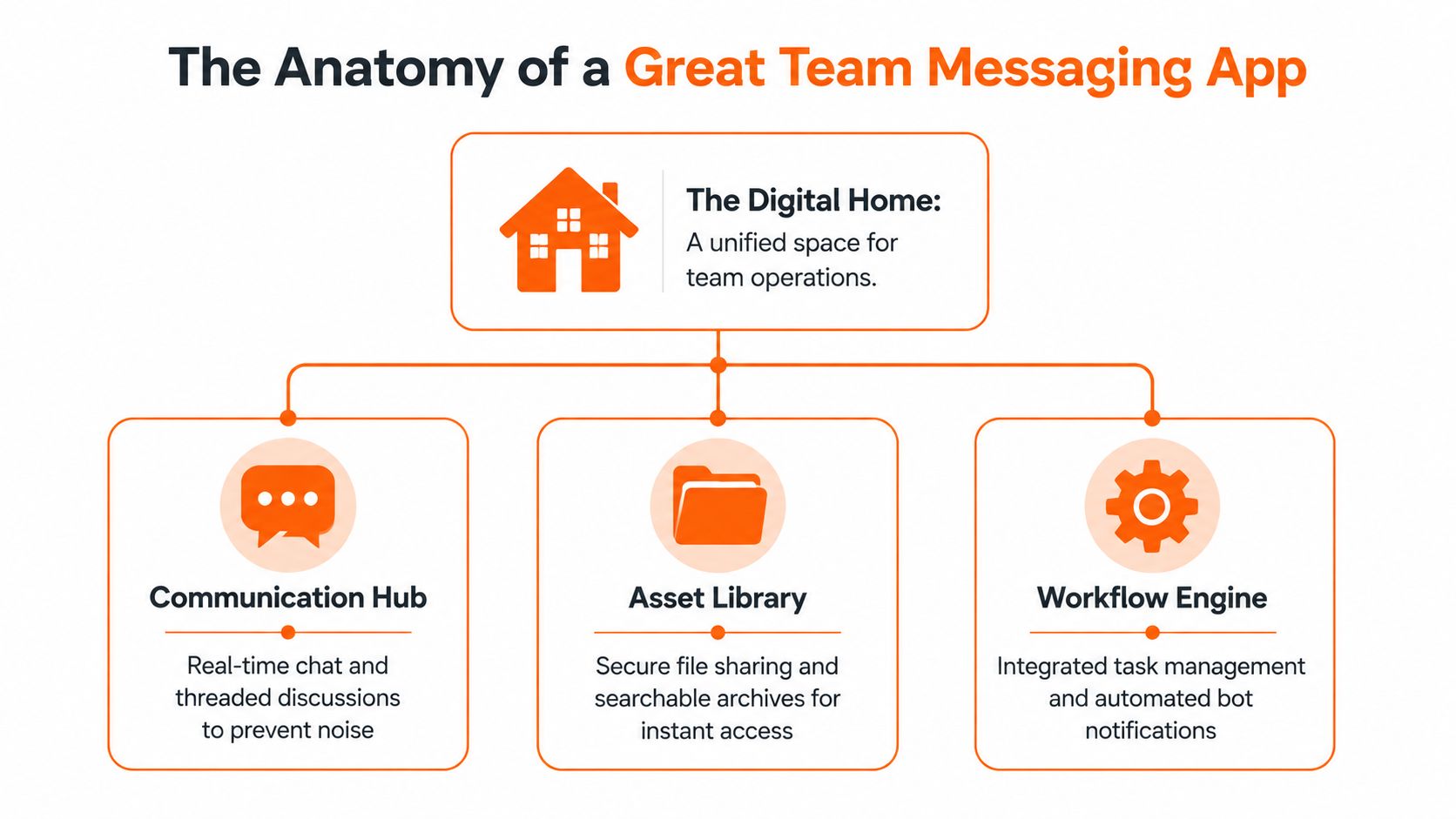
A chat app sounds like plumbing. Useful, necessary, forgettable. Most businesses need something more substantial than that. They need a digital home, a place where people don't just send messages but understand what's happening, what matters today, and where to go next.
A chat tool is not the same as a shared workplace
Think of a fragmented stack like a building with rooms but no hallway. Files are in one room. Messages are in another. Schedules are somewhere down the block. HR information lives behind a locked door. New employees spend their first week asking where everything is.
That's not a software issue. That's a design issue.
A digital home works differently. It gives people one reliable front door. Leaders post updates there. Teams coordinate there. People find documents there. Supervisors manage everyday operations there. New hires learn how the company works there. The point isn't to squeeze every function into one screen. The point is to stop scattering the basics across six disconnected places.
If you're sorting through integration questions, LinkJolt's practical integration guide does a good job of showing where connected systems help and where too much stitching becomes its own burden.
What changes when you choose the right mental model
When a company buys “messaging,” it often ends up evaluating the wrong things. It compares reactions, channels, and video buttons. Those details matter, but they don't answer the bigger question. Can this become the place people trust?
That trust comes from a few simple traits:
One place to check first: people shouldn't guess whether an update is in email, chat, or a manager's text.
One experience across roles: office staff, supervisors, and frontline workers should all feel included in the same system.
One path for routine work: common things like handoffs, files, schedules, and team notices shouldn't require app-hopping.
A digital home lowers the daily tax of remembering where work lives.
Once you see the tool this way, the buying decision gets cleaner. You're not shopping for a faster chat box. You're choosing the environment your company will live in every day.
The Anatomy of a Great Team Messaging App
A good team messaging app for business earns its place by reducing coordination work. People stop chasing updates across text threads, email chains, scheduling tools, and file folders. The app becomes the place where work starts, gets clarified, and gets finished.
The standard got reset fast in 2020. As noted earlier, Microsoft Teams usage surged during the first wave of remote work because companies needed one place to coordinate quickly. The lesson still holds. Teams adopt messaging tools fastest when chat is tied to the rest of the work, not treated as a separate stream to monitor.
If you're weighing mainstream options, this comparison of Teams vs Slack for business communication is a useful reference. The better test, though, is operational. Can the platform handle how your company works, including deskless teams, supervisors, and office staff in the same system?
Communication that lowers noise, not just response time
Fast messaging matters. So does control.
A useful communication layer gives teams different lanes for different kinds of information. Direct messages help with quick coordination. Team chats handle active work. Announcements give leaders a way to post updates that stay visible long enough to be seen. Voice and video help when text starts creating more confusion than clarity.
What matters is the balance. If every message feels urgent, people mute the app or start asking managers what they missed. Good tools make room for quick exchanges without letting chatter bury decisions.
A healthy setup usually includes:
Direct and group messaging for live coordination
Threads or channel structure that keep side topics contained
Announcements for policy changes, shift updates, and company news
Built-in calling for issues that need a fast resolution
Collaboration that keeps the record with the work
The handoff after the message is where a lot of tools break down.
A supervisor reports a maintenance issue. Photos get shared in chat. Someone volunteers to handle it. Then the primary work moves into a task app, the documents sit somewhere else, and by the next shift nobody can see the full story without checking three systems.
Strong platforms keep the conversation, files, follow-up, and ownership close together. That does not mean every company needs one giant interface. It means routine work should stay connected enough that the next person can step in without reconstructing the situation from fragments.
That is especially important for frontline operations. Desk workers can sometimes tolerate a patchwork of apps because they sit at a computer all day. A store lead, site supervisor, or field manager usually cannot.
One example is Pebb, which puts chat, posts, tasks, file sharing, shifts, clock-in, and PTO inside configurable Spaces. That approach will not fit every company perfectly, but it reflects the right principle. The closer communication sits to execution, the less manager time gets wasted on translation.
Operations support that reflects real working days
A messaging app for business should help people run the day, not just talk about it.
For office teams, that may mean project coordination and document access. For frontline teams, it often means shift coverage, attendance, handoffs, checklists, policy visibility, and knowing who is on site right now. If the app handles one group well and ignores the other, the company ends up buying extra tools and recreating the same fragmentation it was trying to escape.
A lot of office-first software often falls short. It handles channels well enough, but daily operations still happen elsewhere.
The stronger model is a shared platform that supports both communication and execution across the whole workforce. That is how companies avoid building one digital workplace for headquarters and another for everyone else.
The best messaging apps reduce the number of places people have to check before they can do their job.
Structure that makes the company easier to understand
People also need context about the organization itself.
A searchable directory, clear profiles, team structure, location details, and role information sound simple. In practice, they remove a surprising amount of friction. New hires find the right manager faster. Field staff know who covers another site. Employees can identify who owns a process before they send a message into the void.
That kind of clarity matters more in distributed companies, hourly workforces, and multi-site operations. In those environments, a team messaging app is doing more than carrying conversation. It is making the company legible enough for people to act without waiting for constant guidance.
From Tool Costs to Real Business Value
Most software buying conversations start in the wrong place. They start with subscription price.
That number matters, but it's rarely the number that causes significant damage.

The visible cost and the hidden one
A 2025 Forrester study found that teams using 4 to 6 disjointed tools lose 20% to 30% of their productivity to app-switching, and total stack cost often exceeds $50 per user per month when separate tools are combined for chat, tasks, and scheduling, as summarized in this review of team chat app costs.
That matches what operations leaders see on the ground. The monthly software bill is only the visible part. The hidden part is the time people spend checking three places, duplicating updates, re-answering questions, and patching process gaps with manual work.
What fragmentation actually does to a business
The cost shows up in a few familiar ways:
Managers become translators: they move information from one app to another because the systems don't talk in a way people can effectively use.
Employees lose confidence: they stop trusting any one place because important details might be somewhere else.
IT and HR carry extra admin load: user permissions, onboarding, offboarding, and support requests multiply across tools.
Leaders get weaker visibility: engagement, task progress, and communication health stay split across dashboards.
Those aren't abstract inefficiencies. They affect payroll accuracy, shift coverage, onboarding quality, policy compliance, and basic execution.
Consolidation pays back in fewer handoffs, fewer duplicate systems, and fewer chances for information to break on the way through.
A better way to think about ROI
When I evaluate a platform, I don't ask only, “What does it cost per seat?” I ask a tougher set of questions.
Does it replace separate tools cleanly? Does it reduce the amount of explaining managers have to do? Does it make onboarding simpler? Does it give frontline staff the same access to updates and everyday workflows as office teams? Does it reduce the number of places employees must remember?
A unified platform earns its keep when work becomes easier to run, not just cheaper to license.
That's also why some companies overpay while trying to save money. They choose the cheapest chat tool, then keep paying for scheduling, task management, file access, employee updates, and internal engagement somewhere else. On paper, each app looks reasonable. In practice, the company buys complexity in installments.
A Calm Guide to Choosing Your Tool
The market is crowded, but the decision doesn't have to be confusing.
What helps is refusing to do a feature bake-off first. Start with the shape of your workforce. The market has consolidated, but options still vary in focus and pricing, from free tiers like Slack to integrated plans starting at $4 to $8 per user monthly for Google, and platforms like RingCentral that bundle messaging with voice capabilities, according to TextUs' overview of enterprise messaging platforms.
That spread tells you something simple. These tools are not all trying to solve the same problem.
Start with your people, not the demo
A polished demo can hide a lot. Most products look good when a sales engineer clicks through a tidy example account on a laptop.
Your team does not live inside a demo.
If you manage deskless staff, test the mobile experience first. If managers handle schedules and approvals all day, test those workflows first. If your company runs on Microsoft 365 or Google Workspace, test how naturally documents and daily work fit into the product. If your environment includes contractors, multiple locations, or frequent turnover, test administration and permissions before you get excited about channels and reactions.
This is the filter I use. The right tool is the one your team will readily return to without being reminded.
For a broader look at what employees need from a modern communication platform, this guide to employee communication apps is a practical companion.
Evaluation Checklist Finding Your Digital Home
Evaluation Area | Key Question to Ask | Why It Matters |
|---|---|---|
Workforce fit | Does this tool work equally well for office staff and frontline teams on mobile? | If one group struggles to use it, adoption will split and communication will fragment again. |
Daily operations | Can managers handle schedules, updates, tasks, or approvals in the same place people communicate? | The more routine work happens inside the platform, the less context gets lost. |
Clarity | Can important updates stay visible without getting buried in chat? | Teams need both conversation and a dependable source of truth. |
Ease of use | Could a new hire understand where to go on day one without much training? | Confusing tools create side channels and workarounds fast. |
Administration | Are permissions, onboarding, and offboarding simple for HR and IT to manage? | Complex admin work becomes a silent cost over time. |
Integration fit | Does it connect sensibly with your existing HR, payroll, identity, or file systems? | Good integrations reduce duplicate work. Bad ones create more maintenance. |
Search and access | Can people quickly find past decisions, documents, and the right coworkers? | A communication tool should also help people recover context. |
Governance | Does leadership have appropriate visibility and control without making the app feel heavy? | Companies need order, especially across multiple teams and locations. |
A few questions worth asking vendors directly
What kind of company is this built for first? A product shaped for software teams may struggle in retail or healthcare.
What breaks at rollout? Every tool has a weak point. Good vendors answer this plainly.
What still requires another app? This question cuts through vague positioning fast.
How does this work on a noisy, busy, shared-device day? That's a better test than a boardroom demo.
Buy for the messiness of real work. Not for the fantasy of perfect usage.
It's About People, Not Platforms
The wrong way to choose a team messaging app for business is to treat it like a narrow IT purchase.
This decision shapes how people experience the company. It affects whether a new hire feels oriented or lost. Whether a shift worker hears important news in time. Whether a manager spends the day leading people or stitching tools together. Whether departments feel connected or politely separate.

The best systems don't win because they have the longest feature list. They win because they reduce friction. People know where to look. They know where to ask. They know where work belongs. The tool starts feeling less like software and more like part of how the company operates.
That's the standard I'd use.
If your current setup leaves frontline teams outside the loop, forces managers to repeat themselves across apps, or turns simple handoffs into scavenger hunts, the issue probably isn't adoption training. It's that the system was never designed to be your company's shared home in the first place.
A tool like Pebb is one example of the newer direction. It combines communication, operations, and engagement in one app for office and frontline teams. That's useful not because “all in one” sounds good, but because many businesses need one place where chats, updates, tasks, files, schedules, and people can live together without constant translation.
Choose for the people doing the work. The right platform usually becomes obvious after that.
If you're trying to replace a patchwork of chat, scheduling, and employee comms tools with one calmer system, Pebb is worth a look. It's built as a digital home for frontline and office teams, with messaging, Spaces, tasks, files, updates, and operational workflows in one place.
