
Employee Communication App: A 2026 No-Nonsense Guide
Searching for an employee communication app? Our 2026 guide cuts through the noise. Learn what features matter, how to choose, and the pitfalls to avoid.
Dan Robin
Teams often don't have a communication system. They have a pile.
A manager sends one update by email. A supervisor follows up in a group text. Someone tapes the new policy to the break room wall. HR uploads the handbook to a shared drive that nobody can find on a phone. Then everyone wonders why people miss shift changes, safety reminders, and deadline updates.
I've seen this up close. It doesn't fail because people don't care. It fails because the setup asks workers to remember where each kind of information lives. Nobody does that consistently, especially not on a busy floor, during a shift handoff, or while covering for someone who's out.
A good employee communication app isn't valuable because it adds another channel. It's valuable because it replaces the patchwork with one place people can trust.
The End of Digital Duct Tape
The mess usually looks harmless at first.
You use email for formal notices. Text messages for urgent issues. A scheduling app for shifts. A chat tool for office staff. A bulletin board for people who don't sit at desks. Maybe a payroll portal for documents. Each tool solves one small problem, so nobody steps back and notices the larger one. Your team is spending its day translating your system.
That kind of fragmentation isn't just annoying. It creates real communication problems. Employees using more than 10 apps report communication issues at a rate of 54%, compared with 34% for those using fewer than five, according to Zoom's workplace communication statistics.
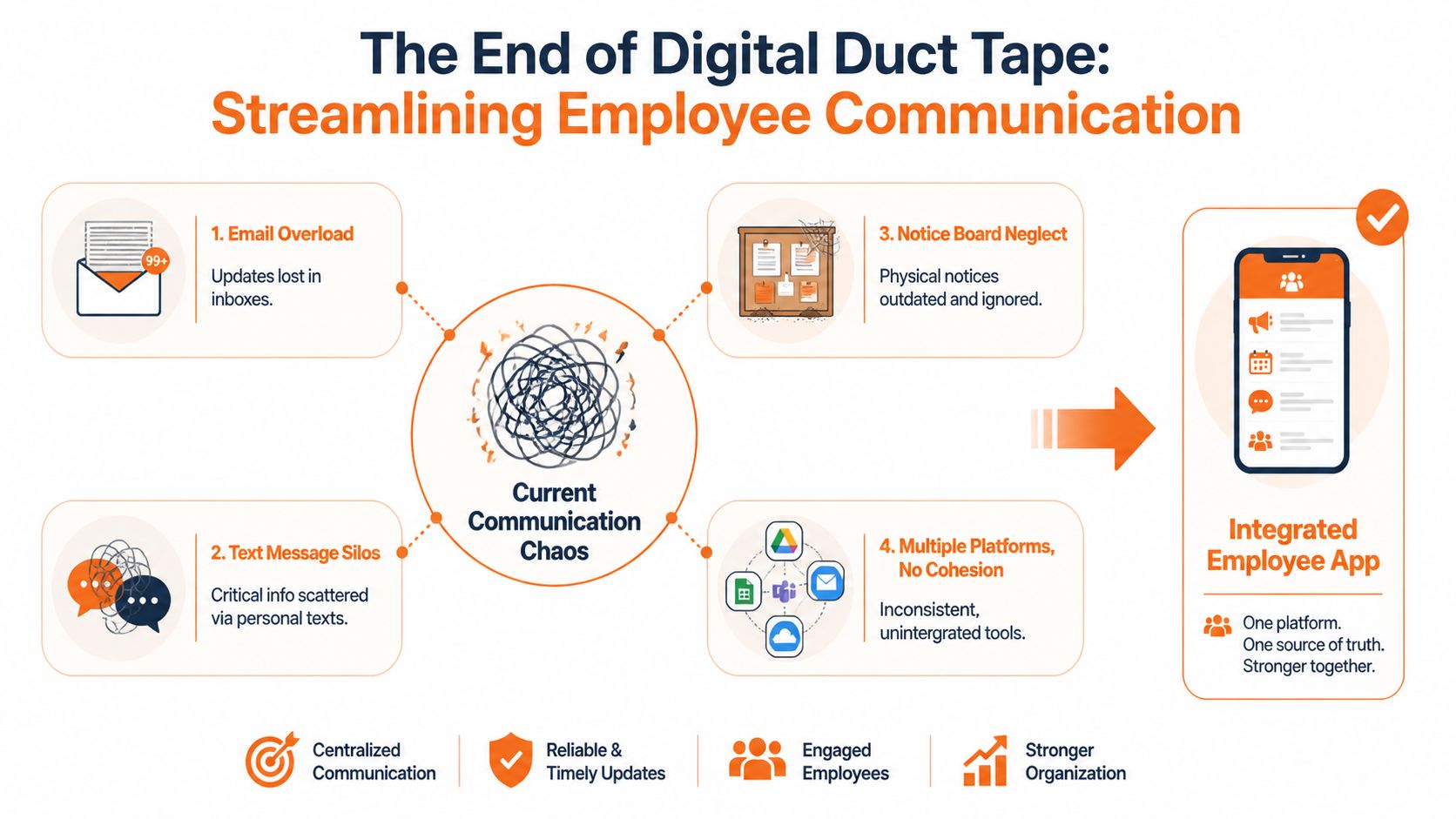
What digital duct tape looks like in real life
It shows up in small moments that add up fast:
Missed updates: A policy change goes to email, but half the frontline team never checks company email during the day.
Conflicting instructions: One manager texts a shift change, another posts a different version in a scheduling tool.
Dead information: The printed notice in the break room is still there, but the process changed last week.
Private workarounds: Staff start using personal chats because the official channels are slow, unclear, or scattered.
This is why I don't buy the idea that any app is better than none. A bad app, layered on top of old habits, can make things worse. It adds one more place to check and one more login to ignore.
Practical rule: If your app doesn't replace confusion, it's just a more expensive form of confusion.
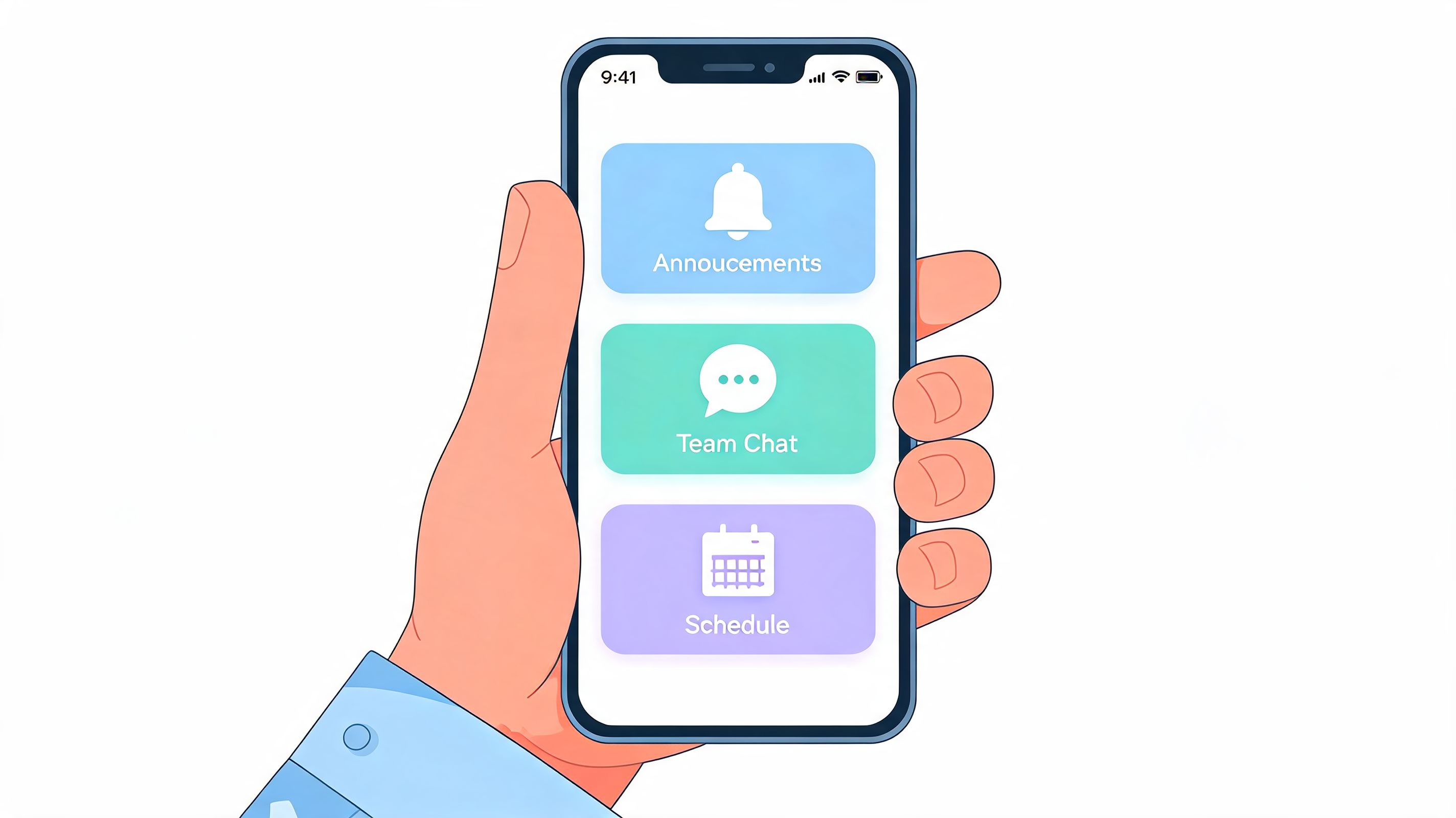
The fix is simpler than most software demos make it sound. You need a digital home base. One place where the back office, the floor team, the field team, and the manager on call can all find the same truth. Chat belongs there. Updates belong there. Tasks, documents, and schedules should be easy to reach from there.
If this sounds familiar, it's worth looking at common problems in communication at work before you evaluate tools. The point isn't to chase features. It's to stop asking employees to assemble the company from scraps.
The real shift
A dedicated employee communication app works when it removes decisions.
People shouldn't have to ask, "Was that in email, text, or the scheduling app?" They should know where to go. That calm matters more than is often realized. It lowers friction, cuts repeated questions, and gives leaders one place to communicate without guessing who saw the message.
That's when communication starts to feel like infrastructure instead of cleanup.
What a Great Employee App Actually Does
Most vendors start with features. I think that's backward.
The better question is this. What jobs should an employee communication app handle so well that your team stops reaching for side channels? If the answer is vague, the rollout will be vague too. If the answer is practical, adoption gets much easier.
It reaches the right people without spraying everyone
The first job is reliable delivery.
A strong app doesn't just let you send a message. It helps you send the right message to the right people. That matters most on frontline teams, where broad announcements often create noise. Targeted messaging by shift, role, or active status can cut miscommunication by 40 to 60% in frontline operations, according to Indeavor Connect's employee communication app analysis.
Many teams frequently make a mistake. They confuse reach with relevance. Hitting everyone at once feels efficient. It usually isn't. If warehouse night shift workers keep getting updates meant for day shift retail managers, people stop trusting notifications. Once that happens, even important alerts start to feel optional.
It organizes conversation so work doesn't disappear
Group texts are fine until they aren't.
A real employee communication app gives each team, location, or function its own space. That way safety updates don't get buried under birthday messages, and a shift question doesn't vanish under twenty thumbs-up reactions. Good structure lowers the cost of keeping up.
I don't mean structure in the heavy, enterprise sense. I mean simple boundaries that match how people already work. Front desk staff need one place. Drivers need another. HR needs a channel that isn't mixed with daily ops chatter. People can still talk casually, but the work has edges.
A lot of teams also use these spaces to automate HR processes that would otherwise bounce through email. Things like answering routine policy questions, directing people to forms, or handling simple internal requests fit naturally when communication and process sit in the same place.
A communication app should reduce the number of questions people have to ask twice.
It becomes the place people check first
This is the underrated part. The app has to act like memory for the company.
Policies, onboarding notes, SOPs, contact details, forms, and key updates need to be searchable and easy to read on a phone. If people still have to ask a supervisor where the handbook lives, the app hasn't done its job.
That doesn't mean every document belongs inside the app itself. It means the app should be the front door. One tap to the schedule. One tap to PTO. One tap to the safety checklist. One tap to the latest leadership update.
If you're comparing platforms, a practical feature list proves useful. A guide to employee communication app features that matter in day-to-day use can keep the conversation grounded in actual work instead of demo theater.
It helps people feel known, not just managed
The final job is human, not technical.
Profiles, directories, team spaces, and a shared feed seem small until you work in a distributed company where half the staff never meet each other. Those details help people find the right person, understand who's who, and feel part of something larger than their shift.
That's the difference between a broadcast app and a workplace app. One pushes information out. The other gives people a place to belong.
How This Actually Changes the Workday
The payoff isn't abstract. It shows up in the rhythm of ordinary work.
For HR, the biggest relief is visibility. You stop sending important updates into the dark. Instead of wondering whether anyone read the new leave policy or the enrollment reminder, you can see what landed and what got ignored. That changes the conversation from "we sent it" to "they received it and acted on it" or "they didn't, so the message needs work."
HR stops chasing confirmation
Engagement is tied to communication quality, not just message volume. According to Gallup's 2024 U.S. Workplace Report, regular digital communication through company apps can increase employee engagement by as much as 23%, as cited in TimeForge's write-up on mobile apps and employee communication.
That number feels believable if you've ever watched what happens when frontline staff finally get the same access to updates as everyone else. Not polished memos. Just direct, timely communication on the device they already use all day.
Operations gets time back
For operations managers, the change is more concrete.
A schedule changes. A route shifts. A safety issue needs attention. In the old setup, someone starts calling, texting, forwarding screenshots, and hoping the right version reaches the right people. In a better setup, the update goes out in one place, tied to the group that needs it, with less back-and-forth.
When ops leaders stop acting as switchboards, they can get back to running the operation.
That doesn't make the day easy. It makes it cleaner. Fewer handoffs. Fewer repeated explanations. Less dependence on whoever happens to know the latest answer.
Frontline staff finally get included
This is the part many companies miss.
Frontline employees are often the last people to get polished communication systems and the first people blamed when something gets missed. An employee communication app can reverse that if it's built around their actual day. Can they check a shift, request time off, read an update, and ask a question from the same phone in the same flow? If yes, the app becomes useful. If not, it becomes another management tool they tolerate.
A good workday feels less fragmented. People know where to look. Managers spend less time repeating themselves. HR has a clearer read on what employees are seeing. None of that is flashy. It's just better operations.
Getting It Right From Day One
Most communication app rollouts don't fail on technology. They fail on indifference.
A company launches with enthusiasm, pushes out login instructions, and waits for adoption to happen. It rarely does. People don't use a new tool because leadership announced it. They use it because the tool quickly becomes part of how work gets done.

Start smaller than you want to
A pilot beats a grand rollout almost every time.
Pick one site, one department, or one team with a manager who wants the change. Watch what people use. Notice what they ignore. Fix naming, notifications, and structure before you expand. This keeps the first version from becoming your permanent mess.
The temptation is to launch every feature at once so people see the value. I think that backfires. Too much choice on day one feels like work. One clear use case feels like relief.
Put something essential inside it
This part is mandatory. The app needs a practical reason to be opened.
For some teams that's the schedule. For others it's shift updates, task lists, forms, or company news that directly affects the week ahead. If the app starts as "another place to maybe read announcements," daily habits won't form. If it starts as the place for something employees already need, habits form on their own.
I've found it helps to ask a blunt question before launch: what would make a worker annoyed if the app disappeared tomorrow? If you can't answer that, the rollout isn't ready.
Find your internal believers
You don't need corporate cheerleaders. You need credible users.
The best champions are usually supervisors, team leads, and respected staff members who can show others how the app helps in real moments. Not scripted demos. Just honest examples. "I found the update there." "I requested PTO there." "The shift change was there."
That kind of trust spreads better than launch emails ever will.
A few simple habits help:
Keep the first screen clean: People should know where to tap without training.
Name spaces plainly: Use location, team, or function names people already say out loud.
Respond quickly at the start: Early questions teach users whether the app is alive or abandoned.
Make leaders visible: If managers and executives don't post, reply, or use the app, everyone notices.
Hard truth: employees can tell the difference between a tool leadership uses and a tool leadership dumped on them.
When leaders show up consistently, the app feels real. When they don't, adoption slides into passive compliance. That's the moment you start hearing, "Can you just text me instead?"
Security, Integrations, and Other Crucial Details
This is the unglamorous part. It's also where good intentions go to die.
An employee communication app can look clean in a demo and still create a fresh layer of admin work behind the scenes. If it doesn't connect well to your existing systems, someone ends up copying data by hand, fixing user access manually, or cleaning up after people who left the company three weeks ago but still have the wrong permissions.
Integrations aren't optional
If you're already using Microsoft 365, HR software, payroll tools, or identity systems, your app should fit around that reality.
Deep integrations with core business systems like Microsoft 365 can reduce employee time-to-action by 30 to 50% by cutting app switching and repeated logins, according to Powell Software's employee communication app overview. That matters because small delays happen hundreds of times a week. One extra login doesn't seem serious until it's attached to every shift, every document, every task, and every update.
A practical platform should pull people data from the source you already trust. It should also hand employees off cleanly to the tools they already use without making them re-learn the map.
For serious evaluations, tools like Staffbase, Microsoft Teams-based stacks, and Pebb often come into consideration. The common requirement isn't brand. It's whether the app can bring chat, updates, documents, tasks, and operational workflows closer together without forcing staff to bounce across disconnected systems.
Permissions matter more than people think
Not everyone should see everything. That's not bureaucracy. That's basic hygiene.
Role-based access matters when you have location-specific policies, manager-only discussions, HR records, or sensitive operational updates. It also matters when someone changes jobs, moves sites, goes on leave, or leaves the company. If access doesn't update cleanly, your communication app becomes a security risk and an administrative headache.
If you're sorting through governance questions, a practical guide to role-based access control best practices is worth reviewing alongside your app shortlist. Teams that also need guidance on how to proteggere dati sensibili HR should think through employee access, offboarding, and document visibility before rollout, not after.
Analytics should answer simple questions
The analytics you want aren't fancy. They should help you answer three plain questions.
Question | What you need to know |
|---|---|
Did people see it? | Whether updates reached the intended audience |
Did they act on it? | Whether staff clicked, replied, completed, or followed through |
Where is communication breaking down? | Which teams, topics, or formats are being ignored |
If the reporting only impresses during a sales demo, it won't help you run the business. Good analytics should make weak communication visible early, while you still have time to fix it.
The No-Nonsense Checklist for Choosing Your App
At buying time, purchasing groups often drift back into feature shopping.
That's understandable. Demos are built to impress. But the safer path is to judge an employee communication app by the problems it removes. If a tool gives you more buttons but leaves the same confusion in place, you haven't improved anything. You've just modernized the clutter.
For frontline and deskless teams, simplicity wins. Apps with a simpler, more intuitive interface see 70% higher daily use than more complex alternatives, according to Harvard Business Review sponsored research on the business case for an employee communication app.
The questions that actually matter
Use this table in vendor calls. Better yet, use it in your internal discussions before the calls start.
Question | Why It Matters |
|---|---|
Can every employee realistically use this on their phone? | If the frontline experience is clumsy, adoption will stall no matter how good the desktop demo looks. |
Does it reduce the number of places people check each day? | The goal is consolidation, not a new layer on top of old habits. |
Can we target messages by team, role, or location? | Relevance builds trust. Noise destroys it. |
Is the interface simple enough for a new hire to understand fast? | Daily use depends on clarity, especially in fast-moving environments. |
Does it connect to our existing HR, payroll, identity, or collaboration tools? | Weak integration creates duplicate work and stale data. |
Can we control who sees what without manual cleanup every week? | Permissions protect sensitive information and reduce admin burden. |
Is it useful for actual work, not just announcements? | People return to tools that help them do something concrete. |
Can managers and leaders use it visibly without extra effort? | If leadership presence feels forced, employees won't treat the app as important. |
Are analytics clear enough to spot what isn't landing? | You need evidence, not guesswork, when communication fails. |
If we stopped using it tomorrow, what problem would come back immediately? | This question exposes whether the app is essential or just decorative. |
What to ignore
I pay less attention to long feature matrices than most buyers do.
A bloated platform can still be a poor fit. A shorter list of well-executed basics often works better than a sprawling product nobody understands. If the vendor spends more time showing edge cases than daily workflows, that's a warning sign.
Keep your standards plain:
Choose clarity over abundance: More features don't help if people can't find the basics.
Choose fit over fashion: The right tool for a hospital, warehouse, or restaurant may look different from the right tool for a software company.
Choose habits over headlines: What matters is what your people will open, trust, and use during a normal week.
Choose one source of truth: If the app still leaves employees asking where the official answer lives, keep looking.
An employee communication app should make work feel less scattered. That's the bar. Not whether the demo was polished. Not whether the feature list was long. Just whether your people can finally stop hunting for the company during the workday.
If you're trying to replace a patchwork of chat tools, scheduling apps, notice boards, and scattered updates with one calmer system, Pebb is worth a look. It brings chat, news, tasks, file sharing, knowledge, scheduling, PTO, directory, and analytics into one work app for frontline and office teams, which is exactly the kind of consolidation this whole article argues for.
