
Employee Directory Software: A No-Nonsense Guide
What is employee directory software and why does it matter? Our guide explains key features, use cases, and how to choose a tool that connects your team.
Dan Robin
Most companies don't notice the directory problem until they feel it in the bones.
Someone needs an answer fast. A store manager is trying to cover a shift. A new hire wants to know who owns payroll. A project lead needs the one engineer who knows a crusty internal system. So people do what they always do. They ask in Slack. They message a manager. They dig through an old spreadsheet. They hope somebody points them to the right human before the work stalls.
That's not a software problem first. It's a connection problem.
I've seen teams buy employee directory software like they're buying a better phone book. That usually ends badly. The tool gets launched, a few profiles get filled out, and within weeks everyone goes back to asking around. The company still has the same blind spots. People still know their team, maybe the team next door, and almost nobody else. Frontline staff get the worst version of this. Office teams at least have tabs open all day. People on shifts don't.
The Search for the Missing Person
A familiar scene. Someone types, “Who handles vendor contracts in the west region?” into a company chat. Then three more people jump in with partial answers. One names a former employee. Another tags the wrong department. Ten minutes later, the right person finally appears, slightly annoyed, already behind on their own work.
That's what a missing map looks like.
In a small company, this kind of thing feels survivable. In a bigger one, it becomes a daily tax. Nobody files a formal complaint about it. They just waste time, repeat themselves, and work around the mess. The company grows, the org changes, and the old spreadsheet becomes a museum of names nobody trusts.
Growth makes the gap obvious
The reason this category keeps growing is simple. More teams are distributed, more companies are hybrid, and more work depends on finding the right person quickly. The market for employee directory software was valued between $1.5 billion and $2.3 billion in 2024, and one projection puts it at as high as $5.6 billion by 2033, with growth driven by digital transformation, hybrid work, and the need for better internal communication, according to Market Intelo's employee directory software market report.
That tracks with what operators already know. Once people stop sitting near each other, tribal knowledge stops being enough.
For teams still patching this together manually, a practical starting point is a simple setup that people can maintain. This guide on how to create an employee directory in minutes gets that part right.
A company can have great people and still feel impossible to navigate.
This is a human problem
The best employee directory software doesn't start with fields and filters. It starts with a basic question. Can people find each other when it matters?
That matters even more when your workforce is split across stores, clinics, warehouses, offices, and home offices. If the only connected people are the ones at desks, you don't have a company-wide system. You have an office-only convenience.
And that's usually the core problem hiding underneath the request for “a better directory.”
What Employee Directory Software Actually Is
A modern directory isn't a list. It's Google Maps for your company.
A list tells you that a person exists. A real directory tells you who they are, what they do, where they sit in the organization, what they know, and how to reach them. That difference sounds small until you need it. Then it's the whole game.
More map than database
When people think “directory,” they usually picture names, titles, phone numbers, maybe a reporting line. That old model is exactly why so many directories die. If the tool feels like admin overhead, nobody wants to feed it.
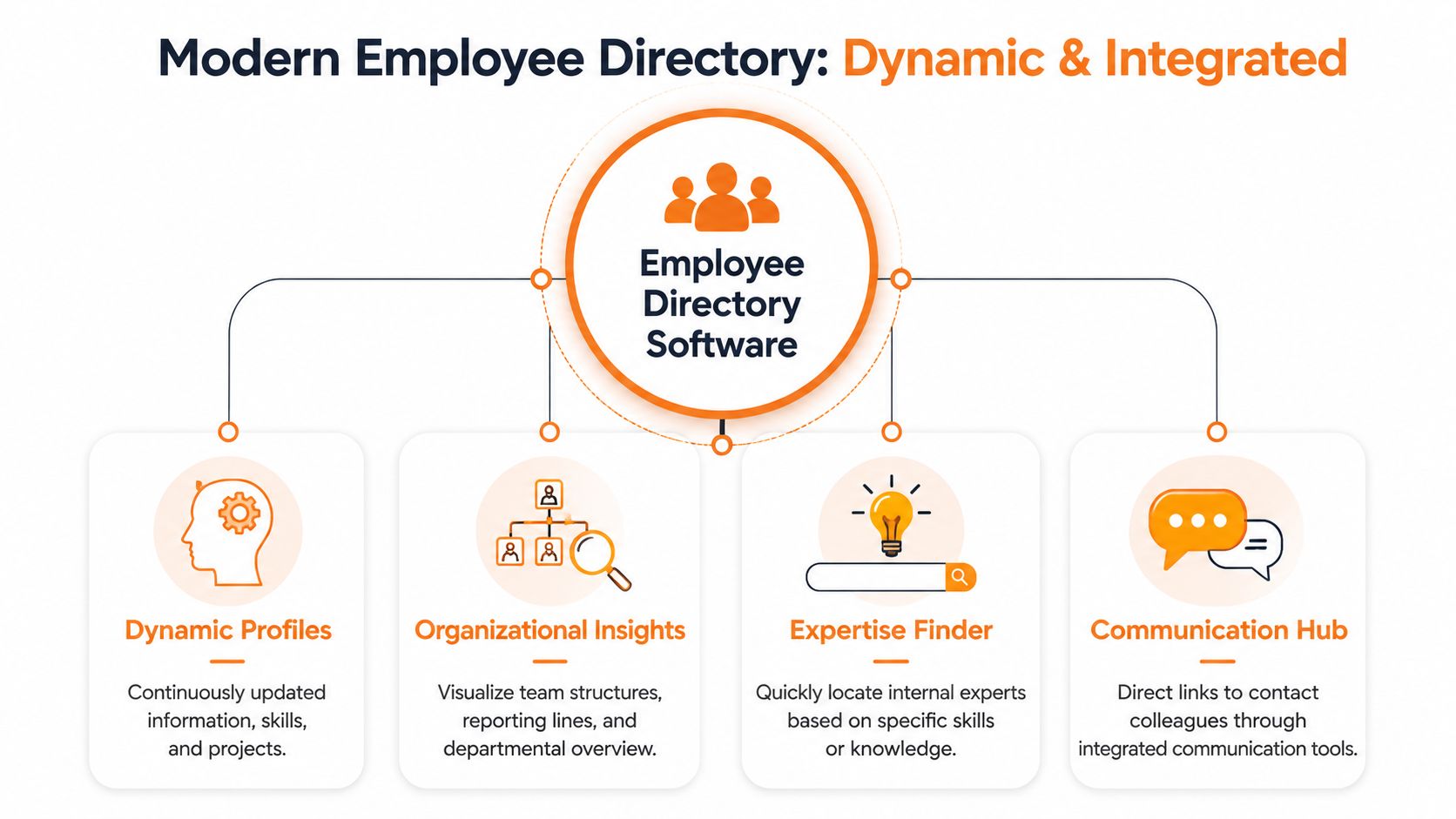
A working employee directory software setup does four jobs at once:
It identifies people. Name, role, team, location, contact path.
It adds context. Skills, projects, languages, interests, time zone, manager.
It shows structure. Org chart, team relationships, business units.
It reduces friction. Search, filtering, and direct contact from the same place.
The key is that employees don't experience this as “data management.” They experience it as finding the right person without asking around.
Why bad directories fail fast
There's a reason so many rollouts stall after launch week. Employees spend about 25% of their workweek searching for the information and people they need, and in standard deployments, nearly 7 out of 10 profile fields are typically left blank, according to OneDirectory's 2026 state of employee directories report.
That pair of facts says a lot.
People clearly need better people-finding tools. But they won't maintain a directory by hand just because HR asks nicely. If profile quality depends on everyone remembering to update job titles, skills, locations, and reporting lines, the directory will drift out of reality almost immediately.
Practical rule: If your directory needs heroics to stay current, it's already broken.
That's why the useful definition of employee directory software isn't “a place to store employee data.” It's a living layer that makes the company legible. New hires use it to learn the terrain. Managers use it to understand team shape. Frontline staff use it to find help fast. Leaders use it to see how the organization hangs together.
A static directory stores names. A good one helps people move.
The Few Features That Genuinely Matter
Vendors love long feature grids. Most of them are noise.
What matters is whether the directory helps people find the right coworker, trust the information they see, and act on it right away. If a feature doesn't support one of those three outcomes, it probably belongs in the nice-to-have pile.
Search that finds people, not just names
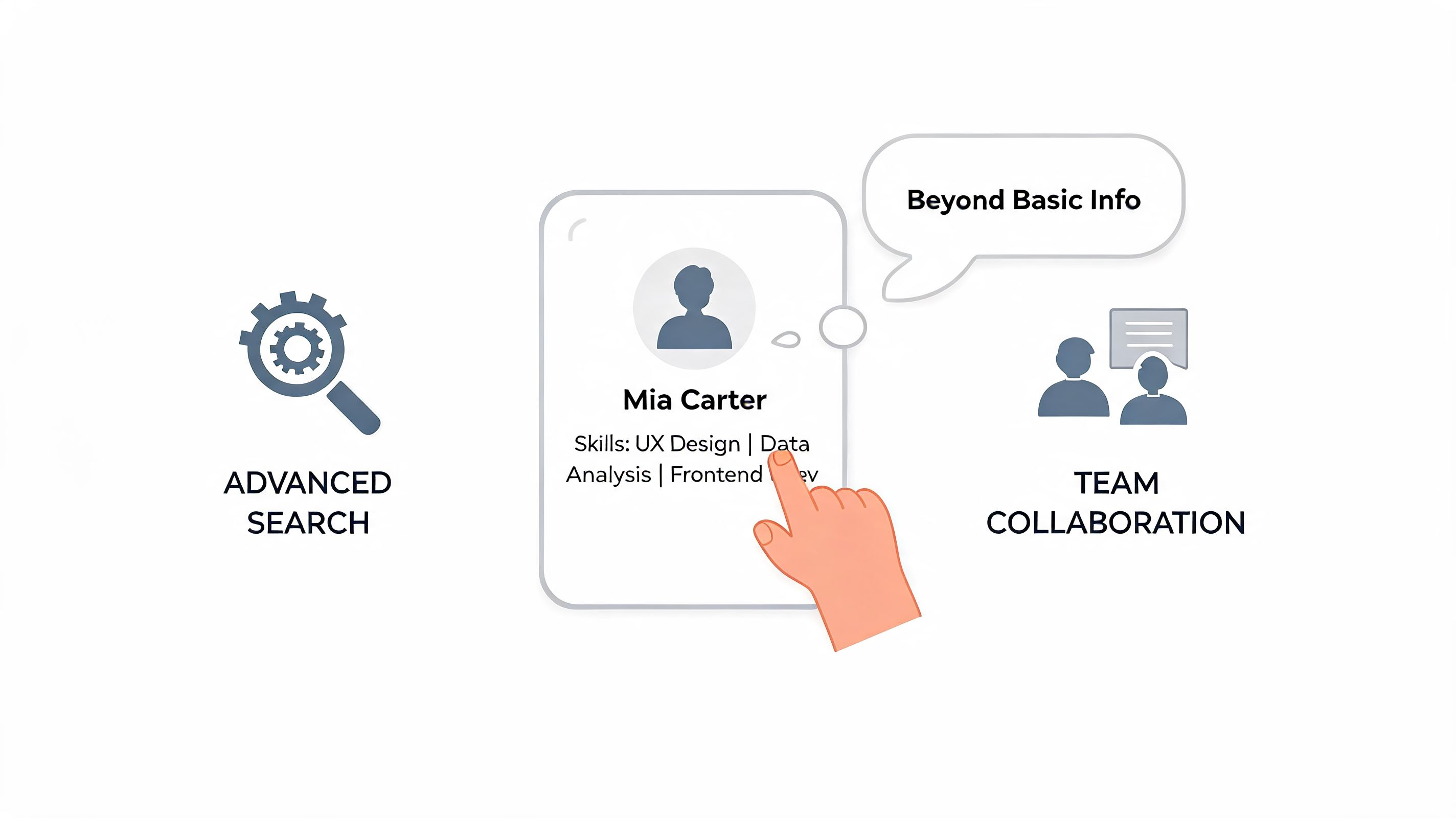
This is the first test I'd run in any demo. Don't search for “Sarah Chen.” Search for “Spanish-speaking recruiter in Texas” or “night shift supervisor in packing” or “someone who knows warehouse onboarding.” If the tool falls apart there, it's not helping much.
A good search experience supports how people think. They don't always know the name. They know the problem.
A living org chart
Most org charts are annual artifacts. They exist for presentations, not daily work. A useful directory turns the org chart into a navigable map. You can see reporting lines, adjacent teams, and where a person sits in the wider company.
This matters for more than curiosity. It cuts down on misrouted requests, helps new hires understand the business faster, and gives frontline teams a clearer line of sight into the rest of the company.
Mobile access isn't optional
If the directory works beautifully on a laptop and badly on a phone, it excludes a big part of the workforce by design.
Healthcare staff, retail associates, warehouse teams, restaurant crews, field techs, and drivers don't live in desktop tabs. They need fast lookup, simple profiles, and direct contact from a mobile device. If that experience is clunky, adoption won't be low by accident. It will be low because the product was built for somebody else.
Sync and security decide whether the tool survives
The feature that matters most is the one buyers often ignore because it's not flashy. Data sync.
Modern directory software relies on LDAP-based architecture and automatic synchronization with HR databases and Active Directory, combined with SSO and role-based access to keep information accurate and secure, as described in Axero's overview of employee directory software architecture. That's the difference between a living system and another neglected database.
If job changes, manager changes, location changes, and new hires don't flow in automatically, people stop trusting the directory. Once trust goes, usage goes with it.
For teams comparing options, tools like Pingboard, BambooHR, and integrated platforms such as Pebb's people profiles are worth evaluating based on this exact question. Not who has the longest feature list. Who keeps the data alive with the least manual effort.
Don't buy a directory for launch day. Buy one for month eight, when the org has changed and nobody has time to babysit it.
How Real Teams Use a Company Directory
The value of employee directory software gets clearer when you watch people use it under pressure.
Not in a polished demo. In ordinary work.
The remote new hire
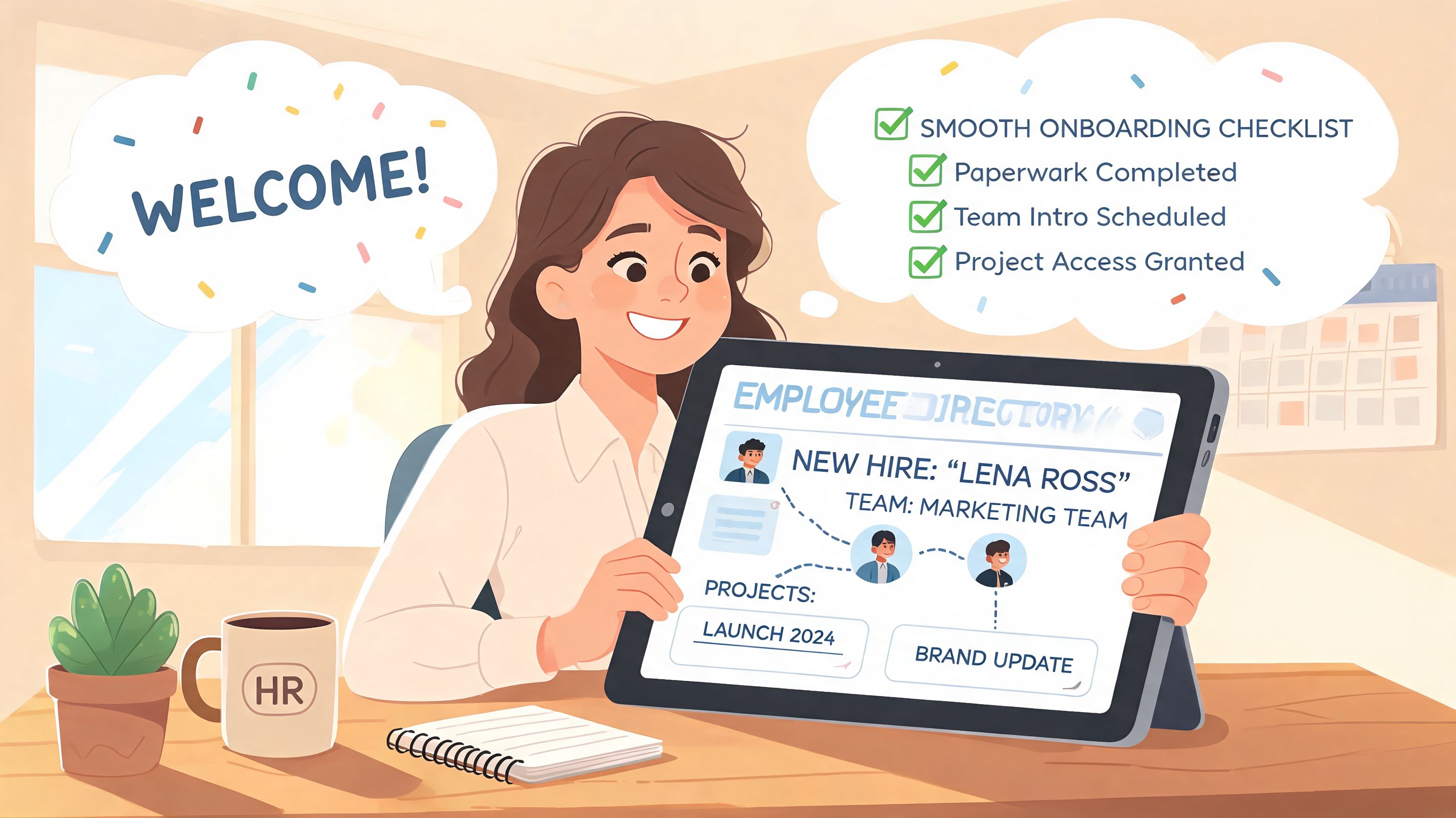
A People Ops manager brings on someone who will never set foot in headquarters. On paper, onboarding is complete. Laptop shipped. Forms signed. Training scheduled.
But the new hire still doesn't know the company.
A good directory closes that gap. They can look up their manager, see who sits on the broader team, understand cross-functional partners, and get a feel for the names that keep coming up in meetings. If the company also runs its communication and knowledge in a shared hub, that onboarding gets smoother because the directory connects naturally to the place where work happens. That's one reason some teams pair the directory with a broader company intranet for internal communication.
The practical win isn't abstract engagement. It's reducing that lost feeling in the first few weeks.
The shift supervisor
A supervisor at a busy location needs to solve a staffing problem before it becomes a customer problem. They don't have time to email HR and wait. They need to find who's qualified, who manages that person, and how to reach them now.
Mobile-first directories prove their value in these situations. The supervisor opens the app, searches by role or location, checks the person's profile, and contacts the right colleague without chasing a chain of approvals just to find a name.
That's not glamorous. It's just useful. Useful wins.
The project lead
A product manager is staffing a new initiative with people from engineering, operations, support, and design. The org chart alone won't help much. Titles are too vague. The best candidate for the job may sit in another department entirely.
A richer directory changes the search. Instead of asking managers to nominate people from memory, the lead can search by skill, background, project history, or team context. They find the right contributors faster, and they often surface people who'd be invisible in a title-only system.
The best directories make companies less hierarchical in practice. People can find expertise without waiting for an introduction.
Three very different situations. Same underlying need. People need a reliable way to find each other beyond the narrow lane of their immediate team.
That's why the category matters more than it used to.
How to Choose the Right Tool for Your People
Buying employee directory software gets easier when you stop treating every vendor as if they're in the same category. They aren't.
Some tools are simple staff directories. Some are HR systems with a directory tucked inside. Some are broader workplace platforms where the directory is one piece of a larger setup. If you don't know which kind you need, every demo starts to sound good.
Ask who the tool is really for
A lot of directories are sold as company-wide tools but are clearly built for office workers. You can spot this quickly. The mobile experience feels like a shrunken desktop app. Search assumes polished employee data. The workflow starts from an admin dashboard, not from what a supervisor or associate needs in the moment.
Ask the vendor to show the product from the point of view of a deskless worker. If they redirect the conversation to admin controls, that tells you plenty.
Ask how the data stays alive
Many buying decisions go wrong at this stage. Teams fall in love with the front end and ignore the plumbing.
If updates rely on manual entry, reminders, and cleanup projects, the directory won't stay trustworthy. You want a clear answer about system of record, sync behavior, role changes, offboarding, and permissions. Not a vague promise that “it integrates.”
Ask whether it builds connection or just stores records
A lot of products can store employee data. Fewer help people use it to connect across teams, shifts, and locations. That difference matters if your problem is disconnection, not just administration.
Here's a simple way to frame the choice:
Attribute | Basic Directory (The Old Way) | Connection Platform (The Modern Way) |
|---|---|---|
Primary purpose | Store names and contact details | Help people find, understand, and reach coworkers |
Data updates | Manual or lightly maintained | Synced from source systems and kept current |
Search | Name and title lookup | Search by role, team context, skills, and expertise |
Org visibility | Static hierarchy | Living org structure with daily use |
Frontline experience | Often weak or missing | Mobile-friendly and built for people away from desks |
Adoption pattern | Used when someone is stuck | Used as part of regular work and onboarding |
Cultural impact | Low | Helps people feel less anonymous across the company |
A few questions cut through the fluff fast:
Show the mobile experience: What does a shift supervisor see and do in under a minute?
Explain data ownership: Which system wins when employee data conflicts?
Walk through a reorg: How do manager changes and team moves appear in the directory?
Test real search behavior: Can users find people by skill, location, or business context?
Show permissions clearly: What can managers, employees, and admins each see?
Good software answers these questions cleanly. Weak software starts telling stories instead.
Measuring Success Beyond the Launch Day
Teams frequently measure directory rollouts the wrong way.
They look at logins, celebrate the launch, and move on. That's shallow. A login tells you almost nothing. Someone can open a tool, fail to find who they need, and never trust it again. Your dashboard still counts that as activity.
The signals worth watching
The better question is whether the directory is becoming more useful over time.
Start with profile quality. If people profiles are thin, stale, or uneven across locations, the tool won't support real discovery. Then look at search behavior. What are people trying to find? Skills, departments, managers, locations, specialists? Search patterns reveal where the company has confusion, not just where the software has traffic.
Qualitative feedback matters too. Ask employees simple questions. Was it easier to find the right person this month? Did onboarding feel less confusing? Did managers spend less time redirecting people to the correct contact?
If your directory is healthy, employees should describe it as faster, not prettier.
What advanced analytics add
The stronger platforms go beyond lookup and into pattern detection. Next-generation tools use AI-powered natural language search and computed analytics to turn profile data into insights, tracking things like skill distribution, departmental tenure, and engagement patterns, which gives leaders a clearer view of workforce connectivity and cultural health, according to GoProfiles' 2026 guide to employee directory software.
Used well, that kind of insight helps leaders spot practical issues. Maybe one location is isolated from the rest of the company. Maybe a team has weak visibility outside its own function. Maybe a specific skill set is concentrated in too few people.
Tie it back to real work
The best measurement habits stay close to operational outcomes.
Onboarding quality: New hires know who to contact and how the company fits together.
Project staffing: Managers can identify internal expertise without long nomination chains.
Cross-team visibility: Employees reach beyond their immediate circle more easily.
Trust in data: People stop double-checking the directory because it's usually right.
That is the true scorecard. Not whether people clicked around during launch week, but whether the company became easier to move through after the rollout.
The Real Job of a Company Directory
A company directory's real job isn't to be tidy.
It isn't to impress HR with complete records or give IT one more system to maintain. It isn't even to answer the narrow question, “What's this person's title?” Those things matter, but they're side effects.
The primary objective is to make the company feel less anonymous.
When employee directory software works, people stop seeing the organization as a maze of departments and unknown names. They start seeing reachable colleagues. A new hire can find their footing. A frontline worker can get help without a chain of middlemen. A manager can discover talent outside the usual circles. The business becomes easier to move through because the people inside it are easier to find.
That's why I don't think of a directory as a utility anymore. I think of it as infrastructure for trust and connection.
A static database can tell you who works here. A good directory shows how people can help each other. That's a very different thing.
And if your company disappeared into its current directory tomorrow, would people feel more connected, or just more documented?
If you're trying to connect frontline and office teams in one place, Pebb is one option worth looking at. It combines a searchable people directory with chat, updates, knowledge, tasks, and mobile access, which is useful for teams that don't want the directory separated from the rest of daily work.
