
Successful Project Management: Simple Steps for Teams
Master successful project management for frontline & hybrid teams. Get a simple framework for planning, communication, & tracking that works.
Dan Robin
Projects rarely fail in one dramatic moment. They fail in the small gaps.
A store manager thinks operations owns the rollout. Operations thinks HR is training people. The warehouse lead never saw the latest update because it was buried in email. Someone made a spreadsheet. Someone else made another one. By the time leadership asks for a status update, everybody has activity to report and nobody can say, plainly, whether the work is on track.
I've seen this on factory floors, in retail back rooms, in hospital admin offices, and in polished conference rooms with expensive chairs. The setting changes. The pattern doesn't. Work breaks down when the plan is fuzzy, communication is noisy, and the people doing the job can't see the same reality at the same time.
That's why successful project management is usually less about sophistication and more about discipline. Not heavy process. Not clever templates. Just a few simple systems that hold up when the work gets messy.
The test comes in the last mile. It's easy to talk about project management when everyone sits at a laptop all day. It's harder when half the team is on shift, some people only use a phone, and the most important updates need to reach staff who are serving customers, moving inventory, or handling patients. That's where most advice gets thin. That's also where the work either sticks or falls apart.
The Foundation of Successful Project Management
The foundation isn't software. It isn't a certification. It isn't a beautifully color-coded timeline.
It's clarity.
Most projects that struggle aren't short on effort. They're short on a shared understanding of what is being built, why it matters, who owns each part, and what done looks like. Teams can survive a bad week. They usually can't survive sustained ambiguity.
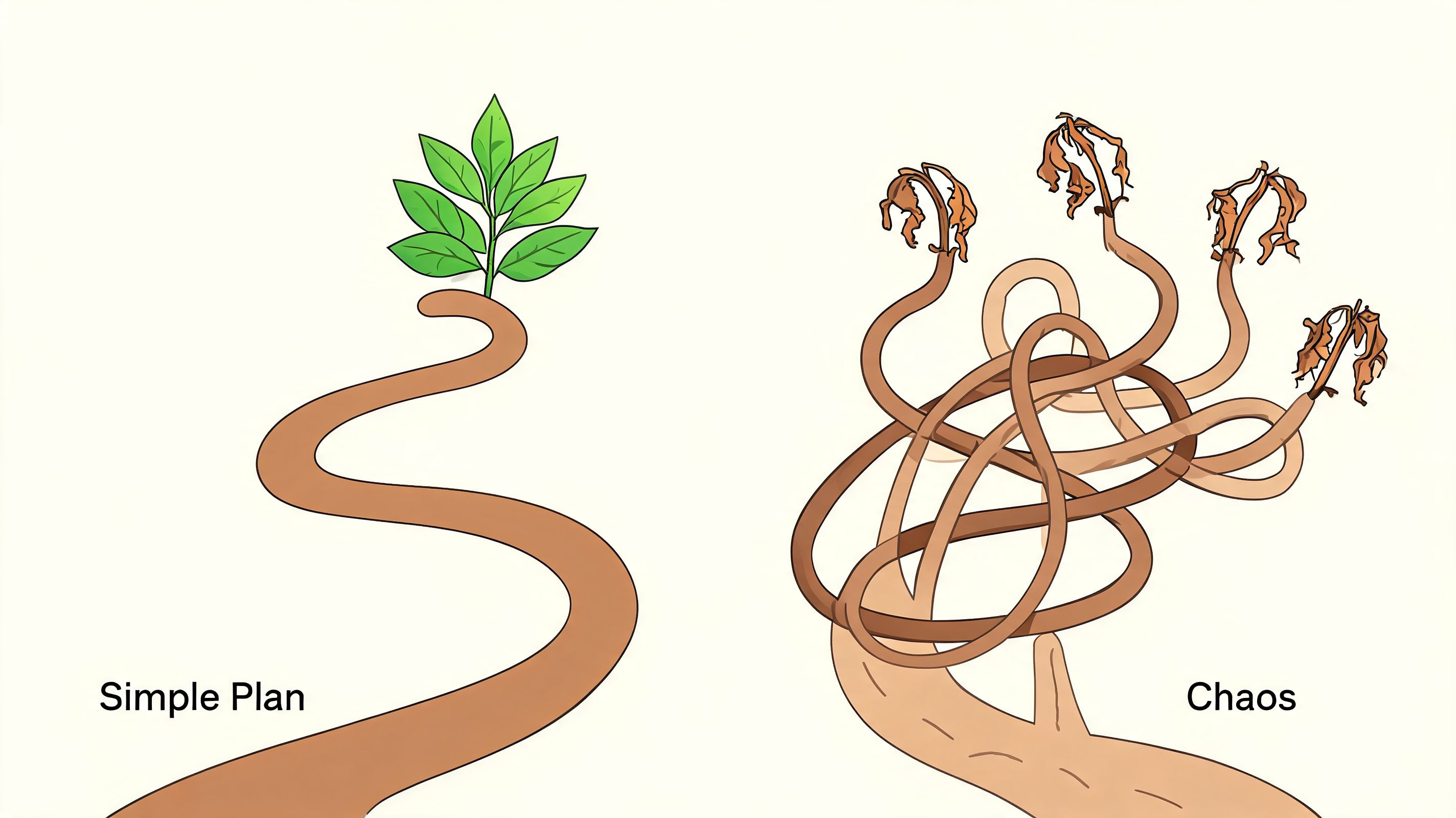
I once watched a rollout drag for months because nobody had written down one basic thing. Who approves the final version at each location? Everyone had a reasonable assumption. None of those assumptions matched. So the team kept moving, then stopping, then redoing work after the fact. Morale dropped long before the deadline did.
That kind of waste isn't rare. Organizations using proven project management methods lose 28 times less money on failed initiatives than those without structured approaches, according to this roundup of project management statistics. The point isn't that you need more ceremony. The point is that structure prevents expensive confusion.
A one page plan beats a thick binder
When I start a project, I want one page that anyone can read. Executive, supervisor, scheduler, nurse manager, warehouse lead. If the plan only makes sense to the project office, it isn't a real plan. It's paperwork.
A useful one-page plan answers a short set of questions:
What problem are we solving: State it in plain language people recognize from daily work.
What does success look like: Not abstract ambition. Observable outcomes.
What are the major milestones: A short sequence, not a maze.
Who owns what: One name for each important decision and deliverable.
By when: Dates matter because trade-offs become visible.
That last piece matters more than teams admit. I use a simple Who, What, By When frame because it leaves very little room to hide. You don't need a giant responsibility matrix to get started. You need direct ownership.
Practical rule: If two people jointly own a task, nobody owns it when things go sideways.
Role clarity is not bureaucracy
People hear "roles and responsibilities" and picture sluggish process. In practice, clear roles speed everything up. A frontline supervisor should know whether they're expected to collect feedback, make a decision, or carry out a task. Those are different jobs. Confusing them creates delay and resentment.
A short table often does more than a long meeting.
Work item | Owner | Support | Deadline |
|---|---|---|---|
Training draft | Named lead | Ops and HR review | Agreed date |
Pilot location launch | Site manager | Central project team | Agreed date |
Staff feedback summary | Local supervisor | Team leads | Agreed date |
This is basic. That's why it works.
If you want a formal framework behind the basics, a good PMP study guide is useful for learning the discipline without drowning in theory. But day to day, the practical test is simple. Can the person closest to the work explain the plan without calling a meeting first?
Complexity feels smart until it slows the work
I've seen teams build complex trackers before they've made three basic decisions. It looks mature. It isn't. Complexity often acts like a hiding place for indecision.
Successful project management starts by removing noise. The cleaner the plan, the easier it is to spot risk, adjust early, and keep trust intact. If you need a useful benchmark for what good execution looks like in practice, this guide on managing projects successfully gets the basics right.
A project plan should reduce interpretation, not create more of it.
When a project gets tense, teams don't rise to the elegance of the process. They fall back to what is clear. That's why the foundation has to be simple enough to survive contact with real work.
Establishing a Communication Rhythm That Works for Everyone
Most project communication isn't communication. It's leakage.
Updates drip into chat threads, side texts, hallway conversations, call notes, email chains, and meeting recaps. People spend all day receiving information and still miss the one thing they needed. The result is familiar. Repeated questions, inconsistent decisions, and that low-grade anxiety that comes from never knowing whether you've got the latest version.
This gets worse with frontline teams because the standard playbook was built for desk workers. As noted in MIT Sloan Management Review's discussion of successful project managers, the literature leans heavily toward traditional, co-located teams. That leaves a real gap for retail, healthcare, logistics, and hospitality teams that need asynchronous, mobile-first communication.
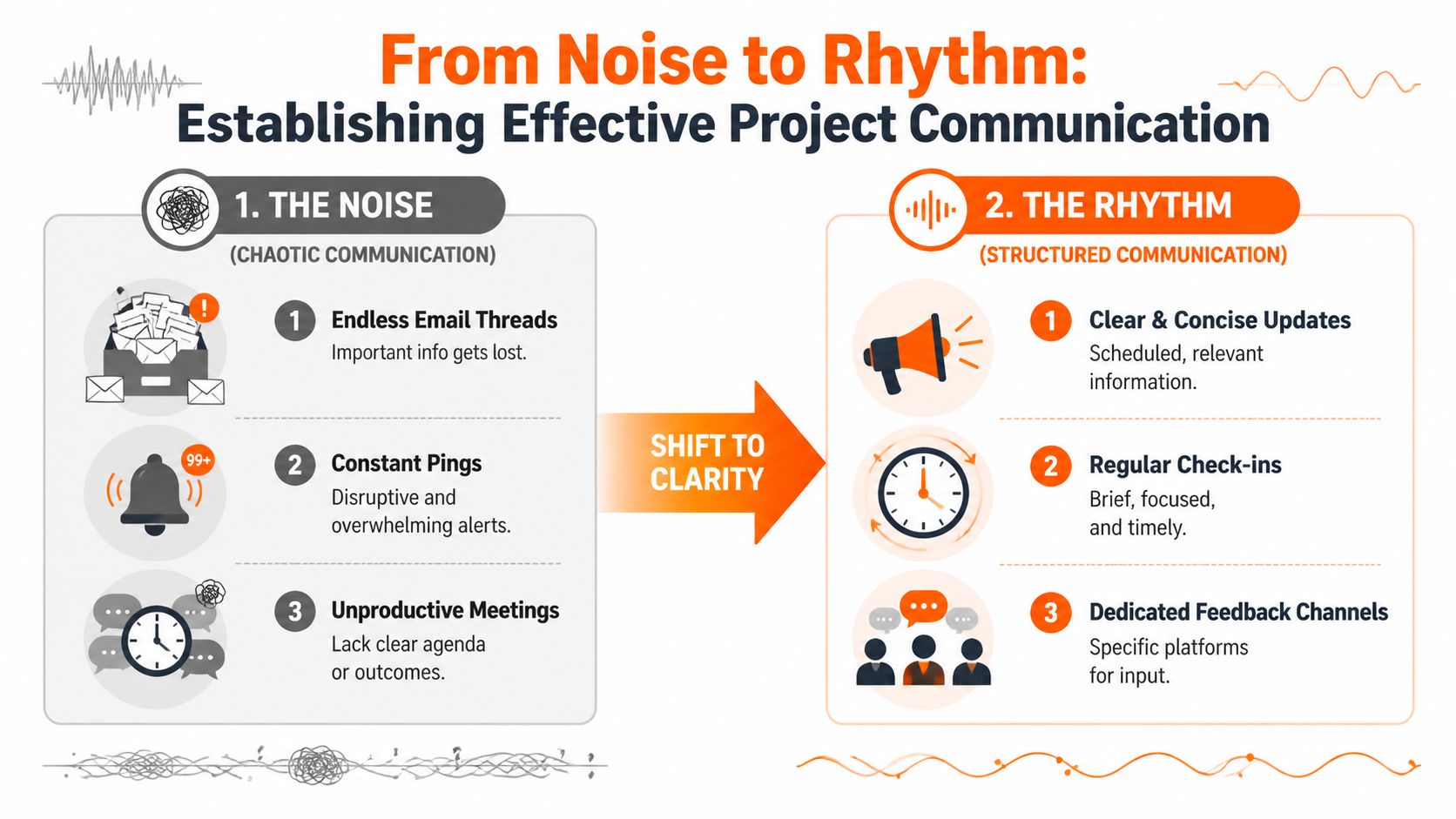
The fix is not "more communication." The fix is rhythm.
What rhythm looks like in the real world
A good communication rhythm tells people three things. Where updates live. When they should expect them. How they should respond.
That predictability matters. It lowers the mental load. People stop hunting for information because they know when and where it will show up.
A simple rhythm often looks like this:
Daily check-in: Short, asynchronous, focused on blockers and today's priority.
Weekly project update: Written summary with decisions made, work completed, risks, and what's next.
Monthly review: A slower conversation about progress, lessons, and trade-offs.
The shape stays the same, but the delivery changes by team.
For an office team, the daily check-in might sit in Microsoft Teams, Slack, or Basecamp. For a store network, it may need to land in a mobile app that people can read between shifts. For a healthcare environment, the message needs to respect handoffs, role-based visibility, and the fact that nobody has time to read a novel during a busy day.
Asynchronous first, meetings second
A lot of teams schedule meetings because they don't trust written updates. Usually that's because the written updates are weak.
Strong asynchronous communication has a few traits:
It is brief. A wall of text gets ignored.
It is structured. Yesterday, today, blocker. Or done, next, risk.
It is visible. Everyone knows where to find it later.
It invites action. People can respond without needing another meeting.
Here's a format I like for quick updates:
Done. Doing. Blocked. Decision needed.
That works because it forces signal over noise. If someone can't answer in a few lines, the task probably isn't well defined yet.
For teams trying to build a calmer system, this piece on an effective communications strategy is worth reading. The point isn't to communicate constantly. It's to communicate deliberately.
Match the cadence to the work
Not every project needs the same pulse. A location opening, policy rollout, or system migration usually needs tighter feedback loops than a slower internal improvement effort.
I think about communication in terms of operational pressure:
Team setting | Daily rhythm | Weekly rhythm | What to avoid |
|---|---|---|---|
Office team | Written stand-up | Shared summary | Meetings that repeat the document |
Hybrid team | Async update plus office-hours slot | Written recap with decisions | Important updates only said live |
Frontline team | Mobile update at shift change or handoff | Manager brief with clear actions | Email-only communication |
The mistake is trying to force one format on everybody. A good rhythm respects the reality of the workday. If staff don't sit at desks, don't build a communication plan that depends on inbox discipline.
People can handle bad news. They can't handle surprise caused by silence.
The best project communication feels almost boring. That's a compliment. Predictable beats dramatic every time.
Moving From Task Chaos to Calm Control
The ugliest projects I've inherited all had the same smell. Half the tasks sat in a spreadsheet. A few lived in email. Someone had action items in a notebook. A manager had their own list "just to stay on top of things." Nobody trusted the system, so everyone built a backup system. That's how chaos multiplies.
One retail rollout comes to mind. Regional leads were sending updates by email, site managers were tracking readiness in separate sheets, and support issues were being flagged in chat. Every Friday, somebody stitched it all together for leadership. The report looked polished. The project itself was not.
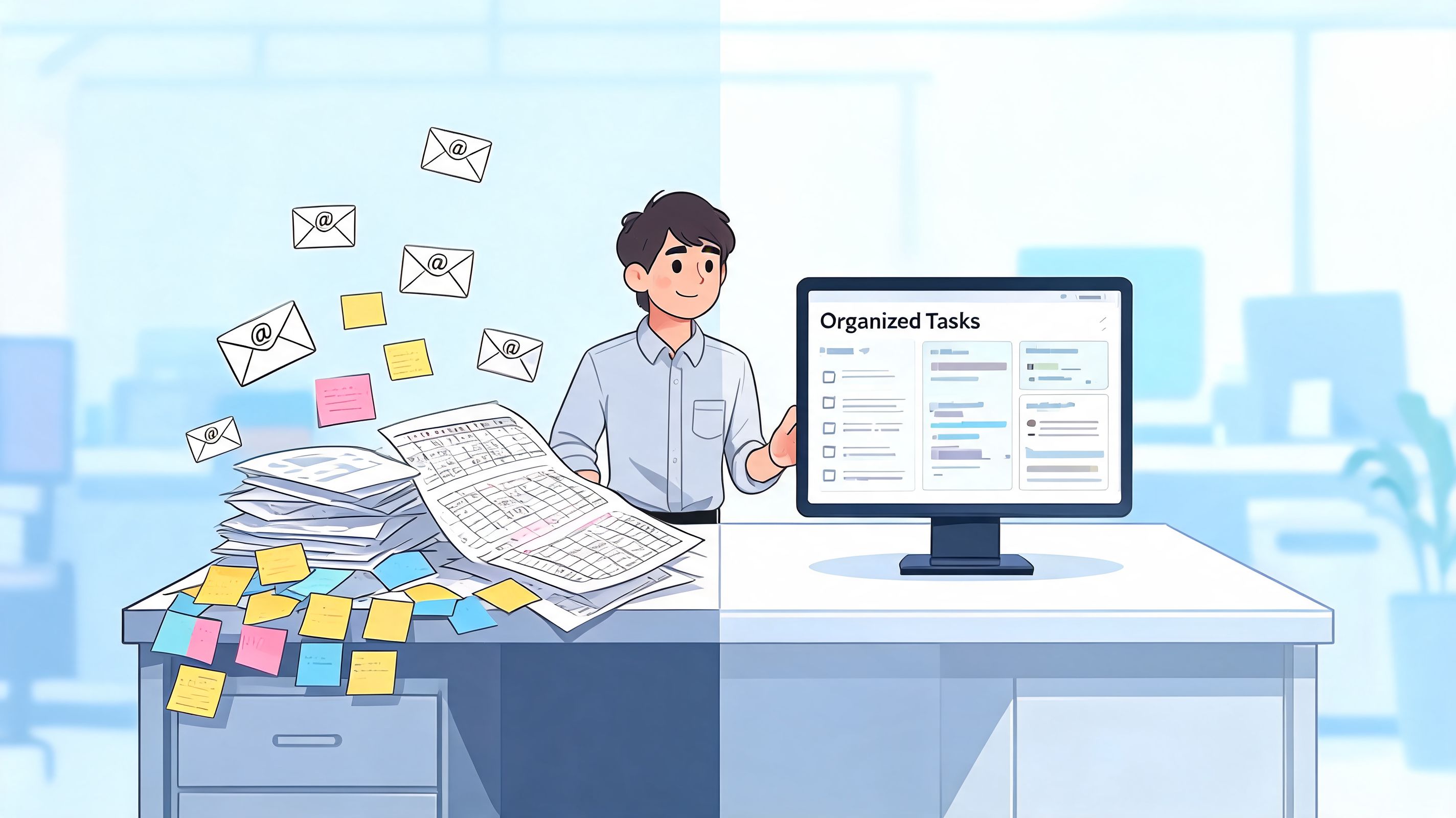
The turning point wasn't dramatic. We stopped debating tools and made one rule. If work mattered, it had to live in one place with an owner and a status. No side lists. No private trackers. No "I'll remember."
That sounds obvious. It isn't common.
According to Ravetree's roundup of project management statistics, only 35% of projects are completed successfully on average, and high-performing organizations are much more likely to use dedicated project management software. The software itself isn't magic. The value comes from centralizing work so people can see the same truth.
One source of truth changes the mood
When teams move from scattered task tracking to a single system, the first thing that changes isn't speed. It's stress.
People relax when they don't have to wonder whether they're missing something. Managers stop chasing updates because status is visible. Team leads stop rewriting the same summary in three places. That relief matters because frantic teams make worse decisions.
The system we used was simple. Every task had:
A clear owner: one person, not a committee
A status that meant something: not vague labels nobody used consistently
A due date: because "soon" isn't a date
A note on outcome: what finished work should produce
That last point is where many teams go wrong. They track activity instead of outcomes. "Training sent" is activity. "Managers completed training and can run the new process" is an outcome. One tells you something happened. The other tells you whether it mattered.
Visibility is not micromanagement
Some people hear centralized tasks and think surveillance. That's bad design, not project management.
A healthy task system doesn't exist so leaders can hover over every move. It exists so the team can coordinate without friction. The difference is whether the tool helps people make decisions or just report upward.
I look for a few signs that a task system is doing its job:
People can tell what's blocked without asking around.
Handoffs are visible, especially across shifts or departments.
Important deadlines don't depend on somebody remembering them from a call.
New team members can get oriented by reading the work, not by chasing context.
The best task board doesn't shout. It quietly removes excuses.
Track the work that moves the project
You don't need fifty fields on every task. In fact, extra admin usually kills adoption. Teams stop updating the system because the system feels like a second job.
A lighter approach works better. I prefer three layers:
Layer | What it captures | Why it matters |
|---|---|---|
Project outcome | The result the project exists to produce | Keeps the work tied to purpose |
Milestones | The few points that show meaningful progress | Makes slippage visible early |
Tasks | The next concrete actions with owners | Helps the team move day to day |
Once that retail project had one task system, the weekly meeting changed. We didn't spend the first half figuring out what was going on. We spent the time making decisions. That's the whole game. A good system doesn't create more work. It clears the path for the actual work.
Successful project management feels calmer than people expect. Not because the work is easy, but because the team isn't wasting energy reconstructing reality every morning.
The Playbook for Adopting a Unified Work App
At 6:15 a.m., the day shift walks in and the project is already off track. The update sits in a regional manager's email. The task list lives in a project tool the floor lead never opens. A photo of the site issue is buried in a chat thread from last night. By lunch, three people have solved the same problem in three different places.
That is not a planning failure. It is an access failure.
For desk teams, fragmented tools are annoying. For frontline and distributed teams, they break execution. If the people receiving stock, turning rooms, moving patients, or opening a store cannot see the latest decision in the flow of work, the project slips in the last mile.
A unified work app helps by putting communication, tasks, files, and updates in one operating system the whole team can reach. It does not replace good management. It gives good management a place to stick.
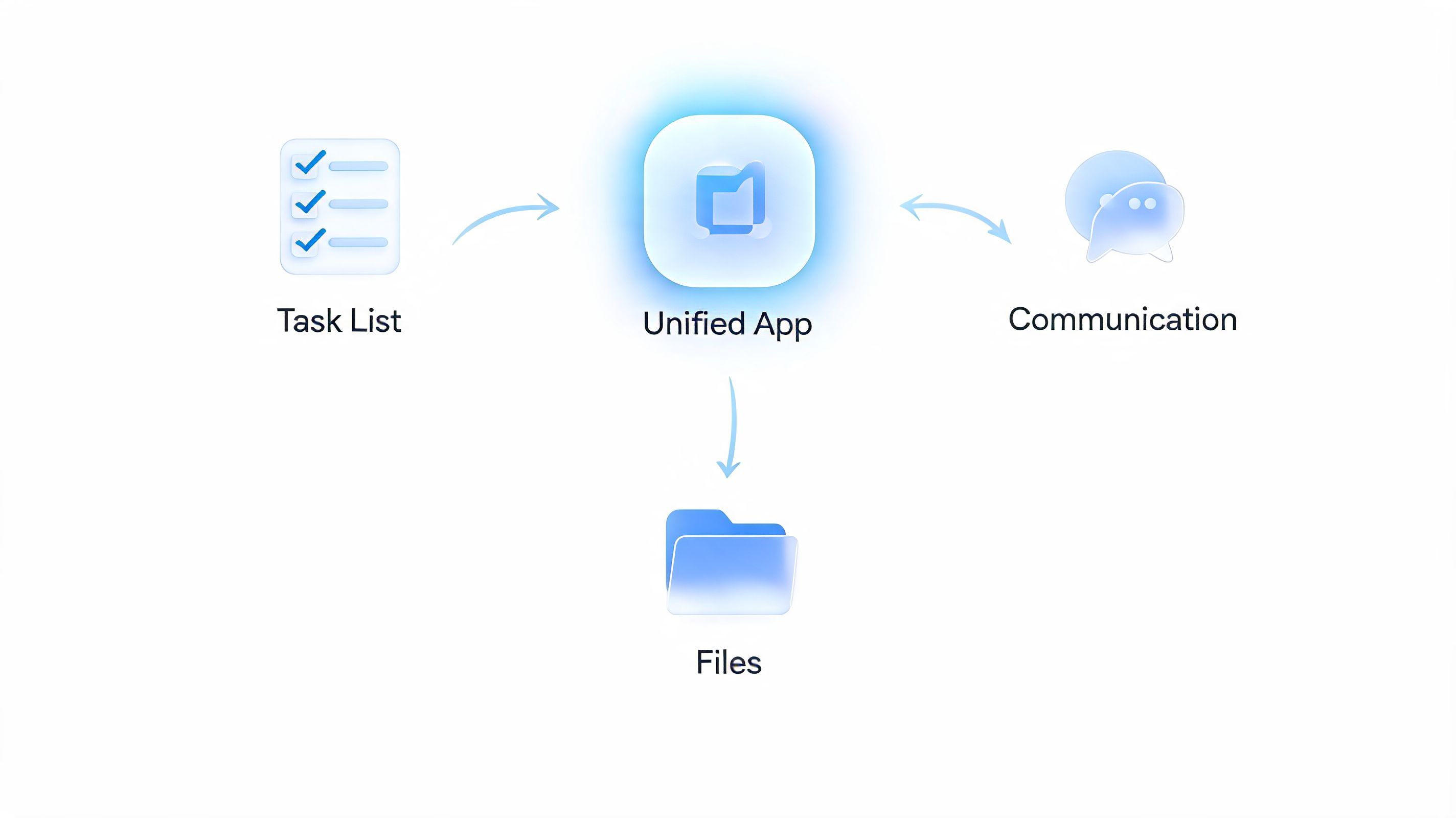
There's also a method question behind the tool choice. Teams that rely on rigid plans often struggle once the field reality changes. Agile projects achieved a 42% success rate versus 13% for waterfall projects, according to this analysis of Agile and waterfall outcomes. The lesson I take from that is simple. Teams need room to adjust without losing visibility.
Start with one live project
Start with a project that has enough friction to test the app in real conditions.
In practice, that usually means cross-functional work, shared deadlines, and a mix of desk-based and mobile staff. A new store setup, a clinic process change, a warehouse rollout, or a regional training launch all work well. They expose the handoff problems fast.
I avoid pilots that are too polished. If a test project only involves headquarters staff with laptops and regular hours, it tells you very little about whether the app will hold up where work is noisy, time-boxed, and shift-based.
Set one rule early. The project's main communication, task tracking, and files live in the app. If managers keep making exceptions for text messages, side chats, and private notes, the pilot gives you false confidence.
Build one home for the work
The setup does not need to be fancy. It needs to be obvious.
I usually build a project space with five parts:
A project overview post
Purpose, success measures, milestones, owners, and the current status.Task lists or boards
Assigned work, due dates, and progress in the same place people read updates.Files and reference docs
SOPs, checklists, photos, training materials, forms, and issue logs.People visibility
A directory or profile view so staff can quickly find the right person across sites, shifts, or departments.An update channel
A single stream for weekly summaries, decisions, changes, and exceptions.
That structure matters more for distributed teams than for office teams. A supervisor on a store floor or a charge nurse between rounds does not have time to hunt through three systems to piece together context. A plain-language explanation of what a unified communications platform is can help if the category still feels fuzzy.
Fit the tool to the work, not the other way around
Good software still fails when teams dump old habits into it. I have seen groups buy a cleaner app, then rebuild the same clutter that made the old setup unusable.
Keep the first version lean.
What to set up first | Why it works |
|---|---|
Clear spaces by project or team | People know where to go |
Simple statuses | Updates stay consistent |
Lightweight notifications | Staff don't mute the app immediately |
Mobile-friendly workflows | Frontline teams can use it |
Mobile use matters more than many project plans admit. If a tool works best from a desk, the people closest to the work will update it late, secondhand, or not at all. Then leaders start making decisions from stale information and wonder why the rollout feels shaky.
One option in this category is Pebb, which combines chat, Spaces, tasks, files, profiles, scheduling, and engagement features in one app for frontline and office teams. Whether a team uses that, Microsoft Teams with Planner, Basecamp, ClickUp, or another setup, the principle stays the same. Fewer disconnected systems usually means less drift between plan and execution.
A unified app doesn't fix weak habits. It makes good habits easier to repeat.
Roll it out in passes
The strongest rollouts do not try to design the final state on day one. They earn adoption by solving today's friction first, then tightening the system once the team trusts it.
A practical rollout often happens in three passes:
Pass one: move active communication and core tasks into one place
Pass two: add files, templates, and recurring check-ins
Pass three: refine permissions, onboarding, and reporting based on real use
That order works because people need proof before they give a new tool their attention. On a factory floor, in a retail district, or across home health routes, nobody cares about governance diagrams until the app saves them time on a real shift.
The best unified work app is the one people still use after the launch meeting, after the first busy week, and after local workarounds start tempting the team again. That is when adoption becomes operating discipline.
Thinking Beyond the Finish Line
A lot of project reporting still asks the wrong question.
Was it on time? Was it on budget? Did the team deliver the agreed scope? Those things matter. They just don't tell the whole story. I've seen projects hit the date and still fail because the field teams never adopted the process, managers worked around the tool, or the rollout left everyone exhausted and cynical.
That's not success. That's delivery.
According to PMI's discussion of delivering successful projects, most frameworks still focus on time, budget, and scope while missing outcomes like employee adoption, engagement, and cultural alignment. For leaders running change across distributed teams, that's a serious blind spot.
Measure whether the work actually landed
When a project changes how people work, the finish line is not go-live. The finish line is steady use without constant rescue.
I look for signs such as whether people can follow the new process without extra coaching, whether handoffs are smoother than before, whether local managers are reinforcing the change, and whether the work feels simpler or heavier to the staff closest to it. Those aren't vanity measures. They're the difference between a rollout that sticks and one that decays.
A short review after launch helps. Not a ceremonial lessons-learned deck that nobody reads. A plain conversation.
What are people using
Where are they still getting stuck
What workarounds appeared
What should we remove, not just add
If people bypass the new process in week two, the project is telling you something.
Onboarding and risk are long tail work
Good projects also make it easy for the next person to step in. Staff change roles. Managers transfer. New supervisors arrive midstream. If the project only lives in the heads of the original team, it becomes fragile fast.
That means keeping the basics visible. Current decisions. Open risks. Key files. Owners. The point isn't documentation for its own sake. The point is continuity.
Risk management should work the same way. Keep it light and honest. Name the few risks that could hurt the project, decide what you'll do if they happen, and revisit them often enough that they stay real. Bureaucratic risk logs usually rot because nobody uses them. Practical risk notes survive because the team can act on them.
Successful project management isn't a sprint to a deadline. It's a way of running work so people can trust the plan, trust each other, and keep going after the launch meeting is over. That's the standard worth holding.
If you're trying to bring project plans, team communication, task tracking, files, and frontline coordination into one place, Pebb is worth a look. It gives teams a single mobile-friendly home for the work, which is often what makes the last mile manageable.
