
Managing Projects Successfully: Proven Strategies
Learn to excel at managing projects successfully. Get a calm, practical framework for office & frontline teams. Master planning, execution, and closing work.
Dan Robin
The rollout looked simple on paper. New checklist, new training note, one kickoff call with the office team, and by week two the night shift was still doing the old process because nobody had shown them the update on a device they used.
That is project work in practice. Not the clean version from a slide deck. The practical version, where office teams think the message was sent, frontline teams never saw it, and everyone acts surprised when the deadline slips.
The Messy Reality of Most Projects
Most projects do not fail with a dramatic explosion. They fail subtly.
A task sits with no owner. A decision gets made in a meeting and never written down. Someone in operations assumes HR is handling the training. HR assumes store managers are handling it. The people doing the work get partial information, late.
That pattern is so common it barely feels unusual anymore. And that is the problem.
According to Harvard Business Review and Standish Group research summarized here, only 35% of projects are completed successfully on time, within budget, and meeting quality targets. 65% fall short in some critical way. If you have spent any time running projects across departments, stores, sites, shifts, or clinics, that number feels believable.
Where the plan starts breaking
The early days usually look good.
There is a kickoff. People nod. Someone shares a timeline. A spreadsheet appears. A few smart people say the right things about accountability. Then the project leaves the room and enters operations.
That is when the cracks show.
For office-only work, you can sometimes limp along with meetings, email, and goodwill. For mixed teams, you cannot. A floor supervisor is not refreshing email during a rush. A nurse is not hunting through three chat threads for the latest form. A warehouse lead is not joining a long status call while trying to cover an absent shift.
The project plan may be technically sound. The delivery system is not.
The gap between managers and the work
Traditional project advice often assumes people sit at desks, work similar hours, and can absorb updates the same way. That is rarely true in retail, hospitality, healthcare, logistics, or field operations.
You might have one team creating the process in an office and another team living with the consequences on the floor. That gap changes everything.
A change that sounds minor to head office can create extra steps during check-in, medication rounds, stock receiving, or end-of-day close. If the project team does not understand that, they build friction into the rollout from the start.
A project is not real when the leadership team approves it. It becomes real when the busiest person on the frontline has to do it correctly on a tired Tuesday.
Consequently, many teams start looking for a mobile workforce management app. They are not chasing novelty. They are trying to close the distance between people planning the work and people carrying it out.
Complexity is often self-inflicted
I have seen more projects drown in too much process than too little effort.
Teams create layers of status meetings, approval chains, and reporting rituals because it feels responsible. In practice, they produce delay, not clarity. People spend more time proving they are managing the project than moving it forward.
The worst version is when nobody wants to admit the plan is already off course. So the meetings continue, the deck gets updated, and the frontline team invents workarounds to keep the day running.
That is the messy reality of most projects. Not a lack of intelligence. Not a lack of effort. A lack of shared visibility, clear ownership, and respect for how work happens.
Lay the Foundation Before You Lay the Bricks
Good project setup is not bureaucracy. It is kindness.
When a project starts badly, people end up paying for that confusion later. They pay in rework, repeated questions, missed deadlines, and tension between teams. A calm start saves everyone from that tax.
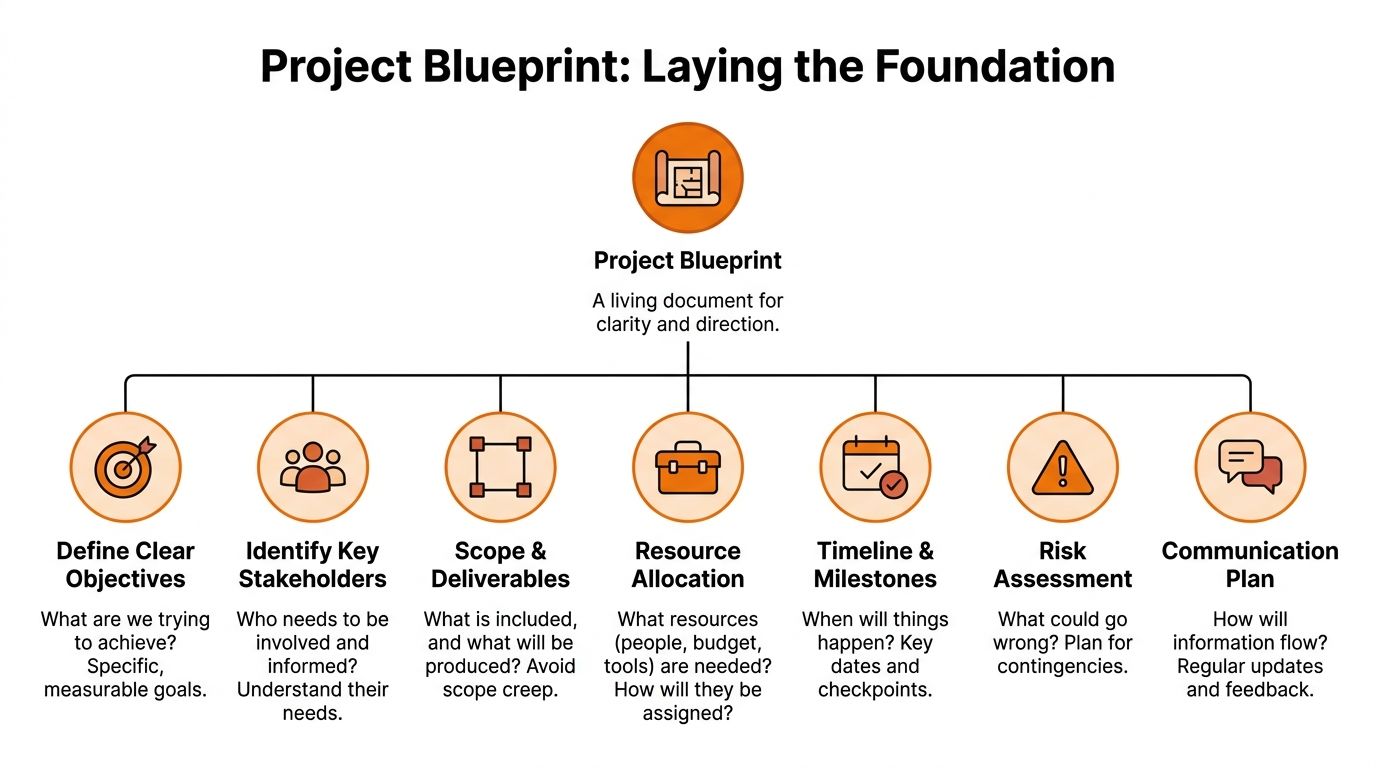
PMI research shows that projects with the strongest outcomes had the highest level of definition before authorization, including schedules, risk analysis, and responsibility matrices. The same research notes that 37% of project failures are tied to unclear goals, which is preventable when teams define the work properly at the start, as described in PMI’s research on improving project performance.
Start with one clear outcome
If you cannot explain the project in one plain sentence, the project is not ready.
Not a slogan. Not a paragraph. One sentence.
“Roll out the new onboarding process across all locations.” Fine.
“Improve employee experience while driving cross-functional alignment and operational consistency.” That is not a project outcome. That is fog.
A clear outcome gives people a way to judge trade-offs. When work gets messy, and it always does, teams need a simple test. Does this help us achieve the main outcome, or is it extra?
Write down what is in and what is out
Scope creep often starts with good intentions.
Someone asks for one extra approval step. Another team wants a reporting field added. A manager asks if this project can also fix a related problem. Each request seems small. Together they change the shape of the work.
A simple scope note helps. It should answer two questions:
What this project includes: The deliverables, teams involved, and the practical result people should expect.
What this project does not include: The adjacent ideas, future phases, and “while we’re here” requests that can wait.
That second part matters more than people think. Projects get safer the moment you give yourself permission not to solve everything at once.
Name the designated owners
A project without named owners becomes a group hobby.
One person needs to own the overall result. Then each major workstream needs one clear owner, not a committee. The supporting people can change. The owner should not.
I like using a short table early, because it forces clarity.
Work area | Owner | What they decide |
|---|---|---|
Training rollout | Department lead | Content, timing, completion checks |
Site readiness | Operations manager | Local staffing, timing, exceptions |
Documentation | Process owner | Final version of SOPs and forms |
Escalations | Project lead | Priority calls and blocker removal |
You do not need a huge governance model. You need fewer blurred lines.
Build one home for the project
Scattered work creates fake progress.
If decisions live in meetings, files live in shared drives, tasks live in another app, and updates live in private chats, the team spends half its energy reconstructing reality. By then, the project is already slower than it looks.
Use one shared home for the project. One place for the scope, task list, files, decisions, and updates. That might be a dedicated workspace in your existing stack, or a single operational hub such as Pebb, where teams can keep project communication, tasks, files, a knowledge library, directory access, and shift context in the same place. The point is not the brand. The point is reducing the scavenger hunt.
For teams reworking how they organize change across departments, digital transformation roadmaps are useful because they force you to think about sequence, ownership, and operational fit before launch.
If your team has to ask “Where is the latest version?” more than once, the foundation is already weak.
Decide how people will communicate before they are busy
Many teams leave communication vague. That is a mistake.
People assume updates will happen. Then they do not. Or they happen in twelve different places.
A simple communication plan should answer this:
Where do decisions get recorded
Where do task updates happen
When do stakeholders get progress updates
How do frontline teams send feedback
What triggers an escalation
That is enough. Keep it practical.
For example, the project lead posts weekly updates in the shared project space. Task owners update status directly on their work items. Site managers raise local blockers in the same thread, not by private message. Final process documents live in one library, not in attachments floating around forever.
Plan for risk like an operator, not a theorist
Risk planning sounds formal. It is usually simple.
Who is likely to be unavailable? Which dependency always runs late? What breaks if the training is not completed before launch? Which locations will struggle most? What happens if a policy changes halfway through?
Write the answers down. Then decide what you will do when one of those things happens.
That is the foundation. Not a giant binder. Enough structure to remove avoidable confusion before the work begins.
Keep the Project Moving Calmly
Once the project is live, many teams overcorrect. They sense risk, so they add more meetings, more chasing, and more noise.
That usually makes things worse.
Project execution works better when the team can see what matters, who owns it, and what changed since yesterday. Calm is not the absence of urgency. It is the absence of chaos.
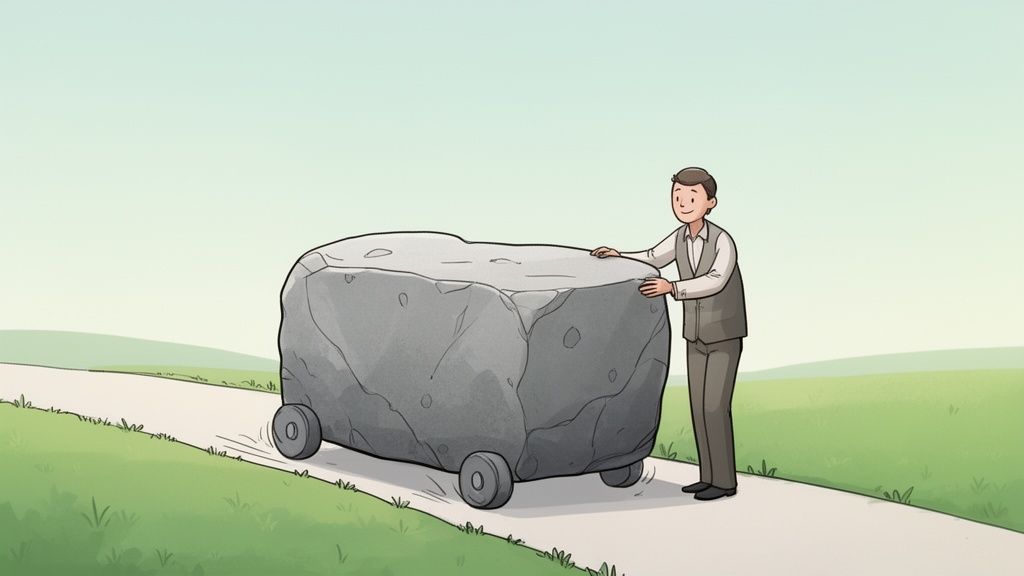
Research summarized by Workamajig shows that 52% to 59% of project failures are tied to communication deficiencies, and only 55% of project leaders feel business objectives are clear to them. That is why a unified communication setup matters, as noted in this roundup of project management statistics.
Trade status theater for visible work
There is a big difference between discussing progress and seeing progress.
Many teams spend hours in status meetings because the work is still opaque. Nobody can quickly see which tasks are blocked, which decisions are pending, or who needs help. So they talk around the missing visibility.
A visible workflow removes most of that need.
Each important task should have:
One owner: not “Ops team”
One due date: not “this week”
One current status: not implied by silence
Context attached: file, note, or linked decision
A clear blocker field: so problems surface fast
The moment that exists, the project changes shape. People stop asking, “Who’s on that?” because they can already see it.
Use a weekly rhythm people can follow
Daily standups can help in some teams. They also become ritualized fast.
For mixed office and frontline work, I prefer a simple weekly cadence with fewer interruptions and clearer expectations. Something like this:
Day | Rhythm | Purpose |
|---|---|---|
Monday | Written priorities update | Confirm what matters this week |
Midweek | Short blocker review | Resolve delays before they grow |
Friday | Written progress wrap-up | Record wins, changes, and open items |
This works because it respects attention. Frontline managers do not need another meeting if a short written update will do. Office teams do not need to perform urgency when the work is already visible.
A Monday post might include the top three priorities, sites affected, pending approvals, and any known staffing constraints. A Friday post should say what moved, what did not, and what needs executive attention.
Small rhythm. Big payoff.
A steady cadence beats a heroic scramble. Teams move faster when they stop reorienting themselves every day.
Keep decisions close to the work
A project stalls when every small question climbs uphill.
The person closest to the work should make the decision when possible. Not every call needs senior review. The project lead should reserve escalation for trade-offs, policy issues, or budget risk.
This matters even more in operations. A site lead can often solve a rollout issue faster than a central team because they understand the local reality. Give them enough context and a clear decision boundary, and they will save the project time.
What fails is the opposite model. Office team controls every detail. Frontline teams wait. The queue grows. Momentum drops.
Watch for disengagement early
A project rarely goes off course all at once. It drifts.
People stop commenting. Updates get thinner. Tasks sit untouched. The same two people carry the thread. That is not laziness. It often means the team is confused, overloaded, or no longer sees the priority. Simple engagement signals help here.
If your workflow tools or communication hub show activity patterns, use them to ask better questions:
Who has gone quiet
Which team has not viewed the update
Where are comments clustering
Which tasks keep getting reopened
Those signs tell you where support is needed.
If you want a broader look at execution habits, this guide on project manager strategies is a useful companion because it focuses on the practical side of ownership, prioritization, and communication.
Protect momentum from constant re-planning
Every project gets new information. That does not mean the plan should reset every other day.
A calm team updates the plan when facts change, not when anxiety spikes. That distinction matters. If you rewrite priorities too often, nobody knows what is stable. The team learns to wait. Work slows before anyone says it aloud.
I use a rough test. If the new request does not change the project outcome, legal requirement, launch risk, or frontline burden in a meaningful way, it can probably wait for the next review point.
The manager’s job during execution
It is not to look busy.
It is to remove friction, sharpen priorities, and keep the team from drowning in secondary noise. Sometimes that means saying no. Sometimes it means rewriting a vague task so someone can finally complete it. Sometimes it means calling out that two teams are solving the same problem in parallel and should stop.
Managing projects successfully is less about constant motion than disciplined attention. The project does not need your stress. It needs your judgment.
Connect the Office to the Frontline
A project with frontline staff is not a normal project with more people. It is a different operating environment.
That difference gets ignored all the time.
An office team can often absorb change through meetings, laptops, and long written updates. A cashier, nurse, driver, housekeeper, or warehouse picker works inside the clock. Their day is shaped by customer flow, patient needs, shift handoffs, safety rules, and staffing gaps. If your project ignores that, the project will lose.
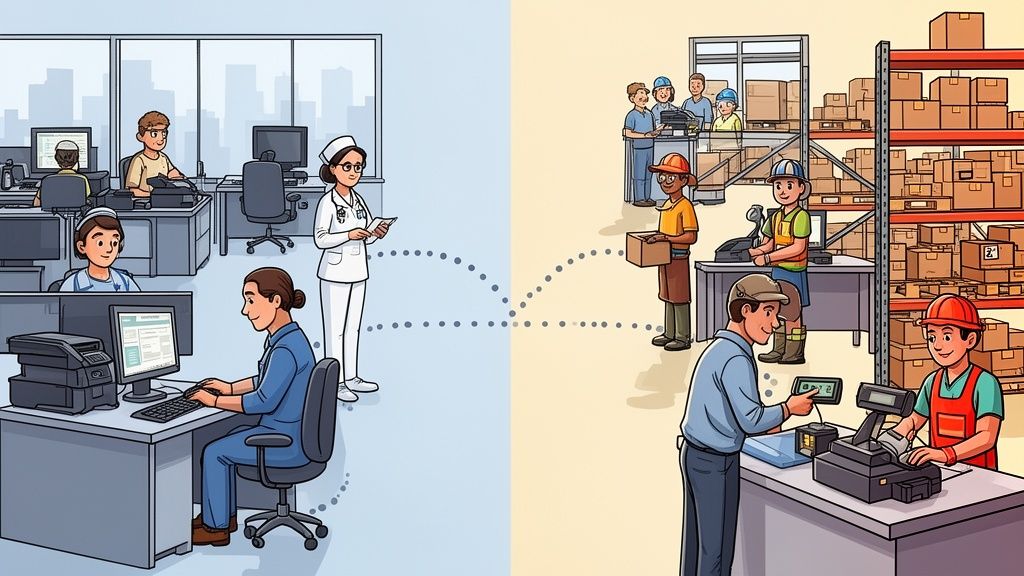
A 2025 PMI pulse survey cited by Indeed indicates that 62% of frontline-heavy projects overrun their budgets by over 30%, largely because mobile collaboration is weak and project plans drift away from operational reality, as discussed in Indeed’s guide to managing projects successfully.
Why office-first project habits fail
Office-first project habits tend to assume three things:
People can read updates when they arrive
People have time to attend sync meetings
People can switch tools without friction
Frontline work breaks all three assumptions.
The person you need most may be on a late shift, covering a callout, helping a customer, or moving between rooms or sites. They are not sitting in a quiet place with spare attention. If your process depends on that setup, your process is wrong.
Design the project around their day
You get better participation when you make project work fit the flow of operational work.
That usually means:
Mobile-first updates: short, clear, readable on a phone
Shift-aware timing: do not post critical changes after most of the team has clocked out
Small actions: confirm, review, complete, acknowledge
Local context: location-specific instructions when needed
Fast feedback loops: one place to flag what is not working
A training guide that takes eight minutes to find will not get used. A checklist pinned where the team already works might.
A long policy note written in office language often gets skimmed and forgotten. A short procedure with plain language, images, and one clear owner gets followed.
Frontline teams do not resist projects because they dislike change. They resist extra friction added by people who do not understand their day.
Use operational context, not wishful planning
One of the most common project mistakes is assigning work as if everyone has equal capacity.
They do not.
A site dealing with understaffing, seasonal demand, or heavy turnover cannot absorb the same rollout pace as a stable office team. If you ignore scheduling reality, your timeline becomes fiction.
Here, connected operational tools are beneficial. If project leads can see shifts, availability, time-off patterns, and active workload in the same environment as tasks and updates, planning improves. Not because the software is magic. Because the manager is finally working with reality.
A store rollout, for example, should not assign training completion to people on back-to-back peak shifts with no coverage. A clinic process change should account for handoff periods and high-acuity windows. A warehouse workflow update should avoid the busiest receiving hours.
Bring feedback up from the floor
Projects fail when frontline staff become the last people asked and the first people blamed.
The floor usually sees the problem first. A form takes too long. A step creates a bottleneck. A message is unclear. A handoff between shifts breaks. Those details rarely appear in the kickoff meeting, but they decide whether the project sticks.
Good managers create one obvious route for that feedback. Not a vague “let me know.” A visible place where people can comment, flag issues, and get a response.
Then do the hard part. Respond. Fast.
When teams see that operational feedback changes the rollout, they engage more openly. When feedback disappears into a black hole, they stop sending it and start building workarounds.
Respect that the project is not their whole job
This is the piece many guides miss.
For office teams, the project may be the work. For frontline teams, the project usually sits on top of the work. Customers still arrive. Patients still need care. Trucks still need unloading. Rooms still need turning. Phones still ring.
Managing projects successfully in these settings means reducing burden wherever possible. Fewer tools. Shorter instructions. Clearer deadlines. Less duplicate reporting. Better timing.
That is not lowering the standard. It is designing for adoption instead of fantasy.
Finish Strong and Learn Something
A lot of projects do not end. They fade out.
The deliverable goes live. The urgent work shifts somewhere else. People stop talking about the project and move on with a vague sense that it was stressful. The team never fully agrees on what worked, what failed, or what should happen differently next time.
That is wasted value.
A clean ending matters because closure does three jobs at once. It gives the team recognition, captures lessons while they are still fresh, and keeps the next project from repeating avoidable mistakes.
Mark the finish on purpose
If the project mattered enough to launch formally, it matters enough to close formally.
That does not require a giant report. It can be a short final update that answers:
What was delivered
What changed from the original plan
What still needs operational ownership
Who helped make it work
Public recognition matters more than many managers think. People remember whether their effort got noticed. Especially in mixed teams, where frontline staff often feel like the invisible half of a rollout, simple credit goes a long way.
Do not overdo it. Be specific.
“Thanks to everyone” is polite and forgettable. “Thanks to the night supervisors who tested the new handoff process during the busiest week of the month” tells people you were paying attention.
Run a lightweight retrospective
You do not need a fancy workshop.
You need honesty and enough structure to stop the conversation from turning into either blame or empty positivity. I like three prompts:
What should we repeat
What should we change
What surprised us
That last one often produces the best insight. Surprises reveal assumptions. Assumptions are where future problems hide.
If the project involved frontline teams, ask for examples from the floor, not from managers. The office team may say communication was clear because they saw every update. The shift lead may tell you the update landed in the middle of the busiest handoff of the week and nobody read it until later. Both can be true. Only one reflects adoption risk.
The lesson is not “communicate better.” The lesson is usually more specific. Post earlier. Shorten the checklist. Give site leads authority to adapt timing. Keep the training file in one place.
Archive the history so it stays useful
A project archive should help the next team, not punish them.
Keep the final scope, key decisions, core files, lessons learned, and a short summary of outcomes. Remove the clutter. Nobody needs twelve versions of a draft or endless minor chatter preserved like sacred text.
A good archive lets someone answer practical questions later:
Why did we choose this path?
What issue delayed rollout?
Which locations needed exceptions?
What document was final?
What would we do differently next time?
That is institutional memory in plain form. Not glamorous, but valuable.
Closure is part of culture
Teams notice whether work gets finished well.
When projects close with clarity, people trust the process more next time. They know effort will be recognized. They know lessons will be captured. They know the team will not sprint into the next thing pretending the last one went perfectly.
That kind of closure creates steadier organizations. Not louder ones. Better ones.
Hard-Won Truths About Project Work
The longer I spend around project work, the less impressed I am by complicated methods and the more I care about habits.
Frameworks matter. Tools matter. But habits decide whether the project lives or dies when the week gets ugly.

The upside is real when teams get this right. High-performing organizations using proven project management practices meet their original goals 2.5 times more often, 89% versus 34%, and waste 28 times less money on failed strategic initiatives, according to this summary of Pulse of the Profession data.
Good projects are gardens
People often talk about projects like buildings. Draw the plan, lay the structure, and then follow it.
That image is too neat.
Projects behave more like gardens. You prepare the soil, plant carefully, watch what is growing, remove what is choking the work, and keep adjusting to weather you do not control. Neglect shows up fast. So does overhandling.
Managers get into trouble when they confuse planning with control. A strong plan helps. It does not remove the need for daily care.
Meetings are a last resort
A lot of meetings exist because somebody did not write something down clearly enough.
That sounds harsh, but it is often true. If a project update can be read, it usually should be. If a decision can be documented, it should not depend on memory. If a task can be clarified in writing, five people do not need to sit on a call.
I am not anti-meeting. Some issues need live discussion. Tension needs airing. Conflicts need decisions. But many teams treat meetings as the default tool, when they should be the expensive tool.
Trust is a tool, not a feeling
Trust in project work comes from visible behavior.
People trust a project lead who says what changed, admits what is late, records decisions, and does not hide bad news behind polished language. They trust teammates who update their tasks without being chased. They trust operations leaders who raise problems early instead of protecting appearances.
Trust lowers friction. A team with trust moves faster because fewer things need to be interpreted defensively.
Most urgency is borrowed
Some deadlines are real. Many are inherited theater.
A leader wants movement, so the date gets pulled forward. Another team is late, so the project compensates by rushing the next stage. Someone wants to look decisive, so the schedule tightens without any change in staffing or scope.
That sort of urgency creates sloppy work and quiet resentment. Good managers learn to ask a plain question. What happens if we do this properly instead of quickly?
Sometimes the answer is uncomfortable. Good. Better discomfort now than failure later.
The project manager’s job is not to absorb every panic signal and pass it downhill. The job is to separate signal from noise.
Soft problems are usually hard problems
People like to call communication, clarity, and alignment “soft” issues.
They are not soft when they stop a rollout, trigger rework, or create conflict between departments. They are operational issues with human roots. That means they deserve the same seriousness as budget lines and timelines.
I have watched teams spend days debating software settings while ignoring the fact that nobody agreed on who had final approval. The settings were not the blocker. The fuzzy authority was.
Simplicity scales better than enthusiasm
Projects often launch on enthusiasm and survive on simplicity.
In the first week, people are motivated. By the fourth week, motivation is uneven, new work has arrived, and patience is thinner. At that point, simple systems win. Clear tasks. One source of truth. Short updates. Obvious ownership. Easy access on mobile. Clean archives.
Excitement is nice. Design is better.
You do not need everyone involved in everything
In struggling projects, people often add more stakeholders, more reviewers, and more observers. It feels safer.
Usually it is not.
More people can mean more context, but it also means more waiting, more interpretation, and more diluted accountability. The project needs the right people involved at the right moments. Not all people at all times.
Small, clear groups make better decisions.
The quiet team is not always the healthy team
Some managers mistake silence for alignment.
Silence can mean people understand the plan. It can also mean they have given up trying to correct it. Frontline teams in particular will often stop escalating when experience tells them nobody is listening.
A healthy project has useful friction. Questions surface. Risks get named. Someone says, “This part will not work on the late shift.” That is not negativity. That is maintenance.
Managing projects successfully is not about looking polished. It is about creating conditions where honest information can move quickly enough to improve the work.
And that never gets old.
If your projects span office teams, frontline staff, shifts, documents, and day-to-day operations, it helps to keep all of that in one place. Pebb is an all-in-one work app for communication, tasks, knowledge, scheduling, clock-in, and analytics, which makes it practical for teams that need project visibility without splitting work across disconnected tools.
