
We Need to Talk About How Staff Clock In and Out
Tired of timesheet chaos? Discover a better staff clock in and out process that builds trust, ensures accuracy, and frees you up to actually lead your team.
Dan Robin
It’s supposed to be simple. People work, you track their hours, you pay them. But for too many of us, the weekly ritual of chasing down timesheets feels like anything but. It's a slow, soul-crushing grind of deciphering handwriting, correcting honest mistakes, and sending "gentle reminders" that feel anything but gentle.
This small chore has a surprisingly large footprint. It affects your company’s health, your team’s morale, and frankly, your sanity. It’s time we found a better way.
The Quiet Cost of Clunky Time Tracking
Let's be honest. Nobody enjoys chasing down timesheets. It's that Monday morning dread, knowing you have to spend hours hounding your team for forgotten entries instead of focusing on work that actually matters.
This isn't leadership. It’s admin busywork. And the frustration isn’t just an annoyance; it has real costs that quietly eat away at your business.
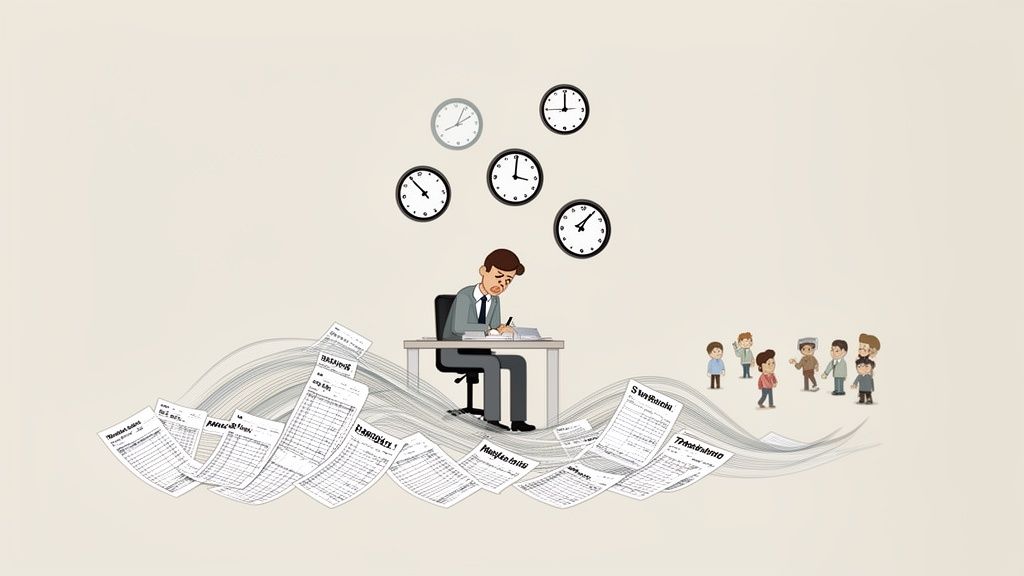
It’s the hours you lose every pay period that you could have spent mentoring your team or planning for growth. It’s the payroll mistakes that erode trust. It’s the constant, low-level friction that wears everyone down, one forgotten punch at a time.
Inefficiency Is Never Free
I once knew a manager at a small cafe chain who spent every Tuesday afternoon locked in her office, drowning in paper time cards. Her team was perpetually frustrated because paychecks were often late while she sorted out all the little errors.
One day, she did the math. Between her time, the payroll clerk’s time, and the cost of occasional overpayments, that "free" paper system was costing them thousands of dollars a year.
Here’s the thing about inefficient systems: their cost is never zero. It just shows up somewhere else—in lost productivity, employee turnover, and the slow burn of broken trust.
When you start looking at your business’s financial health, especially through detailed profit and loss insights, these hidden expenses become obvious. Suddenly, finding a better way isn't just about convenience. It’s just good business.
A Drain on Time and Trust
A manual approach to how staff clock in and out creates a culture of correction, not connection. Instead of talking about goals or customer feedback, your conversations revolve around missing time entries. It turns managers into record-keepers and makes employees feel like their honesty is always in question.
And the problem is getting worse. A 2024 McKinsey study found that 55% of workers feel work demands are spilling into their personal time. At the same time, we've seen how mobile, self-service tools can slash the HR back-and-forth by a staggering 60%, giving everyone back precious time.
A clunky process sends a clear message: we don’t trust you, and we’re willing to waste everyone’s time to prove it. Moving on from manual methods isn't just about efficiency. It’s about building a team on a foundation of trust, not surveillance.
If you're still wrestling with spreadsheets, our guide on how to make a timesheet in Excel might be the final nudge you need. It’s a fine tool for some things, but managing a team’s time isn’t one of them.
A Simple Policy That Actually Works
Let's get one thing straight. When you hear "clock-in policy," your mind probably jumps to a dense, three-page document filled with intimidating rules. I’ve seen those policies. They end up in a drawer, ignored.
A good policy isn’t a rulebook. It’s a simple agreement. It should be so clear that a new hire can understand it in under five minutes. The goal is to build a framework of mutual respect that prevents payroll headaches, not to track every second of someone’s day.
Think of it as setting clear expectations, not setting traps.
So, What Counts as "Work Time"?
This is the first, most important question to answer: when does the clock actually start? It sounds simple, but this is where most policies fall apart and arguments begin.
The answer is different for every business. For a retail store, "work time" might start when a cashier logs into the register on the sales floor. For a construction crew, it’s probably when they arrive at the job site, not when they leave their house. For remote team members, it could be the moment they sign into Slack or their main work app.
Be specific. Defining these moments with absolute clarity is the single most important thing you can do to avoid confusion and frustration later.
A policy’s strength isn’t in its length, but in its clarity. If your team has to ask what a rule means, the policy has already failed.
Once you’ve defined work time, everything else falls into place. Now you can build out the practical guidelines for the rest of the day.
A Framework Built on Trust
A good policy is built for the real world. It anticipates common issues without creating an administrative nightmare. This means shifting your mindset from rigid control to one of simple guidelines and mutual trust.
We've found this shift is what separates policies that work from those that don't. Here’s a quick look at the old way versus a modern, trust-based approach.
Key Elements of a Modern Clock-In Policy
This table shows the shift from a control-focused mindset to one that treats people like adults.
Policy Element | The Old Way (Control) | A Better Way (Trust) |
|---|---|---|
Grace Periods | Zero tolerance for late punches, with disciplinary action. | A 5–7 minute grace period, because life happens. The system tracks patterns to flag chronic issues. |
Missed Punches | The manager hunts down the employee and manually corrects the timesheet. | The employee submits a correction request in an app like Pebb with a quick note. The manager approves it with a tap. |
Overtime | Handled after the fact, leading to budget surprises and frustration. | Real-time alerts notify managers and employees when overtime is approaching, allowing proactive adjustments. |
Breaks | Rigid, scheduled breaks that are manually logged. Deviations require manager approval. | Flexible, unpaid breaks that employees can take as needed. The system can enforce minimums for compliance without micromanagement. |
Your goal isn't to catch someone who was two minutes late. It's to pay people accurately, manage labor costs, and treat your team fairly.
The best staff clock in and out policies I've seen are often just one page. They define work, explain how to handle exceptions, and point to the tool that makes it all easy. They are an agreement, not a list of punishments. And from what I’ve seen, that's a system that actually works.
Choosing the Right Tool for the Job
Let's be honest—the market for time-tracking apps is a minefield. Most are clunky, over-engineered, or just another app your team will forget to use. After a week of chasing people down, you’re right back to sending reminder texts. It's a frustrating cycle.
The secret isn't finding the app with the most features. It’s finding the one that disappears into your team's existing workflow. The best system to let staff clock in and out is one that lives where your team already works.
Forget the generic checklists. Let's look at this from the perspective of the person who actually has to use it.
Make It Easy for Your Team
Think about the reality of your team's day. A great tool should make you instinctively answer "yes" to these questions:
Can a new hire clock in on their first day, from their own phone, in 30 seconds?
Can a manager approve a timesheet from the field, without a laptop?
Does it sync with your payroll software without needing a developer?
If the answer is no, the tool is just another chore. The goal isn’t just to track hours; it’s to make the process feel like it’s not even there. It should just happen, so your team can focus on the job you hired them to do.
It’s a simple thought process: start with your people, find a tool that fits them, and make it dead simple to get started.
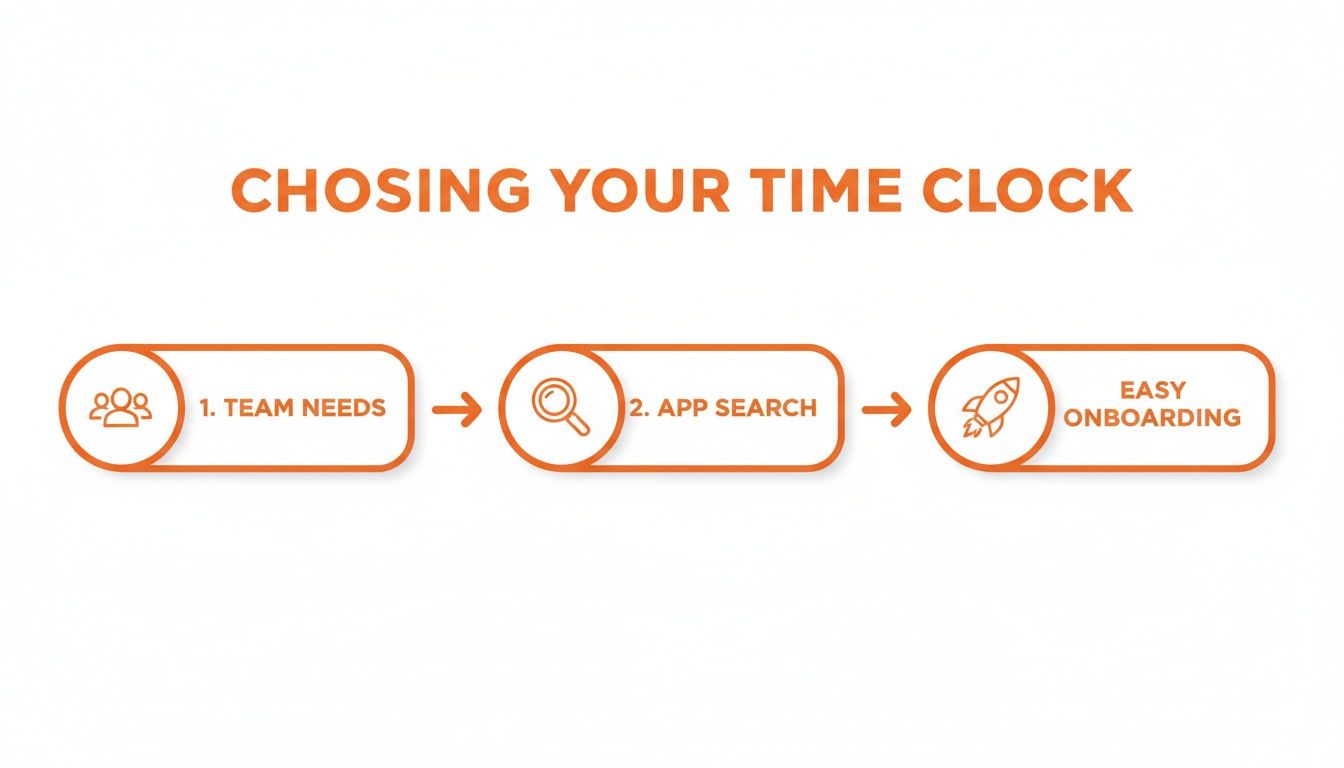
I've learned this the hard way: a successful rollout lives or dies on how simple the tool is from day one.
The Power of an All-in-One App
This is where an all-in-one tool makes a real difference. When your team communication, scheduling, and time clock are all in the same place, the hassle vanishes. We built Pebb around this exact idea.
Picture this: your employee opens Pebb to check their schedule. They see their shift starts in ten minutes. When it's time, they just tap a button right there to clock in. It’s not a separate chore; it’s a natural part of their work rhythm.
Suddenly, it stops being "the clock-in app" and just becomes "the work app."
When a tool is part of the daily conversation, adoption isn't a hurdle. It’s a natural consequence of being genuinely useful.
This gives managers a huge advantage, too. No more jumping between a chat app, a scheduling tool, and a time-tracking portal. Approving a timesheet correction happens right where the employee sent the request. It’s seamless.
What to Look For Beyond the Basics
As you look at your options, push past the simple "does it have a clock-in button?" question. You want to find features that show the tool was designed for real teams.
Mobile-First Design: A 2025 Zippia study notes that 70% of businesses have a bring-your-own-device (BYOD) policy. Your team runs their lives from their phones; their work tools should too. The mobile experience has to be as good as the desktop one.
Integrated Scheduling: A time clock that doesn’t talk to your schedule is only doing half the job. When they're linked, you can see who was scheduled versus who actually clocked in. That gives you an instant heads-up on no-shows.
Simple Correction Workflow: People forget to clock out. It happens. The test of a system is how easily it handles those mistakes. Can an employee submit a correction with a quick note for their manager to approve with one tap? That should be the standard.
Clear Payroll Exports: In the end, it's about getting people paid correctly. The tool must give you a clean export that your payroll provider can use without you performing spreadsheet wizardry. Even better, look for direct integrations that automate this step entirely.
Searching for the right tool to let staff clock in and out isn't about finding perfect software. It's about finding one that supports your people and then gets out of their way. The less they have to think about it, the better.
How to Roll Out a New System Without the Headaches
I’ve seen it happen more times than I can count: a company invests in a great new tool, only for it to fall flat because the rollout was a mess. A clumsy introduction creates confusion, breeds resentment, and can poison a new system before it ever gets a chance.
But it doesn't have to be that way. A smooth transition isn't about a single big launch or a mandatory training session. It’s about building momentum thoughtfully, starting with the right people in the right order.
Start With Your Champions
Your first step isn’t a company-wide email. It’s a quiet chat with your team leads and supervisors. These are the people on the front lines, the ones who feel the pain of an outdated system most. They are your most important allies.
Get them on board first. Let them use the new staff clock in and out system for a week before anyone else touches it. Let them kick the tires and see the benefits for themselves. This isn't just a test run; it's strategy.
When you give them early access, you turn them into advocates. When the rest of the team asks questions, your leads will have real answers from experience. An authentic, "Oh yeah, it’s great. Approving timesheets took me 10 seconds this morning," is far more powerful than any top-down announcement.
The goal of a rollout isn't just implementation; it's adoption. And adoption starts with trust, not a mandate.
Frame It as a Benefit, Not a Burden
Once your leaders are on board, it’s time to bring in the rest of the team. How you frame this conversation is everything. This isn't about a new way to track them; it's about solving a problem they all share.
Nobody gets excited about being monitored. So don't talk about it that way. Focus entirely on what’s in it for them.
A simple, direct approach works best:
"Say goodbye to paper timesheets."
"No more wondering if your hours were put in right."
"Get paid accurately and on time, every time."
The message is clear: this tool is here to make your life easier. It replaces a clunky process with something that just works. You’re not adding a task; you’re removing a headache. For anyone who wants to dig deeper, our breakdown of the best app for clock in and out explains the benefits in more detail.
A Phased Rollout Feels More Natural
A "big bang" launch is a recipe for chaos. One day it's business as usual; the next, there’s a new app, new rules, and a flood of confused questions. It’s jarring and inefficient. A phased approach is calmer, smarter, and far more effective.
A tool like Pebb helps here. You can create different "Spaces" for each team. Start with one or two pilot teams—ideally, the ones whose leaders are most enthusiastic. Let them get comfortable with the system in their own space.
This creates small pockets of success that ripple outwards. Other teams will see it working and start asking when it's their turn. The rollout begins to feel less like a corporate mandate and more like a good idea spreading naturally. Before you know it, the whole company has adopted the system, not because they had to, but because they wanted to. That's how you make change stick.
Making Accuracy and Compliance Second Nature
Let’s be honest—the one thing that keeps managers up at night is bad data. Whether it's an honest mistake or something more deliberate, inaccurate time entries create payroll nightmares. The answer isn't more policing, though. It's a smarter system.
The goal isn't to hover over your team. It's to put a process in place that's so simple and reliable that getting it right becomes second nature. The system should do the heavy lifting, not your managers.
Swap Manual Oversight for Automatic Guardrails
The old way meant managers were constantly checking, double-checking, and chasing down corrections. This turns your leaders into administrators and makes your team feel untrusted. It’s an exhausting game of cat and mouse that no one wins.
A modern system flips this script. It uses smart tech to prevent errors before they start. Take geofencing. It’s not about tracking your team’s every move; think of it as a simple digital handshake that confirms an employee is on-site when they clock in.
The best systems don't add surveillance; they add guardrails. They make it easy to do the right thing and hard to do the wrong thing, freeing everyone from the stress of constant verification.
This proactive approach is becoming the standard. Forecasts for 2026 show that over 70% of hourly employees will prefer using mobile apps to clock in. A huge reason is flexibility, and reports show that mobile apps with GPS verification can cut timekeeping errors by as much as 40% compared to old-school wall clocks. You can see more in this insightful report on time and attendance trends.
Controls That Actually Protect Your Budget
One of the worst parts of payroll is the end-of-month overtime surprise. You run the numbers and realize your labor budget is blown. By then, it’s too late.
This is where real-time alerts become a manager’s best friend. Imagine a system that automatically pings a manager and an employee when they're approaching their weekly hour limit.
The employee gets a heads-up: They know they’re approaching overtime and can pace their work or flag that they need the extra hours.
The manager stays in control: Instead of reacting to budget overages after the fact, they can proactively approve overtime or adjust schedules.
A simple feature like this turns overtime from a reactive headache into a proactive conversation. It’s a perfect example of how the right tool helps you manage costs without micromanaging people. We built Pebb with these alerts because we believe managers should be leading, not just firefighting budget problems.
Let Your Team Own Their Time
Look, mistakes happen. Someone will forget to clock out for lunch. The real difference is in how your system handles it. The old way involved scribbled notes, email trails, and a manager manually fixing everything.
A better way is to empower employees to own their time. When someone spots a mistake, they can submit a correction request right from their phone with a quick note: "Forgot to clock out for my break. My actual clock-out time was 12:35 PM."
The manager gets a notification, reviews the request, and approves it with a single tap. Simple.
This process is a win-win:
It’s Fast: Issues are resolved in seconds, not days.
It’s Documented: You get a clear, auditable trail of every change.
It Builds Trust: Employees take responsibility for their time, but the manager has the final say.
Our guide on the digital time clock for employees goes into more detail on how giving your team this ownership improves both accuracy and morale.
The Quiet Power of a Digital Trail
Finally, let’s talk about compliance. Labor laws are a minefield. Manual records are a huge liability. A single misplaced timesheet can spiral into a costly legal mess.
A digital staff clock in and out system is your best defense. Every punch, edit, and approval is automatically time-stamped and logged, creating an undeniable digital record. If an auditor ever comes knocking, you can pull up a complete history for any employee in just a few clicks.
This digital trail isn’t just to protect the business—it’s about ensuring fairness for your team, too. Of course, once you have that accurate time data, you need to process it correctly for pay and taxes. For UK businesses, a crucial part of this is setting up a PAYE scheme properly.
In the end, a system built for accuracy gives you peace of mind. It lets you get back to running your business, confident that your timekeeping is fair, transparent, and defensible.
The Story Your Time Data Is Telling
For many managers, the story of a workweek ends the moment a timesheet is approved. But that’s a huge missed opportunity. If you only use your staff clock in and out system to run payroll, you’re only getting half the value.
The real magic happens when you treat that data as a window into the health of your operation. This isn’t about playing “gotcha” with someone who was two minutes late. It's about spotting patterns that were invisible before and turning raw numbers into real insight.
Look for Patterns, Not Just Payroll
You don't need a data science degree to find the stories hidden in your time reports. The best systems make it easy to see what's really going on. You just need to ask the right questions.
We’ve seen businesses get the biggest wins by looking at a few key things:
Overtime Trends: Is overtime always spiking for the same team or on a specific day? Who is consistently working late?
Staffing Gaps: Do you see a jump in absenteeism on Mondays or Fridays? Are certain shifts a constant struggle to fill?
Productivity Clues: How do scheduled hours compare to actual hours worked? Are projects consistently running over budget?
These aren't just metrics; they’re clues that point to deeper issues or opportunities.
Turning Data Into Smarter Decisions
I worked with a restaurant owner who started using Pebb to manage his team's hours. After a month, he pulled a report and noticed something odd: his Friday night kitchen crew racked up overtime almost every week, but his Saturday team never did.
His first instinct was to tell the Friday manager to "cut the hours." The old way of thinking. But the data gave him pause.
The data isn't there to place blame. It's there to reveal a story that was previously hidden, helping you ask better questions and find smarter solutions.
Instead of a directive, he had a conversation. He sat down with the Friday manager and looked at the numbers together. It turned out the Friday team was understaffed for the dinner rush compared to the Saturday crew, even though customer volume was nearly identical. They weren't being inefficient; they were being overworked.
The fix wasn't a warning—it was hiring one more prep cook for Friday nights. The result? Overtime costs plummeted, the kitchen became calmer, and ticket times improved. The data didn't solve the problem, but it pointed him right to it.
Find the Human Story in the Numbers
At its core, your time data tells a human story. It’s a story about workload, balance, and the rhythm of your business. It can show you which teams are stretched thin and heading for burnout long before anyone complains. It can tell you where you need to hire, or even where you might need to adjust your hours.
Keep an eye out for these red flags:
Chronic Overtime: This is the canary in the coal mine for burnout. If a team or individual is always staying late, it's a sure sign they are either understaffed or their workload is unmanageable.
Increased Absenteeism: Seeing a spike in sick days or last-minute call-outs? Especially if it’s clustered on certain days or within one team, it often points to low morale or high stress.
Frequent Corrections: If one person constantly needs edits to their timesheet, don't just assume it's carelessness. It can be a symptom of being too overwhelmed to keep up.
Your time data is more than just a record of hours. Think of it as a quiet feedback loop from your team. If you listen to what it's telling you, you can build a healthier, more sustainable, and more productive workplace.
Still Have a Few Questions?
When you’re rethinking something as fundamental as your staff clock-in process, a few questions are bound to pop up. Here's one of the most common ones.
What's the best way to handle forgotten clock-ins?
Ah, the classic missed punch. It happens. The key is to make fixing it painless for both the employee and their manager, without it becoming a whole thing.
Instead of chasing people down, empower your staff. A good digital system lets an employee flag a missed punch from their phone. They can submit the time they actually started, add a quick note ("My phone died right as I was leaving!"), and send it for approval.
The manager gets a notification, sees the request in context with the employee's schedule, and can approve it with a single tap. The whole process takes seconds, documents everything, and puts ownership back on the employee in a positive way. It’s a simple fix that builds trust and saves you a ton of time.
Ready to build a time-tracking system on trust, not surveillance? With Pebb, you get a simple, all-in-one app that handles scheduling, communication, and time tracking just like this. See how it works at https://pebb.io.
