
An App for Clocking In and Out Your Team Will Actually Use
Tired of clunky software? Discover a better way to manage time with an app for clock in and out that simplifies work for everyone, from frontline to office.
Dan Robin
An app for clock in and out is supposed to be a simple tool. It replaces old-school timesheets so your team can track their hours from a phone or tablet. In theory, this gives you a clean, accurate record of hours worked. It’s the first step toward running a calmer, more organized business. But theory and reality are often two different things.
The Quiet Chaos of Outdated Time Tracking
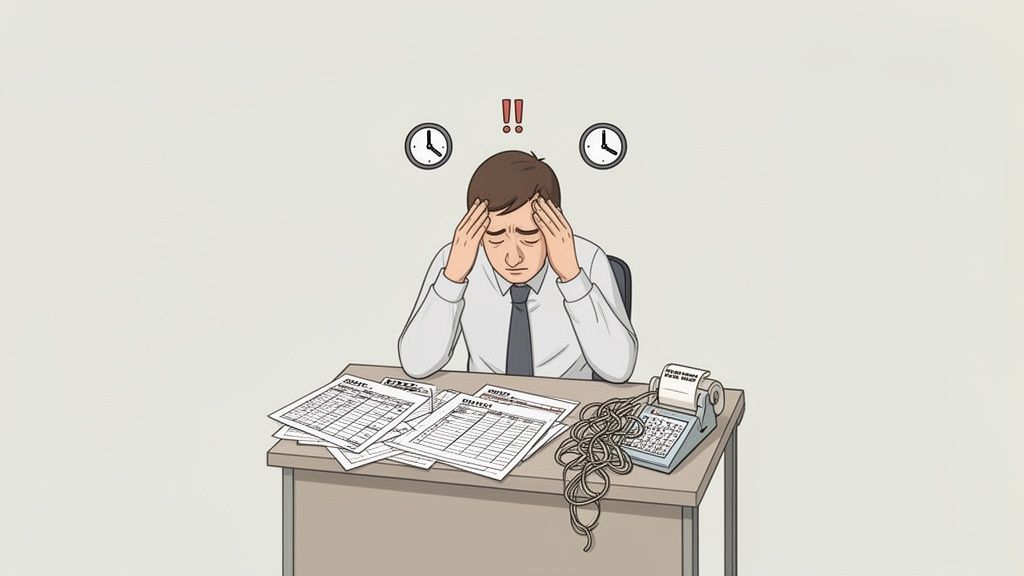
It starts small. A forgotten punch-in. A messy timesheet correction. A quiet debate over a few minutes of overtime. On their own, they’re just minor hiccups. But add them up, and they create a constant, low-grade hum of operational chaos.
We’ve lived this story. The frantic text from a manager trying to confirm a shift. The stack of coffee-stained timesheets waiting to be deciphered. That sinking feeling you get before running payroll, knowing it’s probably riddled with tiny, expensive mistakes.
The Problem with Old Habits
Too many businesses are still wrestling with this chaos, clinging to the inefficiencies of outdated methods like Excel spreadsheets or, even worse, pen and paper. These tools weren't designed for a modern workforce, especially one with people out in the field or spread across different locations.
They demand endless manual work, which invites human error. And if we're being honest, they slowly erode trust between good people just trying to do their jobs.
The real cost isn’t just the minutes lost to data entry. It’s the constant administrative drag, the endless back-and-forth, and the quiet strain it puts on your managers and their teams.
Every correction pulls someone away from real work. Every dispute over hours chips away at the foundation of a good working relationship. It’s a system that seems simple but creates endless friction.
Why Traditional Systems Fail
These old-school methods were built for a different time—an era when everyone worked in the same building on the same fixed schedule. That's just not reality for most of us anymore.
Here’s where these systems really fall apart:
Buddy Punching: One employee clocks in for a friend who's running late. It might seem harmless, but this friendly fraud can cost businesses up to 5% of their gross payroll.
Manual Errors: A hastily written "8:05" is easily misread as "8:50." These little mistakes add up, leading to overpayments that hurt your bottom line or underpayments that damage morale.
Administrative Burden: Someone—usually a manager—has to chase down, double-check, and manually key in all that data. It's time they could be spending on work that actually moves the business forward.
No Real Insight: Paper and spreadsheets might tell you what happened, but they can't tell you why. You get zero visibility into labor costs, overtime trends, or attendance patterns.
This isn’t just an efficiency problem; it’s like trying to run your business with a blindfold on. The search for a great app for clock in and out isn't about chasing new tech. It’s about building a fair, well-run company where everyone can finally trade that chaos for clarity.
What a Modern Clock In App Should Be
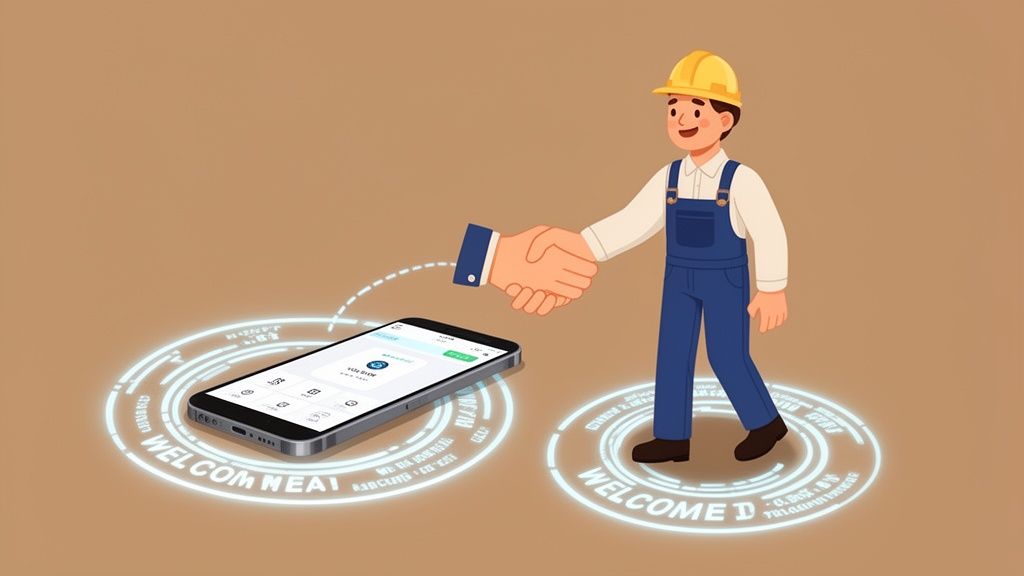
Let’s be honest. The term ‘time tracking’ feels cold. It conjures up images of micromanagement and Big Brother watching over your shoulder. But what if we thought about it differently? A truly modern app for clock in and out isn't a punch card; it's a simple, honest handshake between a company and its people.
It’s an agreement. A tool founded on the idea that when everyone has clarity, trust isn't far behind.
The Handshake Features
At its core, this digital handshake is built on a few key promises. These aren't just lines of code; they’re the building blocks for a smoother, fairer workday.
First is simple, accurate time tracking. An employee taps a button on their phone to start their day and taps it again when they’re done. That's it. The app’s only job is to create a clean, indisputable record that both the employee and the manager can rely on.
This single action cuts through the administrative mess. It's the digital equivalent of looking your manager in the eye and saying, “I’m here and ready to work.”
A Digital Welcome Mat
Another key piece is something called geofencing. It sounds technical, but the idea is beautifully simple. Think of it as a digital welcome mat around a job site or your office.
When an employee with their phone walks onto this "mat," the app can automatically clock them in or just send a gentle nudge to remind them. This isn't about tracking their every step. It's about taking one annoying task off their plate the moment they arrive, so they can get right to work.
A good app for clock in and out doesn't just record time; it respects it. It simplifies the routine so people can focus on the work itself, not the administration around it.
It’s a small touch that shows your team you’re using technology to help them, not just monitor them. You can dive deeper into how a well-designed clock in app builds this kind of trust.
Connecting to What Matters
Finally, a modern app has to talk to your payroll and HR systems. This is where the handshake becomes real. All that perfect, accurate time data flows directly into the systems that pay your people.
This does more than save your payroll manager from hours of mind-numbing data entry. It ensures every single person on your team gets paid correctly and on time, every time. It's the ultimate proof that the system is built on fairness.
The demand for these tools is exploding. The global time tracking software market was valued at $3.38 billion in 2024 and is projected to soar to $18.17 billion by 2035. This growth shows just how vital these tools are becoming. You can read the full research on the time tracking software market to see the data for yourself.
When you bring these elements together—simple time capture, helpful location awareness, and a seamless payroll connection—you have more than just software. You have a system that creates clarity, builds confidence, and proves you trust your team.
Advanced Features That Actually Solve Problems
Once you’ve got the basics down—that digital handshake of accurate time tracking—you can start exploring what else is possible. The advanced features in an app for clock in and out aren’t just shiny extras for a sales pitch. They’re clever fixes for nagging, real-world operational headaches.
These tools answer the tough questions every manager faces. How do I make sure things are fair when I can't be everywhere at once? What do we do when the internet drops? And where is all our time and money really going?
Beyond the Basic Punch
Take features like biometric and QR code clock-ins. At first, they might sound like Big Brother. But that misses the point. The goal isn't surveillance; it's certainty.
When an employee scans their fingerprint or a unique QR code tied to a job site, it creates an indisputable record of who clocked in and where. It’s a simple, elegant way to stop "buddy punching" without making a fuss. This one feature ensures fairness for the whole team and protects your labor budget from friendly fraud.
Another feature that tackles an everyday headache is offline functionality. If you’ve managed a team in a warehouse with dodgy Wi-Fi or a field crew in a remote area, you know this pain. A missed clock-in isn't defiance; it's just a connectivity dead zone.
Offline mode is your safety net. It lets your team clock in and out from anywhere, and the app syncs up the moment it finds a connection. Work doesn't stop when the Wi-Fi does, and your time tracking shouldn't either.
Getting Smarter About Time
Here's where things get really interesting. The best clock-in apps don't just record hours; they help you understand what those hours mean. It’s about moving from reacting to problems to proactively managing your operations.
For instance, many modern apps let you track time against specific projects, tasks, or clients. This isn’t micromanagement; it’s clarity. It shows you exactly where your labor costs are concentrated, which is invaluable for bidding on future jobs or staffing current ones better. For a deeper dive, check out our guide on finding the right employee time tracking software.
Artificial intelligence is also starting to play a real role here. Instead of being a fancy calculator, AI is becoming a genuinely helpful partner for managers. In fact, one study showed AI-powered time tracking can drive 32% efficiency improvements and slash administrative work by up to 50%. You can discover more insights about AI in time tracking on breeze.pm.
This added intelligence can do things like:
Flag potential scheduling conflicts: The system might spot that an employee is scheduled for a shift that starts 15 minutes after their previous one ends, clear across town.
Spot signs of burnout: It could gently alert a manager when someone has worked significant overtime for several weeks in a row, giving them a chance to check in.
These aren't features for policing your team—they're for supporting them. The right app for clock in and out does more than count minutes; it helps you make those minutes count.
How to Choose an App Without Getting Lost in Features
The market for work apps is a loud, crowded place. Search for an “app for clock in and out,” and you’ll get buried under an avalanche of options, each screaming about its endless list of features. It’s easy to get overwhelmed and fall into the trap of making a massive spreadsheet to compare them all.
Let’s be honest: that’s a waste of time. Most of those features are just noise.
We believe the decision comes down to a few simple, human ideas—not a feature-for-feature battle. So, forget the noise. The most important questions aren’t about what the app can do, but how it will feel to use it every day.
Start with Your People
Before you even look at a product page, think about your team. Will they actually use this thing? More importantly, will they enjoy using it? If an app is clunky, confusing, or ugly, people will always find a way to avoid it.
The best tool is one that feels less like corporate software and more like a simple app they’d choose for themselves. It has to be intuitive from the moment they open it. The goal is adoption without resistance. If you have to write a long manual to explain how to clock in, you’ve already picked the wrong tool.
Here’s our take, stated plainly: The user experience for your team is more important than any other single feature. A beautiful, simple app that actually gets used is infinitely better than a powerful, complicated one that gets ignored.
This isn’t just about making people happy. High adoption means you get the accurate data you need without constantly chasing people down. It’s the foundation for everything else.
Does It Play Well with Others?
The next critical test is integration. A standalone app for clocking in and out is a dead end. It just creates another digital island, another password to remember, and another system that doesn’t talk to anything else. Your business already runs on a set of essential tools—most likely for payroll and HR.
Your new time tracking tool must connect seamlessly with them. This isn't a "nice to have"; it's a non-negotiable. A direct, reliable integration means your time data flows straight into your payroll system without anyone having to lift a finger. This move alone wipes out the risk of manual entry errors and frees up your administrative team for more valuable work.
Solve More Than One Problem
But that’s only half the story. The best apps don’t just connect to other systems; they start replacing them. This is the principle of unification. Why have one app for clocking in, another for team chat, and a third for sharing schedules? It’s inefficient and surprisingly expensive.
We believe the smartest choice is a tool that brings all these functions together under one roof. Work isn't just about tracking time; it's about everything that happens during that time. It's the quick question to a manager, the shift swap with a coworker, or the company-wide announcement.
When your clock-in tool lives inside a larger hub that also handles communication, tasks, and scheduling, work just flows better. Everything is finally in one place. You can explore more about the different kinds of apps for attendance tracking and see how they stack up.
Finding the right app isn't about ticking the most boxes on a feature list. It's about finding one that respects your team's time, fits your existing workflow, and simplifies your entire operation by solving multiple problems at once. The table below outlines a few core principles to guide you.
Choosing Your Clock In App: Key Considerations
Consideration | Why It Matters | What to Look For |
|---|---|---|
Team-First Experience | High adoption is everything. A bad user experience leads to low usage, bad data, and wasted money. | An intuitive, clean interface. Positive reviews about ease of use. A tool that feels modern and simple. |
Seamless Integration | A standalone app creates data silos and manual work. Time data needs to flow into your core systems. | Direct, pre-built integrations with your payroll and HR tools. Avoid apps that rely on clumsy file exports. |
Operational Unification | Juggling multiple apps is inefficient and costly. An all-in-one tool simplifies life for everyone. | A platform that combines time tracking with communication, scheduling, or tasks in one cohesive place. |
Future-Proof Scalability | Your needs will change as you grow. The app should be able to grow with you without breaking the bank. | Flexible pricing plans. The ability to add new features, locations, or employees easily. |
By focusing on these guiding principles, you'll make a confident decision that serves both your people and your business for years to come.
This handy decision guide can help you map your operational challenges to the specific features you might actually need.
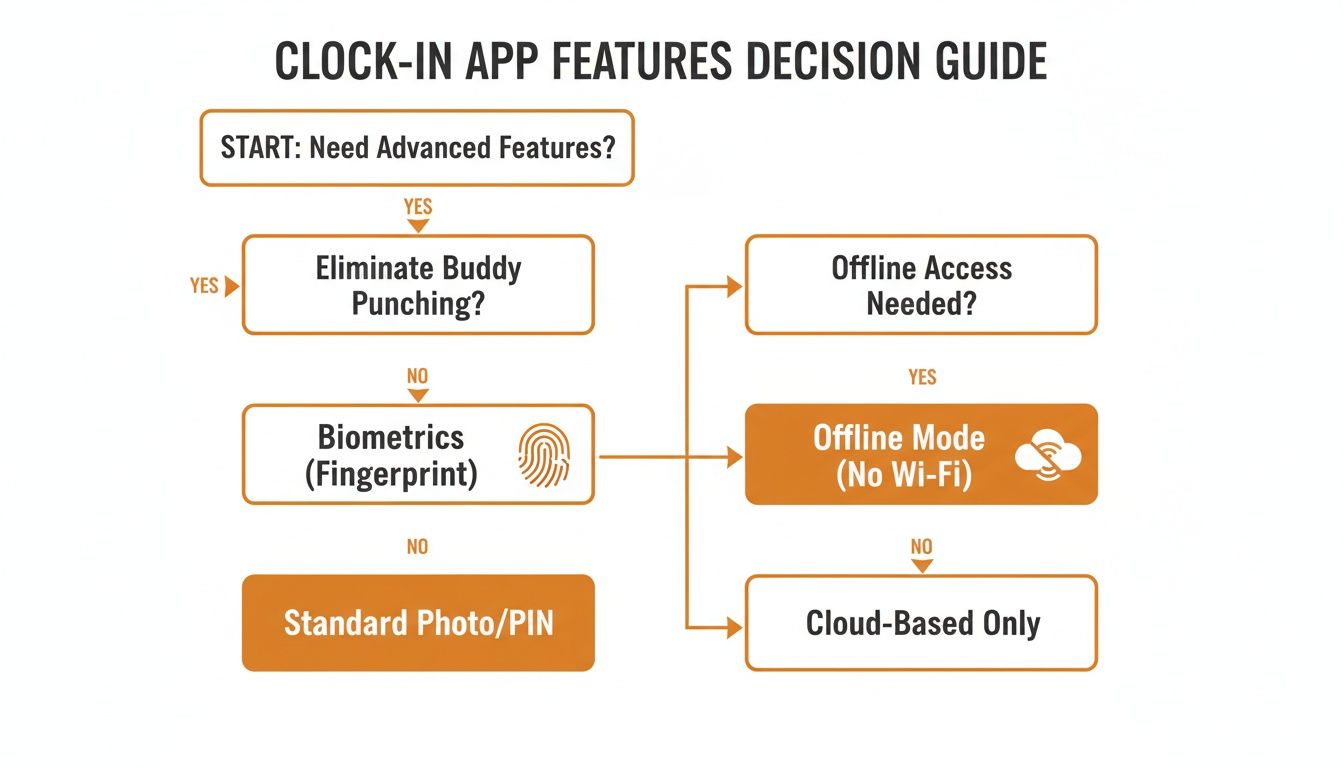
This visual helps clarify that the need for advanced features like biometrics or offline mode depends entirely on the specific problems you're trying to solve right now.
Why a Unified App Is the Only Sensible Choice
Let’s talk about a common business headache: single-purpose tools. It's that digital clutter where you have one app for team chat, another for checking schedules, and a separate app for clock in and out. It’s messy, inefficient, and frankly, it asks too much of your team's attention.
For managers, this is a nightmare. Information gets siloed, context is lost, and you're constantly toggling between screens to get a clear picture. For your team, it’s just one more app to download, another password to forget, and another point of friction in their day.
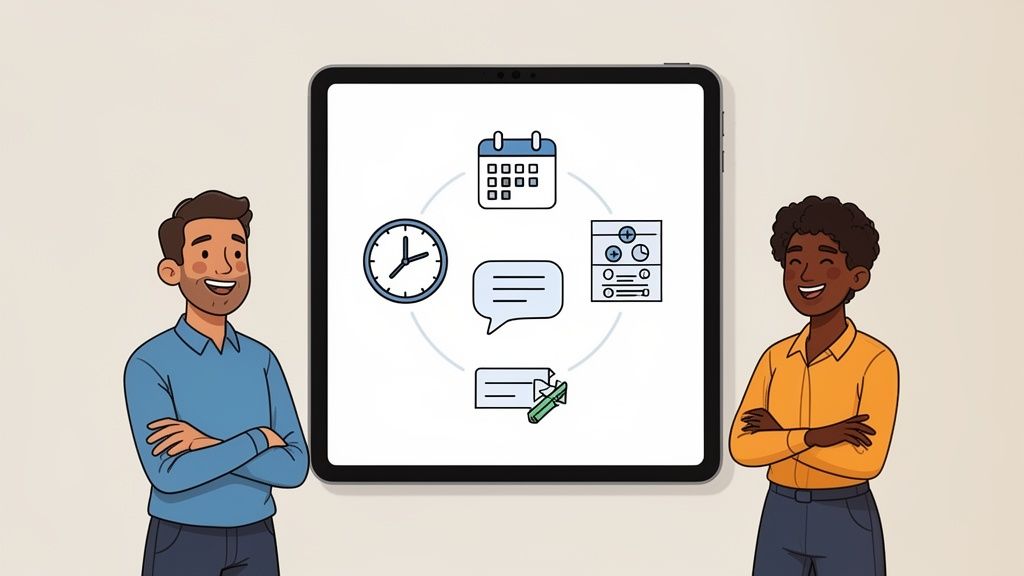
We've seen this play out time and again, and we believe there's a much smarter, calmer way to operate. Instead of bolting on another isolated tool, the best approach is to embed your clock-in function right inside the hub you already use for communication and operations. It’s a simple idea with a powerful impact.
The Problem of App Fragmentation
We call this messy reality "app fragmentation," and it's a silent killer of productivity. Every new tool you introduce might solve one problem, but it often creates another: a disconnected workflow. It forces your people to piece their day together across a dozen browser tabs and a storm of notifications.
Think about it from an employee's perspective. When they have to open one app to see their schedule, jump to another to ask a question, and then hunt down a third one just to clock in, work feels disjointed. It becomes a series of disconnected tasks, not a seamless experience.
The best tools are the ones that feel invisible. They shouldn’t demand your team’s attention; they should simplify the work itself. A unified app brings everything together, creating a single, reliable hub for the workday.
When all these functions live in the same place, everything clicks. An employee opens Pebb, sees their shift, sends a message to their manager, and clocks in. It all happens in one spot, in one fluid motion. That’s not just more efficient—it feels fundamentally better.
A Single Place for Everything That Matters
A unified platform like Pebb is built on this very idea. We didn't just tack on a time clock feature. We designed a system where tracking time is a natural part of the daily rhythm of work. It’s not an add-on; it’s an integrated part of your operational core.
This all-in-one approach has clear benefits:
For Employees: They get one app for everything—schedules, chat, company news, and logging their hours. It’s simple, predictable, and respects their focus.
For Managers: You get the complete story. You can see who’s clocked in, manage shift changes, and communicate with everyone without ever leaving the platform. Your labor data lives right alongside your operational chatter.
For the Business: You create a single source of truth. Data from time tracking, scheduling, and team communication all flows into one system, giving you clearer insights into how your business really runs.
This integration does more than save time; it strengthens your company culture. When everyone is on the same page and on the same platform, communication flows freely, and people feel more connected to the mission.
Built for a Global Workforce
This unified philosophy becomes even more critical for businesses that operate across different countries. The need for reliable time tracking is universal, but the market dynamics vary. For instance, time tracking software shows some interesting regional differences in adoption.
By 2026, the Asia-Pacific region is projected to hold about 31% of the global market share, just behind North America's 34%. For a company like Pebb, which operates in over 42 countries, these numbers confirm how important it is to have a flexible, unified platform that can be localized for specific needs while giving everyone a consistent experience. You can learn more about these global time tracking trends to see how the market is evolving.
Ultimately, choosing an app for clock in and out is more than a technical decision—it’s a philosophical one. You can either add to the digital noise or you can choose to simplify. For us, the choice is clear. A unified app isn’t just another option; it’s the only sensible one for building a calm, connected, and efficient workplace.
It’s About More Than Just a Clock
We’ve covered a lot of ground, from the headaches of old-school time tracking to the slick features of modern apps. But let's zoom out from the checklists and demos for a second.
Choosing an app for clock in and out is a bigger decision than it seems. It's not just swapping one technology for another; it’s a quiet but firm statement about the kind of company you're building.
When you ditch the messy spreadsheets or the dusty punch clock for a simple, clean app, you’re doing more than just boosting efficiency. You're telling your people you value their time. You're showing them you trust them. It’s a small move that sends a big message.
The Best Tools Get Out of the Way
Here’s a philosophy we live by: The best tools are the ones you forget are even there. They should feel so intuitive that they simply disappear, letting people get on with the work they were hired to do.
The goal isn't to micromanage every minute. It’s to create a system for keeping records that is so smooth, fair, and reliable that nobody has to think about it. It just works.
The right tool doesn’t add to the chaos; it creates a sense of calm. It replaces doubt with clarity and friction with flow.
Think about it this way: a well-designed app takes care of the boring, administrative stuff so your people don’t have to. The time clock fades into the background, and the real work comes into focus—the customer getting help, the project getting built, the patient receiving care.
What Kind of Workplace Are You Building?
Let's be real. The way you handle something as basic as paying people for their time speaks volumes about your company culture.
Is it a culture of suspicion, where everyone feels they have to constantly justify their hours? Or is it a culture of trust, where the system is designed to support people and assume good faith?
Upgrading your tools is the perfect chance to consciously decide which path you want to be on. It’s an opportunity to think less about how you'll track hours and more about how you'll build a more respectful, modern workplace.
So, as you weigh your options, put the feature lists aside. Ask yourself a simpler, more powerful question: What kind of company do we want to be? And which tool will actually help us get there? The answer will tell you everything you need to know.
Frequently Asked Questions
We get it. Moving away from a familiar system, even a messy one, can feel like a big leap. You've got questions, and you need straight answers. Here are a few things that come up when we talk with leaders about choosing an app for clock in and out.
Can an App Work for a Mix of Office and Frontline Teams?
Yes, and honestly, it has to. This is the reality for most businesses now, and the best apps are built for exactly this kind of hybrid setup.
Your office staff can clock in from their desktop. Your field crew can use a geofenced app on their phones. You can have a shared tablet set up as a kiosk at a job site.
The trick isn’t to juggle different tools for different teams—that just creates more headaches. The goal is to find one platform that handles every scenario. That way, all your data for payroll and compliance stays clean and consistent, no matter how or where people work.
How Difficult Is It to Switch from Manual Timesheets to an App?
It’s probably much simpler than you think, with one big condition: it all depends on the app you choose. The biggest challenge isn't the technology; it’s getting your people on board.
Let’s be honest, nobody wants to use clunky software. The secret is finding a tool so simple it feels like an everyday app, not something corporate forced on them.
A solid rollout plan helps, too. Be upfront with your team about what’s in it for them—like "no more trying to remember your hours" and "getting paid faster and more accurately." When the tool is a breeze to use and the "why" is clear, getting started is often as simple as sending an invite link.
Is an App for Clocking In and Out Just for Payroll?
That’s its first job, but thinking that’s all it does is just scratching the surface. It’s like saying a car is just an engine. The real value is where it can take you.
A clock-in app is your starting point for deeper operational insight. It stops being about just counting minutes and starts being about making every minute count.
All that time data is pure gold. You can finally see exactly how many hours are going into specific projects or locations, giving you a true picture of your labor costs. This information helps you build smarter schedules, get a handle on overtime, and bid on new jobs with total confidence. It turns a tedious admin task into a powerful strategic tool.
Ready to see how a unified app brings calm and clarity to your operations? Pebb combines time tracking with communication, scheduling, and tasks—all in one simple app your team will actually love to use. Start your free trial today.
