
The End of the Training Session
Tired of dull training? We'll show you what modern training video software is and how to find a tool that helps your team, not just checks a box.
Dan Robin
We’ve all been there. Trapped in a windowless room, nursing a lukewarm coffee, watching someone click through a 98-slide presentation that has absolutely nothing to do with our actual job. Corporate training. The box-ticking exercise that respects no one’s time and, frankly, doesn’t work.
But what if training wasn’t a punishment? What if it was something your team actually wanted to do? That’s the simple idea behind modern training video software. And no, this isn't about slapping those same boring slides into a video or recording hour-long lectures.
It’s about creating short, useful videos that people can watch on their phones, whenever and wherever they need them. It’s a shift from disrupting the workday to becoming a valuable part of it.
Training That Respects Your Time
The old way forced everyone to stop work for a scheduled event. The new way offers help on demand. For busy frontline teams, this is a game-changer. A retail associate can’t just leave the sales floor for two hours, but they can watch a three-minute video on a new product during a quiet moment.
The secret is realizing that learning isn't separate from work; it's an essential part of doing the job well. Good training should feel like getting a quick, helpful tip from a trusted colleague. It should be:
Accessible: Available on the one device they always have—their phone.
Relevant: Directly answering a real-world question they have right now.
Brief: Short enough to be watched and applied in minutes, not hours.
When you start treating training as a resource instead of a requirement, something happens. People use it because it helps them succeed. It becomes a tool, not a chore. You’re no longer chasing compliance; you’re building competence.
Making Learning Part of the Workday
This approach isn’t just about convenience; it’s about making things stick. We remember things better when we can apply them immediately. A long seminar is almost designed to be forgotten. A short, on-demand video is designed to be used.
At the end of the day, the goal of training video software isn't to pile on more content for people to ignore. It’s to make learning a natural, seamless part of the workday. It’s how you move from training that people dread to learning that they actually value.
What Is Training Video Software Anyway?
Let’s be honest, the term "training video software" sounds a bit corporate and, well, boring. It probably brings to mind clunky old programs and painfully dry videos nobody watches.
But behind that uninspired name is a simple, powerful idea: a tool that helps you create, share, and track training that your team will actually find useful. Think of it less like a Hollywood editing suite and more like a private, secure YouTube just for your company.
More Than a Shared Drive
So, why not just dump a bunch of MP4s into a shared Google Drive folder? We’ve all seen how that story ends. It starts with good intentions but quickly spirals into a mess of poorly named files, version control nightmares, and zero clue who has watched what. A digital graveyard where good content goes to die.
This is the exact problem that real training video software is built to solve. It’s designed to manage the entire life of a training video, from the moment you hit record to tracking who understood it. It covers the basics:
Easy Creation: Simple tools to record your screen or your webcam without needing a film degree.
Simple Editing: The ability to trim out mistakes and add a quick note.
Secure Sharing: A controlled space where you decide exactly who sees what.
Clear Analytics: A dashboard that shows you if people are actually watching and learning.
Clarity, Not Cinematics
Here’s the most important thing to remember: the goal isn’t perfect production value. The goal is clarity and speed. Your team doesn’t need slick drone shots to learn how to process a customer return. They need a clear, two-minute video that shows them exactly which buttons to press.
This practical approach is why the market for these tools is booming. The global eLearning space, driven by training video software, is projected to rocket past $375 billion by 2026. This isn't just a trend; it's a massive shift away from outdated classroom sessions toward on-demand learning that fits how people work today. And it makes sense—since data shows that interactive videos are far more engaging, why would you stick with the static slides that cause 72% of employees to zone out?
At its heart, good training video software is a knowledge-sharing engine. It’s built to help you onboard new hires faster, roll out new procedures, and keep everyone on the same page. It’s about building a smarter team, one short video at a time.
The Features That Actually Matter
When you start shopping for training video software, it’s easy to get buried in an avalanche of feature lists. Sales pages scream about "AI-powered everything" and "complex gamification." It's a lot of noise. You can easily end up paying for shiny objects your team will never touch.
Here’s a secret from someone who's been in this space for years: most of those bells and whistles don't matter. The best software isn't the one with the longest feature list. It’s the one that feels invisible—it just works.
Simplicity and Speed Above All Else
Your people are busy. They don’t have time to wade through a clunky interface or sit through a tutorial just to learn a new tool. If creating or watching a training video feels like a chore, you've already lost.
A great user experience is non-negotiable, and that means a tool built on solid UI/UX design principles. The point is to make learning feel effortless.
Here's what you should really look for:
Dead-Simple Creation: Can a manager record their screen and share a video in under 5 minutes? If not, the tool is too complicated. Period.
Mobile-First Design: Training happens where the work happens. For most teams, that’s on a phone. The mobile app can't be an afterthought; it has to be fantastic.
A Searchable Hub: Forget rigid courses. The real win is a library where an employee can type a question and instantly get a short, helpful video.
This simple diagram breaks down the three essential functions any worthwhile training video tool must nail.
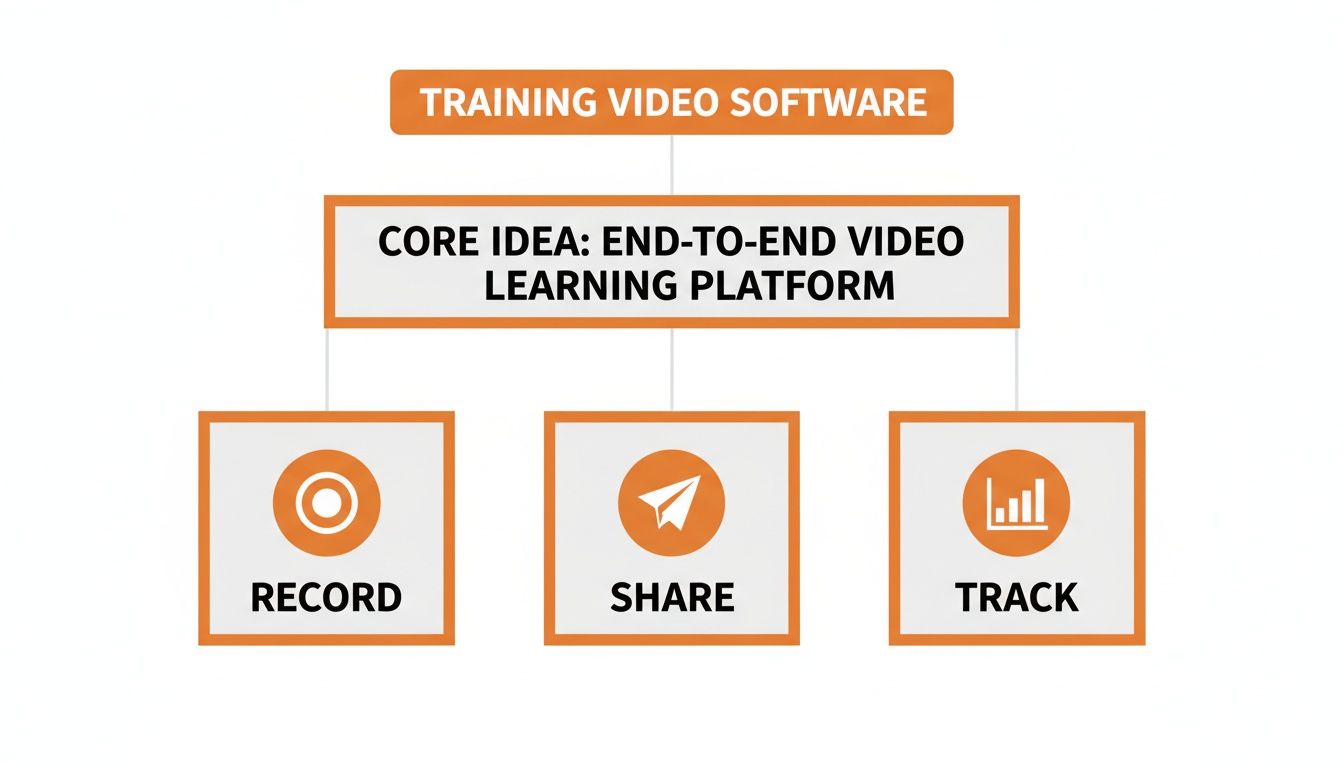
It all comes down to a simple flow: Record, Share, and Track. Get these three right, and you have a system that actually helps people learn. Everything else is secondary.
What’s Essential vs. What’s Overkill
To help you cut through the marketing hype, here's a clear breakdown of the features that deliver real value versus the ones that often just add complexity.
Feature Category | What You Absolutely Need | What Might Be Overkill |
|---|---|---|
Video Creation | One-click screen recording, webcam, and simple annotation tools. | Hollywood-level editing suites, green screen effects, or complex animation tools. |
Interactivity | In-video questions (multiple choice, open-ended) and clickable links. | Elaborate branching scenarios, point systems, and competitive leaderboards. |
Content Management | A searchable, tag-based library that’s easy for anyone to contribute to. | Rigid, top-down course structures that are hard to update and navigate. |
Analytics | Clear completion tracking (who watched what) and question-level performance. | Overly granular heatmaps or data dashboards that require a statistician to interpret. |
Mobile Access | A native mobile app with a clean, intuitive interface for viewing and recording. | A clunky, browser-only mobile site that's just a scaled-down version of the desktop. |
Focus on the "What You Absolutely Need" column. They’re the ones that solve real problems without creating more work.
Interaction That Works
Let’s be honest about "interactivity." Flashy animations and game mechanics often do more to distract than to teach. The kind of interaction that works is far simpler. It’s about starting a conversation, not building a video game.
The data supports this. Video is already engaging—77% of employees prefer it over text. But adding simple interactive elements can give you an 82% boost in engagement on top of that. A simple in-video question like, "Did you understand that last step?" is infinitely more valuable than a dozen animated badges. It checks for understanding and keeps your team focused.
Look for tools that make these kinds of interactions easy:
In-Video Questions: Simple questions that pop up during the video to make sure people are paying attention.
Actionable Prompts: Clickable links inside the video that take an employee directly to the tool or form you’re talking about.
Clear Completion Tracking: Straightforward analytics that show you who watched the video and if they understood the key concepts.
You don't need a system that awards virtual coins. You need a tool that confirms your team knows how to do their jobs correctly. Your goal is to find software that solves your real problems, not one that adds more complexity. Look for the simple, elegant tool. That’s the one that will make a difference.
How to Choose The Right Tool
Picking new software often feels like a massive undertaking. You're not just buying a program; you're asking your team to adopt a new way of working.
So, how do you get it right? It's not about finding the software with the longest feature list. It’s about finding the one your people will want to use.
Is It Dead Simple To Use On A Phone?
Let's start with the most important test. Can a manager on the shop floor pull out their phone, record a quick thirty-second video showing how to restock a shelf, and share it with the team in under two minutes? If the answer is no, it's not the right tool.
For frontline teams, a mobile-first experience isn't just a nice-to-have; it's the whole game. Their work happens on their feet, not behind a desk. Any training video software that treats mobile as an afterthought has missed the point.
Does It Keep Your Information Safe?
Next up, security. You're going to be sharing sensitive company information, from sales techniques to safety procedures. You can’t afford to toss that content onto a tool with flimsy security.
This part is non-negotiable. Any platform you consider must have rock-solid security. Look for these essentials:
Role-based permissions so people only see what's relevant to them.
Secure hosting that ensures your intellectual property stays yours.
Single Sign-On (SSO) to make logging in easy for your team but a nightmare for outsiders.
Choosing a tool without grilling them on security is like leaving the back door of your business wide open. It’s a risk you can't afford.
Can It Connect With Your Other Systems?
A new tool that doesn’t play well with your existing software isn't a help—it's just another silo. It means another login for your team to remember and another app to juggle. This creates the exact friction you’re trying to eliminate.
What if your HR system could automatically create a profile in your training tool when a new hire is added? Or if a manager could assign a training video right from the project management app your team already uses? That’s the goal. A connected system is the backbone of any modern approach to workplace skill development.
How Fast Is The Onboarding?
Finally, let’s talk about the first five minutes. If you can't get your team logged in and using the tool almost immediately, you've lost. A complicated setup or a steep learning curve is a death sentence for adoption.
The best tools are the ones that barely need a manual. An invite link should be all it takes. Once they're in, the path to creating or watching a video should be obvious. If your team gets confused, they’ll just give up.
Ultimately, this process is less about the software and more about your people. The hunt for the right training video software isn't a technical review; it's a human one. You’re looking for the path of least resistance—the simplest, most secure tool that helps your team shine.
Putting Training Where Work Happens
Think about most training video software. It's usually just another tool. Another login to remember, another app to download, another island of information cut off from where work gets done.
But here’s the thing: training isn't a separate, scheduled event. It’s woven into the fabric of daily work. It’s what happens when someone asks a question, needs a refresher, or runs into a new task.
From Isolated Platform to Integrated Workflow
That's the core philosophy we built Pebb on. We didn't want to add yet another standalone training platform to the pile. We started by asking a different question: what if knowledge lived in the exact same app where your teams already talk and collaborate?
When you bring training directly into the flow of work, it becomes accessible, relevant, and much less of a chore. It stops being a scheduled appointment and becomes a natural, on-demand resource. That's how you make learning stick.
This isn't just a nice-to-have idea; it’s a game-changer for efficiency. We know that eLearning, powered by tools like training video software, can slash course completion times by a staggering 40-60% compared to old-school classroom sessions. With 93% of companies planning to adopt eLearning by 2026, as noted on Wooclap's blog, making it part of a single app is a necessity.
Training That Feels Like a Conversation
Let’s say a new hire needs to learn how to operate a machine. Instead of sending them off to a clunky training portal, you can assign a short "how-to" video directly as a task within their onboarding checklist.
This is what it looks like in practice—training delivered right inside a team's daily workspace.
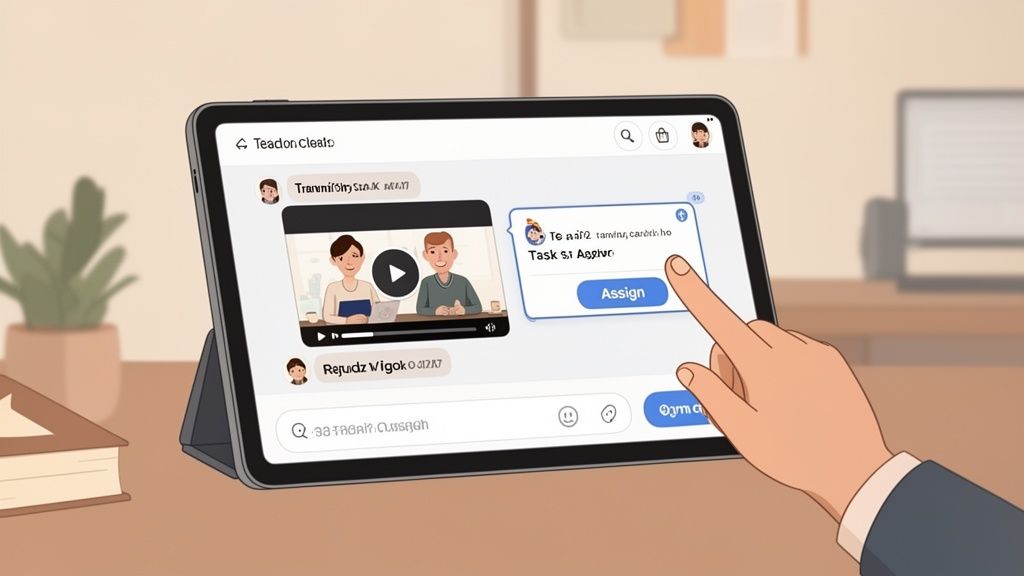
Suddenly, that video isn't just content. It’s an actionable item, woven into the rhythm of the workday. Learning in context is so much more effective than asking someone to go digging through a disconnected library.
Or imagine a team member asks a question in a group chat. A manager can instantly share a quick video that shows the answer. It’s immediate, it’s helpful, and it educates everyone else in the conversation at the same time. This turns training from a top-down mandate into a collaborative, peer-to-peer exchange.
You can even organize all your training videos into a dedicated ‘Knowledge’ space. This turns your internal communication app into the single source of truth. If you're curious about that, our guide on how to build a knowledge base your team will love is a great place to start.
By embedding training right where conversations and tasks happen, you do more than just share information. You build a culture where learning is continuous and accessible. It’s a subtle shift, but it makes all the difference.
Thinking Beyond The Training Video
It’s easy to get caught up talking about training video software. But the goal isn't just to make slicker videos. The real win is building a smarter, more capable, and connected team. A great training video is simply a tool to get you there.
Thinking you just need a platform to create videos is like believing a world-class restaurant only needs a sharp set of knives. They’re essential, but they're not the whole story.
Shifting from Content to Culture
The bigger picture is creating an environment where information flows. A place where questions get answered fast, and everyone—from your frontline crew to your back-office staff—feels confident and clear on what they need to do.
This isn't about building a dusty digital library of training modules. It’s about sparking a culture of continuous learning. It’s about making knowledge-sharing a reflex, not a formal project.
So, as you weigh your options, try asking a different question. Instead of asking, “Does this tool help me make videos?” ask yourself this:
“Does this tool help me build a better-run company?”
The answer might surprise you. It forces you to look past the feature lists and think about the nervous system of your organization. How does work actually get done? How do your people communicate? Where do they turn when they’re stuck?
The Unified Experience
When training lives on an island, it will always feel like a chore. But when it’s woven into the fabric of your daily work—your chats, your task lists, your team huddles—it becomes invisible. It just becomes part of how you operate. We dive deeper into this in our guide on boosting employee engagement with effective training.
This integrated approach doesn't just help your internal teams. Solid training videos are fantastic for other parts of the business, like customer success. Think about how your video strategy can also improve your customer onboarding. The principles are identical: clear, accessible information delivered exactly when it's needed most.
The best solution might not be a dedicated “training tool.” It might be a platform that understands that training, communication, and operations are all different sides of the same coin. A tool that unifies the entire employee experience.
That’s the kind of thinking that leads to real improvements. It’s not about piling on more software; it’s about creating a more cohesive and intelligent workplace.
A Few Common Questions
It's normal to have questions when you're thinking about a new tool. Here are some we hear all the time—and our straightforward answers.
Do I need special skills to create these videos?
Thankfully, no. The days of needing a film degree to make a training video are long gone. Today's training video software is built for regular people, not video pros.
The point is speed and clarity. You should be able to record your screen, use your webcam, and share a video in a few minutes. If you can send an email or make a social media post, you have all the skills you need.
How do I get my team to actually watch the videos?
This is the big one, isn't it? The secret isn't fancy production—it's making your videos short, relevant, and easy to access. No one has the patience for a 45-minute lecture on their phone.
Focus on bite-sized videos, maybe 2-5 minutes long, that tackle one specific problem. More importantly, put that training where your team already works. If they have to log into a separate system they never use, they just won't do it. When training is integrated into a daily communication app like Pebb, viewership skyrockets because it’s part of their natural workflow.
Is this software secure for company information?
It absolutely must be, but you have to check. Security should be at the top of your list. You’re sharing internal processes and company knowledge, and that needs to stay protected.
Look for tools that offer enterprise-grade features like single sign-on (SSO), role-based permissions, and private, secure hosting. This ensures only the right people see the right content. Never use public platforms like YouTube for sensitive company information.
How much does this software cost?
The price can vary, from free tools to expensive enterprise systems. Many modern platforms use a per-user, per-month model, often landing in the $5 to $15 per user range. The trick is to find a provider with clear pricing and avoid getting locked into long-term contracts.
The best value comes from a tool that solves multiple problems at once. Instead of paying for a separate training app, another for communication, and another for tasks, look for a single platform that brings them all together. It’s simpler, smarter, and more cost-effective.
Ready to see how training, communication, and operations can live in one place? Pebb is the all-in-one work app that unifies your entire employee experience.
