
A Calmer Way to Manage Shifts
Discover how a rotating shift schedule template can reduce chaos, improve coverage, and boost team productivity with a simple, ready-to-use solution.
Dan Robin
I’ve spent years managing frontline teams, and I’ve put together a rotating shift schedule template for Excel, Google Sheets, and CSV. It’s free. This isn't just another spreadsheet; it's a simple, calm starting point for a problem that's anything but. It’s designed to help you cover every shift, sidestep burnout, and bring a little fairness back to the schedule.
The Thankless Puzzle of Rotating Shifts
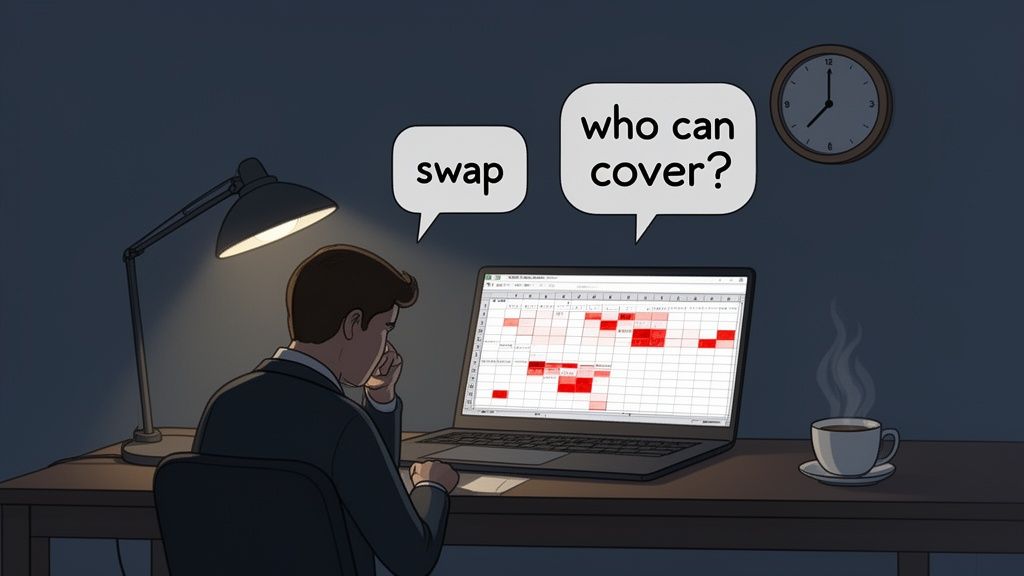
Let’s be honest. Building a rotating shift schedule often feels like a high-stakes, thankless puzzle. I’ve been there—hunched over a spreadsheet on a Tuesday night, trying to balance coverage with everyone’s sanity. You move one person, and three other things break.
It's a frustrating cycle. One small mistake creates burnout, leaves frustrating gaps in coverage, and makes your team feel completely unheard. You know the feeling: the constant texts about last-minute swaps, the dread of sending out a new schedule, and the sinking realization that the old way just isn't working anymore.
Why Spreadsheets Eventually Break
When you’re starting out, a spreadsheet seems logical. It’s simple. But as your team grows or your operation gets more complex, the cracks start to show. You quickly learn you aren’t just plugging names into boxes; you’re managing people’s lives, their sleep, and their ability to plan anything outside of work.
This isn’t just a feeling. It has real consequences. In the United States alone, around 25 million people work rotating or irregular schedules. The constant changes demand adjustment time, which can cause productivity to dip by up to 10-15% during those transitions. Fatigue also leads to higher absenteeism and elevates safety risks, especially on night shifts. You can dig into more insights about shift work challenges if you want the full picture.
It's a system that’s brittle by design. One sickness, one family emergency, or one simple scheduling error can send the entire house of cards tumbling down. The manager is left to pick up the pieces, usually with a flurry of last-minute phone calls.
A Calmer Approach
The real goal isn't just filling slots on a calendar. It's building a predictable, fair system that your team can rely on. That’s why we’re not just handing you a template; we’re sharing a calmer philosophy that comes directly from our own experience on the front line.
This guide is about moving away from that frantic, reactive cycle. We'll show you how to use this simple but powerful rotating shift schedule template as your foundation. From there, we’ll build toward a system that gives you—and your team—some much-needed room to breathe. It’s time to stop solving the same impossible puzzle week after week.
The Template You Can Actually Use
Alright, enough theory. Let’s get you the tool. I’ve put together a rotating shift schedule template designed to be a straightforward starting point—not some clunky, over-engineered system that needs a manual to figure out.
We’ve made it available in the formats people actually use. Just grab the one you’re most comfortable with.
Download for Excel: For anyone who lives and breathes spreadsheets.
Get the Google Sheets version: For teams that need a cloud-based file everyone can access.
Download the CSV file: A simple, bare-bones version you can import into other tools.
More Than Just a Download
This isn't just a file; it’s a framework built from seeing what works and what doesn't. I designed it around three ideas: simplicity, clarity, and flexibility.
You’ll notice the structure makes it obvious who is working and when. We used some light color-coding, not just for looks, but because it helps you instantly spot coverage gaps or an overworked employee. I've also built in some basic formulas to help you avoid accidental overtime—a classic trap I’ve seen sink budgets and burn out great people.
This isn't a one-size-fits-all solution, because that doesn't exist in the real world. Think of it as a solid foundation, ready to be adapted to your team's specific rhythm.
Once your schedule is dialed in, the next step is making sure your team knows what to do. A clear and customizable security patrol checklist template is the perfect companion, ensuring a well-planned schedule leads to solid execution on the ground.
My goal was to create something that offers immediate value. That’s why we also offer a variety of other shifts schedule template options to get you up and running fast. This template is a quiet, reliable tool, ready for you to shape to the unique needs of your operation.
Making a Schedule That’s Actually Fair
A template is just the skeleton. The real work is customizing it to fit your team’s life and your business’s rhythm. This is how you build a schedule that feels fair—the kind that actually sticks.
Let's be real—"fair" doesn't mean everyone gets their dream shifts. It means the less popular shifts, the weekend duties, and the holiday coverage are shared equally over time. No one should feel like they're permanently stuck on nights while others get all the good hours.
Finding Your Team’s Rhythm
First, you need to figure out the operational pulse of your business. A 24/7 manufacturing plant? A hospital that never closes? A retail shop with huge weekend rushes? Your answer will point you toward the right kind of rotation.
This simple flow shows how you can grab one of our templates and start shaping it to your needs, whether you're a fan of Excel, Google Sheets, or a straightforward CSV file.
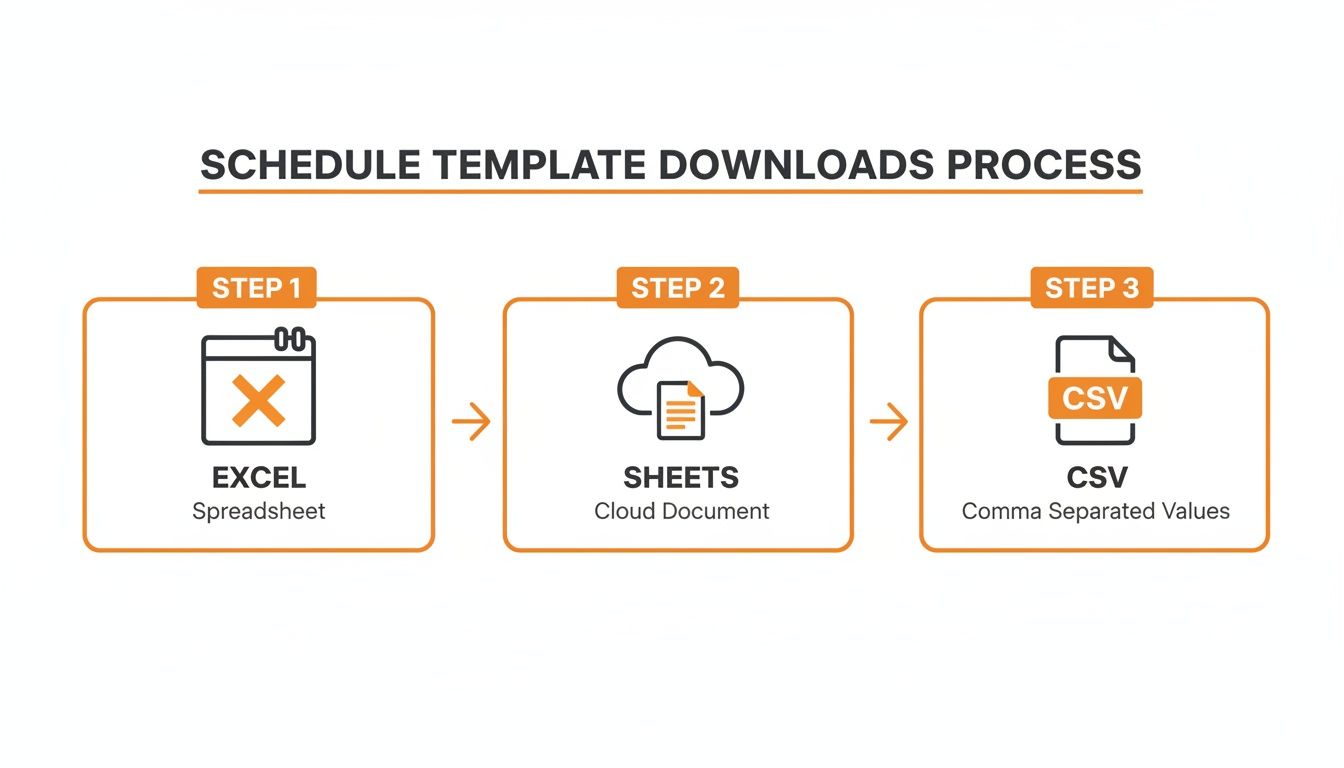
The idea is to give you a flexible foundation you can build on, no matter which tool you prefer.
To give you a better idea, let's look at a few common patterns I’ve seen work wonders.
Popular Rotating Shift Patterns at a Glance
Choosing the right pattern can feel overwhelming. Seeing them side-by-side helps clarify which one might fit your team's needs and well-being.
Pattern Name | How It Works | Best For | Key Benefit |
|---|---|---|---|
DuPont Schedule | A 4-week cycle with 4 consecutive night shifts, 3 days off, 3 day/evening shifts, 1 day off, and 7 days off. | 24/7 operations, industrial settings | A full week off every month for amazing work-life balance. |
4-on-4-off | Teams work 4 consecutive days, then have 4 consecutive days off. Simple and consistent. | Continuous operations, law enforcement, logistics | Very predictable, giving employees a mini-vacation every week. |
2-2-3 (Panama) | Work 2, off 2, work 3 (weekend). The next week, it flips. The weekend off is every other week. | Healthcare, emergency services, 24/7 call centers | Provides frequent short breaks and a long weekend twice a month. |
Each of these has its pros and cons, but laying them out makes it easier to match a pattern to your reality. The key is finding the sweet spot between operational coverage and employee happiness.
For instance, the 4-on-4-off schedule is fantastic for businesses that need constant coverage. It’s incredibly predictable and gives people a solid block of personal time to recharge. The catch is you’ll need a larger team to cover all the shifts.
Another one I see a lot, especially in healthcare, is the 2-2-3 schedule. With 27% of healthcare workers on overnight shifts, a predictable rotation is a must. From my own experience helping teams implement this, I’ve seen fair rotations like the "Panama" cut turnover by as much as 15-25%. It works because it shares the load.
The best rotating shift schedule is the one your team can understand and trust. Predictability is the bedrock of fairness. When people can look months ahead and see their work pattern, they can plan their lives—and that’s huge.
Building Equity into the Rotation
Once you’ve picked a pattern, the real work begins: making sure the tough shifts get distributed fairly. Nobody wants to work every holiday or Saturday night. The trick is to ensure those less desirable shifts rotate through the entire team over a full cycle. Your template should make this rotation crystal clear.
Fairness can also mean creating desirable schedules where possible, like the no call no weekends physician jobs that are becoming more common. While not every industry can offer that, the principle is the same: do what you can to minimize the burden for everyone.
This is one of those small details that makes a world of difference for morale. When your team sees you’ve put real thought into making things equitable, they feel valued. It changes the conversation from "my schedule sucks" to "we're all in this together." For more on this, you can explore our guide on how to design better shift work schedules.
In the end, it’s not about finding a perfect, one-size-fits-all solution. It's about being thoughtful and human.
When the Template Hits a Wall
A spreadsheet is a great start. But we’ve all been there: you spend hours crafting the perfect schedule, color-code it just right, and send it out. Ten minutes later, a time-off request hits your inbox. And just like that, your perfect, static grid is obsolete.
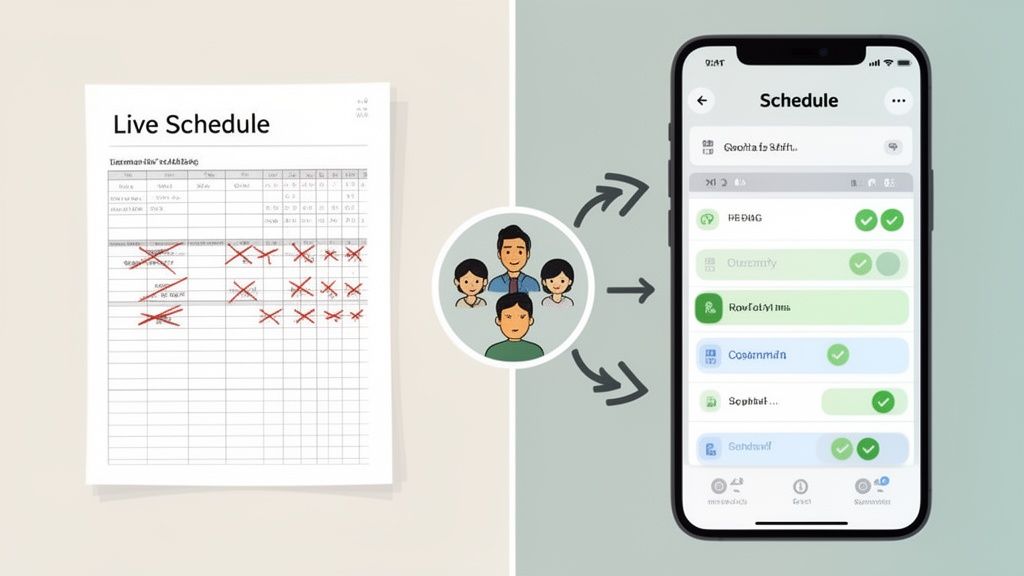
This is the fundamental flaw of relying only on a rotating shift schedule template. It’s a snapshot in time—a picture of a plan. The reality of running a team, however, is anything but static. People get sick, cars break down, life happens. Before you know it, you’re drowning in texts, emails, and sticky notes, just trying to patch holes in a schedule that’s already falling apart.
The Breaking Point
I’ve lived this story. For a long time, I juggled every shift swap and PTO request by hand. It was a constant, frustrating cycle: update the spreadsheet, export a new PDF, and blast it out over email, praying everyone saw the latest version.
Let’s be honest, it was a mess. Mistakes happened. Someone would miss an email and show up for the wrong shift, or worse, not at all. It was never clear which version of the schedule was the "real" one. This doesn't just create more work for you; it creates confusion and erodes trust.
A schedule isn't a document you "finish." It's a living system that needs to adapt. When your tool can't do that, you become the tool, manually stitching everything together.
The Move to a Single Source of Truth
This is usually the moment you realize a template alone isn't enough. To truly manage the chaos, your schedule needs to be part of a central, dynamic system. This isn’t about a more complicated spreadsheet; it’s about a fundamental shift in how you think about scheduling.
Instead of a file you pass around, what you really need is a single source of truth that everyone can see and rely on. This is where dedicated scheduling tools come in. When you plug your rotation into a platform like Pebb, the game changes. The schedule stops being a static document and becomes a live, interactive hub.
From Static File to Live System
Think about it. A time-off request gets approved, and the schedule updates instantly for everyone. Two employees arrange a shift swap, and the change is reflected automatically. No more frantic texts or outdated PDFs.
This is about more than just convenience. Globally, 15-33% of workers in shift-heavy industries work on rotations. For these teams, having a unified app to see their schedules can slash errors by up to 40%. When you bring communication and scheduling together, you build a stronger, more connected culture, even across different shifts and locations.
The goal is to get you out of the business of being a manual switchboard operator. By moving your schedule from a file into a living system, you create a reliable foundation that works for your team, not against them. If you're ready to make that leap, our guide on finding the right scheduling app for employees is the perfect next step. It’s about giving everyone—including you—the clarity to focus on the work that matters.
Hard-Won Lessons for Managing Rotations
When I first started managing shifts, I made a classic mistake: I treated the schedule like a puzzle to be solved just once. I'd craft the "perfect" rotating shift schedule template, email it out, and think my job was done.
It never worked. A rigid schedule shatters the moment it meets real life—a sick kid, a flat tire, a last-minute appointment.
Here are the lessons I learned in the trenches, the kind that only come from getting it wrong and having to fix it under pressure. These aren't theories, just practical truths that will make your life—and your team's—a whole lot easier.
The biggest lesson? Communication isn't a "soft skill." It's the engine that keeps your operation running.
Do This, Not That
These simple rules can mean the difference between a smooth operation and constant chaos. Trust me, I learned every one of these the hard way.
DO give people a heads-up on schedule changes. A minimum of two weeks' notice should be your goal. It shows you respect their lives outside of work.
DON’T rely on word-of-mouth for swaps. Ever. A verbal agreement is a ghost. If it’s not officially logged, it didn’t happen.
DO have a bulletproof process for call-outs. Everyone must know who to call and what the backup plan is, so you aren't scrambling to find coverage at 5 a.m.
DON’T burn out your heroes. Leaning on the same person to always cover last-minute gaps is the fastest way to breed resentment and lose a great employee.
Following these small disciplines is what transforms scheduling from a reactive mess into a predictable system.
Align with Biology, Not Just the Clock
Here’s something I wish someone had told me years ago: the direction you rotate shifts matters. Always, always aim for a forward rotation. That means moving from days, to evenings, and then to nights.
Forcing people to go backward—from a night shift back to an evening shift, for example—is brutal on the body. It’s like inflicting jet lag on your team every few weeks. A forward rotation works with the body's natural circadian rhythms, not against them.
This isn't just about being nice; it's about being effective. Poorly designed schedules directly impact employee wellness and safety. This is why many regions have rules enforcing mandatory rest periods—it’s a globally recognized fact that healthy scheduling is critical. You can dig deeper into this with these insights about rotating shifts.
A schedule is more than just a grid of names and times. It's a statement about what you value. When you prioritize fairness and well-being, your team feels it.
The goal isn't just to plug every hole in your rotating shift schedule template. It’s about building a system that is fair, resilient, and human. A system that proves you respect your team's time, both on and off the clock. That’s the real foundation of a calm, well-run team.
Common Questions About Rotating Shifts
If you’re wading into the world of rotating shifts, you probably have questions. That’s normal. Over the years, I've seen the same concerns come up time and again from managers just trying to do right by their teams.
Let's tackle a few of the big ones with some straight-up advice, no fluff.
What is the fairest rotating shift schedule?
Everyone wants to know this, and the honest answer is there’s no magic bullet. The “fairest” schedule is whatever your team agrees is fair. It almost always boils down to one simple concept: predictably and equitably distributing the less desirable shifts.
Patterns like the DuPont or the 4-on-4-off are popular for a reason. They build fairness right into the system. The DuPont, for instance, is designed so no one gets stuck on a long stretch of nights, and nobody works more than three days in a row. We've seen firsthand how this works. In fact, some studies show this kind of equitable scheduling can slash turnover by up to 25% compared to having fixed night crews. You can see more on how these popular rotations boost morale on yourco.io.
It's not about finding a perfect template. It's about finding a consistent, transparent system where everyone feels the load is shared. That's what builds trust.
How do you handle shift change requests with a template?
This is where a simple spreadsheet starts to show its cracks. When you're just using a template, the only way to manage this is with a rock-solid manual process.
You'll need one point person to field all requests. Then, you have to set a hard deadline for any changes before the next schedule goes live. Once you approve a swap or time-off request, you have to immediately update the master schedule and get the new version out to everyone.
It's a pain, but it's the only way to make sure everyone is looking at the most current schedule. Frankly, the minute this becomes a giant headache is your signal that it’s time to look for a real scheduling tool.
How far in advance should you publish a rotating schedule?
I have a very strong opinion on this one: get the schedule out at least two to four weeks in advance. Anything less just creates chaos.
Put yourself in their shoes. People have lives to plan—doctor's appointments, kids' soccer games, family dinners. Giving them a predictable schedule is a basic form of respect that lets them plan their lives. When people feel they have that control, they’re happier and more focused on the job.
Giving your team a month of visibility isn't just a courtesy; it's a fundamental part of building a calm and functional workplace. It’s one of the simplest, most powerful ways to show you value their time.
Getting these little details right can feel like a lot to juggle, but they make all the difference. This is what separates a team that’s just punching the clock from one that’s truly on board.
Managing these moving parts and building a fair system is so much simpler when you have the right tools. Pebb brings scheduling, communication, and operations together in one easy-to-use app. It turns your static template into a living, breathing system your whole team can actually rely on. Learn more at https://pebb.io.
