
The End of Spreadsheet Scheduling in Healthcare
Discover workforce management software for healthcare that reduces scheduling chaos, lowers burnout, and improves patient care.
Dan Robin
It’s Saturday afternoon. For most, that means family time or a break. For a nurse manager I know named Sarah, it means her phone is glued to her ear, a half-finished cup of cold coffee sits on her desk, and a spreadsheet glows on her screen. A last-minute sick call left the ICU dangerously understaffed, and now her personal time is spent sending a flurry of texts and making desperate phone calls.
This isn’t a made-up story. It’s the reality in clinics and hospitals everywhere. The real cost of outdated scheduling isn't just the empty shift—it’s the chaos left in its wake.
The Breaking Point for Manual Scheduling
Let’s be honest. For years, healthcare has run on a fragile system of spreadsheets, endless email chains, and the sheer grit of managers like Sarah. We’ve patched things together, made it work, and told ourselves it’s “good enough.” But it’s not anymore. We’ve hit a wall.
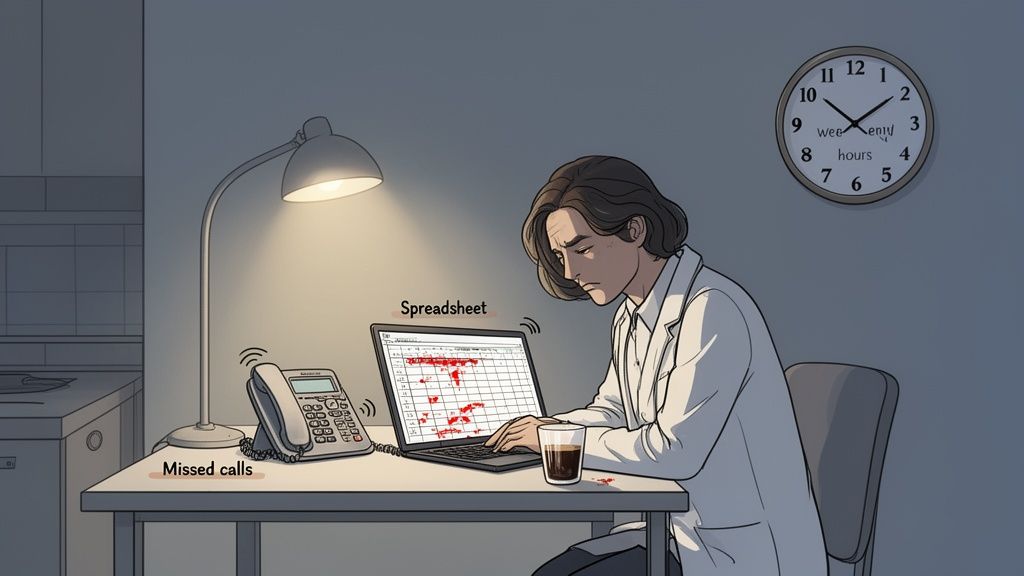
The pressure on our healthcare systems is immense. Staffing shortages aren’t just a buzzword; they are a daily operational crisis. When you’re trying to manage complex clinical schedules on a tool that was designed for accounting, things break.
The real story isn't about the inconvenience of filling one shift. It’s about the slow, steady erosion of morale, the ballooning overtime costs that drain budgets, and the burnout that drives our best people away from the bedside.
This isn't an attack on spreadsheets or the people using them. It's simply an acknowledgment that the tools we've relied on were never built for the complexity of modern healthcare.
When Good Intentions Aren't Enough
We’ve all seen brilliant managers spend countless hours perfecting their color-coded spreadsheets. They build intricate formulas and cross-reference multiple tabs, creating a system that only they can truly understand. It’s a testament to their dedication, but it’s also a huge risk.
What happens when that manager goes on vacation or, worse, leaves? The entire system collapses, leaving the team to scramble and reinvent the wheel. Relying on a single person’s manual system isn’t a strategy—it's a gamble. A well-designed workforce management software for healthcare moves this critical knowledge from one person's head into a shared, reliable system. For a deeper look at organizing your team's information, you might be interested in our guide on creating an effective employee roster format.
The Market Is Telling a Story
This isn’t just an anecdotal problem; the industry data paints a clear picture. The global healthcare workforce management systems market, valued at USD 2.29 billion in 2025, is projected to skyrocket to USD 6.26 billion by 2035. This isn't just corporate spending; it's a direct response to the crippling pressures of staffing shortages and rising labor costs felt by providers worldwide. You can read the full research about these market projections.
The shift is happening because the cost of not changing has become too high. The hidden expenses are finally coming to light:
Excessive overtime because you can't find straight-time coverage.
Agency dependency to fill predictable gaps.
Manager burnout from leaders who are tired of being full-time schedulers.
High turnover from staff who leave due to unfair or chaotic scheduling.
Sticking with the old way isn't saving money. It’s just hiding the costs in different line items. It's time we talked about a calmer, more predictable, and more human way to manage the people who care for us all.
What Is Workforce Management Software in Healthcare?
When most people hear “workforce management,” they probably picture a simple clock-in system or a basic scheduling app. For a coffee shop or a retail store, that’s not too far off. A digital punch card, a dashboard for tracking hours—it gets the job done.
But in healthcare, that definition completely misses the mark. It’s like comparing a first-aid kit to a fully staffed emergency room. They both exist to help, but one is built for a reality that is infinitely more complex and high-stakes.
In a clinical setting, a workforce management (WFM) tool isn’t just some back-office admin program. It’s the operational heartbeat of your entire organization, the invisible architecture that keeps patients safe and prevents your departments from descending into chaos.
More Than Just Filling Shifts
Let’s be real. The hard part isn't just filling an open shift. The real challenge is finding the right person for that shift.
You need someone who has the specific credentials for the cardiac unit, who isn't about to hit overtime, and whose presence on the floor satisfies your state-mandated patient-to-staff ratios. A spreadsheet can't juggle all of that—at least, not without a nurse manager spending hours playing a high-stakes game of Sudoku with people's lives and careers.
Think of a proper healthcare WFM platform as an air traffic control system for your hospital. A controller doesn't just "park planes." They manage dozens of aircraft at different altitudes and speeds, coordinate complex landings and takeoffs, and react instantly to a sudden storm.
That's what a true workforce management software for healthcare does. It’s not about finding a warm body to plug a hole in the schedule; it's about strategically deploying a qualified, compliant, and well-rested professional precisely where they’re needed most.
Why Generic Software Fails in a Clinical Setting
A generic scheduling tool built for a 9-to-5 office simply can’t keep up. It doesn't have the DNA to understand the non-negotiable rules and 24/7 rhythms of a clinical environment. This is where you see the huge gap between a basic scheduler and a clinical command center.
Here's a straightforward look at the differences between running schedules manually and using a dedicated workforce management platform.
Spreadsheets vs Modern Healthcare WFM
Feature | Traditional Spreadsheets & Manual Methods | Modern Workforce Management Software |
|---|---|---|
Credential Tracking | A separate spreadsheet or binder, often outdated. Managers must manually check if a nurse’s license is valid before assigning a shift. | Integrated and automated. The system flags staff with expiring credentials and prevents them from being scheduled in roles they aren't qualified for. |
Staffing Ratios | Eyeballed or calculated manually. Highly prone to error, especially when patient census changes unexpectedly. | Dynamically calculated. The software aligns staffing levels with real-time patient acuity data, ensuring compliance and safety. |
Shift Swaps | A chaotic mess of phone calls, texts, and emails. The manager is the constant middleman, trying to approve swaps while ensuring rules aren't broken. | Self-service for staff. Nurses can request swaps via a mobile app, and the system automatically checks for overtime, skill, and compliance conflicts before routing for approval. |
Reporting | Time-consuming and manual. Pulling data on overtime spending or staff utilization can take days of work. | Instant and insightful. Leaders can see real-time dashboards on labor costs, productivity, and staffing gaps with a few clicks. |
As you can see, the stakes are just too high to get this wrong. The chaos from a poorly managed schedule isn't just a budget problem; it directly impacts patient outcomes and burns out your best staff.
This operational strain is only getting worse. A 2024 McKinsey study found healthcare is staring down a global shortage of 11 million professionals by 2030, putting immense pressure on existing teams. This reality is driving huge demand for specialized tools, with the healthcare WFM market projected to hit USD 4.74 billion by 2030. You can discover more insights about these workforce trends in recent industry reports.
Ultimately, this is about more than just buying a new piece of software. It’s a fundamental shift in how we build the operational foundation of healthcare—moving from a reactive, manual scramble to a proactive, intelligent system that truly supports the people doing the most important work.
When you’re evaluating workforce management software, it’s easy to get lost in a sea of features. But here’s the unvarnished truth: using a generic WFM tool in a healthcare setting is like trying to perform surgery with a butter knife. It’s the wrong instrument for a high-stakes job.
Software built for a 9-to-5 retail or office environment simply can’t handle the chaos and complexity of clinical work. It will break.
Let’s talk about what actually matters. There are a few core capabilities that are non-negotiable for any healthcare organization. These aren't just "nice-to-haves"; they're the foundation for keeping your facility safe, compliant, and running smoothly.
Without them, you're just paying for a fancier, more frustrating spreadsheet.
Scheduling That Speaks "Healthcare"
Clinical scheduling is its own language. It’s a 24/7 puzzle of rotating shifts, on-call assignments, and last-minute sick calls that a standard scheduler just doesn't understand. Where a generic tool sees an empty slot, a charge nurse sees a potential gap in patient care.
A purpose-built healthcare scheduler needs to manage things that would short-circuit a normal system. Think about complex patterns like four-on, three-off rotations or the constant churn of residents moving through different services. It should also handle float pools intelligently, helping you see who is cross-trained and available to deploy where they're needed most—without a dozen frantic phone calls.
Here’s the real goal: It’s not just about filling shifts. It’s about building schedules that are fair for your staff, safe for your patients, and sustainable for your budget. A system that can’t do this isn't a tool; it’s just another problem you've handed your managers.
Credential and Licensure Tracking
This one is an absolute deal-breaker. In most hospitals, tracking certifications is a high-anxiety, manual task. Someone, usually a unit manager, is wrestling with a spreadsheet or a massive binder that’s out of date the second it’s updated.
Imagine a manager unknowingly scheduling a nurse for a pediatric ICU shift, only to find out their PALS certification expired last week. That's a patient safety risk and a compliance nightmare rolled into one.
A true healthcare WFM platform has this function baked into its very core. It's not an add-on; it's essential. The system should automatically flag staff whose licenses or certifications are nearing expiration, and it must physically prevent you from assigning an unqualified person to a shift. If a role requires a specific credential, only staff who hold that active credential should even appear as scheduling options.
This feature alone turns compliance from a reactive scramble into a proactive, automated safeguard. It's your digital safety net.
Time, Attendance, and Pay Rules
Healthcare payroll is a beast. Between union rules, shift differentials for nights and weekends, and multi-step overtime calculations, it's a minefield of potential errors that can erode staff trust.
Your time and attendance system has to navigate this complexity flawlessly. It needs to automatically apply the correct pay rules based on your specific contracts and policies. When a nurse clocks out from a holiday night shift, the system should calculate the correct differential and overtime without anyone having to touch it. This accuracy is critical for morale and saves your payroll team from weeks of manual corrections.
The market growth tells the story. North America's hospital workforce management software market is projected to hit USD 2.48 billion by 2025, a surge driven by the urgent need to solve these operational headaches amid historic staffing shortages. The industry's rapid move to cloud-based systems with deep analytics is a direct response. You can learn more about these hospital WFM software trends and the forces shaping them.
On top of managing your internal team, many forward-thinking WFM systems are now complemented by patient self-scheduling capabilities, tying staff availability directly to patient access and improving the efficiency of the entire clinic.
These three pillars—smart scheduling, automated compliance, and accurate timekeeping—are much more than a checklist. They're the difference between a tool that creates more noise and one that finally brings some calm to the floor. They provide the structure your teams need to focus on the one thing that truly matters: the patient.
How a New Tool Fits into Your Hospital's Workflow
We’ve all seen it happen. A shiny new tool gets rolled out with promises to solve everything, but instead, it just adds another login to the pile. Another dashboard to check. Another island of data completely cut off from the systems your team actually uses.
In a hospital, this isn't just an annoyance—it's a risk. Every minute your charge nurses spend wrestling with clunky, disconnected apps is a minute they aren’t mentoring a new grad or helping a patient. That’s why a workforce management software for healthcare can't just be another app. It needs to become a seamless part of your hospital's operational DNA.
This happens through something called integrations. It sounds technical, but it's really about making sure your systems are constantly talking to each other behind the scenes. Without that, you’ve just paid a lot of money for a glorified spreadsheet.
The Three Essential Connections
For a WFM platform to truly pull its weight, it needs to have a constant, automated conversation with the core systems that already run your facility. Think of it as a three-way handshake that makes everyone’s job easier.
The first handshake is with your EHR/EMR. When your scheduling tool can see real-time patient census data, scheduling stops being a guessing game. A sudden patient surge in the ED? The system can automatically flag the need for more hands on deck. A quiet afternoon on the ortho floor? You can adjust staffing to control labor costs, all driven by actual patient demand.
The second is with your HRIS & Payroll. This connection is all about eliminating busywork. When a new CNA is hired, their profile should automatically appear in the scheduling system. When they work overtime, the right pay codes should be sent directly to payroll. No more double-entry, no more frantic calls to HR, and no more costly payroll mistakes.
The third handshake is with your Single Sign-On (SSO). Let’s be honest, nobody wants to remember another password. Integrating with your hospital’s SSO means your staff can access their schedules, pick up shifts, and request time off using the same credentials they already use for everything else. It’s a small detail that makes a massive difference in adoption and security.
This image shows how all the key pieces—from scheduling to compliance—should work together in one unified system, not as separate, clunky modules.
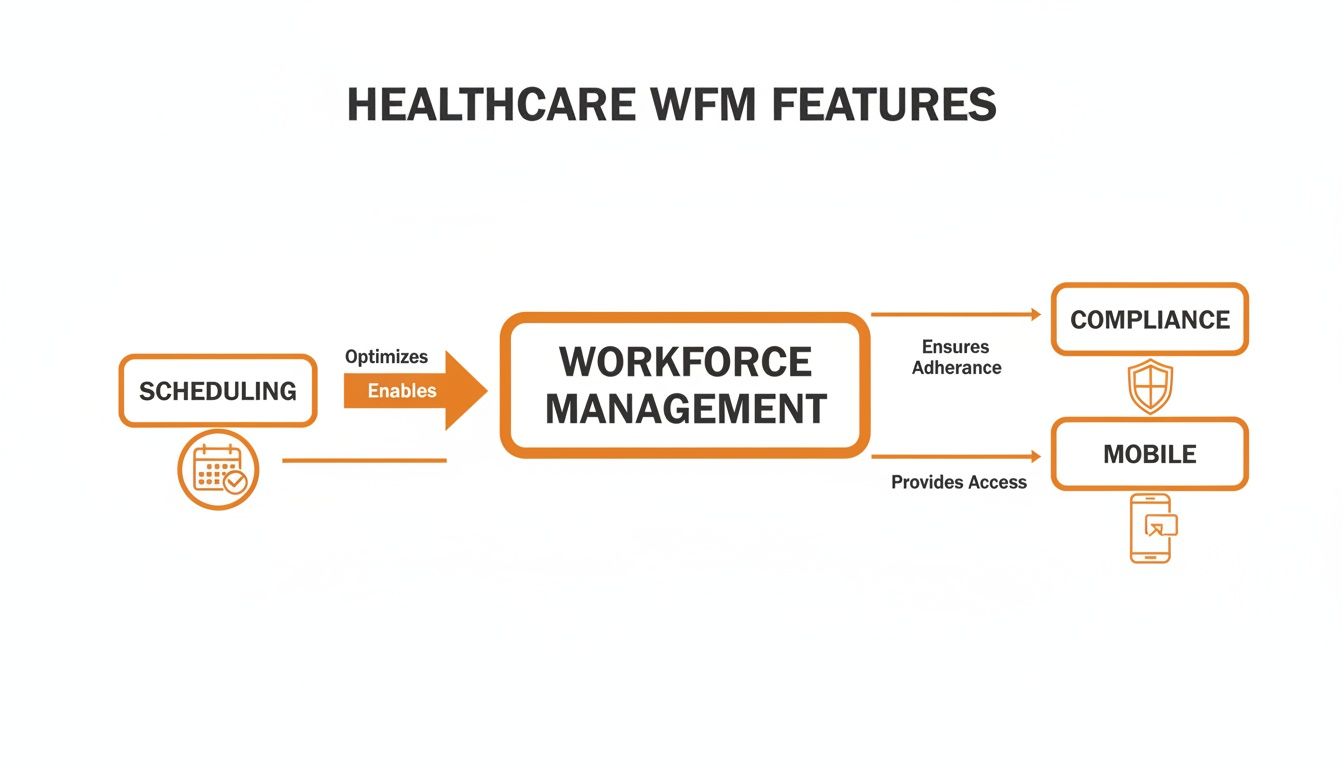
It’s about bringing everything together to support your staff from their first day to their last shift.
The Elephant in the Room: Security and HIPAA
Okay, let’s get right to it: security. In healthcare, protecting patient and staff information isn't just a best practice; it's the law. Any software that touches this data has to be built with HIPAA compliance at its core.
But the term "HIPAA compliant" gets tossed around a lot. What should you actually look for?
It means the vendor has rock-solid technical, physical, and administrative safeguards in place to protect protected health information (PHI). This isn’t a pinky promise. It’s a set of audited, provable controls that dictate how they build their software, train their employees, and manage their infrastructure.
When you’re evaluating vendors, don't be shy. Ask the tough questions. “Can I see your latest third-party security audit?” or “Walk me through your data encryption protocols for data at rest and in transit.” A vendor who truly gets healthcare security will welcome these questions. Anyone who fumbles for an answer is a major red flag.
Properly managing schedules while upholding these security standards is a huge part of the puzzle. You can dig deeper into the best tools for coordinating shift changes in hospitals in our other guide.
At the end of the day, the right tool should feel like it disappears into your workflow, making everything simpler and safer without anyone having to think about it. The right integrations and a non-negotiable commitment to security are what make that possible.
It’s easy to get lost in talk about features, integrations, and ROI. But when you’re making a change this big, what you really want to know is: what will this actually feel like for my team? What problems will it solve on the floor, not just on a spreadsheet?
Let’s step away from the theory and look at a few real-life examples. These are stories about real departments that were struggling with familiar problems and found a better way forward.
A Busy ICU's Quiet Victory Over Agency Costs
Picture a busy ICU in a large city hospital. The nurse manager was caught in a vicious cycle. Staffing felt like a constant guessing game, and any unexpected call-out meant scrambling to fill the gap with expensive agency nurses. The budget was taking a hit, and the unit’s morale was suffering. The core team was exhausted from constantly orienting temporary staff who would be gone in a few weeks. No consistency.
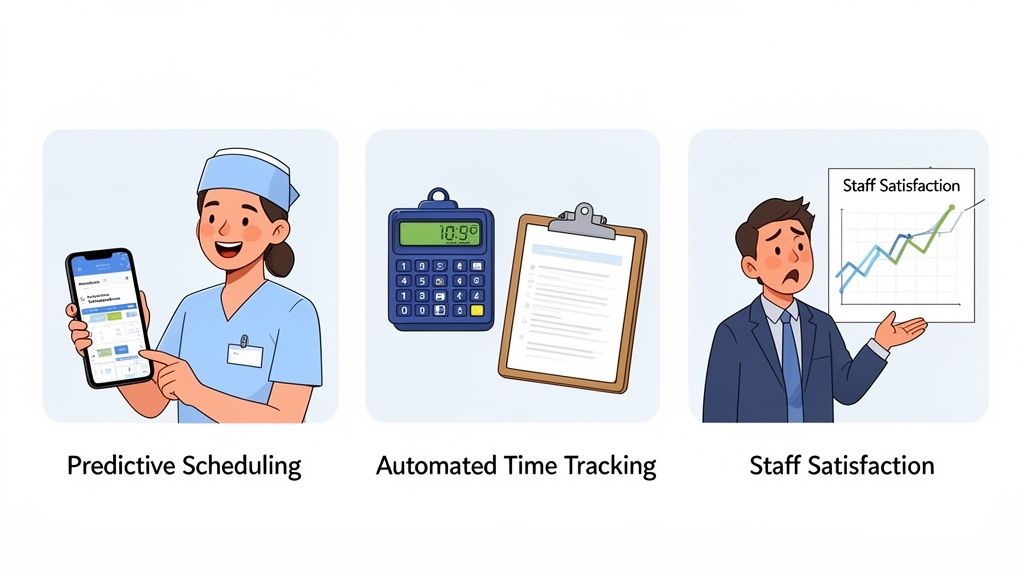
They decided to bring in a WFM platform with predictive scheduling. By analyzing their own historical data on patient admissions and census trends, the system started forecasting staffing needs with remarkable accuracy. Instead of reacting to a crisis, the manager could see potential shortages weeks ahead of time. This gave her the breathing room to offer those shifts to her own staff first.
The result? Within six months, the ICU cut its spending on agency nurses by 15%. That's not just a number. It was money they could pour back into professional development and new equipment. More importantly, the unit stabilized, the core team grew stronger, and the quality of patient care became more consistent.
The End of Payroll Nightmares
Now, let's visit a long-term care facility where the biggest headache wasn't scheduling—it was payroll. Between complex union rules, various shift differentials, and a mountain of manual time cards, mistakes were inevitable. Every payday brought a fresh wave of frustration and corrections.
The director knew she was losing good people. It wasn't intentional, but the constant payroll errors sent a message that their hard work wasn't valued. It was simply the result of a broken, manual process.
The fix was a system with automated time and attendance. Staff could clock in and out from a simple tablet or their own phones, and the software did the heavy lifting. It automatically applied the correct pay codes for overtime, holidays, and night shifts without any manual intervention.
The change was immediate and profound. They slashed their payroll errors by over 90% in the first three months. The bi-weekly flood of frustrated emails to HR slowed to a trickle. The time saved was a bonus; the real win was the trust they rebuilt. When people know they’ll be paid correctly and on time, it sends a powerful message: we see you, and we respect your work.
Giving Power Back to the Nurses
Our last story comes from a regional health system where staff satisfaction was plummeting. Nurses felt they had zero control over their work-life balance. Trying to swap a shift involved a chaotic mess of text messages, phone calls, and hunting down a manager for a manual sign-off.
The health system decided to try a new approach, choosing a WFM tool with a powerful mobile app. The goal was to put scheduling power directly into the hands of the staff.
Almost overnight, everything changed. Nurses could now see the full schedule, post a shift they couldn't work, and pick up extra hours, all from their phones. The system was smart enough to flag any potential rule violations—like insufficient rest between shifts or unapproved overtime—and would route swap requests to a manager for a simple one-click approval.
The impact was clear in the next employee survey. Satisfaction scores tied to scheduling and work-life balance shot up. Nurses reported feeling trusted and empowered. They were no longer just pieces on a chessboard; they were active partners in building a schedule that worked for them and their team.
These stories aren't really about technology. They're about what the right technology makes possible: a calmer, fairer, and more sustainable way to run a healthcare team.
Choosing the Right Tool Without the Headache
Let’s be honest: shopping for workforce management software for healthcare is a chore. Every vendor website looks the same, a sea of stock photos and confident claims promising to solve every staffing headache you’ve ever had. How do you cut through all that noise?
More importantly, how do you find a tool that won't just become another ignored icon on your team's desktop? It's easy to get bogged down in endless feature comparison charts, but the goal isn't finding the software with the longest list of features. The goal is to find the one your team will actually use.
The best way to figure that out is to ground every conversation in your daily reality. When you're in a demo, don't just sit back and watch the polished sales pitch. Take the wheel. Ask them to show you, click-by-click, how the tool handles the messy, real-world problems your managers face every single day.
Questions That Reveal the Truth
Instead of asking if a feature exists, ask to see it in action. The difference is huge. How they answer will tell you everything you need to know about how the software really works—and how much thought went into designing it for people on the front lines of care.
Here are the kinds of questions that get you real answers:
The Saturday Morning Scramble: “It’s 6 AM on a Saturday, and a nurse from the cardiac unit just called in sick. Show me, step-by-step, how a manager finds and confirms a qualified replacement without making a single phone call.”
The Compliance Check: “A new state regulation just changed our required patient-to-staff ratios. Walk me through how we update this rule in the system and how it prevents non-compliant schedules from being published.”
The Human Factor: “Tell me about your implementation and training plan. Who from your team will be our dedicated contact, and what’s their hands-on experience in healthcare operations?”
If they can show you a clear, simple workflow, you’re on the right track. If they have to click through ten different screens to handle a common scenario, you can bet your team will give up and go back to their spreadsheets.
Here's the bottom line: The "perfect" software doesn't exist. What you're really looking for is a partner—a vendor who truly understands the chaos of healthcare and has built a tool that respects your team's time. A company that acts more like a collaborator than a salesperson.
When weighing your options, security is obviously non-negotiable. For context on the level of diligence required, just look at the standards for tools like HIPAA compliant video conferencing platforms. You should expect that same level of security from any vendor handling your sensitive staff and patient data.
Ultimately, this choice all comes down to usability. The best workforce management software for healthcare is the one that simply disappears into the background, quietly making life easier for your schedulers, managers, and clinical staff. If you're digging deeper into what makes a great scheduling tool, our guide on the best employee scheduling software is a great place to start.
Don’t settle for a tool that just ticks a few boxes on a checklist. Find one that solves your real-world problems and gives your people the one thing they need most: more time to focus on patients.
Frequently Asked Questions
We get it. Kicking the tires on new software always brings up a lot of questions. We've had countless conversations with healthcare leaders about these very topics, so we've put together some straight answers—no marketing fluff, just what you need to know.
How Long Does It Take to Implement New Workforce Management Software?
This is usually the first question on everyone's mind, and the honest answer is: it depends. A single department getting up and running in a phased rollout might take 4-8 weeks. For an entire hospital system, you’re looking at several months.
But let’s be real, the timeline isn't the most important part. What really matters is finding a partner who gives you a clear plan and sticks with you. A good implementation isn't just someone handing you the keys and a manual. It's a genuine partnership to get your team comfortable, confident, and actually using the tool to make their lives easier.
Can This Software Really Help with Nurse Burnout and Retention?
Yes, without a doubt. In fact, it’s one of the main reasons tools like this exist. Burnout isn't just a buzzword; it's what happens when dedicated people feel powerless, stretched too thin, and unappreciated.
A great workforce management tool for healthcare gets right to the heart of what causes that frustration:
Fairness: It helps you build predictable, equitable schedules that everyone can count on.
Flexibility: It makes simple things like shift swaps and PTO requests easy, not a bureaucratic nightmare.
Safety: It gives you the visibility to maintain safe staffing levels and avoid dangerously unbalanced workloads.
When your clinical staff feel their time is respected and their well-being is a priority, they are so much more likely to stay. It’s a powerful signal that you’re invested in them as people, not just as names on a schedule.
We believe technology should serve people, not the other way around. A tool that reduces daily friction for nurses is a tool that improves retention. It’s that simple.
Is Our Organization Too Small for This Kind of Software?
Not at all. That’s a common misconception left over from the old days of clunky, server-based software that cost a fortune and required a whole IT team to manage. Modern tools have completely changed the game.
Today's cloud-based platforms are built to be affordable and scalable for everyone, whether you’re a small specialty clinic or a large hospital network. The pricing models grow with you, so you only pay for what you actually use. The right tool won’t hold you back with a massive upfront investment—it will grow with you.
Ready to see how a modern, all-in-one work app can calm the chaos in your healthcare facility? Pebb unifies communication, scheduling, and operations into one simple platform your team will love to use. Learn more about Pebb.
