
Best PTO Tracking Software for Frontline Teams in 2026
Ditch the spreadsheets. Our 2026 guide to PTO tracking software explains key features, benefits, and how to choose the right tool for your frontline workers.
Dan Robin
A lot of teams still manage time off like it's a side chore. A spreadsheet lives somewhere in Google Drive. Managers approve requests in email. Someone sends a text on Sunday night asking for Monday off. HR updates balances later, or thinks they did.
That system works right up until it doesn't.
PTO isn't just a recordkeeping task. It's scheduling, payroll, fairness, compliance, and trust packed into one routine process. When it breaks, people feel it fast. The employee thinks their balance is wrong. The manager finds out too late that two key people are off on the same shift. HR gets dragged into a dispute that should never have existed.
That's why pto tracking software matters. Not because it's trendy. Because calm operations need a clean system.
Let's Be Honest The Spreadsheet Is Broken
I've seen the same scene in different companies. A manager is toggling between a color-coded sheet, an email thread, and text messages from hourly staff who are on the floor, on the road, or between shifts, not sitting inside an HR system all day.
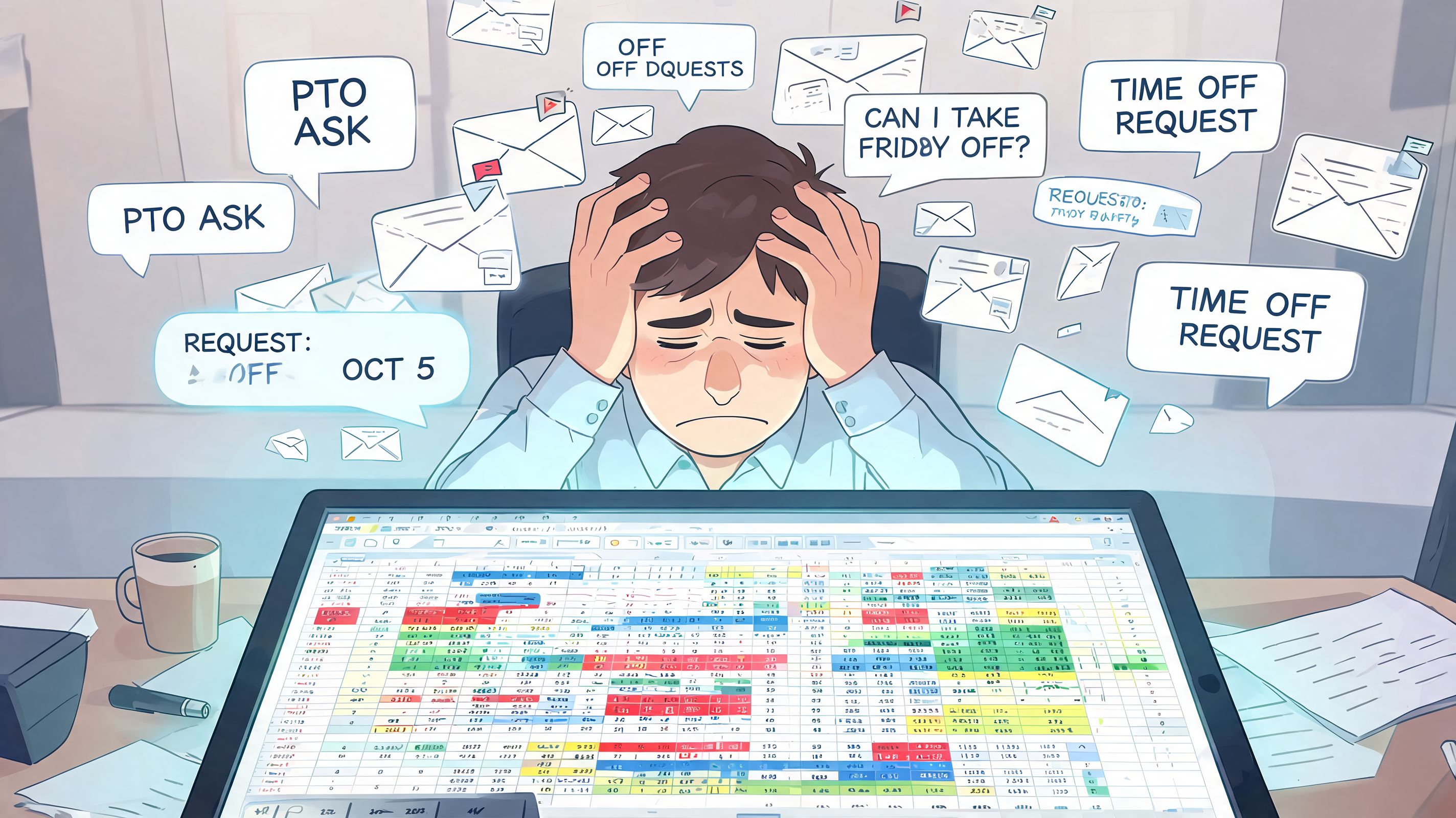
The spreadsheet usually isn't the only problem. The bigger issue is that the process lives in too many places. The request starts in chat, gets approved in a text, lands on a manager's calendar if someone remembers, and reaches HR later. By then, nobody is fully certain which version is current.
That confusion has a cost.
Managers spend time checking coverage instead of making a clear decision. Employees ask for balance updates because they do not trust what they were told last month. HR ends up reconciling screenshots, inboxes, and calendar entries to answer a question that should take ten seconds.
The mess is human
Spreadsheets break in ordinary ways, and ordinary ways are what make them dangerous.
Balances drift: someone edits a formula, sorts one column wrong, or copies last quarter's template, and the numbers stop matching policy.
Approvals vanish: a supervisor says yes in a message, but nobody records it in the place payroll or scheduling uses.
Visibility splits: one team sees the planned absences, another team does not, and the coverage problem shows up on the day of the shift.
I have also seen teams buy a standalone PTO tool and keep half the old behavior. Requests still come through chat. Schedule questions still live in a separate app. Managers still ask HR to confirm balances because they do not trust the handoff between systems. That is the hidden operational drag many companies miss. A PTO process works better when requests, approvals, team communication, and day-to-day work happen in the same place, not across a stack of disconnected tools.
PTO problems get personal fast because employees read inconsistency as unfairness. Managers respond by slowing down approvals. HR becomes the referee. The process creates friction long before anyone calls it a system issue.
A broken PTO process does more than waste admin time. It creates doubt about whether the rules are applied the same way for everyone.
A tighter employee time off request process usually fixes more than another reminder email or policy update. The point is not to replace one record with another. The point is to stop passing the same request through three systems and hoping they stay aligned.
Manual tracking keeps failing for a simple reason. It depends on perfect follow-through from busy people in the middle of real work. Frontline teams feel that first because they live on phones, in stores, in warehouses, and between handoffs. If time off lives outside the tools they already use to communicate and run the day, errors are not the exception. They are part of the design.
What PTO Tracking Software Actually Does
The simplest way to think about pto tracking software is this. Manual tracking is like everyone keeping their own bank balance in a notebook. The software is the bank ledger.
There is one record. One balance. One approval trail. One place to check what's true.
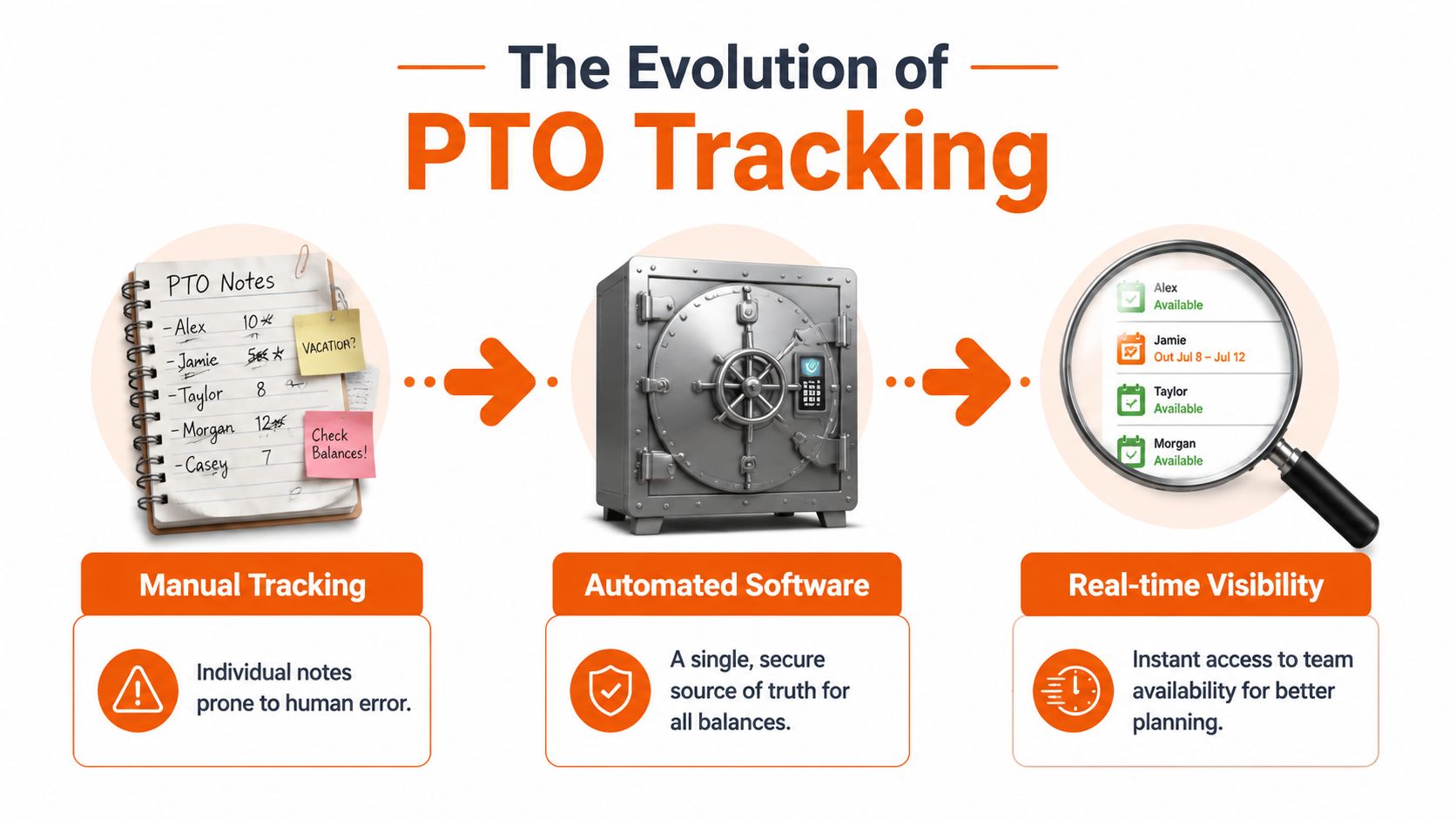
That single source of truth changes more than initially expected. Employees stop guessing. Managers stop chasing context across messages and calendars. HR stops reconciling conflicting versions of the same request.
One answer beats five partial ones
When a team asks, "Who's off next Friday?" there shouldn't be five possible answers depending on which person you ask. Good software fixes that by centralizing requests, approvals, balances, and history.
The market's growth tells you this has moved from nice-to-have to standard operating gear. The PTO Tracking Software Market was valued at approximately USD 1.43 billion in 2024 and is projected to reach USD 1.75 billion in 2026, according to Business Research Insights' PTO tracking software market report. That doesn't prove every tool is good. It does show that more companies now treat leave tracking as core infrastructure.
What the software is really hired to do
The software isn't there to impress anyone with dashboards. Its job is more basic and more important.
Keep balances accurate so people trust what they see.
Route requests clearly so approvals don't vanish into chat threads and inboxes.
Show availability fast so managers can make staffing decisions with confidence.
Preserve history so disputes have an answer.
Practical rule: if your tool can't give an employee, a manager, and HR the same answer at the same moment, it isn't doing the core job.
That last point matters. A lot of buying decisions get distracted by long feature lists. The better question is whether the tool removes ambiguity. If it does, adoption gets easier. If it doesn't, you'll keep paying the old tax in a newer interface.
Trust is the product
The best pto tracking software creates a boring kind of reliability. Requests go in. Rules apply the same way every time. People can see what they need without asking three other people first.
That sounds small until you've run teams without it. Then you realize its true value isn't automation by itself. It's trust made visible in everyday operations.
Beyond the Basics Core Features That Matter
The feature list that matters is the one that holds up on a busy Monday morning. An employee submits a request from a phone before a shift. The manager needs to know in seconds whether approving it will leave the team short. HR needs the balance, accrual, and payroll impact to stay accurate without fixing the record later. If the tool breaks at any point in that chain, the problem lands on people.
What employees need
Employees expect self-service that works fast and reads clearly. They should be able to check balances, request time off, cancel or edit when policy allows, and see approval status without sending a message to HR.
For frontline teams, mobile usability usually matters more than extra reporting tabs. If requesting leave takes too many taps, requires a desktop login, or hides balances behind menus, people stop using it correctly. Then managers get requests in chat, supervisors keep side notes, and the system loses credibility.
Good employee-facing design prevents that mess early.
What managers need
Managers need context at the moment of approval. A plain request queue is not enough. They need to see who is already out, which requests are pending, whether a shift or location is exposed, and what rule applies before they click approve.
The features that help are straightforward:
Team availability in one view: approved and pending leave shown alongside schedules or staffing needs
Conflict warnings: alerts when too many people with the same role, shift, or skill set will be out
Approval records: a clear log of who approved, denied, or changed a request, and when
Policy guidance at the point of action: enough information to keep managers from making exceptions they did not mean to make
Standalone PTO tools often start to show strain at this stage. A manager can approve leave in one app and still have to open the schedule somewhere else to judge the actual staffing impact. The approval is fast. The decision is still fragmented.
What HR and ops need
HR and operations carry the cleanup when the rules are weak. They need the system to apply accruals correctly, handle carryover limits, support different leave policies by employee group, maintain an audit trail, and pass clean data into payroll.
That payroll handoff matters. Automated systems reduce PTO calculation discrepancies from 8-12% in manual processes to less than 0.5%, according to TimeTrak's review of PTO tracking software practices. In practice, that means fewer off-cycle corrections, fewer disputes over balances, and fewer last-minute scrambles before payroll closes.
It also changes how teams work day to day. HR stops being the human bridge between requests, spreadsheets, schedules, and payroll exports. If you're evaluating systems at that level, it helps to frame employee PTO tracking as part of your operating model, not as a narrow HR admin task.
Good PTO software cuts follow-up work across the whole company. It should not create a new inbox for HR.
The short version
Team | What matters most | What good looks like |
|---|---|---|
Employees | Fast self-service | Mobile requests, visible balances, clear status |
Managers | Approval context | Team availability, conflict warnings, decision history |
HR and ops | Rule accuracy | Automated accruals, policy controls, payroll-ready data |
A lot of products can approve a vacation request. Fewer can do it in a way that also keeps staffing decisions, payroll, and communication aligned. That difference matters more than another checkbox on the feature sheet.
The Hidden Cost of Standalone Tools
A standalone PTO tool is often better than a spreadsheet. That's true. But it can still leave you with a messy operating model.
The hidden cost is fragmentation. PTO ends up in one app, scheduling in another, chat somewhere else, documents in a fourth place, and payroll in a fifth. Each individual tool may work fine on its own. Together, they create drag.
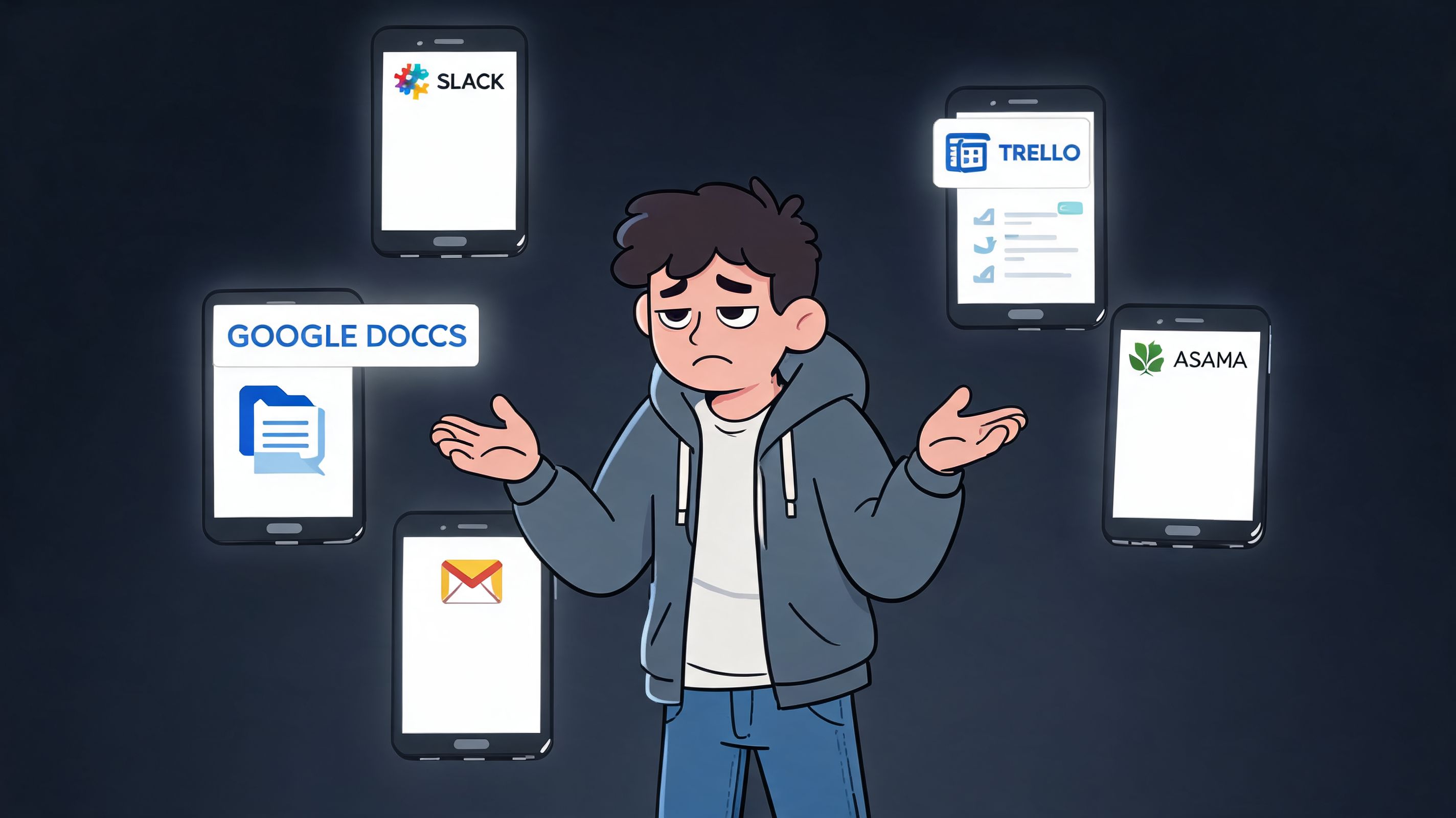
A manager approves time off in one system, then flips to the rota to see if the week still holds. An employee checks schedule changes in one place but has to remember another login to request leave. HR exports data because two systems don't talk cleanly enough. Nothing is catastrophic. Everything is annoying.
Fragmentation looks small until it isn't
This is the trap. Buyers compare feature lists and pricing, then ignore the daily cost of context switching.
Standalone tools usually introduce these problems:
Another app to adopt: frontline workers already have enough passwords and icons on their phones.
Another silo of truth: approvals may be correct in the PTO app but invisible where managers plan work.
Another handoff: someone still has to bridge the gap between time off, scheduling, payroll, and communication.
For desk-based teams, this is irritating. For frontline teams, it's operationally expensive. They need one place to check shifts, ask questions, see announcements, and handle routine requests. If PTO lives outside that flow, it becomes one more thing people forget to use until they urgently need it.
Why unified platforms are getting more attention
This is why all-in-one work apps are gaining ground. A 2025 Gartner forecast shows 72% of SMBs are adopting all-in-one work apps to replace siloed tools, and 55% of HR leaders report app fatigue as a major issue, according to the cited video discussion referencing that forecast.
That matches what a lot of operators already know from experience. Adoption drops when a process lives in a disconnected app. People don't resist PTO tracking because they hate time-off rules. They resist extra friction.
If your staff has to stop what they're doing and switch systems just to ask for a day off, the process is already heavier than it should be.
What works better in practice
A unified platform changes the flow. The manager sees a request in the same place they manage team communication and staffing. The employee checks PTO in the same app they already open for work. The context stays intact.
Tools come at this from different angles. BambooHR and Rippling sit inside broader HR workflows. Connecteam brings PTO into a larger operational app for mobile teams. Pebb places PTO tracking alongside chat, tasks, updates, directories, shifts, and clock-in features in the same workspace, which is a practical fit for teams that want work and communication in one place rather than scattered across separate apps.
That's not a small UX improvement. It's a better operating model.
A standalone tracker solves leave administration. A unified platform helps the team run the day.
How to Choose a Tool Without Regrets
Most buying mistakes happen before the demo ends. A vendor shows a clean request screen, a tidy calendar, and a few approvals. Everyone nods. Then essential questions show up during rollout. Can this thing handle our policies? Will managers consistently use it from their phones? Does it fit into the way work already happens?
For frontline teams, visibility matters a lot. The best systems use mobile interfaces and push notifications to manager dashboards, and that can reduce unplanned absences by 15-20% through proactive conflict detection and coverage alerts, according to Connecteam's explanation of employee PTO tracking.
Ask harder questions than the vendor wants
The easiest way to avoid regret is to test the workflow, not the pitch.
Question | Why It Matters | What to Look For |
|---|---|---|
Does it work well on a phone? | Frontline adoption lives or dies on mobile use. | Fast request flow, clean approvals, simple balance view, no desktop-only gaps |
Can it handle our actual policy rules? | Weird workarounds become permanent admin pain. | Support for accrual logic, carryover, different leave types, location-based rules |
Does it connect cleanly to payroll? | Bad sync creates manual fixes and distrust. | Direct integrations, clear data flow, reliable exports or APIs |
Can managers see time off in scheduling context? | Approval without staffing visibility leads to avoidable gaps. | Shared calendars, conflict alerts, team-level views |
Is there an audit trail? | Disputes happen. Memory isn't a system. | Historical logs, approval records, change history |
Does it reduce tools or add one more? | Every extra app lowers adoption. | Fit with communication, scheduling, and daily workflows |
Can employees understand it without training sessions? | If basic tasks need a manual, usage will slip. | Obvious navigation, plain language, fast onboarding |
A useful companion to this evaluation is a broader view of workforce management software, especially if PTO is only one part of a bigger scheduling and operations mess.
What to test during a demo
Don't ask the vendor to walk you through the best-case path only. Ask them to show the awkward parts.
Show me a policy exception: not the default vacation rule, the messy one.
Show me a manager approving from a phone: not from a polished desktop admin panel.
Show me what happens after approval: where does the data go, who sees it, and what updates automatically?
Those questions reveal more than a polished slide ever will.
Buy for the real week your team lives through, not the perfect workflow in the demo account.
Match the tool to the environment
This matters more than brand recognition. A company with heavy European compliance concerns may care about a provider with a stronger fit there. A distributed shift-based operation may care more about mobile usage and team visibility than about broad HR modules.
The right tool isn't the one with the longest feature page. It's the one that removes friction in your actual operating environment.
Rolling It Out A Calm Launch Plan
Even a good tool can create a bad rollout if the launch is rushed. Most implementation trouble has less to do with software and more to do with unclear expectations and messy old data.
Start with the reason. Tell people what is changing and why it helps them. Employees need to hear that they'll be able to see balances clearly and submit requests without chasing managers. Supervisors need to hear that approvals will be easier and coverage will be more visible. HR needs confidence that the rules will be applied consistently.
Clean up the old mess first
This part is dull and necessary. Before you import anything, review your current balances, policy rules, approval chains, and exceptions. If your old spreadsheet is full of side notes and one-off fixes, moving it into software without cleanup just digitizes the confusion.
A calm rollout usually follows this sequence:
Fix the source data: balances, accrual rules, employee groups.
Pilot with a small team: pick managers who will give honest feedback.
Adjust the rough edges: approvals, notifications, policy wording.
Launch broadly with simple instructions: short, clear, and mobile-friendly.
Keep the training light
Employees don't need a long training session for PTO. They need one clear path. How do I request time off? How do I approve it? Where do I check the balance?
If those three tasks are obvious, the rollout will feel smooth. If they aren't, no amount of launch enthusiasm will save it.
The best rollout feels less like software deployment and more like removing a recurring annoyance from everyone's week.
The finish line isn't technical go-live. It's when people stop asking where to find the right answer.
Common Questions About PTO Software
How is PTO software usually priced
Pricing only tells part of the story. A low per-employee rate can still turn into a costly setup if PTO lives in a separate tool from scheduling, messaging, and payroll, because your team ends up maintaining handoffs between systems.
Some vendors sell PTO inside a broader HR suite. Others include it in workforce management or employee communication software. The practical question is simpler. Are you buying one more system to maintain, or reducing the number of places managers and employees need to go to get time-off decisions made?
What should I check for security and compliance
Start with the basics: role-based access, audit trails, data retention settings, and a clear history of who changed what. Then verify whether the tool can support the policies and recordkeeping rules you operate under, especially if you have teams in multiple states or countries.
This is also where standalone tools can create extra work. If PTO data sits apart from employee records, schedule data, or manager permissions, someone has to keep those systems aligned. That usually falls to HR ops, payroll, or front-line managers, and it creates avoidable risk.
Can these tools handle complex policies
Some can. Some look flexible until you try to build your real rules.
Use the demo to test actual scenarios: union accruals, tenure-based changes, carryover caps, blackout periods, state-specific sick leave, and different approval paths by location or department. Don't accept "yes, it's configurable" without seeing it in action. Ask the vendor to show the policy setup, the employee request, the manager approval, and the final record that payroll or HR will rely on.
That exercise usually tells you more than the feature grid.
If a tool handles exceptions cleanly, administration stays manageable. If it needs manual fixes for common policy cases, you will keep paying for that decision in back-and-forth messages, spreadsheet checks, and payroll corrections.
If you want one place for communication, shifts, clock-ins, and PTO tracking instead of another disconnected tool, Pebb is worth a look. It brings those workflows into the same app, which often makes adoption easier because employees and managers are already working there.
