
The Real-World Time Off Management App Guide
Tired of messy spreadsheets? This guide explains what a time off management app is, why it matters, and how to choose one your team will actually use.
Dan Robin

One messy time-off request can ruin an otherwise normal day.
You know the version. One employee texts you before opening. Another emailed last night. Someone scribbled a note and left it near the register. The shared spreadsheet says one thing, the schedule says another, and a supervisor approved something verbally but never wrote it down. By noon, you're not managing time off. You're doing archaeology.
That's why a time off management app matters. Not because HR needs another dashboard. Because people on the floor need a system that doesn't break the moment two people ask for Friday off at the same time.
The Time-Off Request That Broke the System
The breaking point usually isn't dramatic. It's small. A missed request. A duplicate approval. A shift lead who assumes someone else is covering. Then the lunch rush hits, or the truck arrives, or the night nurse calls asking why the schedule changed again.
I've seen this happen in teams that were full of good people. Nobody was careless. They were working with scraps. A spreadsheet for balances. Email for approvals. Texts for “just checking.” Sticky notes for the requests that came in during a busy shift. That kind of system works right up until it doesn't.
Where the old way fails
The problem with manual leave tracking isn't just admin. It's uncertainty.
When requests live in different places, managers spend too much time answering basic questions:
Who already asked for that day
How much time does this person have left
Was this approved, denied, or just discussed
If I say yes, who covers the shift
That confusion spreads fast. Employees feel ignored when a request disappears. Supervisors get blamed for decisions they never made. Payroll ends up cleaning up mistakes after the fact.
Broken leave processes don't create one big failure. They create a hundred small ones, and the team feels all of them.
The real cost isn't on the spreadsheet
Teams often notice the visible damage first. A no-show. A coverage gap. A frustrated employee. But the deeper cost is trust.
People start thinking they need to chase every request. They screenshot approvals. They follow up twice. Managers become gatekeepers instead of leaders. Nobody relaxes because nobody is sure the system is real.
A calm operation needs one place where time off lives. One request method. One approval trail. One view of who's out and when. Not because software is exciting. Because chaos is exhausting.
What We Talk About When We Talk About Time Off
A time off management app is badly named. It sounds like a filing cabinet with a login screen.
What you need is a shared system for clarity, fairness, and predictability. The software matters, but the bigger thing is what the software signals. It tells employees their time is taken seriously, and it tells managers they won't have to reconstruct the truth from six different channels.
It's less about tracking and more about trust
When a team asks for time off, they're not just entering a date range. They're asking a basic question. Can I plan my life without work turning into guesswork?
That's why the good tools feel almost invisible. They make the rules clear. They show balances without making people ask a manager. They show who's already away before another request gets approved. They replace suspicion with a process everyone can see.
A lot of office-focused software misses this. It treats leave as a back-office record. Frontline teams experience it differently. For them, bad leave handling shows up in missed weekends, awkward shift swaps, and the feeling that fairness depends on who asked first or who knows the right person.
Admin time matters, but only because it gives people their day back
There's a practical upside too. A 2023 SHRM study found that 78% of U.S. organizations using digital PTO trackers reported a 25-30% reduction in administrative time spent on leave requests and approvals. That matters because every hour spent untangling leave is an hour not spent coaching a new supervisor, fixing a staffing issue, or talking to the team like actual humans.
Here's the part people skip. Reduced admin time is not the end goal. It's the byproduct of a more respectful system.
Practical rule: If your leave process forces employees to ask, remind, and prove, the system is teaching them not to trust it.
What a better system really promises
A useful time off setup makes a few promises, whether you write them down or not:
Promise to employees | Promise to managers |
|---|---|
Your request won't get lost | You'll see what approval will affect |
The rules apply the same way to everyone | Balances and calendars stay current |
You can check your status without chasing people | Coverage decisions are easier to make |
That's why I don't think of this as just HR software. It's operating software. It helps people rest without causing the business to wobble. And when that works, morale improves naturally. The team stops treating leave like a negotiation.
The Anatomy of an App You Will Actually Use
A leave app proves itself at 6:10 a.m., not in a product demo.
That's the moment a shift lead is checking coverage before opening, someone on the floor is trying to request two days off from a phone, and a supervisor needs a clear answer without digging through texts, email threads, and an old spreadsheet. For frontline teams, the standard is simple. The tool has to work fast, on mobile, and with enough context to protect the shift.
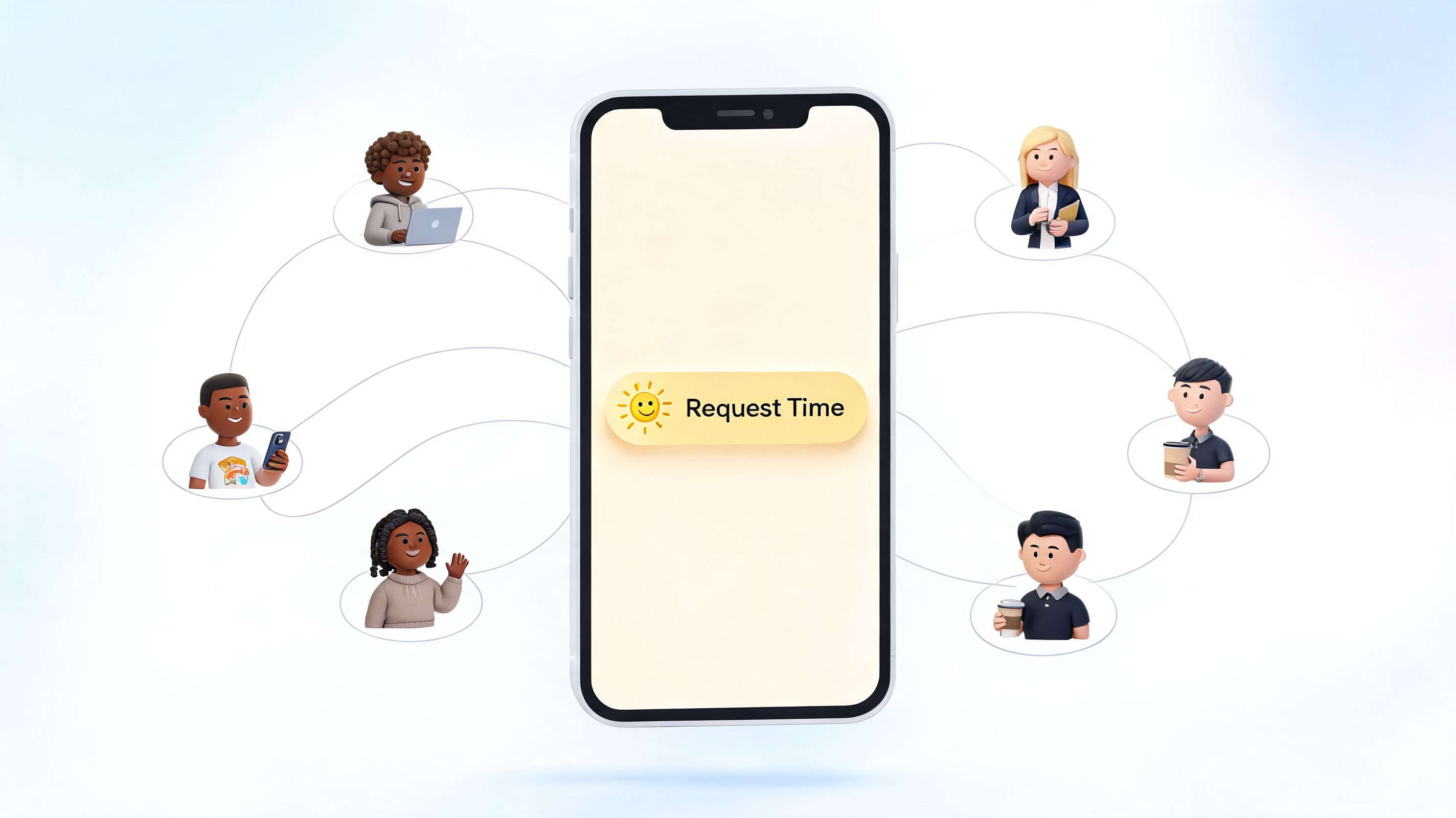
Requesting time off from your phone
Frontline staff do not sit at desks waiting for the right moment to file a request. They do it between tables, on break, in the stockroom, or on the ride home.
A useful app respects that. Someone should be able to open a phone, see their balance, choose dates, submit the request, and get a clear status update later. If the process depends on a desktop, a separate portal, or a manager entering it for them, the tool is creating extra work before approval even starts.
Tools connected to daily communication usually hold up better because the request happens where people already check updates and messages. That's the practical appeal of Pebb's employee time off app. It keeps leave requests close to team communication and day-to-day operations, which cuts down on the usual back-and-forth between scheduling, chat, and approvals.
Handling rules fairly and automatically
The hard part is not collecting requests. The hard part is applying the rules the same way every time.
Frontline teams rarely share one clean policy. Part-time staff may accrue differently. New hires may have waiting periods. One location may allow carryover while another does not. If supervisors have to remember those details from memory, fairness starts to depend on who is approving that day.
Good software carries that load for them. It should track balances accurately, apply the right policy by role or location, and show employees what they have available before they ask. Supervisors need enough flexibility to run a shift, but they should not have to calculate accruals or interpret policy on the fly.
Supervisors should decide on coverage, not do leave math by hand.
Seeing the staffing impact before saying yes
Approval gets messy when the app treats time off as an HR event instead of an operations event.
On the floor, the primary question is not just whether someone has the hours. It's whether approving the request leaves the team short on a truck day, a weekend dinner rush, or the first shift after a holiday. A usable tool shows that impact before the manager taps approve.
The apps people keep using usually make a few things visible right away:
Who is already out, so managers are not approving blind
Current balances, so employees are not requesting against old numbers
Approval records, so disputes do not turn into memory contests
Policy by role or team, so one rule does not get forced onto everyone
That visibility matters more for frontline operations than for office teams. One absence in a warehouse lane or on a small restaurant crew changes the whole day.
One system reduces handoffs and mistakes
A lot of teams still patch leave together with chat, scheduling software, email, and a spreadsheet that somebody in HR is expected to keep current. It works until it doesn't.
The failure points are predictable. A balance gets updated in one place but not another. A manager approves a request without seeing the schedule. An employee thinks they are off because they sent a message, but the request never made it into the system. None of that feels like a software problem to the team. It feels like management confusion.
That is why integrated tools tend to work better in practice. Simplicity comes from keeping requests, communication, approvals, and visibility in one place, with fewer chances for the same information to get lost between systems.
A Simple Checklist for Choosing Your Tool
Choose the tool that can survive a Friday night callout, a warehouse holiday week, or a short-staffed breakfast shift.
That standard changes how you evaluate software. A leave app for frontline teams has to do more than store policies. It has to help supervisors make fast decisions, help employees trust the process, and keep coverage problems from turning into shift-by-shift firefighting.
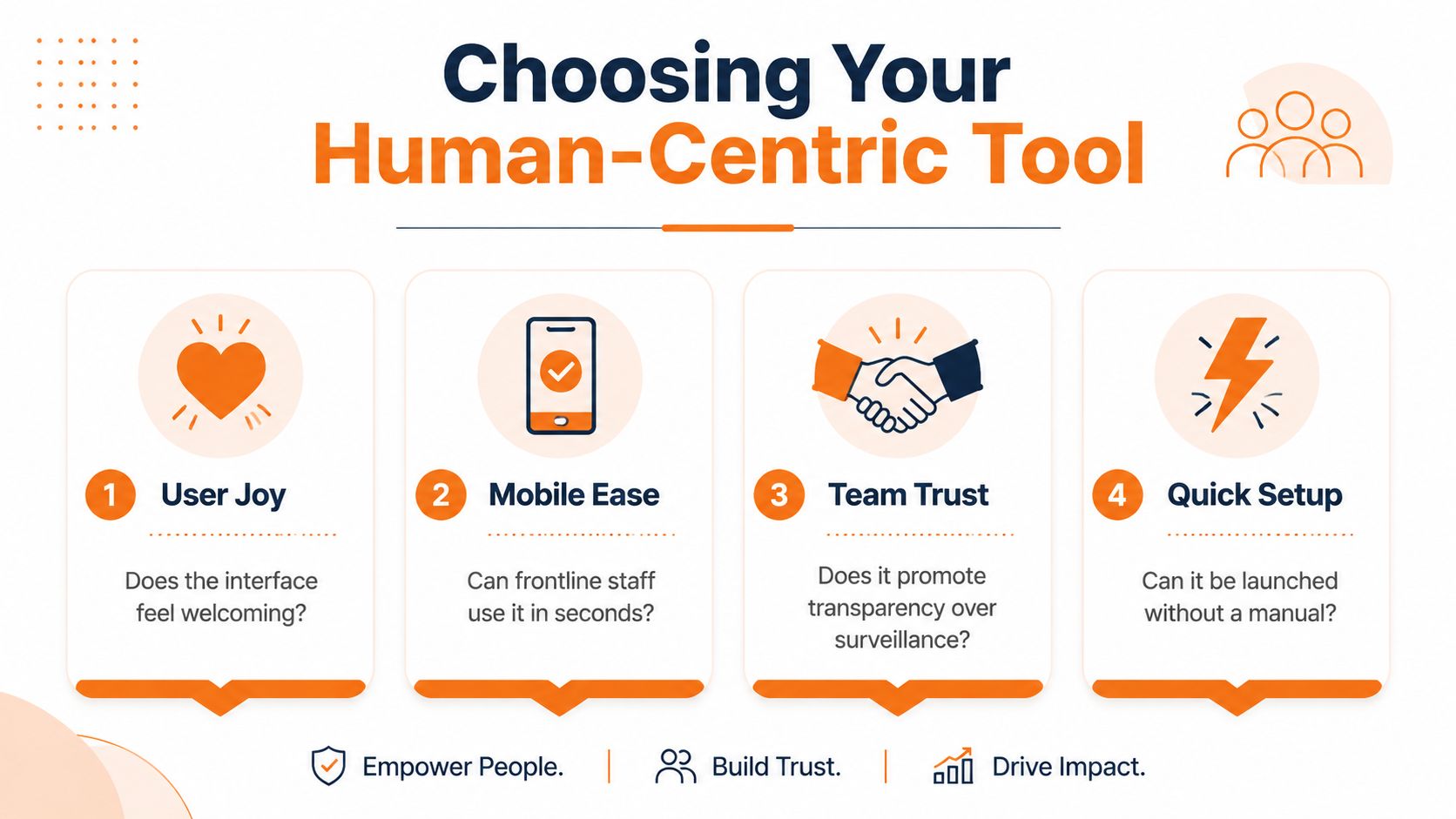
Start with the shift, then the screen
A polished admin dashboard means very little if the actual request process slows people down.
For hourly teams, the first test is simple. Can an employee on a phone request time off during a break without asking a manager for help? Can a supervisor approve or deny it with enough context to avoid leaving a line, route, or station uncovered?
The basic flow should be clear:
Check balance without asking HR
Request dates in a few taps
See approval status without chasing anyone
Review team impact before approving
That is the standard integrated tools like Pebb should meet. Keep requests, visibility, and communication in one place, and the process stays clear for the people working the shifts.
Test the hard cases before you buy
A lot of tools look fine in a demo. Trouble starts when you apply real operating conditions.
Use your messy examples. Part-time accruals. Different policies by location. Blackout periods during peak season. Managers covering two teams. Mid-year hires. If the vendor can only show the happy path, keep looking.
A good evaluation process includes the problems your current setup handles badly. This practical guide to employee PTO tracking for growing teams is useful if you want a clearer view of those failure points before comparing software.
A short evaluation table
Ask this question | Why it matters |
|---|---|
Can staff use it on a phone in seconds? | Frontline teams will not wait for desktop access |
Can a manager see staffing impact before approving? | Approval without coverage context creates avoidable shift gaps |
Can it handle different policies by role, site, or contract type? | Frontline operations rarely run on one clean rule set |
Does it fit the tools your team already uses every day? | Extra handoffs usually bring back side messages and manual work |
Buy the tool supervisors and crew will keep using during a busy week, not the one that looked polished in a demo.
What to ignore
Skip flashy extras early. A dense reporting package will not fix a clumsy request flow. Heavy customization often creates more setup work, more admin dependency, and more confusion when policies change.
The better choice is usually the simpler one. If the app reduces emails, cuts spreadsheet chasing, and gives floor managers quick answers, it is doing the job.
How to Roll It Out Without a Revolt
The rollout usually goes wrong at 6:15 a.m., not in the kickoff meeting.
A shift lead is trying to cover a callout. Someone says they already requested Friday off. The supervisor checks a text thread, an email chain, and a spreadsheet that was updated last week. Nobody is sure what was approved, and now the whole team is irritated before the day has even started.
That is the context for a time-off app on frontline teams. This is not an HR branding exercise. It is a staffing and trust problem. If the tool adds steps, hides information, or feels like office software dropped onto the floor, people will go back to texting managers and hoping for the best.

Start where the pain is obvious
Pick one location or team where the current process is already causing daily friction. A warehouse crew with frequent shift swaps. A restaurant where weekend requests pile up. A field team with one supervisor buried in messages.
That gives you a real test, not a polite one.
The right pilot group will show you what breaks under pressure. Can employees submit a request in under a minute on a phone? Can the supervisor approve it without leaving the scheduling context in their head? Can everyone see the same answer without asking twice? Those are the questions that matter in week one.
Explain the change like an operator
Frontline staff do not care that the company bought a new system. They care whether it saves them time and prevents stupid confusion.
Say that plainly:
You will know if your request was received
You will get a clear yes or no faster
Your manager will see time-off requests in one place instead of buried in messages
The schedule will be less likely to blow up because two people thought they had the same day approved
Managers need a script here. If they describe the app as another policy tool, adoption slows down. If they describe it as the new standard way to request and approve time off, with fewer missed messages and fewer disputes, people usually give it a fair shot. This guide to an internal communication plan for team rollouts is useful if your supervisors need help delivering that message consistently.
Keep the first week tightly managed
Do not call the launch a success because everyone got a login. Watch the actual behavior.
For the first week, managers should check requests quickly, answer in the app, and redirect side requests back into the system every time. If someone sends a text asking for next Thursday off, the answer should be simple: put it in the app so it is tracked properly. If you keep accepting requests through three different channels, you are training the team to ignore the new process.
Simpler tools usually win. Pebb's approach works because it keeps communication and coordination close together instead of forcing supervisors to stitch together updates from separate systems. On busy teams, that matters more than a long feature list.
A few rollout rules help keep things calm:
Show employees the request flow in under five minutes. Long training sessions lose the room.
Have one manager on each shift ready to answer questions. Small issues turn into resistance when nobody responds.
Approve or decline early requests fast. Speed builds confidence in the process.
Stop using the old spreadsheet as a backup system. If it stays alive, the confusion stays alive.
People accept change faster when the new method clearly removes friction on day one. That is the whole job.
The Quiet Wins of Getting This Right
The first improvements are obvious on a busy floor. Fewer approval mix-ups. Fewer schedule gaps caused by a request buried in a text thread. Fewer last-minute calls to patch a shift that should have been covered days ago.
The longer-term gains show up in how the operation feels. Managers spend less time chasing answers. Employees stop guessing whether the process is fair. Teams plan with more confidence because the record is clear and everyone is working from the same information.
Better forecasting, less scrambling
Clean leave data helps supervisors see patterns early. That matters a lot more in frontline environments than office teams sometimes realize. If the same weekends are always short-staffed, or one department keeps stacking requests around the same pay period, the issue is no longer one approval. It is a staffing pattern that needs attention.
A good app makes those patterns visible without forcing someone to rebuild the story from spreadsheets and inboxes. Managers can spot busy periods, adjust coverage sooner, and stop treating every shortage like a surprise. On the floor, that means fewer panic calls and fewer shifts that start behind.
Payroll and compliance get less dramatic
Nobody on a warehouse team or restaurant shift wants a debate about balances at the end of payroll. They want the numbers to be right.
A proper system keeps balances updated, logs approvals, and applies the same rules every time. That reduces the usual friction around carryover, sick leave, location-specific rules, and the familiar argument over who approved what. The benefit is practical. Fewer corrections, fewer manual checks, and less time spent untangling a dispute after trust has already taken a hit.
You can spot strain earlier
This is one of the most useful operational signals you get from better time-off management.
If a team rarely takes time off, that can point to burnout, poor coverage, or a supervisor who makes requests feel risky. If requests keep clustering around the same rough stretch each month, that may signal a scheduling problem, not a leave problem. If one manager denies far more requests than others, leadership has something concrete to examine.
That is why a time off management app matters beyond HR recordkeeping. It gives frontline leaders a cleaner view of pressure, fairness, and coverage. Tools like Pebb fit well here because the request process sits close to the day-to-day communication managers already rely on, instead of living in a separate system people forget to check.
Done well, the result is quieter than people expect. Fewer arguments. Fewer staffing surprises. More trust in the process.
It Was Never Just About the Vacation Days
The messy request at the beginning of this story was never really about one day off.
It was about whether the team had a system people could rely on. Whether managers could make decisions without digging through messages. Whether employees felt respected enough to plan a trip, book an appointment, or take a breath without turning it into a negotiation.
A good time off management app fixes something small on the surface. A request form. An approval path. A balance display. But underneath, it changes the tone of work. It replaces doubt with clarity. It gives the team a shared version of the truth.
That matters more on the frontline, where one absence can throw off a whole shift. In those environments, calm is operational. Fairness is operational. A clear process is operational.
And culture shows up in these ordinary moments. Not in slogans. In whether someone can ask for time off and trust the answer will be timely, consistent, and clear.
Work gets better when people don't have to fight the system just to take a day off.
If your team is tired of juggling requests across chat, schedules, spreadsheets, and side conversations, Pebb gives you one place to handle communication and day-to-day work together. That includes PTO requests, alongside team updates, chat, tasks, and shift coordination, so the process stays simple for managers and frontline employees alike.
