
A Better Way to Track Employee PTO
Tired of broken spreadsheets? This is our honest guide to setting up a humane and efficient employee pto tracking system that actually works for your team.
Dan Robin
Let’s be honest. Tracking employee PTO should be simple, but somehow it became a mess of spreadsheets, email chains, and whispered questions down the hall. We’ve all lived it. The system feels cobbled together because it was. And that shaky foundation costs more than we think.
It’s not just about the administrative headache. It’s about trust. When asking for a day off feels like a bureaucratic nightmare, you’re sending a message: your time off is a hassle for us. That’s a terrible message to send.
There’s a calmer, simpler way. But it doesn’t start with buying new software.
The Quiet Costs of a Clunky System
For years, we all defaulted to spreadsheets. They felt free, easy, and good enough. But “good enough” is a trap. It’s death by a thousand paper cuts.
It’s the manager who loses an hour every Monday decoding three different calendars just to approve one request. It’s the employee who isn’t sure what their PTO balance is, so they just don’t ask. It’s the quiet anxiety that builds up when a simple process feels needlessly complicated.

These aren’t minor annoyances. They are real costs, quietly eating away at your company from the inside.
The True Price of Manual Tracking
Every manual correction, payroll error, and last-minute scramble to cover a shift has a price. We’ve seen teams burn countless hours on administrative churn—time that could have been spent on actual work. For distributed teams, the problem is magnified. You can’t just walk over to someone’s desk for a quick answer.
This mess also creates a real financial liability. When tracking is sloppy, you never have a clear picture of accrued time off. This gets especially dicey when someone leaves and you need to calculate their final payout. Using tools with solid advanced analytics capabilities can show you exactly where the money is going.
The Culture It Creates
But the financial hit is only half the story. A broken process tells your team their time isn’t a priority. It makes taking a vacation feel like a chore.
A Clockify.me report found that 62% of workers don’t use all their allocated vacation time. People are letting about a third of their time off go to waste each year.
This isn’t just a missed perk. It’s a straight path to burnout, disengagement, and turnover. When your system creates friction, you’re not just failing at PTO tracking; you’re failing to support your people. That “good enough” spreadsheet isn’t just inefficient—it’s actively undermining the healthy culture you’re trying to build.
Your Policy Is the Foundation
I get it. When you’re buried in a mess of spreadsheets, the first impulse is to find a shiny new tool to fix everything. But that’s a classic mistake.
A new tool won’t fix a broken process. It will just automate the chaos.
Before you look at a single piece of software, you have to get your own house in order. That means nailing down your PTO policy. It’s the bedrock. If your policy is confusing, inconsistent, or feels unfair, no app in the world can fix the frustration it will cause.
Clarity is everything. This isn't about writing a 10-page legal document nobody reads. It's about setting simple, clear expectations that your team can actually understand and trust.
The Questions That Define Your Policy
To build that foundation, you need to answer a few core questions. Your answers will become the blueprint for your entire system.
First, accrual. How do people earn their time off?
Do they get a lump sum of days on January 1st?
Does it build up with each paycheck? For many hourly teams, tying it to hours worked is often the fairest way.
Is there a waiting period for new hires?
Next, the request and approval process.
Who gives the green light? A direct manager? A department head?
What’s a reasonable time for a manager to respond? A clear process keeps requests from falling into a black hole.
How much notice do people need to give?
Finally, the rules and guardrails.
Are there blackout dates during your busiest seasons?
What happens to unused time at the end of the year? Does it roll over? Is there a cap?
Or is it "use-it-or-lose-it"? (Check your state laws on this one—they vary.)
A good policy is more than a rulebook; it’s a statement about your culture. It shows you’ve thought about being fair and supportive of your team’s need to rest.
Let's break these down into a simple table to see how it works.
Key PTO Policy Decisions
Policy Element | Key Question to Answer | Example for a Retail Team |
|---|---|---|
Eligibility | When can a new employee start earning and using PTO? | New hires are eligible to earn PTO from day one but can't use it until after their 90-day introductory period. |
Accrual Method | How is time off earned? | Employees earn 1 hour of PTO for every 30 hours worked, calculated and added to their balance each pay period. |
Accrual Caps | Is there a limit on how much PTO an employee can have at once? | Employees can accrue a maximum of 80 hours (2 weeks). Accrual pauses until their balance drops below the cap. |
Request Process | How do employees officially ask for time off? | All requests must be submitted through the company's scheduling software at least 14 days in advance for requests of 3+ days. |
Approval Workflow | Who needs to approve the request? | The employee's direct Store Manager must approve or deny the request within 48 hours of submission. |
Blackout Periods | Are there times when PTO requests are generally denied? | No full-day PTO requests are approved from Black Friday through January 2nd due to holiday retail demand. |
Rollover Rules | What happens to unused time at the end of the year? | Employees can roll over up to 40 hours of unused PTO into the next calendar year. Any balance above 40 is paid out. |
Thinking through this stuff first makes choosing a tool a thousand times easier. You’ll know exactly what you need because you’ll have a clear picture of the system you’re trying to build. You’re not just shopping for software; you’re bringing a thoughtful policy to life.
Choosing the Right Tool, Avoiding the Wrong One
The market for PTO tracking tools is loud. It’s a sea of over-engineered platforms and clunky interfaces with a million features you’ll never touch. Most of them feel like they were built for a version of work that doesn't exist anymore.
Here’s the thing: you don't need a hundred bells and whistles. You need a tool that feels almost invisible, one that slots so naturally into your team's daily rhythm that they actually use it. For us, that means finding something that lives where your team already communicates, not another app they have to log into.
This is the critical difference between a standalone tracker and an integrated system. One is a chore; the other is just part of the flow.
What Actually Matters in a PTO Tool
Forget the fancy dashboards and focus on the human experience. For frontline teams—the people in your stores, on your warehouse floor, or in your clinics—mobile access isn't a "nice-to-have." It’s everything. If they can’t check a balance or request a day off from their phone in under a minute, the system has failed.
The best tools also champion self-service. An employee should never have to ask, "How much PTO do I have?" They should be able to see it themselves, instantly. This gives people a sense of ownership and frees up your managers from an endless stream of questions.
Here’s what that clarity looks like in practice.
This isn't just a list of dates. It's a single view of reality for a manager, blending time off with daily schedules so there are no surprises.
The Financial Case for a Modern Tool
Beyond the daily workflow, your choice of tool has serious financial implications. Inaccurate tracking is a liability hiding in plain sight. This becomes painfully clear when an employee leaves.
A 2024 study showed that 76.5% of workers get reimbursed for unused paid time off when they leave a job. With sixteen states mandating these payouts, the complexity for multi-state businesses is huge. Accurate, automated tracking is your best defense for staying compliant and understanding your real compensation expenses.
Choosing the right tool is about more than efficiency. It’s a decision that impacts your culture, your finances, and your team's daily life. The goal is to find something that doesn't just track days but makes taking a well-earned rest simpler and more human. If you're looking, we've written more about finding the right employee time off app.
It's All About the Rollout
This is where even the best plans fall apart. You’ve nailed the policy, picked the perfect tool, and you’re ready to launch. So you send a company-wide email with a login link and hope for the best.
I’ve seen this approach. It’s a recipe for failure. A successful rollout isn't about the technology. It’s about communication and trust.
Look, introducing a new tool is a change. And change, no matter how small, can feel disruptive. Your goal isn’t just to get people to log in; it's to improve a core part of their work life. You have to handle the launch with care.
Start with "Why," Not "How"
Your first message shouldn't be a training manual. It needs to explain why this change is happening. Don't just say, "We’re now using this app for PTO." Frame it from their point of view.
Explain how this makes life easier for them. No more digging through old pay stubs to guess their balance. No more chasing down a manager for an approval. When people understand the personal benefit—the relief—they’re far more likely to get on board.
A great rollout is more about psychology than technology. We’ve shared more on how internal campaigns drive platform adoption if you’re curious about building that initial momentum.
The real measure of success: Can an employee confidently request time off from their phone in 30 seconds? That’s the feeling you’re after.
This flow chart highlights the core ideas that should guide your tool selection and your rollout.
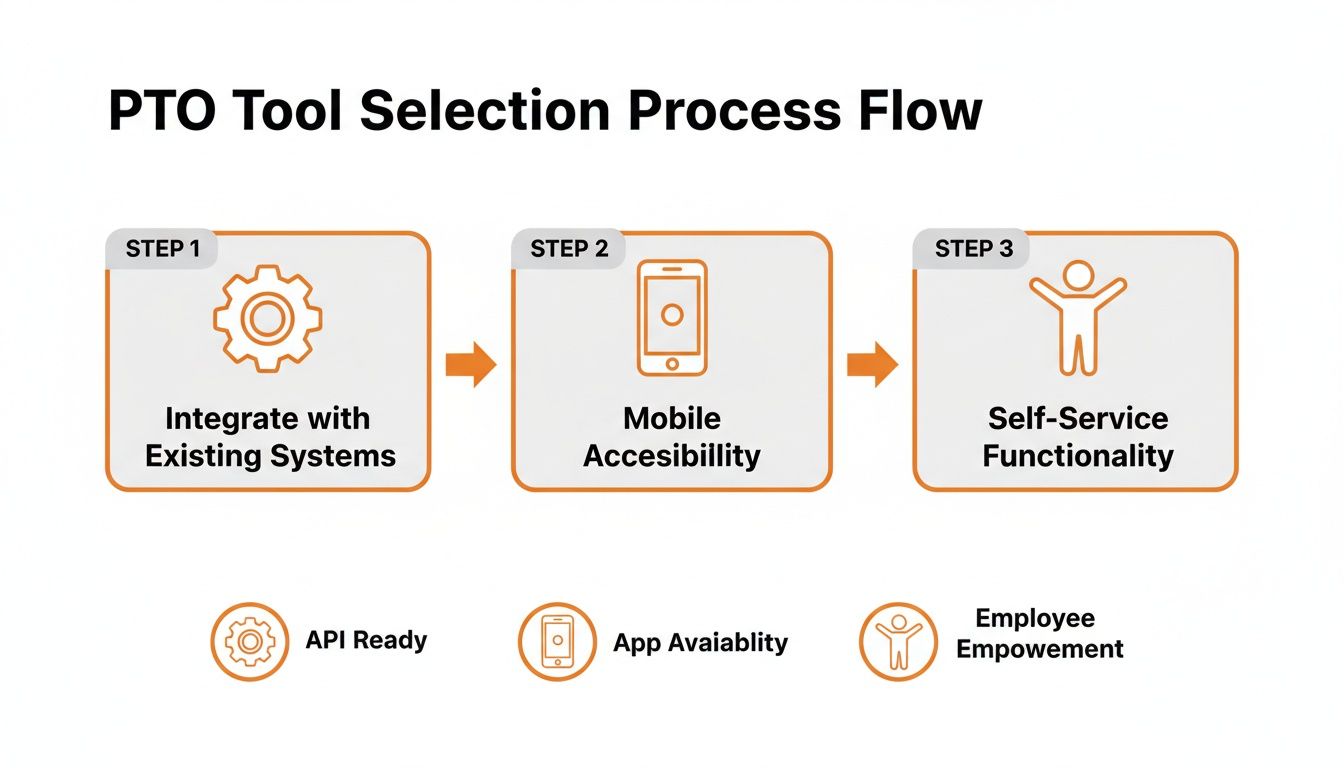
A human-centered approach puts a premium on integration, mobile access, and self-service—things that make an employee's life easier, not more complicated.
Turn Your Managers into Champions
If you only take one piece of advice, let it be this: train your managers first.
Don't throw them into the same training as everyone else. Bring them in early. Give them a hands-on tour. Show them exactly how the tool will eliminate their biggest scheduling headaches. When your managers feel confident and enthusiastic, they become your best advocates.
Equip them to answer questions. Give them a simple FAQ so they can handle common queries.
Show them the good stuff. Highlight the manager-specific benefits, like the team-wide calendar.
Encourage them to lead by example. When a manager uses the new system quickly and consistently, it sends a powerful message.
Let’s be honest—people take their cues from their direct supervisors. If a manager is annoyed by the new system, their team will be too. But if they champion it as a real improvement, the transition will be smoother than you ever thought possible.
Beyond Tracking: Creating a Culture of Rest
For the longest time, we thought PTO tracking was just an accounting problem. Get the accruals right, get the balances right. Done. But that’s only half the story. The real goal isn't just to track days. It's to build a culture where your people feel encouraged to rest.
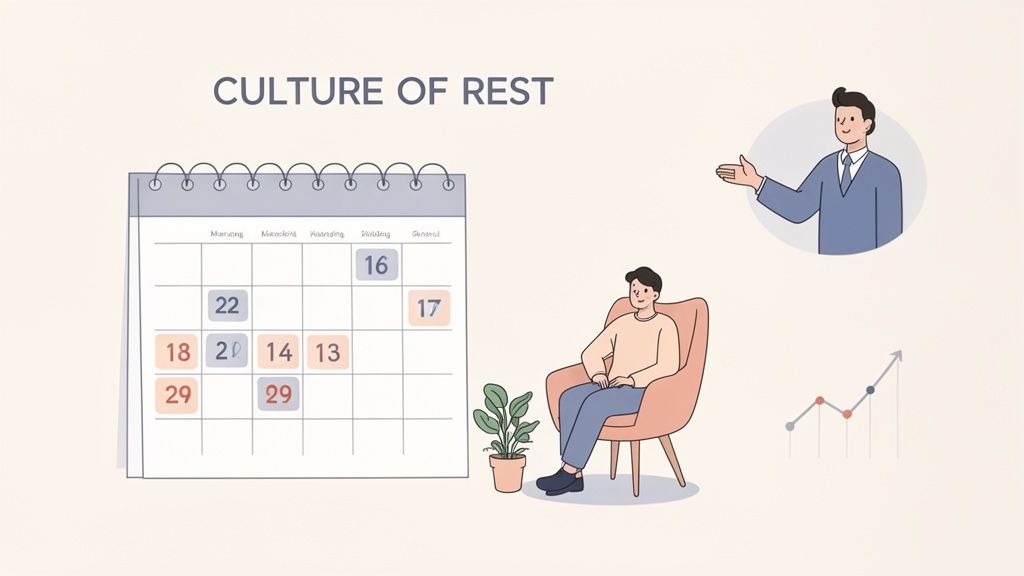
A great system gives you the data to see the human story behind the numbers. When you can spot trends at a glance, you stop asking administrative questions and start asking better ones.
Why has one team barely taken a day off this quarter? Is a star employee’s PTO balance getting dangerously high? This isn’t about surveillance. It’s about having the insight to support your people before they burn out.
From Data to Conversations
The most powerful thing a manager can do with this information is to start a simple conversation. It's not about calling someone out. It’s about checking in.
It might be a quiet message: "Hey, I noticed you haven't taken a break in a while. Everything okay? Let's make sure you get some time to recharge soon." This small act transforms PTO tracking from a cold process into a tool for genuine care.
And when managers lead by example—taking their own vacations and fully unplugging—it gives everyone else permission to do the same. This is where the real shift happens.
Good PTO tracking isn't about enforcing rules; it's about enabling rest. The data should prompt curiosity, not just compliance checks. It’s a tool for leadership, not just administration.
The Real ROI
The business world doesn’t have a great metric for the value of a well-rested team. But we all know it when we see it. It shows up in better ideas, fewer mistakes, and people who stick around because they feel supported.
The ultimate win isn't a perfect balance sheet. It's a team that takes the time it has earned to rest, recover, and come back with renewed energy. That’s a massive, if unmeasured, victory.
And it all starts with seeing your PTO system for what it truly is: a tool to help build a healthier way of working.
Questions We Always Hear
Whenever we talk to teams about ditching their spreadsheets, the same questions pop up. There's a mix of hope and hesitation. Everyone wants something better, but they’re worried about a messy transition.
Here are our honest answers to the questions we hear all the time.
How much work is it to switch from spreadsheets?
I'll be blunt: the real work is getting your policy straight. Once you have clear, simple rules, the technical part is surprisingly fast.
Moving your existing balances into a modern tool can take just a few hours, not weeks. The real time-saver is what happens after. All the ongoing manual work—updating cells, chasing approvals, fixing payroll—just vanishes. That initial effort pays for itself in the first month.
What's the most important feature for frontline employees?
It’s mobile accessibility. Hands down. Your frontline people don't live behind a desk, so their tools shouldn't either. The ability to check a balance and submit a request from their phone is non-negotiable.
Any system that requires logging into a clunky desktop portal has already failed the people who need it most. The second most crucial feature is integration with their schedule, so they can see who else is off before they even ask.
This isn't about fancy features. It's about respecting their time and making their lives simpler.
How do we handle different policies for different people?
This used to be a nightmare in a spreadsheet, but a good system handles it effortlessly. You should be able to create different policy groups and assign people to them.
For example:
Salaried Staff: Accrue 10 hours of PTO per month.
Hourly Staff: Earn 1 hour of PTO for every 30 hours worked.
Part-Time Team: Accrue PTO at a pro-rated amount.
The system does the math automatically. It calculates and updates balances for every single person based on their specific policy. No more manual work or risk of human error. It just works.
This isn't about finding a magic tool that solves everything. It's about finding a simple, thoughtful tool that gets out of the way, freeing you up to focus on what matters: building a culture where people can truly rest.
Ready to see how a truly simple, integrated approach to communication and operations can transform your team's experience? Pebb unifies everything from chat and scheduling to employee PTO tracking in one easy-to-use app. See how Pebb works.
