
An Operations Management App for Teams That Actually Works
Looking for an operations management app for teams? We explain what they are, what features matter, and how to choose one your team will actually use.
Dan Robin
Many teams don't have an operations system. They have a pile of workarounds.
The schedule lives in one spreadsheet. Urgent updates go through WhatsApp. Approvals hide in email. Tasks sit in a project tool that managers open and everyone else forgets. Somebody keeps a binder for policies because it's still faster than finding the file online. If you run a real operation, you know this setup well. It works until it doesn't.
And when it breaks, it doesn't break neatly. A shift gets missed. A handoff gets lost. Someone clocks in wrong. A store opens without a key document. A supervisor spends half the morning chasing information that should've been obvious.
That's why the search for an operations management app for teams usually starts too late. It starts after the sprawl has already turned into friction.
The Digital Duct Tape Holding Your Business Together
The problem usually isn't that people aren't trying. It's that the tools were never built to support the way the team works.
A lot of operations software still assumes a desk, a browser tab, and plenty of time to update project cards. That's fine for a marketing team. It's not fine for a store lead covering a shift, a nurse moving between rooms, or a warehouse supervisor trying to fix a delay from a phone.
The patchwork looks normal until you zoom in
I've seen teams call this “good enough” for years. A manager sends a message in one app, updates the rota in another, and hopes the team notices both. Someone asks where the latest procedure lives, and three people send three different versions. Nobody thinks of this as a software problem because it feels like daily work.
It isn't. It's fragmentation.
Most frontline operations issues don't come from a lack of effort. They come from work being split across too many places.
That's also why so much buying advice misses the mark. A lot of “operations management” content still treats the category like project management with a different label. But for deskless teams, the need is a mobile-first system that blends communication, scheduling, task execution, and people operations in one place, which is the gap highlighted in Connecteam's overview of operations management software for deskless work.
The hidden tax is managerial attention
When tools don't connect, managers become the connector. They translate messages, repeat instructions, copy data, and check whether anyone saw the update. They act like human middleware.
That's exhausting. It also scales badly.
You can keep applying digital duct tape for a while. But if your business runs across shifts, sites, or departments, eventually you need something built for the whole team, not just the people who sit at laptops.
What We Are Really Talking About Here
A real operations app isn't a prettier to-do list. It's closer to a cockpit.
You don't use a cockpit to do the flying itself. You use it to see what matters, coordinate action, and spot trouble before it gets expensive. That's the job here too. The tool should show what's happening, who's doing what, what's blocked, and what needs attention now.
From task tracker to operating layer
Modern operations management apps have moved well beyond simple task lists. Microsoft describes work management software as helping teams plan, track, and manage tasks, with resource allocation, real-time visibility into progress, and built-in reporting. It also frames the category around unifying work for distributed teams and centralizing workflows, reporting, and communication across locations and departments in its overview of work management software.
That shift matters. Once your company spreads across shifts, branches, or business units, a basic board stops being enough. You need planning, execution, and visibility in the same place.
What the app should actually do
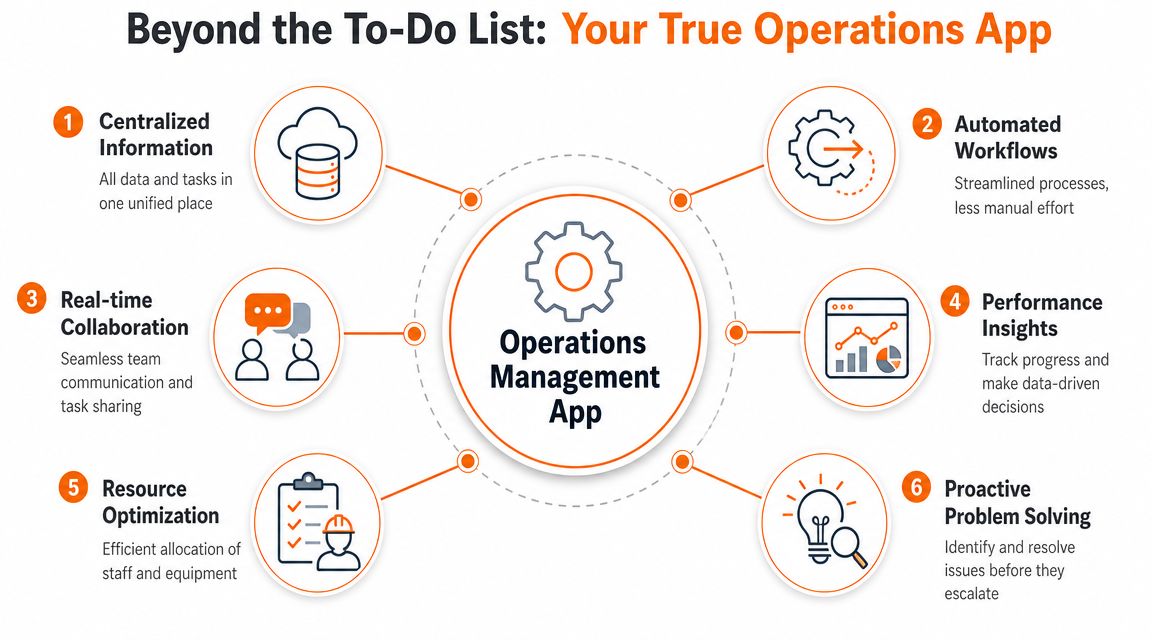
At minimum, the app should act like one shared operating layer for the business:
Work assignment: People know what needs doing, by when, and under whose ownership.
Communication in context: The message about the work sits next to the work.
Visibility: Managers can see status without chasing updates.
Resource awareness: Staffing and workload don't live in a separate universe.
Reporting: Leaders can tell whether the process is working, not just whether tasks were created.
If any one of those lives outside the system, the cracks start to show.
Why this matters more than feature count
Some tools win demos because they can do everything. In practice, “everything” often means clutter. What matters is whether the key parts of operations live together in a way your team will use.
Practical rule: If your team has to leave the app to understand the work, the app isn't doing enough.
That's why the category is useful when it's understood properly. It isn't software for managing a project board. It's software for running the day.
The Core Features That Genuinely Matter
Feature lists are where a lot of buying decisions go off the rails. Teams compare checkboxes, then end up with software that looks complete and feels disjointed.
The best operations tools don't just include the right pieces. They connect them.
Communication has to live next to the work
If chat sits in one app and tasks live in another, people end up making decisions in one place and forgetting to document them in the other. That's how details disappear.
A strong setup lets a manager discuss an issue, assign the follow-up, attach a photo or file, and keep the thread tied to the task. No copying and pasting. No “can you put that in the system?” after the fact.
This matters even more for frontline teams. They don't have time for app-hopping.
Scheduling, time, and tasks belong together
A surprising number of tools handle tasks well but treat scheduling like an afterthought. That's backwards for operations.
When schedules live apart from work, managers can't easily answer basic questions. Who's on shift? Who can cover? Who already has too much on their plate? Who missed the handoff? You wind up with a task system that ignores the staffing reality on the ground.
For many teams, the useful core looks more like this:
Tasks with ownership: Not vague reminders. Clear responsibility.
Shift scheduling: So work matches actual staffing.
Clock-in and time tracking: Especially where attendance, labor control, or compliance matter.
PTO and availability: Because planning work without availability data is guesswork.
The invisible technical layer matters too
A good interface can hide a weak foundation for a while. Then the cracks show up in payroll mistakes, duplicate entry, and stale data.
A technically solid operations app needs workflow automation, integrations, and role-based permissions. APIs and pre-built connectors let data move between HR, payroll, and collaboration systems without manual re-entry. Permissions make sure the right manager sees the right records, especially in multi-site environments. That technical base is what keeps the system useful after rollout, not just during the trial period, as outlined in Noloco's guide to business operations software.
If you're evaluating tools and want a clearer view of how this ties into day-to-day execution, this breakdown of operational efficiency software is a useful companion read.
Documents and knowledge should be in people's pockets
Policies are only helpful if people can find them during the shift, not after it. The same goes for onboarding materials, checklists, safety steps, and SOPs.
A knowledge base inside the same app changes the rhythm of work. New hires stop asking the same basic questions. Supervisors stop screenshotting old PDFs. Teams get one current version.
The point isn't to give people more places to look. It's to remove the need to look around.
Analytics should answer real operating questions
Most dashboards are busy and strangely unhelpful. You don't need a wall of charts. You need answers.
Are tasks getting completed? Are some locations always behind? Are approvals bottlenecked with one person? Is attendance data matching the schedule? Are people using the app?
That's enough to start. Good analytics support judgment. They don't replace it.
Who Actually Benefits and How
“Operations” can sound abstract until you watch a normal day go smoother.
For frontline and distributed teams, the most valuable capability is unified mobile execution, meaning task management, communication, scheduling, and time tracking in one app. Smartsheet's operations software guidance points to the value of centralizing those workflows, and also notes the importance of precise mobile time capture in industries where labor cost and compliance are sensitive, including GPS-enabled time clocking with second-level accuracy in tools built for that use case. You can see that framing in Smartsheet's overview of operations management software.
A retail manager
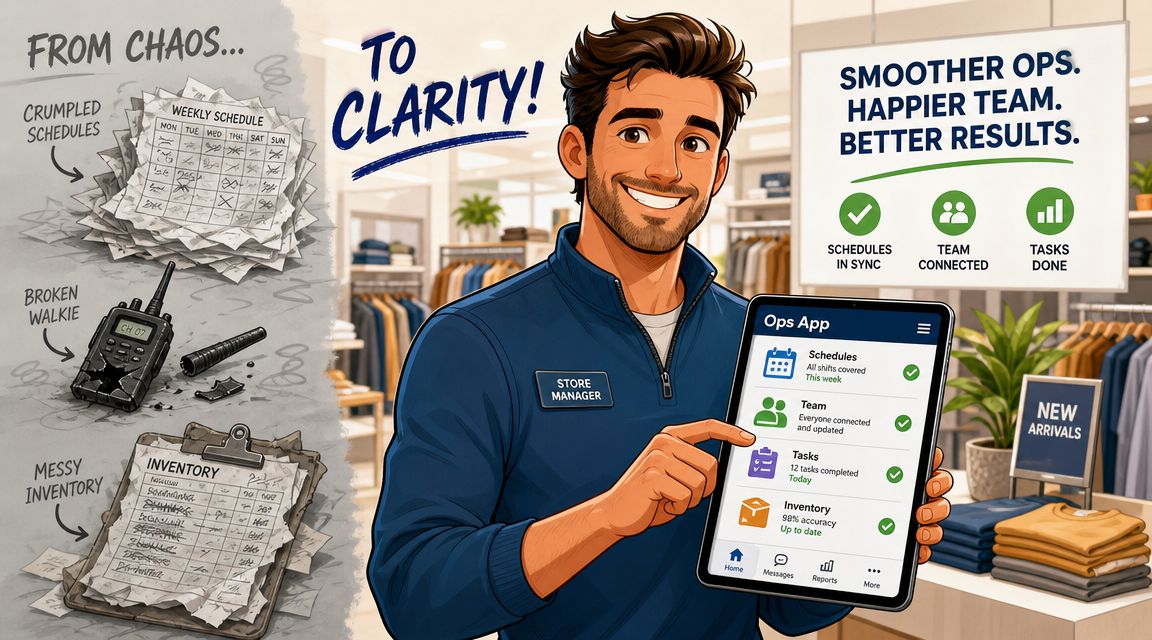
A store manager starts the day with two problems. One person is late. Another wants to swap a shift next week. In a fragmented setup, that means calls, texts, a spreadsheet update, and a note to remember later.
In a unified app, the same manager checks the schedule, sees attendance, sends a team update, and reassigns a task list without leaving the phone. That's not flashy. It's just cleaner.
A nurse or ward lead
In healthcare, the issue often isn't task creation. It's access to the right information at the right moment.
A nurse needs a procedure update, a ward lead needs to notify the team about a change, and somebody has to confirm a task was done. If those happen across separate systems, people start relying on memory and hallway conversations. A mobile-first operations app lowers that friction. The information is where the work is.
A logistics supervisor
A logistics supervisor wants fewer blind spots. Has the handoff happened? Did the team complete the checklist? Is the driver done? Is the delay real or just unreported?
When status updates, communication, and task completion feed into one place, the supervisor spends less time asking for updates and more time fixing exceptions.
An HR or internal comms lead
This is the role people forget when they shop for operations software. HR doesn't just need announcements to go out. They need them to reach people who don't sit at desks, don't read company email, and don't log into five tools every day.
That's where the human side shows up. One channel for updates, policies, onboarding, and team communication makes culture easier to maintain across locations. People feel less out of the loop.
A good operations app doesn't just coordinate work. It helps people feel connected to it.
How to Choose an App Without Losing Your Mind
Most software buying gets too detailed too early. People open a comparison sheet, start scoring features, and miss the bigger question.
What are you trying to fix?
If you're trying to tighten one workflow, a narrower tool might be enough. If you're trying to reduce tool sprawl, fix communication gaps, and create one place where work happens, you're choosing something broader. That distinction matters more than most feature grids.
Decide what kind of problem you have
A fork in the road is this: are you buying a pure ops tool or an all-in-one work hub?
That choice has become more important as the market shifts away from isolated task tools and toward platforms that also support communication, onboarding, engagement, and governance. NextMatter's framing of team interfaces points to this exact buyer question: whether an app should be judged on workflow features alone or on its ability to improve adoption, culture, and governance across dispersed teams through a broader work hub model in its analysis of team interfaces.
If your team already has communication, onboarding, files, and directory handled well, a focused ops tool can work. If those things are scattered, buying another narrow tool usually adds to the mess.
The checklist I'd actually use
Here's a simpler way to evaluate an operations management app for teams.
Evaluation Criteria | What to Look For |
|---|---|
Mobile use in real life | The app should feel native on a phone, not like a desktop product squeezed onto a smaller screen |
Ease of setup | A frontline manager should be able to create a team space, assign work, and post updates without calling IT |
Communication in context | Chat, updates, and comments should connect directly to tasks, shifts, or documents |
Scheduling and time | If you run shifts, the tool should handle scheduling, attendance, and time-off cleanly |
Permissions and governance | Admins should be able to control who sees what across sites, teams, and sensitive records |
Integrations | It should connect with the systems you already rely on, especially HR, payroll, and identity tools |
Reporting that matters | You want visibility into usage, completion, bottlenecks, and team activity, not vanity dashboards |
Adoption risk | Ask yourself whether non-desk staff will actually open it daily |
Total cost of sprawl | Count the time and confusion caused by keeping separate apps, not just the subscription price |
If you're comparing broader employee platforms as well as narrower operations tools, this guide to choosing a staff management app is a useful lens.
One honest trade-off
All-in-one tools sound appealing because they remove seams. They also ask more from the product. The chat has to be good. The scheduling has to be good. The admin controls have to be good. If one core area is weak, users will drift back to side apps.
That said, when the fit is right, the payoff is simpler daily work. Products in this category include focused operations tools like Smartsheet and ProofHub, and broader work apps such as Pebb, which combines chat, tasks, shifts, clock-in, PTO, files, and knowledge access in one environment for frontline and office teams.
The wrong choice is usually not “Tool A instead of Tool B.” It's buying a system that solves one manager's problem and creates three new ones for everyone else.
Rolling It Out Is More About People Than Software
You can pick the right app and still get a lousy result. I've seen it happen more than once.
The pattern is familiar. Leadership buys the tool, announces the rollout, imports everyone at once, and assumes usage will follow. Then the app becomes another tab people ignore.
Start with one team that wants the change
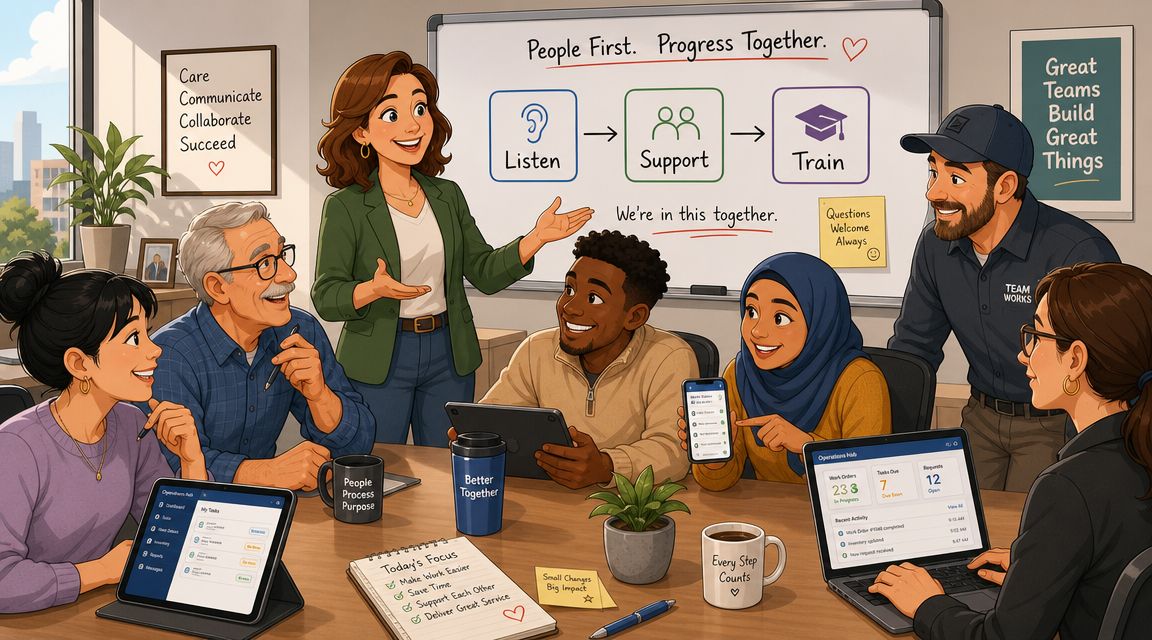
A calmer rollout starts smaller. Pick one team with a manager who's already annoyed by the current mess. Give them a real use case. Shift updates. Daily checklists. Onboarding. Policy access. Something concrete.
If the app saves them time, they'll tell other teams. That matters more than any launch memo.
For a practical playbook, this guide to employee app rollout best practices gets the sequence right.
Show value before you ask for habits
People don't adopt software because they were told to. They adopt it when it removes a recurring annoyance.
Show a store manager that shift notes no longer get buried. Show an employee that PTO requests stop bouncing around. Show a supervisor that one app can replace the group chat plus the paper checklist plus the old drive folder. Adoption follows usefulness.
If people need a speech to understand why the app matters, the rollout is already in trouble.
Governance matters more than people think
A lot of rollouts get sloppy. Teams focus on excitement and ignore structure.
Decide who can create spaces, who can post company-wide updates, who owns documents, and who manages permissions. If your operation includes equipment, maintenance, or facility workflows, it also helps to think beyond communication and tasking alone. Teams that need to optimize asset management with CMMS often get better results when software ownership and process ownership are defined from the start.
Track signals, not vanity
You don't need a complicated measurement framework early on. Watch for practical signs:
Daily use: Are managers and employees returning without reminders?
Operational shift: Are fewer updates getting lost in email or text threads?
Process consistency: Are documents, tasks, and requests happening in the app instead of around it?
Manager relief: Are supervisors spending less time chasing status?
If those trends move in the right direction, the rollout is working. If not, the issue usually isn't the training deck. It's that the app hasn't yet become useful enough in the flow of work.
Beyond the App A Calmer Way to Work
The end goal isn't “successful software implementation.” Nobody wakes up wanting that.
What people want is a calmer business. Fewer dropped balls. Less chasing. Clearer communication. Better handoffs. Less dependence on memory and heroics.
That's why this category matters more than it used to. By the mid-2020s, operations apps had grown beyond project coordination and into tools for tracking efficiency and financial performance in one place. Productive describes that broader shift as part of the move toward an operational system of record, where leaders can track productivity, collaboration, and profitability together in its review of operations management software.
That phrase can sound a bit grand. But the practical meaning is simple. The app becomes the place your company relies on to run work, not just record it afterward.
And when that happens, the culture changes too. People stop wondering where things live. Managers stop acting as switchboards. Teams spend less energy decoding the system and more energy doing the job.
This is the core value of a good operations management app for teams. Not more software. Less friction.
If you're trying to replace scattered tools with one place for communication, tasks, shifts, clock-in, files, and employee updates, Pebb is worth a look. It's built to support both frontline and office teams in the same app, which is often the difference between a tool that gets deployed and one that gets used.
