
Your All in One Employee App: A No-Nonsense Guide
Discover what an all in one employee app is, why you need one, and how to choose and roll it out. A clear, practical guide for simplifying your workplace.
Dan Robin
Most teams don't decide to create a mess. It just happens.
One manager starts a WhatsApp group because it's fast. HR sends policies by email because that's what they've always used. Someone builds a shift rota in a spreadsheet. Store updates end up in a private Facebook group. Training sits in a shared drive that half the team can't find on their phones. Every tool solves one problem, and together they create a bigger one.
After a while, work starts to feel like scavenger hunting. People spend more time finding the right app, the right file, or the latest version of the schedule than doing the job itself. That's when the idea of an all in one employee app stops sounding like software shopping and starts sounding like operational relief.
The Daily Scramble We All Know
At 6:45 a.m., the shift manager checks three places before the doors open. There's a no-show message in WhatsApp, a roster attachment buried in email, and a policy question sitting unanswered in a group chat that wasn't meant for policy questions in the first place.
Nobody set out to run things this way. It's what teams do when they're under pressure and need to keep moving. They grab whatever tool is close and useful enough. One month later, useful enough turns into a patchwork.
The cost isn't only technical. It's cultural. When updates live in too many places, some employees always get the message late. Others miss it entirely. New hires learn quickly that “official” information and “actual” information are often two different things. That gap creates stress, workarounds, and quiet distrust.
If this sounds familiar, it's because it is. The usual symptoms are easy to spot: repeated questions, missed handoffs, version confusion, and managers doing manual follow-up because nobody trusts the system. A lot of the friction people describe in team communication is really fragmentation wearing a different shirt. The common problems in workplace communication usually aren't about people refusing to communicate. They're about teams being forced to communicate across too many disconnected places.
You can't build calm operations on top of scattered tools.
What finally pushes teams to change isn't a shiny feature. It's exhaustion. They get tired of repeating themselves, chasing acknowledgment, and wondering whether the update reached the people who needed it.
A single, sane place for work starts to look less like a nice-to-have and more like basic infrastructure.
What We Mean by an All-in-One App
An all in one employee app isn't just a bigger app with more tabs. It's one place where the daily basics of work live together.
Consider a workshop. You can keep your tools in five different sheds if you want. You'll still get the job done, eventually. But every extra trip wastes time, breaks focus, and increases the chance that something important gets left behind.
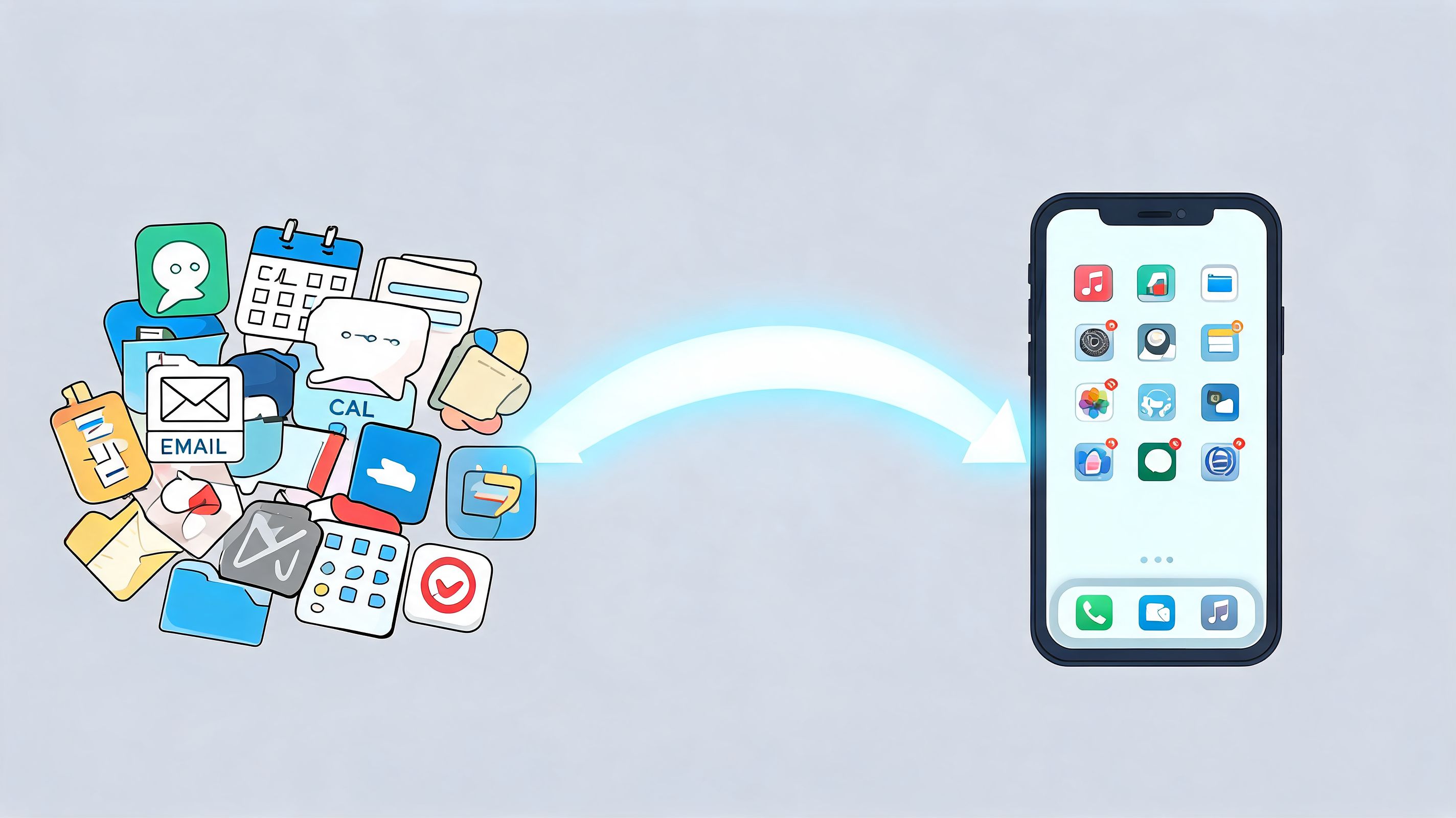
One home for the workday
A proper all in one employee app pulls together communication and workforce workflows into one mobile hub. Flip describes this model as a branded employee app that combines news, chat, shifts, HR self-service, and work instructions, and says it drives over 90% monthly engagement while reducing the need to switch tools or buy extra licences, especially for frontline environments in retail, healthcare, logistics, and hospitality, where the app becomes the operating layer for daily work (Flip employee app platform).
That matters because simplification changes behavior. When the schedule, update feed, chat, forms, and basic self-service sit in the same place, people know where to start. You remove a whole category of friction before the shift even begins.
This is also why a mobile-first design matters more than vendors like to admit. If your workforce isn't sitting at desks all day, a desktop system with a phone wrapper won't cut it. A real employee app has to work in the hand, in motion, and under time pressure.
For teams building custom workflows around that reality, it can also help to understand how companies scale your project with nearshore development when off-the-shelf software covers most needs but not every edge case.
It's a philosophy, not a feature list
The mistake buyers make is comparing these tools like they're shopping for a Swiss Army knife. More blades doesn't mean better. What matters is whether the app gives the company a clear digital home.
That's why the better framing is unified operations, not unified features. Communication, daily tasks, access to knowledge, and basic people processes should feel connected. If you want a deeper take on that idea, this guide to a unified communications platform is useful because it draws the line between just sending messages and organizing work.
Practical rule: If employees still need to ask “where do I go for that?” the app isn't all in one in any meaningful sense.
The best tools remove decisions. They don't add another destination to remember.
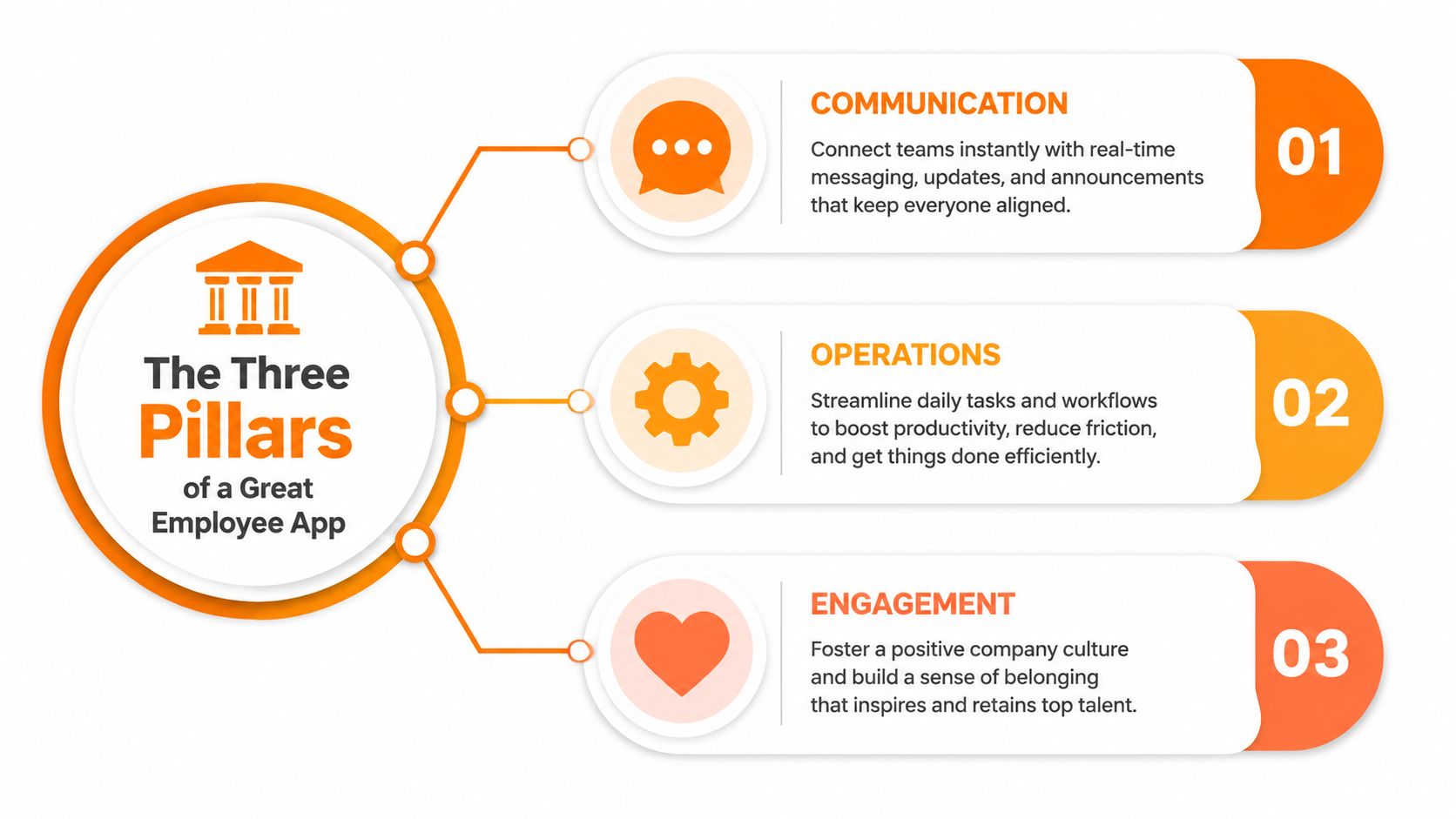
The Three Pillars of a Great Employee App
Feature lists are a trap. They make weak tools look complete.
What matters is whether the app holds up across three jobs at once. It needs to connect people, help them do the work, and give the workplace some shape beyond transactions. Miss one of those, and the whole thing starts to wobble.
Communication
This is the visible part, so it gets the most attention. Chat, announcements, team spaces, voice and video, directories. These are the things people notice first because they're the things people touch all day.
But communication only works when it's tied to context. A chat thread without access to the latest task, document, shift note, or policy becomes another noise channel. Good communication in an employee app isn't about volume. It's about reducing the hunt.
A strong communication layer should make a few things obvious:
Where urgent updates belong so managers don't blast every message into every channel.
Who can see what so role, location, and department shape the flow of information.
How people find each other without relying on personal numbers or informal side channels.
Operations
At this point, most apps either become useful or get ignored.
A technically strong all in one employee app doesn't stop at chat. MangoApps describes a branded employee app that consolidates more than 10 workflows, including shift management, schedules, training, safety forms, recognition, and team chat. It also works on any device, doesn't require corporate email, and offers offline access for places like warehouses and vehicles (MangoApps employee app).
That last part matters more than it gets credit for. If a worker loses signal in a warehouse aisle, loading bay, or vehicle, the system can't become useless. Offline capability changes whether work continues or stalls.
Here's what strong operations support usually looks like in practice:
Pillar need | What useful looks like |
|---|---|
Scheduling | Staff can see shifts, changes, and swap rules without chasing managers |
Tasks and checklists | Work gets completed in the same place people receive updates |
Knowledge access | Policies, instructions, and onboarding material are searchable on mobile |
Self-service | Employees handle routine requests without email chains |
Operations is where simplification becomes measurable. Fewer handoffs. Less switching. Less duplication.
Engagement
This pillar gets dismissed as soft until it disappears.
People need more than instructions. They need recognition, a sense of what's happening, and some proof that they belong to the same company as the team on the other shift, floor, or site. If the app only handles transactions, it becomes a machine people tolerate, not a place they return to.
Engagement is the layer that makes the tool stick. Recognition posts, community spaces, local updates, welcome messages, and lightweight moments of visibility all matter because they tell employees they're not just receiving orders. They're part of a shared workplace.
A team doesn't feel connected because leadership says it is. It feels connected when the daily system reflects it.
Communication, operations, and engagement have to live together. Split them apart, and you rebuild the same mess you were trying to escape.
How Different Teams Actually Use It
Theory is easy. Shift work is not.
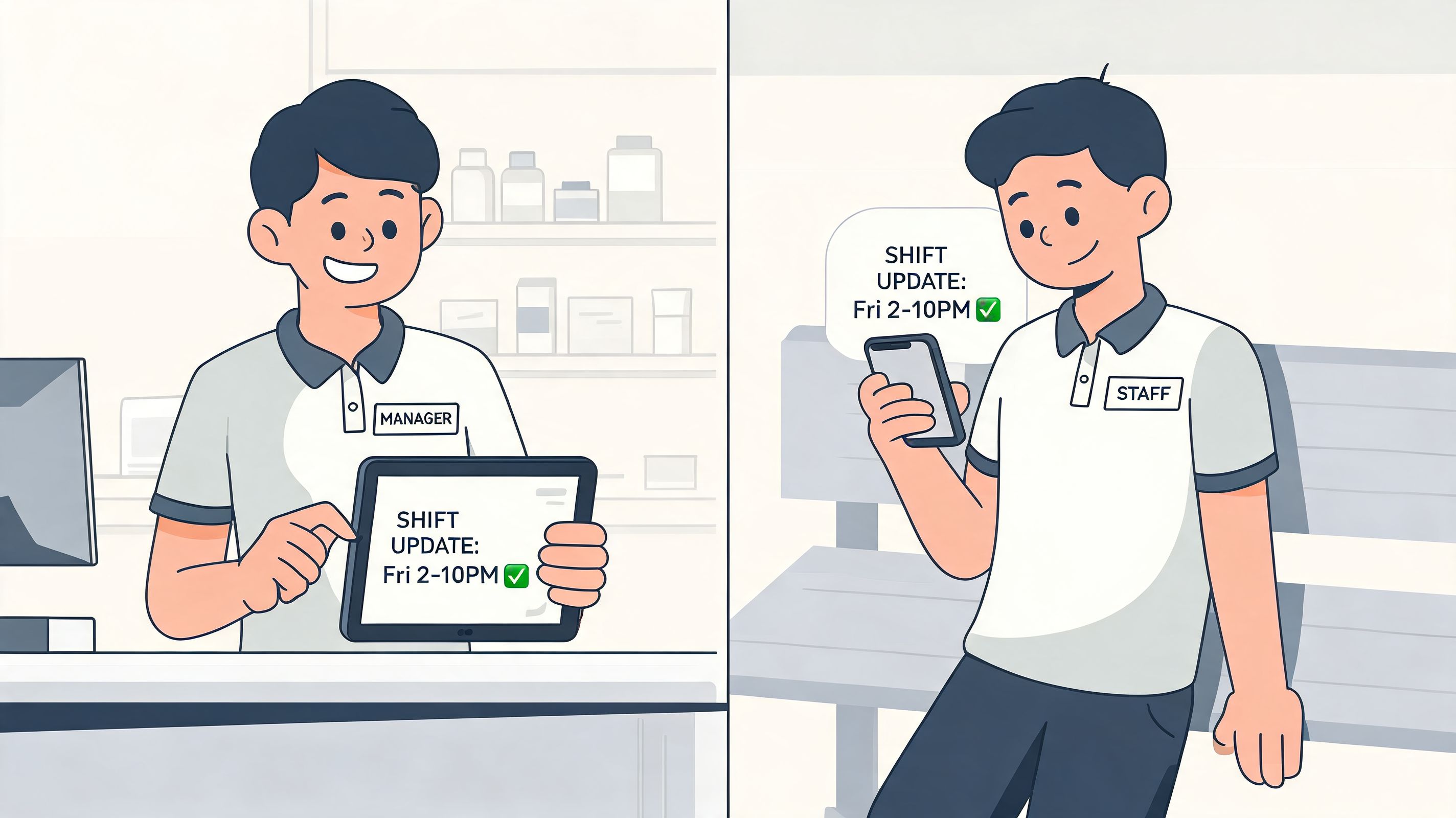
The value of an all in one employee app shows up in ordinary moments. A roster changes. A checklist needs completing. A manager wants everyone to see one update once, not six times in six places.
Retail, healthcare, logistics, hospitality
In retail, the store manager posts next week's schedule in the app. A cashier checks their shift on the phone before leaving home. Midday, head office changes a promotion display. The update lands in the same place the team already uses for tasks and store notes, so nobody has to ask which version is current.
In healthcare, a charge nurse needs to fill a gap on the evening shift. That message can't sit in a general inbox. Staff need one place for schedule visibility, quick updates, training reminders, and department notices. A new hire can review onboarding material from the same app used for everyday communication, which cuts down on the old “check your email, then the portal, then the drive” dance.
In logistics, the problem is movement. Drivers, warehouse staff, dispatch, and supervisors don't share one desk or one rhythm. They need updates that travel with them. The app becomes the place for safety notes, mobile forms, route-related notices, and team communication without forcing people into a desktop-first system they only touch at the edges of the day.
Hospitality has its own chaos. A restaurant or hotel team can go from calm to slammed in minutes. Managers need a fast way to flag menu changes, staffing adjustments, maintenance notes, and guest-related handoffs. Frontline staff need quick access, not training in a complicated platform.
The best employee app is the one people use during a busy shift, not the one that looks polished in a demo.
Office and distributed teams
Office teams use these apps differently, but the simplification still matters. Cross-functional groups need updates, files, tasks, and decisions tied together, especially when some people are remote and others aren't. The app becomes the shared layer that keeps work from disappearing into private chat threads.
Some teams also use AI to tighten the loop around routine reporting. If you're exploring that side of the workflow, this practical piece on streamlining manager updates using AI is worth reading because it focuses on the repetitive status work managers often get stuck doing.
One tool I'd put in the realistic shortlist is Pebb. It combines chat, updates, spaces, tasks, file sharing, shifts, clock-ins, PTO tracking, and a knowledge library in one work app, which makes it relevant for both frontline and office teams when the main goal is reducing tool sprawl rather than adding another communications layer.
Choosing Your App Without Getting Lost
Most demos are built to flatter the product. That's their job.
The trouble starts when buyers confuse a smooth demo with a calm operation. Plenty of tools look unified for thirty minutes. Then rollout begins, managers hit edge cases, permissions get messy, and employees discover they still need two or three other systems to do their actual work.
What to test beyond the shiny stuff
The core question is simple. Does the app reduce complexity, or does it just rearrange it?
Blink makes the case that frontline apps should centralize tools into a dashboard and integrate with other workplace software, while Blue Yonder's workforce app reinforces that employees expect desktop-parity self-service for schedules and shift swaps. The broader buyer concern is governance. Whether the app replaces point tools without creating new admin overhead or compliance risk (Blink on all-in-one frontline worker apps).
That's why the dull questions are the important ones:
Integration depth: Can it connect cleanly to HR, payroll, identity, and scheduling systems you already rely on?
Permission control: Can you set access by role, team, location, and manager responsibility without heroic admin effort?
Mobile reality: Does it work well for people without company email, at shared devices, or on their own phones?
Operational fit: Can the app handle forms, tasks, approvals, knowledge access, and shift changes in a way your teams will actually use?
Analytics: Can you see what's being adopted, what's ignored, and where communication breaks down?
If you're comparing categories and trying to separate essentials from vendor padding, this checklist of top features every employee communication app should have is a useful gut check.
A simple pass or fail lens
I like to look at these tools through one ugly but honest test. Take a routine week and ask what systems a manager still needs after rollout.
If the answer is “the employee app plus payroll plus HRIS,” that may be fine. If the answer is “the employee app plus WhatsApp plus email plus shared drive plus scheduling tool plus forms app,” then you haven't solved the problem. You've branded it.
A good buying conversation also includes what shouldn't be consolidated. Some specialist systems belong where they are. The right all in one employee app acts like the front door, not the entire building. It should surface the daily work, connect the pieces, and remove unnecessary switching. It doesn't need to swallow every niche workflow to be useful.
Buying for features is easy. Buying for operational clarity takes discipline.
That discipline usually shows up in the questions buyers ask, not the claims vendors make.
The Rollout Plan That Actually Works
A company-wide announcement is not a rollout plan. It's an invitation to low adoption.
People don't switch habits because leadership said the new app is live. They switch when the new thing is easier than the old thing on a real Tuesday. That means rollout has to be practical, staged, and a little bit stubborn.
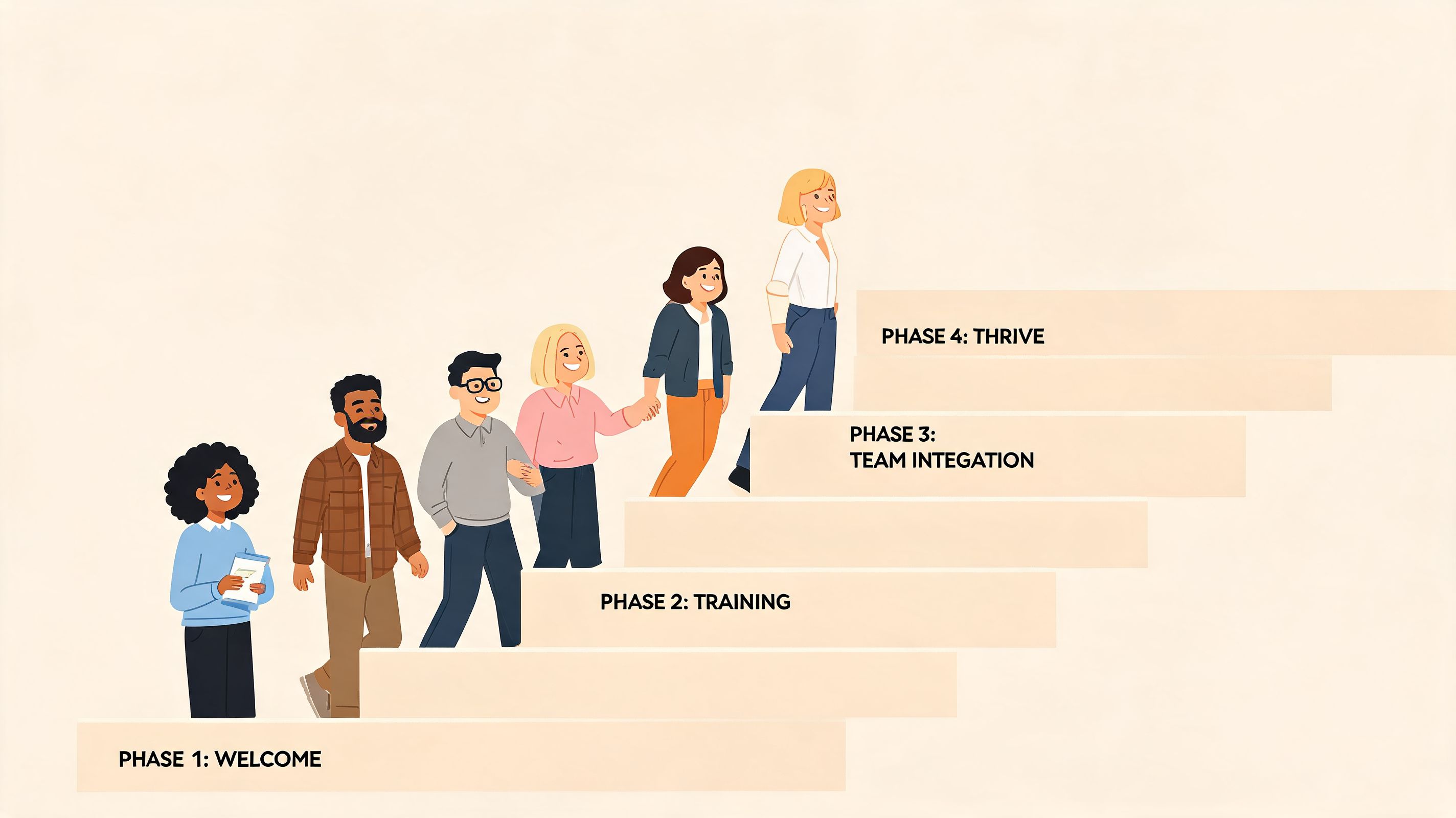
Start smaller than you want
Pick one or two teams with patient managers and obvious pain. A location with schedule changes, frequent updates, onboarding friction, or too many side-channel messages is usually a good place to begin.
Don't launch everything at once. Start with the jobs people feel immediately:
Get everyone into one place with a simple invite flow and clear setup help.
Publish one important workflow such as schedules, shift notices, or team updates.
Make one reference item easy to find like a handbook, SOP, or opening checklist.
Give managers a repeatable habit so they know what belongs in the app and what doesn't.
Most rollouts fail at this exact point. They focus on access, not behavior. Logging in is not adoption.
Measure use, not hope
Backstitch argues that teams should track adoption rate, usage frequency, and productivity outcomes to tell whether an employee app is working. In the same discussion, Deel reports outcomes from unifying HR workflows, including 70% faster payroll and hundreds of hours reclaimed each month for customers using its platform (Backstitch on measuring employee app impact).
You don't need to copy someone else's dashboard. You do need to watch the right signals.
A simple rollout scorecard might include:
Signal | What it tells you |
|---|---|
Regular logins | Whether the app is becoming part of the work rhythm |
Manager posting patterns | Whether leaders are reinforcing one source of truth |
Use of key workflows | Whether schedules, tasks, or knowledge are actually moving into the app |
Repeated employee questions | Whether confusion is dropping or just relocating |
Field note: If employees keep asking for updates in the old channel, don't post in both places forever. Move the habit decisively, or the old habit wins.
Build champions, then get out of the way
The best champions usually aren't executives. They're supervisors, shift leads, coordinators, and the one person every team already asks for help. Bring them in early. Let them shape naming, channel structure, and the first few workflows.
Then keep the launch message plain. Tell people what the app is for, what it replaces, and where to go first. Skip the slogans.
Good rollout work feels almost boring. That's a compliment. Calm adoption beats flashy confusion every time.
Beyond the App A Simpler Way to Work
The true goal isn't software consolidation for its own sake. It's less friction.
A good all in one employee app lowers the number of decisions people have to make before they can do something simple. Where's the schedule? Where do I ask? Which version is right? Who already knows this? Those little questions drain more energy than most leaders realize.
When the tool is right, it fades into the background. Staff open one app, find what they need, do the work, and move on. Managers stop acting like human middleware between systems. HR stops chasing acknowledgment across scattered channels. The workplace gets quieter in the best way.
That's the part worth caring about. Not the app itself. The calm that comes after the scramble.
Companies usually think they're buying technology. What they're really buying is a chance to remove a layer of daily nonsense their teams have been tolerating for too long.
The teams that get this right don't look more modern. They look less tangled.
If you're trying to replace scattered tools with one practical system, Pebb is worth a look. It brings communication, operations, and engagement into one app for frontline and office teams, with chat, updates, spaces, tasks, file sharing, shifts, clock-ins, PTO tracking, a knowledge library, and admin controls in one place.
