
Staff Management App: A No-Nonsense Guide for 2026
Tired of juggling apps? This guide explains what a staff management app actually does, why tool sprawl is the real problem, and how to choose the right one.
Dan Robin
Some teams don’t have a management problem. They have a tool problem.
You can usually spot it in five minutes. The schedule lives in a spreadsheet only one person updates correctly. Shift swaps happen in text threads. Time-off requests arrive by email, paper slip, direct message, and hallway conversation. Someone posts an important update in WhatsApp, half the team misses it, and by afternoon everyone is arguing about which version was accurate.
That kind of setup can limp along for a while. Then it starts charging interest. Managers spend their day chasing people, reconciling mistakes, and repeating themselves. Employees stop trusting the system because there isn’t really one system. There’s just a pile of workarounds.
A good staff management app should fix that. Not by adding more software, but by replacing the mess with one place people can rely on.
The Daily Chaos of Managing a Team
The day usually starts before the day starts.
Someone calls out sick. A supervisor can’t find the latest rota because there are three versions of it. A new starter asks where to clock in. Another employee wants to know whether their time-off request was approved, and the answer is buried somewhere between a chat message and a note on someone’s desk.
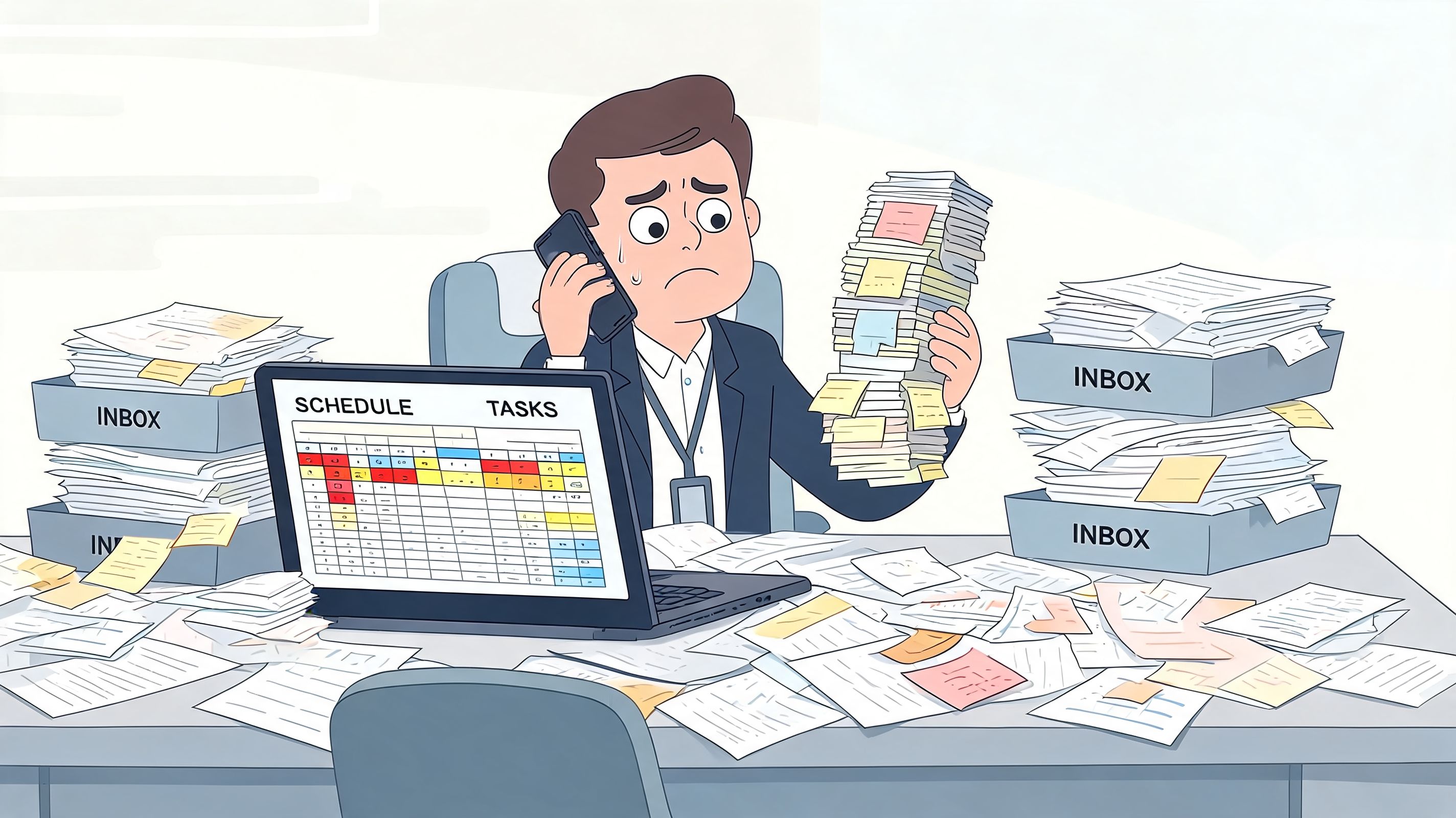
I’ve seen this in retail stores, warehouses, restaurants, and office teams that thought they were “keeping it simple.” They weren’t keeping it simple. They were spreading one job across too many places. Every small task needed translation. Check the spreadsheet. Confirm in chat. Update the whiteboard. Tell the late shift in person.
Where the stress really comes from
The stress isn’t only the volume of work. It’s the uncertainty.
Managers don’t just need to assign shifts or send updates. They need confidence that people saw the update, that the schedule on one screen matches the schedule on another, and that payroll won’t become a cleanup exercise at the end of the week. Without that, even basic admin starts to feel slippery.
A few signs usually show up together:
Messages go missing: Important updates sit inside busy chat threads and disappear.
Requests arrive everywhere: PTO, shift changes, and availability updates come through whatever channel feels easiest in the moment.
No one trusts the latest version: People ask for confirmation because they’ve been burned before.
Managers become the system: If one person is off, everything stalls.
When your team needs a manager to translate between tools all day, the tools are already failing.
Remote and hybrid teams feel this even faster. If people aren’t standing in the same room, weak systems get exposed immediately. If you need a practical companion piece for that side of the job, this expert advice for managing virtual teams is worth your time because it focuses on habits and communication, not shiny software claims.
The question isn’t whether a team can survive on spreadsheets, chat threads, and memory. Plenty do. The question is whether there’s a better way to run the day without carrying all that noise in your head.
What We Mean by a Staff Management App
A lot of people hear “staff management app” and think of scheduling software with a clock-in button attached.
That’s too small.
A real staff management app is where the daily operation holds together. It handles the practical mechanics of work, but it also gives people a shared place for updates, requests, tasks, documents, and the small bits of context that stop work from falling apart. That matters most for frontline teams, where people don’t sit in front of the same computer all day and can’t afford to hunt for information.
It’s not just a digital timesheet
The category has changed. Employee management apps have evolved from simple time-tracking tools into broader platforms that combine performance monitoring, real-time task updates, productivity dashboards, expense management, and direct payroll integration, according to Digisme’s breakdown of modern employee tracking apps.
That shift matters because the old model created handoffs everywhere. Hours lived in one place. Tasks lived somewhere else. Payroll lived in another tool. Communication happened in whatever app people already had on their phones. Every handoff meant another chance for delay, confusion, or plain old human error.
What the tool should actually do
If I’m evaluating a staff management app, I want it to cover the normal rhythm of work in one place:
Need | What good looks like |
|---|---|
Daily coordination | Team updates, tasks, and schedule changes are easy to find |
Time and attendance | People can clock in, review time, and flag issues quickly |
Admin follow-through | Managers can approve requests without digging through messages |
Payroll support | Hours and corrections move cleanly into payroll workflows |
Team context | Policies, onboarding notes, and files are accessible on mobile |
That doesn’t mean one app has to replace every system in the business. It means it should become the place where work is coordinated, not scattered.
Practical rule: If employees still need to ask, “Where do I find that?” every day, you don’t have a staff management app. You have a collection of features.
Small businesses often get tripped up here because they buy one tool for time tracking, one for leave, one for communication, and one for HR records. If you’re sorting through that stack, Learniverse's small business HR guide gives a helpful overview of what belongs together and what doesn’t.
The point isn’t to turn team management into software management. It’s to give the team a digital home base so the workday stops feeling like a scavenger hunt.
The Real Problem Is Tool Fragmentation
What's often needed isn't more features. It's fewer places to look.
That’s the part a lot of software articles skip. They compare long feature lists as if the goal is to collect enough functions to win a prize. In practice, damage comes from fragmentation. Every disconnected app adds one more place for information to drift, stall, or vanish.
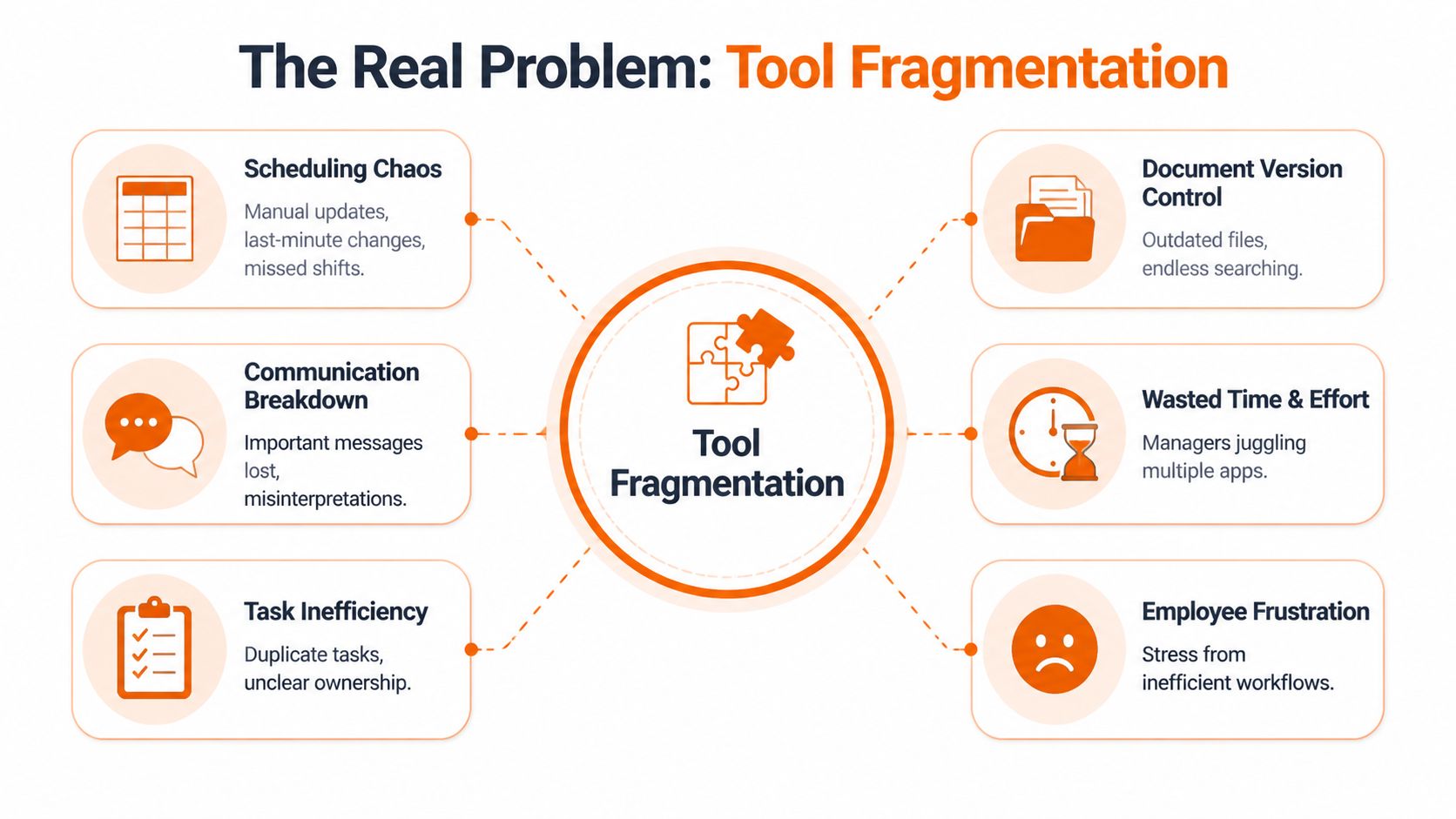
Research summarized by Inflection HR on HR app essentials notes that frontline workers in retail, hospitality, and healthcare often juggle 4-6 disconnected apps daily. That lines up with what many managers already know by feel. The friction isn’t dramatic enough to make headlines, but it eats the day in small bites.
What fragmentation looks like in real life
A fragmented stack creates problems that don’t show up on a vendor comparison page:
A schedule changes in one place but not another. Someone shows up at the wrong time.
A manager assigns a task in chat. Another manager logs the same task elsewhere.
A policy update gets posted, but not everyone sees it. Compliance becomes guesswork.
A payroll issue starts with one missed punch. Then three people spend time correcting it.
None of that is unusual. That’s the normal cost of stitching operations together with separate tools and hope.
Consolidation does more than save clicks
People often frame consolidation as convenience. It’s bigger than that.
When a team uses one main app for communication, scheduling, time tracking, and operational updates, they stop translating work across systems. Managers answer fewer “where is it?” questions. Employees spend less time jumping between interfaces. New hires learn one way of working instead of five.
That’s why the smarter buying question isn’t “Does this app have enough features?” It’s “Does this app reduce the number of moving parts my team has to manage?”
If you want a broader view of why this matters beyond scheduling, this piece on what a digital workplace actually means is useful because it treats the workplace as a connected operating environment, not just a set of software subscriptions.
A messy tool stack doesn’t just waste time. It teaches people that the official process can’t be trusted.
Once that happens, employees work around the system. They screenshot schedules. They message managers privately. They keep their own notes. That may feel resourceful, but it’s really a sign the setup has already broken.
How Different Teams Put These Tools to Work
The value of a staff management app becomes obvious when you stop thinking in features and start thinking in moments.
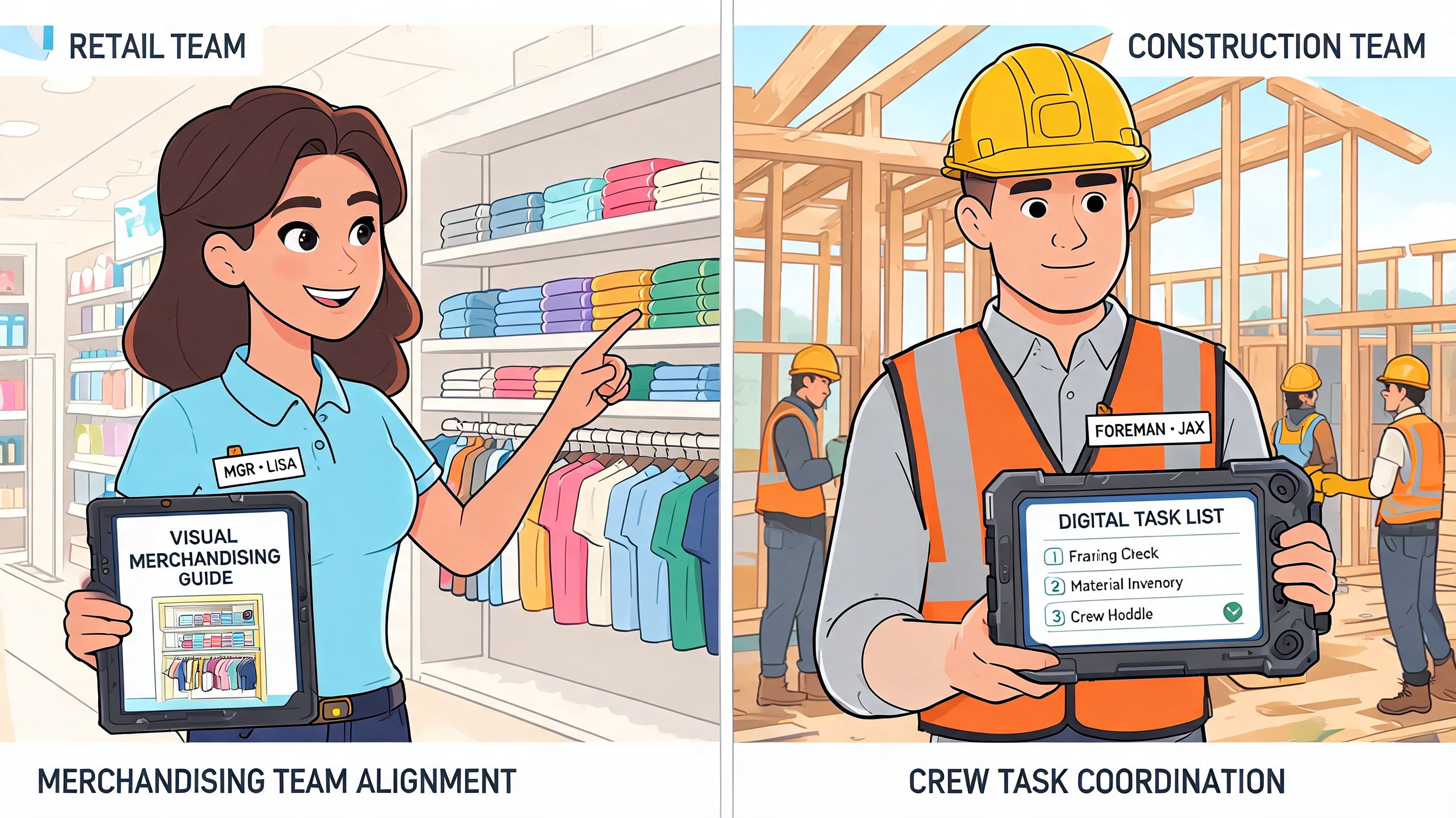
A retail manager doesn’t wake up wanting “workflow centralization.” They want to push one update about a display change and know every store lead can see the photo, the instructions, and the deadline in one place. A hospitality supervisor doesn’t want “communications infrastructure.” They want to cover a missing shift without calling six people in a row.
Retail and hospitality
In retail, the daily problem is consistency. Head office shares one instruction, store teams interpret it five different ways, and by the weekend every location is improvising. A unified app gives managers one thread for the update, attached files, follow-up questions, and task completion. No separate email, chat, and checklist needed.
Hospitality has a different pain point. The pace is faster and the schedule changes constantly. A good setup lets a hotel or restaurant manager post an open shift, confirm the replacement, update the rota, and keep a record without turning the whole thing into a phone tree.
A lot of teams start by searching for scheduling first. Fair enough. But scheduling works better when it lives alongside the messages, requests, and task updates that affect the shift. That’s why a focused guide on an employee scheduling app for day-to-day operations can be useful, especially if you’re trying to connect schedules with the rest of the work.
Healthcare and logistics
Healthcare teams care about speed, but they care even more about clarity. A clinic supervisor may need every employee to confirm they’ve seen an updated compliance notice or workflow change. If that update sits in email, there’s a good chance some staff won’t catch it before the next shift. In one app, the notice, acknowledgment, and follow-up all stay connected.
Logistics teams have another kind of pressure. Work starts early, often across multiple locations, and the day can’t wait for people to compare notes across tools. A warehouse manager needs to push assignments, note exceptions, and handle attendance issues while people are already moving.
Office teams aren’t exempt
Office teams tend to think they’re better off because they have more software. Often they’re just hiding the same fragmentation behind cleaner interfaces.
I’ve seen office operations run across Slack, email, a scheduling tool, a form app, shared docs, and a project board. It looks modern. It still creates the same old problem: too many homes for the same information.
The best staff management app isn’t the one with the longest feature sheet. It’s the one people check first because they know the answer is probably there.
That trust is what changes behavior. Once the team believes one place holds the definitive version of things, the operational drag starts to ease.
Choosing a Tool Without Losing Your Mind
The market for staff tools is noisy because every vendor can make a demo look tidy.
That’s not the crucial test. The actual test is Monday morning when someone misses a punch, another person asks for leave, a shift changes, and a manager needs to reach everyone before lunch. If the tool gets clumsy at that moment, the rest of the feature list doesn’t matter.
A staff management app is no longer a fringe purchase. As of 2026, 96% of companies use time-tracking software, and 70% of large firms have employee monitoring systems, according to Apploye’s employee monitoring statistics roundup. That doesn’t mean every company chose well. It does mean this is now basic operational infrastructure.
Three tests that matter
I use a simple filter.
Will the team use it? If the app is confusing, desktop-heavy, or clearly designed for admins instead of employees, adoption will sag. Frontline staff need something mobile-first and obvious enough to use during a real shift, not after a training deck.
Does it replace at least three other tools?
If all you’re doing is adding another login, you’re making the problem worse. A worthwhile app should remove separate tools for things like updates, scheduling, requests, tasks, or file sharing.Can you get useful value fast? Long implementation projects sound impressive until they stall. Organizations should be able to stand up the basics quickly, test them with a real group, and learn from actual use instead of committee debates.
What to ignore
Buyers waste a lot of time comparing edge-case features they may never use.
Skip the beauty contest. Don’t get hypnotized by giant matrices, glossy screenshots, or promises that every workflow is “fully customizable.” Some flexibility helps. Too much flexibility means you’ll end up rebuilding the same mess inside a more expensive product.
A better approach is to compare tools against the operating reality of your team:
Question | Why it matters |
|---|---|
Can employees use it comfortably on their phones? | Frontline adoption lives or dies on this |
Can managers handle requests and updates in one flow? | This cuts handoffs and delay |
Can the tool reduce app-switching? | Consolidation is the real payoff |
Can a small team administer it without outside help? | Complexity becomes a permanent tax |
If you’re running a smaller company, this guide on employee management software for small business teams is a sensible place to compare what should stay simple and what needs more structure.
The right tool should make the operation feel lighter within days, not heavier for months.
How Pebb Solves the Fragmentation Problem
Some products treat staff management like a list of isolated modules. One tab for chat, another for tasks, another for shifts, another for files. Technically complete, operationally scattered.
Pebb takes a different approach. It groups work inside Spaces, which are dedicated areas where a team can keep chat, posts, tasks, files, events, shift scheduling, clock-in, and PTO tracking together in the same context. That matters because most confusion comes from losing context, not lacking a feature.
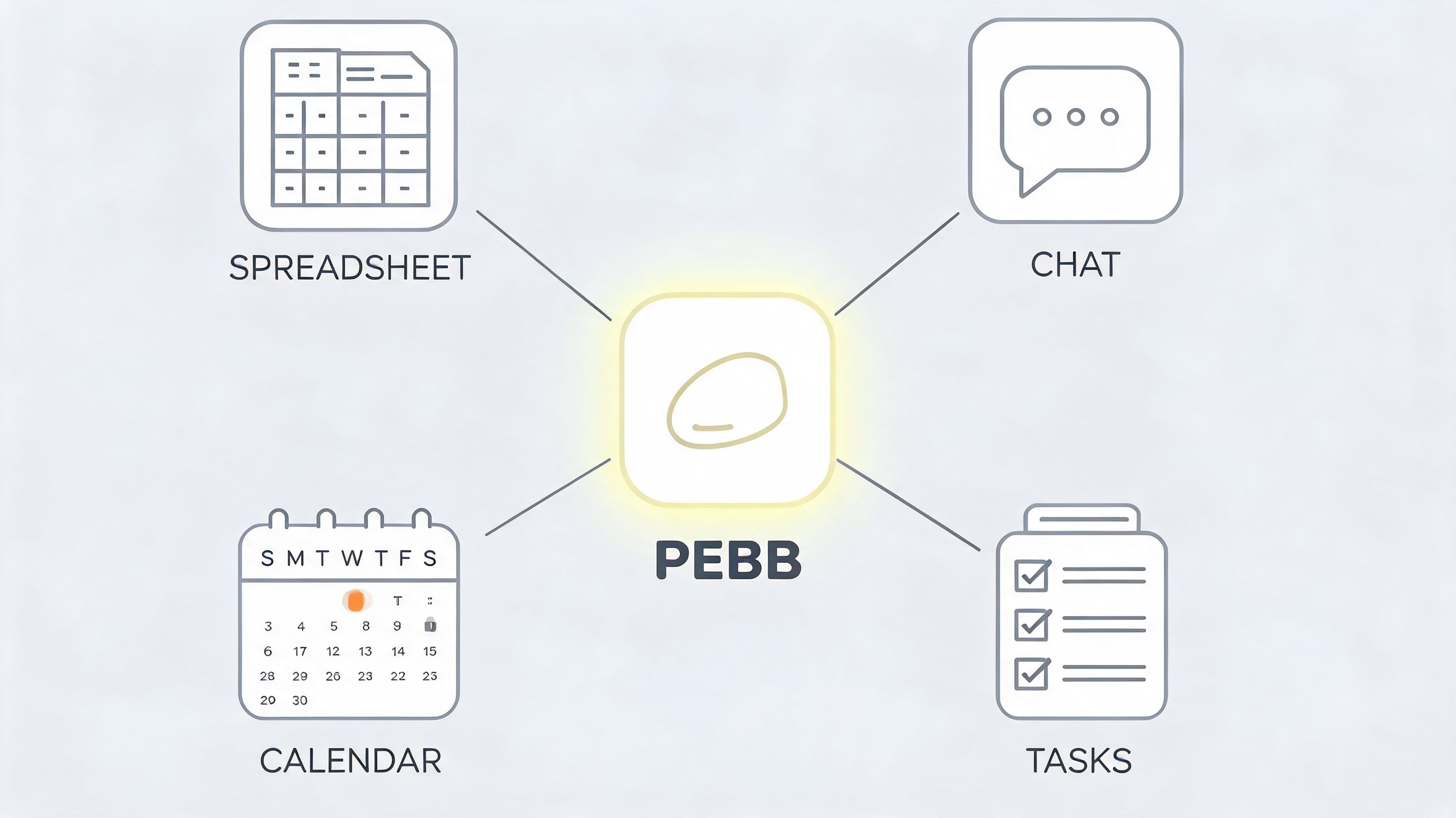
One place per team, not one more app
That design works well for teams that are tired of translating between tools. A warehouse space can hold shift updates, task lists, files, and attendance workflows. A clinic space can keep policy updates, team communication, and reference documents together. A retail space can tie store instructions to the actual people carrying them out.
This is the point of consolidation in practice. People don’t have to remember which app handles which part of the day. The work and the conversation around the work live together.
Good operations software should reduce context switching first. Everything else comes after that.
The architecture still matters
Simple on the surface doesn’t mean simple underneath.
Enterprise-ready staff management apps need an API-first design and integration layers that connect to over 200 backend systems such as HRIS and payroll, while also supporting multi-language translation, granular admin controls, and localized compliance frameworks, as outlined in Udext’s overview of staff communication apps. That kind of plumbing is what allows an all-in-one app to work in the world instead of becoming another silo.
For teams creating training or update content inside that environment, supporting materials matter too. Sometimes a short visual walkthrough lands better than a long written announcement, which is where something like an AI video generator app can help produce quick explainers for onboarding or policy changes.
The main point is this: an all-in-one tool only earns its place if it combines everyday usability with serious governance underneath. Otherwise you’re just hiding fragmentation behind a cleaner interface.
The Goal Is Calm Not More Technology
The end goal isn’t digital transformation. It’s a calmer day.
A good staff management app should make the team less dependent on memory, side messages, and manual cleanup. People should know where to check, where to respond, and where the latest version lives. Managers should spend more time leading and less time reconciling.
That calm feeling comes from technical discipline behind the scenes. Mobile-first staff apps depend on cross-platform real-time sync to keep data consistent across devices, and often include offline-first behavior for places with shaky connectivity, as explained in Zenzap’s guide to mobile-first team communication apps. The user doesn’t need to think about any of that. They just need the app to stay in sync when the day gets messy.
That’s the actual standard.
If your current setup keeps forcing people to ask where things are, which version is right, or whether anyone saw the message, you don’t need more software. You need less chaos.
If you want one place for chat, tasks, shifts, files, clock-ins, PTO, and team updates, Pebb is worth a look. It’s built for frontline and office teams that are trying to replace scattered tools with one operational home base.
