
Your Guide to Operational Efficiency Software
Drowning in digital chaos? This guide explains how operational efficiency software unifies your team, streamlines work, and restores calm to your business.
Dan Robin
We’ve all been there. You have a problem, so you find a new app to fix it. Another problem, another app. Before you know it, you’re juggling five different tools just to schedule a shift or send a message.
It’s exhausting. And it’s the exact opposite of efficient.
This isn’t a theoretical problem. It's the daily reality for so many teams. The promise was that technology would make work easier. The reality is that for many, it has made work more complex.
Why is Your Software Creating More Chaos?
You know the story because you’ve lived it. As a manager, you’re trying to coordinate a team spread across different locations. As an HR leader, you’re trying to build a consistent culture when your people are everywhere. So you add a tool for chat, another for tasks, and a third for scheduling. Each one is meant to solve a small piece of the puzzle.
But soon you’re drowning in browser tabs and login screens. The very tools meant to bring order are now the source of your chaos. It’s a phenomenon often called “tool sprawl,” and it’s a quiet killer of productivity.
This digital clutter isn’t just an annoyance; it has real costs. Time disappears with every click to a new tab. Critical information gets lost, siloed away in an app no one remembers to check. But the real cost is human: frustration, disengagement, and burnout.
The promise was simple: use technology to make work easier. The reality for many is that technology has made work more complex.
This is what happens when new software is piled on without a clear strategy. When not thought through, even helpful things like automation can create new problems, a perfect example of the common pitfalls of automation. The problem isn't the software itself—it's the fragmented way we've been using it.
The Shift From Scattered Tools to a Unified Hub
Let’s be honest. The cost of this fragmentation is steep. Here’s a quick look at how moving from scattered apps to a single operational platform can transform daily work.
Daily Task | The Old Way With Scattered Apps | The New Way With a Unified Hub |
|---|---|---|
Finding Information | Searching through email, Slack/Teams, and a separate knowledge base. | A single, searchable hub for all documents and communications. |
Updating Schedules | Building a schedule in one app, then announcing it in another, and handling time-off requests via email. | An integrated schedule where changes instantly notify the right people. |
Managing Tasks | Assigning tasks in a project tool, but discussing them in a chat app, leading to missed context. | Tasks are linked directly to conversations, files, and team members in one place. |
Onboarding a New Hire | Sending a dozen emails with links to different systems and documents. | A single checklist that guides the new hire through all their tasks and resources. |
Moving to a unified system isn't a small improvement; it fundamentally changes the flow of work. It makes everything simpler and more intuitive.
The Antidote to Digital Chaos
Here’s the thing. Operational efficiency software isn’t just another product to add to the pile. It’s the antidote to all that chaos.
The goal isn't to find more tools. It's to find one calm, organized hub that brings your team's most important work together. This isn't about packing in a million features; it's about having the right features that actually talk to each other.
It represents a different way of thinking. We don't need more software; we need smarter, better-integrated tools that respect our time and attention. If you want to dig deeper into how a single, unified hub can help your team, we explore this very idea in our guide on all-in-one business software.
Ultimately, operational efficiency is born from simplicity and clarity. It’s about replacing a dozen disjointed apps with a single, thoughtful platform. This approach doesn't just clean up workflows; it gives your people back their most valuable resource: focus. The right tool shouldn’t add to the noise. It should quiet it.
What Actually Makes Software Efficient?
For too long, the software world has sold us a lie: that more is always better. More features, more buttons, more dashboards—a recipe for complexity, not efficiency. We’ve all stared at a screen so cluttered it feels like you need a pilot's license just to get something done.
But that’s not real power. Real power is clarity. It's finding exactly what you need, the moment you need it, so you can get back to the work that actually matters.
Great operational efficiency software is built on this idea. It's not a bloated, one-size-fits-all beast. It’s a focused, intuitive tool that supports how your team genuinely works, built around a few core pillars that bring a sense of calm to the chaos.
The Foundations of Smooth Operations
Let’s get real about what these features actually do for you and your team on a day-to-day basis.
First is communication. This isn't just another chat app. Think of it as a dedicated home for every project or location. All the conversations, files, and key decisions stay right where they belong, so nothing gets lost in a messy email thread or a noisy, company-wide channel.
Next, task management. This shouldn't feel like wrestling with a complicated chart that only an engineer could love. It’s a clean, visual way to see who’s doing what and by when. It creates accountability without constant check-ins.
And you can't forget scheduling. A smart scheduler does more than just display shifts. It’s wired into everything else. When a shift changes, the right people get an instant notification—no need to chase them down.
This diagram captures the journey from juggling a dozen apps to having one unified system. It’s simple, but it’s true.
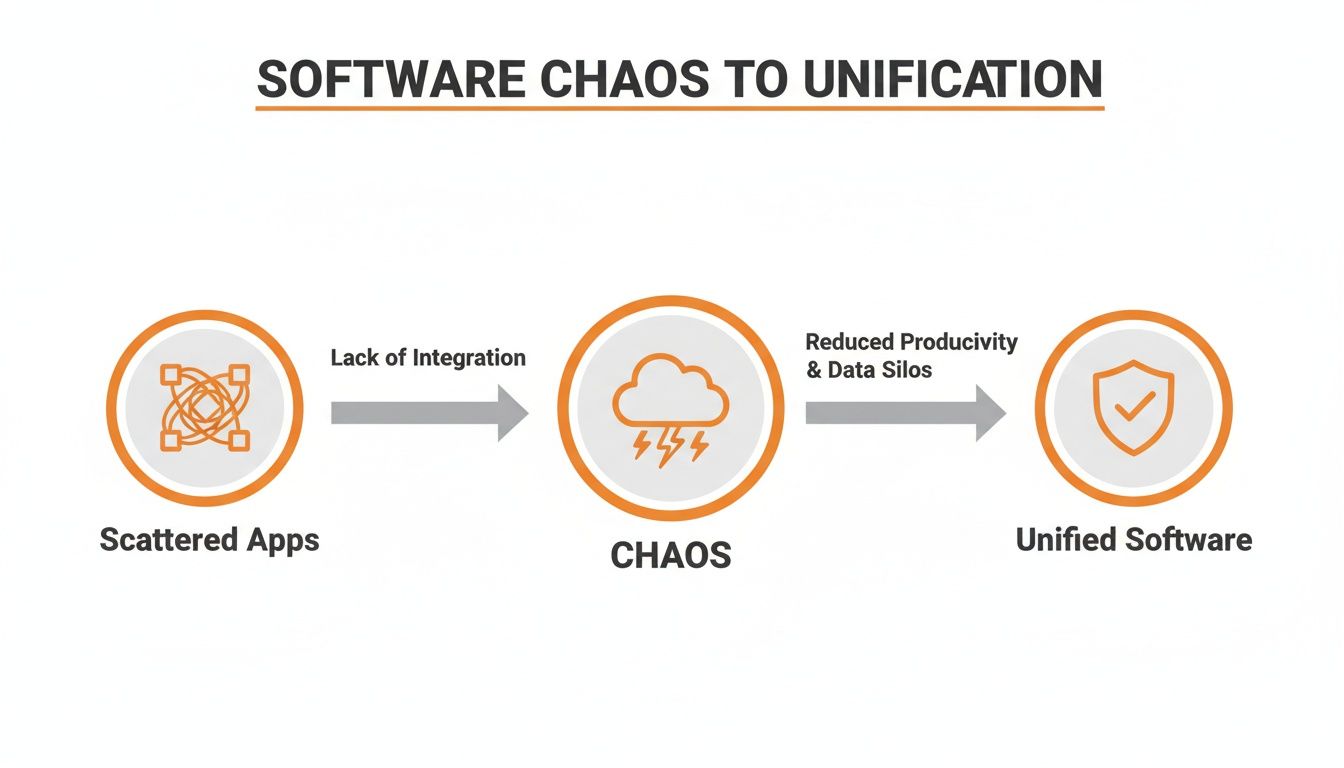
As you can see, juggling multiple tools is a fast track to confusion. Bringing everything together is where you find real clarity.
More Than Just Convenient
Bringing these pieces together under one roof does more than just tidy things up. It changes the game. When your communication, tasks, and schedules all speak the same language, the system starts doing the heavy lifting for you.
A task is no longer just a to-do item; it's linked to the conversation that provides all the context. A training guide isn't buried in some forgotten folder; it's right there in a knowledge library, easy for anyone to find in seconds.
This integrated approach is why the business productivity software market is booming, expected to jump from $76.1 billion to $86.82 billion by the end of 2026. This isn't a fleeting trend. We’ve seen companies that switch to unified platforms report some amazing results, like 25% faster onboarding for new hires and a 40% increase in employee engagement.
This shift is especially critical as more teams work from different locations. The principles behind Powering Productivity in a Remote Work World show how vital the right tools are for keeping everyone connected. If you'd like to dig deeper into this, our guide on operational excellence strategies is a great next step.
At the end of the day, the best software respects your attention. It knows your time and mental energy are your most valuable resources. Its job is to protect them, not drain them.
How Different Industries Use This Software
It’s easy to talk about features in a vacuum. But what does operational efficiency software actually look like on a chaotic Monday morning? The real value of any tool isn't on a spec sheet—it's how it performs in the messy, unpredictable world of daily work.
A one-size-fits-all approach doesn't cut it. The needs of a hotel manager are worlds apart from those of a warehouse supervisor. A truly great platform understands this. It doesn't force different teams into the same rigid box; it adapts to their specific workflows.
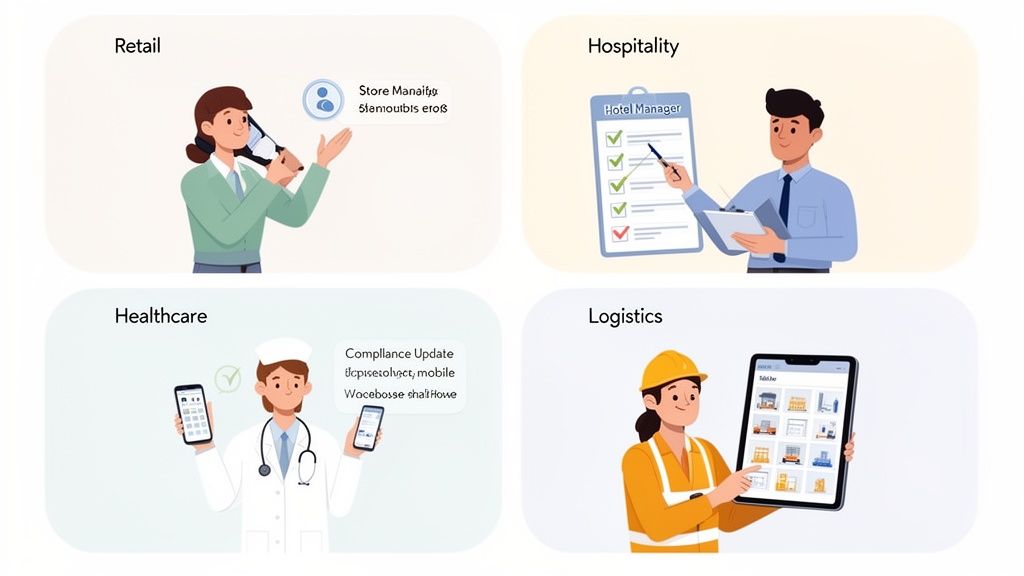
On the Retail Floor
Picture a busy retail manager, Sarah, bracing for the morning rush. Instead of fumbling between three different apps, she opens just one on her phone.
With a few taps, she sends an alert to the floor team about a new promotion. A moment later, a cashier calls out sick. No frantic phone calls. Sarah posts the open shift in the app, and within minutes, a part-timer from another store claims it. The schedule updates for everyone, automatically. This is what smooth retail operations feel like.
In the Bustling Hotel
Now, let's check into a hotel, where every detail impacts the guest experience. The front desk manager, David, starts his day by reviewing his team’s pre-shift checklist analytics, not by chasing people down the halls.
He sees the housekeeping crew on the third floor is crushing it, finishing their room inspections early. At the same time, he spots a small snag: the new night auditors seem to be missing a step in their closing report. Instead of jumping to conclusions, he sees a training opportunity. He uses the app to send a supportive message to the night supervisor, along with a link to the correct procedure in their shared knowledge base. He’s not micromanaging; he’s coaching.
The right operational efficiency software gives managers a pulse on their team's performance without having to stand over their shoulder. It turns observation into supportive action.
This proactive approach lets David fix tiny issues before they can ever affect a guest's stay—all because his communication, training, and data tools are finally connected.
In the Demanding World of Healthcare
In a clinic or hospital, clear communication can be a lifeline. Information has to be secure, accurate, and instant. Think of Maria, a head nurse who just received an urgent update to a compliance protocol.
The old way? Printing memos, sending emails that get buried, and hoping the news travels during shift handovers. It was a prayer, not a process.
Today, it's a different story. Maria posts the update to a secure channel for all nursing staff. The platform is set up to require a digital "read receipt" from every nurse. This gives her an immediate, auditable log of who has seen the new protocol. Compliance is no longer a game of telephone; it’s a documented fact.
At the Heart of Logistics
Finally, let's head to a humming warehouse where a supervisor, Mike, is juggling a dozen moving parts. A massive shipment just arrived, inventory needs to be logged, and three trucks are queued up.
From his tablet, Mike assigns specific putaway tasks to his crew. Each task is tied to a barcode scan, so inventory updates in real time. He then pushes route updates and manifests directly to the drivers' devices through the same app. When a driver hits a bad traffic jam, they send an instant update back. Mike sees it, adjusts the dock schedule, and prevents a bottleneck. It’s a closed loop of information keeping the entire operation humming.
From retail aisles to hospital corridors, the lesson is the same. The best tools don't dictate how you work. They provide a simple, unified platform that molds to the rhythm of your industry, giving your team the clarity they need to shine.
The Hidden Costs of Your Software Mess
Let's have a frank conversation. It’s incredibly tempting to patch together a dozen “free” or low-cost apps to run your business. You’ve got one tool for chat, another for scheduling, and a third for sharing files. It feels scrappy. Clever, even.
But the real price you pay isn't on an invoice. It's paid every day in lost time, mounting frustration, and a disconnected team. This is the reality of "tool sprawl," and it's one of the biggest hidden costs draining your company.
Every time an employee has to jump between apps, they pay a "cognitive tax." A quick question in the chat app sends them hunting for a related file in the cloud drive, which then requires them to pop over to the project tool to check a task. Each switch breaks their focus. It’s death by a thousand clicks.
The True Expense of Complexity
This mess of apps isn’t just inefficient; it's a security nightmare. When you’re juggling ten different tools, you’re also juggling ten different sets of user permissions. Who has access to that sensitive client folder? What happens when an employee leaves? It's nearly impossible to keep a clear, secure handle on everything when your data is scattered.
This is why we're seeing a huge shift toward unified systems. The market for Enterprise Resource Planning (ERP) systems, a major category of operational efficiency software, is on track to become a $136 billion industry by 2032. While most businesses look for core features, more are demanding systems they can customize to their unique way of working. The drive for consolidation is real—unified systems have been shown to slash supply chain inefficiencies by 20-30% and cut operational costs by up to 15% simply by making real-time data available to everyone.
The most expensive software you have is the collection of "free" tools that makes your team slow, insecure, and disconnected.
Switching to an all-in-one platform isn’t just another expense. It's an investment in sanity. It's about choosing intentional simplicity over the accidental complexity that has slowly taken over our work.
From Disconnected to In-Sync
The cultural damage from this chaos is just as bad. When your team's conversations are in one app, project updates in another, and company announcements in a third, you lose any sense of a shared "digital home." Your people feel like a collection of individuals in silos, not a cohesive team. You simply can't build a strong culture when your tools are actively working against it.
A unified platform changes this dynamic. By bringing everyone into one place, you create a single source of truth. A new company policy, a crucial project deadline, or a big team win is shared where everyone can see it. It’s a simple shift, but its impact is powerful. For a closer look at this, you might find our guide on the role of instant messaging in business helpful.
This isn't just a decision about software. It’s a choice between two ways of working. One is a patchwork of compromises that bleeds your time and money. The other is a calm, organized environment that gives your team the clarity they need to do their best work.
How to Choose New Software Without the Headache
Let’s be honest, choosing new software can feel like a nightmare. You brace for a flood of sales demos, stare down massive feature-comparison charts, and feel the pressure to find the one “perfect” tool. It’s draining. And it’s the wrong way to look at it.
It doesn’t have to be this complicated. The secret isn't finding the software with the longest list of features. It’s about finding the one that fixes your most immediate, nagging problem right now.
So, for a moment, forget the spreadsheets. Forget the shiny new features. Start by asking one simple, honest question: What is the single biggest operational headache we’re dealing with today? Is it the chaos of covering last-minute shift changes? Or the constant, time-wasting hunt for basic company info?
Start there. The right tool is the one that brings instant relief to a real pain point.
A Simple Checklist for Cutting Through the Noise
Once you’ve zeroed in on your core problem, the evaluation process gets a lot easier. You can ignore the marketing noise and focus on what actually matters. Here’s a short, practical checklist we always come back to.
Does it work flawlessly on a phone? Your frontline teams aren't chained to a desk. If they can’t check schedules, get updates, or talk to each other easily from their phones, the tool is a non-starter.
Can we get someone up and running in minutes? Your people are busy. A successful rollout should be measured in days, not months. If a tool demands complex training, it's just creating more work.
Does it connect to what we already use? You need software that talks to your existing HR and payroll tools. A platform that traps your data in another silo isn't helping.
This simple set of questions cuts through the fluff. It gets to the heart of what makes a tool usable. Always prioritize a great user experience and fast adoption over a long list of features you’ll probably never touch.
For example, this is what mobile-first simplicity actually means. It's not a complex project management board; it's a clean, simple view of shift management that anyone can figure out in seconds.
What you're seeing is pure clarity. There’s no clutter—just the essential information needed to manage a schedule from anywhere.
Keep an Eye on the Future, but Solve for Today
The business software market is booming, on track to hit $1.28 trillion by 2031. This is driven by the shift to the cloud and the rise of platforms that let non-techy folks build the tools they need. Industry analysts even predict that by 2026, 40% of enterprise apps will have AI agents built-in to automate tasks. For anyone moving on from old, clunky systems, this new wave of software presents a huge opportunity. You can learn more about what's driving these global business software trends.
But here's the catch. While it's smart to know where technology is heading, you shouldn't buy software for a future you can't predict. The best operational efficiency software is the one that solves your biggest problem today and has the flexibility to grow with you tomorrow.
Don’t get mesmerized by what a tool might do in three years. Judge it by the immediate relief it brings to your team this week.
Choosing a new tool isn't about finding a magical solution. It’s about making a calm, deliberate choice to make work life simpler. It’s about finding a platform that feels less like software and more like a dependable partner.
Choose clarity. Choose simplicity. The efficiency will follow.
The Real Goal Is Clarity, Not Just Efficiency
We’ve spent a lot of time talking about software, features, and how to pick the right tools. It’s easy to get lost in the promises of faster workflows and impressive ROI. But after all the demos and data points, it’s worth asking: what are we really trying to do here?
The ultimate goal of operational efficiency software isn't just to make things cheaper or a little quicker. If that were the case, any tool that shaves a few seconds off a task would be a winner. But we all know from experience it’s never that simple.
The real goal, the one that actually changes how a business feels to work in, is clarity.
What Clarity Truly Means
Clarity is a powerful, and often overlooked, force. It shows up in small but profound ways every single day.
Think about the frontline employee who opens their phone and knows exactly what their shift is, which tasks are theirs, and where to find an answer without having to chase down a manager. That person feels competent and trusted.
Or consider the manager who can see what's happening across their team without constantly poking and prodding. They can spot where someone might need support and offer help, not pressure. They get to lead with confidence instead of anxiety.
And for a leader, it’s the ability to feel the true pulse of the organization. They see which communications are landing, which teams are thriving, and where the culture is strong. It’s the difference between making decisions based on reality versus guesswork.
Efficiency is a byproduct of a well-informed, connected, and calm organization. Clarity is the cause.
When you give people clarity, they stop wasting mental energy just trying to figure out what they’re supposed to be doing. All that focus can be channeled into the work that matters—serving customers, solving problems, and collaborating with teammates.
The Human Side of Software
This is why the best software doesn't feel like another tool to learn; it feels like a partner. It doesn’t add a new layer of complexity to an already busy day. Instead, it quietly removes the friction that causes so much stress and confusion. It fades into the background, allowing people to connect more deeply with their work and with each other.
So, as you think about improving your operations, try shifting your focus. Don't just hunt for a tool that promises to make you more "efficient."
Look for the one that brings your people clarity. The rest will follow.
Frequently Asked Questions
Thinking about new software brings up some immediate, gut-level questions, doesn't it? We get it. Everyone's been burned by a tool that promised to solve everything but just created more problems.
Let's tackle the big questions we hear all the time—no fluff, just straight answers.
Will My Frontline Employees Actually Use This?
The honest answer? They will, but only if the tool was built for them. Most frontline staff aren't at a desk; they're on the move, and their phone is the one piece of tech they always have.
That’s why a mobile-first design isn’t a nice-to-have, it’s everything. If the operational efficiency software feels as intuitive as scrolling through Instagram, your team will use it. When checking a schedule or messaging a manager is that simple, adoption isn't a hurdle—it's a huge relief.
How Long Does Implementation Really Take?
This can vary, but here's our take: it should be a matter of minutes, not months.
We’ve all heard the horror stories of legacy systems that require endless meetings and consultants just to get off the ground. That’s an old, broken model. A modern, all-in-one platform should be different. You ought to be able to invite your whole team with a single link and see them running on it the same day.
If a provider tells you it'll take a quarter to get set up, they're not selling you a tool. They're selling you a project.
Is This Only For Large Enterprises?
Absolutely not. In fact, we find that small and mid-sized businesses often see the most dramatic improvements.
Think about it. Instead of juggling a half-dozen different subscriptions for chat, scheduling, and file sharing, they can consolidate everything into one platform. The cost savings are great. But the real win is giving a smaller team the focus and organization of a major corporation, without any of the red tape.
Ready to bring that kind of clarity to your team? See how Pebb brings communication, operations, and engagement together in one simple app. Get started for free.
