
Nurse Scheduling Software: Simplify Staffing Now
End staffing chaos! Our guide to nurse scheduling software helps you escape spreadsheets, avoid pitfalls, and choose the perfect tool for your team.
Dan Robin
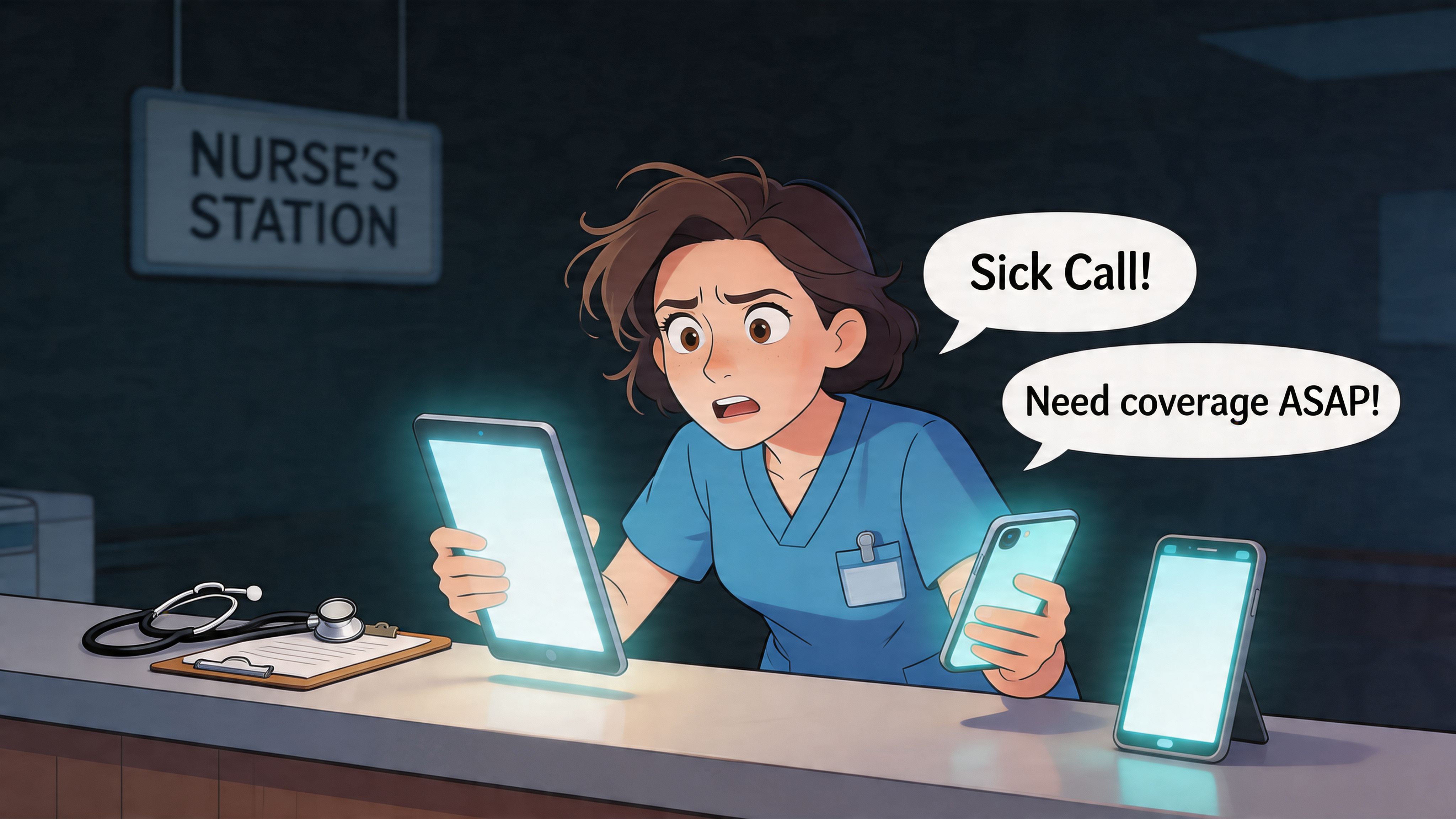
Friday at 6:12 p.m. is when bad scheduling shows its teeth.
A nurse calls out. Another is already staying late. The charge nurse is working the phone with one hand and trying to discharge a patient with the other. Someone sends a text to the unit group chat. Someone else misses it. Payroll has one version of the schedule, the staffing office has another, and the people taking care of patients are left guessing what the night will look like.
I've seen hospitals treat scheduling like clerical work. It isn't. The schedule is operations. It decides who walks onto the floor tired, who gets pulled to another unit, who misses a break, and who ends up carrying too much for too long. When the schedule is shaky, everything downstream gets harder.
That’s why nurse scheduling software matters. But the bigger truth is this. The schedule alone isn’t enough anymore. If it lives in one tool, shift updates in another, and handoffs in a third, the friction never really goes away. You just digitize the chaos.
The Unspoken Cost of Bad Scheduling
A bad schedule rarely fails all at once. It fails one small crack at a time.
It starts with the extra text thread no one asked for. Then a paper note at the desk. Then a manager manually updating a spreadsheet after hours because the posted version is already wrong. By the time the shift starts, everyone is working from partial information.
It looks like an admin issue until it hits the floor
On paper, scheduling problems sound harmless. A missed update. A late approval. An open shift that sat too long.
On the floor, those same problems mean a nurse starts short. Breaks get skipped. The strongest people get asked to carry more because they usually say yes. Teams remember that. They also remember when the schedule feels unfair, opaque, or constantly in flux.
Schedules don't just assign labor. They signal whether the organization respects people's time.
That’s the part many leaders miss. Nurses don’t experience the schedule as a management artifact. They experience it as daily life. It shapes sleep, child care, overtime, school, second jobs, and whether a day off is a day off.
The hidden bill is bigger than overtime
Most hospitals can spot overtime. They can see agency use. They can see premium pay. Those matter.
The harder cost to see is the cultural drag. A unit with constant scheduling chaos starts to lose trust. People stop volunteering. They stop believing requests will be handled fairly. They start looking elsewhere.
That’s why I think of scheduling as the central nervous system of a unit. When it’s weak, communication breaks down everywhere. If you’re trying to tighten operations more broadly, this guide on workforce management software for healthcare is worth a look because scheduling rarely fails in isolation.
Bad scheduling also reaches patients. Even before you talk about software, everyone in healthcare already knows this instinctively. The team you planned is the care experience patients receive. If the roster is brittle, care gets brittle too.
What Nurse Scheduling Software Actually Is (And Isn't)
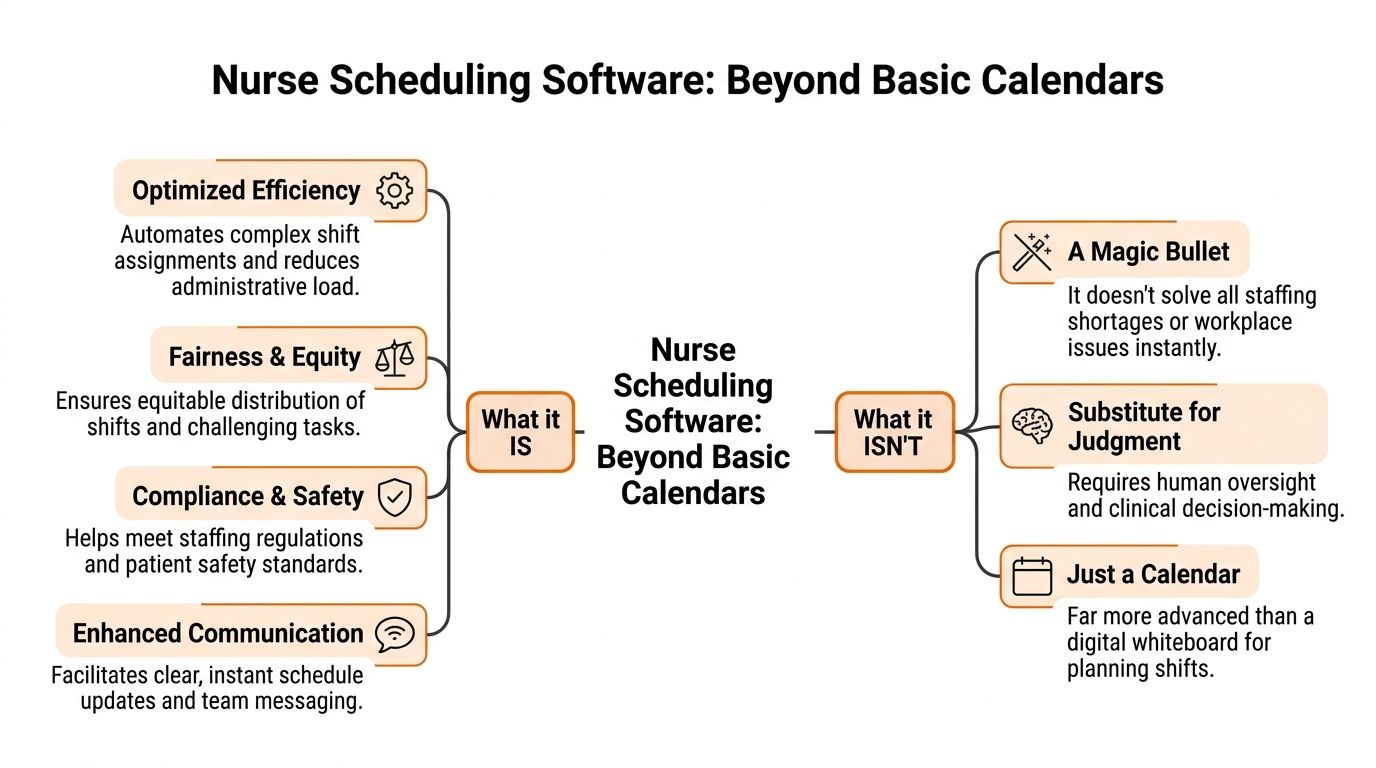
A lot of people hear “nurse scheduling software” and think digital calendar. That’s too small.
A calendar shows names in boxes. Nurse scheduling software is the logic behind those boxes. It weighs staffing demand, licenses, certifications, shift patterns, time-off rules, fatigue risk, union language, and the very human reality that nurses have preferences and limits.
It’s closer to air traffic control than a planner
The cleanest analogy I know is air traffic control. A basic planner can show you what’s scheduled. A real scheduling system helps you land everything safely without collisions.
That matters because hospital staffing isn’t static. Census changes. Acuity changes. One nurse can precept. Another can float. Someone’s certification expires. Someone else can work nights but not back-to-back weekends. If your tool can’t juggle those realities, the manager ends up doing the complex work outside the system.
A strong system does four jobs well:
Balances demand and coverage so the roster reflects the actual needs of the unit, not last month’s assumptions.
Enforces rules around qualifications, hours, rest periods, and local labor constraints.
Makes fairness visible so the same people aren’t always getting the hardest assignments or least desirable shifts.
Handles change when call-outs, surges, or transfers happen in real time.
It isn’t a magic fix for a staffing shortage
Buyers often get misled. Good software won’t create nurses you don’t have. It won’t repair a broken culture. And it won’t replace experienced staffing judgment.
Practical rule: If a vendor promises the software will “solve staffing,” keep your wallet in your pocket.
What it can do is make the existing operation far less wasteful and far less chaotic. That’s one reason the market is moving fast. The U.S. AI in nurse scheduling software market was valued at USD 55.58 million in 2024 and is projected to reach USD 516.41 million by 2033, growing at a CAGR of 28.40%, according to Grand View Research’s U.S. AI nurse scheduling software market report. That growth is tied to burnout, staffing pressure, and operational waste. In other words, the pain is real enough that hospitals are paying to fix it.
The best systems add intelligence, not just screens
The difference between mediocre and useful software is whether it helps managers make better decisions under pressure.
If the software gives you a prettier grid, you still have a scheduling problem. If it helps you see who’s qualified, who’s available, what rule gets triggered, and where the risk is, then you’ve got a tool worth using.
That’s also why mobile access matters. Nurses don’t live at desktops. Schedules need to be visible where work happens, and changes need to travel fast without turning into rumor.
The Core Features That Genuinely Matter
Most vendor demos are packed with shiny features. Half of them won’t matter by month three.
What matters is whether the software makes staffing more predictable, gives nurses some control, protects compliance, and connects to the rest of your operation. If it misses one of those four, the burden shifts back to the manager.
Predictability beats cleverness
The first job of nurse scheduling software is to make the week feel less fragile.
That starts with templates, rotations, and advance schedule creation. Nurses need to know their lives with enough lead time to plan around them. Managers need a repeatable structure that doesn’t require rebuilding the wheel every pay period.
Some systems go further with forecasting. Used well, that’s helpful. Used badly, it becomes fake precision. Historical patterns can guide staffing, but they can’t erase local knowledge. Flu season, a run of high-acuity patients, or a shaky float pool can break neat assumptions fast.
What works is a tool that lets you start from a strong draft and then adjust with human judgment.
Autonomy matters more than most leaders think
The second job is giving nurses some room to manage their own schedules without creating chaos.
Self-scheduling, shift bidding, swap requests, time-off workflows, and mobile access all matter here. Not because they’re trendy, but because they reduce the endless back-and-forth that wears everyone down.
A nurse trying to swap a shift at 11 p.m. shouldn’t need three texts, one voicemail, and a favor from the charge nurse. The process should be visible, rules-based, and quick. Nurses are more likely to trust the system when they can see what’s open, what’s allowed, and what happens next.
If people need side channels to make the schedule work, the software isn’t doing its job.
Safety lives in the rule engine
A good system should subtly block bad decisions before they become staffing headaches.
That means watching for rest violations, qualification mismatches, overtime thresholds, duplicate assignments, and local contract rules. In many hospitals, these requirements are the breaking point for spreadsheet-based scheduling. A spreadsheet can display information. It can’t reliably protect you from expensive mistakes.
The trade-off is simple. The stricter the rule engine, the more setup work you need at the start. That setup is worth it. If you skip it, your staff will spend months discovering holes one painful incident at a time.
A simple way to judge this during evaluation is to ask the vendor for a live example, not a slide. Show a nurse with the wrong certification being placed into a shift. Show a back-to-back violation. Show a union cap being hit. If the system can’t flag that cleanly, move on.
Integrations are not optional
The biggest operational gains usually come from the boring stuff no one advertises well.
Real-time EHR and payroll integrations can reduce data entry errors by 30 to 50 percent, and RESTful APIs syncing with EHRs like Epic every 15 minutes can support predictive staffing based on live patient census data, reducing understaffing by up to 18 percent in high-volume ERs, according to Sparkco’s review of nurse shift scheduling software and integrations.
That sounds technical, but the practical impact is simple. Fewer duplicate entries. Fewer payroll corrections. Fewer staffing decisions based on stale census data.
Here’s what these integrations should change in real life:
Operational area | What good integration fixes |
|---|---|
Payroll | Removes manual re-entry and cuts paycheck disputes |
EHR staffing view | Aligns staffing decisions with live patient demand |
Credentials and HR data | Stops outdated role or certification info from lingering in schedules |
Open shift response | Lets managers act faster because the schedule reflects current reality |
A lot of failed rollouts come from buying a scheduling product in isolation. The grid looked great. The data plumbing didn’t.
Communication belongs closer to the schedule
This is the feature category buyers underrate the most.
Shift alerts, approvals, open shift notices, team messages, and handoff context work better when they sit near the schedule. If the staffing event happens in one app and the conversation about it happens somewhere else, people lose the thread.
You don’t need every collaboration feature in the scheduling tool itself. But you do need scheduling to connect cleanly to how the unit communicates. Otherwise, the software becomes one more screen to check.
The Real-World Benefits for Your Hospital and Your Nurses
Hospitals buy scheduling software for efficiency. Nurses judge it by whether life gets less chaotic. Both views are fair.
The mistake is thinking those goals compete with each other. In practice, they usually rise and fall together.
What leadership gets
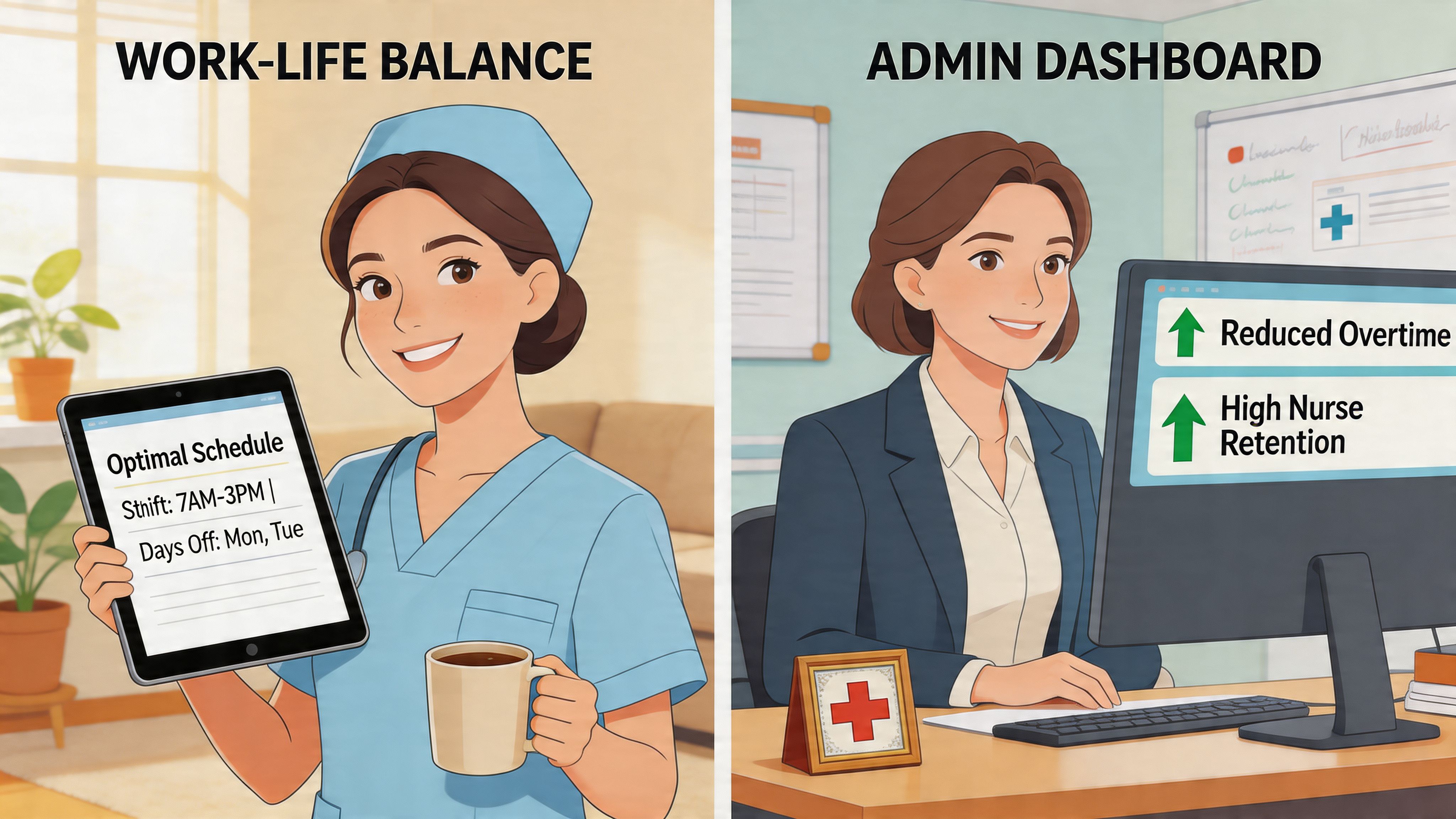
Leaders need cleaner staffing, less waste, and fewer avoidable surprises.
Better scheduling helps by reducing the constant scramble that drives unnecessary overtime, admin churn, and staffing mismatches. It also improves visibility. When managers can see patterns early, they can intervene earlier.
There’s also a clinical case, not just a financial one. A 2021 Lancet study linked higher nurse-to-patient ratios, enabled by optimized scheduling, to lower in-hospital mortality rates, and organizations using these tools also report lower absenteeism, reduced voluntary turnover, and higher patient satisfaction, as summarized in Indeavor’s review of nurse scheduling software and patient outcomes.
That’s the point many finance conversations miss. Staffing quality isn’t a side issue. It touches patient outcomes.
What nurses get
Nurses don’t care whether the tool has “advanced optimization.” They care whether it feels fair, clear, and usable.
The strongest benefits are personal:
More predictability: schedules posted with enough lead time to plan life outside work.
Less friction: fewer texts and fewer calls to figure out what changed.
More control: cleaner swap and request workflows.
More trust: visible rules instead of informal favoritism.
When the system works, the emotional tone on the unit changes. People still work hard. Healthcare doesn’t become easy. But the background noise drops.
A fair schedule won’t fix every morale problem. An unfair one will create new problems every week.
The shared win is stability
The best outcomes show up when both groups feel the improvement at the same time.
Leadership sees fewer fires. Nurses feel less jerked around. Managers stop acting like human middleware between three disconnected systems. The unit runs with more consistency.
I’ve also seen the opposite. A hospital buys an expensive tool mainly for labor control, but nurses still can’t swap shifts easily or trust what’s posted. The organization says the rollout succeeded because the software is live. The staff says nothing changed. The staff is usually right.
How to Choose the Right Tool A No-Nonsense Checklist
Most demos are theater.
The sales team shows a clean schedule, a nice mobile screen, and a few polished workflows. That tells you almost nothing about whether the product can handle your real operation. You need to force the conversation toward edge cases, not happy paths.
Ask vendors to prove the ugly parts
Don’t ask, “Can your system handle union rules?” Every vendor will say yes.
Ask them to show you your actual rule set. Ask them what happens when a nurse hits an overtime threshold, requests a swap, lacks the right certification for the unit, and the replacement also triggers a rest-period issue. If they can’t walk through that calmly in the product, you’re looking at marketing, not capability.
Use questions like these in demos:
Show me our hardest rule: If you have union language, fatigue rules, or unit-specific staffing constraints, put one on the screen.
Show me the midnight workflow: What does a nurse see on mobile when trying to swap or pick up a shift after hours?
Show me approvals: Who gets notified, what gets blocked, and what audit trail remains?
Show me exceptions: How does the system behave when no ideal match exists?
If you manage post-acute or residential care environments alongside hospital operations, it also helps to compare adjacent tools. A focused resource like leave management software for care homes is useful because leave rules often break schedules long before the roster itself does.
Learn enough about the optimization engine to ask better questions
You don’t need a data science degree. You do need to know whether the vendor is using serious optimization or a glorified rules engine.
The strongest tools typically use Mixed-Integer Programming (MIP) for highly structured scheduling problems and Constraint Programming (CP) for fairness and dynamic constraints. Benchmarks summarized in the PMC review of optimization methods in nurse scheduling show these systems can reduce scheduling time by 40 to 60 percent compared to manual methods and cut labor costs by 15 to 20 percent.
That doesn’t mean every product with “AI” on the homepage delivers that. Many don’t.
A plain-English way to think about it:
Method | Where it helps most | What to ask |
|---|---|---|
MIP | Structured environments with clear objectives | Can it optimize for coverage and overtime at the same time? |
CP | Fairness-heavy and fast-changing conditions | Can it adapt quickly when absences or preference conflicts hit? |
Hybrid approach | Hospitals dealing with both structure and volatility | Do you use one method for draft schedules and another for live adjustments? |
One practical reference point, if you want a broader comparison set, is this guide to best employee scheduling software. It helps separate broad scheduling platforms from tools built for more complex workforce environments.
Watch for the quiet deal-breakers
Some problems don’t show up in demos because vendors know they’re weak there.
Pay attention to:
Implementation burden: Who on your team has to configure every rule, template, and user permission?
Mobile usability: If the nurse experience is clumsy, adoption will stall.
Integration depth: “We have an API” is not the same as “we’ve done this cleanly with payroll and EHR systems.”
Manager override logic: Strict rules are good until real life forces an exception. Then you need controlled flexibility.
Buy the tool that handles your messy Tuesday, not your polished kickoff meeting.
Beyond the Software The Human Side of Implementation
I’ve seen one rollout fail before the login emails were even sent.
Leadership picked the tool, announced the launch date, imported staff, and pushed everyone onto it at once. No pilot. No unit champions. No clear explanation of what would change. Nurses experienced it as one more thing being done to them, not for them.
They were right to resist.
The rollout that goes badly is usually rushed
The pattern is familiar. IT is ready. Operations is tired of waiting. The vendor says training is simple. Leadership wants one cutover date.
Then reality sets in. Some staff can’t log in. Managers don’t trust the rule setup yet, so they keep shadow schedules on the side. Nurses hear three different answers about swaps. Unit leaders get flooded with questions. Within a week, people are back to texts, screenshots, and verbal workarounds.
The tool didn’t fail on features. The rollout failed on trust.
The rollout that works starts smaller
The better approach is less exciting and much more effective.
Pick one unit with a manager who’s respected and realistic. Build the rules carefully. Test ugly scenarios. Let a few informal nurse leaders use it first and tell you what’s confusing. Fix those things before you ask the whole organization to adapt.
If you manage rotating or multi-shift teams, this guide on shift work schedules is useful context because a lot of implementation friction comes from not mapping the actual rhythm of shift work before rollout.
The strongest implementations usually share a few habits:
They explain the why clearly. Not “digital transformation.” More like, “we’re trying to cut the phone tag and make swaps visible.”
They train on real scenarios. Staff learn faster from one sick-call workflow than from ten generic screenshots.
They keep support close to the floor. The first weeks need human help, not just a help center article.
The first version of the rollout doesn't need to impress anyone. It needs to survive contact with daily work.
Adoption is a design problem
Nurses will use software that respects their time. They’ll reject software that adds clicks, hides decisions, or makes common tasks harder.
That’s why implementation isn’t just project management. It’s operational design. You’re not installing software. You’re changing how people negotiate time, fairness, and responsibility.
When leaders treat that lightly, even good tools get blamed for problems the rollout created. When leaders handle it openly, staff usually give the system a fair shot.
The Final Piece From a Scheduling Tool to a Digital Home
This is the part most guides skip.
A schedule tells a nurse when to work. It doesn’t carry the shift handoff, the update from the manager, the last-minute task change, the policy reminder, or the note that a certain room needs extra attention. Those things live around the schedule. In many organizations, they live in too many places.
That’s where even solid nurse scheduling software starts to feel incomplete.
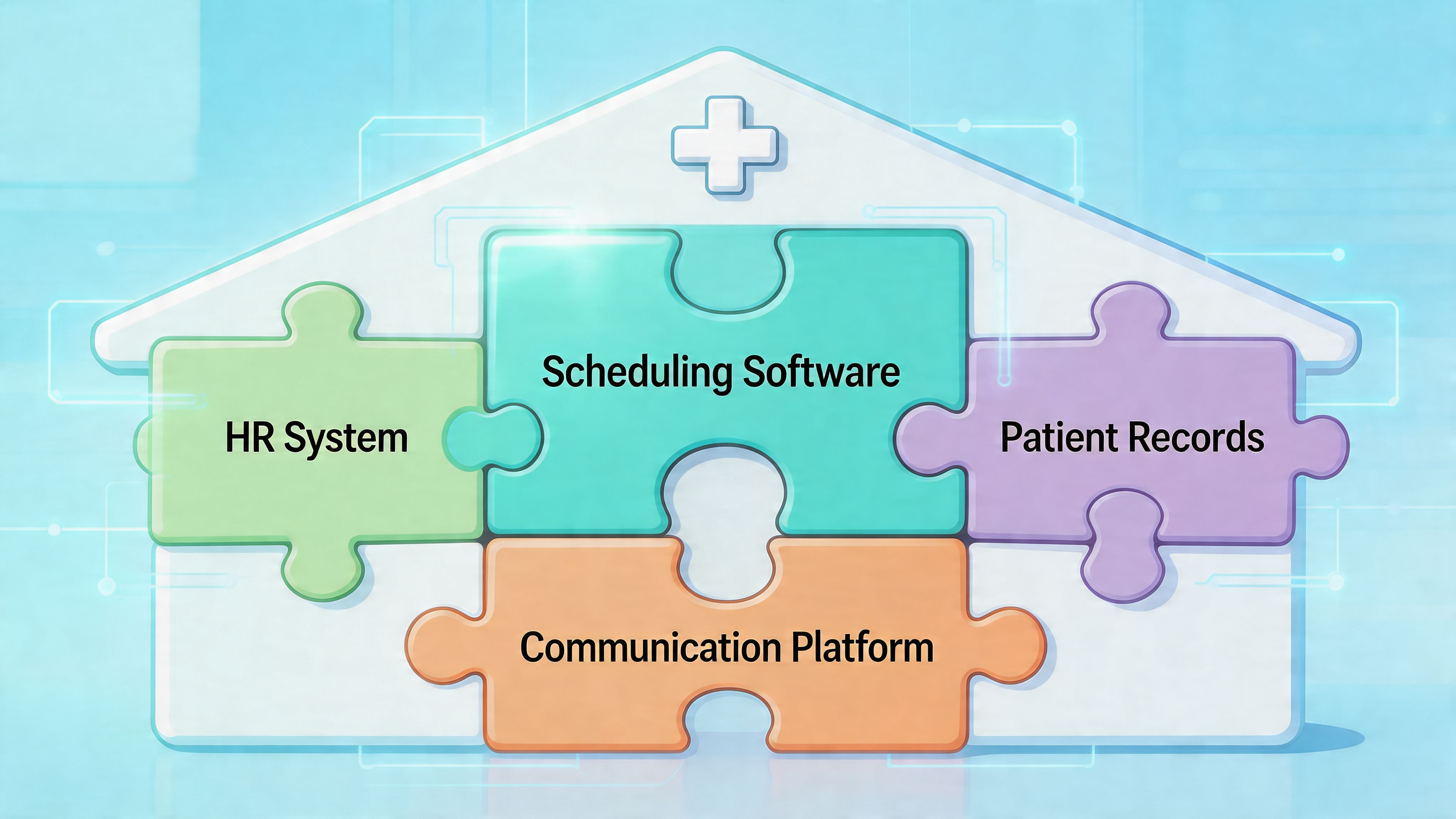
Fragmentation is the real enemy
When schedules live in one app, messages in another, task lists on paper, and updates in email, staff spend energy stitching the day together. That friction adds up.
Research summarized in this PMC article on fragmented nurse workflows and communication gaps notes that existing content often misses how siloed tools exacerbate burnout, and nurses on forums frequently ask for apps that handle schedules, shift handoffs, and team updates in one place, with some reporting 20 to 30 percent time lost to miscommunications from fragmented systems. The same review argues that integrating scheduling with collaboration tools can improve perceived support and reduce turnover.
That tracks with what many operators already know from the floor. The handoff doesn’t stop when the schedule is posted. The actual work starts after that.
The end state is one place to work
I don’t think every hospital needs one giant platform for everything. But I do think most hospitals have too many disconnected tools for the basics.
A better setup puts these functions close together:
Schedule visibility so staff know where and when they’re working
Shift communication so updates travel with the roster, not around it
Task coordination so unit-level work isn’t trapped in memory or side messages
Policy and document access so people can find what they need without hunting
Leave and PTO workflows so staffing changes aren’t disconnected from the roster
A unified employee app can often make more sense than yet another standalone scheduler. Tools such as Pebb combine communication, tasks, file sharing, PTO tracking, and shift scheduling in one employee app, which is useful when teams want the schedule to sit alongside the conversations and operational work that depend on it.
Better scheduling is really better team operations
That’s my strongest opinion on this topic. Scheduling is not a back-office task. It’s the framework that holds daily care delivery together.
If you improve the schedule but leave the surrounding communication broken, you’ll get partial gains. Helpful gains, but partial. If you connect scheduling to how nurses communicate and work across shifts, you get something sturdier. You get less confusion, fewer side channels, and a team that spends more time caring for patients and less time reconciling systems.
The goal isn’t a prettier roster. It’s a calmer operation.
That’s a better standard to buy against.
If your team is tired of managing schedules in one app, updates in another, and day-to-day operations everywhere else, Pebb is worth a look. It gives healthcare teams one place for shift scheduling, chat, tasks, PTO tracking, files, and team communication, so the schedule doesn’t sit off to the side from the work it drives.
