
The Best Employee Scheduling Software Solves the Wrong Problem
Tired of scheduling chaos? We cut through the noise to help you find the best employee scheduling software that your team will actually use and love.
Dan Robin
If you're looking for the best employee scheduling software, you've probably made a list. Does it have auto-scheduling? Labor cost forecasting? A slick mobile app? These are all fine questions, but they miss the point.
The best tools don't just add features; they change your philosophy. They solve the deep, human problem that makes scheduling a nightmare in the first place: communication chaos.
The real win isn't a fancier calendar. It’s software that’s dead simple for your team, builds communication into the workflow, and plugs the schedule into the rest of your operation. It shouldn't feel like another app to juggle. It should feel like the place where work happens.
The Hidden Tax of Bad Scheduling
We’ve all lived the story. The master spreadsheet that freezes right as you’re about to post the week’s schedule. The group chat that explodes with last-minute shift swaps. The hours a manager sinks into piecing together a puzzle of everyone's availability.
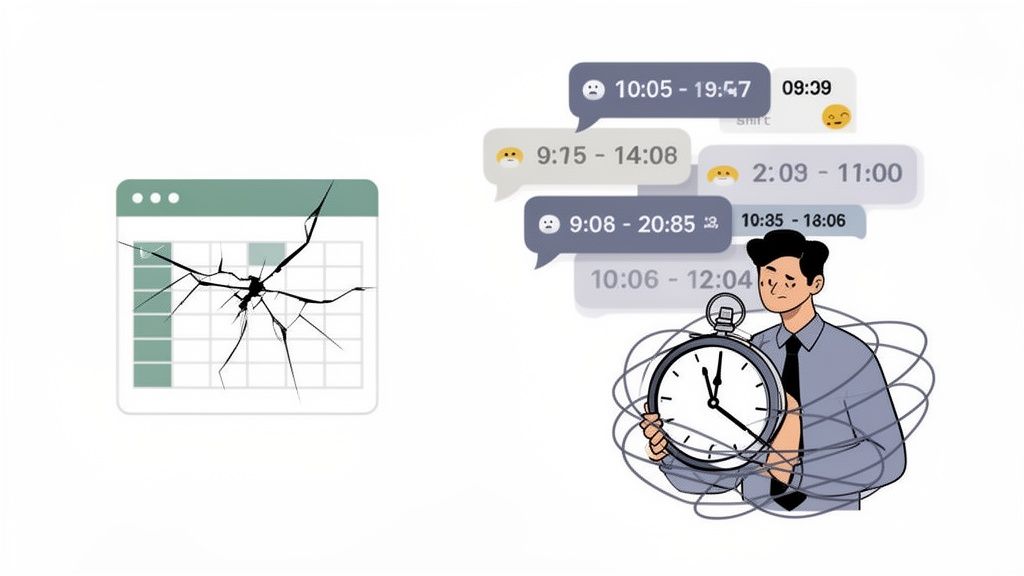
For too long, this was just the cost of doing business. But that’s a fundamentally broken way to think.
It’s More Than Just Wasted Time
Let’s be honest. This isn’t about a few wasted minutes. It’s about burning out your best people. Managers tell us they spend anywhere from 3 to 8 hours every single week just wrestling with schedules. It’s about frustrating your team with unpredictable hours and communication that feels like a scavenger hunt.
This friction poisons everything. The real cost isn’t just the time spent making the schedule; it’s the ripple effect of sinking morale and the communication black holes that drag everyone down. It’s a tax on your team’s energy. We've seen all kinds of shift work schedules, and one thing is clear: the right tool can make or break a team's week.
A schedule isn't just a document; it's a conversation. When that conversation is scattered across texts, emails, and spreadsheets, misunderstandings are inevitable. The goal is to bring that conversation into one calm, organized place.
So, we started asking a different question. What if scheduling wasn’t this separate, dreaded chore? What if it was just a natural part of how your team talks and works? That's the mindset shift. The best employee scheduling software isn't about more features—it's about a better philosophy.
What Truly Matters in Scheduling Software
When you start looking at scheduling tools, it’s easy to get overwhelmed. You'll see dizzying lists of features—AI forecasting, biometric clocks, automated compliance. Honestly, most of it is noise. It’s designed to look impressive on a sales page but adds little value in the real world.
After talking with hundreds of managers and frontline employees, we’ve learned something crucial. The best employee scheduling software isn't the one with the most bells and whistles. It’s the one that nails a few critical things, almost invisibly.
The market for these tools is booming for a good reason. People are tired of the chaos. The global market for scheduling tools hit $0.48 billion and is projected to reach $1.36 billion by 2033. This isn't about a fancy new algorithm; it’s a response to a very human problem: managers still burn 3-8 hours every week on manual scheduling.
Is It Effortless for Employees?
Let’s be real. If your team needs a user manual to check their shifts, you've already failed. The first test for any tool is how simple it is for your employees.
It has to be dead simple. Can a new hire figure it out in less than a minute? Can they see who they’re working with, swap a shift, and get a notification without digging through menus?
The best tools feel less like software and more like a utility. They just work. They get out of the way. Complexity is a bug, not a feature.
This isn't just about convenience; it’s about respect. A clunky, confusing app sends a terrible message: that the company’s paperwork matters more than their time. That’s no way to build a great culture. For a closer look at what makes a great mobile tool, check out our guide on what to look for in a scheduling app.
Is It Built for Communication?
A schedule isn't a static document you post on a wall. It’s a living conversation. It’s a flow of availability changes, sick days, and last-minute swaps. The biggest mistake most systems make is treating the schedule as a separate thing, cut off from where the team actually talks.
Think about it. A manager posts the schedule in one app, but the questions immediately spill over into texts and DMs. This creates chaos. Managers are left scrambling to remember who said what, and where.
The best software understands this. It builds communication right into the workflow. When a shift opens up, a notification goes out to the team right there. When someone requests time off, the approval happens in the same place. The schedule becomes the hub for the conversation, not the trigger for chaos.
Does It Connect to Everything Else?
Finally, scheduling doesn't exist in a bubble. It’s the operational heartbeat of your business. It has to connect to everything else. A schedule is useless if it doesn't flow into how you track time, run payroll, and manage daily tasks.
When an employee clocks in, does that automatically sync with their scheduled shift? When you approve PTO, does that flow directly to payroll without anyone re-entering it? These connections are what separate a simple calendar from a true operational tool.
Without those integrations, you’re just creating more work. You’re forcing managers to be human bridges between disconnected systems, copying and pasting data. That’s a recipe for errors, wasted time, and frustration. The right tool doesn't just show you a schedule; it plugs that schedule directly into the engine of your business.
Comparing the Three Philosophies of Scheduling
Not all scheduling software is built the same. Once you look past the feature lists, you’ll find three distinct ways of thinking about what a schedule even is. Getting this is the key to finding a tool that fits how your team actually works.
Most tools fall into one of three camps. You have the heavy-duty, standalone tools. Then you have the add-ons that come with big HR platforms. And finally, there are the tools that weave scheduling directly into a team's daily workflow. Each one sees the problem—and the solution—differently.
Dedicated Schedulers
First are the Dedicated Schedulers. These are powerful, specialized tools built to do one thing—scheduling—and do it deeply. They're loaded with features for complex compliance, labor cost forecasting, and intricate shift bidding.
If you’re running a hospital or a large unionized workforce, these tools can feel like a godsend. They excel at enforcing overtime laws and managing complex staffing needs.
But that power comes with a trade-off. These tools often feel disconnected from the day-to-day rhythm of your team. The schedule lives in its own world, separate from where your team talks and solves problems. It’s a top-down administrative tool, not a collaborative one.
HR Suite Add-Ons
Next are the HR Suite Add-Ons. This is the scheduling module tacked onto a massive, all-in-one HR platform. On paper, it makes sense. Everything is in one system, from payroll to performance reviews. It promises a single source of truth.
The reality, however, is often clunky. These modules feel like an afterthought, designed by people who think about compliance, not the frantic pace of a restaurant floor.
The user interface is often impersonal and complex, built for an administrator at a desk, not a frontline employee checking their phone for their next shift. While integration is a plus, the employee experience usually suffers.
They get the job done, but rarely inspire enthusiasm. Your team uses it because they have to, not because it makes their lives easier.
Integrated Work Hubs
Finally, you have Integrated Work Hubs. This is a newer, more human-centered approach. Instead of treating scheduling as a separate HR function, these tools see it as the operational heartbeat of a team. The schedule is woven directly into the same place your team communicates and manages their work.
Here’s a way to think about what truly matters when choosing a tool for your team.
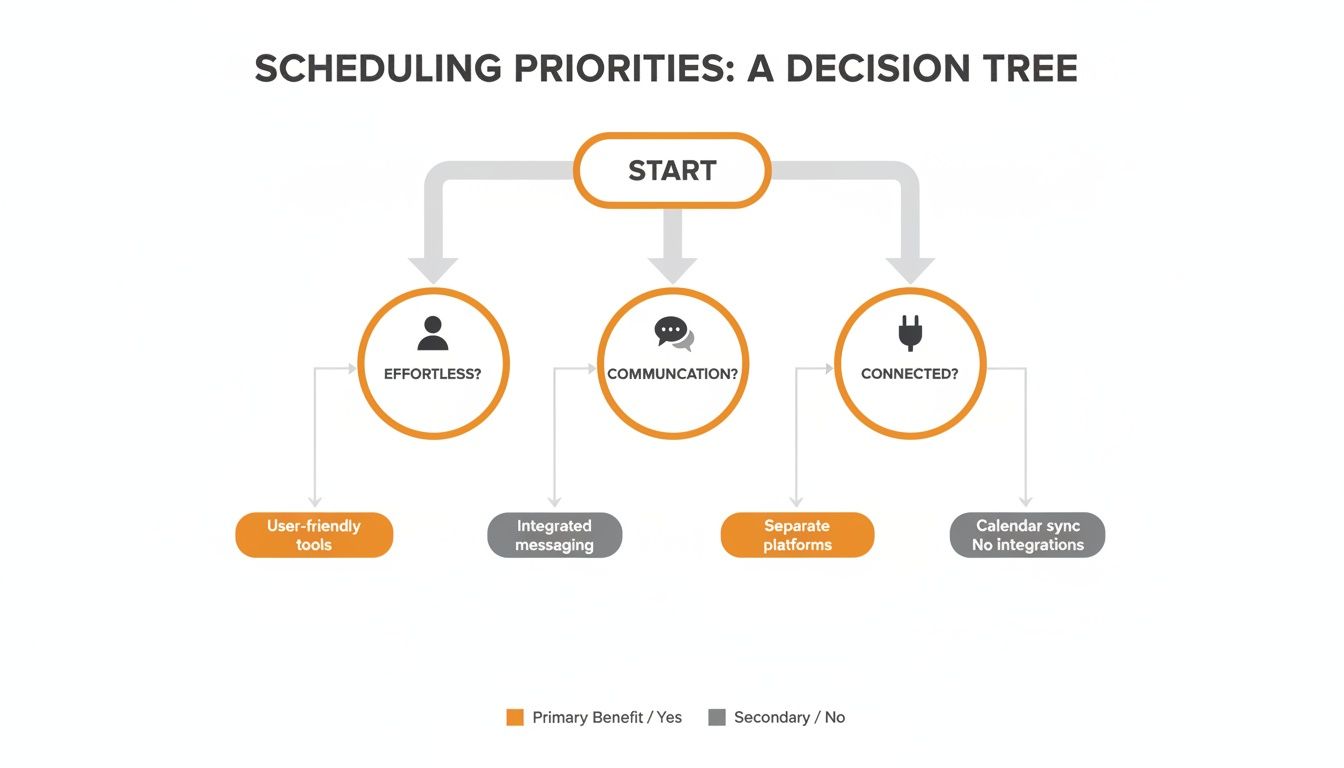
The core of great scheduling is about making it effortless for people, connecting it to communication, and integrating it with other operational tools.
In this model, when a manager posts the weekly schedule, the team can ask questions and handle swaps right there, in context. It’s not a separate app they have to remember to check; it’s part of the natural flow of their day.
This approach is built on a simple idea: a schedule is a conversation. By placing it where the conversation already happens, you reduce friction and create a calmer, more connected team. For a deeper dive, our workforce management software comparison breaks down the specifics.
Here’s how the three approaches stack up.
Comparing Approaches to Employee Scheduling
Scheduler Type | Core Philosophy | Best For | Potential Downside |
|---|---|---|---|
Dedicated Scheduler | The schedule is a complex administrative task requiring deep specialization. | Industries with heavy compliance, complex union rules, or specialized certification needs (e.g., healthcare). | Can feel disconnected from daily team communication; often has a steep learning curve and a poor mobile experience. |
HR Suite Add-On | The schedule is an HR record that needs to be unified with payroll and other data. | Companies that prioritize a single HR system and are willing to accept a less-than-perfect scheduling experience. | Clunky user interface, often feels like an afterthought, and is not designed for the frontline employee. |
Integrated Work Hub | The schedule is a living conversation and the operational core of the team. | Dynamic, frontline teams that need scheduling, communication, and task management in one place (e.g., retail, hospitality). | May not have the niche, enterprise-level compliance features found in some highly specialized dedicated tools. |
Ultimately, the question isn’t just which tool has the most features. It's about deciding what a schedule means to your company. Is it an administrative document, an HR record, or a living plan for how your team works together? Your answer will point you to the right tool.
How Scheduling Works in the Real World
A feature list on a website is one thing. The chaos of a Saturday night dinner rush is another. The best employee scheduling software doesn’t just look good in a demo; it survives contact with the messy reality of your business.
Every industry has its own brand of chaos.
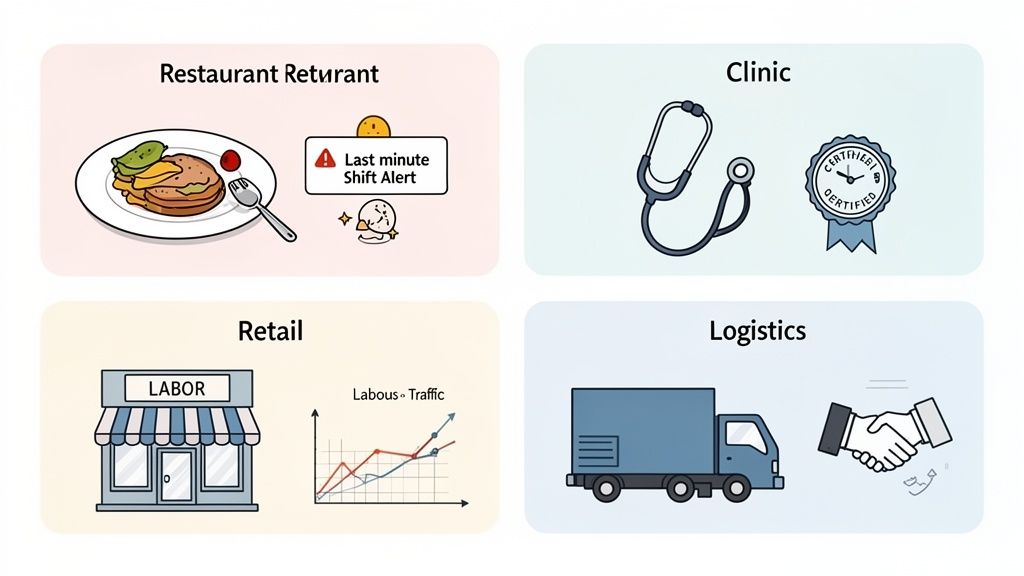
The idea of a one-size-fits-all tool is a myth. The challenges are too different. The goal isn't to find some perfect, universal solution, but to find a tool that understands your world—not the other way around.
Hospitality: A Game of Speed and Swaps
In a busy restaurant, the schedule is less a fixed plan and more a hopeful suggestion. The real headache isn't creating the schedule; it’s managing the constant, last-minute changes. When a server calls in sick an hour before their shift, the manager has to find a replacement. Now.
This is where most scheduling tools fall flat. They treat the schedule as static, but the real work happens in the frantic group text that follows.
The right tool for hospitality lives where the team already communicates. It makes finding a replacement as simple as sending a single notification, not orchestrating a chaotic multi-person text thread.
If your software can’t handle a shift swap in under 60 seconds from a phone, it’s not built for this world. It’s that simple. Speed and communication aren't just nice-to-haves; they are the entire game.
Healthcare: A Matter of Compliance and Credentials
Now, switch gears to a healthcare clinic. Here, the stakes are completely different. A scheduling mistake isn't an inconvenience; it can be a serious compliance violation. The schedule has to guarantee the right person, with the right credentials, is on every single shift.
You can't just have a nurse on duty; you need a registered nurse with a current pediatric certification. The software must understand these roles and prevent a manager from ever creating a schedule that puts the clinic at risk. This is about precision and control. Every detail matters.
The adoption of modern tools is reshaping these critical operations. According to Grand View Research, the broader scheduling apps market hit $663.1 million last year and is projected to reach $1,813.1 million by 2033. This growth is driven by real-time needs, especially in service sectors where self-service shift swaps and integrated compliance are vital. If you're interested, you can explore the full market analysis from Grand View Research.
Retail: Balancing Foot Traffic and Labor Costs
For retail managers, scheduling is a constant balancing act. The challenge is matching staffing levels to customer foot traffic to keep labor costs in check. Schedule too many people on a quiet Tuesday morning, and you’re burning money. Schedule too few for a weekend sale, and you’re losing sales.
Good retail scheduling software helps managers make smarter decisions. It should give you visibility into sales data and labor costs right inside the schedule. This isn’t just about filling slots; it’s about building a cost-effective plan that serves both the business and the customer. It's a numbers game, but one with a very human component.
Logistics: The Art of the Handoff
Finally, think about a logistics warehouse. Here, scheduling is all about coordinating complex handoffs. It's a relay race where one shift has to seamlessly pass the baton to the next. A single delay can cause a cascade of problems down the line.
The schedule isn't just about who is working; it's about what they're doing and ensuring continuity. It has to sync with delivery timelines, inventory arrivals, and vehicle availability. The right software needs to provide a clear, shared picture of the entire operation, so everyone knows their part.
Let’s be honest—a simple calendar can’t solve these wildly different problems. Each world demands a different kind of thinking. Understanding which world you live in is the first step toward finding a tool that actually helps.
Why We Built Scheduling Differently
We never set out to build another scheduling tool. The world has plenty of those. We set out to solve a bigger, more human problem we kept seeing: disconnected teams.
We watched businesses try to manage their operations with a patchwork of apps. One for chat, another for announcements, a fragile spreadsheet for the schedule, and email for everything else. It was a mess. It highlighted a simple truth: scheduling isn't a side task for HR. It's the operational heartbeat of the business.
A schedule determines who does what, when, and where. It’s the game plan. So why was it always stuck in its own app, cut off from everything else? That just felt wrong.
A Schedule Is a Conversation
The real issue wasn't a lack of features. It was a flawed philosophy. Most software treats a schedule like a static document—something a manager creates, publishes, and is done with. But anyone who has ever run a team knows that's not how it works. A real-world schedule is a living thing full of last-minute changes, shift swaps, and quick negotiations.
We realized the best employee scheduling software doesn't just manage shifts; it hosts the conversation around those shifts. It brings calm and clarity to what is often a stressful, fragmented process.
This one idea changed everything. What if the schedule lived right next to the team's conversations? What if a manager could post the weekly plan, and the team could immediately ask questions and figure out swaps right there, all in one place?
Scheduling as Part of the Workflow
So, that’s what we built. We wove scheduling, time clocks, and PTO requests directly into Pebb’s collaborative spaces. We made them a natural part of the daily workflow, not just another app to check.
Here’s what that integrated approach looks and feels like.
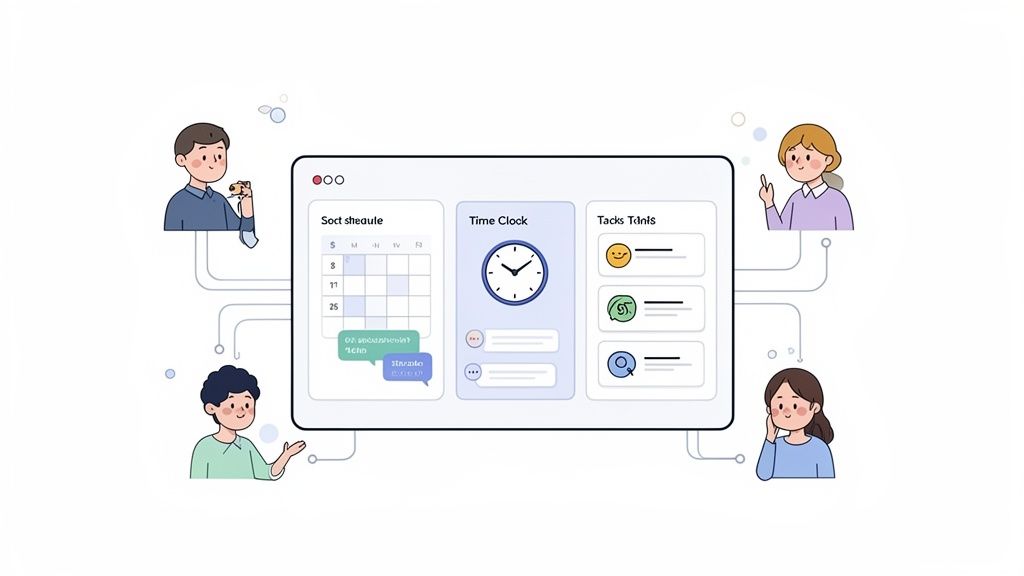
The interface isn't just a calendar grid; it's a command center that plugs the schedule directly into your team's communication hub.
This isn't just about cramming features into one app. It’s about a calmer, more unified way to work. When the schedule is part of the operational flow, critical information doesn't get lost.
Our approach is built on a few simple principles:
Context is King: Conversations about the schedule should happen next to the schedule, not in a separate chat thread. This kills confusion.
Simplicity is Everything: The tool has to be dead simple for frontline employees on their phones. If it needs a training manual, it's failed.
One Connected System: Time tracking, PTO, and scheduling shouldn’t be separate modules. They need to be one seamless system that flows naturally.
Let's be real. Treating employees like interchangeable cogs on a spreadsheet is a losing strategy. As research from Zeynep Ton on the Good Jobs Strategy has shown, unstable scheduling isn't just bad for people; it’s terrible for business. It drives up turnover and tanks customer service. By bringing scheduling into the daily conversation, you don't just get a more efficient schedule. You get a more connected, respected, and stable team. And at the end of the day, isn't that what this is all about?
Finding a Calmer Way to Schedule
Picking the right software isn't about a feature list. It's a gut check on the kind of company you're trying to build.
Are you okay with a workplace held together by a dozen apps, where messages get lost in the shuffle? Or do you want a single, calm place where work just flows? Is scheduling a top-down command, or is it a conversation you have with your team?
The whole point of a good scheduling tool is to simplify things, not add another app to everyone's plate. It should give managers their time back and give employees the clarity they crave. It's about getting away from the chaos of spreadsheets and frantic group texts.
Before you sign on with any platform, I think it's worth asking one simple question:
Does this tool make our work calmer?
If you can honestly say yes, you're on the right path. The goal isn't just to publish a better-looking schedule. It's to build a more respectful, organized way for everyone to work together.
This is a choice between treating your team like cogs on a grid or seeing them as people who need a stable foundation to do their best work. Research behind the Good Jobs Strategy has shown us that chaotic scheduling isn't just stressful; it's a disaster for business, leading to high turnover and tanking morale.
At the end of the day, the goal isn't just filling shifts faster. The real win is building a team that feels connected, respected, and trusts the process. That's the kind of foundation you can build a great business on.
Frequently Asked Questions
Switching up the way you schedule brings up a lot of questions. Having guided hundreds of teams through this, we’ve heard them all. Here are the honest answers.
How Much Time Can Good Scheduling Software Really Save?
A lot more than you think. Most managers we talk to lose 3 to 8 hours every week wrangling spreadsheets. The right software can cut that admin time by 75% or more.
But that’s just the obvious part. The real magic happens when you stop the constant back-and-forth. Think about the time you'll get back from not dealing with frantic texts about shift swaps and cleaning up payroll mistakes. That’s where the biggest return is.
Is a Mobile App or Desktop Access More Important?
It’s a trick question. It’s not about choosing one. It’s about giving the right tool to the right person for the job. For your frontline staff, a clean, fast mobile app isn't just nice—it's essential.
They live on their phones. They need to see their schedule, pick up a shift, or request time off in a few taps. Anything clunkier is a huge source of friction and shows a lack of respect for their time.
For managers, a robust desktop experience is just as critical. You can't build a complex weekly schedule or manage labor costs on a tiny screen. The best tools don't make you choose; they deliver a stellar experience on both.
It comes down to understanding that the person building the schedule and the person working the shift have completely different needs. A great system serves both of them perfectly.
Should Scheduling Live in Our HR System or Communication Tool?
This might be the most important question you ask. For a long time, the industry treated scheduling as just another HR task—a clunky, top-down function buried inside a massive system.
But that’s not how work actually happens. A schedule isn’t just a record; it's a living, operational plan. It's a conversation. While it needs to sync with HR and payroll, it truly belongs where your team gets their work done and talks to each other.
We’re firm believers that scheduling should live right inside your team’s daily communication hub. When it’s part of the natural flow of conversation, it stops being "one more app to check" and becomes an effortless part of the workday.
Ready to find a calmer way to schedule your team? Pebb brings scheduling, communication, and operations together in one simple, unified app. See how it works.
