
Optimize Multi Location Staff Management Software
Ditch spreadsheets! Our guide shows how multi location staff management software unifies scheduling, communication, and compliance for all sites.
Dan Robin
You can feel the break point when a business stops being one team in one place and becomes a network of locations trying to act like one company.
At first, you patch it together. A spreadsheet for shifts. A group text for emergencies. A payroll export someone remembers to send on Friday. A manager who somehow keeps the whole thing upright through force of personality. That works longer than it should.
Then it stops working all at once.
The problem usually gets labeled as scheduling. I think that's too small. Multi location staff management software matters because it's not just about who works Tuesday at 3 p.m. It's whether your business can stay coordinated, compliant, and connected when people work in different buildings, on different shifts, under different local rules, with different managers interpreting the same policy in different ways.
I've watched that drift happen. I've also watched it get fixed. The fix wasn't another spreadsheet or a stricter manager. It was replacing fragmented tools with one system people could use.
The Familiar Chaos of Managing Multiple Locations
The day usually starts with a sick call.
One manager texts the district group. Another checks last week's spreadsheet, which is already wrong. Someone says a part-timer from the other location might be free, but nobody knows whether they're already close to overtime, whether they can legally take that shift under local rules, or whether they were even trained for that site. The shift gets covered, sort of. Payroll gets messier. Everyone moves on.
Until the next fire.
That mess isn't a leadership failure. It's what happens when a growing business keeps using single-location habits in a multi-location world. Managing one site and managing many are different jobs. The complexity multiplies with every new site because each state, city, or country can come with different wage laws, overtime rules, scheduling regulations, and leave requirements, as noted in this workforce management guidance for multi-location enterprises.
The real problem isn't the shift
Most operators blame the symptom they can see. Late schedule changes. Missed handoffs. Coverage gaps.
The deeper problem is that information lives in too many places. Availability is in one app. Time punches are in another. Policy updates are buried in email. Managers make local fixes that create company-wide confusion. You don't have a staffing issue. You have a system issue.
Practical rule: If managers need to call, text, and cross-check two or three tools just to fill one shift, the process is broken.
That problem gets even sharper in industries with multi-state operations. Healthcare groups know this pain well, which is why resources like One For All Medical Billing FAQs are useful. They reflect a simple truth: once you operate across locations, central coordination stops being optional.
Spreadsheets hide cultural drift
The obvious cost of messy staffing is operational. The less obvious cost is cultural.
One site starts approving swaps informally. Another requires a manager sign-off. One location hears about policy changes first. Another hears three days later, or not at all. People stop feeling like they're part of one company and start feeling like they work for whatever manager happens to be on duty.
That's when you get the sentence I always hated hearing: "That's not how we do it at our location."
This Software Is Not Just a Bigger Scheduler
By the time you reach five, ten, or twenty locations, the schedule stops being the hard part. The hard part is keeping fifty managers and hundreds of employees aligned on the same rules, the same updates, and the same way of working.
That is what multi location staff management software is supposed to fix.
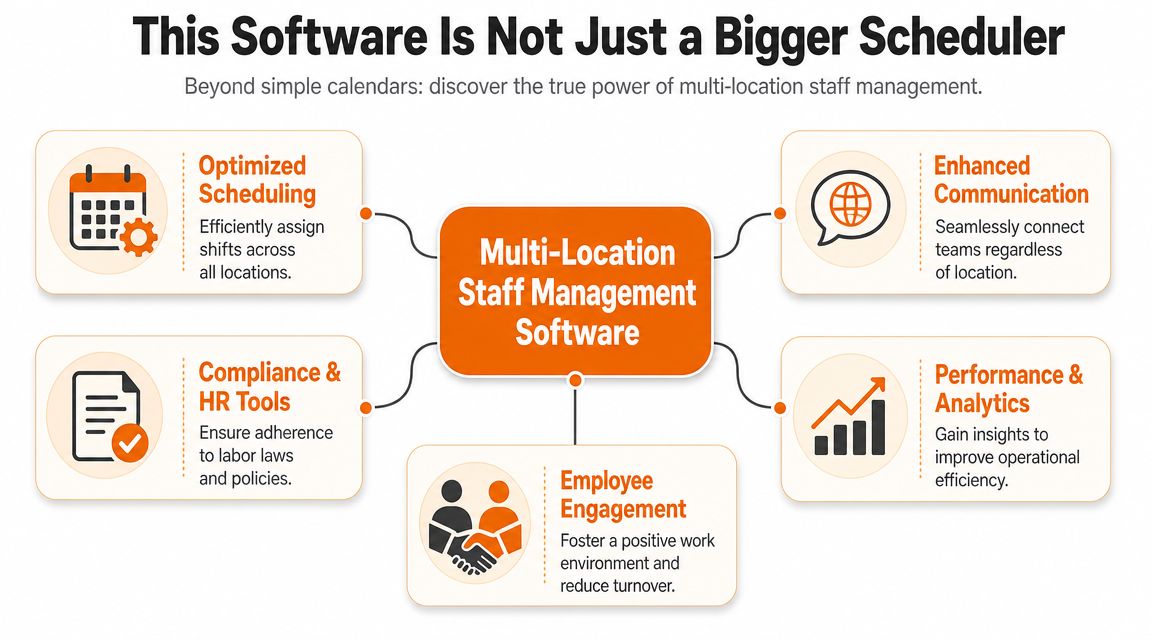
A good platform becomes the operating system for distributed teams. It keeps schedules, attendance, approvals, policy updates, and day-to-day communication in one system. If the tool only helps you drag shifts around faster, you still have the same underlying mess. You just made it look cleaner on a screen.
One company, not fifty separate interpretations
The essential test is simple. Does the software help every location operate like part of the same company?
If it does, managers stop building local workarounds. Staff stop hearing different answers depending on which site they work in. Regional leaders stop spending half their week reconciling conflicting information from texts, emails, spreadsheets, and memory.
That matters more than another scheduling view or color-coded calendar. The businesses that improve fastest are the ones that create one source of truth for labor, communication, and policy execution. If you're still comparing vendors mainly by scheduling screens, this guide to employee scheduling software options is a useful place to widen the shortlist.
What a unified platform actually changes
A fragmented setup creates separate break-room cultures. One location follows the written process. Another follows what the senior supervisor said last Tuesday. A third runs on whatever the manager remembers.
A unified platform fixes that by putting the same information in front of the right people at the right time. Managers still run their own sites. They just stop inventing their own systems.
The change shows up in practical ways:
Shared visibility: leaders can check staffing issues across locations without chasing updates one manager at a time.
Connected records: schedules, attendance, time data, and approvals stay tied together instead of being copied between tools.
Clearer accountability: policy updates, swap requests, and exceptions leave a record, so people cannot claim they never saw the change.
More consistent culture: staff hear the same message and follow the same process whether they work at location two or location forty-two.
If your operation is still splitting HR, scheduling, and communication into separate tools, start by reviewing a human resource management system guide. The point is not to add more software. The point is to stop forcing managers to translate between systems.
Software for multiple locations should reduce reliance on memory, side conversations, and manager-specific habits.
If it cannot do that, it is not infrastructure. It is another patch.
The Core Capabilities That Actually Matter
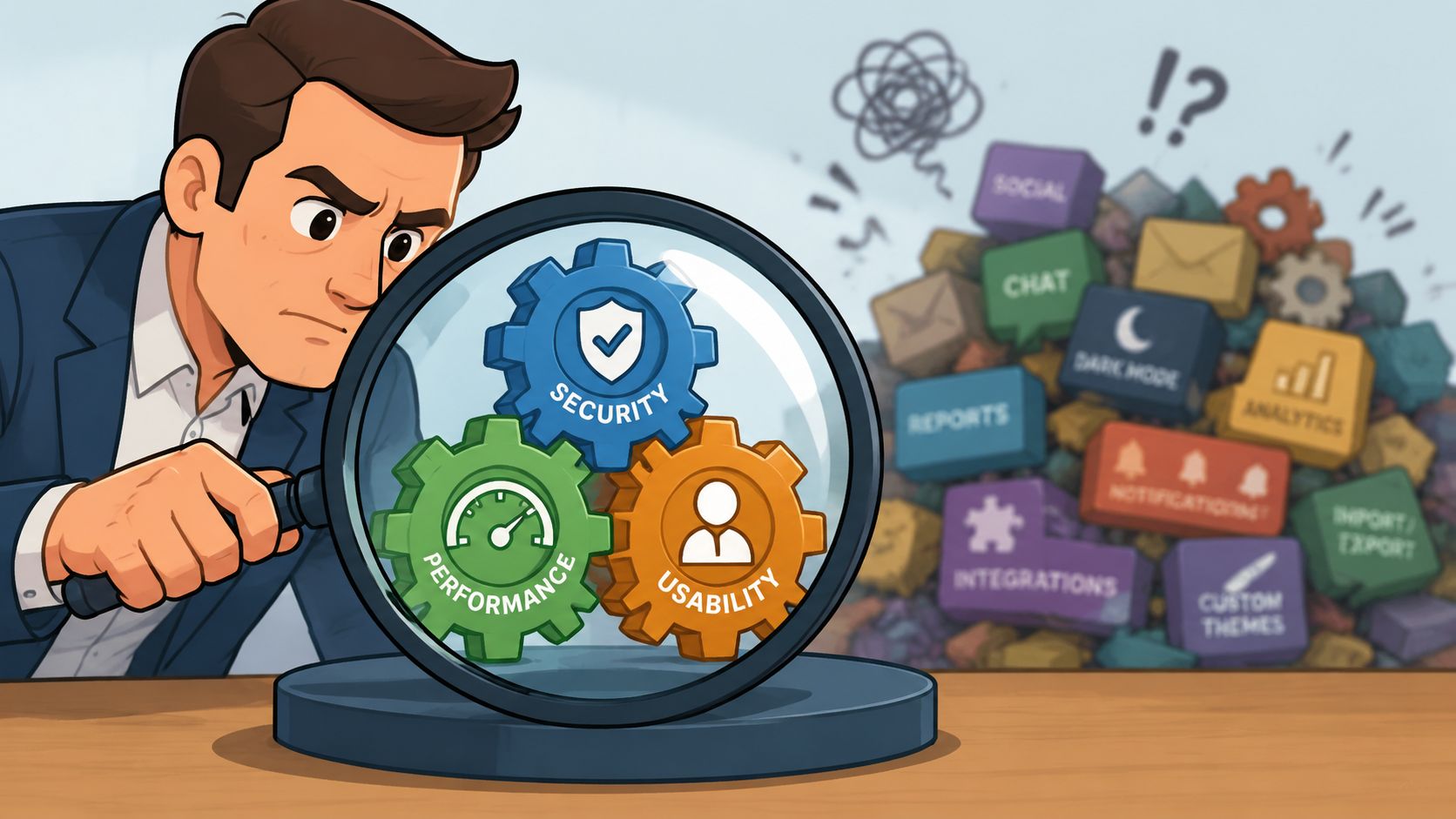
Feature lists waste time. In a multi-location operation, the question is simpler. Does the software help leaders keep standards clear, give managers room to run their site, and make sure staff hear the same message wherever they work?
I look for three capabilities. Centralized command, local control, and unified communication. Get these right and you solve the problems that cause the most friction between locations.
Centralized command
Leaders need one operating view of the business. That means schedules, attendance, open shifts, approvals, and labor gaps should sit in one system so regional managers can spot problems before a site starts scrambling.
This matters for more than coverage. It sets a single standard for how work gets assigned and tracked across every location. Without that, each site starts developing its own habits, and corporate finds out too late that store seven is solving problems differently from store nineteen.
Look for signs that the platform can handle scale without forcing manual work:
Cross-site visibility: one screen shows staffing conditions across locations.
Live attendance tracking: late arrivals, missed punches, and no-shows are visible fast.
Shared records: schedule changes and approvals stay tied to the employee and the site in one history.
Multi-site labor allocation: managers can move people where demand is highest without rebuilding the week in spreadsheets.
Local control
Bad software treats consistency like sameness. Good software enforces company rules while still respecting the reality on the ground.
A downtown location, an airport unit, and a suburban branch do not operate the same way. They need different staffing patterns, different break timing, and sometimes different compliance rules. A useful platform handles that inside one system with location-based permissions, site-specific rules, and controls like geofenced clock-ins. Shiftbase covers several of those multi-site scheduling needs in its multi-location employee scheduling overview.
The goal is clear. Headquarters sets the rules. Local managers make decisions inside those rules without calling for permission every hour.
If you are also sorting out how scheduling should connect with hiring, records, and HR workflows, review this human resource management system guide. It helps frame scheduling software as part of the wider people system, not a disconnected tool.
Unified communication
Many teams consistently lose control.
Schedules assign labor. Communication shapes behavior. If one lives in software and the other lives in texts, hallway conversations, and printed notices, you will keep getting uneven execution from site to site. Staff will follow the manager who explained the change best, not the company standard.
That is why communication belongs in the same operating environment as scheduling and attendance. Employees should see shift updates, policy changes, task notes, and manager messages in the same place they check work details. If someone floats between locations, the context should follow them too. A practical review of workforce management software for communication and operations is a good place to compare how different tools handle that mix.
The companies that scale well do not just coordinate hours. They keep expectations, decisions, and daily communication consistent across every location.
A Practical Guide to Choosing the Right Tool
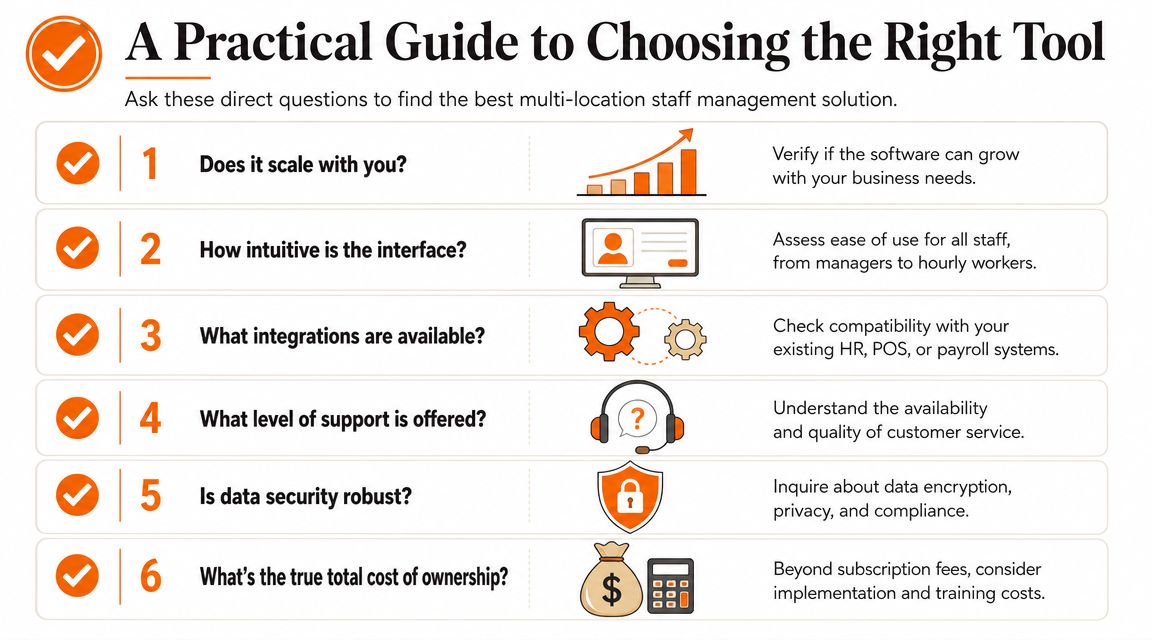
Buying software for a multi-location business is where a lot of smart teams lose their discipline. A polished demo makes every platform look complete. That's why you need hard questions, not soft impressions.
Don't ask, "Can it schedule staff across locations?" They all say yes.
Ask, "Show me how a manager sees one employee's hours when that person worked at three sites this week." Ask, "Show me what happens when one city requires a different break rule than the next one over." Ask, "Show me the audit trail when a shift changes after publication."
What to press vendors on
One issue deserves special attention: regional compliance. Businesses need to know how software keeps policies consistent while still honoring country, state, and city-level rules on overtime, breaks, and scheduling. That's a major risk when scaling, as noted in this analysis of scheduling software in multi-location workforces.
A serious vendor should be able to answer these without squirming:
Compliance logic: How does the system apply local break, overtime, and scheduling rules by location?
Cross-location employees: Can managers see total hours and conflicts for employees working in more than one site?
Permissions: Who can edit schedules, approve swaps, and override rules?
Auditability: What record exists when someone changes a punch, a shift, or a policy acknowledgment?
Integration: What data flows automatically into payroll, and what still requires manual cleanup?
Communication: Can urgent updates reach everyone affected by a schedule or policy change?
A demo should feel less like a tour and more like a stress test.
Your No-Nonsense Evaluation Checklist
Question to Ask | Why It Matters | Red Flag to Watch For |
|---|---|---|
How does it handle local labor rules by location? | Different regions create different compliance obligations. The system should reflect that in daily operations. | The vendor answers in broad terms but can't show the workflow. |
How are hours tracked for employees working across sites? | Split-site staff create overtime and payroll confusion fast. | Managers need to merge records manually. |
What happens between scheduling and payroll? | Manual reconciliation creates delay and mistakes. | Exports, spreadsheets, or "our clients usually handle that offline." |
How are updates sent to frontline staff? | Schedule changes and policy changes both need clear delivery. | Communication depends on email or manager follow-up. |
What permissions exist by role and location? | Multi-site companies need control without bottlenecking every action. | Everyone sees too much, or only admins can do basic tasks. |
What does rollout look like for managers and hourly staff? | A good tool people won't use is still a bad buy. | Training sounds heavy, desktop-first, or consultant-dependent. |
The right choice usually feels less exciting than the flashy one. That's fine. You want software that behaves predictably under pressure.
How to Roll Out New Software Without a Staff Revolt
Most software rollouts fail for a simple reason. Leaders think they are installing a tool when they are asking people to change habits.
Your managers already have habits. So do your hourly employees. They know where the schedule appears, who to text for a swap, and how to get an answer fast. If the new system feels slower, more confusing, or more controlling, they'll work around it.
Start with managers, not the whole company
If site managers don't buy in, the rollout is dead before day one. They're the translators between the platform and the people using it on a busy shift.
I always start by showing managers what pain goes away first. Fewer group texts. Fewer "did you see my message?" moments. Fewer arguments over which spreadsheet is current. Once they believe the tool saves them time, they stop resisting it.
A rollout plan doesn't need to be fancy. It needs to be clear.
Pick a simple first use case: Scheduling, shift swaps, or company updates. Don't launch every feature at once.
Train on a phone first: Frontline teams live on mobile. If training starts with a desktop workflow, you've already made it harder.
Name one rule: "This is now the place where schedules live." People need one clear behavioral change, not a manifesto.
Explain what's in it for staff
Employees don't care that leadership consolidated systems. They care whether their week gets easier.
Tell the truth. They'll get faster schedule access, a cleaner way to request time off, and fewer missed updates. If the app helps them swap shifts without a chain of texts, say that plainly. If it puts policies and documents in one place, show them where.
For a practical rollout playbook, this guide to employee app rollout best practices is useful. The good advice is simple: reduce friction, communicate clearly, and don't overload people on day one.
People adopt new software when it removes a hassle they already feel.
Keep the first month boring
Boring is good. Boring means no drama.
Don't change pay rules, scheduling logic, and communication channels all in the same week. Stabilize one behavior. Let people trust the basics. Then add the next layer.
I've found that the teams who complain loudest before rollout often become the strongest adopters once they realize the new process means fewer surprises.
More Than a Schedule It's Your Company Culture
Most software conversations stop at labor coverage. That's too narrow.
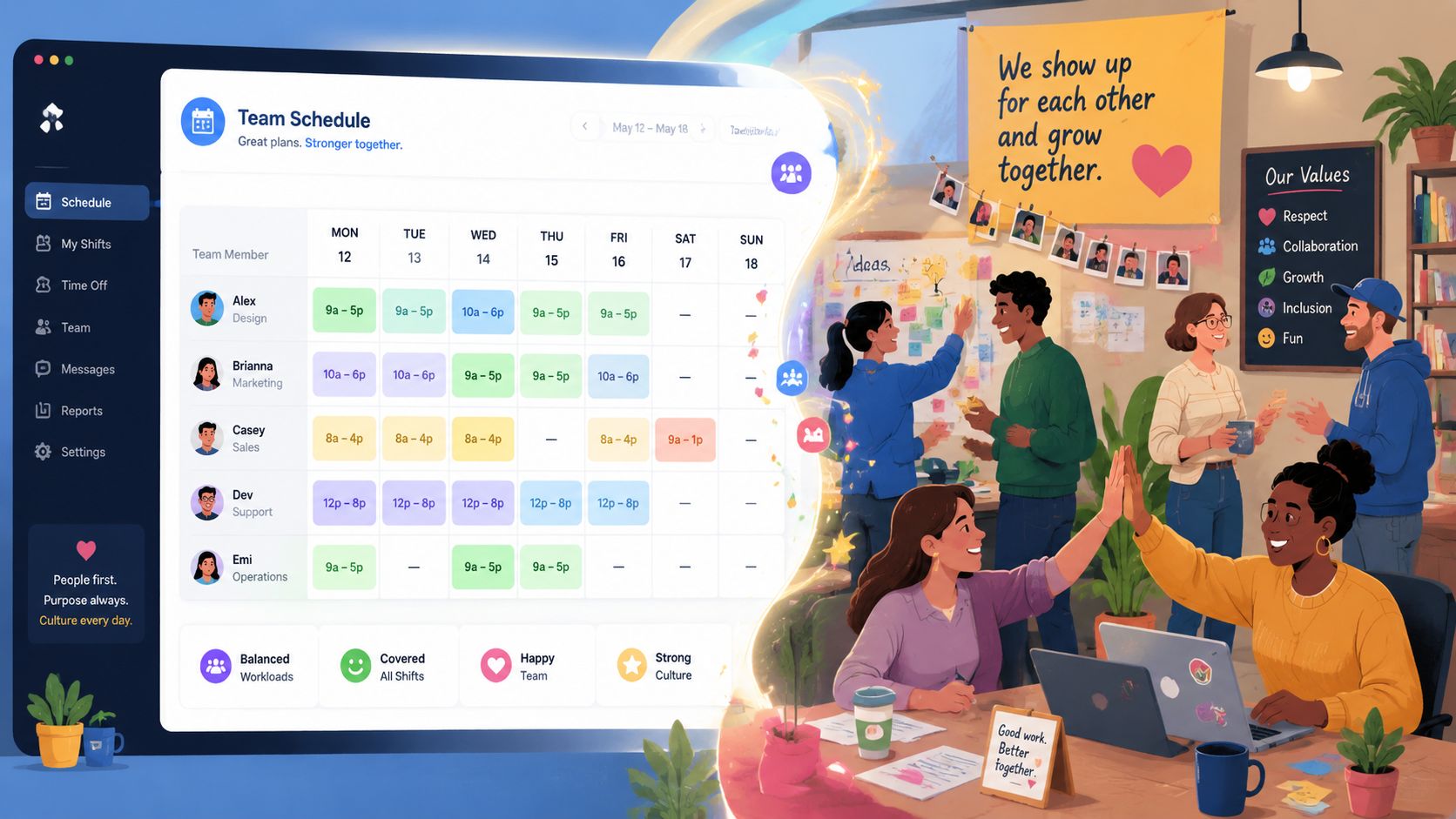
A multi-location business doesn't struggle only because schedules are hard. It struggles because culture gets thin as distance grows. New hires in one city don't know the people in another. Policy updates arrive unevenly. Wins stay local. Frustrations spread faster than useful information.
Communication is no longer a side feature
There is a real gap in how these tools get discussed. Most content focuses on scheduling, but managers also need one place to push urgent updates, policy changes, and reminders across every location. Communication is becoming as important as scheduling itself, as described in this overview of work-location communication needs.
I agree with that completely. In practice, communication is what holds the rest together.
If one location learns about a promotion late, customers get mixed answers. If a safety reminder reaches only day-shift staff, night shift improvises. If a new employee at a remote branch only hears from their direct manager, they don't feel part of a bigger team. They feel isolated.
What culture looks like in software
This doesn't have to be grand. It has to be consistent.
Use the platform to share a customer win from one location with the whole company. Post a policy update and require acknowledgment so nobody can claim they missed it. Welcome new hires in a visible place, not just in paperwork. Give managers a simple way to recognize good work across sites, not only inside their own walls.
A healthy setup usually includes:
Shared updates: One place for company-wide messages that matter.
Local space: Teams still need location-specific conversations and context.
Visible recognition: Great work at one site shouldn't stay hidden there.
Accessible knowledge: Policies, onboarding notes, and operating standards should be easy to find on demand.
A tool like Pebb fits naturally because it combines chat, updates, Spaces, tasks, file sharing, scheduling, clock-in, and PTO tracking in one app, which is useful when you want communication and day-to-day operations to happen in the same place instead of separate systems.
When people across locations receive the same message, use the same tools, and see the same standards, culture stops depending on geography.
That's the shift. You don't just run tighter schedules. You build a company that feels connected.
The End of Fragmented Work and Stressed-Out Managers
Fragmented systems create a tax on every manager in the business.
Not a line item on a budget. A daily tax. One more export. One more correction. One more text chain to confirm who saw what. One more awkward payroll cleanup because hours lived in one place and schedules lived in another. One more policy update that landed unevenly and created avoidable confusion.
I've seen teams normalize that burden for years. They call it busy season, growth pains, or just the way multi-site businesses work. It isn't. It's what happens when the operating model falls behind the business.
Integration is the line you shouldn't cross
For larger distributed workforces, the most important technical requirement is integration. When scheduling, time tracking, payroll, and compliance share a unified platform, managers avoid duplicate data entry, get faster labor-cost visibility, and can prevent costly errors before they happen, according to this multi-location scheduling software analysis.
That is the standard I'd use.
If your current stack forces people to re-enter information, reconcile disconnected records, or manually carry updates from one system to another, the stack is costing you more than the subscription line suggests. It's costing focus. It's costing consistency. And eventually it costs trust.
Replace the pile, don't polish it
The answer isn't adding another app on top of the mess. It's replacing the mess with one clear system people will use.
Good multi location staff management software should make the business quieter. Fewer follow-ups. Fewer avoidable mistakes. Fewer manager heroics required to get through the week. That's the ultimate payoff.
When the tools are right, leaders stop spending their energy stitching systems together. They can get back to coaching managers, supporting teams, and paying attention to the business in front of them.
If you're trying to replace scattered chats, scheduling tools, and policy workarounds with one mobile-first system, take a look at Pebb. It gives multi-location teams a single place for communication, scheduling, tasks, files, updates, and day-to-day coordination, which is exactly what most growing operators need when the old patchwork stops holding.
