
Mastering Workforce Management Software in 2026
Master workforce management software. Explore core features, team benefits, and seamlessly choose & implement the best tool for 2026. Boost efficiency!
Dan Robin
Some teams still run staffing with a spreadsheet, a group chat, and one heroic manager holding the whole thing together by memory. It works right up until it doesn’t. Someone swaps a shift without telling payroll. A PTO request gets buried in text messages. A supervisor spends Sunday night rebuilding next week because two people called out and one schedule file was saved over.
I’ve seen that movie more than once. One rollout of workforce management software made things worse because we treated it like a software install. The other two worked because we treated them like an operating change. That’s the difference most buyers miss.
Workforce management software matters because it sits where plans meet people. It’s not just a back-office system. It decides whether managers go home on time, whether employees trust the schedule they see on their phone, and whether HR is cleaning up preventable messes at the end of every pay period.
That Familiar Scheduling Chaos
The chaos usually starts small.
A store manager uses a spreadsheet for the weekly rota. A supervisor tracks availability in notes on their phone. PTO lives in email. Shift swaps happen in WhatsApp or text. Payroll gets a version of the truth every other Friday, and someone always says, “That’s not what I worked.”
Then Sunday shows up.
A closer can’t make Monday. Someone else can work, but only if they leave early for class. A part-timer says they told the team lead about a vacation two weeks ago. Nobody can find it. The manager spends the evening calling people one by one, patching holes instead of planning the week.
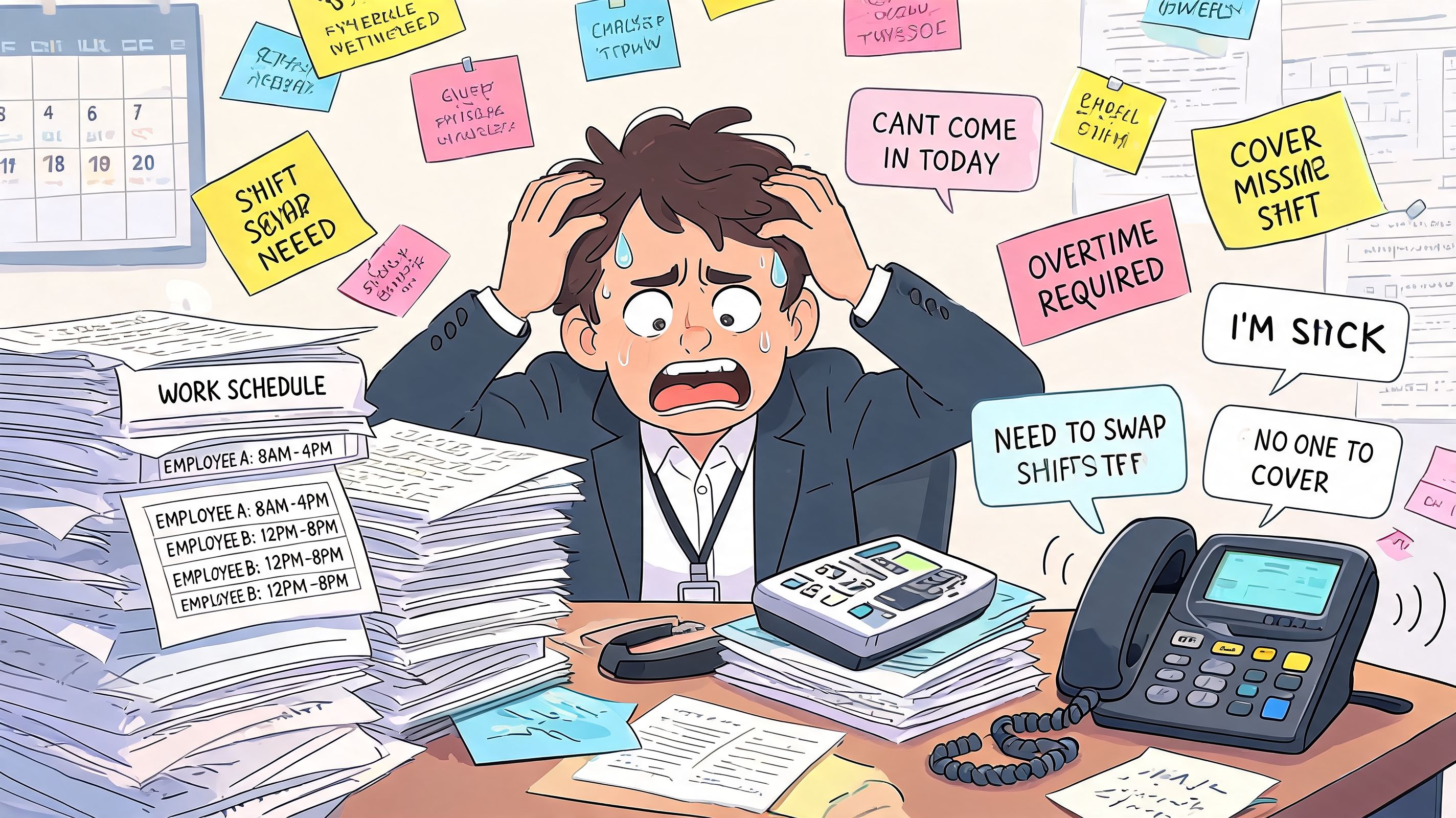
That’s the point where workforce management software stops sounding like a “system” and starts sounding like relief. Not exciting relief. Better than that. Quiet relief. Fewer texts. Fewer payroll disputes. Fewer moments where the whole schedule depends on one tired person remembering who asked for what.
What the mess usually looks like
Scheduling lives in too many places: one file for shifts, another for time off, and a message thread for everything that changed after publish.
Managers become human routers: every absence, swap, and late arrival funnels through one person.
Employees lose trust fast: if schedules change without notice, people stop believing the process is fair.
Admin work crowds out real management: coaching, hiring, and customer issues get pushed aside by schedule repair.
Good workforce management software doesn’t remove human judgment. It removes the scavenger hunt.
A lot of companies are trying to get out of this loop. The global workforce management software market was valued at USD 9.43 billion in 2024 and is projected to reach USD 21.34 billion by 2033, according to Straits Research’s workforce management software market report. That growth says something simple. Companies everywhere have decided there has to be a better way to manage time, coverage, and coordination.
They’re right.
What Workforce Management Really Means
Hearing ‘workforce management software’ often brings to mind time clocks, payroll feeds, and attendance reports. That’s too narrow. Those things matter, but they’re not the point.
Workforce management is the operating layer between company plans and daily work. It’s how you decide who works, when they work, what rules apply, and how changes get handled without turning the week into a negotiation. Done well, it creates predictability. Predictability turns into trust.
It’s not about control
Bad systems feel like surveillance. Good systems feel like clarity.
Employees should be able to see their shifts, request time off, swap when allowed, and know where they stand. Managers should be able to build a schedule without playing detective. HR should be able to answer policy questions from one place instead of five. That’s not control for its own sake. It’s respect for people’s time.
When teams start optimizing workforce management, the useful shift isn’t just efficiency. It’s that everyone stops guessing. The rules become visible. The schedule becomes something people can rely on.
What it connects
A simple way to think about it is this:
Part of the business | What it cares about | What workforce management connects |
|---|---|---|
Leadership | coverage, cost, consistency | staffing decisions tied to demand |
HR | fairness, compliance, policy | one process for leave, hours, and records |
Frontline managers | speed, coverage, fewer headaches | schedules, swaps, attendance, communication |
Employees | predictability, access, trust | mobile visibility into work and time off |
That’s why I don’t put workforce management in the same bucket as HRIS or payroll, even though they overlap. Payroll records what happened. HR manages the employee relationship more broadly. Workforce management handles the daily mechanics of work.
If your schedule is technically correct but constantly surprises people, the system is failing in a very human way.
The real standard
A good workforce management setup answers a few basic questions cleanly:
Who is working
Where they’re working
Whether the schedule is fair and realistic
How changes get approved
How actual hours flow into the rest of the business
If those answers are fuzzy, the software category doesn’t matter. You still have chaos, just with a login screen.
The Building Blocks of a Good System
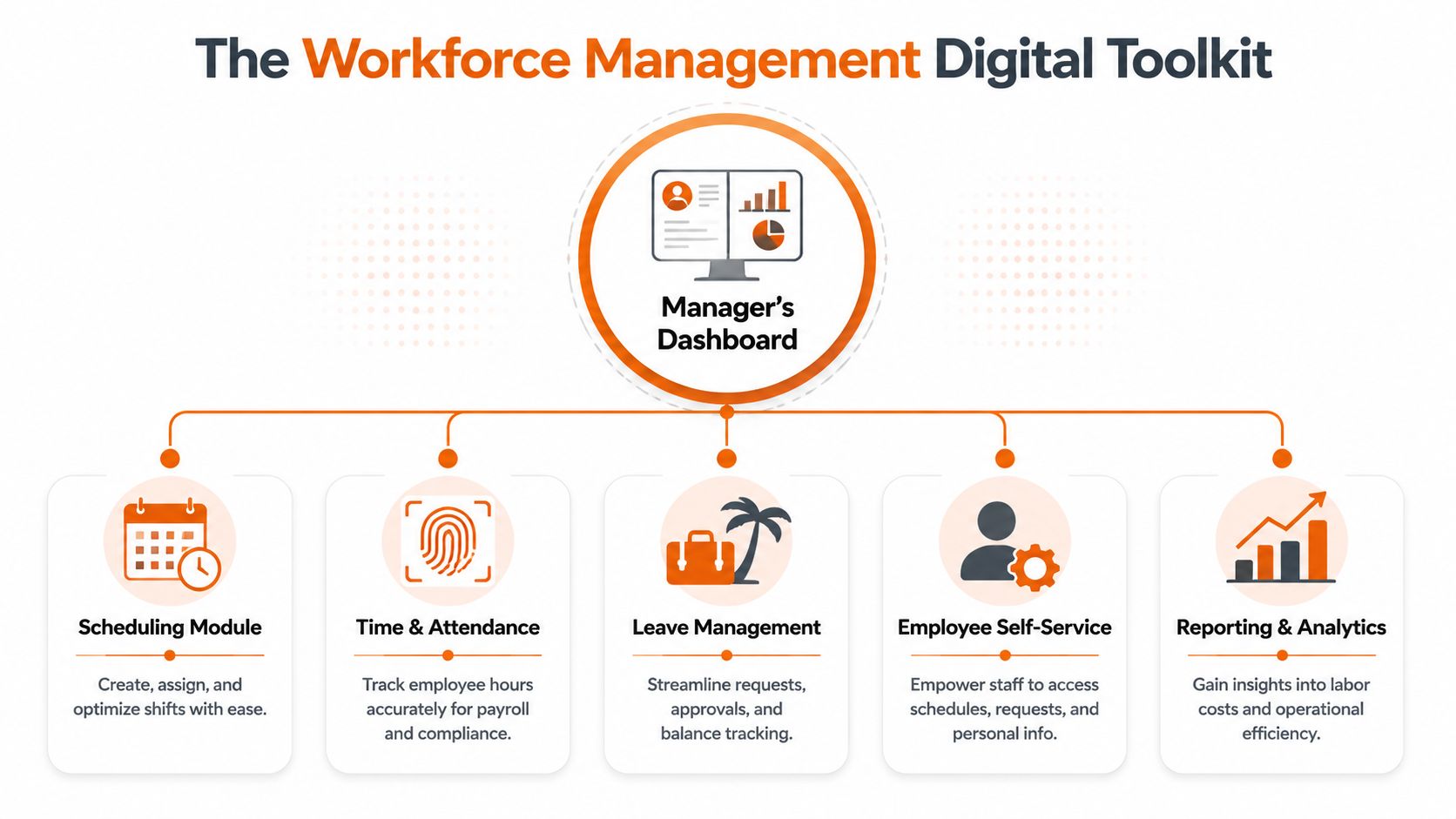
The easiest way to understand workforce management software is to stop thinking about it as one giant platform and think of it as a digital toolkit for managers. Each piece handles one kind of operational friction. Together, they replace the patchwork of spreadsheets, text threads, paper notes, and after-the-fact corrections.
The core tools that actually matter
Scheduling is the master planner; managers use it to build the week, assign coverage, and ensure the right people are in the right spots. In weak systems, scheduling is a static table. In better ones, it responds to availability, skills, and business rules. Modern workforce management software uses AI to generate optimized schedules, reducing the time managers spend on scheduling by up to 80% while factoring in skills, compliance, and employee preferences, according to Nowsta’s explanation of workforce management software.
That number makes sense if you’ve ever built schedules manually for a busy team. The time sink isn’t typing names into boxes. It’s balancing constraints. Who can open. Who’s trained on register. Who’s near overtime. Who requested Friday off. AI helps because it handles that balancing act faster than a person with three tabs open and a phone buzzing.
For teams comparing methods, this guide to online employee scheduling is a useful reference point because scheduling quality usually determines whether the rest of the system gets adopted.
The other pieces that stop the daily leaks
Here’s the toolkit I look for:
Time and attendance: the honest timekeeper. Clock-ins, clock-outs, breaks, edits, and approvals should be simple enough that payroll isn’t cleaning up mystery punches later.
Shift management: the team coordinator. Open shifts, swap requests, approvals, and coverage alerts belong in one place, not in private text threads.
PTO and leave tracking: the fair vacation planner. Employees need a clean way to request time off, and managers need visibility before they accidentally schedule someone who’s already approved out.
Employee self-service: the pressure release valve. People should be able to check schedules, request changes, and confirm details without hunting down a manager.
Reporting and analytics: the coach’s dashboard. Spot attendance patterns, chronic understaffing, and expensive habits before they become “normal.”
Practical rule: If a feature saves admin time for managers but creates confusion for employees, it’s not finished.
What works and what doesn’t
What works is boring in the best way. Staff can find their shifts. Managers can approve changes quickly. Hours are accurate. Nobody needs a side spreadsheet.
What doesn’t work is a system with every feature under the sun and no clear daily flow. If basic actions take too many taps, people go around the tool. The old shadow process comes right back.
How It Helps Everyone on Your Team
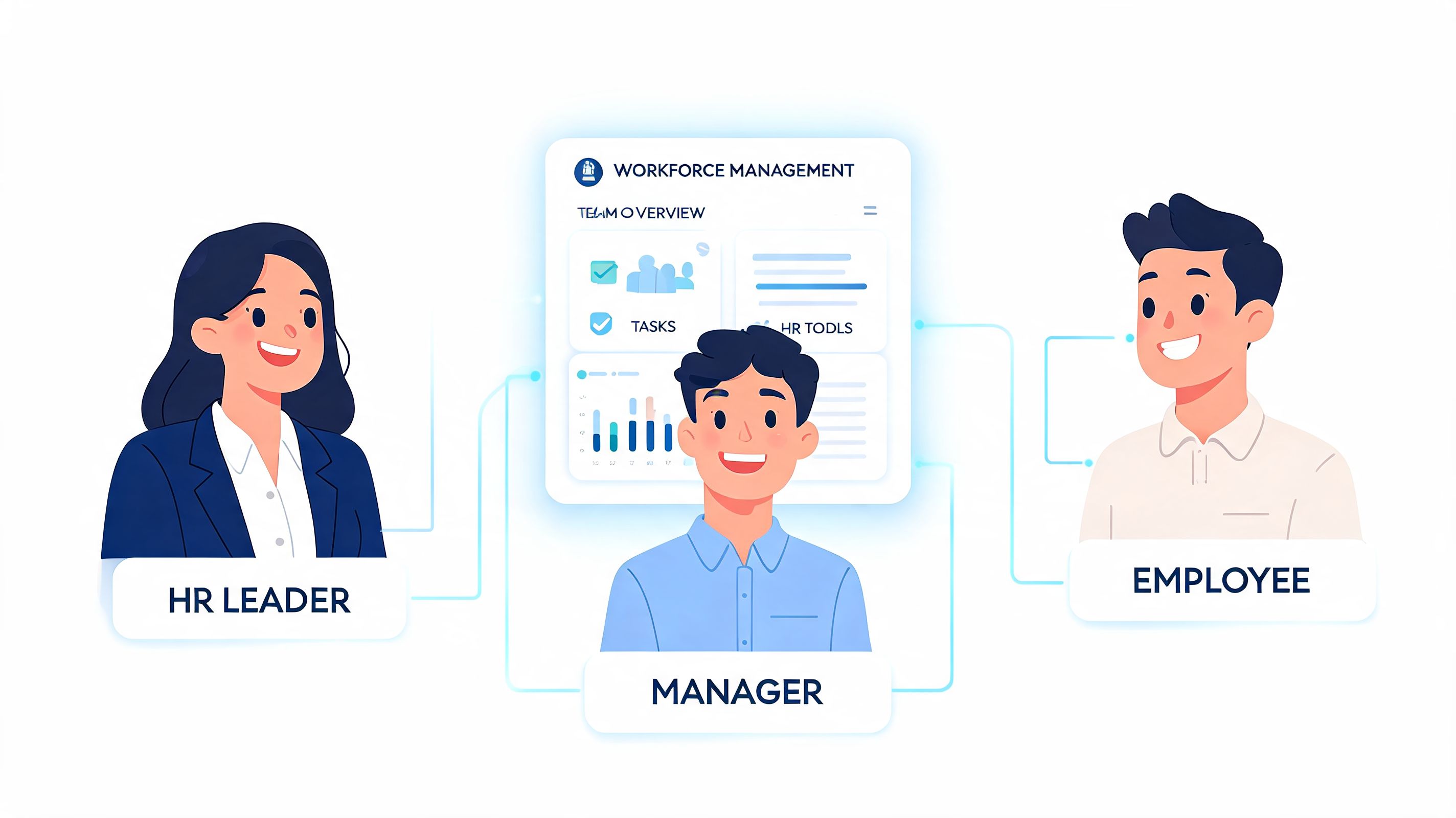
The biggest mistake in most workforce management software conversations is that they talk about “the business” as if everyone inside it experiences the tool the same way. They don’t. HR, operations, supervisors, and frontline staff all meet the system from a different angle.
For HR leaders
HR usually inherits the debris when workforce processes are loose. Missed breaks become policy questions. Timecard disputes become payroll problems. Leave records get checked against email chains. A decent system gives HR one place to see attendance patterns, schedule policy in practice, and whether managers are following the same process across sites.
The main advantage isn’t just that HR gets “more data.” It’s that HR spends less time proving what happened.
For operations managers
Ops managers care about flow. Coverage. Throughput. Service levels. They need to know whether labor is matched to reality, not to wishful thinking.
I’ve watched operations teams change their week just by having clearer visibility into who’s available and where coverage keeps breaking. They stop overstaffing out of fear and stop underestimating how often certain shifts blow up. Better workforce management software turns staffing from guesswork into a repeatable habit.
A simple before-and-after looks like this:
Role | Before a good system | After a good system |
|---|---|---|
HR leader | chasing records and exceptions | reviewing one clear process |
Operations manager | reacting to holes in coverage | adjusting with visibility |
Frontline supervisor | texting everyone after hours | approving changes in one place |
Employee | asking three people for answers | checking the app and moving on |
For frontline supervisors
The human value gets obvious fast. A frontline supervisor doesn’t need a philosophy lecture. They need their evening back.
When the system is right, supervisors don’t build schedules from scratch every week. They don’t chase confirmations one by one. They don’t carry every swap request in their heads. They review, approve, and move on.
Supervisors adopt the tool when it removes friction on day one, not when someone promises dashboards later.
For frontline employees
Employees notice different things. They notice whether the schedule is posted on time. Whether time-off requests disappear into a void. Whether picking up a shift is easy. Whether they can do all this from their phone without asking someone in the back office for help.
That’s why mobile-first design matters so much in workforce management software. For many teams, the phone is the workplace portal. If the employee experience is clunky, adoption stalls. Then managers fall back to calls and chat messages, and the new system becomes one more thing to maintain.
The best tools make work feel more organized for the people living inside it, not just for the people reporting on it.
Choosing the Right Tool For Your People
Most buying processes overrate features and underrate friction.
Yes, features matter. But if your team can’t use the tool easily, the feature list becomes trivia. I’d rather have a simpler system that people embrace than a giant platform that turns every schedule change into a support ticket.
Big platform or right-sized tool
The workforce management market is concentrated, with the top 10 vendors controlling 51.4% of the market, and major names such as UKG, Workday, and ADP dominating the enterprise end, according to Apps Run The World’s market forecast and vendor analysis. That matters because many buyers assume the biggest vendor is the safest choice.
Sometimes it is. Sometimes it’s a bad fit.
Large enterprise suites often make sense for complex organizations with deep requirements, formal IT support, and lots of process tolerance. Smaller and mid-sized companies usually need something else. They need a tool that works on mobile, is easy to explain in five minutes, and doesn’t force them to buy separate products just to cover basic communication and day-to-day coordination.
If you’re a smaller team sorting through options, this overview of employee management software for small business helps frame trade-offs.
The questions I’d actually ask
Can a frontline employee use it on day one without training drama?
Does it reduce tool sprawl or add another login?
Can managers handle swaps, leave, and attendance without leaving the app?
Does it fit your company size, not the vendor’s ambition?
One option in this category is Pebb, which combines communication, shifts, clock-in, PTO, tasks, and team spaces in one app. That kind of all-in-one setup is often more practical for teams trying to replace several lightweight tools at once, especially where frontline adoption matters more than a long procurement checklist.
What usually goes wrong
Buyers fall in love with the demo and ignore the daily workflow. They ask what the software can do, but not what the average employee will do inside it on a Tuesday morning.
That’s the test. Not the sales deck. Not the architecture diagram. The Tuesday morning test.
Getting Your Team Onboard Without a Revolt
The worst rollout I ever saw had all the familiar signs. Leadership picked a tool. IT connected the basics. A training session got scheduled. Everyone was told the old process would end on Monday.
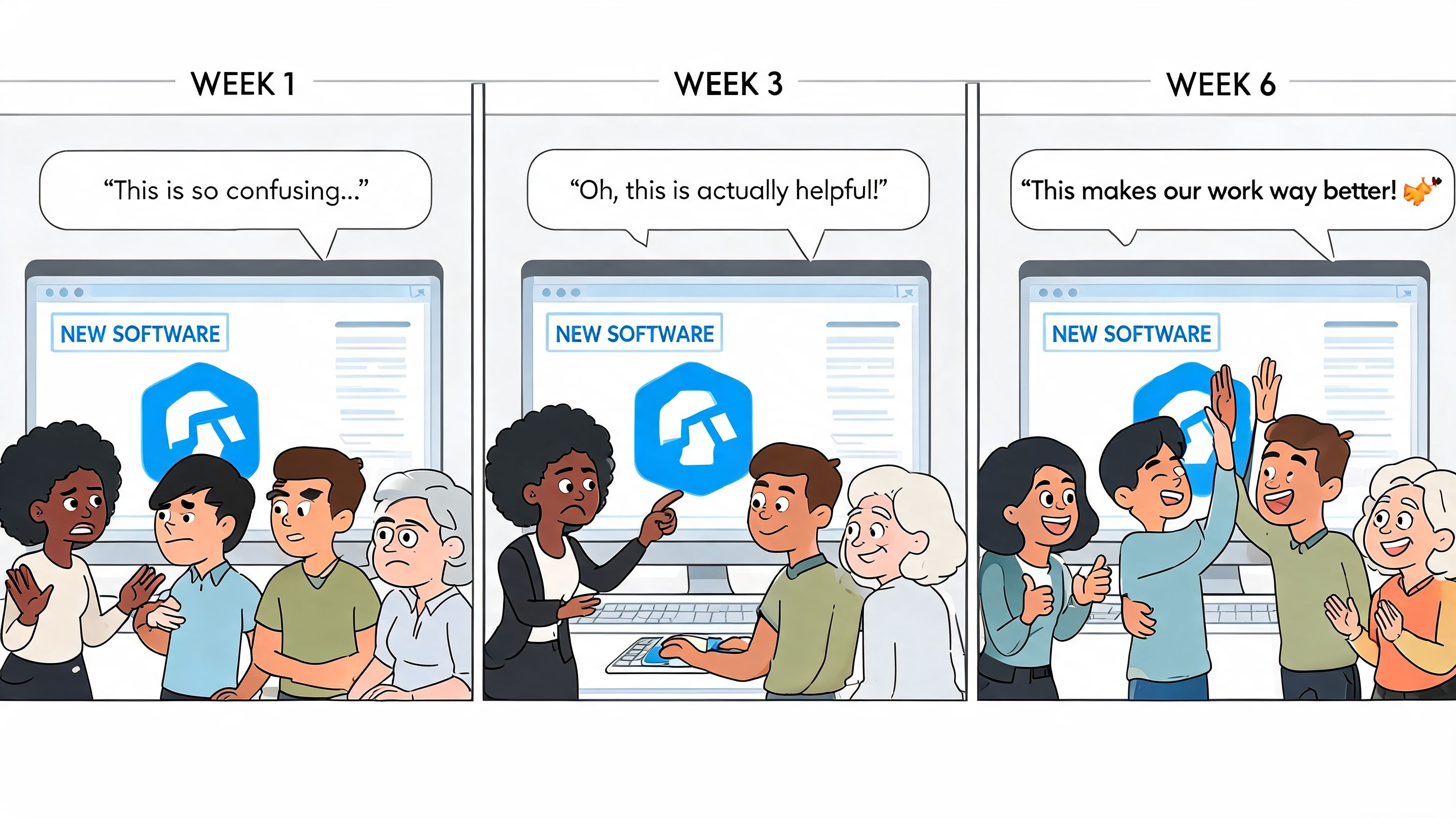
Monday arrived. Supervisors still texted schedules because they didn’t trust the new one. Employees forgot passwords. Managers kept side spreadsheets “just in case.” Within two weeks, we had two systems running badly instead of one system running well.
That failure had almost nothing to do with software.
Why rollouts break
For many mid-market companies, the hard part isn’t picking a tool. It’s the integration burden of connecting workforce management with separate payroll and HR systems, which creates data silos and rollout friction, as described in Mordor Intelligence’s workforce management software market analysis.
That technical burden shows up as a human problem. Delays. Duplicate data entry. Conflicting records. Managers lose confidence first, and employees follow.
If you’re preparing the rollout materials, a clear walkthrough matters more than people think. This guide for effective product demonstrations is useful because a good demo should mirror real daily actions, not just show polished admin screens.
A rollout that people can survive
What worked for us later was much simpler.
Start with the pain people already feel: late schedules, missed requests, payroll fixes, too many texts.
Pick local champions: one respected supervisor can calm more resistance than five polished project emails.
Train on real tasks: publish a shift, request PTO, swap a shift, fix a missed punch.
Run the old and new process briefly, but with a hard end date: if the backup process lives forever, so does the old culture.
Repeat the why: people adopt faster when they understand what frustration is being removed.
A communication plan helps too. We used internal reminders, short videos, and manager talking points instead of one giant launch memo. This kind of phased approach is similar to the adoption ideas covered in how internal campaigns drive platform adoption.
Rollouts fail when leaders announce a system change. They succeed when managers can explain, in plain language, how tomorrow will be easier than yesterday.
Keep the bar low at first
Don’t try to launch every feature in week one. Start with the core rhythm. Schedules. time off. attendance. communication around changes. Once that feels stable, add more.
People don’t need the full platform on day one. They need one clean win.
The Real Return on Managing People Well
A lot of workforce management software conversations get stuck on labor cost. That’s understandable. Scheduling mistakes are expensive. Overtime surprises are expensive. Administrative cleanup is expensive.
But the return goes deeper than that.
When work is organized well, managers spend less energy firefighting. Employees trust the process more. HR sees fewer preventable disputes. Those aren’t soft outcomes. They change how a company feels to work in, and that changes whether good people stay.
What I’d watch besides cost
You don’t need invented benchmarks to know what healthy looks like. Watch your own trend lines.
Turnover patterns: are the same teams always churning?
Absence and lateness trends: are schedule practices creating avoidable friction?
Manager time spent on schedule repair: are supervisors managing people or just rearranging coverage?
Internal mobility and cross-training: are you using the talent you already have?
Those measures tell you whether your workforce management software is helping people work better, not just helping finance report faster.
The next frontier isn’t just scheduling
The future of workforce management will involve more than scheduling employees. It will require tools that help managers discover and deploy the hidden workforce, meaning untapped skills and talent within existing teams, and even integrate AI agents as digital co-workers, according to Deloitte’s work on hidden workforce capabilities.
That sounds futuristic until you look at daily operations. Teams often already have hidden capacity. The employee who can train new hires but never gets asked. The part-timer who wants more hours. The supervisor who can cover another function with a little visibility and planning. Good systems help managers see that capacity instead of defaulting to the same few names over and over.
Why this matters more than ever
The point of workforce management software isn’t to squeeze more output from people. It’s to build a calmer, fairer, more reliable way to run work. Efficiency is part of that. So is trust.
If your tool reduces confusion but increases resentment, you haven’t improved much. If it makes schedules clearer, changes easier, and work more predictable, you’ve done something bigger than software implementation. You’ve made the job easier to live with.
That’s a return worth paying attention to.
If your team is juggling schedules, chat, PTO, tasks, and updates across too many tools, Pebb is worth a look. It brings those daily workflows into one mobile-friendly app, which is often the difference between a system people tolerate and one they use.
