
Employee Activity Monitoring Software: A Trustworthy Guide
Explore employee activity monitoring software. This guide explains what it is, its risks, and how to pick the right tool without damaging employee trust.
Dan Robin
Most advice about employee activity monitoring software starts with the wrong question. It asks, “Which tool gives managers the most visibility?” That's backwards.
The core question is simpler and harder. What level of visibility do you need, and how do you get it without poisoning trust?
I've seen these tools help teams clean up payroll messes, spot bad process design, and catch real security problems. I've also seen them turn decent managers into hallway cops with dashboards. Same category of software. Very different outcome. The difference wasn't the vendor. It was the philosophy behind the rollout.
That matters because this is no longer some fringe practice used only by call centers and high-security environments. Employee monitoring has become normal. The only sane response is to stop pretending it isn't happening and get serious about how it's used.
Let's Talk About Employee Monitoring
“Employee monitoring” is one of those phrases that sounds bad before you even define it. Fair enough. It sounds invasive because it often is.
But the lazy version of this conversation, the one where all monitoring is framed as a trap for lazy employees, misses what is happening. In many companies, these tools are now part of ordinary operations. A 2023 U.S. Employers Survey summarized by Fortune Business Insights found that around 60% of employers were already using monitoring software, and the same summary notes a projection that by 2025, 70% of large employers would monitor employees.
That doesn't make it good. It makes it real.
This stopped being a niche IT tactic
Companies aren't only buying these tools to catch time theft. They're using them to answer messy operational questions that show up in remote, hybrid, and distributed work:
Where is work getting stuck?
Are people overloaded or just poorly scheduled?
Do we have basic attendance and time records we can trust?
Can we spot risky behavior before it turns into a data problem?
Those are valid questions. Leaders should want answers. The problem starts when they reach for maximum surveillance before they've even defined the job to be done.
My rule: if you can't explain the purpose of monitoring in one plain sentence, you're not ready to buy the software.
Culture is the real implementation layer
The same feature can land in two completely different ways. A time log can help a team price projects properly. Or it can become a weapon in one-on-ones. A screenshot can help investigate a security incident. Or it can become a way to shame people for not looking busy enough.
That's why I don't think the useful divide is “monitoring versus no monitoring.” For many businesses, that ship has sailed. The useful divide is supportive visibility versus punitive surveillance.
If you're going to use employee activity monitoring software, start there. Not with features. Not with vendor demos. Start with what you're trying to protect, what you're trying to improve, and what lines you refuse to cross.
What This Software Actually Does
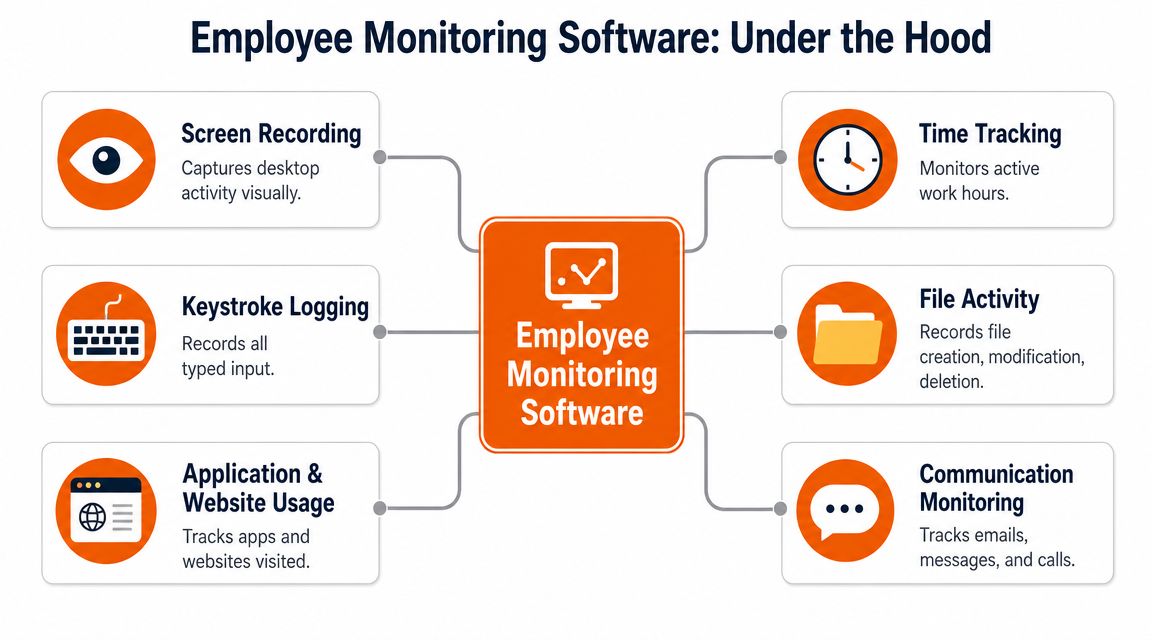
Under the hood, most employee activity monitoring software is less magical than vendors make it sound. It watches digital signals and turns them into a record of activity.
Usually that means some mix of active time, idle time, login and logoff events, app usage, websites visited, and sometimes screenshots or keystroke evidence. According to a 2025 employee monitoring study, 96% of products offered time tracking, 86% had real-time activity monitoring, and 78% could take screenshots. That tells you where the market has gone. It started with timesheets and ended up with systems that can watch work all day.
The basic layer
At the light end, these tools answer straightforward operational questions.
Time tracking tells you when someone started, stopped, and how long they were active. That's useful for attendance, hourly payroll, project costing, and understanding whether work estimates are fantasy.
App and website tracking helps you see where time goes. Not in a moral way. In a practical one. If a team spends half its day bouncing between broken systems, the issue may be your stack, not your staff.
A simple way to think about it is this:
Capability | What it records | Useful for |
|---|---|---|
Time tracking | Start, stop, total active time | Payroll, staffing, scheduling |
App usage | Which tools are open and used | Workflow friction, software adoption |
Website logs | Sites visited during work sessions | Policy review, distraction patterns |
Login activity | Session starts and stops | Attendance and device usage |
The deeper layer
Then you move into more invasive territory.
Some tools capture screenshots. Some record sessions. Some log keystrokes. Some monitor files accessed or moved. At that point, you're not just measuring activity. You're building a forensic record.
That can be justified in a narrow set of cases. Security-sensitive environments. Incident response. High-risk data handling. But leaders often buy these features “just in case,” then discover that “just in case” becomes “all the time.”
Deep capture gives you more evidence. It also gives you more responsibility, more legal exposure, and more ways to damage trust.
What the data can't tell you
This software is good at measuring interaction with a device. It is not good at measuring judgment, creativity, mentoring, or deep thinking.
Someone can stare at a screen and generate a beautiful activity score while doing shallow work all day. Someone else can spend an hour away from the keyboard solving the actual problem. A dashboard won't know the difference.
That's why the best operators don't treat employee activity monitoring software as a truth machine. They treat it as one input. A useful one, sometimes. Never the whole story.
The Real Benefits and Hidden Risks
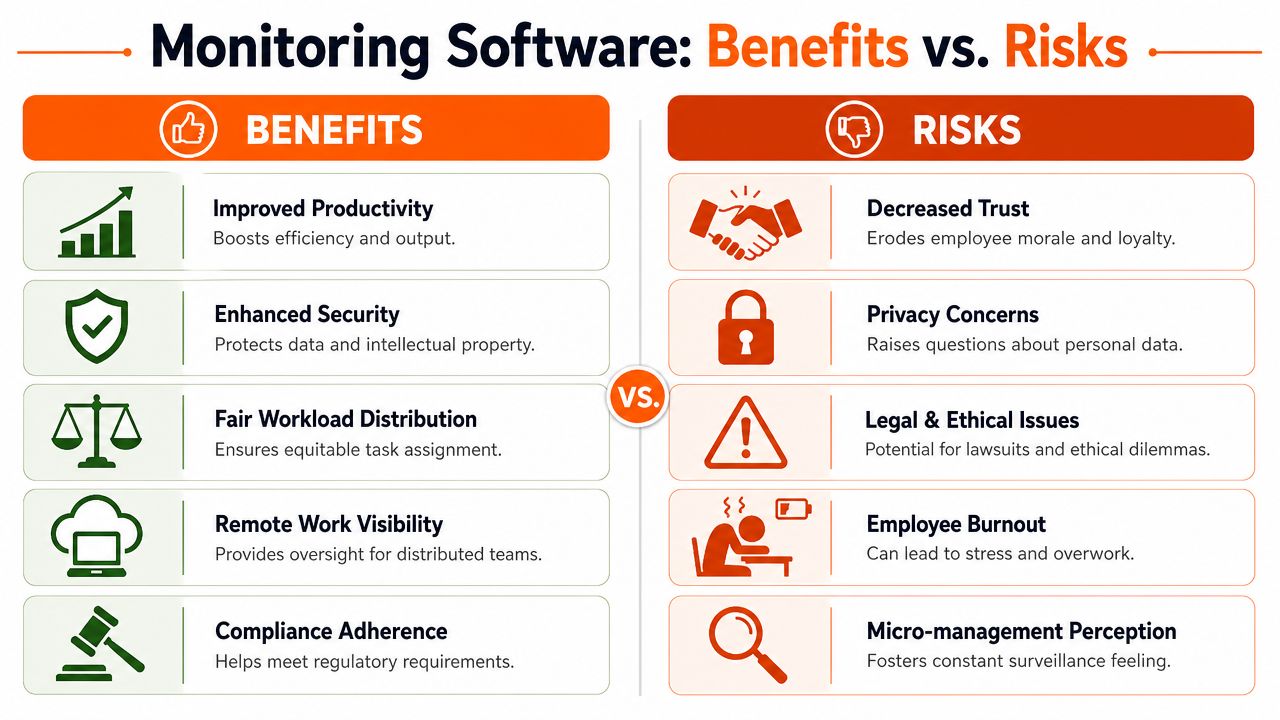
I understand why companies buy this category. Some of the benefits are obvious, and some are completely legitimate.
A platform with strong visibility can help you run cleaner operations. It can help you see where workflows break, where teams are overloaded, and where attendance records are sloppy. In security-heavy environments, it can also help you investigate risky behavior. The category is growing for a reason. Teramind's market summary says the market is heading toward nearly $1.5B by 2028, reflecting demand for centralized visibility, while also showing the split between deep-surveillance products and privacy-minimizing models like WorkTime in its employee monitoring overview.
What these tools are actually good at
Used well, monitoring software can help in a few concrete ways:
Operational clarity means fewer arguments about hours worked, break patterns, and staffing gaps.
Workflow diagnosis gets easier when you can see whether work is stuck in a bad process, bad tooling, or bad handoff.
Security visibility matters when you need records of app use, file activity, or screen behavior during an investigation.
Remote management becomes less dependent on manager guesswork and anecdote.
Those are real advantages. I wouldn't dismiss them.
The hidden bill arrives later
The expensive part usually isn't the license. It's the cultural damage when leadership uses the tool badly.
Once people think they're being watched to satisfy a manager's anxiety, behavior changes fast. They optimize for looking active. They stop taking healthy breaks. They become less honest about problems because every metric feels like a trap. As a result, “productivity software” starts draining actual productivity.
If you're serious about visibility, you also need to be serious about privacy design. That includes data retention, access controls, and clarity on who sees what. If your company hasn't thought hard about those basics, start with stronger data privacy practices in internal communication before you add more employee data to the pile.
A dashboard can improve accountability. It can also turn every normal workday into a performance audition.
My opinion on the trade-off
I'm in favor of the lightest level of monitoring that solves the underlying problem.
If all you need is attendance and rough activity trends, don't buy keystroke logging. If you need a way to investigate a narrow class of security incidents, don't expose the whole company to round-the-clock screen capture. Match the level of surveillance to the level of risk. Most companies overshoot.
That's the trap. They buy for edge cases and deploy for everyone.
Monitoring Trust and the Law
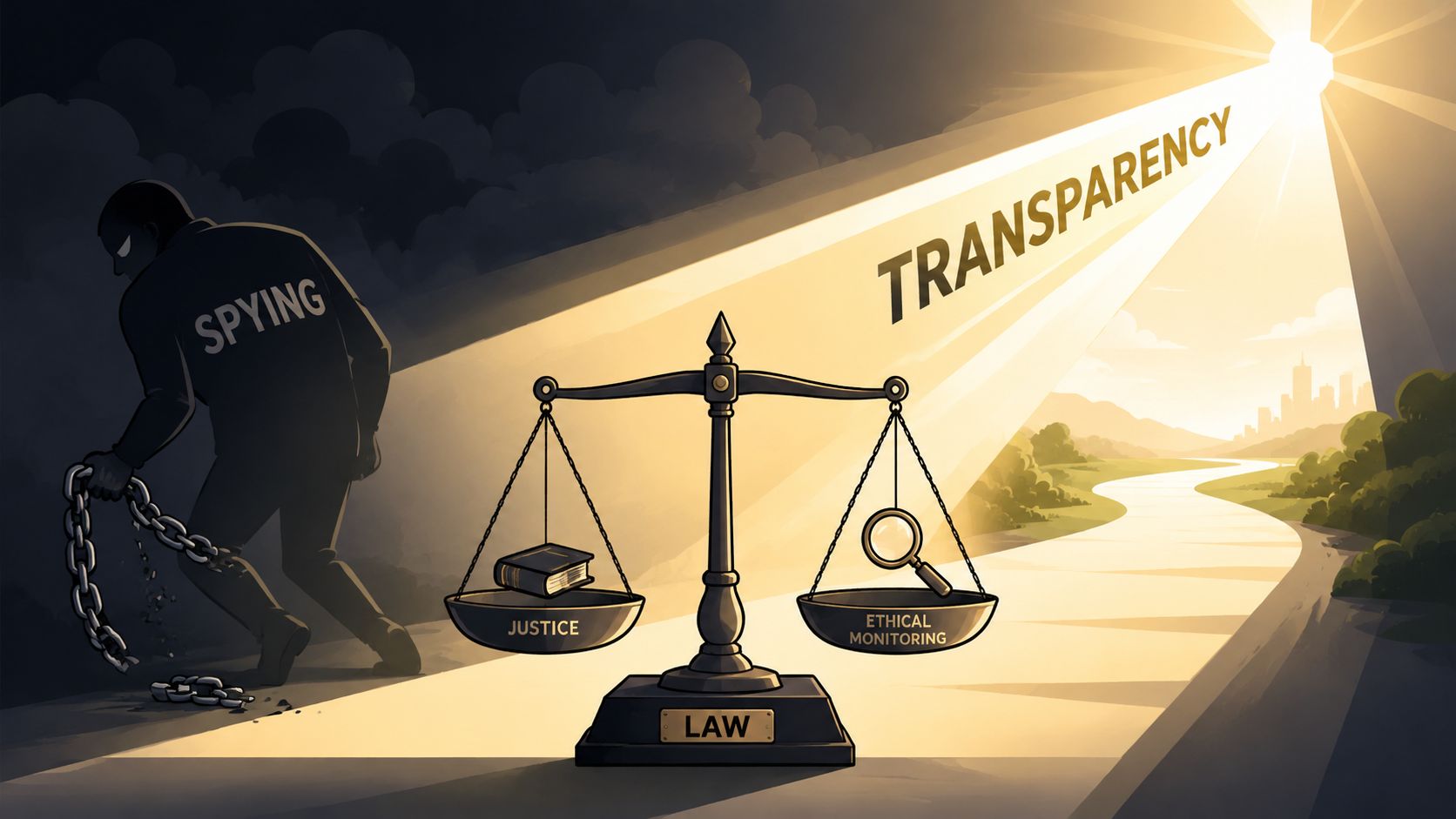
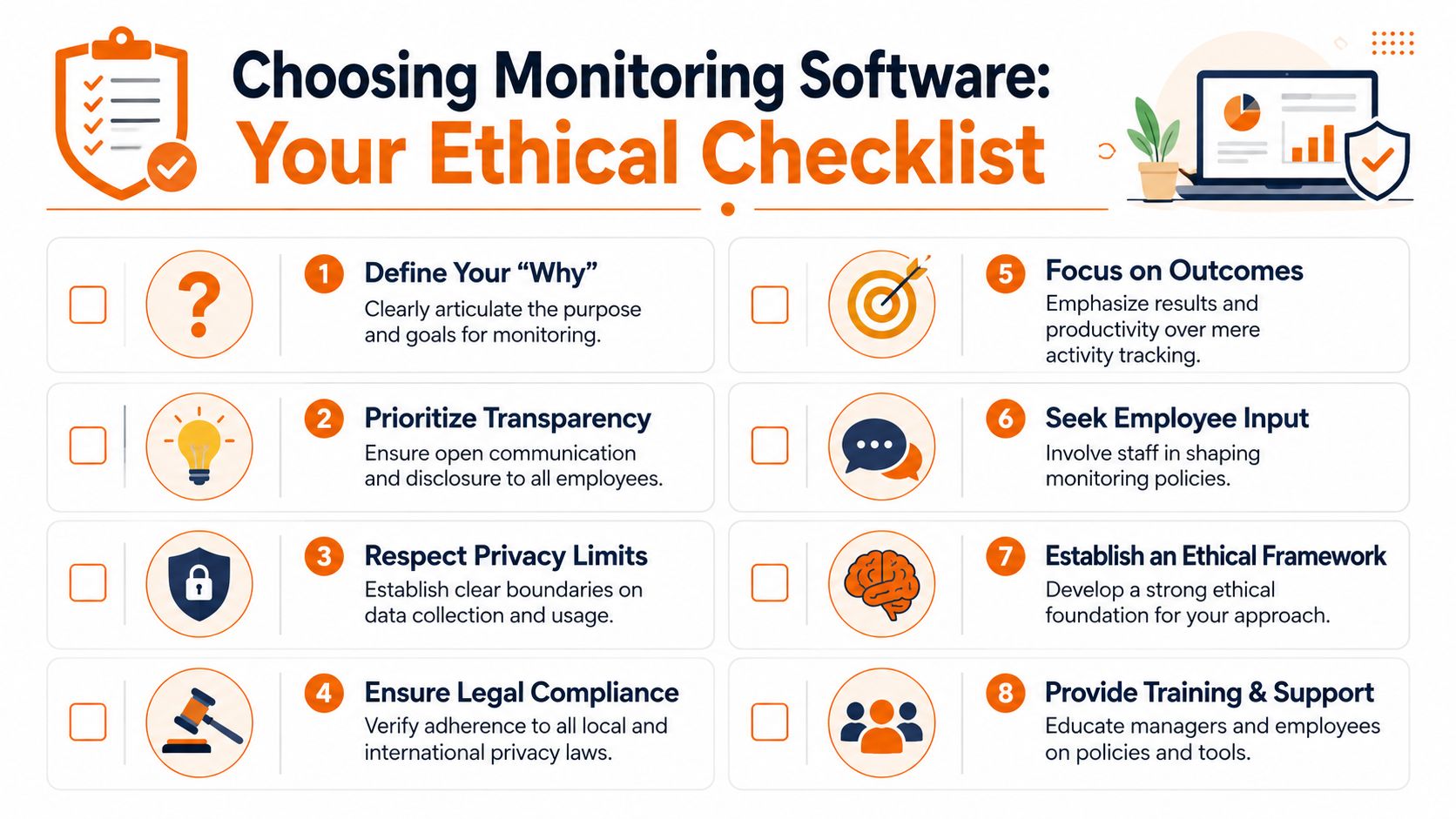
Before you pick a tool, pick your ethics. If you skip that step, the software will make the decision for you.
My position is simple. Monitoring without transparency is spying. You can dress it up with policy language, but employees know the difference between a disclosed operational practice and a hidden surveillance program.
One industry article put the problem clearly. Monitoring can erode trust and increase stress when used punitively, and it recommends giving managers aggregate data instead of turning individual productivity scores into a punishment system. It also asks a much better question: how do we limit monitoring outputs? You can read that framing in this IHRIM article on using employee monitoring for good and not evil.
The policy has to be readable by normal humans
A usable monitoring policy should answer five plain questions:
What are we tracking?
Why are we tracking it?
Who can see it?
How long do we keep it?
How will it not be used?
That last one matters most. People need to know the guardrails. If you won't use screenshots in routine performance reviews, say so. If managers only get team-level reporting unless there's a formal investigation, say so. If personal devices are out of scope, say so.
You should also document training for managers, because most of the damage doesn't come from software settings. It comes from a manager misreading data and reacting badly. If you need a practical starting point on the policy side, this piece on employee communication monitoring ethics and compliance is useful for framing the internal rules before rollout.
Law is not separate from trust
Leaders often talk about law and culture as if they're different conversations. They aren't. Privacy rules force you to define purpose, minimize collection, and control access. Those are also the same moves that make monitoring feel less creepy.
If you operate across states or countries, get legal review early. Especially if your tool captures screenshots, keystrokes, communications, or location data. State-level requirements can vary, and notice obligations matter. For employers dealing with one state-specific example, this guidance for Connecticut employers is a useful reminder that employment practices need local review, not generic internet advice.
Tell people what you collect before you collect it. Tell them why in plain language. Then stick to that promise.
Support beats punishment
The smartest use of monitoring data is supportive. You use it to spot friction, coach managers, rebalance workloads, and investigate exceptions carefully.
The dumbest use is public scorekeeping.
If your company wants a leaderboard of who looked busiest at their keyboard, save yourself the software budget. You're not building accountability. You're building resentment.
How to Choose Your Tool and Your Philosophy
There isn't one employee activity monitoring software category anymore. There are really two camps.
One camp is built for deep surveillance. Continuous screen recording, keystroke logging, keyword alerts, detailed forensic trails. The other camp is much lighter. Time tracking, app usage, attendance records, and trend reporting. A Business.com market overview notes that the market now spans basic tracking through continuous screen recording and keystroke logging, while also pointing out that invasive monitoring is associated with increased stress.
That split matters more than most buyer guides admit.
Pick for the job, not for the demo
Vendors will happily sell you the thickest stack of features available. Resist that urge.
Use this framing instead:
If your real need is... | Start with... | Avoid unless necessary |
|---|---|---|
Attendance and payroll accuracy | Clock-in, time logs, session history | Screenshots and keystrokes |
Workflow visibility | App usage, task flow, team-level trends | Full desktop recording |
Security investigation | Narrow forensic tooling for high-risk groups | Company-wide deep surveillance |
Frontline coordination | Shift, task, and communication visibility | Spy-style monitoring suites |
A lot of teams don't need a pure-play monitoring tool at all. They need cleaner operations. That's different.
Visibility doesn't always need to come from surveillance
This is the part many buyers miss. Sometimes the right answer isn't “which spy tool should we buy?” It's “can we get enough operational visibility from the systems people already use to work?”
For frontline and mixed office teams, a unified app can cover much of the practical use case without centering surveillance. For example, Pebb includes chat, tasks, shift scheduling, clock-ins, PTO tracking, and analytics, so managers can see attendance, work coordination, and engagement signals as part of daily operations rather than as a separate watchtower. That approach won't replace deep forensic software for high-security investigations, but in many companies it's closer to what leaders find necessary.
A better buying filter
When I evaluate tools, I care less about feature volume and more about boundaries.
Can the tool support team-level reporting instead of pushing managers into person-by-person policing?
Can we turn off invasive features we don't need?
Can employees understand what's being tracked without reading a legal novel?
Does this fit the actual risk of the role?
If you're in a regulated or legal-heavy environment, it also helps to look at how other specialized teams choose software with governance in mind. This roundup of top legal tech tools for lawyers is a good example of buying for workflow and compliance together, not just raw capability.
Buy the least invasive tool that can still answer the question you actually have.
That sentence will save you a lot of regret.
Rolling It Out Without a Revolt
The rollout is where most monitoring projects go off the rails. Not because the software fails. Because leadership gets secretive, vague, or paternalistic.
Tell people before you switch anything on. Inform them proactively.
Start with the why
You need one honest explanation. Maybe it's payroll accuracy. Maybe it's shift attendance. Maybe it's security controls for a specific data environment. Keep it concrete.
Then explain what the company chose not to do. That part builds credibility fast. If you reviewed screenshot capture and decided against it, say that. If managers won't get access to individual browsing logs in normal operations, say that too.
Put the policy in front of people
Don't bury it in a handbook update.
Walk the team through what is tracked, what is not, who has access, and how concerns can be raised. Give examples. “Clock-in times are used for attendance and pay.” “We review individual data only during a formal investigation.” Normal language works better than polished language here.
A rollout checklist helps:
Announce early so employees hear it from leadership, not from a tray icon appearing on their screen.
Share the boundaries in writing, especially what managers cannot do with the data.
Train managers first because they will either make the tool feel fair or make it feel hostile.
Create an appeal path so employees can question inaccurate records or misuse.
Teach managers to use less data, not more
Most managers do not need constant access to every metric. They need enough context to coach well and run a stable team.
That means using data to ask better questions. “You've had a lot of idle time this week, what's getting in your way?” is a management question. “Why were you inactive at 2:13 p.m. on Tuesday?” is a trust-destroying question unless you're in a formal investigation.
The best rollouts feel boring after a week. Clear rules. Predictable use. No drama. That's what you want.
Beyond the Dashboard
The dashboard is never the job.
Employee activity monitoring software can tell you something about time, motion, systems, and risk. It cannot tell you who calms down an angry customer, who mentors a new hire, or who prevents mistakes because they care. If you forget that, the software will flatten your idea of performance.
Use this category carefully. Keep it narrow. Keep it visible. Keep it tied to real business needs, not managerial nerves. And if you want a broader frame for what useful visibility looks like, this guide to workforce analytics in practice is a better long-term lens than obsessing over individual activity scores.
A healthy company doesn't confuse observable activity with valuable work. It knows the difference.
If you want operational visibility without making surveillance the center of your culture, Pebb is worth a look. It combines communication, tasks, shifts, clock-ins, and engagement analytics in one place, which can give teams the oversight they need as a byproduct of doing the work, not just being watched doing it.
