
How to Convert Time to Decimals (and Why It Matters)
Learn how to convert time into decimal for accurate payroll and project billing. Our guide makes it simple, with formulas, rounding rules, and real-world tips.
Dan Robin
Let’s get straight to it. To turn minutes into a decimal, you divide them by 60. So, 7 hours and 30 minutes isn't 7.30—it’s 7.5.
It’s a simple bit of math, but I’ve watched businesses get it wrong for years. And getting it right is the bedrock of honest payroll and clean client billing. It’s a small hinge that swings a very large door.
Why We Need to Talk About Minutes

It seems like such a tiny detail, doesn't it? Converting minutes to decimals. But after years of managing teams, I've seen this one small task create huge headaches and countless silent errors.
Here’s the thing: our entire financial world—from accounting software to invoices—runs on a simple decimal system. But we track time, our most valuable asset, using a completely different base-60 system. It's like trying to fit a square peg in a round hole every single payday.
This mismatch inevitably leads to a quiet chaos of small mistakes that slowly bleed your bottom line.
The gap between clock time and payroll math is a surprisingly expensive problem. It’s the difference between guessing what you owe and knowing, down to the penny. In business, knowing is everything.
The Real Cost of Bad Time Math
Let’s be honest—manual timekeeping is a minefield. Every handwritten timesheet or manual entry is just waiting to become a mistake. Someone writes down a "7:45" shift, it gets punched into a spreadsheet as 7.45 hours, and just like that, you've overpaid them by 15 minutes. It might not sound like much, but it happens thousands of times a day in businesses everywhere.
The financial fallout is staggering. A 2026 U.S. Bureau of Labor Statistics study actually found that timekeeping errors contribute to over 8.5% of all payroll discrepancies in hourly jobs. For medium-sized businesses, that adds up to a whopping $1.2 billion in losses every year. If you want to dive deeper into getting this right, you can read these insights on time calculators.
But this is about more than just numbers; it's about running a calmer, more predictable business. Many businesses now use modern time and attendance software to leave these old, inefficient methods behind.
Changing how you measure work brings clarity. It makes your billing sharper, payroll less of a nightmare, and gives you a truer picture of where your team's effort is going. You can also see how automation helps by checking out our guide on using a clock in clock out app.
The Simple Math Behind Time to Decimal Conversion
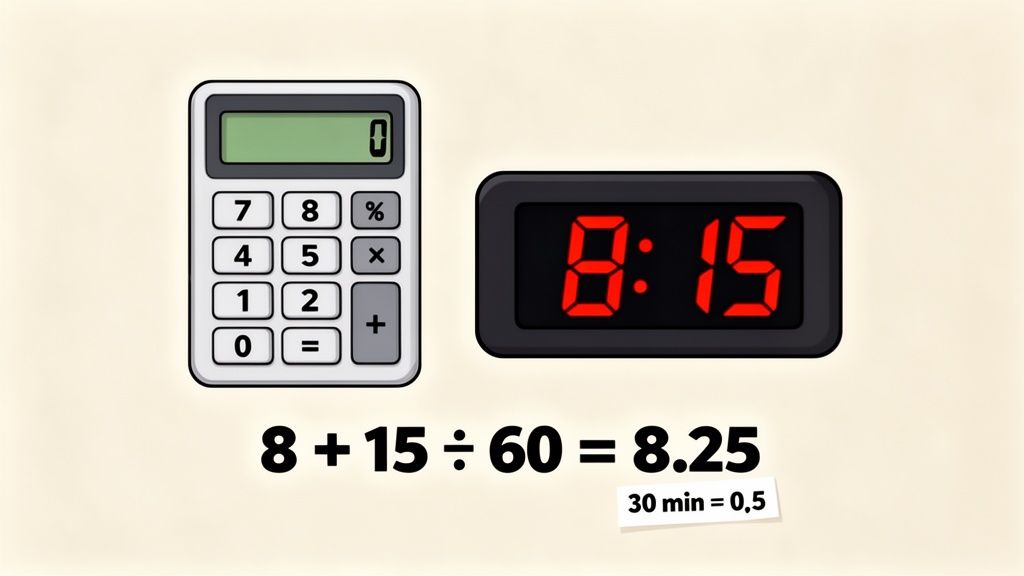
It’s easy to get tripped up on time conversions. The most common snag I see is people treating minutes like percentages. It’s an honest mistake—our brains are so wired for money that we instinctively think 30 minutes must be 0.30 of an hour.
But time doesn't work that way. An hour has 60 minutes, not 100. Once you let that sink in, converting time to decimals becomes second nature.
The secret? Just one simple division: divide the minutes by 60. That's it.
This isn't high-level math. It's just a quick calculation that helps your payroll software understand the hours your team actually worked.
The Formula in Action
Let’s take that common mistake. If an employee works for 30 minutes, you divide 30 by 60. The correct decimal is 0.5 hours, not 0.30. This is where most errors happen, and it’s the easiest one to get right.
Here’s how it plays out with a real shift. Imagine a team member clocks out after 8 hours and 15 minutes.
First, isolate the minutes: 15.
Then, divide those minutes by 60: 15 ÷ 60 = 0.25.
Finally, add that decimal back to the full hours: 8 + 0.25 = 8.25 hours.
That 8.25 is the clean, accurate number you need for payroll, project billing, or any other calculation. At its heart, you're just applying the same logic as when you figure out how to convert fractions to decimals, because a minute is simply a fraction of an hour (1/60th, to be exact).
A Quick Conversion Chart
For those who like a good reference, here's a chart for common minute values. We used to keep one taped to the wall near the payroll desk. Eventually, it just becomes muscle memory.
Minutes | Decimal Hours |
|---|---|
5 | 0.08 |
10 | 0.17 |
15 | 0.25 |
20 | 0.33 |
25 | 0.42 |
30 | 0.50 |
35 | 0.58 |
40 | 0.67 |
45 | 0.75 |
50 | 0.83 |
55 | 0.92 |
Having this handy can save you from pulling out a calculator every single time.
What About Seconds?
For most of us, converting minutes is plenty accurate. But if you're in an industry like logistics or manufacturing where every moment counts, you might need to go a step further and account for seconds.
The principle is the same, you just use a larger number. Since there are 60 seconds in a minute and 60 minutes in an hour, there are 3,600 seconds in an hour (60 × 60).
Let's say a driver's route is timed at 3 hours, 30 minutes, and 36 seconds. Here’s the breakdown:
Convert the minutes: 30 ÷ 60 = 0.5 hours
Convert the seconds: 36 ÷ 3600 = 0.01 hours
Add everything together: 3 + 0.5 + 0.01 = 3.51 decimal hours
This level of detail might seem like overkill for some, but it guarantees absolute precision when billing or analysis depends on it. Once you get the hang of it, you'll be speaking the native language of your calculator.
Using Spreadsheets to Automate Time Conversion
Doing the math by hand is a good way to understand the concept. But let's be real—when you're staring at a stack of timesheets for the whole team, manual calculations don't cut it. It’s tedious work, and it's a perfect recipe for tiny, expensive mistakes.
This is where your spreadsheet becomes your best friend. After years of running payroll and refining our process, we've found that it all comes down to a couple of simple formulas that do all the heavy lifting for you.
Nobody wants to be a human calculator at the end of a pay period.
Two Simple Formulas for Converting Time
In my experience, there are two solid ways to handle this in either Excel or Google Sheets. One is more descriptive and easy to follow, while the other is brilliantly quick. Both get you the same result.
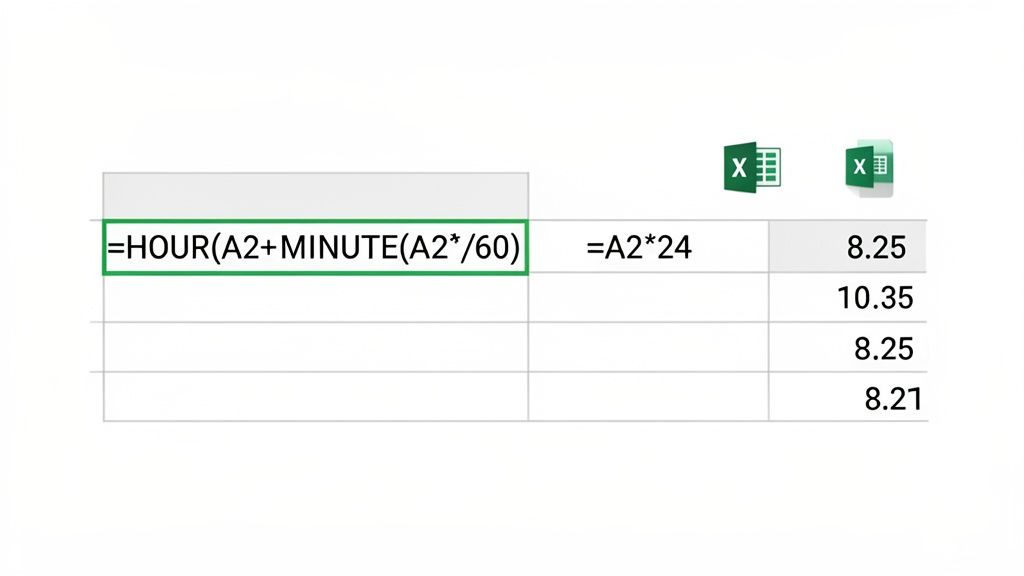
Let's imagine you have a time value, like 8:30, in cell A2.
The Descriptive Formula
The first approach uses the formula: =HOUR(A2)+MINUTE(A2)/60. This one is my personal favorite when I’m explaining it to someone because it perfectly mirrors the manual math we just did.
It tells the spreadsheet to pull out the hour (8), then pull out the minutes (30), divide those minutes by 60 to get a decimal (0.5), and finally add it all together. The result? 8.5. It's logical, clear, and easy to troubleshoot if a number ever looks off.
The Fast Formula
Your other option is even slicker: =A2*24. That’s it.
Why does this work? Spreadsheets have a secret: they store all time values as a fraction of a 24-hour day. To your spreadsheet, 12:00 PM is actually 0.5, 6:00 AM is 0.25, and so on. Multiplying that fraction by 24 simply converts it back into the decimal hours you need for payroll.
Both formulas get the job done. The first one explains the why behind the math, while the second is all about pure efficiency. Pick the one that makes the most sense to you.
This whole idea of decimal time isn't new; it has roots reaching all the way back to the French Revolutionary calendar in 1793. Today, that concept lives on in our spreadsheets. In fact, around 70% of operations managers use formulas like =HOUR(A1)+MINUTE(A1)/60 to turn 6:30 into 6.50 for dead-on payroll accuracy. You can learn more about these time card conversion facts and see just how common this practice is.
Of course, building a full timesheet is the next logical step. If you're ready to put these formulas into a practical template, check out our guide on how to make a timesheet in Excel.
Navigating Time Rounding Rules Without the Headaches
Okay, the math for converting time to decimals is one thing. But how you round those decimals is where things can get tricky—and potentially land you in legal trouble. This isn't just a matter of preference; it’s a decision that has to be backed by a clear company policy and comply with labor laws.
Getting rounding wrong is a classic payroll mistake. One of the most common and accepted standards is the "7-minute rule," a guideline from the U.S. Department of Labor that we’ve had to master over the years.
This rule lets employers round employee time to the nearest 15-minute interval.
The entire concept hinges on fairness. Your rounding practice can't consistently benefit the company at the employee's expense. If it does, you’re not just being unfair—you’re likely breaking federal law.
How the 7-Minute Rule Actually Works
So, how does this look on a real timesheet? The rule essentially splits a 15-minute block right down the middle.
Minutes 1 through 7 get rounded down to the previous quarter-hour.
Minutes 8 through 14 get rounded up to the next quarter-hour.
Let’s say a team member clocks in at 8:06 AM. Since 6 minutes falls into that 1-7 minute window, their start time rounds down to 8:00 AM.
But if they clock in just two minutes later at 8:08 AM, their time must be rounded up to 8:15 AM.
The real test is applying this consistently, even when it doesn't favor you. If that same employee clocks out at 4:52 PM, you have to round their time down to 4:45 PM. It has to cut both ways to be compliant.
Other Rounding Policies to Consider
While the 7-minute rule is popular, it’s not your only choice. Some businesses prefer simpler methods that offer a bit more precision.
You can round to the nearest tenth of an hour (every six minutes), which aligns perfectly with decimal time. Or you can round to the nearest five minutes. The method itself isn't as important as its consistent and fair application.
Whatever you land on, the key is to apply it uniformly across the board—for every employee, on every shift. Get it in writing in your official company policy. This isn't just about avoiding legal trouble. It's about building trust and showing your team you’re committed to paying them fairly.
Ready to Ditch the Spreadsheets?
Look, spreadsheets are a decent upgrade from paper timesheets. But let’s be real—you didn’t start a business to spend your Fridays squinting at cells, debugging formulas, or chasing down team members for their hours.
We’ve all tried to build that "perfect" timesheet template. In reality, you still end up manually entering data, fixing what someone else broke, and triple-checking every total. It’s a tedious process begging for human error, and it drags you away from work that actually matters.
A spreadsheet is a bandage, not a cure.
The Hidden Cost of Manual Entry
The problem with spreadsheets is that they turn a simple process into a clunky ordeal. First, your team has to track their time. Then, someone has to gather it all up. Then, you have to key it in, run your conversions, and pray the numbers are right. Each handoff is a new opportunity for something to go wrong.
It's a fragile system that feels more like digital paperwork than a modern workflow. It also isolates your most important data—time—from the parts of your business that desperately need it, like payroll, invoicing, and project budgeting.
This disconnect isn't just inefficient; it's expensive. A 2026 Gartner report found that 55% of operations leaders see productivity drop by 12-15% simply from wrestling with fragmented time-tracking methods. Shifting away from these manual processes isn't just a nice idea anymore; it's a competitive necessity. You can read more on these time conversion findings to see just how deep the rabbit hole goes.
Automation Changes the Game
True efficiency comes when you stop manually converting time and let a smart tool handle it for you. This is where modern tools like Pebb come in. There's no separate app to juggle, no manual timesheets to fill out, and no conversion formulas to memorize.
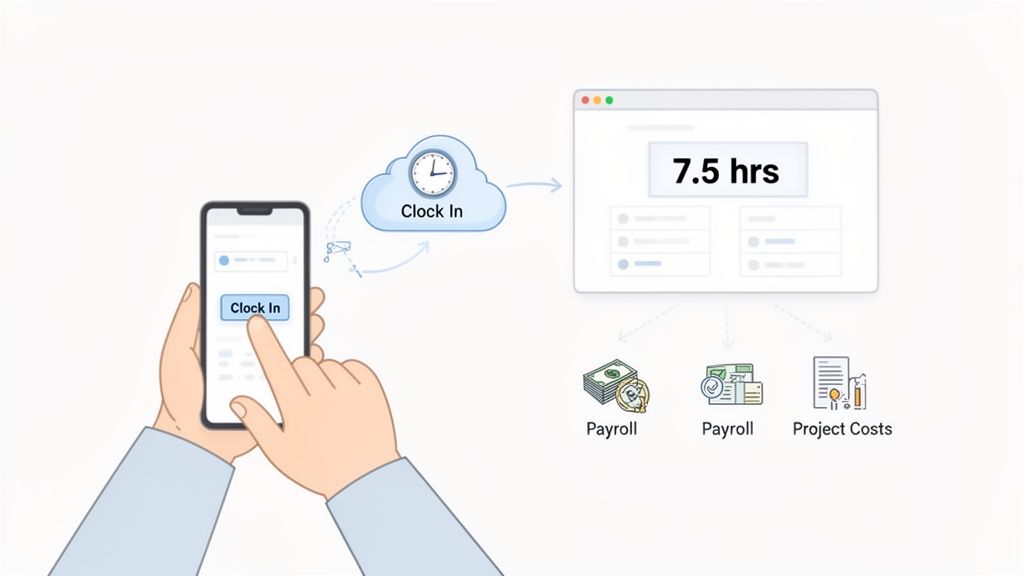
It’s surprisingly simple. When someone clocks in, the system logs the timestamp. When they clock out, it automatically calculates the total duration and provides the decimal hours needed for payroll. No rounding rules, no calculators, no spreadsheets.
This is about more than just speeding up payroll. It’s about creating a single, reliable source of truth where time data flows automatically to every corner of your business.
The impact is immediate. That same Gartner report noted that while manual time entry can have error rates as high as 25%, automation brings that figure down to under 2%. One hospitality group even cut $50,000 in annual payroll disputes after making the switch.
Think about what this means:
Painless Payroll: Hours are calculated and ready for your payroll provider automatically.
Real-Time Project Costing: Time is automatically assigned to jobs, so you can see your profitability in real-time.
Accurate Invoicing: You can generate client invoices based on verified time logs, which builds trust and helps you get paid faster.
Automating how you convert time isn't just about tweaking one small task. It’s about building a calmer, more connected, and ultimately more profitable business. It frees you from the grind of manual data entry and gives you back the one resource you can never get more of—your time.
If you’re tired of the spreadsheet shuffle, see how you can manage employee hours without spreadsheets.
Still Have Questions About Decimal Time?
We get it. Converting time to decimals can feel a little strange at first. It's one of those small changes that has a big impact.
Here are a few of the most common questions we hear, along with some straight answers from our own experience.
How Do I Calculate Overtime with Decimal Hours?
This is where decimal hours truly shine. Calculating overtime goes from a headache to a simple subtraction problem.
Once you have the total hours for the week in decimal format—let's say 43.75 hours—you just subtract the standard 40-hour workweek threshold.
The math is beautifully clean: 43.75 - 40 = 3.75 overtime hours.
You then multiply that decimal, 3.75, by the employee's overtime rate. No more wrestling with odd minutes or risking a payroll error. It's accurate, easy to defend, and saves a ton of time.
What Is the Easiest Way to Convert Minutes to a Decimal?
Honestly? The absolute easiest way is to not do it yourself at all. A good time tracking system automates it for you. That's the real answer.
But if you’re doing it by hand, the simplest formula is to divide the minutes by 60.
For quick mental math, it helps to just memorize the common quarter-hour marks:
15 minutes = 0.25
30 minutes = 0.50
45 minutes = 0.75
For anything else, that "minutes ÷ 60" trick is your best friend. It’s fast, reliable, and gets you the right number every time.
Can I Convert Decimal Hours Back to Hours and Minutes?
Absolutely, and it's a great skill to have for double-checking your work. It's just the reverse of what we did before.
To go from decimal back to standard time, take the whole number for your hours. Then, multiply the decimal part by 60 to get your minutes.
Let's say your timesheet shows 8.75 hours.
The whole number, 8, is your hours.
Take the decimal, 0.75, and multiply it by 60.
0.75 * 60 = 45 minutes.
So, 8.75 hours is the same as 8 hours and 45 minutes. This is super useful for explaining pay stubs or work durations to your team in a format everyone instantly understands.
Tired of manual time conversions and spreadsheet errors? Pebb automates your entire time tracking process, from clock-in to payroll. See how you can build a calmer, more accurate workplace at https://pebb.io.
