
That Spreadsheet Roster Is Holding You Back
Tired of confusing spreadsheets? Discover how to create a simple, clear employee roster format that saves you time, reduces errors, and keeps your team in sync.
Dan Robin
An employee roster is more than a list of names and times. It's the nervous system of your team. It's how you organize people, manage work, and keep the operation running. When it’s a messy spreadsheet, it’s a source of constant, low-grade chaos. When it’s a clear, simple plan, everyone knows what to do. The difference is everything.
Why Your "Good Enough" Roster Is Quietly Costing You
We’ve all inherited that spreadsheet. It’s a chaotic grid of names, cryptic colors, and notes in the margins that only one person truly understands. It feels free. It seems practical. It gets the job done… for now.
But let’s be honest. It’s not good enough.
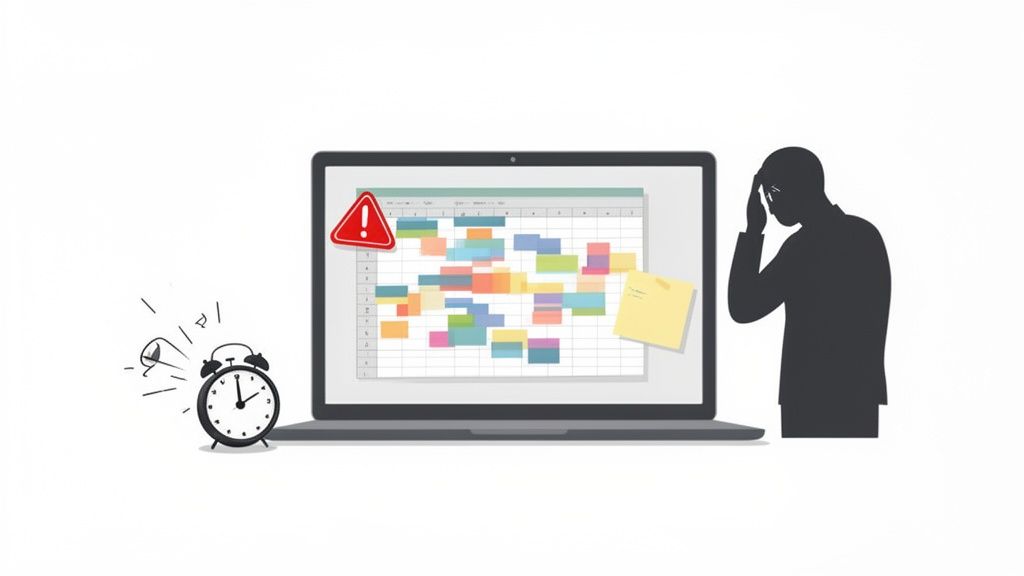
That spreadsheet has hidden costs. It’s the 20 minutes you lose every morning hunting for the final_FINAL_v3 version. It’s the frustration of fixing yet another last-minute error because someone overwrote a formula. It’s the quiet hit to morale when a great employee misses a shift they never knew they had.
A messy employee roster format isn't a minor inconvenience. It’s a bottleneck. It drains productivity and introduces a surprising amount of risk into your day.
The True Price of 'Good Enough'
When we stick with a broken system, we accept these little costs as part of the job. They add up. All that time spent manually building, distributing, and correcting schedules is time that could be spent coaching your team, improving a process, or just being present.
A roster should be a tool for clarity, not a source of confusion. If your team has to ask, "Which version is correct?" or "Am I actually working Tuesday?" then the format itself has failed.
This is more than an organizational headache. Having a solid handle on your roster is critical for running an efficient business. Modern rosters aren't just schedules; they're smart systems with contact details, attendance records, and skills. Research shows that businesses using a structured employee roster format see huge improvements in planning and cost management. You can find more on building an effective roster on Keller Executive Search.
From Chaos to Clarity
Here’s the practical difference between wrestling with a spreadsheet and using a dedicated tool.
Spreadsheet vs. Modern Roster
Feature | Traditional Spreadsheet | Modern Roster Tool |
|---|---|---|
Accessibility | Limited. Often one master file on a shared drive. | Real-time access from any device. |
Updates | Manual. Requires sending out new versions. | Live. Everyone sees changes instantly. |
Error Checking | Prone to human error. Typos, broken formulas. | Automated rules prevent conflicts. |
Employee Input | Manual. Via email or text. | Built-in requests for time off and swaps. |
Communication | Disconnected. Relies on separate channels. | Integrated notifications for new shifts. |
Version Control | A nightmare. "roster_v4_final_FINAL.xlsx" | Non-existent. It's always the right version. |
The switch is less about tidiness and more about building a smarter, more resilient operation. A well-structured system gives you things a spreadsheet can't:
A Single Source of Truth: Everyone sees the same live schedule. No more version control nightmares.
Fewer Human Errors: Automated rules can prevent common mistakes, like scheduling someone for overtime they haven't approved.
An Empowered Team: When people can easily see their schedules, request swaps, and manage their availability, they feel more in control.
The goal isn't just a prettier spreadsheet. It's a system so simple and reliable that no one thinks about it. It just works. That’s when you’ve got your employee roster format right.
The Core Elements Of A Roster That Works
Before we jump into fancy tools, let's talk about the foundation. The best employee roster format isn’t about slick colors or complex formulas. It’s built on simplicity and clear communication.
Think of it this way: what information does everyone—from you to your newest hire—need to see at a glance? A great roster is a communication tool first and a schedule second. Its main job is to answer questions, not create them. If your system works on a piece of paper, it'll work even better in an app.
Start With The Non-Negotiables
These are the basics. Without them, your roster is a confusing list of names. This is the frame that everything else gets attached to.
Employee Name: Use the name they actually go by. Listing "Jonathan" when everyone calls him "Jon" just adds friction.
Role or Position: "Cashier," "Lead Cook," or "Floor Supervisor" tells everyone who is responsible for what.
Shift Times: Be precise. "9:00 AM - 5:30 PM" is clear. "Morning shift" is not. Include start time, end time, and any planned breaks.
This basic structure is your starting point. You can see more detailed layouts in our guide on employee roster templates. Getting this right makes everything else easier.
Go Beyond The Basics To Build Resilience
Now, here’s where a good roster becomes great. Adding a few extra layers of information transforms your schedule from a static document into a dynamic tool. It shows you’re thinking about the people, not just filling slots.
We learned this the hard way when a key barista called out sick during a morning rush. We were frantically calling people to cover, only to realize later that one of our cashiers on duty was fully trained on the espresso machine. That skill wasn't on the roster, so we never thought to ask her. A simple oversight that cost us time, money, and a few frustrated customers.
A roster shouldn't just tell you who is working. It should tell you what your team is capable of at any given moment.
That experience taught us to include a couple of powerful details:
Secondary Skills: Note who is cross-trained. "Server (Barista Trained)" or "Warehouse (Forklift Certified)" is a lifesaver when you're in a pinch.
Contact Preference: How does this person prefer to be reached for urgent, shift-related issues? A small note like "Text Preferred" or "Phone Call Only" respects their boundaries and gets you a quicker response.
These small additions don’t clutter the roster. They add critical context that helps you make smarter decisions under pressure. A truly effective employee roster format anticipates problems before they happen.
Designing Schedules Your Team Can Rely On
A schedule is the rhythm of your business. Get it right, and everything flows. Get it wrong, and you're constantly putting out fires—burnout, surprise call-outs, and a constant hum of confusion. This isn't just about plugging names into time slots. It's about designing a system that balances the needs of your business with the realities of being human.
The right employee roster format can make all the difference. Let's be honest, nobody gets excited about a rigid, confusing schedule. The goal is to create something that feels fair, predictable, and flexible.
Finding the Right Rhythm for Your Team
There’s no one-size-fits-all answer here. A bustling coffee shop has a different pulse than a software team. The key is to match your scheduling model to the work itself.
Fixed Shifts: Your classic 9-to-5. It offers incredible predictability, which is gold for roles that thrive on routine. But it can feel rigid for businesses with fluctuating demand.
Rotating Shifts: Common in hospitals or manufacturing, where employees cycle through days, swings, and nights. It’s a fair way to distribute less desirable hours, but it can be tough on personal lives.
Flexible Shifts: This gives employees some control over their start and end times. It’s a huge perk for morale, but it requires a high level of trust and clear communication.
I once worked with a restaurant that used staggered start times. Prep cooks came in at 7 AM, servers at 8 AM, and hosts at 8:30 AM. This simple change ensured they were perfectly staffed for the morning rush without people standing around. A small tweak to their employee roster format that had a massive impact on efficiency and payroll.
This whole process is about understanding the core elements of your roster: who your people are, what they can do, and how to reach them when you need to.
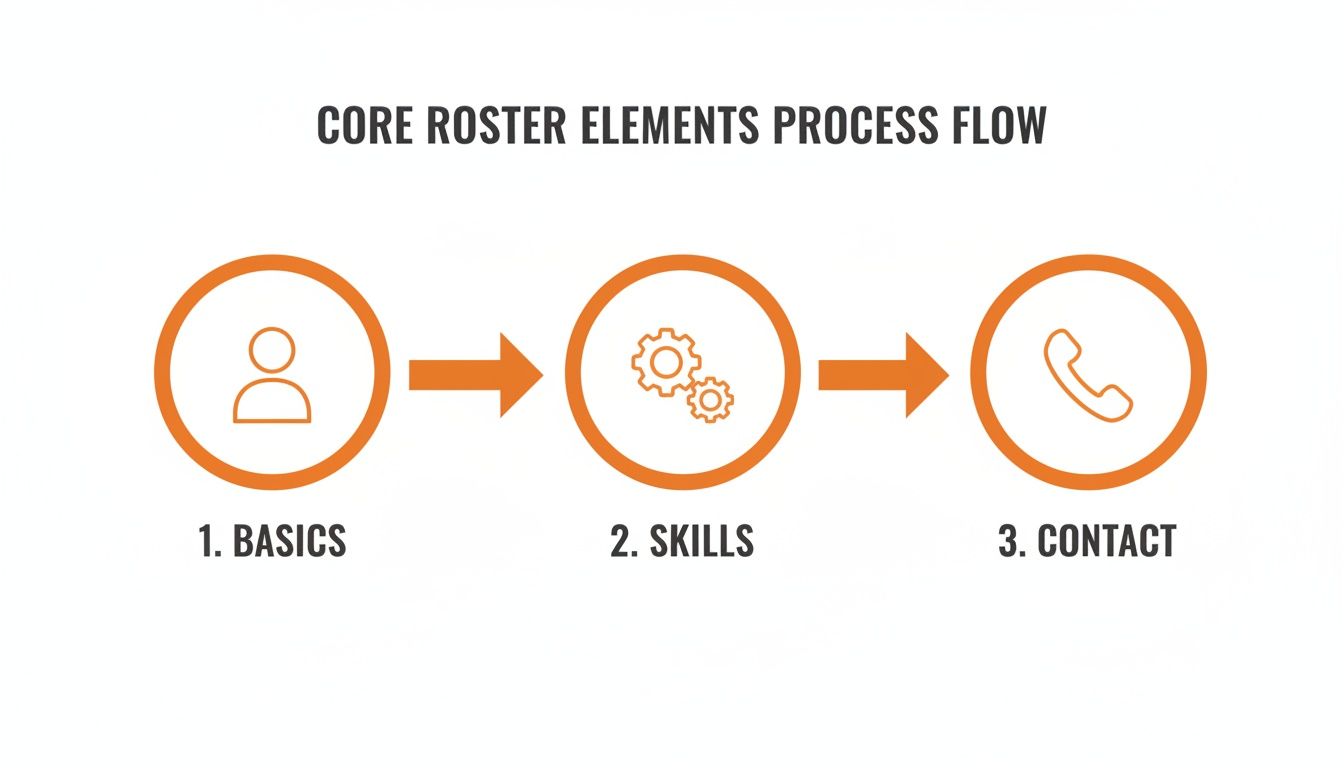
As you can see, a great roster is built on a foundation of basic info, layered with skills and contact details so you're ready for anything.
Handling the Inevitable Chaos
No matter how perfectly you plan, chaos happens. People get sick, cars break down, life gets in the way. A good roster anticipates this. Instead of a last-minute scramble, you need a clear, agreed-upon system for handling shift swaps and unexpected absences.
This is where so many small businesses lean on spreadsheets. In fact, between 65-75% of them start with Excel-based rosters because they're cheap and familiar. The thing is, most companies with over 50 employees find they have to switch to specialized software just to manage the complexity.
Your roster is only as good as its ability to handle change. A static document creates stress; a living schedule creates solutions.
A simple process for requesting swaps—where employees can offer up their shifts to qualified colleagues—can solve 90% of your last-minute headaches. It gives them autonomy and takes the burden off you. For a deeper dive, check out our guide on how to create a schedule for employee shifts that works.
Ultimately, designing a reliable schedule is an act of trust. It tells your team that you’ve thought about their needs, respected their time, and created a fair system. That’s a foundation worth building on.
Choosing The Right Tools To Automate Your Roster
The spreadsheet got you this far. I get it. It was simple, familiar, and for a while, it seemed like enough. But if you're being honest, manual scheduling doesn't scale. It's a time-drain, wide open to human error, and creates a mountain of unnecessary work.
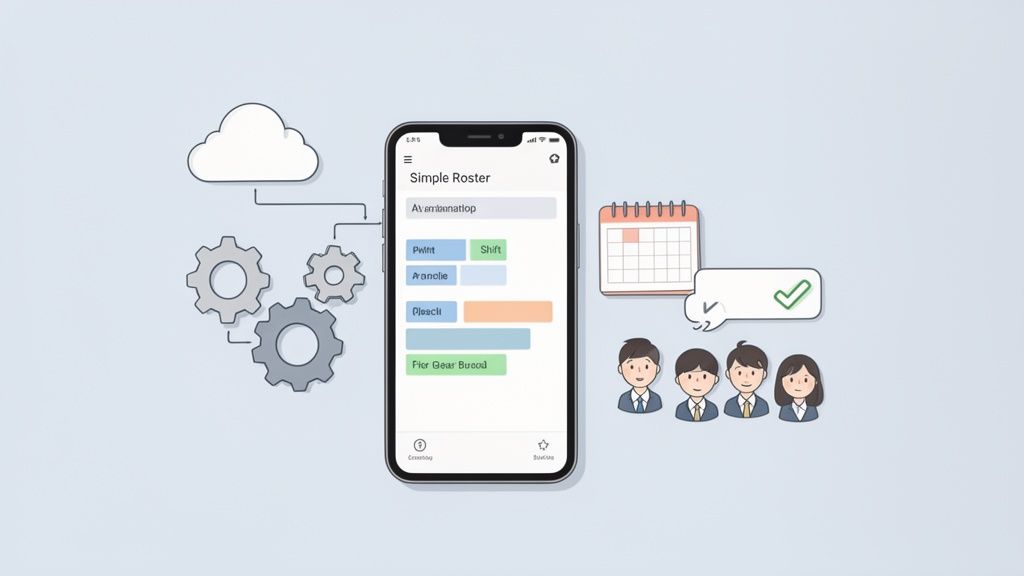
This is where technology can do the heavy lifting. But what should you look for in a tool? It’s not about finding the one with the longest feature list. It’s about finding something that solves your real-world problems without adding new ones.
What Truly Matters In A Roster Tool
When we first started looking for a tool, the market was noisy. Everyone promised everything. We quickly learned to ignore the buzzwords and focus on the handful of features that would actually make our lives easier.
Here’s what made the cut:
Automated Scheduling: The tool should be smart enough to build a draft schedule based on employee availability, skills, and your business rules. This alone can cut scheduling time by 70% or more.
Simple Shift Swapping: A game-changer. Let employees request and cover shifts among themselves—with your final approval, of course. It removes you as the go-between.
Mobile-First Access: The schedule has to live where your team lives: on their phones. If they can’t check their shifts in seconds, the tool has failed.
Integrated Time Tracking: A roster and a timesheet are two sides of the same coin. Connecting them ensures planned hours match actual hours, which simplifies payroll.
The goal is a single source of truth that connects the plan to reality. It’s about transparency, not just technology.
To move beyond manual methods, choosing the best workforce management software is a critical step. It’s an investment in a calmer, more predictable work life for everyone.
Beyond The Features: A System You Can Trust
The best tool feels less like software and more like a reliable colleague. It fosters trust and makes everyone’s job a little easier. It removes the ambiguity of a messy spreadsheet and replaces it with clarity.
When your team knows the roster is always accurate and any changes will be communicated instantly, they can focus on their work. This shift from a chaotic, manual employee roster format to a clean, automated system isn’t just an operational upgrade; it’s a cultural one. If you’re exploring options, our guide on the best employee scheduling software offers a look at some of the top free and paid tools available.
Ultimately, you’re not just buying software. You’re buying back your time and giving your team the professional, reliable system they deserve.
Keeping Your Roster Compliant and Your Records Clean
Here’s something most people forget: your roster is a business record. It feels like a simple to-do list, but in many industries, it's a legal document. That means it needs to be accurate, accessible, and ready for an audit.
This is the less glamorous but critical side of managing an employee roster—compliance. It's about building a clean, organized system that tracks who worked and when. This isn't just for scheduling; it's your proof.
Why Historical Data Is Your Safety Net
Let's be honest, memory is a terrible record-keeper. When an employee questions their paycheck from six weeks ago, or an auditor asks why someone worked overtime three months back, "I think..." won't hold up. A clean, time-stamped history of your rosters is your safety net.
It protects your business by creating an undeniable record of your operations. Every shift change, every manager approval, every note—it should all be tracked. This historical data provides clarity and a solid defense when questions come up.
The point of a great roster archive isn't just to look back; it's to protect your future. It's proof that you followed the rules, paid people correctly, and ran your business fairly.
This is especially true for businesses navigating complex regulations. For federal contractors, integrating historical data with roster planning is mandatory. Regulations like Executive Order 11246 require them to maintain detailed personnel data to ensure equitable employment practices. You can learn more about these historical data requirements on Circaworks.com.
From Rosters to Records
Your roster data feeds into other critical business functions. Accurate records of hours worked and absences are essential for everything from payroll to benefits. This includes managing responsibilities like Statutory Sick Pay (SSP) obligations. Without a solid roster system, these processes become a mess of guesswork.
Your record-keeping process must do a few key things:
Track Changes: Who changed a shift, and when? A good system logs this automatically.
Preserve Old Rosters: Don't just overwrite last week's schedule. Archive it so it’s easy to find later.
Ensure Accessibility: Pulling up a roster from last year should take a few clicks, not hours of digging through old files.
Treating your roster with this seriousness from the start saves incredible headaches down the road. It turns a simple schedule into a powerful, protective business asset.
Got Roster Questions? We’ve Got Answers.
We’ve walked through the real cost of clunky spreadsheets and the nitty-gritty of keeping records compliant. But let’s be honest, once you get the basics down, the real-world questions start. These are the ones we hear all the time.
Building a great roster isn't a one-and-done task. It’s a living thing. You'll tweak it, adjust it, and figure out what clicks for your crew.
What’s the Best Format for an Employee Roster, Really?
Honestly, the “best” employee roster format is the one your team actually uses without a fuss. For a tiny, super-organized team of three, a well-built spreadsheet in Google Sheets might be enough. If it's clean and everyone is disciplined about updates, it can work.
But for most businesses, that’s a big "if."
The most effective format is almost always a dedicated digital tool. A good rostering app makes the schedule a live document that’s instantly accessible on anyone’s phone. It connects to time-off requests and sends automatic updates. This wipes out the classic "Which version are we looking at?" problem and puts the one true schedule in everyone's pocket.
The real test of a roster format is simple: Does it reduce questions or create them? If your team still has to text you to confirm their shift, your format isn't working.
It’s less about fancy features and more about adoption. A simple tool that gets used by 100% of your team is infinitely better than a powerful one that everyone ignores.
How Can I Handle Last-Minute Roster Changes Fairly?
Let's get one thing straight: fairness isn't about keeping everyone happy all the time. That’s impossible. It’s about having a crystal-clear process that everyone understands and trusts. Chaos only breaks out during last-minute changes when there are no ground rules.
First, create an official policy for how changes are requested and approved. Write it down. Share it. This single step stops people from feeling like you're playing favorites.
Next, find a tool that lets employees offer up or swap shifts among themselves. This is a game-changer. It gives them the power to solve their own scheduling conflicts, which drastically cuts down on your admin time. When you do have to step in, communicate directly and personally. A quick, respectful phone call means so much more than a silent update to a spreadsheet. Acknowledging the inconvenience shows you respect their time.
What Information Should I Keep Off a Publicly Posted Roster?
Protecting your team's privacy is a must. A roster is an operational tool, not a personal phone book. The version everyone sees should only contain the bare minimum needed to coordinate the workday.
Here’s what should be on it:
First names (or whatever name they go by at work)
Their role for that shift (e.g., "Cashier," "Lead Server")
Shift start and end times
That’s it.
Never include sensitive data like home addresses, private phone numbers, pay rates, or any medical details on a shared roster. That belongs in a secure file, accessible only to managers and HR. The goal is smooth coordination, not oversharing. A clean employee roster format respects professional boundaries and keeps private information private.
Ready to build a roster your team can rely on? With Pebb, you can create, share, and manage schedules all in one place. Stop wrestling with spreadsheets and start building a calmer, more organized workday. See how Pebb works.
