
A Better Schedule For Employee Shifts Is Possible
Stop the scheduling chaos. Learn how to create a schedule for employee shifts that boosts morale, cuts turnover, and gives you your time back.
Dan Robin
On the surface, creating a schedule for employee shifts seems simple enough. You plug names into time slots, right? I used to think so. But I’ve learned the hard way that the real cost of a bad schedule isn't just operational chaos. It’s the slow, quiet erosion of morale that leads to burnout and, eventually, your best people walking out the door.
The True Cost Of A Bad Employee Schedule
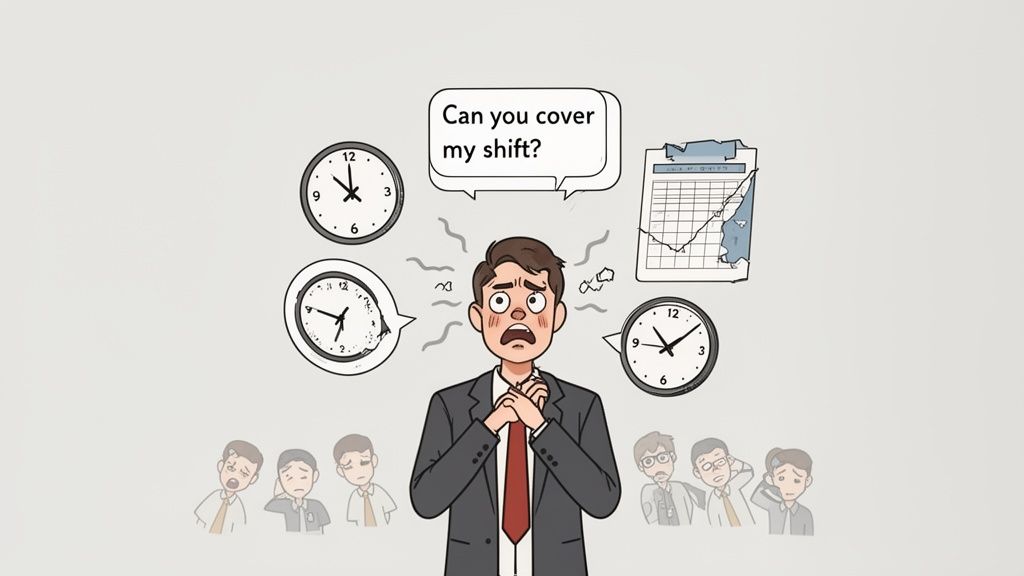
It always starts with a simple text. "Can you cover my shift?"
But it’s never just one text. Before you know it, your phone is a constant firehose of last-minute changes, frantic requests, and complicated swaps. You’ve accidentally become the switchboard operator for your team’s entire social life, trying to piece together a schedule that feels like a puzzle with half the pieces missing. This is the real, human cost of doing things the old way.
Before we jump into software or fancy systems, let’s talk about what it feels like to be in the trenches. Let’s talk about why your trusty spreadsheet and that chaotic group chat just aren’t cutting it anymore.
When The Tools Don't Fit The Job
Look, spreadsheets aren't bad. They’re just the wrong tool for this job. A spreadsheet can't warn you that you’ve accidentally scheduled someone for a "clopening" shift—where they close up shop late at night only to come back and open a few hours later. It has no idea that Sarah is taking a college class on Wednesdays or that Mark needs weekends off for his kids' soccer games.
All it sees are empty cells that need to be filled.
This forces you, the manager, to hold all that crucial, human context in your head. It’s draining. For your team, it’s just frustrating. An unpredictable schedule sends a clear, unspoken message: your life outside of these walls doesn't matter. That’s a one-way ticket to burnout.
The frontline workforce is already dealing with massive turnover, and scheduling is a huge piece of that puzzle. In fact, research shows nearly 50% of frontline workers changed jobs in a single year, citing poor work-life balance and a lack of flexibility as top reasons. In some industries, that turnover rate can skyrocket past 60%, and inconsistent schedules are a primary culprit. You can read more about the connection between employee retention and scheduling to get the full picture.
The Hidden Instability
Here’s the thing. The problem isn’t just about filling slots on a calendar; it’s the constant, low-grade anxiety it creates for everyone. An employee who doesn't get their schedule until Sunday night can't make a doctor's appointment. They can't arrange childcare. Their life is put on hold, waiting for you.
A schedule isn’t just a grid of names and times. It’s the framework that dictates your employees' lives—when they see their families, when they can rest, and when they can plan for the future.
This instability quietly chips away at morale. It turns a job into a source of stress that spills over into every other part of an employee's life. A better system isn't a "nice-to-have"—it's an absolute necessity for building a stable, respectful workplace where people actually want to stick around.
Laying The Groundwork For A Schedule That Works
Before you even think about plugging names into time slots, you’ve got to do the prep work. This is the “measure twice, cut once” part of scheduling, and honestly, skipping it is the single biggest mistake I’ve seen managers make. They jump right in, trying to fill the calendar without first understanding what the schedule actually needs to achieve.
Let’s be honest. Most schedules get built on a mix of gut feelings and a copy-paste of last week's template. We can do better. A truly effective schedule starts with a clear, data-backed picture of what your business actually needs.
Map Out Your True Coverage Needs
First thing's first: become an expert observer of your own business. When are you truly busy? Not just when it feels hectic, but when the numbers prove it. Dig into your sales data, customer traffic reports, or production logs. Is there a mad rush right at opening, or a predictable lull after the lunch wave?
Your goal is to pinpoint these peaks and valleys with real data. This isn't just about having a body on the floor; it's about having the right number of people, with the right skills, at precisely the right times. A huge piece of this puzzle is having a solid system for tracking employee time so you can verify these patterns over time.
Once you have this map, you can finally stop guessing and start staffing based on actual demand. It turns scheduling from a frantic, reactive scramble into a smart, proactive strategy.
Have The Human Conversation
Here's a simple truth: your team members are not interchangeable cogs in a machine. They're people with lives, families, and commitments outside of their jobs. A schedule that ignores this fundamental reality is doomed from the start.
So, talk to them. Create a simple, consistent way for everyone to submit their availability, preferred hours, and any hard-and-fast non-negotiables. This isn’t about promising everyone their dream schedule, but about gathering the puzzle pieces you need to build something that’s fair and functional.
A schedule built without input from the team is just a list of demands. A schedule built with their input is a shared plan for success.
This simple act of asking for input builds incredible trust. It shows your team you see them as partners, not just names on a spreadsheet. And when people feel respected, they're far more likely to be flexible when you really need them to step up.
Understand The Rules Of The Game
Finally, you have to know the law. It’s not the most glamorous part of the job, but it is absolutely non-negotiable. Labor laws around scheduling are getting more complex by the year, and "I didn't know" won't save you from penalties.
Make sure you're crystal clear on:
Predictive Scheduling Laws: In places like Seattle, Chicago, New York City, and the entire state of Oregon, you're often required to post schedules 14 days in advance. Messing this up can lead to "predictability pay" penalties.
Required Rest Periods: Many "Fair Workweek" laws also mandate a minimum rest time between shifts—usually 10 to 11 hours—to prevent those brutal "clopening" shifts that burn people out.
Overtime and Break Rules: These vary wildly by state and are critical to get right. A simple miscalculation on overtime can quickly spiral into a serious legal and financial mess.
The constant stress of an unstable schedule has real-world consequences. Research from The Shift Project at Harvard University found that erratic work hours directly harm worker happiness and sleep. With 65% of service workers required to keep their availability completely open, they can't reliably plan for childcare, education, or even a doctor's visit. This practice shifts all the risk from the business onto the employee, creating a baseline of anxiety. You can read more about how secure scheduling impacts well-being in their research.
Before you start building anything, you need a solid foundation. Let's make sure you have all your ducks in a row with a simple checklist.
Your Pre-Scheduling Checklist
Gathering these core pieces of information up front will save you countless hours of backtracking and frustration later on.
Information Needed | Why It Matters | How to Get It |
|---|---|---|
Peak Business Hours | Ensures you have enough staff during rushes and aren't overstaffed during lulls. | Analyze POS sales data, customer foot traffic reports, or appointment booking software. |
Employee Availability | Builds a schedule that respects your team's lives, reducing call-outs and turnover. | Use a simple form (digital or paper) or scheduling tool to collect availability and time-off requests. |
Time-Off Requests | Prevents double-booking and last-minute scrambles to cover approved vacations or appointments. | Establish a clear request deadline and process; track approvals in a central calendar. |
Skill Sets & Certs | Guarantees you have the right people on shift (e.g., a certified first-aid provider, a keyholder). | Maintain a simple spreadsheet or use the skills-tracking feature in your scheduling tool. |
Labor Law Cheat Sheet | Keeps you compliant with local/state laws on overtime, breaks, and predictive scheduling. | Check your state's Department of Labor website or consult with an HR professional. |
Taking the time to check these boxes turns scheduling from a dreaded chore into a strategic advantage. This foundational work—mapping real needs, talking to your people, and knowing the rules—is the difference between a schedule built on sand and one built on solid rock. It takes a little extra effort up front, but it prevents a world of headaches down the road.
Building Your First Modern Shift Schedule
Alright, the groundwork is done. You’ve mapped out your coverage needs and, most importantly, you've talked to your team. Now for the fun part—turning that plan into a real, working schedule. This is where we stop talking about scheduling in theory and start putting names to hours.
Let's be honest, this is the step where most managers open a blank spreadsheet and immediately feel that familiar wave of dread. It doesn’t have to be that way. We're going to build this thing with a sense of order, fairness, and calm.
The visual below really brings home the foundational process we've been discussing, turning abstract ideas into clear, actionable stages.
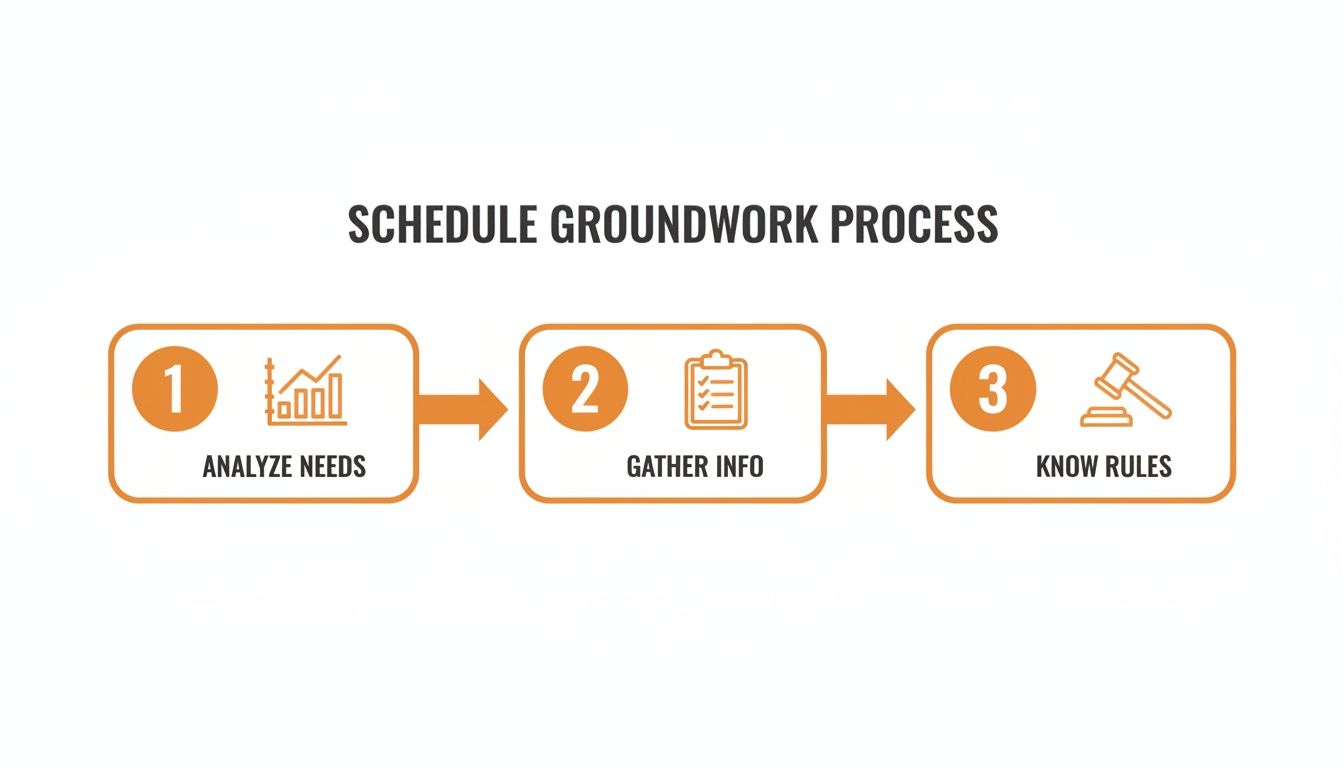
This simple flow—analyzing your needs, gathering information from your team, and knowing the rules—is the bedrock of a schedule that won’t fall apart at the first sign of trouble.
Start with Shift Templates
The real secret to escaping the copy-paste grind? Stop building every single shift from scratch. You already know your common roles and times, so let’s turn them into templates.
Create reusable blocks for the shifts you schedule over and over again. Think “Morning Barista (6 AM - 2 PM)” or “Evening Stocking (4 PM - 10 PM).” These templates aren't just about time slots; they can include the specific skills or certifications needed for that role. This one simple step eliminates a massive amount of repetitive, mind-numbing work.
Suddenly, you’re no longer staring at a blank grid. You're working with pre-built, intelligent blocks that represent the actual work that needs to get done. It's a small change in your process that makes a huge difference in clarity and speed. For a deeper dive, our guide on using a shifts schedule template offers some great practical examples you can adapt.
Layer in Your People and Their Needs
With your templates ready, you can start populating your weekly or bi-weekly calendar. This is where the art of management meets the science of scheduling. The goal is to perfectly balance the needs of the business with the real lives of your employees.
Start by slotting in your constants—the people who have fixed schedules or specific non-negotiable roles. From there, you can begin filling the remaining shifts, keeping a few key principles in mind:
Fairness First: Nobody wants the Friday closing shift every single week. Rotate the less desirable shifts. If Mark closed last Friday, maybe it’s Sarah’s turn this time around. A good schedule feels fair, and fairness comes from visible, consistent rotation.
Balance Experience: Try to pair your seasoned veterans with newer team members. This isn’t just good for on-the-job training; it ensures every shift has a strong anchor, someone who can handle unexpected issues without needing to call you at home.
Respect Availability: This is where all that groundwork pays off. You already have everyone’s time-off requests and availability. Honor them. Nothing breaks trust faster than scheduling someone for a shift they’ve explicitly told you they can’t work.
A schedule is more than a list of assignments; it's a statement of your company's values. Does it value fairness? Does it respect people's time? Does it set the team up for success? The answers are right there in the grid.
A Real-World Retail Example
Let's imagine a small retail boutique that needs two people on the floor at all times. The manager, Alex, has a team of five: two experienced full-timers (Maria and David) and three part-time students (Leo, Chloe, and Sam).
First, Alex blocks out Maria’s and David’s core shifts, making sure one of them is always on during the busiest afternoon hours. Next, Alex layers in the approved PTO for Chloe, who has a big exam coming up.
Now for the tricky part: the weekend shifts. Instead of just giving them to the part-timers by default, Alex makes a point to rotate them. Last weekend, Leo and Sam worked. This weekend, it's Leo and Chloe. This simple rotation prevents resentment and burnout from building up.
Finally, Alex gives the whole week one last look. There are no dreaded "clopening" shifts (where someone closes late one night and opens early the next morning). The required rest periods between shifts are respected—a key detail that keeps the schedule compliant with local labor laws.
The final schedule isn't just functional; it’s humane. It shows the team that their well-being was a factor in its creation. And really, that’s the entire point.
Mastering Communication And Flexibility
Once you hit "publish" on a schedule, that’s not the end of the story—it's just the beginning of a conversation. Think of the schedule as your best-laid plan, but remember that real life has a funny way of ignoring plans.
A car won't start. A kid spikes a fever. A water pipe bursts. These are the moments that truly test your entire scheduling system. How you handle them says everything, not just about your process, but about your culture. Let's be real: a rigid schedule that shatters at the first sign of human reality isn’t a good schedule at all.
This is all about managing the living, breathing part of the schedule. The part that happens after you post it.
Moving Beyond The Chaos Of Group Chats
For too long, the default tool for handling last-minute shift changes has been the chaotic group chat. We've all seen it: a mess of crossed wires, missed messages, and frantic "can anyone cover me?!" pleas that get lost between memes and weekend plans. It puts the manager right back in the middle of the storm, playing switchboard operator when we were trying to get away from that in the first place.
The goal isn't to eliminate changes—that's just not possible. The goal is to build a calm, organized system for managing them.
This means having a single, clear protocol for everything from calling out sick to requesting a shift swap. You need to move the conversation out of a dozen different text threads and into one central hub where everyone can see what's happening. A good system actually helps your team solve their own problems.
When an employee can easily post an open shift for a qualified coworker to claim, you’re not just filling a slot. You’re building a culture of ownership and mutual support. You’re giving them the tools to manage their lives while keeping the business covered.
This is where modern scheduling tools really shine. They give your team a dedicated space to see open shifts, request swaps, and update their availability right from their phones. It gives them a real sense of control over their work-life balance, while you maintain final approval and a clear overview of the schedule. For a deeper look, check out our insights on the smartest way to share shift schedules with staff.
Flexibility Is A Two-Way Street
When you build a system that genuinely respects your team's time and offers them flexibility, something remarkable happens. They give it right back. A team that feels trusted and respected is far more likely to step up and help out when you’re in a jam.
It completely changes the manager-employee dynamic from a rigid set of demands to a partnership built on mutual respect.
This investment in clear, flexible systems pays off in tangible ways. Businesses that implement modern scheduling and communication tools see real, measurable improvements. For instance, some platforms can increase shift coverage rates by up to 88% while simultaneously decreasing worker turnover by 16%. It’s powerful proof that a better, more humane schedule for employee shifts isn't just a "nice-to-have" for your people; it's essential for a stable business. You can learn more about how scheduling and retention are linked.
At the end of the day, communication is the thread that holds any schedule together. It’s what turns a static grid of names and times into a dynamic, resilient plan. Managing changes with grace isn’t a sign of weakness; it’s the hallmark of a strong, confident team that knows how to adapt—together.
Why Smart Tools Beat Spreadsheets Every Time
I have a confession to make. For years, I ran my team's schedules on a spreadsheet. I was actually pretty proud of my color-coded, formula-driven masterpiece. It felt organized. It felt professional.
And it was a complete illusion.
The spreadsheet couldn't handle a last-minute sick call without me manually shuffling everything. It had no idea that scheduling Maria for a closing shift followed by an opening shift was against labor laws in my city. And it certainly couldn't stop me from accidentally double-booking my best employee during a crucial rush. At some point, the spreadsheet always breaks. Not because it’s a bad tool, but because it’s the wrong tool for managing human beings.
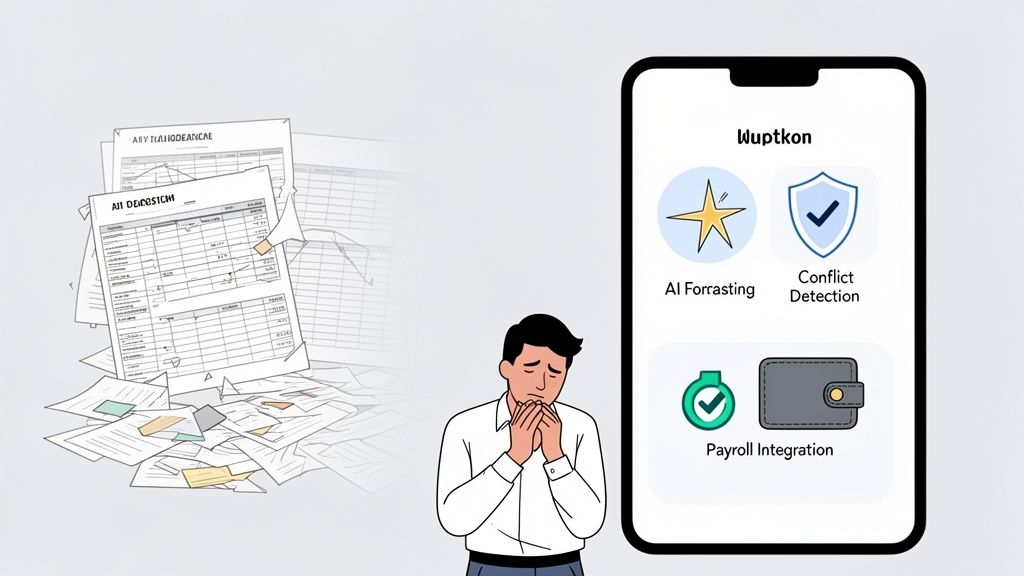
This isn’t a sales pitch. It’s a practical, honest look at how dedicated scheduling tools solve the very real, very human headaches that spreadsheets create.
Moving From Guesswork To Smart Predictions
A spreadsheet only knows what you tell it. It has no memory of last year’s holiday rush or that recurring lull every Tuesday afternoon. You’re left making staffing decisions based on gut feelings and a foggy memory of what happened last month.
Here’s the thing: modern tools don’t guess. They use your own historical data to see patterns you’d never spot on your own. They can forecast your busiest hours with unnerving accuracy, helping you staff smarter—not just harder. This isn't about replacing your judgment; it's about giving you better information to make smarter calls.
The shift away from manual methods is happening for a reason. The market for employee scheduling software is expected to hit $1.3 billion by 2032, growing by over 11.5% each year. Why? Because businesses are finally realizing how much money they lose to inefficiency. In fact, companies that adopt these tools have reported labor cost reductions of up to 20% simply by eliminating wasted hours and improving engagement.
Automation That Actually Helps
Let’s talk about the tedious, soul-crushing part of scheduling. Manually checking for conflicts, calculating overtime pay, and ensuring everyone gets their required breaks. It's a minefield of tiny details where one mistake can lead to payroll errors or legal trouble.
Smart tools automate this. They act as your safety net.
They can instantly flag when you’ve double-booked someone or scheduled them during approved time off. They know the local labor laws, warning you about insufficient rest periods between shifts or upcoming overtime thresholds. And they can connect directly to your payroll system, turning approved hours into accurate paychecks without hours of manual data entry.
This isn't about being lazy. It’s about freeing yourself up to do the work that actually matters. When you’re not buried in administrative quicksand, you can focus on training your team, talking to customers, and actually leading.
Manual Vs Automated Scheduling: A Reality Check
When you lay it all out, the difference between wrestling with a spreadsheet and using a dedicated tool becomes crystal clear. It's not just about convenience; it's about accuracy, compliance, and sanity.
Task | The Old Way (Spreadsheet & Chat) | The Better Way (Scheduling App) |
|---|---|---|
Building the Schedule | Manually entering names, times, and roles into cells. | Drag-and-drop shifts onto a visual calendar. |
Handling Time Off | Juggling texts and emails, then manually blocking off cells. | Employees request time off in the app; you approve with one click. |
Finding a Sub | Sending group texts and hoping someone replies. | Open shifts are broadcast to qualified staff who can claim them. |
Checking for Conflicts | Squinting at the screen, trying to spot double-bookings. | Automatic alerts for overlaps, overtime, and availability issues. |
Ensuring Compliance | Relying on memory or a cheat sheet of labor laws. | Built-in rules that flag potential legal violations. |
Tracking Hours | Manually totaling hours and re-entering them for payroll. | Clock-in/out data automatically creates timesheets for payroll. |
The table doesn't lie. One path leads to constant manual work and a high risk of error, while the other puts powerful, time-saving automation at your fingertips.
You can either manage a spreadsheet, or you can lead your team. It’s almost impossible to do both well. The right tool lets you focus on your people.
When you're evaluating "smart tools" for your team, it helps to look at solutions designed for specific industries to see what's possible—even a niche field like tutoring has specialized tools, such as the best tutoring scheduling software, that offer unique features.
Ultimately, moving past the spreadsheet isn’t just about getting a fancier calendar. It’s a fundamental shift in how you approach the work. It’s about choosing to invest your time and energy in your team, not in a grid of cells.
More Than Just a Grid: A Final Word on Scheduling
Let's pull back for a moment. A schedule is so much more than just a grid of names and times. It's the operational heartbeat of your business, the rhythm that keeps everything moving forward. For your employees, it’s the framework that shapes their lives—dictating when they can see their families, when they can rest, and how they plan for the future.
Getting scheduling right isn't just about operational efficiency; it's about showing respect.
When I stopped wrestling with messy spreadsheets and started building schedules with real intention, it completely changed the dynamic on my team. We went from just plugging holes to building a system that communicated trust. It was a tangible way of saying, "We value your time, we see you as a whole person, and we want you to have a great life outside of this job."
A great employee schedule doesn't just fill slots; it builds culture. And that’s a nuance a spreadsheet will never grasp.
That one shift in mindset is what creates a loyal, engaged team that sticks with you through thick and thin. It’s the difference between a group of people who just clock in and a team that genuinely has each other’s backs.
This whole process isn’t about finding the perfect app or a magical formula. It's about recognizing that your schedule is a powerful, public reflection of your company's values.
Does it show you care about fairness? Does it protect your team from burnout? Does it treat people’s time as the valuable, finite resource it truly is?
The answers are all right there, in the grid you publish every week. Make sure it’s telling the story you want to tell.
Common Scheduling Questions Answered
We’ve covered a lot of ground, but I know there are always those lingering, practical questions that pop up when you’re in the middle of a scheduling headache. Let’s tackle a few of the most common ones I hear. These are the direct, no-fluff answers I wish I’d had when I was starting out.
What Is The Best Way To Handle Last-Minute Shift Changes?
The key is a calm, pre-defined process. First, you have to get out of the group chat business. Centralize every request through a single channel—ideally, a dedicated app—to stop missed texts and frantic phone calls.
Second, establish a simple, clear policy on how swaps get approved. Can employees swap directly with any qualified coworker, or does a manager need to give the final okay? The best systems I've seen let employees post an open shift for others to claim. This gives them a sense of ownership while ensuring you always have coverage. The goal is to build a system where you aren't the bottleneck every single time life happens.
How Far In Advance Should I Post The Employee Schedule?
Two weeks is the gold standard. In a growing number of cities and even one entire state, it’s a legal requirement.
Posting a schedule for employee shifts at least 14 days in advance gives your team the stability they desperately need to plan their lives—doctor's appointments, childcare, a weekend away. This predictability is a massive, often underrated, factor in job satisfaction. Anything less feels chaotic and disrespectful. Any more than that, and you risk the schedule becoming irrelevant as business needs inevitably change.
A schedule posted on time is a promise kept. It tells your team that their life outside of work is seen, valued, and respected.
How Can I Ensure The Schedule Is Fair To All Employees?
Fairness really comes down to two things: transparency and consistency. It starts with rotating the desirable and undesirable shifts. The same person shouldn't always be stuck closing on a Saturday night. Use a system that tracks hours and shifts, giving you a bird's-eye view to ensure that work is distributed equitably.
But here’s the most important part: ask your team what they consider fair. It’s not always about an equal number of hours. Sometimes, it’s about getting two consecutive days off or avoiding a "clopening" shift. A good tool gives you the data to see the patterns, but only a real conversation will tell you what truly matters to your people.
At Pebb, we built a tool that brings all of this together—scheduling, communication, and team operations—in one simple, calm space. If you're ready to move beyond the spreadsheet and build a schedule that works for everyone, see how Pebb can help.
