
The Humble Employee Roster Template (and Its Dirty Little Secret)
Discover an employee roster template that clarifies schedules, reduces errors, and simplifies team management; learn how to implement it.
Dan Robin
We've all started with a simple employee roster template. A spreadsheet, probably. Names down one side, days of the week across the top. It feels organized. It feels professional. For a moment, it even feels free.
But let’s be honest. That feeling never lasts.
The Hidden Costs of That Familiar Spreadsheet
The spreadsheet starts clean. A simple grid, a blank canvas of possibility. You have names, roles, and shift times. You feel in control.
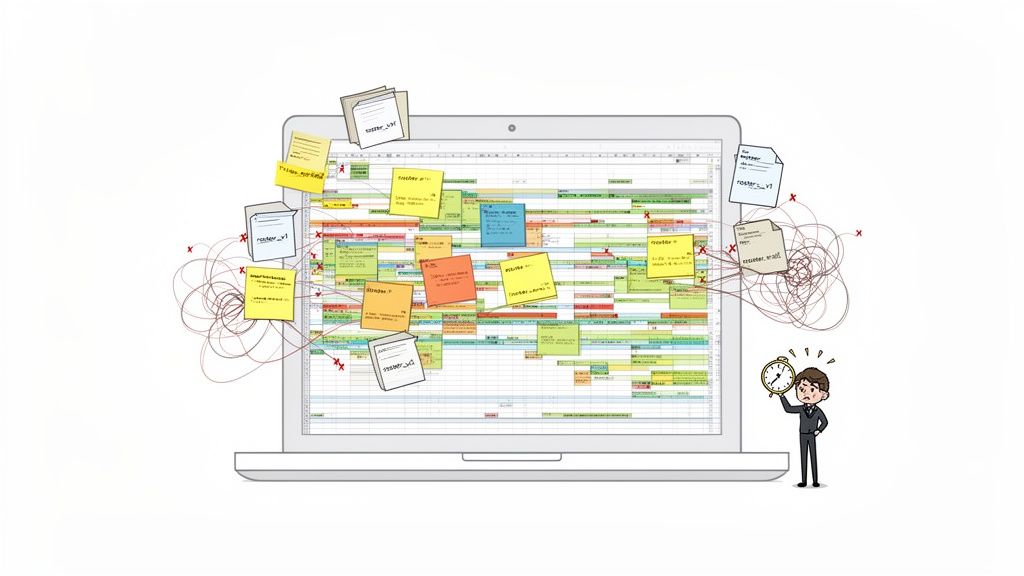
But then, reality sets in. Color-coding starts creeping in to track different roles. Italics for trainees, bold for supervisors. Then someone needs to swap a shift. You make a quick edit, save it as "Roster_FINAL_v2.xlsx," and email it out, crossing your fingers that everyone opens the right attachment.
Before long, you're sinking hours each week just trying to keep this "simple" document from collapsing under its own weight.
The Real Price of "Free"
That spreadsheet isn't free. Not really. It’s paid for with your time, your focus, and your team’s sanity. Every manual update is a moment you could have spent talking to a customer or coaching a new hire. Every scheduling mistake—an employee showing up for the wrong shift, or no one showing up at all—is a small crack in the foundation of your business.
It creates a low hum of anxiety. Team members text each other to double-check their hours because nobody trusts the "latest version" of the schedule anymore. You find yourself squinting at a mess of colors and notes, trying to decipher if you have enough people to cover the lunch rush.
This isn't just an administrative headache; it's an operational drag. That tangled spreadsheet becomes the source of confusion, frustration, and costly mistakes.
The problem isn't the spreadsheet. It's that we're using a calculator to write a novel. Spreadsheets are brilliant for numbers, but they were never built to handle the messy, human reality of a team's schedule. If you want to dive deeper, we've written about the best shift planning tools to save time that help you get your operations running smoothly.
This isn't about hating spreadsheets. It's about being honest about their limits. It's about recognizing that the frustration you feel is a signal. It means it's time for a calmer, more effective way to get this done.
Getting Your Roster Foundation Right
Before you can build anything better, you have to nail the fundamentals. So let’s get back to basics and build a clean, functional employee roster template from the ground up using a tool everyone has: Google Sheets or Microsoft Excel. This isn't just about listing columns; it's about being intentional with every piece of information.
The goal here is clarity, not complexity. We’re creating something that brings order, not another headache.
Start with the Unbreakable Essentials
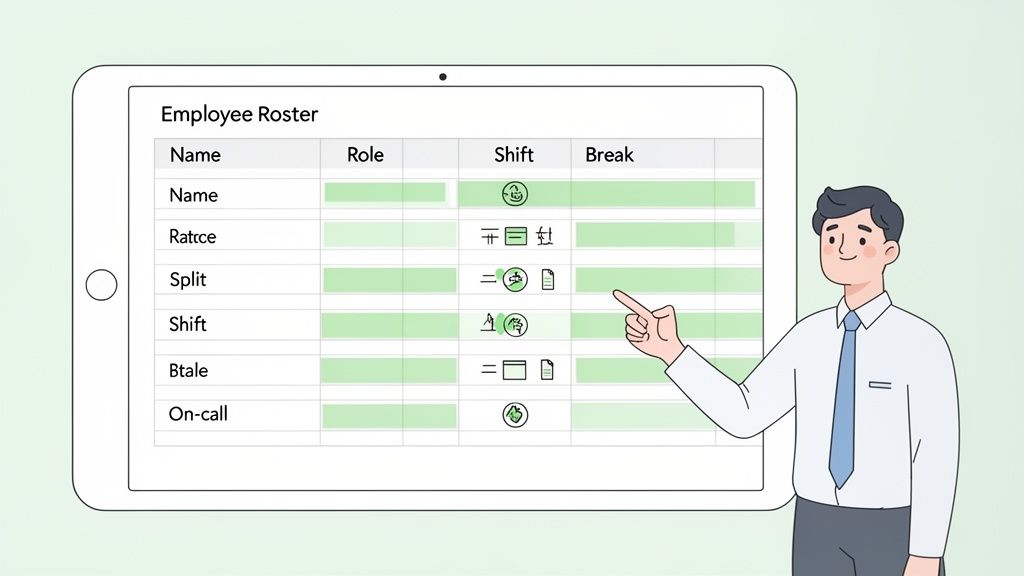
Every solid roster I've ever built answers three simple questions: Who, What, and When. Let's forget the fancy features for a moment and focus on getting this core information right. These are your non-negotiables.
Here's a breakdown of the must-have fields. Think of this as your minimum viable schedule.
Essential Fields for Your Roster Template
Field Name | Data Type | Why It Matters | Example |
|---|---|---|---|
Employee Name | Text | Use full names. Avoid the confusion between "David S." and "David R." It sounds obvious, but you’d be surprised. | Jennifer Aniston |
Role/Position | Text | Defines their function. Are they a "Barista," "Shift Lead," or "Stock Associate"? This brings clarity. | Shift Lead |
Contact Info | Phone Number | This is your lifeline when you need to cover a no-show or communicate an urgent change. Keep it simple and accessible. | (555) 123-4567 |
Shift Times | Time | Be explicit. "9 AM - 5 PM" is clear. "Morning shift" is not. Ambiguity is the enemy. | 9:00 AM - 5:00 PM |
Assigned Breaks | Time | Prevents everyone from disappearing at once and ensures you always have coverage. | 12:30 PM - 1:00 PM |
Nailing this foundation is more than just good admin; it's an operational game-changer. When you standardize these essential details, you cut down on the constant back-and-forth and give your team the clarity they need.
Adding Layers for the Real World
Once the essentials are locked in, you can add columns that solve for the messy realities of your workday. But be intentional. Each new column should solve a real problem, not just add clutter.
Here are a few I've found incredibly useful over the years:
On-Call Status: A simple "Yes/No" tag makes it clear who the backup is. No more frantic group texts.
Split Shifts: For employees working a morning and evening block, add a second set of time columns (e.g., "Shift 2 Start/End").
Location/Zone: If you manage a large space like a warehouse, specifying "Zone A" or "Front Register" tells people exactly where they need to be.
I've learned that the art of building a good roster is in what you leave out. It should have everything you need and absolutely nothing you don’t. Its job is to communicate, not document every possibility.
To truly master this, it helps to understand the workflows that power your business. Getting skilled in modelling business processes can give you a framework to design a scheduling system that’s both sturdy and flexible.
With a clean, logical template, you have more than just a schedule. You have a single source of truth that sets your team up for success.
How to Make Your Roster Actually Work
A clean employee roster template is a great start, but it rarely survives contact with a real workday. Why? Because the frantic energy of a restaurant kitchen is a universe away from the quiet, regulated halls of a hospital.
A generic template is a map. A customized roster is your compass. It doesn't just show you who is working; it helps you navigate the day-to-day realities of your business. That’s when it starts pulling its weight as a real operational tool.
From Generic Grid to a Tool That Knows Your Business
The magic happens when you tweak your roster to match the unique rhythm of your workplace. This isn’t about adding a dozen columns for the sake of it. It’s about asking one question: “What information would make my team’s day less of a headache?”
For a busy retail store, this might mean adding a column for Store Zones. Instead of just knowing Sarah is working from 9 to 5, you know she’s in the ‘Stockroom’ for the first half of her shift and then moves to ‘Cashier’ during the lunch rush. Just like that, everyone knows their post without asking.
In healthcare, the stakes are higher. Compliance isn't a suggestion; it's the law. Here, you could add a column to track essential certifications.
Your roster can do more than just schedule hours; it can be a daily failsafe. A quick glance can confirm the nurse on the night shift has their ACLS certification, stopping a critical compliance slip-up before it happens.
This simple addition transforms the roster from a schedule into a daily compliance checklist.
Making the Roster Mirror Your Workflow
The goal is to make your roster a true reflection of how your team operates. For a logistics crew, this could mean adding columns for Equipment Credentials or Loading Bay Assignments. Knowing who is certified to operate the forklift isn't a "nice-to-have," it's mission-critical. Seeing that John is assigned to Bay 3 prevents bottlenecks and keeps the entire workflow moving.
Here are a few more practical examples:
Hospitality: Add a
Sectioncolumn (e.g., Patio, Bar) to make sure server coverage is balanced.Construction: Include a
Sitecolumn for crews that move between job sites, ensuring everyone shows up to the right place.Call Center: Use a
Skill Groupcolumn (e.g., Tech Support, Billing) to route inquiries to the agents who can actually solve them.
Each of these small tweaks has a massive cumulative effect. You're turning your employee roster from a passive document into an active, strategic tool. You’re no longer just planning time; you're orchestrating the flow of work itself.
Bringing Your Roster to Life
Alright, you've built the perfect employee roster template. It’s a masterpiece of organization, tailored to your team. So, now what?
Let's be real. Even the most polished spreadsheet is a static document. A snapshot in time. The second you email it, it starts to go stale. Versions get crossed, someone calls in sick, and your perfect plan is out of date.
Your business isn’t a photograph; it's a living, breathing thing. The real challenge is making your schedule just as dynamic. This is where we bridge the gap between a simple file and a powerful tool your team can rely on.
From a Spreadsheet to a Single Source of Truth
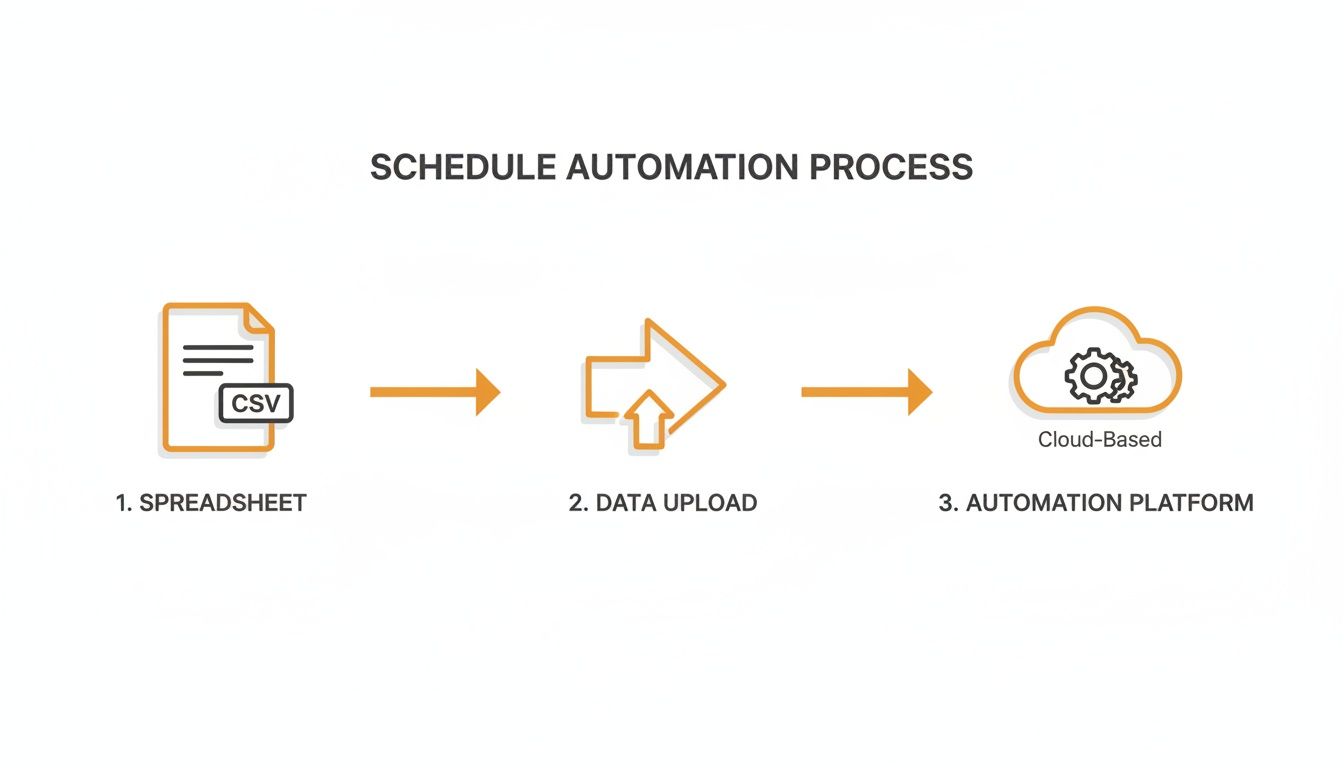
The first move is a simple but crucial one: save your finished roster as a CSV (Comma-Separated Values) file. This strips away all the fancy formatting from Excel or Google Sheets, leaving you with pure, essential data—the names, roles, and times that form the backbone of your schedule. Think of it as prepping the raw ingredients.
This simple act is your first step from old-school admin to modern operations. When you import this clean CSV file into a tool like Pebb, you're not just uploading information; you're giving it a pulse. Your rigid grid becomes a flexible, living schedule that your whole team can access from anywhere. To see how this works in a bigger context, checking out some business process automation examples can open your eyes to what's possible.
The magic happens when you map your columns. The "Employee Name" column from your CSV connects to the "Employee" field in the app. "Shift Start" maps to the schedule's start time. It's surprisingly intuitive.
Here’s a look at how that flat data springs to life.
See the difference? It's no longer just text in a box. It’s an interactive calendar with clear visual timelines, updated in real time for everyone.
Why This Shift Matters So Much
This is about more than saving a few minutes on data entry. It’s a fundamental upgrade in how your team communicates. When your roster lives inside a connected platform, it stops being a document you send out and becomes a central hub where you get work done.
A schedule isn't just a list of times. It's a promise to your team and your customers about who will be where, and when. A static file is a fragile promise; a living schedule is one you can actually keep.
Suddenly, a manager can handle a last-minute sick call by sending an alert for an open shift. Qualified team members get the notification and can claim it right from their phones. This is the kind of agility you get with a modern employee shift scheduling app that keeps everyone connected.
That simple, manual task of creating a spreadsheet becomes the gateway to a more resilient, organized workflow. You’re not just managing a roster anymore. You're building the reliable operational heartbeat for your entire team.
Why a Unified Roster Changes Everything
For years, we've treated the employee roster like a simple admin document—something you create, email out, and forget. But that’s a huge missed opportunity. Your roster is the operational heartbeat of your team.
When it lives inside a unified tool, it stops being a static schedule. It becomes part of a much larger, more natural workflow. Suddenly, it’s not an island of information but a connected piece of your team’s daily conversation.
This is the fundamental shift from just managing hours to orchestrating how work gets done.
More Than Just a Schedule
Disconnected spreadsheets create friction. They just do. But when the roster sits right next to your team chat, announcements, and task lists, things click into place. A manager can post an open shift and instantly notify everyone without jumping between apps.
An employee can see their schedule and immediately message a coworker to arrange a swap, all in the same place. It’s about removing those tiny, frustrating steps that drain time and energy. You're handing the whole team a single, reliable source of truth.
This simple flow shows how a basic spreadsheet can be transformed from a static file into a dynamic operational tool once it’s brought into a central platform.
The real insight here isn’t just about having a digital roster; it’s about connecting that roster to everything else your team is already doing.
A Single Place for Everything
This move toward integrated systems isn’t just a hunch. A 2023 report from Lattice found that high-performing HR teams are far more likely to use integrated tools. They’re actively moving away from isolated systems and toward unified platforms. You can dive deeper into these insights on integrated people management tools.
An employee roster template is a starting point, not the destination. Its real power is unlocked when it becomes the foundation for a living, breathing schedule that’s woven into the fabric of your team's communication.
Ultimately, it’s about turning a tedious task into a seamless part of the daily conversation. This isn't just about shaving off a few minutes; it's about making work feel less like a series of disconnected chores and more like a coordinated effort. When the tools get out of the way, the actual work can take center stage.
We Hear You: Your Roster Questions Answered
I get it. Moving away from that old, familiar spreadsheet can feel like a big leap, and it brings up a lot of questions. As teams start to rethink their employee rosters, a few common worries always seem to surface.
Here are the straight-up answers to the questions we hear most often.
What’s the Best Format for a Roster Template?
For a do-it-yourself roster, you can’t go wrong with a simple spreadsheet from Google Sheets or Microsoft Excel. The trick is to find the sweet spot between enough detail and a clean, readable layout. Stick to the essentials: Name, Role, and the days of the week.
Now, here’s the key: when you’re ready to import that roster into a scheduling tool like Pebb, your best bet is to save it as a CSV (Comma-Separated Values) file. Trust me on this. Avoid things like merged cells or fancy color-coding. They might look nice, but they almost always cause import errors and make the roster impossible to read on a phone.
How Should I Handle Last-Minute Shift Changes?
Ah, the classic weakness of any static template. You could add a 'Notes' column, but that’s a band-aid. The real solution is to use your roster template as a foundation and then manage the live, day-to-day schedule in a dedicated app.
A schedule isn't a fixed document; it's a living agreement with your team. Last-minute changes are inevitable, but the chaos they cause is not.
Once your roster is uploaded into a platform, you can adjust shifts on the fly and instantly notify the employees who are affected. Better yet, you can offer up open shifts for others to claim. This keeps everything accurate and saves you from the nightmare of figuring out which version of the spreadsheet is the right one. This is especially helpful when you need a flexible shifts schedule template that can keep up with reality.
Is It Safe to Put Pay Rates on the Roster?
In a word: no. I strongly advise against this. A roster is often shared widely—posted on a wall, sent in a group chat, or emailed around. Tossing sensitive information like pay rates, home addresses, or personal phone numbers onto it creates a massive privacy risk.
The roster has one job: tell everyone who is working, when they're working, and what they're doing. That's it.
All that confidential employee data belongs in a secure, access-controlled system, like your HR or payroll software. Keep the roster clean, focused, and safe for everyone’s eyes.
Ready to finally ditch the static spreadsheets? With Pebb, you can turn your simple roster into a dynamic, interactive schedule your whole team can actually use. Bring your communication, operations, and scheduling together in one simple app. Learn more about Pebb.
