
8 Practical Employee Roster Sample Templates for 2026
Stop guessing. Get our 8 best employee roster sample templates, from shift schedules to skill tracking. Downloadable and ready to use in your business.
Dan Robin
We’ve all been there. Staring at a spreadsheet, trying to piece together who works when. An employee roster starts simple, then life happens. A sick day, a last-minute swap. Suddenly, your perfect grid is a mess of crossed-out names and frantic notes. It’s a quiet headache that eats up hours.
But what if a roster wasn't just about plugging names into a schedule? What if it brought clarity, not chaos?
After managing teams for years, we learned that a good roster is less about filling boxes and more about understanding the rhythm of your operation. It’s about knowing you have the right people, with the right skills, in the right place. And here’s the thing: you don’t need a complicated system. You just need a better starting point.
We put together a few simple, powerful employee roster sample templates we wish we’d had from day one. These aren’t just files to download; they’re battle-tested solutions to real problems. Let’s walk through them.
1. Shift-Based Staff Roster
When your business doesn't sleep, your roster can't afford to either. A shift-based roster is the backbone for any place that runs outside the 9-to-5, from a busy emergency room to a 24/7 warehouse. It’s less a list and more a map, showing who covers the morning, afternoon, or graveyard shift. It gives you a clear view of the entire day at a glance.
This kind of employee roster sample is essential for keeping service consistent and avoiding burnout. By clearly defining shifts, you make sure every hour is covered and handovers are smooth. No gaps, no dropped balls.
Why it matters
A shift-based model is non-negotiable for industries with round-the-clock demands.
Healthcare: Hospitals and clinics need it for continuous patient care.
Retail: Stores use it to manage staff during peak hours and quiet periods.
Logistics: Warehouses need it to keep supply chains moving, day and night.
Our take: The real power here isn't just filling slots; it's anticipating needs. By tracking shift patterns over time, you can build smarter, more predictable schedules. That means better morale and less last-minute scrambling.
How to make it work
A little planning goes a long way. Use simple color-coding (e.g., green for assigned, yellow for tentative) to make the schedule easy to read. We also learned to build a small buffer into shift handovers to ensure a smooth transition.
A dedicated tool helps a lot. An employee shift scheduling app can automate this, handling availability and shift swaps without the back-and-forth. The most important part? Share the roster at least two weeks in advance. It’s a simple act of respect that gives your team time to plan their lives.
2. Department-Based Roster
When you need to see the big picture, a department-based roster is your organizational chart brought to life. It groups people by their team: engineering, marketing, HR, and so on. It’s less about when people work and more about who they work with. This clarifies reporting lines and shows how your whole business fits together.
This employee roster sample is all about clear communication. When anyone can find the right person for a question, silos break down and projects move faster.
Why it matters
A department-based roster is invaluable for any growing organization.
Tech Companies: It organizes complex teams and makes cross-functional projects run smoother.
Healthcare Systems: It separates clinical and administrative staff, so communication follows the right channels.
Corporate Offices: It provides a clear overview of who does what, making it easy to direct inquiries.
Our take: This roster is more than a directory. It’s a foundation for planning. By seeing your departmental structure, you can spot resource gaps, find opportunities for people to move internally, and make sure your team design actually matches your goals.
How to make it work
This roster needs to be a living document. Link it to a central employee directory so contact details and roles are always up-to-date. We learned to update it the moment a promotion, transfer, or new hire happens. No confusion.
For a modern approach, create dedicated channels in your communication tool for each department. This connects your roster directly to where the work happens. Always include backup contacts for critical roles to keep things running.
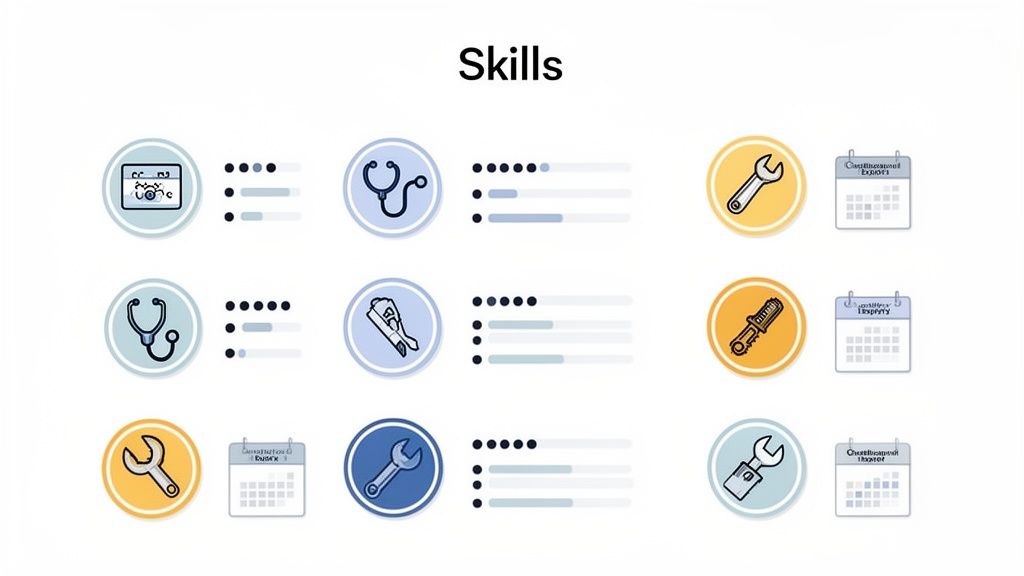
3. Skills and Competency Roster
Knowing who’s on your team is one thing. Knowing what they can do is another. A skills roster maps out the unique talents and certifications within your organization. It's less a list and more an inventory. Who knows Python? Who’s certified in pediatric care? This clarity turns your team into a toolkit where you can always find the right person for the job.
This employee roster sample is your secret weapon for assigning tasks well and helping people grow. You ensure complex projects are handled by experts, which boosts quality and reduces risk. It also uncovers hidden talents and identifies skill gaps before they become problems.
Why it matters
A skills-based roster is crucial for any business where specific qualifications matter.
Healthcare: Hospitals use it to staff specialized units, ensuring nurses with ICU certifications are where they’re needed most.
Manufacturing: Facilities track who is certified to operate heavy machinery, which is vital for safety.
Tech Companies: It helps project managers assemble teams by tracking who has the right technical experience.
Our take: A skills roster is a map of your company's potential. By actively managing it, you can identify rising stars, spot opportunities for training, and build a more resilient team that can adapt to anything.
How to make it work
To make this work, define clear skill categories relevant to your business (e.g., technical, linguistic, leadership). We recommend setting calendar reminders for certification renewals 60-90 days before they expire to stay ahead of compliance.
The best way to keep it accurate is to let your team manage their own profiles. Modern tools allow employees to update their skills, keeping the roster current with minimal effort from you. Then, use this data to inform your training budget, focusing on the skills your company actually needs.
4. On-Call and Emergency Response Roster
When a crisis hits, knowing who to call is everything. An on-call roster is your command center for when things go wrong. It’s more than a list of names; it’s a clear chain of command showing who is available, their contact details, and what to do if they don’t answer. It’s how you maintain control when things get chaotic.
This employee roster sample is the bedrock of business continuity. By clearly defining on-call schedules, you ensure that every emergency, from a server crash to a building flood, gets a swift and organized response.
Why it matters
This roster is essential for any operation where immediate action is required.
IT Operations: Teams use it to handle critical alerts and guarantee system uptime 24/7.
Healthcare: Hospitals use it for physician on-call rotations, ensuring specialists are always reachable.
Facilities Management: It’s crucial for managing building emergencies like power outages or security breaches.
Our take: The real value here is building resilience. It’s not just about reacting to problems; it’s about creating a system that learns from them. Documenting response times and outcomes helps you refine your processes, turning chaos into a well-oiled machine.
How to make it work
A good on-call schedule is a fair schedule. Post assignments at least four to six weeks in advance to give your team time to plan. Rotate duties fairly to prevent burning out your best people.
Your roster should live alongside your procedures. We recommend creating a dedicated space where the on-call schedule, contact lists, and escalation protocols are accessible on mobile. This ensures your team knows exactly what to do, even under pressure. Documenting all incidents with timestamps is also vital for learning and improving.
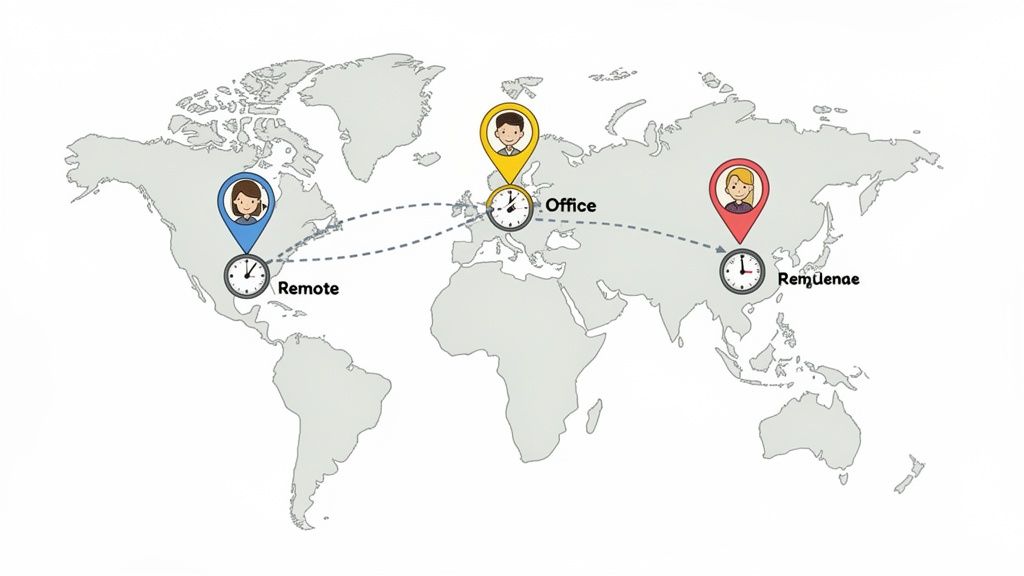
5. Multi-Location and Remote Employee Roster
When your team is scattered across cities or countries, a simple list of names won't cut it. A multi-location roster is your command center for a distributed workforce. It tracks not just who is on your team, but where they are and what time zone they’re in. It's a vital tool for connection, ensuring no one feels like they’re on an island.
This employee roster sample is the glue that holds geographically diverse teams together. By centralizing location details, you can coordinate projects, schedule meetings respectfully, and build a cohesive culture, no matter the distance. It’s a single source of truth for a team that doesn't share an office.
Why it matters
This roster is essential for any organization that operates beyond a single building.
Global Enterprises: They use it to manage distributed teams, keeping track of local holidays and work hours.
Retail Chains: They rely on it to coordinate between corporate offices and individual store locations.
Healthcare Systems: Hospitals with multiple clinics need it to ensure seamless alignment across their network.
Our take: A distributed roster isn't just about logistics; it's about fairness. By displaying time zones prominently, you encourage everyone to be mindful of their colleagues' schedules. This leads to more inclusive meeting times and better collaboration. It turns a logistical challenge into a cultural strength.
How to make it work
Focus on clarity. Use clear labels for each employee’s status: "Office-Based (NYC)," "Remote (PST)," or "Hybrid." We also recommend including local contact info for each office to streamline communication.
A unified platform helps. You can see how employee intranet platforms help staff stay connected by centralizing this information. One last thing: try scheduling team meetings at rotating times. It’s a small gesture that shows you value everyone’s time.
6. Temporary and Contract Worker Roster
Managing a flexible workforce requires an equally adaptable roster. A roster for temporary and contract workers is designed for non-permanent staff, from seasonal hires to specialized contractors. It’s a command center for tracking contract start and end dates, project assignments, and access rights. This ensures your temporary team members are integrated smoothly without creating compliance headaches.
This employee roster sample is crucial for businesses that scale their teams based on demand. By tracking contract terms in one place, you maintain control and can easily assess performance for future hiring decisions.
Why it matters
This roster is indispensable for any organization that relies on a fluid workforce.
Retail: It's essential for managing seasonal staff during holiday rushes.
Healthcare: Hospitals use it to track agency nurses and temporary medical staff.
Tech: Companies use it to track contract developers hired for specific projects.
Our take: The real value here is foresight. Clearly marking contract end dates allows you to manage offboarding proactively, review performance, and plan your talent pipeline without last-minute chaos. It turns a reactive process into a strategic one.
How to make it work
Clarity is key. We recommend using distinct labels or colors to differentiate contractors from permanent staff. It's also vital to document key contract details directly on the roster, like the agency name and end date.
Integrating this roster with a platform that supports custom workflows is a game-changer. You can set up specific onboarding for contractors so they get the right information and access from day one. Document their performance to inform rehire decisions, and include them in team communications to make them feel part of the team.
7. PTO and Leave Management Roster
Managing time off is a balancing act. A PTO roster is designed to track vacation, sick leave, and personal days with total clarity. It’s an operational necessity that ensures you always have the right people on deck, even when half the team is on a well-deserved break. It gives you a central view of all absences, preventing overlaps and staffing gaps before they happen.
This employee roster sample transforms leave management from a reactive scramble into a proactive strategy. You get a clear picture of who’s out when, helping you maintain productivity without the last-minute chaos.
When and Why to Use This Roster
A dedicated leave roster is crucial for any business that needs consistent coverage. When creating one, a clear understanding of What is PTO Leave is fundamental for accurate tracking.
Corporate Offices: Essential for planning around holidays to ensure project deadlines are still met.
Healthcare: Helps managers approve leave without compromising patient-to-staff ratios.
Manufacturing: Prevents slowdowns by ensuring critical roles are always covered.
Our take: A leave roster does more than just track days off; it reveals patterns. By analyzing when people request time off, you can anticipate your busiest leave seasons and plan staffing levels months in advance. It turns a potential headache into a predictable part of business.
How to make it work
Make your leave roster transparent. Start with a clear leave policy that’s easy for everyone to find. Set advance notice requirements, like two weeks for vacation, to give managers time to adjust.
A modern tool can automate the whole process. With an employee time off app, managers get instant notifications of requests, and employees can see their leave balances in real time. This simple change builds trust and keeps everyone on the same page.
8. Performance and Compliance Roster
What if a roster could tell you how your team is working? A performance and compliance roster moves beyond scheduling to become a command center for employee development. It tracks key metrics like certifications, training completion, and performance reviews. It’s a strategic overview of your team's capabilities and adherence to standards.
This employee roster sample provides a single source of truth for HR and managers. It connects the dots between daily operations and long-term organizational health, ensuring your team is not only present but also prepared and proficient.
When and Why to Use This Roster
This advanced roster is critical for industries where skills and compliance are required, not just recommended.
Healthcare: Hospitals use it to track clinical competency, patient safety metrics, and mandatory certifications like HIPAA.
Financial Services: Firms rely on it to maintain a clear audit trail of compliance training for every team member.
Manufacturing: Facilities track safety training completion to maintain a safe and productive environment.
Our take: The real value here is predictive. It allows you to move from reactive problem-solving to proactive talent development. By spotting trends early, you can identify high-potentials for mentorship or flag skill gaps before they become critical issues.
How to make it work
Confidentiality and clarity are everything. Maintain strict access controls, limiting visibility to authorized managers and HR. Use the data to celebrate achievements, not just to flag problems.
Consider including a section for employee self-assessments to foster a healthy dialogue during performance reviews. You can also create automated reminders for upcoming training deadlines. The goal is to build a system that supports growth while protecting the organization.
8 Employee Roster Template Comparison
Template | 🔄 Implementation Complexity | ⚡ Resource Requirements | 📊⭐ Expected Outcomes | Ideal Use Cases | 💡 Key Advantage / Tip |
|---|---|---|---|---|---|
Shift-Based Staff Roster Template | Medium — recurring updates, multiple shift types | Moderate — scheduling tools, timeclock integration, manager time | ⭐⭐⭐⭐ Improved shift coverage; fewer overtime incidents; quick understaffing visibility | 24/7 operations: hospitals, retail peaks, warehouses | Share rosters ≥2 weeks ahead; use consistent color-coding |
Department-Based Roster Template | Low–Medium — updates after org changes | Low — people directory, HR input | ⭐⭐⭐ Clear org hierarchy; faster internal communication and role lookup | Mid-to-large enterprises, onboarding, matrix teams | Link to searchable People Directory; update on promotions/transfers |
Skills and Competency Roster Template | High — initial population and ongoing validation | High — training records, certification inputs, assessment tools | ⭐⭐⭐⭐ Better task assignment; identifies skill gaps and compliance risks | Healthcare, manufacturing, professional services, tech staffing | Automate certification reminders (60–90 days); encourage self-updates |
On-Call and Emergency Roster Template | High — escalation chains and strict SLAs | Moderate–High — real-time comms, incident logging, compensation tracking | ⭐⭐⭐⭐ Faster incident response; clear escalation; reduces duplicate coverage | Emergency services, hospital EDs, IT ops, facilities | Post schedules 4–6 weeks ahead; document incidents with timestamps |
Multi-Location & Remote Employee Roster Template | Medium — time zones and location changes | Moderate — location data, timezone displays, regional configs | ⭐⭐⭐ Improved scheduling across zones; clearer location-based communication | Global enterprises, remote-first tech, distributed retail | Show local timezones on profiles; create location-based Spaces |
Temporary & Contract Worker Roster Template | Medium — contract lifecycles and agency coordination | Moderate — contract docs, onboarding workflows, compliance checks | ⭐⭐⭐ Prevents contract expiry oversights; faster onboarding/offboarding | Seasonal retail, agency-staffed healthcare, contract dev projects | Mark contract end dates to trigger offboarding and access removal |
PTO & Leave Management Roster Template | Medium — leave policies and payroll integration | Moderate–High — payroll links, approval workflows, reporting | ⭐⭐⭐⭐ Prevents coverage gaps; transparent leave balances and trends | All organizations, critical in healthcare/retail/manufacturing | Integrate PTO with shift schedules; notify managers of upcoming absences |
Performance & Compliance Roster Template | High — sensitive data, consistent scoring and governance | High — analytics, secure access controls, manager participation | ⭐⭐⭐⭐ Comprehensive view of performance and compliance; identifies risks and high performers | Regulated industries (healthcare, finance), enterprises with governance needs | Restrict access; use analytics for trends and development actions |
A Roster Is a Conversation, Not a Command
We’ve walked through a lot of templates. Shift-based grids, department layouts, rosters for emergencies and remote teams. It can feel like a lot. But let’s be honest, an employee roster is just a grid on a screen. Its real power isn’t in the columns or colors. It’s in what that grid represents: a plan for how a team promises to spend its time together to get important work done.
The most common mistake we see is treating a roster as a finished product. A static command sent from on high. But the best roster is a living document. It has to breathe, because it’s built for humans, and human lives are messy. People get sick, kids have appointments, and sometimes a mental health day is non-negotiable. The templates we’ve shared are starting points, not final answers. Their purpose is to give you a solid foundation you can adapt to the unique rhythm of your team.
For years, we’ve found a simple truth holds up: when you treat scheduling as a conversation instead of a top-down directive, everything works better. It’s a subtle but profound shift. When people have a voice in how their time is structured, they feel respected. They see the roster not as something done to them, but as something they are a part of. This sense of ownership is powerful. It reduces no-shows and last-minute scrambles to find cover.
Ultimately, a good roster isn't just about assigning tasks; it helps create an environment where people feel heard. To make it a real conversation, you have to be serious about fostering a speak up culture. When employees feel safe enough to flag a conflict or suggest a better way to structure shifts, you unlock an efficiency that no rigid template can offer. The employee roster sample you choose is just the tool. The culture you build around it is what makes it work.
So, take a look at your current roster. What does it say about how you see your team? Is it a command, or is it the start of a conversation?
Tired of juggling spreadsheets and disconnected apps to manage schedules, time clocks, and team chat? We built Pebb to bring it all together in one simple, calm platform. See how you can build rosters that work for everyone and connect your entire team at Pebb.
