
Your Employee Onboarding Form Is Broken. Here's a Better Way.
Ditch the broken first-day experience. Use our employee onboarding form template to save time, reduce paperwork, and create a genuine welcome.
Dan Robin
Let’s be honest. First days are a mess. You walk in, buzzing with excitement, and get buried under a mountain of paperwork. It’s an administrative gauntlet, not a warm welcome. We’ve all been there.
A great first day, the kind that makes someone feel like they made the right choice, starts long before they walk through the door. It starts with a simple, thoughtful tool: a well-designed employee onboarding form.
Why Most First Days Just Don't Work
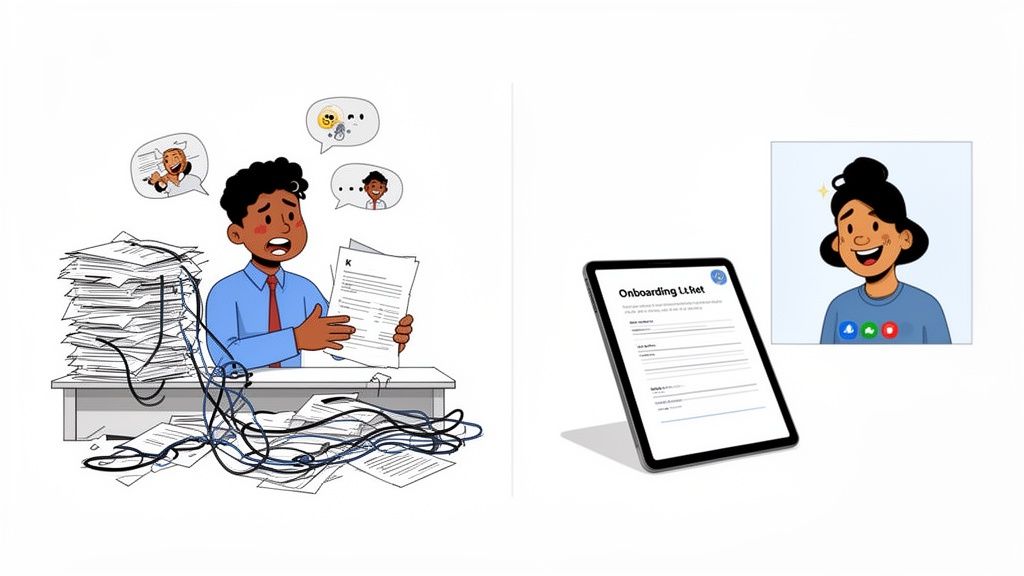
Think about the typical day one. You’re answering the same questions over and over. You’re shaking hands with people whose names you immediately forget. You feel more like a piece of admin than a new teammate.
This isn’t just awkward; it’s a massive missed opportunity. Your first day is the single best chance you have to prove your company culture isn't just a poster on the wall. It’s when you make a new hire feel seen, prepared, and genuinely excited to contribute. The chaos of a typical first day does the exact opposite.
The Real Cost of a Bad First Impression
When a new hire feels lost from the start, the consequences are real. A measly 12% of employees think their company does a good job with onboarding. That poor first impression has a quick and brutal impact.
Research shows that 70% of employees decide whether to stay or leave a company within the first month. On the other hand, companies with strong onboarding see new hire retention jump by 82% and productivity soar by over 70%.
The good news? You don't need to tear down your whole process to fix this. It starts by swapping the paperwork chaos for a simple, human-first approach.
Onboarding isn't just about compliance and paperwork. It's your first, best chance to show a new teammate that they made the right choice in joining you.
For the distributed teams many of us are leading now, a messy process is even more damaging. You can’t rely on a friendly office tour and a team lunch to build a connection. Your process has to do all the heavy lifting.
This is where a thoughtful employee onboarding form becomes a game-changer. It’s not just about collecting data. It’s about starting a conversation, anticipating needs, and turning an administrative task into a genuine welcome. As we cover in our guide to job orientation, this simple form sets the tone for everything that comes next.
The Only Employee Onboarding Form Template You Need
We've talked enough about the theory. Let's get practical. This is the form template we’ve refined over years of welcoming new people, and I want to walk you through not just the what, but the why behind each section.
This isn't a list of questions; it's a strategic tool. It's designed to get everything HR, IT, and a hiring manager could need in a single request. More importantly, it’s built to make your new hire feel seen and valued from the very first touchpoint.
Think of it as the first step in a good conversation.
We break our form into four parts, balancing the need-to-know administrative details with the nice-to-know personal touches that make all the difference.
Core Components of a Human-Centered Onboarding Form
Section | Objective | Example Fields |
|---|---|---|
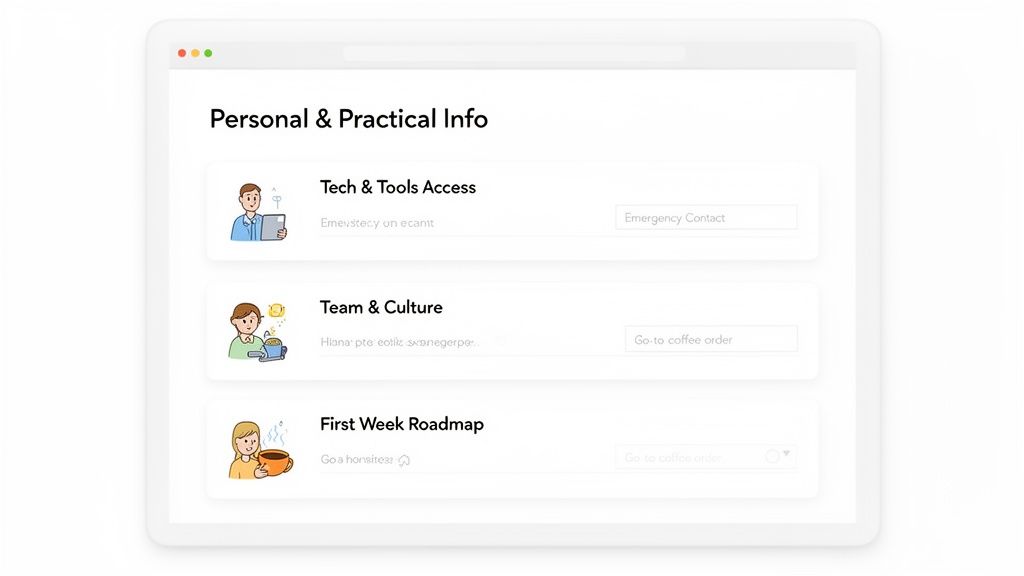
Personal & Practical Info | Gather essential HR/payroll data while showing you care about the individual. | Legal Name, Preferred Name & Pronouns, Emergency Contact, T-Shirt Size, Go-To Coffee Order. |
Tech & Tools Access | Proactively set up all necessary hardware and software to ensure a smooth, frustration-free first day. | Hardware Preference (Mac/PC), Required Software Accounts (Slack, Pebb, etc.), Home Office Shipping Address. |
Team & Culture Introduction | Collect conversation starters and personal insights to help integrate the new hire into the team. | A Fun Fact, Feedback Style Preference, What they're excited to learn. |
First Week Roadmap | Set clear, simple expectations for the first few days to reduce anxiety and create a sense of purpose. | Link to First-Week Agenda, Key Intro Meetings, Important Documents to Review. |
Each of these sections plays a critical role. Let's dig into what makes each one work.
Getting The Basics Right: Personal and Practical Info
This is where you collect the essentials—the information for payroll, legal, and basic logistics. But even this can have a human touch.
We deliberately mix the must-haves with small questions that signal you're welcoming a person, not just processing a file.
Full Legal Name and Preferred First Name & Pronouns: Starting with respect is always the right move.
Contact Information: Their personal phone number and email.
Mailing Address: For payroll, benefits info, and maybe a welcome kit.
Emergency Contact: A name, their relationship to the employee, and a phone number. This is a must.
Your Go-To Coffee (or Tea) Order: A tiny detail, but it makes their first-day coffee run feel thoughtful.
T-Shirt Size: Company swag is great, but a t-shirt that actually fits is better.
This approach lets you gather critical data without making your new hire feel like they're filling out tax forms.
A great onboarding form asks for what you need, but it also asks a question or two just to show you’re listening. It’s the difference between processing a person and welcoming a teammate.
Of course, some information is more sensitive. For many roles, you'll need to handle confidentiality from day one. This is the perfect time to include a clear Non-Disclosure Agreement (NDA) template, ensuring legal protections are in place before they start.
Setting Them Up For Success: Tech and Tools
I've seen it a hundred times: a new hire's excitement dies because they can't log into their email. This section is your best defense against that common mistake.
By collecting this information upfront, you give your IT team a head start. When the new hire opens their laptop, everything should just work.
Where possible, offer a little choice. Letting someone pick between a Mac or PC gives them a small sense of ownership before they even begin.
Hardware Preference: Laptop (Mac/PC), monitor, keyboard, and mouse.
Software Accounts Needed: List the core tools they'll need (e.g., Pebb, Slack, Figma, Google Workspace).
Home Office Shipping Address: This is a separate, critical field for remote employees. Don't assume it's the same as their mailing address.
Bridging The Gap: Team and Culture Introduction
Now the form shifts from logistics to human connection. The goal here is to gather a few personal details to help introduce them to their new colleagues and give their manager some insight. These aren't just icebreakers; they're strategic data for building relationships.
A Fun Fact About Yourself: Introduction gold for their first team meeting or welcome announcement.
How do you like to receive feedback? This question is incredibly powerful. It gives their manager a blueprint for effective communication from the start.
What are you most excited to learn in this role? Knowing this helps you connect their first tasks to their personal goals, making the work feel more meaningful.
Charting The Course: The First Week Roadmap
Finally, address the number one fear of any new employee: showing up with no idea what to do. This section provides a simple preview of what to expect.
This isn’t a minute-by-minute itinerary. It’s a clear guide to their first few days, highlighting key meetings, who they'll be talking to, or some documents to read.
This simple act of preparation sends a powerful message: "We've been expecting you, we're excited you're here, and we have a plan." That feeling of being wanted and prepared for is the foundation of a fantastic start.
How to Customize Your Onboarding Form for Any Role
A good employee onboarding form template is a foundation, not the finished house. It's a great starting point, but it's never the end. Let’s be real—the needs of your new software developer are completely different from those of your new restaurant manager. A one-size-fits-all approach is a missed opportunity.
The real magic isn't in the template, but in how you tailor it. Customization is where you prove you’ve actually thought about the person you just hired and the job they’re doing. It’s the difference between a generic packet and a genuine, “We’re so glad you’re here.”
Beyond the One-Size-Fits-All Approach
Let's get practical. A tech lead hiring an engineer needs to know their hardware preference. Mac or PC? Single or dual monitors? These aren't minor details; they are the tools of their craft. Asking this upfront means their workstation is ready, not a problem to solve on their first day.
On the other hand, a restaurant manager has a different checklist. They need to confirm a uniform size and ask if the new hire has a valid food handler certification. Forgetting these things creates friction that could have been easily avoided.
Customizing your form isn't about adding more questions. It's about adding the right questions—the ones that show you see the individual and understand their specific role.
Adding these role-specific fields is simple foresight. It sends a powerful signal that you’re prepared for them and value their contribution from the beginning.
Practical Examples of Smart Customization
Let’s move from theory to action. Here’s how you could tweak the core template for a few different roles:
For a Software Developer:
What is your preferred laptop (Mac/PC)?
Do you have a preference for a specific keyboard or mouse?
Which code editor do you typically use?
For a Retail Associate:
What is your T-shirt and polo shirt size?
Are you available for weekend shifts?
Do you have previous experience with our POS system?
For a Graphic Designer:
Please share a link to your online portfolio.
Do you primarily use Adobe Creative Suite, Figma, or other tools?
What’s one brand whose design you really admire and why?
These aren't deeply personal questions, but they are deeply practical. They clear roadblocks and show respect for the new hire’s professional needs. Each tailored question is a small investment that pays off by making someone feel instantly understood.
This level of detail turns the onboarding form from a hurdle into a strategic tool. If you're looking for more inspiration, we have a list of thoughtful onboarding survey questions for new hires that can help spark some ideas.
At the end of the day, a generic process gets you a generic start. A thoughtful, customized process shows you care. That’s the most powerful first impression you can make.
A Form Is Not a Process
So, you’ve made a great onboarding form. That’s a fantastic first step. But if it just gets saved as a PDF and emailed around, you’re missing the point. The real magic happens when you turn that static form into an active part of your process.
This is the moment you stop just collecting information and start using it. The goal is to get that data flowing where it needs to go—to HR, IT, and the new hire's manager—without anyone having to copy and paste a thing. It’s about making everyone’s life easier, especially the new person.
A structured process isn't just about ticking boxes; it’s proven to get new hires contributing faster, boosting their productivity by over 70%. And since managers account for about 70% of the variance in team engagement, giving them a process that works is a massive win. You can dig into more onboarding checklist strategies at uKnowva.com.
From Form to Actionable Workflow
Picture it. A new hire finishes their form and hits "submit." Instead of that information landing in a digital filing cabinet, a chain of events kicks off automatically. Their data doesn't just sit there; it gets to work.
That’s what happens when you plug your form into a central hub like Pebb. You’re building a smart workflow that handles the tedious tasks, freeing you up to focus on the human side of onboarding.
This simple flow shows how you move from a standard template to a form that’s customized and ready for action.
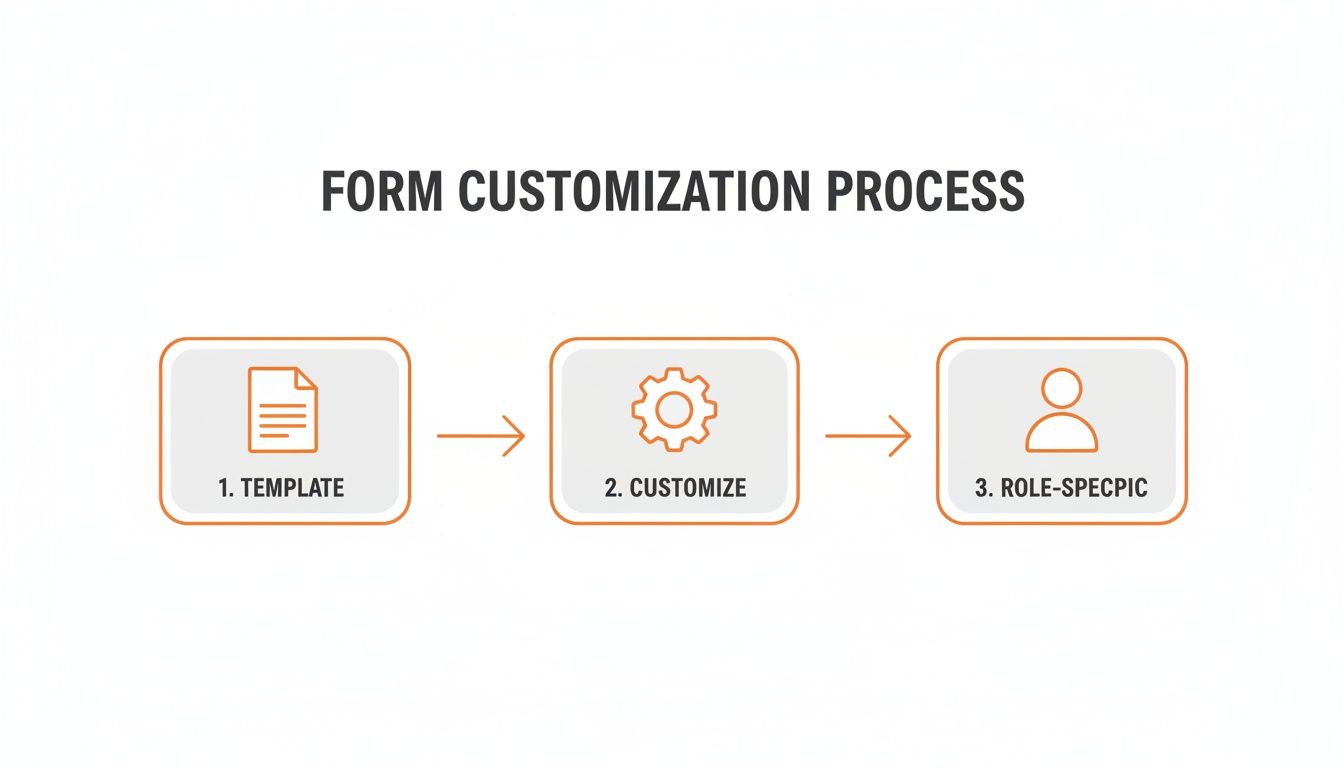
The key takeaway is that customization is just the start. What you do with that information is what truly matters.
How Pebb Automates with a Human Touch
Inside a tool like Pebb, your onboarding form becomes the trigger for smart actions designed to make your new team member feel prepared and genuinely welcomed.
Here’s a glimpse of what that looks like:
Instantly Create a Rich Employee Profile
The basic details from the form—name, title, department—can automatically populate a new hire’s profile in Pebb’s People directory. But what makes it special are the personal tidbits you collected, like their favorite coffee order or a fun fact. These details bring their profile to life and give teammates an easy way to connect.
Generate a "First Week" To-Do List
Based on the new hire's role, you can automatically assign a pre-built task list from Pebb Tasks. For a new designer, tasks might include "Schedule a 1:1 with your manager," "Join the #design-team channel," and "Review our brand style guide." They log in on their first morning and see a clear plan instead of a blank slate.
Assign Key Reading from Your Knowledge Library
You can also automatically point new hires to essential documents in your Pebb Knowledge Library. A new account executive might be assigned the latest sales playbook, while an engineer gets the team's coding standards. They have the information they need at their fingertips, empowering them to find answers on their own.
When all your company knowledge lives in one organized hub, new hires feel empowered from the start.
The goal isn't just automation; it's intelligent connection. It’s about using the information you’ve thoughtfully collected to make someone’s first few days smoother, clearer, and more welcoming.
For instance, you could use that "fun fact" they shared to auto-draft a welcome message for the company's main chat channel. It’s a small, automated touch that feels incredibly human. This is how a simple employee onboarding form template becomes the engine for a fantastic first experience.
From a Single Form to an Ongoing Conversation
That first onboarding form is a great start. But it’s just that—a start. If the conversation stops there, you’re missing the point. Onboarding isn’t a one-and-done event; it’s a journey that takes shape over the first few months.
So many companies get this wrong. They pour all their energy into a packed first week, then… radio silence. The excitement wears off, the new hire feels a bit lost, and small points of confusion turn into major frustrations.
This is where you can make a real difference.
Beyond the First Week
Think of that initial form as your launchpad, not the destination. The real magic happens when you turn that one-time data collection into a continuous conversation. For us, that means checking in at key milestones: 30, 60, and 90 days.
This isn’t about micromanaging. It's about listening. It’s how you catch confusion before it snowballs into frustration. It's how you solve small problems before they become reasons for someone to start looking elsewhere. This approach transforms onboarding from a sprint into a thoughtful journey.
In a world where many of us are remote, these check-ins are lifesavers for retention. A staggering 86% of new hires decide whether they'll stay with a company within their first six months. The best practice is to use 5-8 distinct onboarding templates, including dedicated forms for the first week, 30, 60, and 90-day check-ins.
Sample Questions for Ongoing Check-Ins
These follow-up forms should be short, focused, and designed to get honest feedback. They’re less about logistics and more about the human experience.
Here are a few questions we’ve found incredibly helpful:
At 30 Days (Focus on Role Clarity):
On a scale of 1-5, how well does your day-to-day work match the job description?
What's one thing that would help you feel more successful right now?
Have you had enough support from your manager and team?
At 60 Days (Focus on Team & Culture):
Do you feel like you’re a part of the team?
What’s one thing you’ve learned about our company culture that surprised you?
Is there anyone you wish you had more time to connect with?
At 90 Days (Focus on Future & Growth):
Do you see a clear path for growth here?
What part of your job are you most excited about for the next three months?
What’s one piece of advice you’d give our next new hire?
The goal of these check-ins is simple: to make sure no one is quietly struggling. It’s about building trust by showing you’re still paying attention long after the first-day welcome cake is gone.
This practice of extending the conversation is just as critical as the initial data-gathering. In fact, it complements the work you do even before day one. If you’re interested in getting a head start, check out our guide on what is pre-boarding. By starting strong and following through, you create a dialogue that helps turn new hires into long-term teammates.
Common Questions About Onboarding Forms
As you start putting your own form together, a few questions always pop up. Let's walk through some of the most common ones I hear.
How Long Should My Onboarding Form Be?
There's no magic number, but aim for the sweet spot between comprehensive and overwhelming. A good rule of thumb is a form that someone can complete thoughtfully in about 15 to 20 minutes.
The template we've provided is built around that goal. It gathers all the essentials for HR, IT, and the manager in one go. The trick is to only ask for what you absolutely need on Day One. Everything else can wait for a 30 or 60-day check-in.
How Do I Keep New Hire Data Secure?
This is non-negotiable. Using unsecured tools like shared spreadsheets or emails to collect sensitive data is a huge risk.
The only responsible way to handle new hire data is with a secure platform that has strong, role-based permission controls. This protects their privacy and keeps your company compliant from the start.
When you use a secure system, form responses can be automatically sent to private, admin-only spaces. This means sensitive details, like bank account numbers for payroll, are only ever seen by the people authorized to see them.
Can I Use the Same Form for Remote and In-Office Staff?
You can, and you should. The core information you need is almost always the same, no matter where they're working.
The key is using a tool that supports conditional logic, which shows or hides questions based on a previous answer. For example, if someone selects "Remote," a new section can appear asking for a shipping address. If they choose "In-Office," those questions stay hidden.
This lets you maintain one single, scalable process for everyone. It makes life so much simpler, especially as your company grows.
Ready to turn your static forms into a dynamic, welcoming experience? With Pebb, you can unify communication, operations, and engagement for your entire team.
