
The Onboarding Form Is Your First Handshake. Don't Mess It Up.
Is your paperwork failing new hires? We rebuilt our new employee onboarding form to be a welcome, not a chore. Learn from our process.
Dan Robin
A new employee onboarding form isn't just paperwork. It's the first tangible thing you hand someone after they’ve said "yes" to joining your team. It’s your first real handshake—a digital welcome that sets the tone for everything that follows.
Let’s be honest. Before the welcome speech or the box of swag, what’s the first thing a new hire really gets? A pile of forms. We’ve all been there, squinting at a dozen PDFs, unsure where to sign. That initial onboarding form isn't just an administrative chore; it's the first glimpse someone gets of your company’s inner world.
And it absolutely sets the tone. A clunky, disorganized form silently communicates that your company might be just as chaotic.
For a long time, the prevailing wisdom was that as long as the information got collected, the experience didn't matter. We were wrong. A bad start leads to confusion and disengagement before day one even ends. It’s an immediate signal that your systems aren’t designed with people in mind.
The Real Cost of a Bad First Impression
The data tells a pretty sobering story. There’s a massive gap between the onboarding experience companies think they provide and what employees actually feel. Despite good intentions, only a sliver of employees—just 12%—believe their company does onboarding well. The consequences are immediate.
The research is clear:
A staggering 74% of employees call their onboarding experience unsuccessful.
32% find the process confusing, and another 24% find it just plain boring.
And here's the kicker: roughly 20% of all employee turnover happens within the first 45 days.
A frustrating form contributes directly to this. It creates friction when you should be building excitement. You can dig into these employee onboarding statistics yourself to see how critical this first step is.
Our ‘Aha’ Moment
Our moment of clarity didn't come from a spreadsheet. It came from talking to a new hire. He was a frontline manager we were thrilled to bring on, hired to run one of our busiest locations. On his third day, he sheepishly admitted he’d spent his first evening re-printing, signing, and scanning forms because he’d made a mistake on the first pass. He was frustrated.
That simple, honest feedback hit us hard. We had spent weeks recruiting this talented person, only to greet him with a process that was inconvenient and, frankly, disrespectful of his time.
We realized our onboarding form wasn't a tool for HR; it was a product for our new employees. And our product was failing.
This was the shift. We stopped seeing the new employee onboarding form as a data collection chore and started treating it as a critical piece of the employee experience. It was our first chance to show a new team member that we're organized, thoughtful, and care about their time.
Our goal changed. We weren’t just trying to collect information. We were trying to build a process that inspires confidence, provides clarity, and makes someone feel truly welcomed. This isn’t about fancy software; it’s about a fundamental shift in perspective.
Designing An Onboarding Form That Doesn't Feel Like Paperwork
When we decided to ditch our outdated onboarding forms, we didn’t start by listing fields. We started with a simpler question: what does a new hire truly need to do before their first day? And just as important, what do we absolutely need from them? This forced us to be ruthless.
Every question had to earn its spot. We drew a hard line between must-haves and nice-to-haves. This is how you build a new employee onboarding form that feels less like an interrogation and more like a welcome.
Start With the Bare Essentials
Nobody enjoys filling out forms. The goal isn’t to make it "fun"—it's to make it fast, clear, and respectful of a new hire’s time. We found the best way to do this was by grouping information into logical, bite-sized chunks.
First, focus only on what is legally required and operationally critical before day one. Everything else can wait.
Your non-negotiable list should look something like this:
Personal Information: Full legal name, current address, phone number, and a personal email. This is the bedrock.
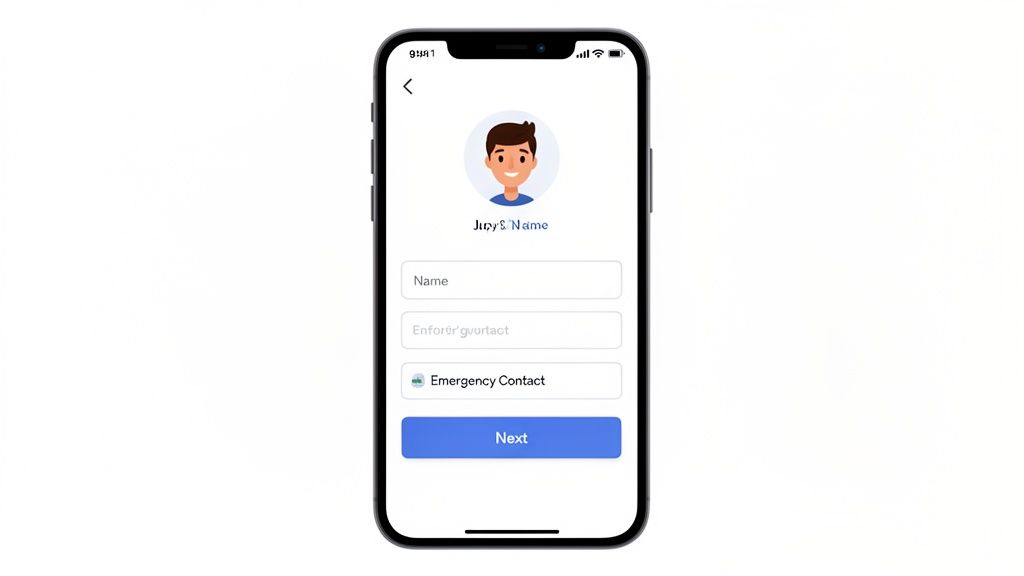
Emergency Contact: At least one contact with their name and phone number. This is a basic duty of care.
Tax & Payroll: The essentials for getting paid, like bank details for direct deposit and the necessary tax withholding forms (like the W-4 in the U.S.).
Legal Compliance: This covers things like the Form I-9 for employment eligibility in the U.S. or any other region-specific requirements.
That’s it. Anything not on this list is a "nice-to-have" and should be questioned. Do you really need to know their t-shirt size or favorite snack before they’ve even started? Probably not.
Tailor the Form to the Job
But getting the basics right is only half the story. A standard form is a lazy form. Your form needs to adapt to the reality of the job. An office marketer has different day-one needs than a field service tech or a retail associate. A little customization saves a world of pain.
For our frontline teams, we learned that adding a few extra fields upfront prevented enormous headaches. Instead of a one-size-fits-all approach, we started using conditional logic in our forms.
We stopped thinking of it as one form and started seeing it as a dynamic conversation. The answers someone gives determine the next questions they see.
Here are a few examples of what this looks like for different roles:
For a Warehouse Associate:
Uniform Size: Asking for T-shirt and safety shoe sizes means their gear is waiting for them on day one. No more awkward standing around.
Certifications: Do they have a valid forklift license? We added a simple file upload field so they could snap a picture of it with their phone.
For a Field Service Technician:
Driver's License Info: A mandatory check for any role that involves a company vehicle.
Tool Preferences: For some of our specialized roles, asking if they have a preferred brand of equipment is a small but meaningful touch.
For a Healthcare Worker:
License & Credential Verification: Capturing their medical license number and expiration date is non-negotiable for compliance, so we get it from the start.
Vaccination Records: Another must-have that can be handled with a simple, secure document upload.
The real magic isn’t just what you ask, but how you ask it. By making the new employee onboarding form smart, you only ask for what's relevant to that person and their role. It shows the new hire you understand their job and aren’t wasting their time. That simple act builds trust before they ever step through the door. It’s the difference between a form that processes a person and one that welcomes them.
The Core Components Of A Better Onboarding Form
Okay, enough about why a good form matters. Let's get into what actually goes into one. A truly effective new employee onboarding form is more than a list of boxes to check—it’s the first tangible experience someone has with your company. We're not just collecting data; we're rolling out the welcome mat.
Our old forms were a mess of HR jargon and compliance-speak. Our first move was to break everything down into sections that felt like a conversation. Here’s the blueprint we landed on.
The Foundation: Legal and Payroll
First, you have to cover the non-negotiables. This is the information you need for payroll and legal compliance. You can't skip it, but you can make it painless.
We decided to group these essentials into three distinct chunks:
Core Personal Details: Just the basics. Full legal name, current address, a personal phone number, and an email they actually check.
Payroll & Direct Deposit: This is about making sure their first paycheck lands on time. Bank account and routing numbers. Simple.
Legal & Compliance Docs: This is where you handle government paperwork, like the Form I-9 and W-4 in the U.S. It's also critical to stay on top of local laws. For our California teams, we had to add the state-mandated "Workplace Know Your Rights" notice.
The trick is to frame these not as hurdles, but as simple steps to get them officially on the team. Changing a heading from "Payroll Information" to "Let's Get You Paid" makes a huge difference.
The Balancing Act: Essentials vs. Nice-to-Haves
Building the perfect onboarding form is all about balance. You need critical information, but you also want to create a welcoming experience. Too many "required" fields feel overwhelming; too few and you're scrambling for information later.
We found thinking in terms of "must-haves" versus "nice-to-haves" helped us create a form that's both efficient and human. Here’s a quick breakdown of how we categorize different sections.
Onboarding Form Sections Must-Haves vs Nice-to-Haves
Section Category | Must-Have Fields | Optional (But Recommended) Fields |
|---|---|---|
Personal & Payroll | Full Legal Name, Address, Phone, Email, Bank Info (for direct deposit). | Emergency Contact Info, Preferred Name/Pronouns. |
Compliance | Federal/State Tax Forms (W-4, etc.), Employment Eligibility (I-9). | Signed Company Handbook Acknowledgment, Non-Disclosure Agreement (NDA). |
Company & Culture | None (this is about giving info, not taking it). | Welcome Message from Manager/CEO, Link to "Meet the Team" Page. |
Personalization | None (this section is purely optional). | "Get to Know You" Questions (e.g., coffee preference, hobbies, favorite lunch). |
A good form gets the legal stuff done efficiently so you can spend more time on the parts that make a new hire feel seen and valued.
The Welcome Wagon: Human Touches That Matter
But here's the thing: a form that only covers compliance is a missed opportunity. It gets the job done, but it doesn't build a connection. Once the essentials are out of the way, shift the tone from administrative to personal. This is where you start building a relationship.
A form can do more than just collect information. It can introduce a person to your culture, their manager, and their team before they even start.
We found that adding a few thoughtful, human elements completely changed the experience. It turned a tedious task into a genuine moment of welcome.
Here’s what made the biggest impact for us:
A Personal Hello: Our form now kicks off with a short welcome video from our CEO and a quick written note from the new hire’s direct manager. It’s a small touch that shows them real, excited people are waiting.
"Meet Your Manager": We added a small section with a photo of their manager, their title, and a one-sentence fun fact. It helps demystify who they'll be reporting to and makes that first day less intimidating.
The "Get to Know You" Questions: This part is optional, but almost everyone fills it out. We ask fun, low-pressure questions like, "How do you take your coffee?" or "What's your go-to snack?" This is gold for managers who want to make a great first impression.
These aren't fluffy extras; they're strategic. They send a clear signal that we see our new hire as a person, not just an entry in our payroll system.
The Engine: Technology That Pulls It All Together
Finally, let’s talk about the tech. A paperless process is the only way to go. It's faster, more secure, and less prone to human error. For us, the biggest piece of this puzzle was making sure our form could handle e-signatures.
Getting legal documents like the I-9 and W-4 signed digitally is a game-changer. It eliminates that clunky process of printing, signing, scanning, and emailing. A good tool lets a new hire review and sign everything with a few taps on their phone. It’s simple, secure, and legally binding.
This is what turns a static document into an interactive, modern experience. We found that using digital forms with built-in signature capabilities was one of the single biggest improvements we made. A good tool, like Pebb's digital forms, makes compliance feel effortless and lets the new hire focus on what matters: getting excited for their new job.
Connecting The Form To Your Day One Workflow
So, your new hire just hit "Submit" on their onboarding form. What happens next? Does the form fall into a digital black hole, or does it kick off a sequence of events for their first day?
Too often, it’s the former. That's a surefire way to create delays and give a terrible first impression. Instead, that simple click should be the starting gun for the entire day-one journey.
This infographic lays out the three key stages we use to build a form that makes sense to the new hire: Basics, Legal, and Welcome. Thinking in these stages keeps the process from feeling like a random list of questions.
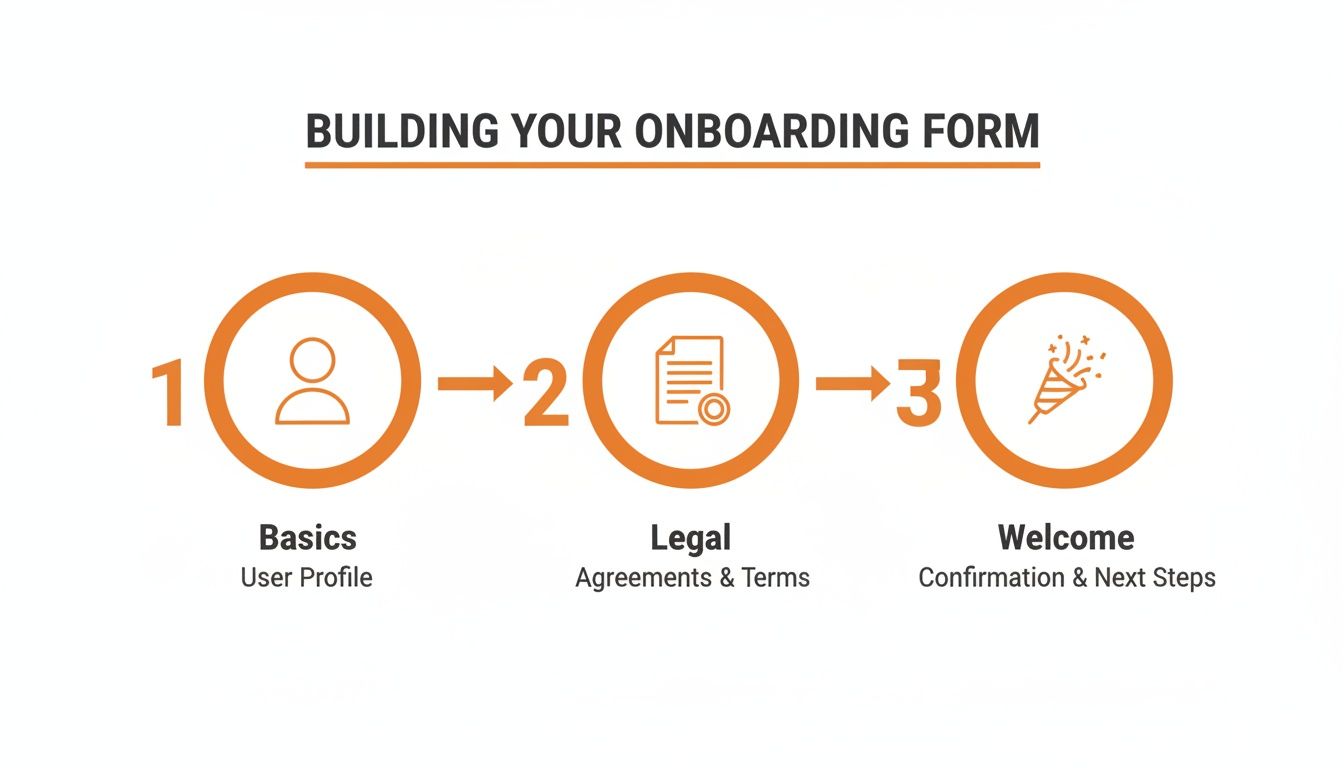
Breaking it down this way ensures the experience feels structured and intentional.
The First Domino
Think of that "Submit" button as the first domino. When a new hire taps it, a chain of actions should fire off immediately, with zero manual effort from your team. We figured out our workflow by asking a simple question: "Who needs to do what next?"
Here’s what that looks like in practice:
IT gets a task. An automated ticket flies over to the IT team to set up the new hire’s accounts, email, and permissions. Their laptop gets configured.
The manager gets a ping. The hiring manager receives a notification that the paperwork is done, along with a nudge to schedule the first one-on-one.
HR gets confirmation. Payroll details flow securely into the HR system, and the employee is officially added to the roster.
The welcome kit is on its way. If you send company swag, the submission triggers the order. You already have their T-shirt size and shipping address.
This isn't about needing complex, expensive software. It’s about thinking through the handoffs. By automating these steps, you guarantee nothing falls through the cracks. It’s the difference between a new hire feeling forgotten and feeling looked after.
From Form Fields to Employee Profiles
Here’s where you can get really smart. The information from the new employee onboarding form shouldn't just be filed away. It should be the seed that grows their digital identity at your company.
The data they provide—name, role, department, even the "fun facts"—can automatically populate their new employee profile. From day one, their colleagues can put a face to a name, and their manager has all their info handy. That fun fact about being a huge F1 fan? It’s an instant icebreaker for a teammate.
We stopped thinking of the form as a one-time data dump. Instead, we see it as the seed from which a new employee's profile grows.
This is all part of a bigger strategy called pre-boarding, where you engage new hires long before their first day. If you want to dive deeper into how these first touches fit into the bigger picture, you can learn more about what pre-boarding is and why it's so vital.
Making The Welcome Feel Effortless
Let’s be honest. No one wants to be the person scrambling on a new hire's first morning, chasing down IT because a laptop wasn't ready. Automation kills that chaos. It replaces messy checklists and follow-up emails with a reliable, repeatable system.
The goal is to orchestrate a welcome that feels seamless to the new hire. They don't need to see the gears turning. They just need to feel the result: a smooth, logical, and warm introduction to your company.
When their laptop arrives on time, their manager is ready for them, and their login works on the first try, you've sent a powerful message: We’re organized, we’re professional, and we’re happy you’re here. And it all started with a well-connected form.
How to Roll This Out Without Chaos
Alright, you've designed a killer onboarding form. You've thought through every field and mapped out the workflow. Now what?
A great plan is one thing, but bringing it to life without creating a mess for your team is another. This is where the rubber meets the road. Let's walk through the practical steps and some lessons we learned the hard way.
Choose Your Tools Wisely
Your first big decision is how you’re going to build and host this form. You could try to piece something together with a few different apps, but we found a single, unified tool is simpler and more effective. You need one place where the form lives, tasks are managed, and new hire documents are stored securely.
This is why we built our process inside Pebb. It let us create a custom digital form that automatically assigned tasks to IT and the hiring manager. All the submitted info populated right into the new hire’s employee profile. No more manual data entry.
Here’s a peek at how a clean, centralized dashboard can pull these moving parts together.
A single view cuts out the confusion. Managers know where to find what they need, and HR isn't chasing stray emails. It becomes the one source of truth for every new hire.
Test Like a New Hire, Not a Manager
This was our biggest mistake the first time. We built the form, tested it on our big desktop monitors, and gave ourselves a pat on the back. It looked great. It worked perfectly. Then, we rolled it out.
The first piece of feedback? “I couldn’t upload my driver’s license from my phone.” A classic mistake. We forgot our audience. Many of our new hires are frontline workers. Their phone is their primary computer.
So, we went back to the drawing board. This time, our entire testing process happened on a smartphone. We asked:
Can you read the text without pinching and zooming?
Are the buttons big enough for a thumb?
Does the camera open right away when it's time to upload a document?
How long does it actually take to finish on a spotty connection?
Your new hire’s first official interaction with your company shouldn't be a frustrating user-experience nightmare. Test where they are, not where you are.
This simple shift changed everything. We shortened our sentences, bumped up font sizes, and made sure every element was designed for mobile first.
Roll It Out With a Plan
Don't just flip a switch and hope for the best. A new process needs a thoughtful rollout. Your hiring managers are busy, and the last thing they want is a new tool sprung on them without warning.
A phased approach worked for us:
Start with a Pilot Group: We picked one department with a tech-savvy manager and onboarded their next two hires with the new system. This gave us direct, unfiltered feedback we could act on immediately.
Train Your Managers: We held a quick, 30-minute training session. We didn't just show them the tool; we walked them through what the new process looked like from their perspective and the new hire's.
Create Simple Resources: Nobody wants a 50-page manual. We put together a one-page guide for managers. For ideas, you can build your own guide using our complete onboarding checklist for new employees.
Fight the Urge to Add More
Once your form is live, the requests will start. "Can we just add a field for their t-shirt size?" "What about their favorite snack?" It's tempting to say yes, but you have to be ruthless about protecting the form's simplicity.
Think about it: the modern onboarding process is already complex. Organizations assign an average of 54 tasks to each new hire. Paperwork often suffocates the more meaningful parts of joining a company. Your form shouldn't add to that pile.
Every time someone suggests a new field, ask this: “Is it absolutely essential to have this information before their first day?”
If the answer is no, find another way to collect it later.
Implementation isn't a one-time project. It’s a cycle of building, testing, listening, and refining. The goal isn’t a process set in stone, but one that’s resilient, human-centered, and makes every new person feel they’ve made the right choice.
A Few Common Questions We Get
After years of helping teams get their onboarding right, you notice the same questions come up again and again. These aren't hypotheticals—they're the real hurdles people face. Here are the honest answers we’ve picked up.
How Long Should an Onboarding Form Be?
There's no magic number, but here's our rule of thumb: aim for something that can be completed in 15-20 minutes on a smartphone. Any longer, and you're guaranteed to see people get frustrated.
It's about respecting their time. Before you add a field, ask if you really need that information before their first day. A shorter, more focused form always wins.
What's the Best Way to Handle Legal Documents Digitally?
The only real answer is to use a tool that has compliant, built-in e-signature capabilities. This isn't a suggestion; it's non-negotiable for keeping things legal and secure. It ensures documents like the I-9 and W-4 are properly executed and stored without anyone touching paper.
A good system makes signing feel like second nature for the new hire—just a few taps on their phone. It's cleaner, safer, and shows your company is up to date.
How Can We Make the Form Feel More Personal?
This is your opportunity to make a great first impression. It’s the small, human touches that turn a chore into a welcome. Instead of diving right into forms, start with a warm welcome video or a personal note from their manager.
We found a simple trick that works wonders: explain why you're asking for certain information. Instead of a blunt "T-shirt size" field, try, "Share your T-shirt size so we can get your company swag ready!"
We also love an optional "Get to Know You" section. It's a great spot for new hires to share fun facts, how they take their coffee, or their go-to lunch order. These little details are gold for managers looking to connect on day one. It shows you see them as a person, not just a name on the payroll.
What Should Happen After the Form Is Submitted?
This is the most important part. A form submission should be a starting pistol, not a finish line. When that button is clicked, it needs to trigger a seamless workflow.
The moment someone submits their form, a chain reaction should start:
IT gets a task to set up their laptop and accounts.
HR gets a notification to set them up in payroll.
The manager gets a prompt to schedule a welcome meeting.
The information they provided should instantly populate their employee profile. The key is to map out every handoff and automate as much as possible. This is how you deliver a consistently impressive welcome to every single person who joins your team.
Ready to stop juggling messy spreadsheets and endless email chains? With Pebb, you can build a mobile-friendly onboarding form, automate your workflows, and give every new hire a welcome they'll remember—all in one place. See how Pebb can transform your onboarding.
