
Your Employee Onboarding Form Is Your First Hello
Create an employee onboarding form that welcomes new hires and sets the right tone from day one. Ditch the paperwork and build a better first impression.
Dan Robin
An employee onboarding form is more than paperwork. It’s the first real conversation you have with a new hire. Get it wrong, and it feels like a bureaucratic chore. Get it right, and it feels like a genuine welcome.
We’ve all been there. You land the job. You’re excited. Then on day one, you’re handed a thick stack of papers and pointed toward an empty desk. It’s a terrible first impression that screams “bureaucracy” long before it says “welcome.” For remote teams, that digital stack of PDFs is often the only handshake they get.
Let’s be honest—that initial paperwork sets the tone for everything. It’s the first tangible piece of your company culture they touch, and it speaks volumes.
Your First Hello Is A Form, Not A Handshake
When we started building tools for frontline teams, we saw this problem again and again. Great companies would spend a fortune finding the right people, only to greet them with a process that felt cold and impersonal.
A clunky, bloated form sends a clear message: you’re just another number to be processed. From our experience, this single touchpoint is where engagement begins. When you design an onboarding form with care, it makes a new person feel seen, valued, and sure they made the right choice.
But most companies drop the ball here. One study found a staggering 58% of organizations admit their onboarding is focused on processes, not people. That administrative grind is why so many new hires feel disconnected from the start.
This isn’t just about collecting data. It’s about starting a relationship. It's your first chance to show someone they’ve joined a team that respects their time and is genuinely glad they’re here.
More Than Just Paperwork
A thoughtful onboarding experience looks beyond the bare essentials. Think about a well-curated welcome kit to go along with the necessary forms. It can make a huge difference.
Including branded items like a company shirt helps build an immediate connection. Even better, we’ve seen clients have great success with practical things like personalised notebooks for brand impact, which offer function and a sense of belonging from day one.
The goal isn't to just check boxes. It's to build confidence. Ditching the paper for a simple, thoughtful digital form is the first, most important step.
Designing a Form People Actually Want to Fill Out
Nobody gets excited about filling out forms. But that doesn't mean the experience has to be miserable. A good onboarding form can feel less like a chore and more like the start of a conversation.
The biggest mistake we see is companies simply converting their old paper forms into a single, massive digital file. That’s not progress; it's just a different kind of headache. The goal isn't just to go digital. It's to rethink the experience from the ground up.
Simply putting a broken process online won't fix it. You have to change how you think about collecting information in the first place.
What to Include (And What to Ditch)
Before you build anything, lay out all the fields from your current forms and ask a tough question for each one: “Do we really need this right now?” You’ll be amazed at how much you can cut.
An effective onboarding form prioritizes the essentials. You need basic contact details, emergency contacts, and the required government paperwork like I-9 and tax forms. Almost everything else is noise that can be gathered later—or maybe not at all.
Your new hire is already juggling a ton. On average, they face 54 distinct tasks during their first few weeks. Piling on a bloated form just adds to the chaos. It makes them feel like a number being processed, not a person being welcomed.
Think of your form as a minimalist tool for Day One readiness, not an encyclopedia of every possible employee detail.
Here’s how we think about it:
Category | Essential (Must-Haves) | Thoughtful (Nice-to-Haves) |
|---|---|---|
Personal Info | Full Name, Address, Phone, Email | Preferred Name/Pronouns, "Get to Know You" Questions |
Employment | Job Title, Start Date, Department | Manager's Name, Team Introduction |
Payroll | Social Security Number, Bank Account Details | Pay Schedule Explanation, Link to Payroll Portal |
Compliance | I-9, W-4/State Tax Forms, Signed Offer Letter | Acknowledgment of Employee Handbook (link provided) |
Emergency | Emergency Contact Name & Phone Number | Relationship to Contact, Secondary Contact |
Benefits | Basic Benefits Enrollment Choices | Links to Detailed Plan Documents, Video Explanations |
The "thoughtful" items aren't just fluff. They show you're thinking about the person behind the screen.
Make It a Conversation, Not an Interrogation
Once you've trimmed the fat, change the delivery. Instead of hitting them with one overwhelming form, break the process into smaller, manageable chunks.
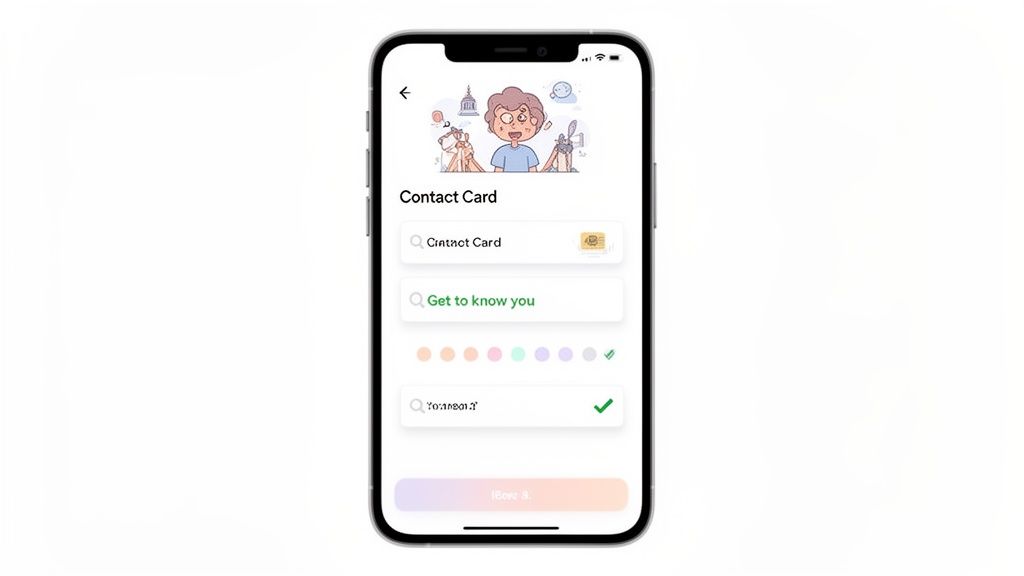
Imagine this: a few days before their start date, your new hire gets a friendly email with a link. It takes them to a clean, mobile-friendly page to fill out their basic profile. A day later, another link guides them through tax forms. This progressive approach respects their time and turns a huge task into a series of small, easy wins.
We’ve seen this work wonders, especially for frontline and remote teams who do everything on their phones. If you’re curious, we wrote more about how to create better digital forms.
Here are a few other ways to make your form feel more human:
Use simple, clear language. Swap “remuneration details” for “payment info.”
Add a personal touch. Start with a genuine welcome message from their manager.
Include a ‘get to know you’ section. Ask fun, optional questions like “What’s your go-to coffee order?” or “What podcast are you hooked on?”
The best onboarding form isn’t just a data collection tool. It’s an experience that makes a new hire feel seen, respected, and excited to join the team.
The Hidden Costs of Your Paper Onboarding Forms
It’s almost shocking that paper onboarding forms are still a thing. The towering stack of documents, the frantic hunt for a pen, the endless cycle of printing, signing, and scanning. We’ve become so used to this ritual that we rarely stop to think about what it’s actually costing us.
It's a lot more than just paper and ink.
The True Cost of Manual Onboarding
Let's get real for a second. The amount of time burned on manual paperwork is just staggering. Every time you hire someone, your team has to print a forest's worth of documents, chase signatures, make copies, and then painstakingly type all that information into different systems. It’s a tedious, error-prone process that steals focus from what really matters—making a new person feel welcome.
This administrative slog isn't just annoying; it's a huge bottleneck. The numbers make it impossible to ignore. A recent study found 58% of companies are still stuck in the paper age for onboarding. The fallout? HR managers without an electronic system spend at least three hours per employee just wrestling with that initial paperwork. Multiply that by all your new hires. The lost productivity is a serious drain. You can dig into more of these stats over at Yomly.com.
It's More Than Money—It's Your Culture
But the expense isn't just on a timesheet. The real damage is to your culture. A new hire's first week is critical, and a clunky, paper-first process sends a terrible message: "We're disorganized, and you're just another piece of admin to get through." It immediately creates a cold experience that makes people feel like a number before they’ve even learned their teammates' names.
This hits frontline workers especially hard.
Roughly 50% of frontline employees quit within their first 120 days. A frustrating, paper-heavy onboarding is a major reason why. In fact, a staggering 74% of employees say they’ve had an unsuccessful onboarding experience at some point in their career.
Getting rid of paper isn't just a "nice to have" tech upgrade. It's a direct fix for a broken process that's quietly draining your resources and poisoning your culture. This isn't about looking modern—it’s about respecting your new hire’s time and your own team's sanity.
Building an Onboarding Workflow That Actually Works
We've talked about the "why," but let's get our hands dirty with the "how." It's one thing to have a digital form. It’s another to build a smart workflow that makes new hires feel seen, prepared, and genuinely welcomed.
The goal here isn't to just slap your old forms online. We're moving from a simple data-collection tool to a guided experience that sets the tone for a new hire's entire journey.
From a Form to a Flow
A great onboarding experience starts with a simple, custom form. It needs to be clean, easy to use on a phone, and—most importantly—only ask for what’s needed right now. Of course, you’ll need essentials like contact information and payroll details. Secure document uploads for things like I-9 verification are also a must.
But the magic happens next. The form shouldn't be the end of the road; it should be the starting pistol. Once a new hire hits "submit," it should trigger a series of automated tasks that guide them through their first days.
For example, after the form is completed, the system can automatically:
Assign a task to watch a short welcome video from the CEO.
Ping the hiring manager to schedule a quick 15-minute intro chat.
Add the new employee to their team's Slack or Teams channel.
Suddenly, a tedious chore becomes the first step in an engaging, supportive journey.
The Power of Integration
Here’s where things get really interesting. Your employee onboarding form can’t live on an island. It needs to talk to the other tools you use every day.
Connecting your form directly to your HR and payroll systems is a game-changer. When a new person enters their details just once, that info should automatically flow everywhere else it needs to go. No more manual data entry for your HR team and no more chasing down typos. This single move can save hours of admin work for every single hire.
We once worked with a retail group that onboarded hundreds of new associates every year. Before they automated, their HR team spent days manually keying data from paper forms into three different systems. After integrating, they cut their admin time by over 80%.
The process wasn't just faster—it was more accurate. It freed up their team to focus on meaningful check-ins instead of mind-numbing data entry.
A Real-World Scenario
Let's walk through a common situation. You're onboarding Sarah, a new retail associate who does everything on her phone.
This is what her experience probably looks like with a paper-based process—a familiar story of endless forms and wasted time.
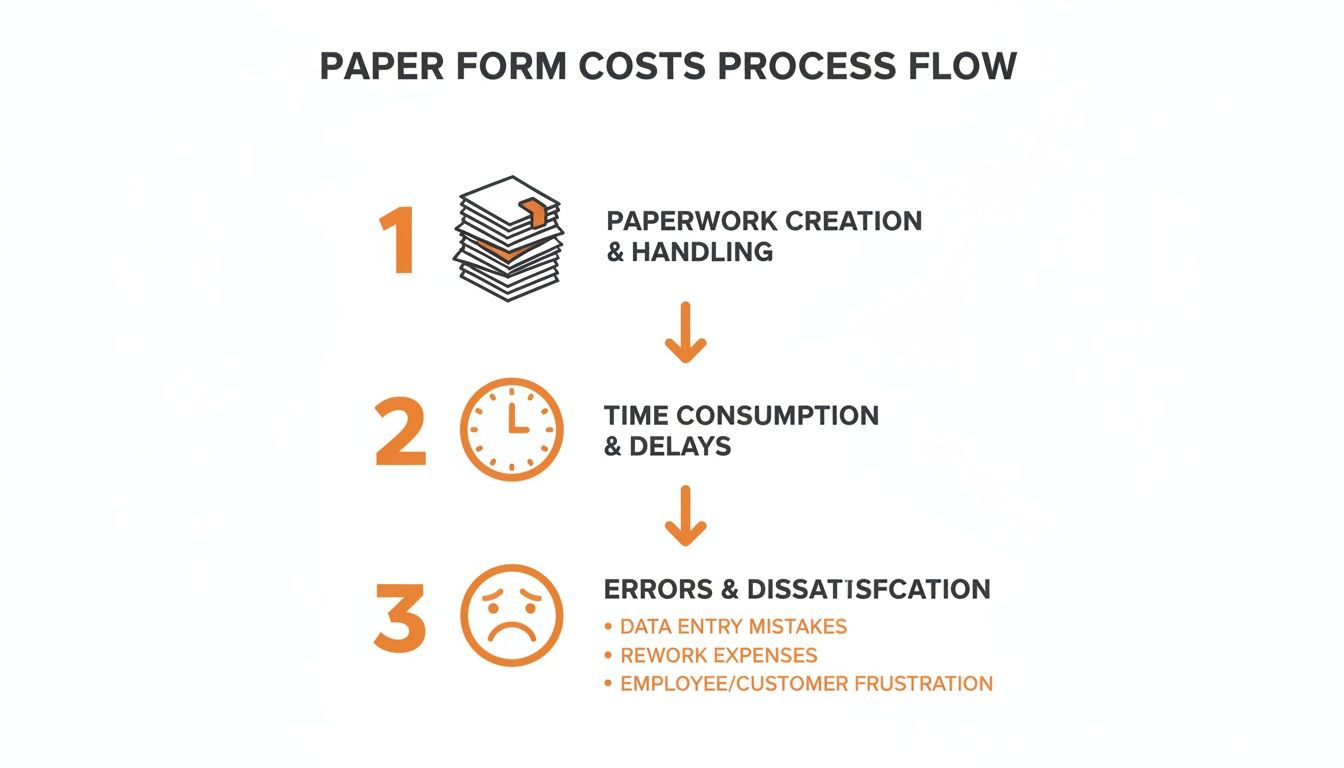
That old way of doing things creates friction and disappointment from the start.
Now, imagine Sarah's experience with a modern workflow, all done from her phone before her first shift even begins:
Before Day 1: Sarah gets a text with a secure link to her onboarding portal. In under 10 minutes, she fills out her personal info and uploads a photo of her ID. Done.
The Next Day: The system automatically sends her a new task: digitally review and sign the employee handbook. No printing, no scanning.
Her First Shift: When Sarah walks in, her manager already has everything they need. Instead of being handed a clipboard, they spend the first hour walking the store and meeting the team.
This simple, automated sequence respects Sarah's time and helps her feel prepared from day one. That’s how you make a great first impression. The principles are similar to what makes for great customer experience, and learning how to improve user onboarding in general can offer some solid insights.
If you’re ready to see what tools can make this happen, check out our guide on the best employee onboarding software.
Combining Automation With A Human Touch
Let's clear the air on something: automation isn't about replacing people. We see it from a different angle. Automation isn't here to push people out; it’s here to make more room for the human connections that actually matter.
Think about it. When you automate the nitty-gritty of an employee onboarding form—chasing information, checking boxes, kicking off workflows—you're handing time back to your managers. This isn't just about efficiency. It's about freeing them from tedious busywork so they can focus on what they do best: personal welcomes, meaningful check-ins, and building real rapport.
The goal is to use technology to fuel better human interactions, not eliminate them.
The Power of "Wow Moments"
Here’s the thing: technology on its own doesn't create a memorable onboarding experience. The magic happens when you blend seamless automation with thoughtful, human touches. We call these "wow moments"—small, unexpected gestures that make a new hire feel genuinely seen from day one.
Imagine this: the moment a new hire hits "submit" on their form, a few things could automatically happen:
A personal welcome video from the CEO lands in their inbox.
Their manager gets a calendar reminder to schedule a virtual coffee chat.
An email introduction is sent to connect them with their assigned work buddy.
None of these are complicated, but they completely change the tone. It shifts from a cold, transactional checklist to a warm, welcoming experience.
This isn't just a nice idea; the results speak for themselves. While only 31% of employees say their onboarding was engaging, adding these small 'wow moments' can make them roughly 2 times more likely to feel fully informed and connected. It's a staggering advantage, especially when you realize that a tiny 26% of companies are currently using this kind of smart automation, according to FirstHR.app's report on modern onboarding.
With 82.5% of organizations looking to upgrade their tech, the opportunity isn't just to buy more software. It's to intentionally add more humanity back into our processes.
Technology in Service of People
At the end of the day, an employee onboarding form is just a tool. How you use it defines your company's culture. You can treat it as a bureaucratic hurdle, or you can design it as the first step in a genuinely welcoming journey. Smart automation gives you the power to choose the latter.
When you let technology handle the paperwork, you aren’t sidelining your people. You’re putting them exactly where they can have the biggest impact—connecting with a new colleague, answering thoughtful questions, and making someone feel like they truly belong. That’s the balance we should all be aiming for.
Common Questions About Modern Onboarding Forms
Whenever we sit down with leaders to overhaul their onboarding, the conversation quickly moves past high-level strategy. It gets real, fast. People want to know about the practical hurdles.
Let's walk through the questions that come up time and again, and give you the straightforward answers we've learned from experience.
What's The Biggest Mistake to Avoid?
Without a doubt, the single biggest mistake is making a digital copy of your old paper forms. If you take a 10-page stack of paperwork and turn it into a 10-page PDF, you haven't improved anything. You've just traded one headache for another.
Imagine a new hire trying to pinch-and-zoom their way through a massive document on their phone. That experience is just as frustrating as sitting down with a clipboard.
The goal isn't to replicate the old way. It's to completely rethink the experience. Think about breaking that monolithic employee onboarding form into smaller, bite-sized tasks that can be completed over a few days.
How Do We Handle Compliance and I-9 Forms Digitally?
This is the big one. It’s a totally valid concern. The good news is that modern platforms are built for exactly this. They use secure document uploads and legally binding e-signatures that are fully compliant with federal laws like the E-SIGN Act. It’s a closed, secure system that automatically creates a clean, auditable trail.
Honestly, it's often far more secure and organized than a locked filing cabinet. The system can create and assign tasks automatically—one for the employee to upload their passport, and another for their manager to verify it. Nothing gets misplaced, and compliance becomes a simple, trackable part of the daily workflow.
Even when external systems like E-Verify go down, a good digital system keeps your records straight.
How Do We Know If Our New Form Is Actually Working?
You need to look at both the numbers and the people. The data will give you part of the story.
First, check the analytics. How long is it really taking new hires to finish their onboarding tasks? Are people getting stuck on a particular step? Your platform should give you clear insights into completion rates and bottlenecks.
But that’s just half of it. The other half comes from asking them directly. At the end of their first week, set up an automatic survey. Keep it simple: "On a scale of 1-10, how was your onboarding experience?" Then, add an open-ended question that gets to the heart of it: "What's one thing we could have done to make your first week even better?"
That blend of hard data and human feedback will tell you everything you need to know.
Ready to ditch the paperwork and build an onboarding experience people actually enjoy? Pebb unifies all your people and processes into one simple app, from the first hello to daily operations. Start building a better workflow today.
