
Master Electrical Contractors Software in 2026
Stop paper chaos. This guide covers electrical contractors software, ROI, and choosing the right tools. No marketing fluff, just facts. Get started today!
Dan Robin

The day usually starts before the day starts. A customer wants a quote. Another has half a building down. A tech sends a blurry photo of a breaker and asks if it’s the right replacement. Someone forgot to hand in yesterday’s time sheet. Someone else wrote the material list on the back of an invoice.
If you run an electrical shop on paper, texts, and memory, none of that sounds unusual. It sounds normal. That’s the problem.
Most electrical businesses don’t break because the crew can’t do the work. They break because the work around the work gets sloppy under pressure. Quotes stall. Jobs get double-booked. Parts go missing. Change orders sit in a truck cab. Invoices wait until Friday night, then next Monday, then whenever someone can piece the story together.
That’s why electrical contractors software matters. Not because software is exciting. It usually isn’t. It matters because chaos is expensive, and a lot of that chaos is self-inflicted once the business outgrows whiteboards and spreadsheets.
The Controlled Chaos of Running an Electrical Business
There’s a version of this business that looks fine from the outside. Vans are moving. Phones are ringing. The schedule board is full. Money is coming in, at least some of the time. From the street, it looks busy and healthy.
Inside the office, it’s a different picture.
A service manager is trying to route three urgent calls while answering a supplier question. The estimator is digging through old folders to find pricing from a similar job. A foreman texts that the print on site doesn’t match the latest revision. Payroll is waiting on handwritten hours. Billing is waiting on signed work orders that are still sitting in a glove box.
That’s not a system. That’s a rescue mission that repeats every day.
When paper stops being simple
Paper feels simple when the business is small. A clipboard works. A legal pad works. A spreadsheet works. Then the shop grows and those simple tools turn into a stack of disconnected habits.
A note on a desk never reaches the field. A text message never makes it to accounting. A photo of completed work lives on one person’s phone. A job status exists in somebody’s head and nowhere else.
The hard part isn’t doing one job on paper. The hard part is doing fifty jobs at once without losing the thread.
The usual answer is brute force. Stay later. Call more. Check everything twice. Build workarounds for the old workarounds. It keeps the lights on, but it also burns people out.
The cost you feel before you can measure it
Before you ever see the missed margin, you feel the drag. Every handoff gets heavier. Every simple question takes too long to answer. Customers wait while the office reconstructs what happened.
That’s why so many owners start looking for better systems after one especially ugly month, not after some grand strategic planning session. They’re tired of chasing paper at night. They’re tired of finding out too late. They’re tired of running a business through group texts and crossed fingers.
If that sounds familiar, this is the point where software stops looking optional and starts looking practical. A lot of shops begin that search by comparing operational tools like field service management software options, mostly because they’re trying to get one clean view of what’s happening.
What We Mean by Electrical Contractor Software
The term “electrical contractors software” often brings to mind a giant all-in-one platform that promises to fix everything. That framing causes bad buying decisions.
Software isn’t magic. It’s a set of tools. Some tools help you price work. Some help you schedule crews. Some help your techs close out jobs correctly. Some help accounting stop playing detective.
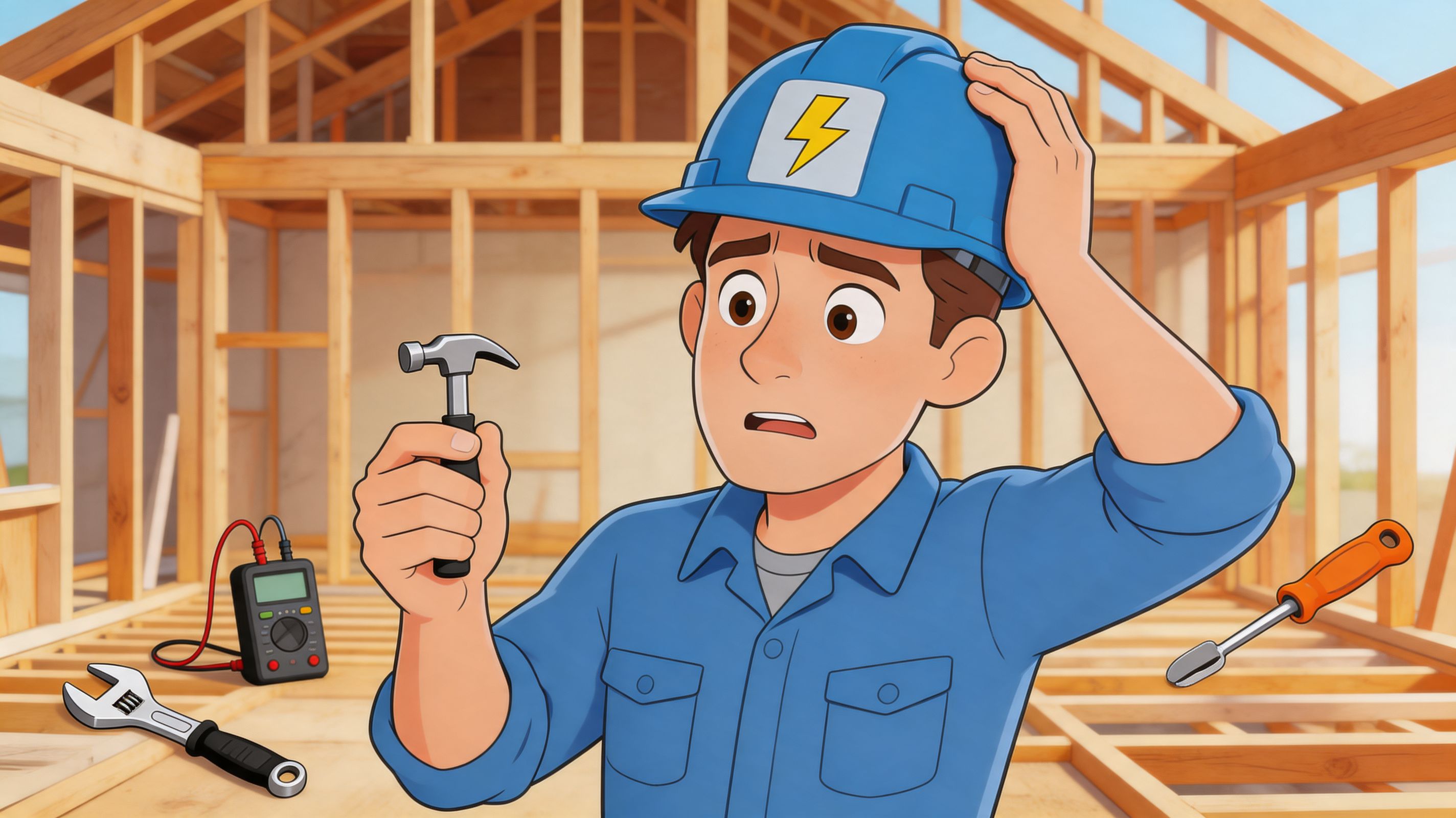
Trying to run a modern electrical business with just a phone, a whiteboard, and a spreadsheet is like framing a house with one small hammer. You can do some of it. You’ll hate the rest of it.
It’s a toolkit, not a trophy
The right way to think about software is simple. What jobs are eating your time, creating mistakes, or delaying cash? Start there.
If estimating takes too long, you need a better estimating process. If dispatch is chaos, you need scheduling and route visibility. If jobs are getting done but paperwork is late or wrong, you need stronger field capture and cleaner handoff into invoicing.
That’s why I’m skeptical of feature lists that read like a warehouse catalog. More features don’t mean more control. Sometimes they just mean more places to click.
A good tool should remove a specific kind of friction. It should make the next action obvious. It should help a dispatcher see the day, a technician see the job, and the office see what can be billed.
The shift from reacting to building a system
The key change isn’t digital versus paper. It’s reactive versus intentional.
On paper, most shops operate by interruption. Whoever yells loudest gets attention first. Whoever remembers the last conversation has the latest version of reality. The business runs on memory and effort.
With software, the goal is to build a repeatable path for work to move through the company. Lead. Estimate. Schedule. Do the work. Capture the details. Invoice without a scavenger hunt.
That doesn’t mean every platform has to do every one of those things. Some businesses are better off using a few focused tools that talk to each other. For estimating in particular, it helps to review a specialized resource like Exayard electrical contractor software to understand what dedicated takeoff and pricing tools are trying to solve.
Buy back time, not promises
The software itself is not the win. The win is getting your evenings back. The win is not rebuilding a job from scraps of paper to send an invoice. The win is answering “Where are we on this?” without making five calls.
A useful way to judge any platform is to ask one blunt question. After we install this, what stops being manual?
If the answer is vague, keep looking.
The Core Workflows You Must Get Right
Monday starts with three service calls added before 8 a.m., one estimator asking for better site photos, and a foreman texting that the material on today’s install is short. If your process still depends on whiteboards, memory, and whoever picks up the phone first, small misses turn into late jobs and slow invoices by lunch.
The shops that get control do two things well at the same time. They run the work through a clear operational system, and they make sure the right people see the right information fast enough to act on it. Most software handles the first part better than the second. That gap becomes more obvious as the crew grows.
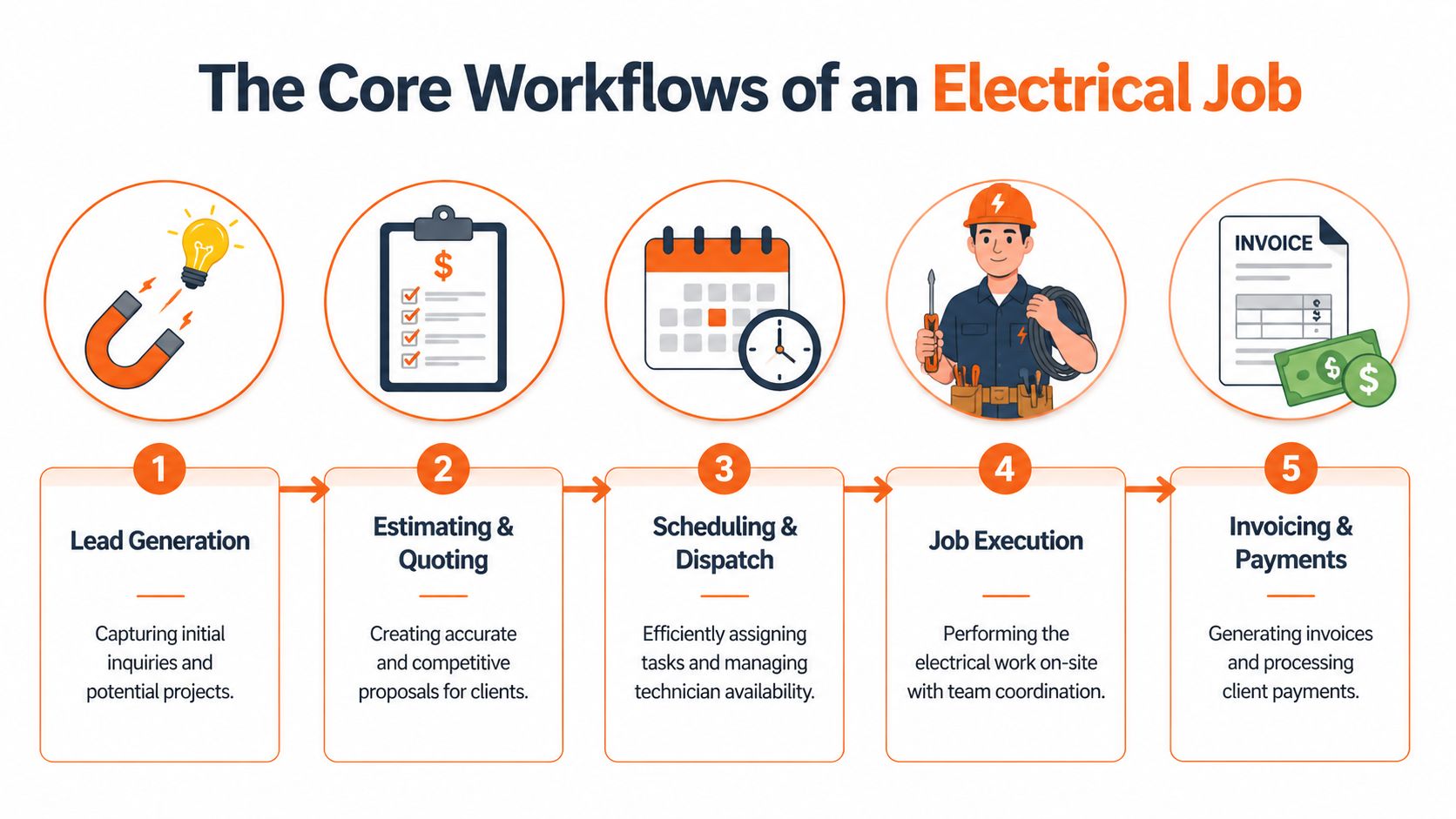
Start with lead quality, not just lead volume
Bad intake creates rework all the way through the job. A wrong site address, a vague scope note, or no record of who approved the work will come back later as wasted trips, bad estimates, or billing delays.
That is why lead handling belongs in operations, not just marketing. Resources like Cherubini Company contractor lead strategies are useful because they push contractors to qualify work early instead of dumping every inquiry into the same pile.
A lead record can stay simple if it captures the essential details your office and field team need:
Customer details: Names, site addresses, and the best contact person.
Job type: Service call, quoted project, maintenance, emergency, or bid request.
Scope notes: Enough detail to price or schedule the next step correctly.
Next action: Site visit, estimate, follow-up call, or decline.
History: One visible record of calls, notes, and promises made.
Simple records win here. If intake lives in email, texts, sticky notes, and one person’s memory, the rest of the workflow starts crooked.
Estimating should move faster without getting sloppier
Estimating needs speed, but speed without structure is how shops win bad work. The goal is to produce a quote quickly and still carry the right labor assumptions, material pricing, exclusions, and revisions into the job file.
Contractors using modern estimating software report turning around estimates 70 to 80% faster than with manual methods, according to Spherical Insights on the electrical estimating software market. The speed is important for two reasons. You respond while the customer is still deciding, and you stop re-entering scope details later in scheduling, purchasing, and billing.
Practical rule: If your estimate cannot become the first draft of the job record, your team is entering the same information twice.
Different shops need different estimating setups. A service business usually gets more value from templates, assemblies, and standard pricing. A project-focused contractor usually needs stronger takeoff tools, revision tracking, and tighter cost control. The right choice depends on your work mix, not the longest feature list.
Scheduling breaks down when visibility is weak
Dispatch problems usually start before the dispatcher clicks anything. The office cannot see who is qualified, who is nearby, what job is slipping, or whether the field even received the update. That is both an operations problem and a people problem.
Software proves its value in these moments. Analysts at ServiceTitan note that dispatch systems with route optimization and real-time job status help field service businesses cut wasted drive time and tighten technician utilization in daily operations, as described in ServiceTitan’s guide to dispatch software. In practice, the benefit is simple. The day stops running on phone tag.
A scheduling system worth paying for should answer a few questions fast:
Question | Why it matters |
|---|---|
Who is closest to the next job? | Less drive time and more billable work |
Who has the right license, certification, or experience? | Better first-visit completion |
Which jobs are drifting past the promised window? | The office can fix the day before the customer calls |
What materials or equipment are tied to the job? | The technician shows up ready to work |
Many contractors end up comparing broader tools like employee scheduling software for field teams because labor planning and service dispatch often overlap in the real world.
The field app should end the paper chase
A mobile app fails when it asks too much from the technician or buries basic job information behind five taps. Crews will always default to the fastest path. If that path is text messages and photos with no job number attached, the office will spend the evening rebuilding the day.
Good field workflows keep the burden low and the record clean. The tech needs the address, scope, contact, task notes, and any safety or access instructions in one place. Then the app needs to capture time, materials, photos, signatures, and change notes while the work is happening.
That final point gets missed a lot. A job system manages the work itself. Your people still need a dependable way to receive updates, confirm they saw them, and find current procedures without digging through old texts. Many all-in-one products stay weak on that side, which is why electrical businesses often pair job software with a frontline communication tool such as Pebb to close the gap between dispatch and crew follow-through.
A field workflow is complete when billing can invoice from it the same day without calling the technician back.
If your closeout still depends on crumpled papers, camera roll screenshots, and someone asking, “What did we do here?”, the process is not fixed. The mess just moved from the clipboard to the inbox.
The Hidden Wires Connecting Your Team
A dispatch board can tell you where people are supposed to be. It usually can’t tell you whether they saw the update, understood the safety note, or know where to find the new procedure.
That gap causes more trouble than most vendors admit.
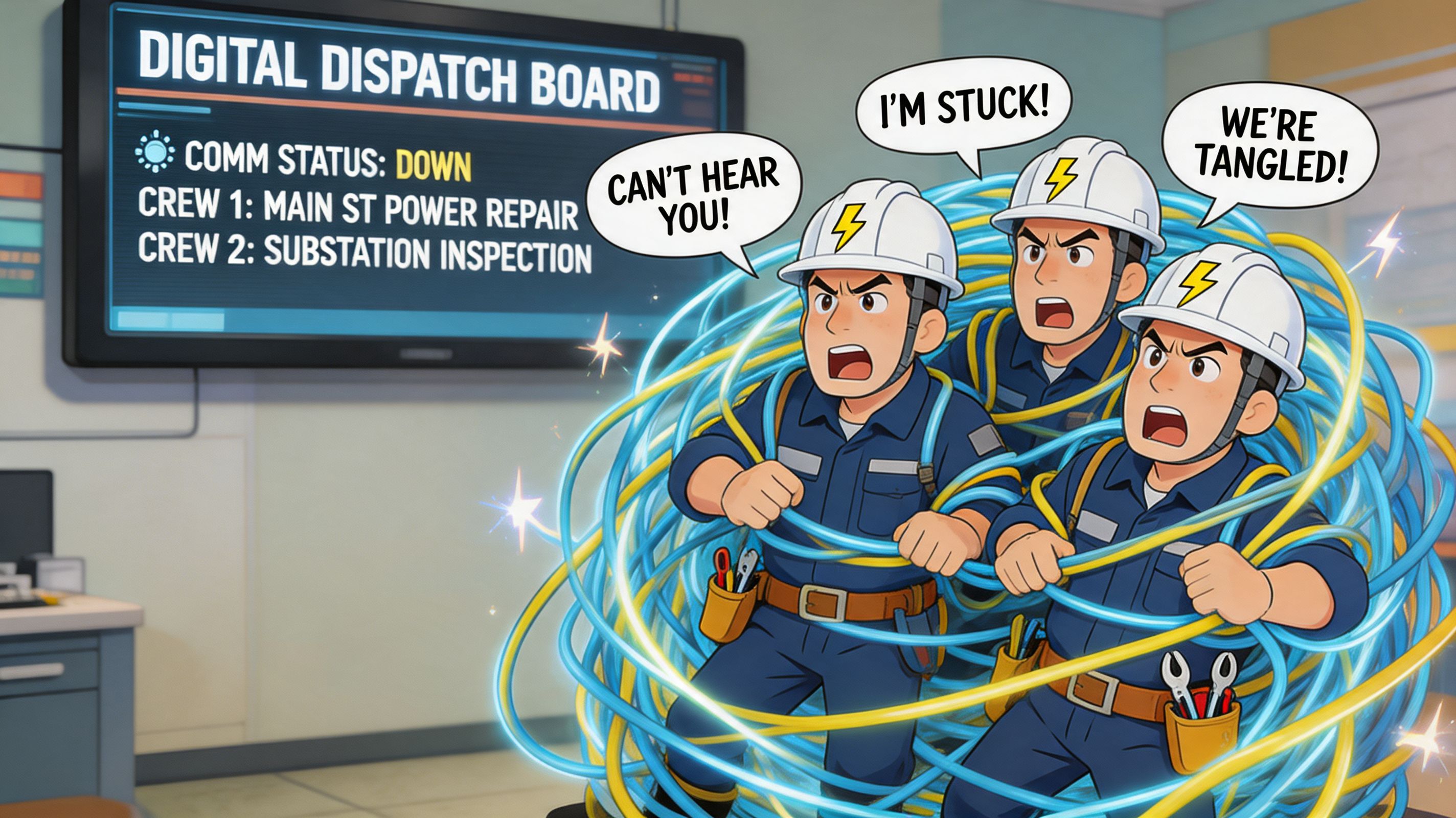
Electrical contractors software often handles the job side well enough. Estimate, dispatch, invoice. Fine. But people operations are usually scattered across text threads, personal phones, email nobody checks in the field, and a bulletin board in the shop that half the crew never sees.
Job software is not team software
Often, many “all-in-one” claims start to look thin. A platform might manage work orders perfectly and still be weak at onboarding, team updates, document sharing, shift communication, or culture across multiple crews and sites.
That’s not a small miss. It’s daily friction.
A reported 68% of construction firms say poor integration between their tools is a top pain point, and many electrical platforms still neglect the communication layer needed for shift scheduling, team updates, and consistency across distributed crews, according to Electric Ease on electrical software integration gaps.
When that communication layer is missing, people create their own system. Usually it looks like this:
Group texts for urgent changes: Fast, but messy and impossible to track later.
Personal calls for exceptions: Useful in the moment, invisible to everyone else.
Email for formal updates: Fine for office staff, weak for field adoption.
Paper notices in the shop: Better than nothing, ignored by anyone who starts the day on site.
None of that creates a real operating rhythm. It creates fragments.
The missing digital home for the crew
Field teams need one place that feels normal to use from a phone. Not a portal nobody opens. Not a desktop system pretending to be mobile. A real home base for day-to-day communication.
That home base should cover practical needs first. Company updates. Safety notes. Documents. Shift changes. Questions from the field. A way to know who’s on what team and how to reach them without digging through old messages.
It should also do something most operational software ignores. It should help people feel connected to the company they work for, not just the job they were dispatched to today.
If your crews only hear from the business when something is wrong, communication isn’t helping you. It’s training people to tune out.
This matters more as the company grows. The owner can’t personally relay everything. The service manager can’t be the human API between field, office, payroll, and leadership. Once the team spreads across vehicles, shifts, and job sites, disconnected tools start pulling the culture apart too.
Some companies address that by giving employees a shared internal hub, similar to the role described in guides on an intranet for companies with distributed teams. The point isn’t to replace your estimating or dispatch platform. It’s to connect the people using them.
Good operations need two systems running in parallel
This is the distinction most buying guides miss. You are not just running job operations. You are running people operations at the same time.
One system manages the work itself:
Work side | What it handles |
|---|---|
Estimating | Pricing, scope, proposals |
Dispatch | Assignments, routes, job timing |
Field execution | Labor, materials, forms, sign-off |
Billing handoff | Closeout details, invoice readiness |
The other system manages the human side:
People side | What it handles |
|---|---|
Team communication | Updates, questions, day-to-day coordination |
Knowledge access | SOPs, policies, safety documents |
Scheduling context | Shift changes, availability, coverage notes |
Engagement | Recognition, announcements, shared identity |
When those two systems are both healthy, the business feels calmer. Jobs move. People stay informed. Fewer things depend on memory. Fewer updates vanish into private text chains.
That doesn’t make the work easy. It does make it less fragile.
A Practical Checklist for Choosing Your Toolkit
Buying software is where smart operators sometimes turn into hopeful gamblers. The demo is clean. The sales rep is smooth. Every screen looks organized. Then you go live and find out the mobile app struggles in the field, the forms can’t match your workflow, and the accounting handoff needs manual cleanup.
That’s why I’d rather buy like a skeptic.
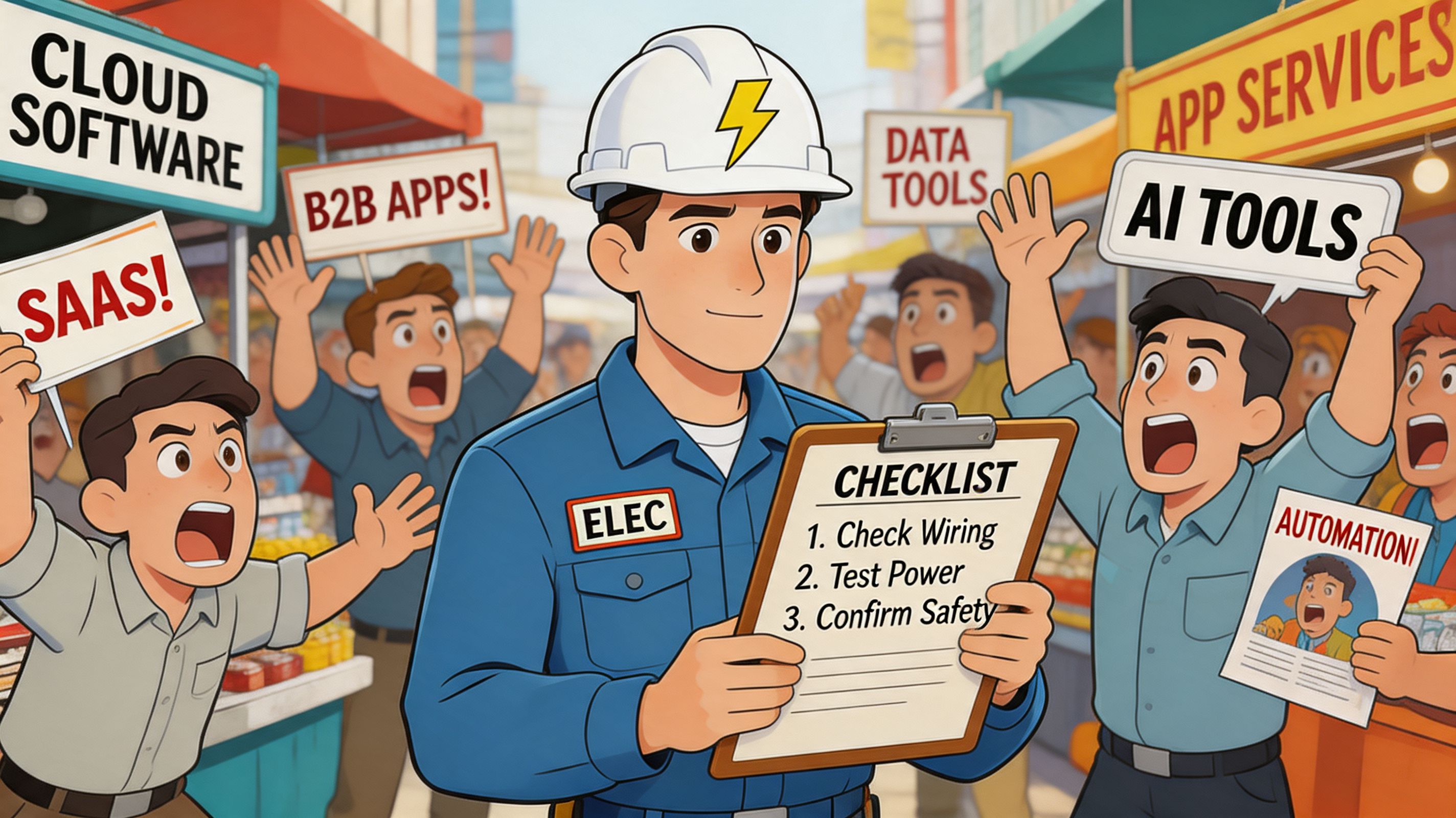
The market is crowded, and a lot of products look similar from the outside. They aren’t.
Ask about your real jobs, not their best features
Skip the generic question, “What can your platform do?” Ask what happens on a messy Tuesday.
What happens when a service call turns into a bigger repair? How do multi-day jobs work? What does the technician see offline? Can the office edit a work order after dispatch without creating confusion? If a customer signs on-site, where does that record go next?
A good vendor should be able to answer those questions plainly. No theater. No hand-waving.
Here are the questions worth asking in a buying conversation:
How does this handle our job mix? Service work, quoted projects, emergency calls, and maintenance agreements create different workflow demands.
What works without signal? If the field app fails when reception gets weak, your process fails where it matters most.
How flexible are forms and closeout steps? If your crew can’t capture the details you need, billing will still be blind.
Can we get our data out cleanly? You may stay for years. You still want a clear exit.
What breaks when we grow? User limits, weak permissions, or poor integrations usually show up later, when changing systems is harder.
Buying advice: Don’t ask whether a tool can scale. Ask what gets awkward first.
That question gets better answers.
Free can be expensive in disguise
Cheap software isn’t bad. Hidden limits are bad.
For small and mid-sized businesses, which make up 80% of electrical firms, the promise of free software often falls apart. A reported 40% of SMBs abandon free trials because of limits like missing custom forms or broken QuickBooks syncs, according to Fieldproxy’s review of electrical contractor software with unlimited users.
That tracks with what happens in real shops. The free tier looks fine until you try to use it like an actual business. Then a basic need gets gated. Exports are limited. Permissions are shallow. The integration you assumed existed is half-finished.
A short comparison helps.
Option | What looks good | What usually matters more |
|---|---|---|
Free tier | Low risk, easy to try | Limits on forms, sync, users, or support |
Mid-market paid tool | More structure, better support | Must fit your actual workflow |
Enterprise platform | Deep features, broad controls | Can be too heavy for a small shop |
The best choice is usually the one that handles your current complexity without forcing you into a migration six months later.
Judge support before you need support
Every vendor is responsive before the contract is signed. That tells you nothing.
Ask how onboarding works. Ask who helps set up forms. Ask what happens when your dispatcher has a problem on a Monday morning. Ask whether support understands field service reality or just the software menu.
I also like to know whether the product feels opinionated in a good way. Some tools are too loose. They let every user improvise the workflow, which sounds flexible until reporting turns messy and nobody follows the same process.
Good software should bend to your business where it needs to. It should also enforce enough structure that the business runs the same way on a calm day and a rough one.
Making the Switch and Measuring What Matters
Monday at 6:45 a.m., the board is full, two techs are already texting that they need job details, and someone in the office is still keying in Friday’s paperwork. That is when a software rollout gets judged. Not in the demo. In the first busy hour when people need the system to remove friction, not add another step.
Most rollouts stall for a simple reason. The business tries to digitize job operations while ignoring people operations. The office gets cleaner data, but the field gets more taps, more rules, and no clearer reason to care. Then adoption slips, paper creeps back in, and the spreadsheet stays alive in the background.
Start with one operational problem and one communication habit
A cleaner switch starts small. Pick one broken workflow in job operations, then pair it with one field communication habit in people operations.
If dispatch is messy, fix dispatch first. If closeout paperwork delays billing, fix closeout first. At the same time, decide how updates, reminders, and feedback will reach the crew. That second part is where many all-in-one systems come up short. They track the job, but they do a weak job keeping the team aligned, especially once people are in vans, on lifts, or between sites. Standard field service software can run the work. A frontline app like Pebb can cover the daily communication gap that usually gets filled with scattered texts and missed calls.
A rollout that works in the field usually follows this order:
Choose one process with obvious waste and define what “better” looks like.
Set up the workflow around real jobs so the steps match how your crews already work.
Train supervisors and techs on live scenarios using the phones and forms they will use.
Run a short feedback loop for the first couple of weeks and fix friction fast.
Standardize after people are using it and after the rough spots are visible.
Following that sequence is important. Shops that try to map every edge case before day one usually bury the team in setup and lose trust early.
The most skeptical technician is usually reacting to wasted admin, not to software itself. If the app saves a callback, shows the latest notes, or prevents a second trip for a signature, resistance drops fast.
Measure control first, then ROI
Owners often ask for ROI in week two. I understand it. Software costs money, and nobody wants another monthly bill that sits there half-used.
The first wins are usually operational. You see fewer handoff mistakes. Dispatch has fewer loose ends. Job notes stop disappearing. Supervisors spend less time chasing status updates. Those changes show that the business is getting tighter before the financial results fully show up.
For scheduling and dispatch, the upside is real. Industry reporting from McKinsey’s work on service operations and AI points to meaningful productivity gains when scheduling gets more intelligent and wasted travel is reduced. The exact number matters less than the pattern. Better matching, better routing, and better visibility usually create more usable hours in the day.
The measures that tell you whether the switch is working are straightforward:
Jobs completed per tech per day. More output is only a win if the day feels cleaner, not more frantic.
First-time completion trend. Better job context should cut avoidable return visits.
Time from job completion to invoice-ready. If billing still waits on scraps of paper, the process is not fixed.
Interruptions into the office. Fewer “Where are the notes?” calls usually means the system is doing its job.
Process compliance in the field. Photos, notes, timestamps, and signatures need to show up without a daily chase.
Crew response and acknowledgment rates. This is the people-operations side. If policy updates, schedule changes, and safety messages are not getting seen, the system is only solving half the problem.
That last point gets missed all the time. A shop can tighten job workflows and still struggle because the team is not receiving updates consistently, new hires are not getting the same information, and supervisors are relaying the same message three times in three places. Good operations software manages the work. Good frontline communication keeps the people side from fraying.
Cut off the old escape routes
Old habits do not disappear on their own. If techs can still close jobs by text, hand over paper when convenient, or skip required fields without consequence, many will fall back to the old way. That is normal. People choose the path with the least friction.
Set simple rules and hold them. A job is not invoice-ready until it is closed in the system. Hours entered outside the process do not get guessed later. Safety and schedule updates go through one agreed channel, not through whoever happened to text first.
That structure is what makes the switch stick. The office stops reconstructing the day from fragments. The field stops repeating the same update to three different people. Managers spend less time hunting for facts and more time fixing real issues. That is how software starts paying for itself. Not with a prettier dashboard, but with a business that runs with fewer gaps.
The Goal Isn't Software The Goal Is a Better Business
Software is not the business. It won’t fix weak supervision, unclear expectations, or sloppy estimating judgment. It won’t make a bad process wise just because it’s digital now.
What it can do is remove avoidable friction.
That matters more than ever because the shift is bigger than any one tool. The global electrical contractor software market was valued at USD 2.15 Billion in 2025 and is projected to reach USD 5.48 Billion by 2035, driven by the need for greater efficiency in a more complex industry, according to Mak Data Insights on the global electrical contractor software market.
That projection doesn’t mean every contractor needs the same stack. It means the trade is moving. Customers expect faster response. Jobs carry more coordination. Documentation matters more. The old paper-and-memory approach gets harder to defend every year.
Build a calmer company
The best outcome of better electrical contractors software is not a prettier dashboard. It’s a business that feels less brittle.
The estimator can price work without digging through old folders. The dispatcher can see the day clearly. The field can capture what happened while it’s still fresh. Accounting can bill from facts instead of fragments. The crew can find what they need without chasing three people.
That’s a better business.
Keep the tool in its place
I’m opinionated about this part. Don’t buy software because the category is growing. Don’t buy it because the demo looked slick. Buy it because you’re done paying the hidden tax of disorder.
Use software to support the way you want the business to run. Then hold the line. Keep the workflows simple. Keep the handoffs clean. Keep the people side connected, not just the job side.
The shops that get this right usually don’t look flashy from the outside. They just look steady. They quote faster. Miss less. Bill sooner. Communicate better. They have fewer fires that shouldn’t have existed in the first place.
That's the major upgrade.
If your operation is split between job software on one side and scattered team communication on the other, Pebb is worth a look. It gives frontline and office teams one place for chat, updates, tasks, files, scheduling, clock-ins, PTO tracking, and day-to-day communication that most operational platforms ignore. If you want a digital home for the people side of the business, without adding more chaos, it’s a practical place to start.
