
Best Field Service Management Software Free Options for 2026
Find the best field service management software free for your business in 2026. Explore top tools to streamline scheduling, team management, & payments.
Dan Robin
The beautiful, chaotic mess of running a service business is that nothing falls apart in a dramatic movie scene. It falls apart on an ordinary Tuesday. A customer asks why the tech is late, the whiteboard says one thing, your texts say another, and somewhere in the gap between them is your reputation.
I’ve seen that kind of mess up close. Not a system crash. Not some headline-worthy failure. Just a stack of spreadsheets, sticky notes, missed messages, and one frustrated customer who does not care that your process “mostly works.” That is usually the moment teams start searching for field service management software free options, not because they love software, but because they’re tired of playing dispatcher, bookkeeper, and detective at the same time.
The market has gotten crowded fast. The global field service management software market was valued at $5.2 billion in 2021 and is projected to reach nearly $30 billion by 2031, according to field service management software statistics. That tells you two things. First, this category is not a niche anymore. Second, “free” is often the front door, not the whole house.
That matters if you’re a small team. Free can be a gift. It can also be a trap. Some tools are generous enough to run a good operation. Others are basically demos with your customer data inside them. And sometimes the best answer is not a traditional FSM at all. If your problem is missed handoffs and scattered communication, you may need something closer to a team operating system than a dispatch board. That is where tools outside the classic FSM lane, or even custom CRM software development, start to make sense.
Here are the free and near-free options worth your time, and the trade-offs I’d pay attention to before you build your workflow around them.
1. Odoo Field Service
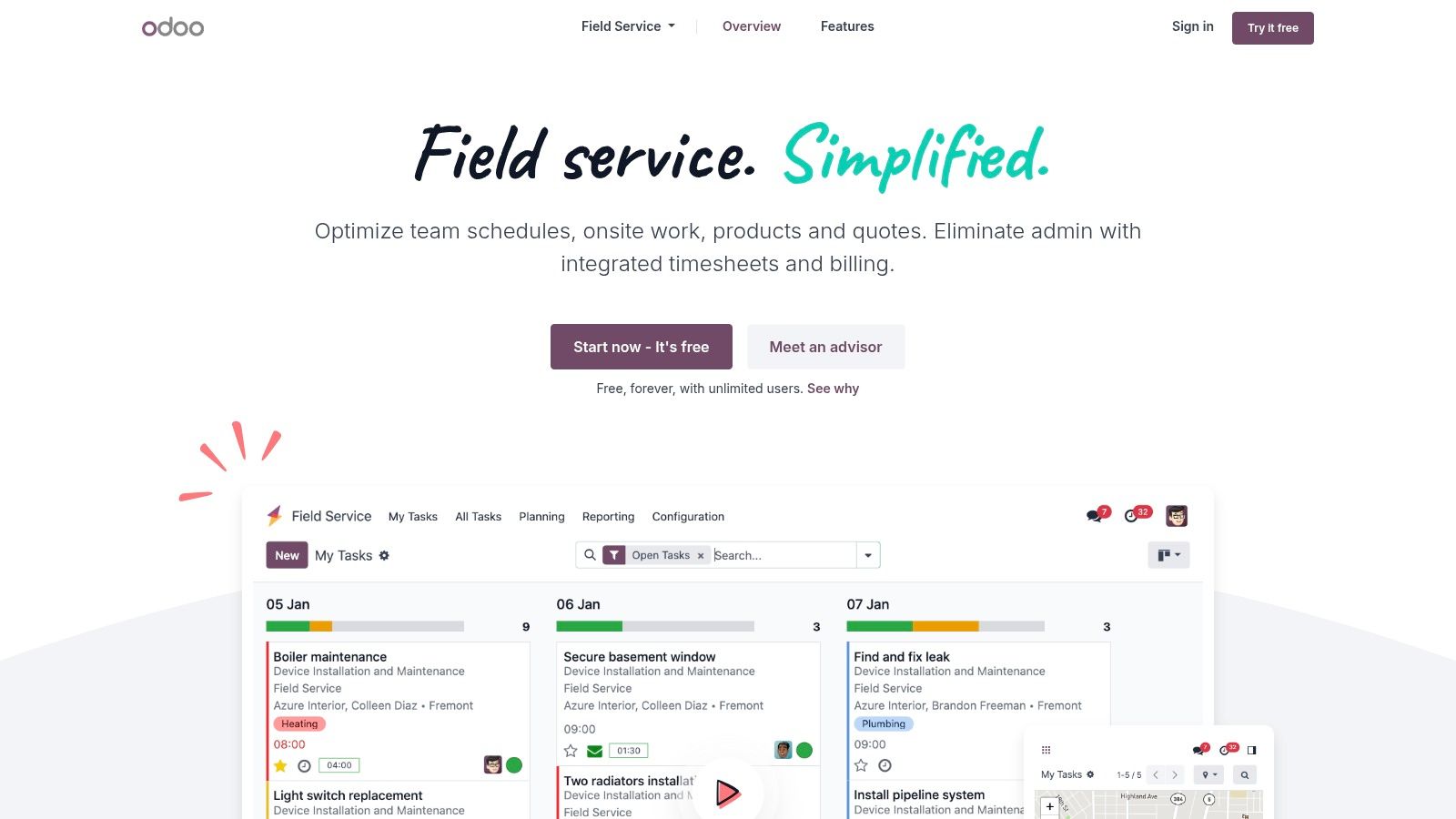
Odoo is the free option I’d point to when someone says, “I don’t want a toy. I want a good workflow.” That distinction matters.
A lot of field service management software free plans give you a taste of scheduling and then stop right before the useful part. Odoo goes further. If you use its One App Free setup and choose Field Service, you can run a good job flow with worksheets, signatures, timesheets, planning, and invoicing logic inside one product.
Where Odoo feels strong
This is not just a calendar with a service label on it. It is structured.
You can build work orders with checklists and signatures, schedule jobs on Gantt or map views, track time and materials, and connect the work to quotes and invoices. For a small operation that already feels the pain of “who did what, where, and did the customer sign off,” that structure helps.
A few things stand out:
End-to-end flow: Jobs can move from planning to on-site completion without bouncing between disconnected tools.
Unlimited users on the free app setup: That makes it unusually generous for teams that have several techs but little budget.
Clear upgrade path: If you later need CRM, accounting, inventory, or help desk, Odoo already has a lane for that.
The catch with free
The catch is simple and sharp. The “one app” rule is real.
The second you decide you also want another Odoo app in the same hosted setup, you move out of the free lane. That is not evil. It is just the business model. But you should know it before you build yourself into a corner.
Odoo works best when you already know that your business will either stay simple for a while, or eventually move deeper into the Odoo ecosystem.
That makes it a good fit for disciplined teams. It is less ideal for shops that love experimenting with lots of add-ons right away.
Direct tool link: Odoo Field Service
2. ERPNext
ERPNext is the opposite of plug-and-play software. That is both the appeal and the warning.
If Odoo is the polished hosted option with a free entry point, ERPNext is what I’d look at when a team says, “We can handle technical setup, and we care more about control than convenience.” Because when you self-host ERPNext, the software itself carries no license fee. For the right team, that is value.
Why technical teams like it
ERPNext is open source, and it covers more than a narrow FSM workflow. You can use maintenance visits, maintenance schedules, issue tracking, CRM, inventory, invoicing, and broader ERP functions in one system.
That matters if your service operation depends on parts, repeat maintenance, or detailed service history. Instead of bolting together separate tools, you can shape one system around how your business works.
The practical strengths are clear:
No software license fee when self-hosted: Good for teams that want to spend effort instead of subscription money.
Deep configurability: You can tune processes instead of accepting a rigid workflow.
Service plus back-office coverage: Inventory and billing live close to the field work.
What free really costs here
With ERPNext, “free” means your team becomes responsible for the rest.
You own hosting, updates, backups, reliability, and security. That is not a footnote. It is the whole deal. Security concerns are one reason some teams hesitate with FSM systems in general. Grand View Research notes that cybersecurity is a major adoption barrier for many businesses, and many field service providers rely on mobile devices for real-time operations. If you self-host, that burden lands on you, not a vendor.
So I would not hand ERPNext to a busy owner-operator with no technical help and call it “free.” I would call it powerful, flexible, and worth it only if your team can maintain it.
ERPNext is a strong choice when your business has process complexity and technical patience. If you only need to get jobs on a calendar by Friday, it is probably too much tool.
Direct tool link: ERPNext
3. ServiceM8
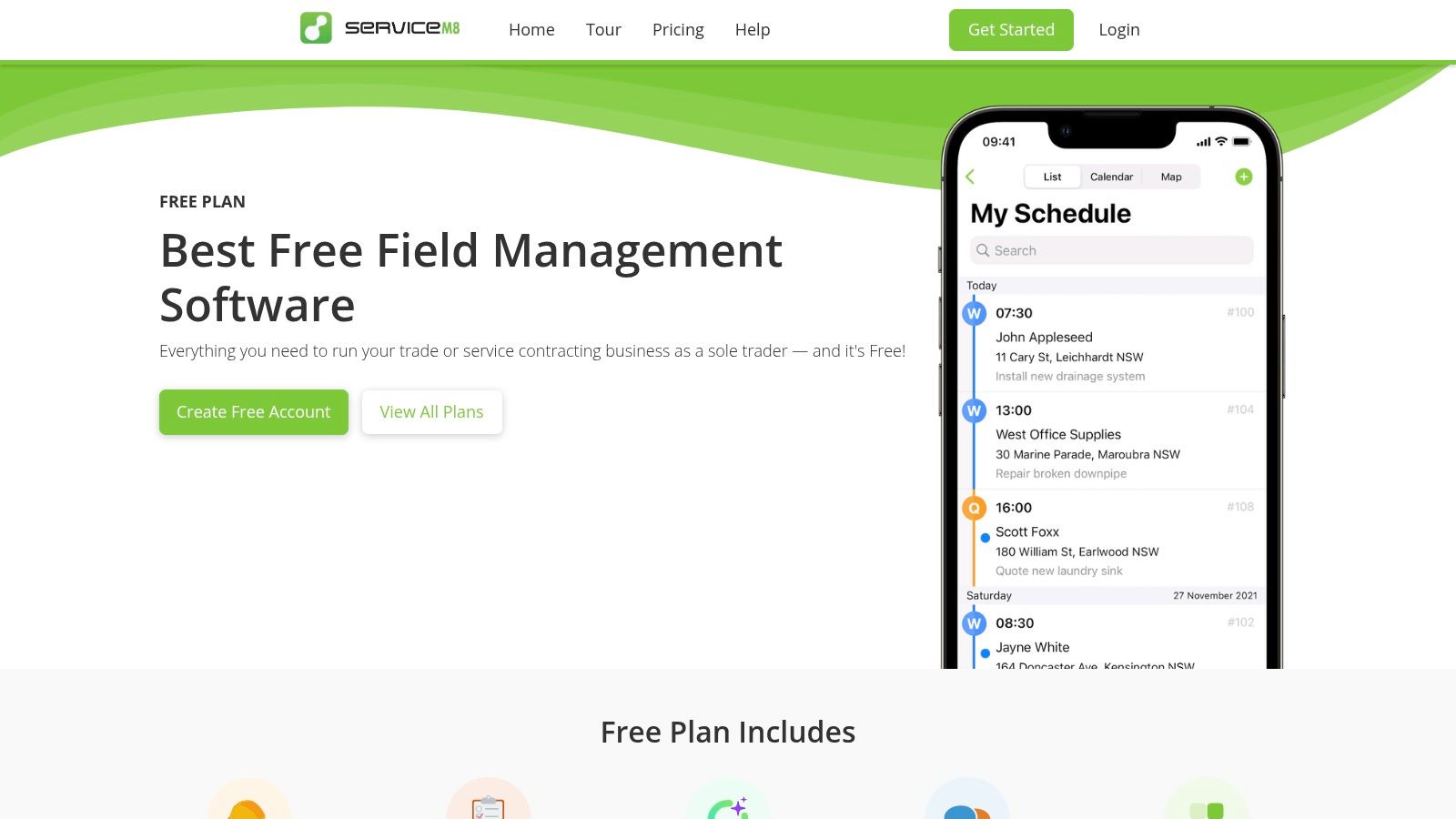
ServiceM8 knows exactly who it is for. I respect that.
This is a tool built for solo operators and small trade businesses that want to move fast on a phone, send quotes, book jobs, take payments, and keep things tidy without hiring an admin just to feed the software. It is not trying to be everything for everyone.
Best for the one-person or one-van shop
The free plan is aimed squarely at a solo user. You get jobs, scheduling, quoting, invoicing, online bookings, payment handling, and basic automations. For many trades, this covers the daily essentials.
The best part is the mobile experience. ServiceM8 feels designed for work happening in driveways, kitchens, utility rooms, and job sites, not from behind a desk.
That shows up in useful details:
Job-based communication: Email and SMS from the job card keeps customer updates tied to the work.
Quotes and invoices in the same flow: Less re-entry, less delay.
Online bookings and payments: Helpful if you want customers to do more of the admin work themselves.
The limits show up quickly
The free tier is narrow. One user. A monthly job cap. And the strongest experience leans heavily toward iPhone and iPad.
For some shops, that is fine. For others, it becomes a problem the minute a second technician joins or the owner uses Android and resents feeling like a second-class citizen.
This is the kind of tool where “free” works if your business stage matches the plan. It stops working when your team shape changes.
I’d use ServiceM8 if I were a solo trade professional who values speed and polish over broad flexibility. I would not use it if I expected to grow into a multi-tech team soon.
Direct tool link: ServiceM8 Free Plan
4. ServiceFolder
ServiceFolder sits in a practical middle ground. It does not feel as sprawling as Odoo or ERPNext, and it does not narrow itself down to a solo-operator mobile workflow the way ServiceM8 does.
For a single-tech service business, that can be exactly right.
The appeal is simplicity
The free-forever Silver plan gives one user a hosted system for core work order and asset tracking. That sentence matters because hosted simplicity is a good feature. A lot of small shops do not want to self-host, customize, or think about infrastructure. They want to log in and start organizing jobs.
ServiceFolder gives you job management, scheduling, a calendar, customer and equipment history, photos, documents, pricebooks, and map views. That is enough to replace the usual mess of notes, call logs, and half-kept customer records.
What it does well:
Customer and equipment history: Useful for repeat service work where context matters.
Straightforward setup: Easier to live with than bigger, more configurable systems.
Hosted from day one: No server decisions, no backup rituals.
Where the free plan stops helping
The one-user limit is the obvious wall. If your business is a single-tech operation, that may be fine for a while. The moment you need office staff, another field tech, or shared dispatch visibility, you’re in paid territory.
That means ServiceFolder is not a long runway tool for most growing businesses. It’s a starter system. A respectable one, but still a starter.
There’s nothing wrong with that. A lot of teams do better with a simpler tool they fully use than a bigger one they never finish setting up.
Direct tool link: ServiceFolder pricing
5. Fieldcode
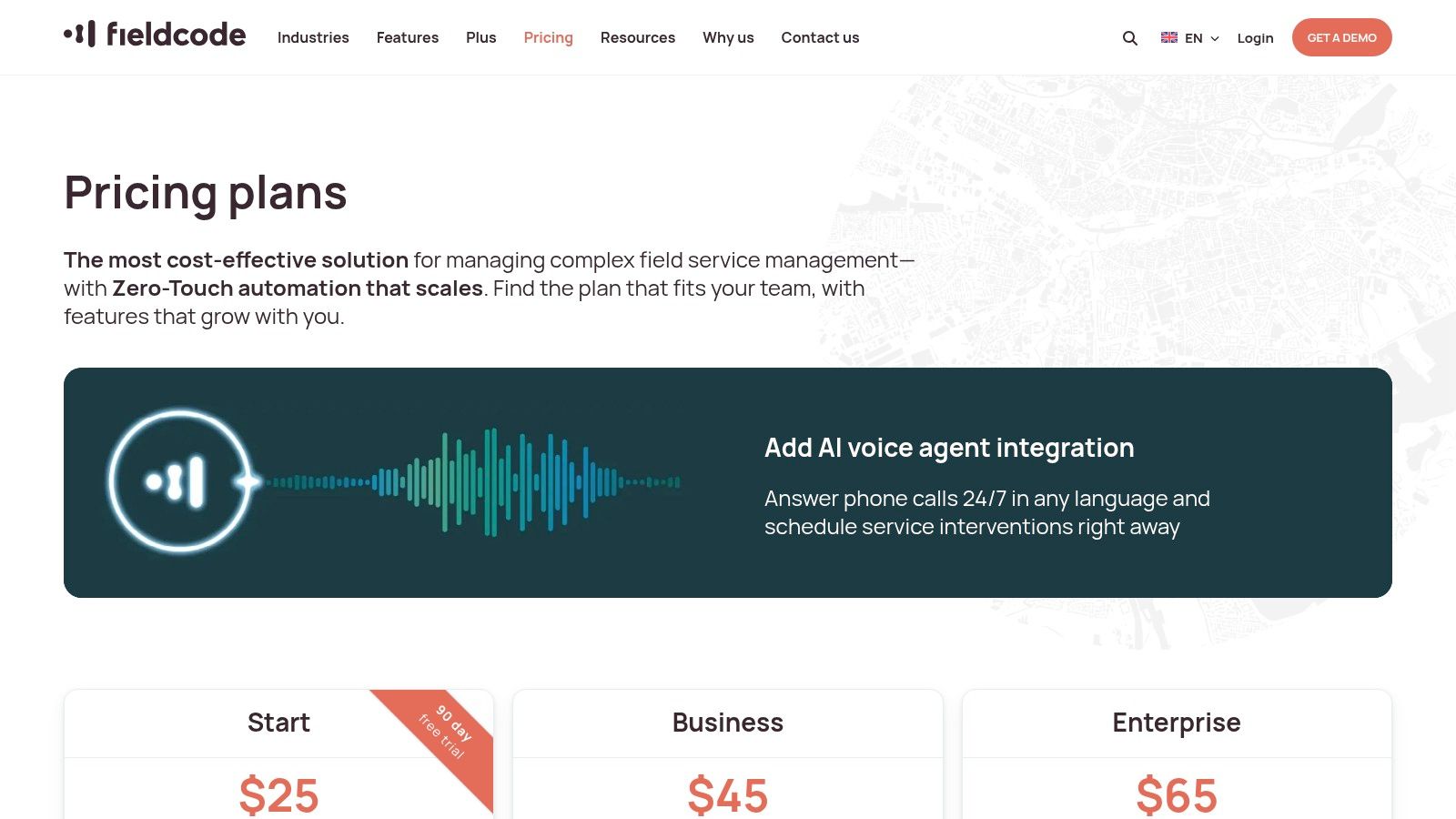
Fieldcode is on this list for one reason. It challenges the usual pricing logic.
Most FSM vendors charge by seat. Fieldcode charges by event or intervention. That changes the math for some teams in a useful way.
Why the model matters
If your workload is seasonal, irregular, or lower volume, paying a monthly fee for every dispatcher and technician can feel silly. A pay-per-event model can line up better with how the business earns money.
That does not make Fieldcode “free” in the pure sense. It means fixed user-license costs can stay at zero while you pay when work happens.
For some operations, that’s a smart trade.
No per-user fee structure: Better for organizations with many occasional users.
Mobile apps and dispatching: Still gives you good FSM mechanics.
Workflow automation and reporting: More serious than the pricing model might suggest.
The trade-off
This model works best when your team understands its own volume and margins.
If you process jobs steadily all month, traditional subscription pricing may be easier to forecast. If your operation spikes and dips, or if you have many people who need access but not constant usage, pay-per-event can be cleaner.
I’d say this plainly. Fieldcode is not a field service management software free choice for a team that wants a forever-no-cost plan. It is a pricing strategy choice. A useful one, but different.
It’s also more appealing to teams that already think operationally. If you do not know your average workload patterns, this pricing can feel abstract instead of helpful.
Direct tool link: Fieldcode pricing plans
6. Connecteam
Connecteam is where this list stops being a pure FSM roundup and starts getting honest about how field teams work.
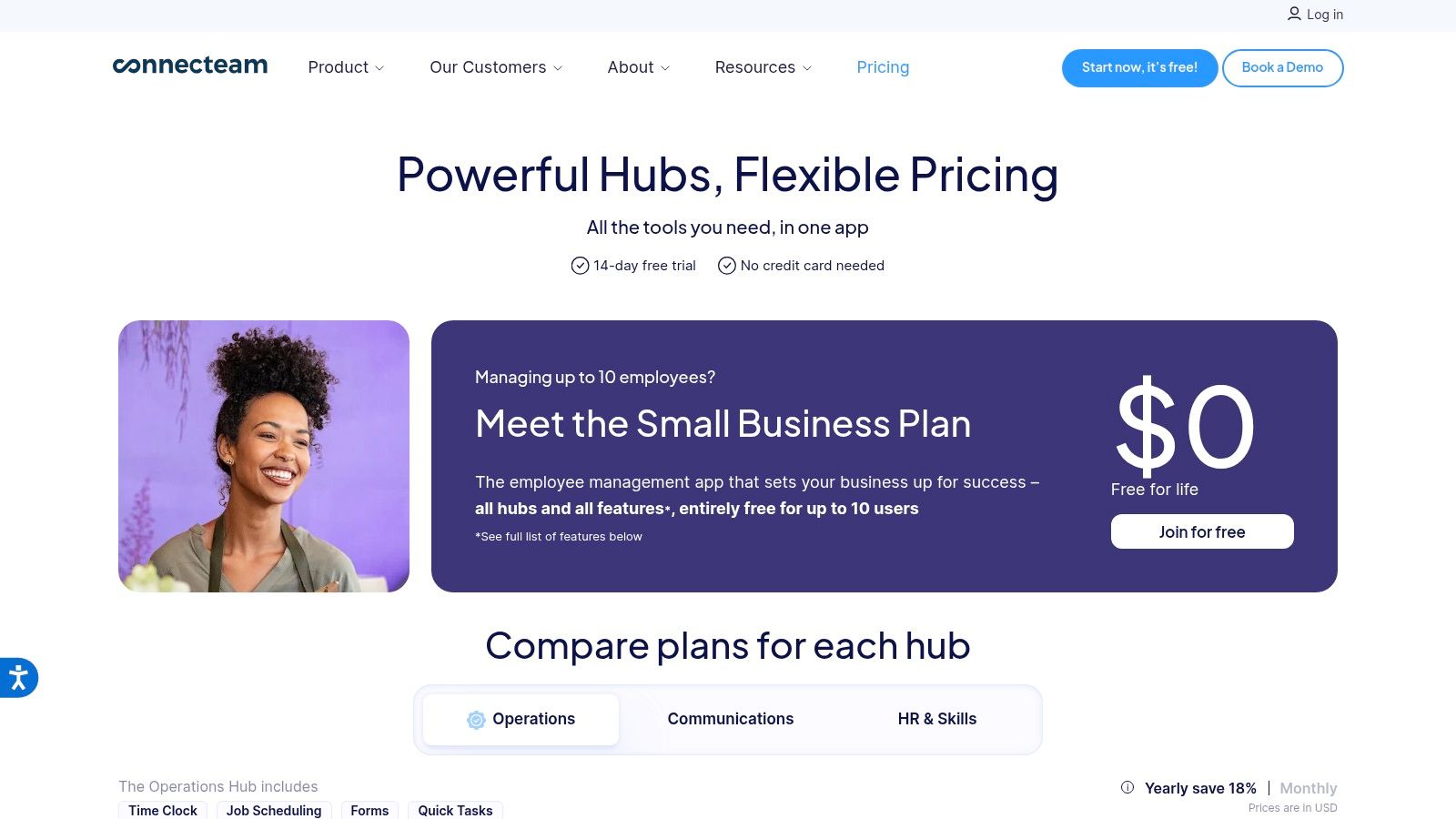
A lot of service businesses think they need FSM software when what they need first is better coordination. Schedule the shift. Track time. Send updates. Use checklists. Keep everyone in one app. Connecteam does that well, and its free small business plan covers up to 10 users, as described in this Connecteam free FSM overview.
Strong on operations, lighter on sales workflow
Connecteam is mobile-first and practical. You can handle scheduling, shift and task management, GPS time tracking, forms, checklists, and in-app chat. For distributed teams, that can remove a surprising amount of daily friction.
There’s a broader reason tools like this matter. Existing free FSM comparisons often focus on scheduling, dispatch, and invoicing but say much less about internal communication gaps, which leaves many frontline teams stitching together multiple apps, as discussed in this look at free field service management software and communication blind spots.
That blind spot is real. If your technicians miss updates because communication lives somewhere else, your scheduling software is only solving half the problem.
You can also see why teams start here when reviewing mobile workforce management solutions.
What it does not replace
Connecteam is not where I’d go for native quoting, estimating, or invoicing. If your operation depends on sales-to-job-to-billing inside one system, this is not a full substitute.
But if your current pain is mostly around people staying in sync, Connecteam may do more for the business than a “good” FSM with weak communication features.
For small field teams, the first win is often operational clarity, not software depth. If everyone finally knows where to be, what to do, and how to report back, that changes the day fast.
Direct tool link: Connecteam pricing
7. Homebase
Homebase is not traditional FSM. That’s exactly why some small teams should look at it.
If your business runs more like shifts and crews than formal work orders and estimates, Homebase can be the more sensible starting point. Especially if the problem is attendance, scheduling, and communication, not customer quoting.
Better for shift-based teams than service workflow purists
The free Basic plan works for one location and covers employee scheduling, time tracking, team messaging, and some hiring and onboarding basics.
That makes it useful for local service operations where people need to clock in, swap shifts, confirm availability, and stay reachable. Think teams that dispatch from one hub or manage recurring service coverage rather than highly customized service jobs.
The practical appeal:
Easy scheduling and attendance: Good for teams replacing paper rosters or text chains.
Messaging inside the same app: Fewer “didn’t see it” excuses.
Hiring and onboarding basics: Helpful if your operation hires regularly.
You can pair that kind of setup with a dedicated employee clock in app mindset if attendance visibility is the main issue.
Why some teams outgrow it fast
Homebase does not give you work orders, estimates, invoices, or customer asset history. If those are central to your business, you will hit the limit quickly.
I’d call Homebase a workforce coordination tool that can support field teams, not a replacement for full FSM. That sounds obvious, but a lot of small businesses save themselves money by admitting they do not need full FSM yet.
Direct tool link: Homebase pricing
8. Sling
Sling is lean. That’s its strength.
If you need shift scheduling and internal communication without dragging your team into a complicated system, Sling does the basics with less fuss than many larger platforms. Its free plan supports up to 30 users, which makes it appealing for bigger frontline teams that still need to watch costs.
Good when the workflow is simple
Sling gives you shift creation, templates, time-off requests, shift swaps, messaging, and mobile access. For distributed teams that mostly need to know who’s on, who’s off, and how to communicate, that can be enough.
This works particularly well when jobs are standardized or assigned outside the software, and the software’s role is mainly to keep staffing organized. It also fits teams that are evaluating a dedicated employee shift scheduling app before investing in a broader operations stack.
A few reasons teams like it:
Simple rollout: Less training, less resistance.
Messaging plus scheduling: The combination matters more than it sounds.
Generous user allowance on free: Useful for larger hourly teams.
Where it falls short
Sling is not a field service management software free option in the classic sense. It does not handle quoting, job records, invoices, or customer history natively.
That means you should not try to force it into a role it does not want. If your work revolves around service tickets and billable jobs, choose a proper FSM. If your daily friction lives in staffing and communication, Sling may be enough.
Direct tool link: Sling pricing
9. Kickserv
I’ve seen plenty of small service businesses get excited about Kickserv, then realize the word free depends on how they get paid.
That does not make it a bad option. It makes it a tool you need to price like an operator, not like a shopper.
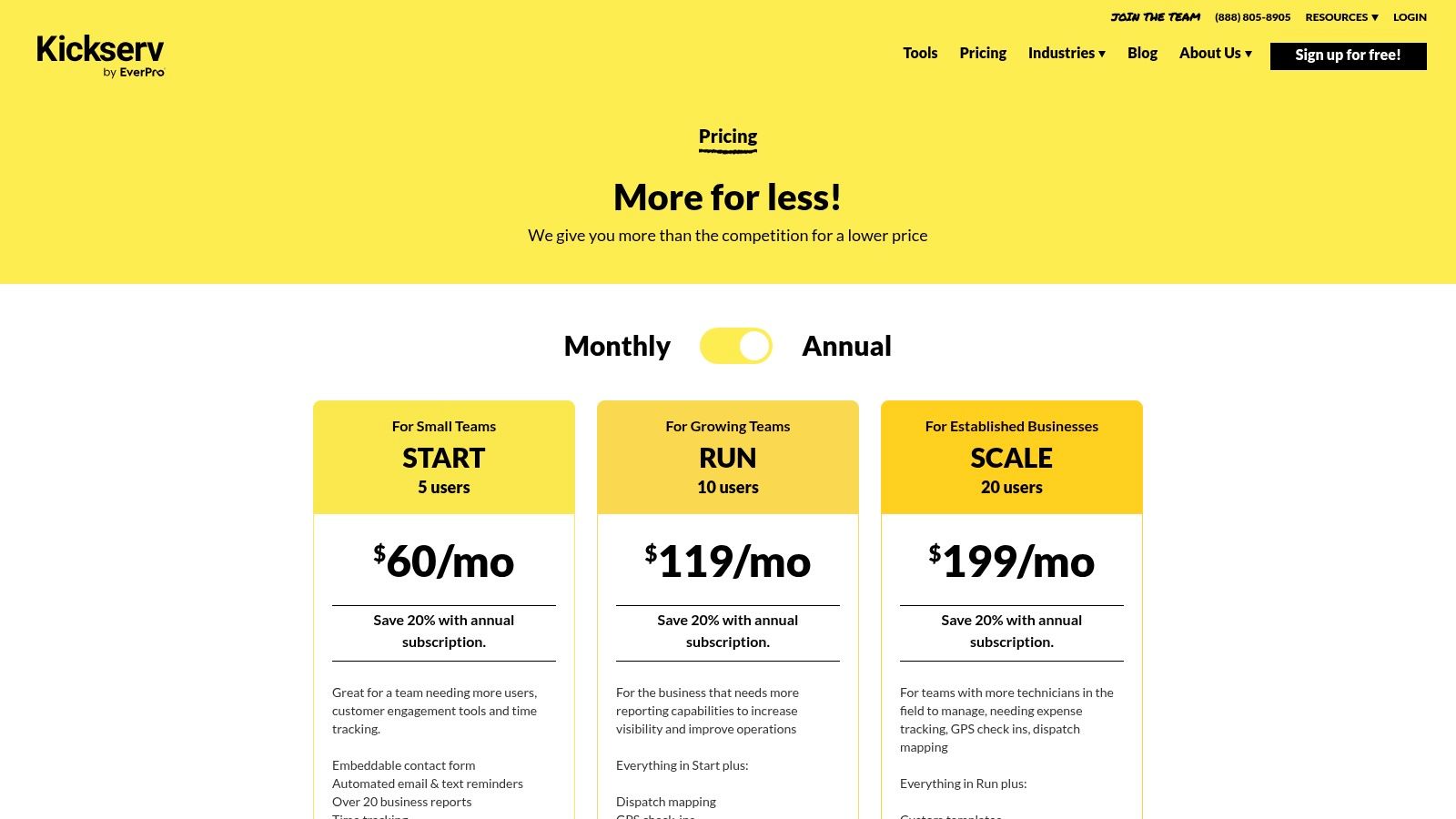
Kickserv offers a trial, and it also has a path to ongoing no-software-fee use if your business processes enough online payments through the platform. For the right company, that can work well. For the wrong one, it creates extra pressure to change your billing habits just to protect the software budget.
Best fit for teams already collecting payments online
Kickserv is a good FSM product, not a lightweight scheduling app stretched into field service. It covers dispatching, estimates, invoicing, customer records, notifications, e-signatures, expense tracking, mobile apps, and QuickBooks sync.
That matters because the hidden cost of free software is usually fragmentation. One app for scheduling. Another for invoices. A shared inbox for customer updates. A spreadsheet for job history. Kickserv avoids a lot of that patchwork if your team is ready to run estimates, jobs, and payments in one place.
A few practical strengths stand out:
Connected workflow: Estimates, jobs, invoices, and payments stay tied to the same customer record.
Field-ready mobile app: Techs can update work, add notes, collect photos, and take payment without calling the office for every step.
Free path that matches transaction volume: If you already process enough customer payments online, the pricing model can make sense.
Where teams get tripped up
The trade-off is simple. If you do not hit the payment threshold, the free angle disappears.
That changes the math for very small operators, newer businesses, and shops that still collect by check, cash, or manual bank transfer. In those cases, Kickserv can still be a solid system, but it is no longer a free field service management software choice in practical terms. It becomes a paid FSM with a payment-based discount structure.
My advice is to test one thing before anything else. Can your current customer base, invoice size, and payment habits realistically support the threshold every month? If not, count the software as paid from day one and decide from there. That saves a lot of backtracking later.
Direct tool link: Kickserv pricing
10. Free Service Pro
Free Service Pro has the simplest pitch on the list. A free-forever core system for contractors who need customer management, scheduling, estimates, invoices, and mobile apps.
That simplicity is appealing. It also means you need to do a little extra homework before betting on it.
Why it’s interesting
For a small contractor, the promise is good. You can manage customers and jobs, schedule work, send estimates and invoices, and let field staff use mobile apps for notes, photos, and time tracking.
This covers the basics well enough that a very small team could start there without much setup pain.
The upside is easy to understand:
Low-friction start: Simple onboarding matters when the office is already overloaded.
Native mobile apps: Field use is built in, not bolted on.
Core FSM functions at no upfront software cost: Good for testing discipline before spending money.
Why I’d verify carefully
The issue is not that it looks bad. The issue is maturity.
Compared with more established names, Free Service Pro has a lighter public track record and fewer widely discussed long-term scaling stories. That does not make it a bad tool. It just means I would test the edges before trusting it with the whole business.
I’d ask plain questions. What happens when we add more staff? How are exports handled? What support path exists if something breaks? Are advanced limits clear, or do they appear only after we’re committed?
When a tool is free, that diligence matters more, not less.
Direct tool link: Free Service Pro
Top 10 Free Field Service Management Software Comparison
Solution | Core features | UX / Quality | Pricing & Value | Target audience | Unique selling point |
|---|---|---|---|---|---|
Odoo Field Service | Work orders, checklists, scheduling (Gantt/map), timesheets, invoices | ★★★★, strong UI inside Odoo ecosystem | 💰 One App Free: $0 for a single app (unlimited users), restrictions apply | 👥 SMBs & teams wanting end‑to‑end FSM + ERP path | 🏆 True FSM flows + easy upgrade to CRM/accounting; ✨ unlimited users on One App Free (single‑app rule) |
ERPNext | Maintenance visits, SLAs, inventory/parts, invoicing | ★★★★, configurable, community‑driven | 💰 $0 software if self‑hosted (hosting costs apply) | 👥 Tech‑savvy teams/organizations that can self‑host | 🏆 Open‑source, highly configurable; ✨ no license fees when self‑hosted |
ServiceM8 | Jobs, online bookings, quotes/invoices, payments, automations | ★★★★★, polished mobile (iOS‑first) | 💰 Free: 30 jobs/mo; paid tiers for volume | 👥 Solo trades & small contractors focused on mobile workflows | 🏆 Fast deployment & built‑in payments; ✨ optimized iPhone/iPad experience |
ServiceFolder | Job/work orders, scheduling, customer/equipment history, pricebooks | ★★★★, simple, straightforward UI | 💰 Free‑forever Silver plan for 1 user | 👥 Single‑tech SMBs wanting hosted simplicity | 🏆 Clear free plan for core needs; ✨ quick start with minimal setup |
Fieldcode | Dispatch, mobile apps, workflow automation, SLAs, analytics | ★★★★, enterprise reliability | 💰 Pay‑per‑event model, no per‑user fees (you pay per job) | 👥 Enterprise, seasonal or low‑volume field teams | 🏆 Predictable per‑event costing; ✨ zero‑touch automation & strong analytics |
Connecteam | Scheduling, GPS time clock, forms/checklists, in‑app chat | ★★★★, mobile‑first, easy onboarding | 💰 Free Small Business plan up to 10 users | 👥 Distributed frontline teams needing ops + comms | 🏆 Generous free plan; ✨ fast mobile onboarding for teams |
Homebase | Employee scheduling, time clock, messaging, hiring/onboarding | ★★★, solid for shift management | 💰 Free Basic for one location (pay for payroll/add‑ons) | 👥 Single‑location hourly businesses & restaurants | 🏆 Simple scheduling + payroll integrations; ✨ basic hiring tools included |
Sling | Shift templates, time‑off, shift swaps, team messaging | ★★★★, intuitive scheduling | 💰 Free plan supports up to 30 users; paid for advanced features | 👥 Teams needing rota/dispatch without full FSM | 🏆 Large free user allowance; ✨ easy shift creation & swaps |
Kickserv | Job dispatch, estimates/invoices, scheduling, QuickBooks sync | ★★★★, full FSM workflow for home service | 💰 Conditional $0 via Kickback (waived fee if payment threshold met) | 👥 Home‑service SMBs processing payments | 🏆 Potentially $0 software fee with Kickback; ✨ integrated payments + accounting sync |
Free Service Pro | CRM/jobs, calendar/scheduling, estimates/invoices, mobile apps | ★★★, lightweight, newer entrant | 💰 Free‑forever core system per site | 👥 Contractors wanting a no‑cost FSM starter | 🏆 Free per site core offering; ✨ native iOS/Android field apps |
The tool is just the start
I’ve seen small service teams lose weeks trying to save a monthly software fee. On paper, the free plan looked like a smart move. In practice, the office was still dispatching from a spreadsheet, techs were still texting job updates, and someone was retyping invoices at night because the “free” version stopped short of the parts that save time.
That is the core buying decision.
Free field service software shifts cost into other places. Setup time. Manual fixes. Training. Missed handoffs between the office and the field. The first win is usually good. Jobs are easier to track. Scheduling looks cleaner. People have an app instead of a whiteboard. Then the limits show up fast. One admin seat. No usable invoicing. Weak communication. No clean export path when the business outgrows the tool.
Small teams feel those gaps harder than larger companies do. They do not have spare admin capacity or an IT team to clean up a messy rollout. A free tool that needs constant babysitting is not free in any operational sense.
Choose based on stage.
A solo operator might do fine with ServiceM8 or ServiceFolder for a while. A process-heavy team that can accept a more rigid setup may get good value from Odoo. ERPNext suits teams that are comfortable self-hosting and want more control. Fieldcode is worth attention if pricing by job volume fits the business better than paying per user. Kickserv can work if the payment model lines up with how the company already collects money.
There is another trade-off that many comparison posts miss. Plenty of growing service businesses do not have a dispatch software problem first. They have a coordination problem.
A schedule can be perfectly built and still fail in the field.
The office updates a job. The technician misses the change. A part arrives, but nobody tells the next shift. The manager sees one version of the day, and the crew sees another. Good FSM software can reduce that, but many free plans only cover the job record. They do not fix the daily communication habits that keep work moving.
Analysts at Business Research Insights expect the field service management system market to keep growing, with more focus on automation and AI over time, according to their field service management system market report. That matters, but advanced automation does not help much if the team still runs on side messages, memory, and patchwork processes.
Start with the bottleneck.
If the main pain is quoting, invoicing, job history, and dispatch, pick an FSM tool and go in with clear eyes about what the paid tier will eventually cost. If the main pain is missed updates, weak follow-through, and office-to-field disconnect, a traditional FSM may not be the best first purchase.
In that case, a unified work app can be the more practical move. Something like Pebb brings chat, updates, scheduling, shifts, tasks, and frontline communication into one place. For many small service businesses, that closes the gap that causes the daily mess long before they need a heavier field service stack.
Software organizes jobs. Operations only improve when people stay aligned. That is usually where free tools start to show their limits.
