
Intranet for Companies Your Definitive Guide for 2026
Discover what a modern intranet for companies is, why you need one, and how to choose the right tool for your frontline and office teams. A complete guide.
Dan Robin

A store manager changes tomorrow’s opening shift. That should take thirty seconds.
Instead, it turns into a small mess. One text goes out to the supervisors. A PDF gets emailed to everyone else. A paper note lands in the breakroom. Someone misses all three. Someone else sees the old version. By dinner, half the team is asking what the actual schedule is.
Most companies don’t have a people problem. They have a disconnected workday.
That’s what makes the conversation about an intranet for companies worth revisiting. Not the old version. Not the dusty internal site full of stale PDFs and dead links. I mean the practical version. The one your staff can open on a phone, use in seconds, and trust when they need an answer fast.
For frontline and distributed teams, this matters even more. Office workers can usually hunt around across email, chat, drives, and browser tabs. Store teams, hotel staff, warehouse crews, nurses, and drivers don’t have that luxury. They need one place that works.
The Hidden Costs of Disconnection
The worst part of tool sprawl is that it looks normal from the outside.
A manager uses email for announcements, WhatsApp for urgent updates, a shared drive for policies, a scheduling app for shifts, and a separate HR portal for time off. None of those tools are wrong on their own. The problem is that employees have to remember which tool holds which answer.
Small gaps turn into daily friction
That friction shows up in ordinary moments.
A new hire can’t find the dress code. A supervisor shares the wrong checklist because the old one is still pinned in a group chat. A team lead spends part of the afternoon answering the same question five times because the answer lives in a document no one can find. By the end of the week, everyone’s a little more irritated than they should be.
The cost isn’t just time. It’s confidence.
When staff stop trusting where information lives, they stop checking. They start asking around instead. Then the loudest person in the group becomes the source of truth, whether they’re right or not.
You can feel a broken internal system before you can measure it. It shows up as hesitation, rework, and people double-checking everything.
Frontline teams pay the highest price
Desk-based teams can survive messy systems longer than frontline teams can.
A cashier, a housekeeper, or a technician doesn’t sit at a laptop all day. They’re moving. They’re serving customers. They’re covering shifts. If your internal communication depends on inbox habits or desktop access, a big part of your company is already at a disadvantage.
That’s why a modern intranet for companies matters less as an IT purchase and more as an operating choice. It gives people a reliable place to check updates, find documents, and handle routine tasks without chasing links across five systems.
Chaos becomes culture if you let it
Most leaders don’t choose chaos. They inherit it in layers.
One app gets added for chat. Another for files. Another for scheduling. Another because payroll needed it. Another because someone in HR liked the interface. After a while, nobody can explain the system because there is no system. There’s just a pile.
That pile shapes how the company feels to work in.
People get slower. Managers become human routers. New hires learn that “ask someone” is faster than “look it up.” At that point, the issue isn’t software. It’s that the company has no clear digital home.
A good intranet calms that down. Not by doing everything under the sun, but by putting the right things in one dependable place.
What a Modern Company Intranet Actually Is
Many still hear “intranet” and picture a sad internal homepage from another era.
That image is outdated. The category moved on years ago.
By 2000, 64.3% of the top 1,500 French companies had implemented an intranet, and the model started as simple internal websites before evolving into more dynamic platforms. Today, 91% of organizations have an intranet, but only 13% of employees use it daily, which shows the hard part is no longer rollout. It’s engagement, usability, and relevance, as noted in LumApps’ history of intranet evolution.
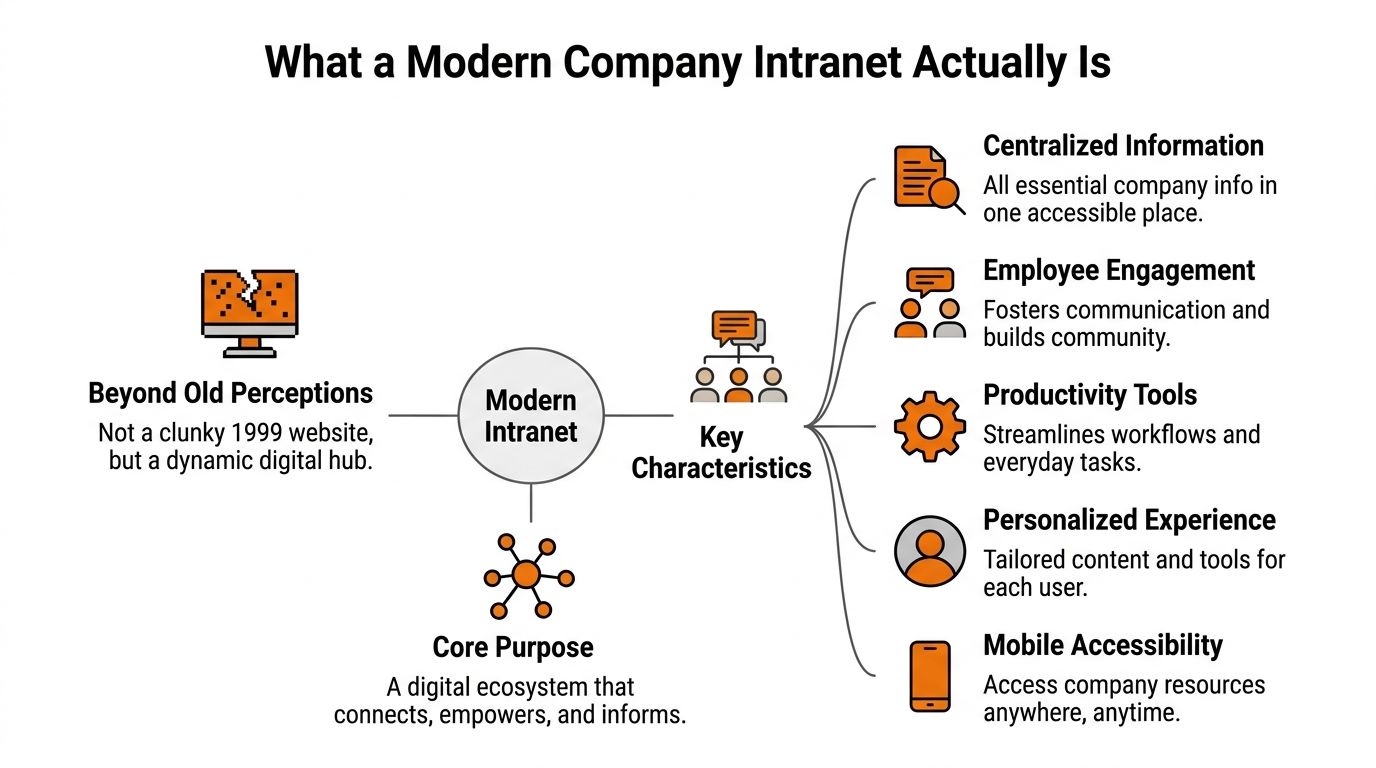
It’s a digital town square
A modern intranet isn’t a filing cabinet with a search bar.
It’s the place employees go to understand what’s happening, what they need to do, and where to find the tools and knowledge that help them do it. That includes company updates, team communication, policies, schedules, task context, directories, and everyday operational information.
For frontline teams, that town square has to fit in a pocket. If it only works well on a desktop, it’s not modern. It’s just a newer version of the same old problem.
It has to earn attention
Many intranet projects go wrong at this stage. Leaders treat the intranet like a storage problem.
Employees don’t care that leadership finally organized the handbook. They care whether they can check a shift, find a procedure, confirm time-off steps, or see an urgent update without friction. The intranet has to be useful in the first minute, not impressive in the demo.
A good way to think about it is simple:
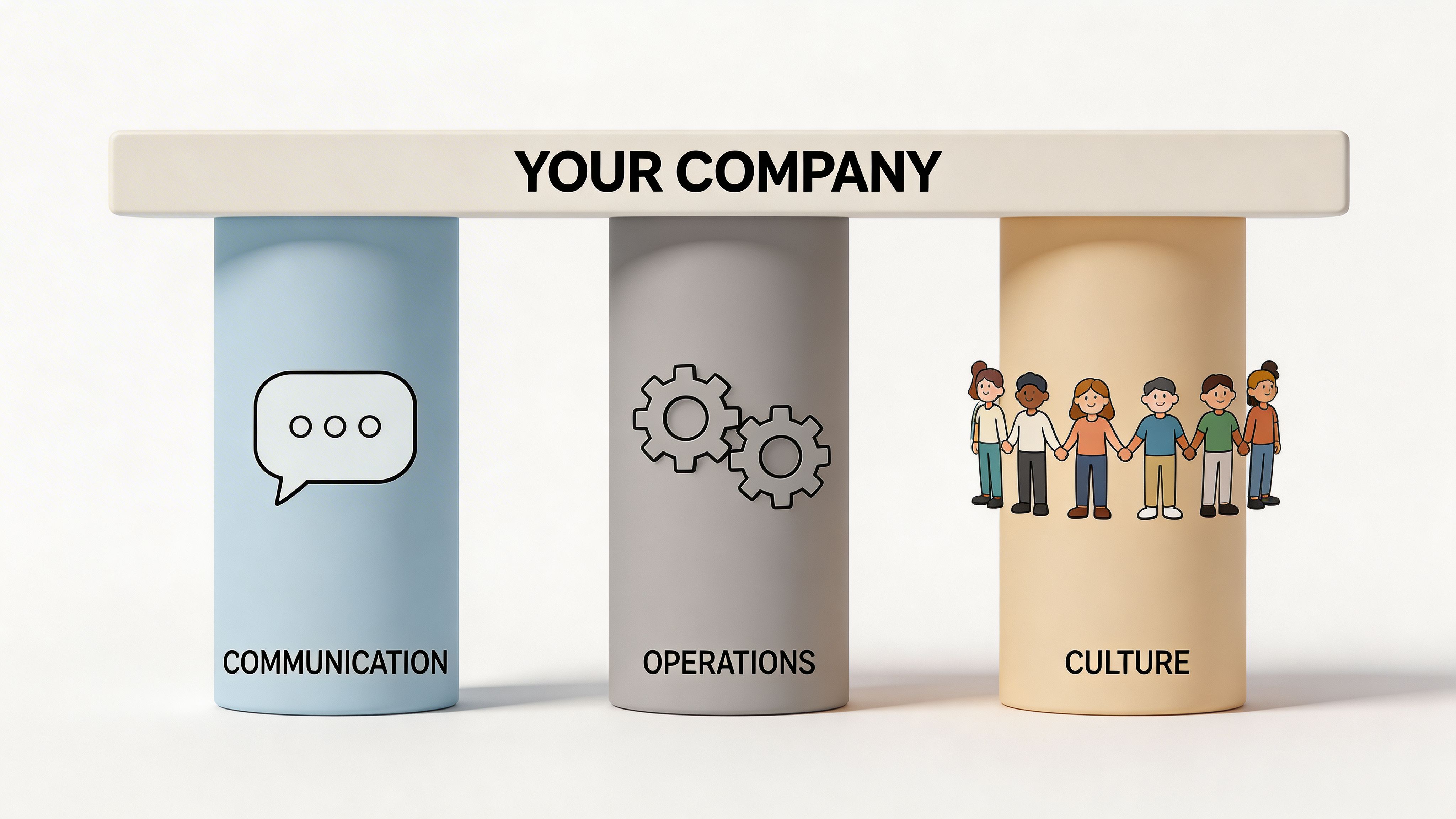
Communication: People can see updates and talk to the right teams.
Work: People can complete everyday tasks without hopping between apps.
Belonging: People can see who’s who, how the company works, and where they fit.
If it fails on those three, nobody will care how polished the homepage looks.
Old intranets stored information. Good ones guide work
That shift is the difference.
The old model said, “Here are the documents.” The modern model says, “Here’s where your workday starts.” That means clear navigation, role-based access, mobile usability, and content that reflects how teams operate.
If you’re sorting through platforms, this practical guide on what to look for in a modern intranet and what to leave behind gets the distinction right. The useful question isn’t whether a tool has a lot of features. It’s whether your staff will use it when they’re busy, tired, and on the move.
Practical rule: If the intranet only becomes useful after training, it’s already in trouble.
The Three Pillars of a Truly Useful Intranet
A useful intranet for companies rests on three things. Communication, operations, and culture.
Leave one out and the whole thing weakens. You don’t need a giant feature set. You need these three pillars working together in a way your teams can use.
Communication
This is the obvious one, but companies still get it wrong.
Communication inside an intranet should cover more than top-down announcements. Teams need a mix of company-wide updates, group chat, direct chat, and voice or video when a typed message won’t do the job. A regional manager should be able to post a clear update to all locations. A shift lead should be able to message a team space without hunting for the right thread in a consumer app.
What doesn’t work is splitting urgent updates from everyday conversation across unrelated tools. People stop checking. Messages get missed. Nobody knows where “official” communication lives.
Good communication tools inside an intranet have a few traits in common:
Clear channels: Teams know where announcements go and where discussion belongs.
Mobile access: Staff can read, reply, and confirm updates from a phone.
Enough richness: Voice and video matter when context matters.
The point isn’t to create more chatter. It’s to reduce confusion.
Operations
This pillar gets ignored in a lot of intranet advice, especially advice written for office teams.
Frontline companies need the intranet to help people do the work, not just talk about the work. That means schedules, shift details, task lists, checklists, policies, onboarding guides, and searchable knowledge all need a home that’s easy to reach during a busy day.
If an employee still has to jump to separate tools for shifts, files, internal updates, and team coordination, your intranet is acting like wallpaper.
What works better is a tight operating layer:
Operational need | What useful looks like |
|---|---|
Shift information | Staff can check schedules and changes quickly on mobile |
Task execution | Managers can assign, track, and close routine tasks in one place |
Knowledge access | Policies, SOPs, and onboarding materials are searchable and current |
Team spaces | Each team has a clear working area for updates, files, and coordination |
Products differ in practical terms here. Some platforms are still communication-first and weak on execution. Others handle operational workflows better. Tools such as Staffbase, Workvivo, Simpplr, Blink, and Pebb each take a different approach. For example, Pebb combines chat, updates, voice and video, tasks, a knowledge library, file sharing, people profiles, and configurable team spaces in one app, which is useful for companies trying to reduce tool sprawl rather than add another layer on top of it.
Culture
Culture sounds softer than operations, but it’s not optional.
Companies with distributed teams need a way for people to know who they work with, where to find expertise, and how the company communicates when they aren’t in the same room. A profile, a people directory, and visible team spaces do more than make the app feel social. They help employees orient themselves.
A new starter shouldn’t have to ask three people who handles payroll questions, where the regional lead sits, or how to find a safety update. The intranet should answer that discreetly.
Culture in a useful intranet often looks simple on the surface:
Profiles that matter: Not just names and titles, but enough context to be useful.
A searchable directory: People can find the right colleague without guesswork.
Shared visibility: Teams can see wins, updates, and who’s doing what.
A company feels bigger and colder when people can’t see each other beyond job titles.
The plumbing matters too
There’s also a less glamorous layer that matters a lot.
Enterprise intranets need SSO, role-based permissions, and cloud infrastructure, often aligned with frameworks such as ISO 27001. Cloud-based access also removes VPN friction and patching downtime, which matters when shift workers need around-the-clock access to schedules and operating information, as described in Sociabble’s overview of modern intranet features.
That sentence may sound technical, but the practical takeaway is plain. If access is annoying, people won’t use the tool. If permissions are loose, people won’t trust it. You need both.
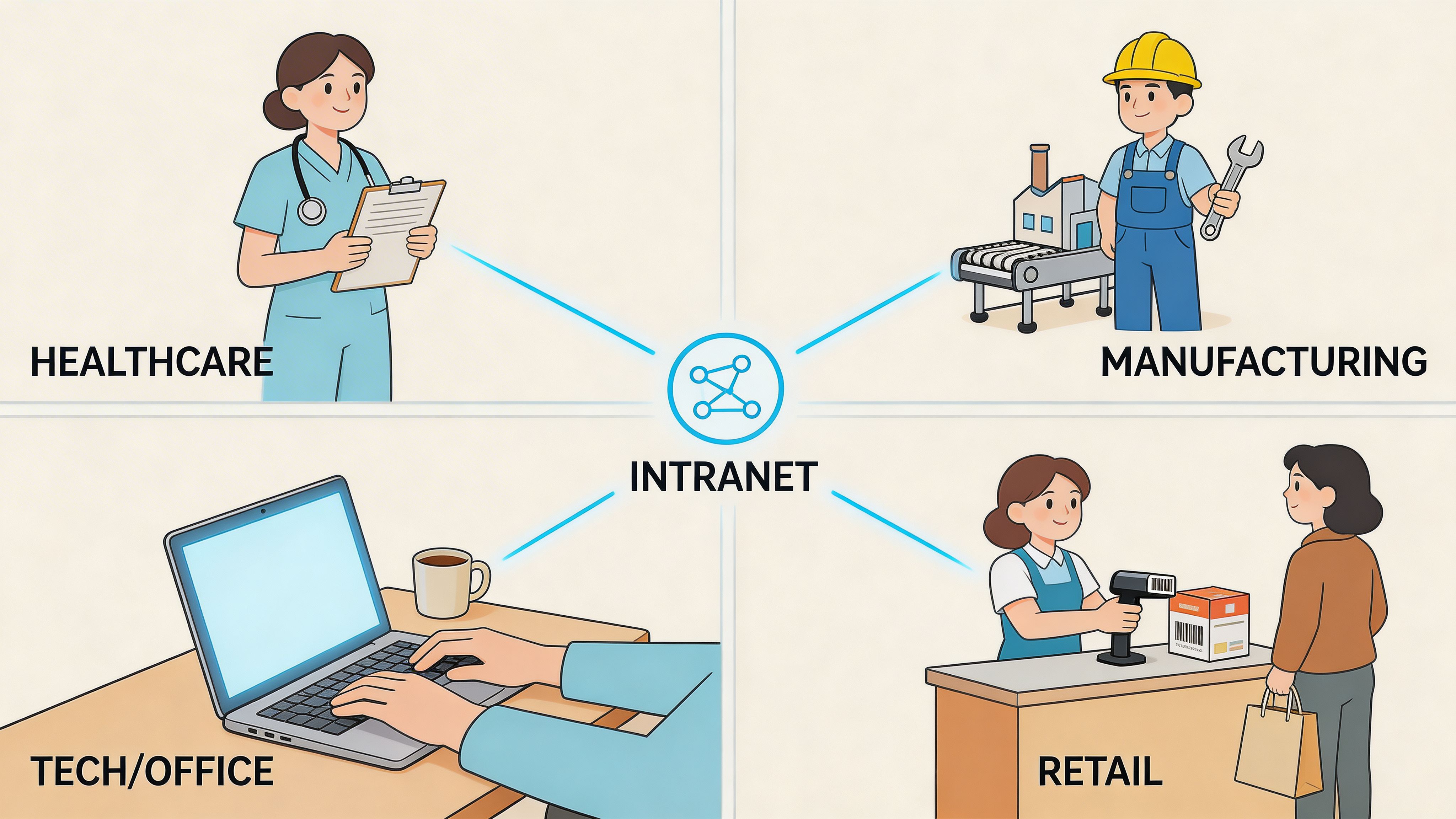
How Different Industries Stay in Sync
A lot of intranet advice becomes fuzzy the moment it meets a real shift, a real customer, or a real staffing gap.
The test isn’t whether the platform looks clean in a browser. The test is whether different kinds of companies can keep people aligned when the day gets messy.
Retail
A retail team needs fast rollout, not elegant theory.
A merchandising update arrives late on Friday. Stores need the new display instructions, promo language, pricing notes, and a task checklist before the weekend. In a scattered setup, that information ends up across email, chat threads, and PDFs. Managers spend half their energy making sure people saw the message.
In a good intranet, head office posts the update once, store spaces receive it in context, and local managers can track whether tasks are done. Staff don’t need to wonder where the final version lives.
Healthcare
Hospitals and clinics live on clarity.
A nurse manager filling a critical shift doesn’t have time to bounce between texts, noticeboards, and separate policy folders. She needs one mobile place to reach the right team, confirm who’s available, and point staff to the current procedure if a care workflow changes.
The same goes for compliance-heavy communication. When handoff guidance, PTO rules, and operational notices all sit in one governed system, the organization gets calmer. Not perfect. Calmer.
Hospitality and seasonal work
Hotels, restaurants, and venues often onboard quickly and repeatedly.
That means people need access to training material, shift expectations, location-specific guidance, and team contacts from day one. A mobile knowledge library helps because new starters can check information in the flow of work instead of waiting for someone to print or forward it.
This is also where simplicity matters more than polish. Seasonal teams won’t tolerate a clunky setup. They’ll route around it.
Logistics and distributed field teams
Drivers and warehouse teams need short, direct communication.
A safety alert, route change, or site instruction has to reach people who are moving all day. That makes mobile behavior especially important. Modern intranets use real-time analytics dashboards to track engagement by department, location, and shift, which helps leaders see what teams are reading and where content needs to improve, according to Powell’s write-up on intranet analytics.
That visibility matters because field teams often get undercounted in traditional internal comms. If leaders can’t see who’s engaging on mobile, they make bad assumptions about what’s landing.
If drivers, nurses, and store associates have to “check later on a computer,” the system was designed for somebody else.
The same principle shows up outside frontline sectors too. Many remote companies also rely on a clear digital home because distributed work breaks down fast when updates, knowledge, and team context live in separate places. The difference is that frontline teams feel the pain sooner.
A People-First Plan for Making the Switch
Replacing an intranet fails when leaders treat it like a software swap.
It works when they treat it like a change in habits, expectations, and trust.
That distinction matters even more for frontline teams. Up to 70% of intranet initiatives fail due to low adoption among non-desk workers, and those employees spend 60% less time on traditional intranets. The same source argues that zero-friction onboarding and mobile-first usability are the hinge points for success, according to Coveo’s intranet best practices.
Start with a small launch group
Don’t roll out to the whole company because the contract is signed and the homepage is ready.
Start with the people who shape the daily experience for everyone else. That usually means store managers, department leads, supervisors, HR partners, and a few trusted staff members from different locations. If they can’t use the tool naturally, wider adoption won’t fix that.
I’d rather launch a month later with better habits than launch on time with polite confusion.
A solid launch group should do three things before company-wide rollout:
Pressure-test everyday use: Can staff find schedules, messages, and policies without help?
Catch role-specific gaps: Does the warehouse team need a different home view than HR?
Surface language problems: If labels sound corporate, people ignore them.
Clean the content before you migrate it
Companies love to move junk into new systems.
That’s a mistake. A new intranet won’t save outdated policies, duplicate files, and vague naming. It only makes the mess easier to reach.
Before you migrate anything, sort content into three piles:
Content type | What to do |
|---|---|
Current and useful | Move it first |
Important but outdated | Fix it before moving |
Old, duplicate, or ownerless | Leave it behind |
This sounds basic, but it changes the day-one experience. When employees open a new intranet and immediately find the right file, trust goes up. When they find the same old clutter, they shrug and go back to asking in chat.
If you’re trying to decide whether replacement is overdue, this guide on whether it’s time to replace your intranet is a good gut check.
Make first access frictionless
Frontline adoption lives or dies in the first few minutes.
If employees need a long training session, a desktop login, or a chain of verification emails before they see anything useful, many won’t come back. Single-link invites, mobile setup, and a clear first screen matter more than a fancy launch campaign.
A good first session should answer three questions fast:
What’s happening today
Where do I find my team
How do I get what I need
That’s enough. Don’t try to teach the full platform on day one.
Launch the minimum that makes daily work easier. Save the nice-to-have material for later.
Give managers a script, not a slogan
Middle managers make or break adoption.
If all they get is “please encourage your teams to use the new platform,” you’ve handed them homework. Give them something better. Give them a short script for team huddles, a few specific actions to demonstrate, and clear guidance on what should stop happening in the old tools.
For example:
Stop posting schedule updates in scattered chats
Stop storing current SOPs in personal folders
Start using team spaces for shift communication
Start directing questions back to the shared knowledge area
That kind of clarity reduces drift. People follow visible habits faster than abstract policy.
Treat launch week like listening week
The first week should not be about celebrating completion.
It should be about paying attention. Watch what people ignore. Notice which pages get questions anyway. Listen for complaints that sound small. “I couldn’t find it” usually means navigation is weak. “I forgot to check” usually means the intranet hasn’t become part of the workday yet.
You don’t need perfect usage on day one. You do need to show employees that the tool will adapt to real work instead of forcing work to adapt to the tool.
Your No-Nonsense Vendor Evaluation Checklist
Most intranet buying processes get lost in feature grids.
That’s understandable. Vendor sites look similar, demos look polished, and every product sounds sensible for the first half hour. But the core question is simpler. Will your people use it once the novelty wears off?
That question matters because 31% of employees never log into their company’s intranet, and for a company with 10,000 users, a low-usability intranet can cost up to $15 million annually in lost productivity. The same source argues that evaluation should focus on KPIs such as active users, time spent, and user satisfaction, as explained in MangoApps’ guide to company intranets.
What to compare before you buy
Use this checklist when you’re down to real contenders.
Evaluation Area | Key Question to Ask | Why It Matters |
|---|---|---|
Mobile usability | Can a frontline employee complete common tasks on a phone without training? | If mobile use feels cramped or confusing, adoption drops first among non-desk staff |
Admin simplicity | Can HR or ops teams update content and manage spaces without IT bottlenecks? | A tool that needs constant technical help slows everything down |
Communication model | Does it handle announcements, chat, and richer team communication in one place? | Splitting communication across tools recreates the problem you’re trying to fix |
Operational depth | Can teams manage schedules, tasks, documents, and routine workflows where they already communicate? | A communication-only intranet often becomes a side tool |
Permissions and access | Are roles, permissions, and authentication strong enough for sensitive internal information? | People need both trust and easy access |
Onboarding flow | How fast can a new employee get invited, sign in, and find what matters? | The first-use experience shapes long-term habits |
Analytics | Can you track active users, engagement patterns, and content performance clearly? | You can’t improve what you can’t see |
Support and rollout help | What happens after the contract is signed? | A weak rollout can sink a strong product |
Pricing clarity | What costs extra, and what doesn’t? | Hidden fees distort the real decision |
Frontline fit | Does the vendor clearly understand shift-based, distributed work? | Office-first assumptions break quickly in frontline environments |
Don’t confuse flexibility with clutter
Some products impress buyers by showing every possible option.
Be careful. Flexible can become bloated fast. You want enough configurability to support your teams, but not so much that every admin screen feels like a side quest.
Ask vendors to show three plain tasks live. Not the polished story. The plain tasks.
Find a policy
Message a team
Complete a routine operation
If any of that feels awkward in the demo, it will feel worse during a busy shift.
A practical buying team should also review a more detailed selection framework like this guide to selecting the right intranet solution for your organization. It helps separate nice demo moments from durable day-to-day value.
An Intranet Is a Place Not Just a Tool
The best intranet for companies does something bigger than organize information.
It gives the company a place to stand.
That matters because work is scattered now. Some people are in stores. Some are on hospital floors. Some are in warehouses, on the road, at home, or in offices a few days a week. If every group experiences the company through a different patchwork of apps, the company starts to feel fragmented too.
A good intranet becomes the shared place where work feels connected. People know where updates live. They know where to find forms, policies, conversations, tasks, and each other. They stop guessing. They stop forwarding screenshots. They stop relying on memory and rumor.
And something subtle changes when that happens.
The company gets quieter in the right way. Less chasing. Less duplication. Less “did anyone tell them?” Managers spend less time acting as switchboards. Employees spend less energy navigating the system and more energy doing the job.
That’s why I don’t think this is mainly a software decision. It’s an operating decision and a cultural one.
You’re deciding whether your company has a digital home or just a pile of tools.
If you’re sorting through options and want one place for chat, updates, voice and video, tasks, knowledge, file sharing, scheduling, directory, and analytics, Pebb is worth a look. It’s built for frontline and office teams that want to replace scattered tools with one mobile-friendly intranet people can use.
