
Simplify Security: Data Protection Strategies for All
Discover simple data protection strategies for frontline and office teams. Get practical tips to keep your company data safe in 2026. Easy to implement.
Dan Robin
The mess usually starts with convenience.
A manager texts tomorrow's shift change in a personal group chat. Someone forwards a screenshot to the wrong person. An onboarding form sits in an inbox longer than it should. A supervisor downloads a file to their phone because it's faster than logging into the old portal. Nobody means harm. People are just trying to keep the day moving.
That's why most data protection strategies fail in frontline businesses. They assume the problem is bad intent or weak technology. Most of the time, the problem is a sloppy system. If work happens across texts, scattered apps, shared logins, and half-documented habits, your team will invent shortcuts. They have to.
I've learned this the hard way rolling out mobile-first tools to large, distributed teams. The breakthrough wasn't tighter language in a policy doc. It was giving people one clear place to work, one simple set of rules, and fewer chances to guess.
Good protection doesn't begin with lockdown. It begins with trust.
Data Protection Starts with Trust Not Tech
When work lives in personal chat apps, nobody feels fully in control. Managers worry they've shared too much. Employees wonder who can see what. HR teams spend time chasing files instead of helping people. Security becomes background anxiety.
That kind of setup is common in frontline operations because it grows organically. One store starts using text for schedules. Another uses email for incident reports. A regional lead shares files through a cloud folder. Each choice feels harmless on its own. Together, they create a system nobody can really govern.
The real risk is everyday confusion
Mishandling sensitive information rarely stems from malicious intent. It occurs because the approved path is slower than the unofficial one. If the company app is clunky, people drift back to SMS. If permissions are vague, someone shares the whole folder instead of the one file. If policies read like legal homework, nobody remembers them under pressure.
That's why I don't think of data protection as a security project first. I think of it as an operating model. People need to know three things without stopping to think:
Where work belongs
What counts as sensitive
Who should have access
If those answers are fuzzy, no amount of technical hardening will save you.
Good security feels boring in the best way. People know where to go, what to do, and what not to send.
Trust changes behavior
Teams protect data better when the rules make sense to them. A cashier doesn't need a lecture on governance theory. They need to know that schedule swaps happen in the work app, not in a personal thread. A store manager needs to know where onboarding files live and who can open them. An HR lead needs confidence that private documents won't leak into general team spaces.
That's trust in practice. Not slogans. Not posters. A system that behaves predictably.
The strongest data protection strategies create the safest path by making it the easiest path. People don't need constant reminders when the tool itself nudges them toward the right behavior. That matters even more in hybrid and frontline environments, where speed wins every time.
Tech matters, of course. But trust is what makes people use tech correctly.
First Create Your Simple Rules of the Road
Before you pick settings, vendors, or admin controls, decide how your company handles information. Not in theory. In plain language. The kind a store manager, HR coordinator, or shift lead can use.
This step is often overlooked because policy sounds heavy. It doesn't have to be. Think of it as house rules. Where do shoes go. Who locks the door. What stays private. You're not writing a legal treatise. You're removing ambiguity.
Write the one-page version first
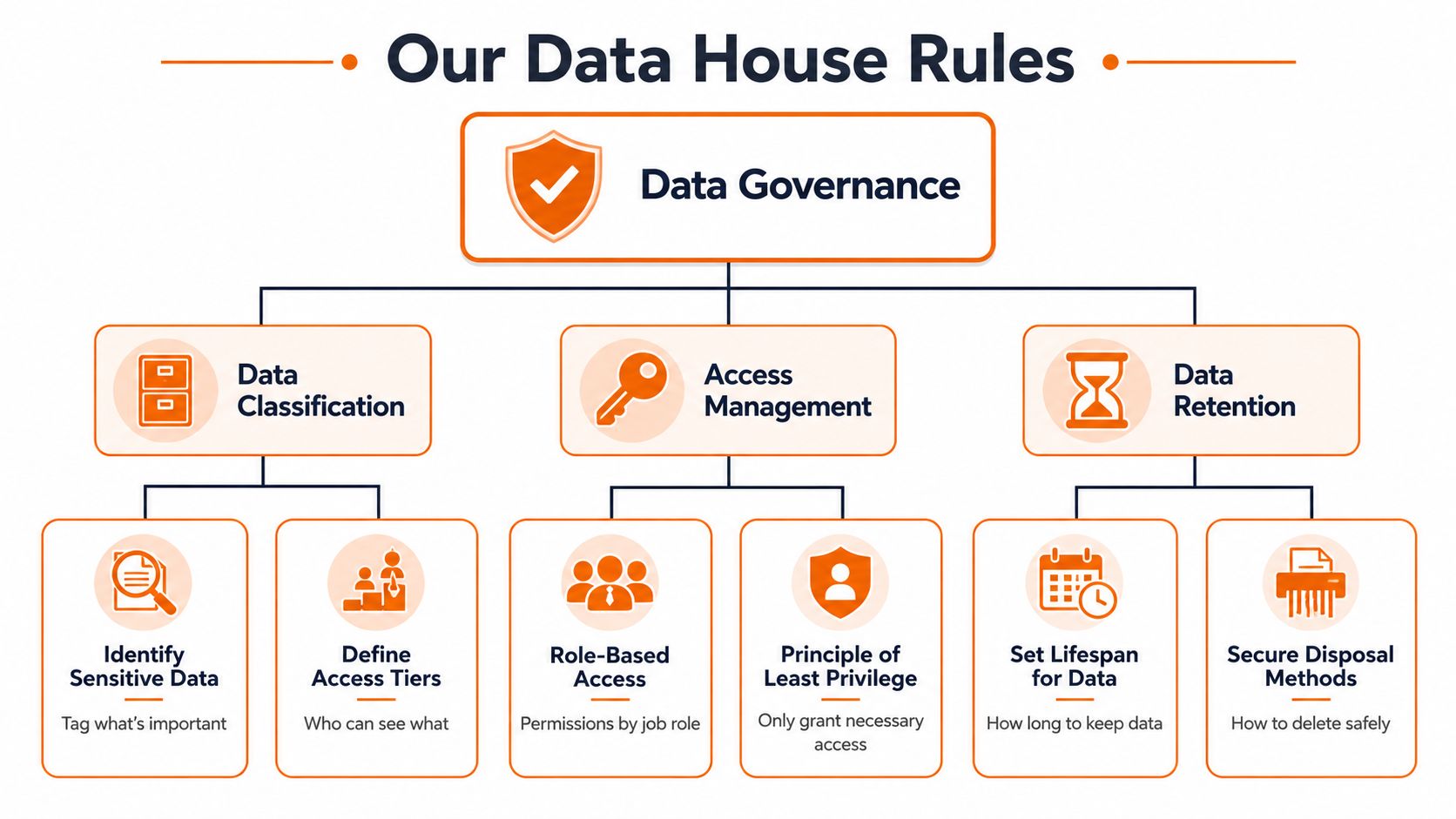
A useful data policy can fit on one page if you keep it practical. For a frontline business, I'd start with a few direct rules:
Sensitive data includes employee records, payroll details, health-related information, investigation notes, and private customer information.
Approved storage means company systems only. Not personal drives, not text threads, not random inbox folders.
Sharing rules follow job need. If someone doesn't need the information to do the work, they shouldn't receive it.
Retention rules decide what gets kept, for how long, and how it gets deleted when it's no longer needed.
That's the base layer. Then you train managers on examples. A retail supervisor can post a team update to everyone. They should not drop an employee disciplinary document into a broad channel. A district leader can view location performance. They should not have open access to every HR case file by default.
Compliance is just common sense with consequences
A lot of people hear compliance and mentally leave the room. That's a mistake. The point of regulation is often the same point good operators already understand. Know what data you hold. Handle it lawfully. Keep records. Limit access. Delete what you don't need.
A major reason this became unavoidable is that GDPR launched on 25 May 2018 and became a global benchmark for privacy governance, pushing data protection from a narrow IT task into a broader business discipline, as IBM explains in its piece on data protection strategy and GDPR's governance impact. That matters even if your company isn't based in Europe. The standard changed expectations everywhere.
Keep the rules visible
Once the rules exist, put them where work happens. Inside onboarding. In manager training. In your knowledge base. In approval flows for new tools. Don't bury them in a PDF that nobody opens after week one.
A simple governance model usually covers these areas:
Area | Practical question |
|---|---|
Classification | What kind of data is this? |
Access | Who actually needs it? |
Retention | How long should we keep it? |
Sharing | Where is it allowed to move? |
If you want a good baseline for shaping those rules, this guide to data governance best practices is a useful reference.
The point isn't to create bureaucracy. The point is to stop forcing employees to guess.
Give People What They Need and Nothing More
The cleanest security change I've seen is also the least dramatic. New employees stop asking for broad access because they never needed broad access in the first place.
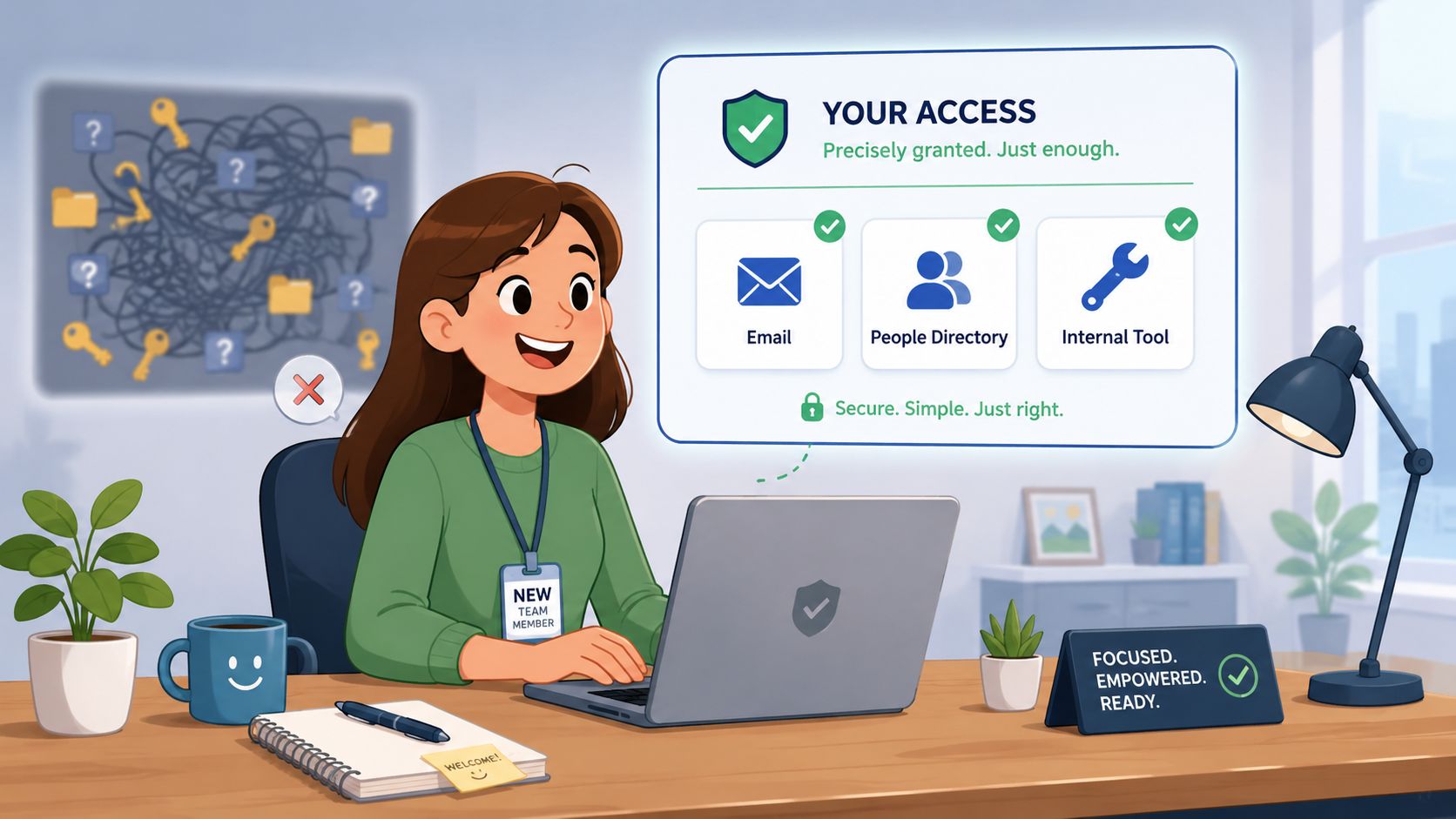
On day one, people should open the work app and see exactly what fits their role. Their team chat. Their schedule. Their tasks. Their documents. Not six shared folders and a pile of inherited permissions from people who left months ago.
Relevance is the real access model
A store manager and a cashier work in the same building, but they should not see the same information. That's not a trust issue. It's a job design issue.
A simple role-based model looks more like this:
Cashier or associate sees personal schedule, team updates, training, and task lists.
Store manager sees location operations, staffing, and reporting tied to that location.
HR lead sees onboarding records, policy acknowledgments, and sensitive employee documentation.
Regional operator sees cross-location performance and operational views, not every private personnel file.
That's role-based access control, but plain English is better than the acronym. Give people access based on the work they do. Then review it when the work changes.
The old perimeter is gone
A lot of textbook advice still assumes there's a clear company boundary. There isn't. Employees move between phones, tablets, home networks, store Wi-Fi, chat tools, shared files, and SaaS apps all day. That's why a zero-trust, inventory-first strategy makes more sense now. AccelData recommends continuously discovering where sensitive data lives, classifying it, and enforcing least-privilege access across systems in its guidance on zero-trust and SaaS data sprawl.
That approach changes the question from “Is this person inside our network?” to “Should this person have this access, on this device, for this task?”
Practical rule: Access should follow role and context, not convenience.
Secure paths need to feel easier
A unified app offers a solution. Tools like Microsoft Teams, Slack, Google Workspace, and mobile-first platforms such as Pebb can centralize communication, files, and permissions so people aren't bouncing between unofficial channels. The key isn't the brand name. It's the setup. If the platform supports clear roles, secure file sharing, and admin controls, the secure route starts to feel natural.
If you're tightening permissions, this primer on role-based access control best practices is worth reading.
A few controls matter a lot here:
Least privilege keeps access narrow by default.
Encryption protects data in transit and at rest, like sealed envelopes and locked cabinets working in the background.
MFA adds friction in the right place, at sign-in, instead of forcing people into workaround mode later.
What doesn't work is dumping all of this on employees as manual responsibility. If people have to remember too many security steps to do basic work, they'll route around them. Better configuration beats better lectures.
Your Team Is Your Best Defense
I'm tired of security advice that treats employees like a liability waiting to happen. It creates the wrong culture and usually the wrong system.
People on the frontline are making fast decisions in noisy environments. They're covering shifts, handling customers, onboarding new hires, and switching devices all day. If your security posture depends on perfect behavior under pressure, it isn't much of a strategy.
Respect beats blame
The better model is simple. Assume your team wants to do the right thing. Then make the right thing obvious.
That means short guidance, not annual theater. It means showing someone what to do when they lose a phone, receive a suspicious link, or need to send a document securely. It means training by role. A nurse manager, warehouse lead, and restaurant supervisor don't face the same risks in the same way.
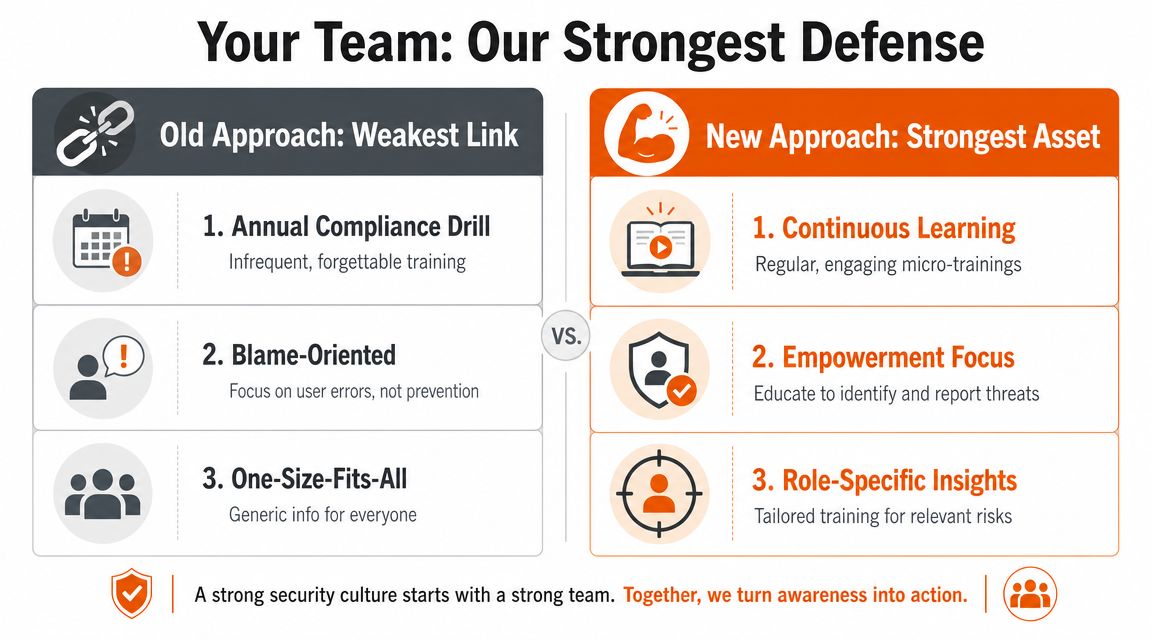
There's a real reason this matters. The human element was involved in 60% of breaches, according to Verizon's 2025 Data Breach Investigations Report, cited in Fullstory's overview of data protection essentials for modern teams. I don't read that as “employees are the problem.” I read it as proof that systems, habits, and access design deserve more attention than fear-based training.
Give people a few rules they can remember
Long policy decks don't survive a busy shift. Short habits do.
Try something closer to this:
Use the company app for work conversations. Not personal text, not side channels.
Report a lost device immediately. Fast reporting protects the employee as much as the company.
Don't share logins. Shared credentials erase accountability.
Ask before connecting a new tool. Every integration creates another path for data to travel.
Keep private information in private spaces. Broad channels are for broad updates.
That's enough to change behavior if the system supports it.
Mobile protection should feel humane
A lot of workers hear “device management” and assume the company wants to spy on them. That fear is understandable, especially in bring-your-own-device environments. Leaders have to explain the actual point. The company needs a way to protect work data if a phone is lost, stolen, or used after someone leaves. That's not surveillance. That's containment.
If a policy only makes sense to security staff, it won't hold up on a Saturday night shift.
The strongest teams I've seen don't memorize security language. They know where work happens, how to report a problem, and what not to share. That's enough to prevent a lot of damage.
How to Plan for a Bad Day
Something will go wrong. A bad link gets shared. A file lands in the wrong chat. A manager's phone disappears. Calm companies aren't the ones that avoid every incident. They're the ones that know what to do next.
Most incident plans fail because they're written for specialists and ignored by everyone else. A useful playbook is short enough that a team lead can follow it during a messy shift.
Use a simple response flow
I like a plain sequence. Detect. Report. Contain. Learn.
That's close enough to a fire drill that people understand it immediately.
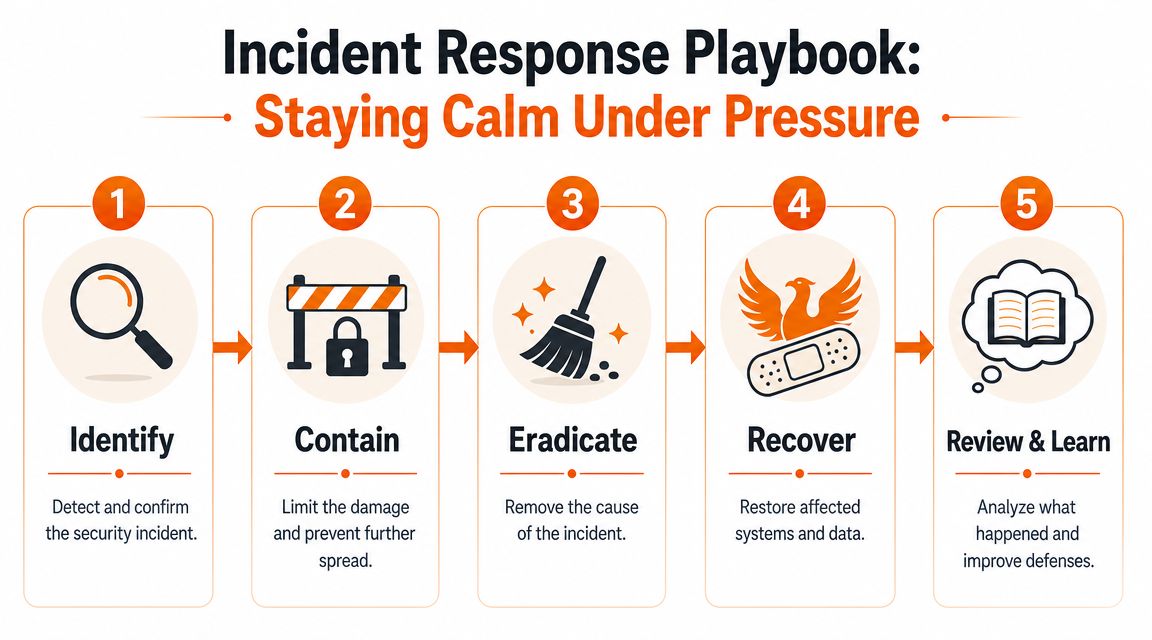
What that looks like in practice
Say someone posts a suspicious link in a group chat.
Detect
A team member notices the message looks off. Maybe the sender wording is strange or the link doesn't match the context.Report
They flag it in the approved channel. Not to a friend. Not in a side thread. To the named contact or process your company already defined.Contain
Admins remove the message, limit access if needed, and check whether anyone clicked it. If a device is at risk, they isolate the account or session.Learn
The team gets a brief follow-up. What happened, what action was taken, and what people should do next time.
That's enough for most operational incidents. Not elegant. Effective.
Keep ownership obvious
You don't need a giant matrix. You do need named people.
Scenario | First owner |
|---|---|
Suspicious link in chat | Team lead or designated admin |
Lost device | Employee's manager and IT or admin contact |
Wrong file shared | Content owner and workspace admin |
Unknown app connected | System owner or security contact |
When teams move from scattered tools into one workplace platform, migration is a good moment to define this playbook clearly. This guide on data migration best practices can help teams think through ownership and cutover discipline.
Nobody enjoys planning for bad days. But the work pays off the first time you don't panic.
Good Security Is a Habit Not a Project
A lot of teams do one big cleanup, feel better for a month, then drift back into risk. New apps get connected. Old access stays open. Temporary workarounds become permanent. The system gets messy again.
That's why durable data protection strategies rely on rhythm, not heroics.
Review changes when they happen
One of the biggest mistakes is treating privacy and compliance like an annual event. Sisa InfoSec recommends a Continuous Risk Intelligence model, where teams reassess risk whenever technology changes, processing changes, or laws change in its article on common privacy assessment pitfalls and continuous review. That matches what works in real operations.
If you connect a new scheduling tool, add a payroll integration, change consent flows, or move documents into a new space, review the data path then. Not next year.
Vendor risk is still your risk
This catches teams all the time. They lock down the core platform, then casually connect three other tools that nobody fully vetted. Suddenly employee data moves through places the operations team can't easily see.
A lightweight review for new integrations should ask:
What data does this tool touch
Who can access that data
Where does the data go
How do we remove access later
That doesn't need a committee every time. It does need ownership.
Annual review cycles miss the exact moment risk is introduced, which is usually when a new tool or workflow shows up.
Measure clarity, not paranoia
You can drown in dashboards and still miss the point. I prefer a few practical questions:
Are people storing files in the approved places?
Are role changes triggering access reviews?
Are managers using official channels for sensitive communication?
Are vendors and integrations documented?
Can someone explain who owns each risky workflow?
Notice what's missing. Fancy threat scores. Vanity metrics. Endless reporting.
What matters is whether the system stays understandable as the business changes. Habits are visible in small signals. Repeated file-sharing mistakes usually mean the structure is confusing. Stale permissions usually mean ownership is unclear. Unofficial chat use usually means the approved tool is too hard to use.
That's useful information. It tells you where the process needs repair.
The Goal Is Calm
The best data protection strategies don't feel dramatic. They remove drama.
Managers stop wondering whether the right people can see the right files. Employees stop juggling personal apps for work. HR stops chasing documents across inboxes and downloads. Leaders stop relying on luck and tribal knowledge.
That kind of calm comes from a few plain choices. Set rules people can remember. Give access by role, not by habit. Put work in one place. Train people with respect. Prepare for mistakes without turning every incident into theater. Keep reviewing the system as it changes.
None of this is flashy. That's the point.
When protection works, people can focus on shifts, customers, onboarding, operations, and the thousand small things that make a business run. Security fades into the background where it belongs. Not because it's weak, but because it's built into the way work happens.
That's the standard worth aiming for. Not perfection. Not paperwork. Calm.
If you're trying to bring communication, files, tasks, scheduling, and permissions into one place for frontline and office teams, Pebb is worth a look. It gives teams a single mobile-first workspace with chat, spaces, file sharing, knowledge, shifts, and admin controls, which makes it easier to set clear rules and keep work data inside approved channels.
