
Our 10 Data Migration Best Practices for 2026
Discover our calm, opinionated guide to data migration best practices. Learn from real experience how to move your company’s data without the usual headaches.
Dan Robin
Moving your company’s data is like moving a house. You think it's about the big stuff—the servers, the databases. But it's not. It’s about the shoebox of old photos you forgot in the attic. The one utility bill you missed. The small things are what break the process.
At Pebb, we help companies consolidate scattered employee tools into one calm, unified platform. This means we live and breathe data migration. We’ve seen it go beautifully, and we’ve seen spectacular messes that keep people working through the weekend. The difference isn't the technology. It's the approach.
Most guides on this topic are stuffed with jargon about "leveraging assets" and "synergizing solutions." Let’s be honest, that language doesn't help when a critical employee list fails to import at 2 AM. This isn’t a technical manual. It's a collection of hard-won lessons, shared like we're sitting across from you with a fresh pot of coffee.
Here are the ten data migration best practices that have saved us, and our clients, from costly mistakes. These are the human-sized principles that actually work when you're responsible for safely moving your organization's most critical information.
1. Conduct a Comprehensive Data Audit and Inventory
Before you move a single byte, you have to know what you’re moving. You wouldn’t just blindly throw everything into boxes for a house move; you’d go through each room and decide what to keep, what to toss, and what’s fragile. A data audit is that exact process. It's one of the most critical data migration best practices you can adopt.
This isn’t just making a list. It’s about understanding the story your data tells. For companies moving to a unified tool like Pebb, this means mapping out everything from employee shift schedules and task assignments to years of communication logs. You're not just migrating data; you're migrating your operational memory.
Why It’s a Non-Negotiable First Step
Skipping this audit is the number one reason data migrations fail. You end up moving messy, irrelevant, or duplicate data—the digital equivalent of packing junk. This initial deep dive prevents scope creep and ensures the data in your new system is clean and trustworthy from day one. It’s the foundation.
Our Take: A data audit isn't a chore. It’s an act of discovery. You’ll uncover hidden inefficiencies and valuable insights you didn’t know you had.
How to Do It Right
Start with a master data inventory. A simple spreadsheet is fine. For each data source (like your old scheduling tool or HRIS), document:
What it is: e.g., "Employee Time-Off Requests."
Where it lives: The name of the system.
Who owns it: Assign a name. Accountability is key.
Its quality: Be honest. Is it clean or a total mess?
Dependencies: What other systems rely on this data?
For example, a retail chain we worked with discovered their scheduling data was tied to three different legacy systems. By mapping this out first, they avoided a disaster that would have left store managers unable to create schedules. Get your department heads involved; they know their data better than anyone.
2. Develop a Detailed Migration Plan with Clear Phases
Trying to migrate all your data in one go is like trying to move your entire house in a single, chaotic trip. It’s a recipe for dropped boxes and high stress. A smarter approach is to break the migration into manageable phases. This is a core strategy for reducing risk.
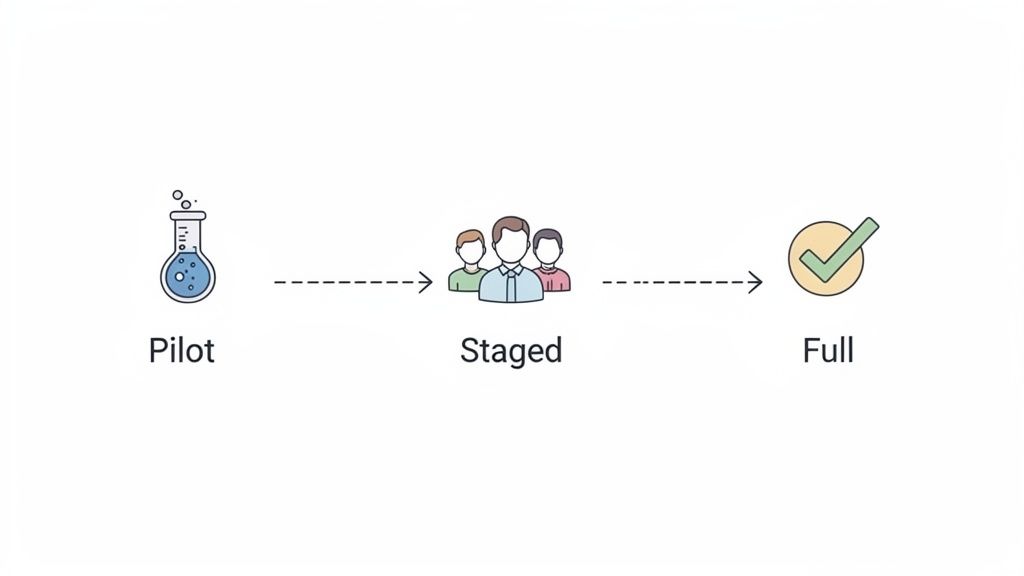
For organizations moving to a tool like Pebb, this means migrating one department or one location at a time. It lets the rest of the business operate normally while you test and refine the process with a smaller group. This is one of the most effective data migration best practices for minimizing disruption.
Why It’s a Non-Negotiable Step
A "big bang" migration, where everything moves at once, puts immense pressure on your team. If something goes wrong, it affects everyone, immediately. A phased approach contains the blast radius. It lets you fix issues on a small scale before they become company-wide emergencies.
Our Take: A phased migration isn't about moving slowly; it's about moving smartly. Each phase is a real-world test that makes every subsequent phase smoother.
How to Do It Right
Your plan should look less like a single deadline and more like a series of mini-projects. For each phase, define the scope, timeline, and success criteria.
Here’s the thing: you need a simple framework.
Start with a Pilot: Select a small, tech-savvy group to go first. This is your chance to work out the kinks without high stakes.
Sequence for Impact: Plan the order to minimize risk. A hospital chain we worked with piloted their new scheduling system with a single outpatient clinic before touching the high-urgency ER.
Build in Buffers: Don't schedule phases back-to-back. Leave time between each one to resolve issues and prepare for the next group.
Schedule Wisely: Execute the actual cutover during periods of low activity, like overnight or on a weekend, to reduce the impact on your teams.
3. Establish Data Quality Standards and Cleansing Protocols
If your data audit is about knowing what you have, cleansing is about making sure it’s worth moving. You can't migrate messy, inconsistent data into a new system and expect it to work miracles. Establishing clear quality standards is one of the most impactful data migration best practices to ensure your new tool delivers value from day one.
This isn’t about perfection; it’s about being fit for purpose. For a unified tool like Pebb, this means ensuring employee profiles are clean and scheduling data is reliable. You’re not just moving information; you're building the foundation for every communication and task.

Why It’s a Non-Negotiable Middle Step
"Garbage in, garbage out" is a cliché for a reason. Migrating poor-quality data guarantees a poor user experience and erodes trust in the new system. It’s the essential work that makes the new tool accurate and trustworthy.
Our Take: Data cleansing isn't a technical task; it's a business-critical function. Clean data leads to smarter decisions and fewer errors. Skipping this is choosing to fail slowly.
How to Do It Right
Start by defining what "clean" means for you. Create explicit data validation rules based on the target system's requirements.
Your goal is to standardize, de-duplicate, and validate.
Standardize: Ensure consistency. "Sr. Manager," "Senior Mgr," and "Senior Manager" should all become one official title.
De-duplicate: Consolidate records. We helped a retail chain merge separate employee profiles from their HR and store systems to create a single source of truth.
Validate: Correct errors. This means fixing malformed phone numbers and removing obsolete records.
Document: Keep a log of every change. This creates an audit trail.
Use automated tools to flag anomalies, but define a manual review process for anything the machine can’t sort out. The HR manager is the only one who can definitively say which of two duplicate employee records is correct.
4. Map Legacy Data to Target System Schemas
Once you know what data you have, the next step is to decide exactly where it will go. This is data mapping. You’re not just dumping old data into a new home; you’re meticulously placing it in the right spot so it’s immediately useful.
For organizations moving to a tool like Pebb, this means translating your old operational language into a new one. Old shift codes become new scheduling rules. Convoluted employee hierarchies become a clear permissions structure. This is one of the most technical yet crucial data migration best practices to get right.
Why It’s a Non-Negotiable Middle Step
Without a precise map, your data will arrive in a jumbled mess. You risk data loss, corruption, and the all-too-common "it's in here somewhere" problem. A clear map ensures your data retains its integrity and value from the moment it lands.
Our Take: Data mapping isn't just a technical exercise. It's a strategic conversation. It forces you to rethink old processes and decide how you want to work, not just replicate outdated structures.
How to Do It Right
A mapping spreadsheet is your best friend here. For every piece of data you're moving, document:
Source Field: e.g.,
legacy_shift_ID.Target Field: The corresponding field in the new system, like
pebb_shift_template_name.Transformation Logic: The rule for converting the data. For example, "Convert 'A1-M' to 'Morning Shift 8am-4pm'."
Action: Specify "Migrate," "Transform," or "Do Not Migrate."
We once helped a hospitality group migrate from a system that used hundreds of cryptic codes for scheduling. By meticulously mapping each code to Pebb's more intuitive system, they not only preserved historical data but also made scheduling dramatically simpler for managers. Involve department heads in reviewing these maps; they’ll spot nuances the technical team might miss.
5. Implement Robust Testing and Validation Strategies
You wouldn't ship a car without test-driving it. The same logic applies to your data. Assuming it will just work in its new home is a recipe for a crisis. Robust testing and validation are your quality assurance, turning a hopeful guess into a confident reality.
For a tool like Pebb, this isn't just about checking if a database field was copied correctly. It's about ensuring a nurse's shift schedule appears correctly on their phone and a manager can access their team's communication history. This is where you confirm the integrity of your operational nervous system, making it one of the most essential data migration best practices.
Why It’s a Non-Negotiable Checkpoint
Skipping or rushing testing is like building a bridge and only checking your math after the first car drives over it. Small mapping errors or performance bottlenecks can bring your operations to a halt. Comprehensive testing catches these issues when they are still easy and cheap to fix, preventing a disastrous cutover day.
Our Take: Think of testing as a series of dress rehearsals. Each test run reveals something new, allowing you to perfect the performance before opening night.
How to Do It Right
A layered testing approach is the only way to build confidence.
Create Test Cases: Document specific scenarios to test. For example, "Verify that all Part-Time employees from Store #14 are assigned to the correct user group."
Use Realistic Data: Test with a full-scale copy of your production data. This is the only way to uncover performance issues that won't appear with just a few hundred records.
Involve Your Team (UAT): User Acceptance Testing is critical. Ask a store manager to build a weekly schedule. They will validate the business processes in ways your IT team can't.
Automate Validation: Use scripts to confirm record counts match between the old and new systems and check for null values where there shouldn't be any.
A logistics firm we worked with ran a final dry-run migration over the weekend. They discovered that driver route histories were being mismatched. By catching it in the final test, they had time to fix the mapping and execute a flawless go-live.
6. Plan for Data Security and Compliance Throughout Migration
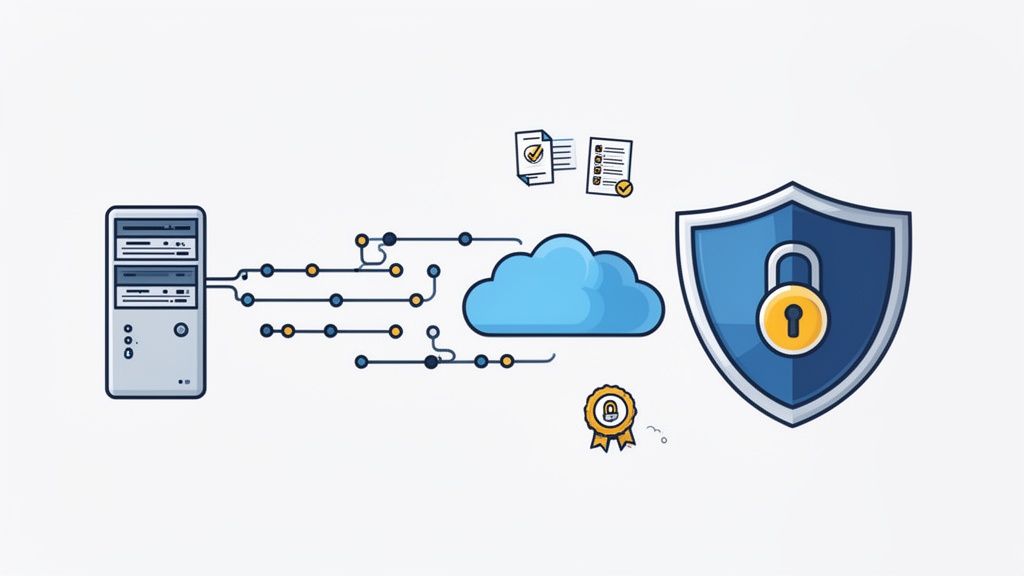
Your data migration isn't just a technical project; it's a security operation. You're handling some of your company's most sensitive information. Treating security as an afterthought is like moving a bank's vault and leaving the door open during transit. It's a risk you can't afford, making this one of the most vital data migration best practices to master.
This process involves more than a firewall. It requires a security-first mindset at every stage. You're not just moving data; you're moving the trust your employees have placed in you.
Why It’s a Non-Negotiable First Step
A security breach during migration can have catastrophic consequences, including hefty fines (think GDPR or HIPAA) and a complete loss of employee trust. By embedding security into your plan from the start, you protect sensitive data and ensure your new system is secure from day one.
Our Take: Security and compliance aren't roadblocks. They are the guardrails that keep your project from driving off a cliff. A well-planned, secure migration is a fast and successful migration.
How to Do It Right
Bring your security and compliance teams into the conversation from the beginning. They are your allies. Create a security checklist that covers the entire lifecycle.
Encrypt Everything: All data, whether sitting still or being moved, must be encrypted.
Limit Access: Apply the principle of least privilege. Only the core migration team should have access to the data.
Maintain Audit Logs: Keep a detailed record of who accessed what data and when.
Plan for Decommissioning: Once the migration is complete, you must have a plan for wiping the old systems. Proper secure destruction of data is a crucial final step.
We worked with a European healthcare provider that needed to ensure GDPR compliance while migrating staff communications. By creating separate, geo-fenced migration environments and maintaining strict audit trails, they completed the project without a single compliance issue. For more on this, check out our guide to remote team data security.
7. Establish Clear Communication and Change Management Plans
A data migration isn't just a technical project; it's a human one. You can execute a flawless cutover, but if your team doesn't understand why the change is happening, the project will fail. This is where clear communication and intentional change management become two of the most essential data migration best practices.
But that's only half the story. You're not just changing software. You're changing how a store manager communicates with cashiers and how a nurse receives a shift update. You're altering daily workflows, and that requires a conversation, not just a memo.
Why It’s a Non-Negotiable Step
Ignoring the human element is a recipe for resistance and poor adoption. Employees will stick to old workarounds if they don't see the value in the new tool. A great communication plan explains the "why," sets expectations, and provides support. It turns a disruptive event into a positive step forward.
Our Take: Technology doesn't solve problems; people do. Your change management plan is the bridge between a powerful new tool and the people who will use it. Treat your team like the critical stakeholders they are.
How to Do It Right
Start with a communication timeline that aligns with your migration phases.
Explain the ‘Why’: Don't just announce a new tool is coming. Share the vision. For a hospital, this could mean explaining how Pebb will reduce pager noise and give clinicians more time for patient care.
Identify Champions: Find enthusiastic people in each department. Empower them as 'champions' who can answer questions and model new behaviors.
Make it Relevant: Create role-specific training. A retail manager needs to know about scheduling, while a cashier needs to know how to clock in. One-size-fits-all doesn’t work.
Celebrate Wins: Did a pilot group use a new feature to solve a problem? Share that story. Early success stories build confidence.
Successful change is about clear, consistent, and empathetic communication. If you need help structuring your approach, a great starting point is understanding how to use strategic communication to lead change. This ensures your team feels supported, not surprised.
8. Create Detailed Rollback and Disaster Recovery Plans
Even the most well-planned project can hit a snag. Think of a rollback plan as the emergency brake for your data migration. You hope you never need it, but if something goes wrong, it's the one thing that will save you from a catastrophic failure.
Having a detailed plan to revert to your legacy systems is one of the most professional data migration best practices you can implement. For organizations moving their entire frontline operation to a tool like Pebb, this means having a way to ensure schedules are still posted if the new system has a critical issue on day one.
Why It’s a Non-Negotiable Safety Net
Without a rollback plan, a significant issue becomes an all-hands crisis. A clear, tested plan turns that crisis into a controlled procedure. It protects your data, preserves employee trust, and prevents operational paralysis. You're giving your team a safe way to retreat, regroup, and re-launch correctly.
Our Take: A rollback plan isn’t a sign of pessimism. It's a sign of a mature team that understands risk. The confidence to move forward comes from knowing you have a safe way to step back.
How to Do It Right
Your rollback plan should be as detailed as your migration plan. The key is defining clear triggers and assigning ownership before you start. In case of severe data corruption, having a strategy that includes professional data recovery services can be a crucial part of your contingency.
Start by documenting these components:
Rollback Triggers: Define the exact conditions that will initiate a rollback. For example, "System unavailability exceeds 2 hours."
Decision Authority: Name the specific people authorized to make the call. This avoids confusion in a high-pressure moment.
Step-by-Step Procedures: Write down the technical sequence for reverting.
Communication Plan: Outline who needs to be notified and what the message will be.
For instance, a healthcare client kept their old system running in a read-only mode for 72 hours post-launch. When they found an issue, their plan allowed them to quickly revert a single component without disrupting the entire operation, fix it, and push it live again within a few hours. That’s a plan in action.
9. Establish Monitoring, Analytics, and Post-Migration Validation
Crossing the finish line doesn’t mean the race is over. The most important part has just begun. Think of it like a rocket launch; reaching orbit is a milestone, but the mission's success depends on the instruments continuously monitoring the spacecraft's health. Post-migration validation is that mission control for your data.
This process confirms that your data not only arrived safely but is also working as intended. For a tool like Pebb, this means verifying that managers can build schedules accurately and employees are receiving critical communications. It’s one of the final, and most crucial, data migration best practices for realizing the full value of your new system.
Why It’s a Non-Negotiable Final Step
Declaring victory the moment the last byte is transferred is a classic blunder. Without monitoring, small data issues can quietly snowball into massive headaches. This final validation loop ensures the new system delivers on its promise and helps you prove the ROI to stakeholders.
Our Take: The migration isn’t complete until you have proof it’s working better than the old system. Analytics and user feedback are your proof. This isn't about blame; it's about making rapid, informed improvements.
How to Do It Right
Your goal is to shift from "did it work?" to "how well is it working?"
Configure Dashboards: Immediately set up dashboards in your new platform. Track key adoption metrics like daily active users and error logs.
Establish Baselines: Use data from the first few days to set performance baselines. How long does it take to approve a time-off request? These benchmarks help you spot anomalies.
Gather Human Feedback: Technology can’t tell you the full story. A healthcare client we worked with used Pebb’s built-in analytics to see which departments had low adoption. They followed up with targeted feedback sessions and discovered those units needed slightly different training, quickly closing the gap.
Schedule Audits: Plan for regular data quality spot-checks. Have a manager verify that their team's shift data for the week matches what's in Pebb. These small, consistent checks prevent drift.
10. Maintain Documentation and Institutional Knowledge
A data migration project is a whirlwind of activity. Once it's over, the team often breathes a sigh of relief and moves on. But what happens six months later when someone needs to understand why a specific field was mapped a certain way? Without documentation, that critical knowledge walks out the door with the project team.
Think of it as leaving a user manual for your company's operational memory. This isn't just about recording what you did; it's about preserving why you did it, a core tenet of successful data migration best practices.
Why It’s a Non-Negotiable Finishing Step
Forgetting to document is like building a house and throwing away the blueprints. You're setting up future teams for confusion and expensive rework. This practice ensures business continuity, simplifies troubleshooting, and makes future migrations exponentially easier.
Our Take: Documentation isn't a post-mortem report; it's a living guide. It's the story of your migration, filled with the context and solutions that will guide your system's evolution.
How to Do It Right
Assign ownership for documentation from the beginning, not as an afterthought. Use a central, accessible place like a company wiki or a knowledge base. Your documentation should be a go-to resource, not a file lost on a shared drive. Start by capturing:
What was decided: e.g., "We chose to archive communication logs older than two years."
Why it was decided: The business rationale. "This aligns with our data retention policy."
Who made the call: The key people involved.
Technical procedures: Include mapping specifications and any custom scripts used.
Lessons learned: What went wrong? What would you do differently? Capture this while the memory is fresh.
For example, a healthcare client created a guide in Pebb detailing their new clinical communication protocols. This became an essential onboarding tool for new nurses. Creating a strong internal knowledge base is key, and it will pay dividends long after the migration is complete. If you're building one from scratch, this guide can help you get started.
10-Point Data Migration Best Practices Comparison
Item | 🔄 Implementation complexity | ⚡ Resource requirements | ⭐ Expected outcomes | 📊 Ideal use cases | 💡 Key advantages |
|---|---|---|---|---|---|
Conduct a Comprehensive Data Audit and Inventory | High — extensive discovery & cross‑department coordination | High — data stewards, inventories, stakeholder time | ⭐ Comprehensive inventory; fewer surprises and reduced data loss risk | Large orgs consolidating multiple legacy tools | Ensures complete mapping and accurate timelines; assigns ownership |
Develop a Detailed Migration Plan with Clear Phases | Medium‑High — phased orchestration and gating | Moderate — PMs, testers, trainers per phase | ⭐ Controlled rollout; reduced operational disruption | Distributed/multi‑location deployments (retail, healthcare) | Enables staged validation, rollback planning, and training |
Establish Data Quality Standards and Cleansing Protocols | High — rules, automation + manual reviews | High — data quality tools, manual effort, data owners | ⭐ Clean profiles and reliable schedules; improved analytics | Fragmented data sources; HR/scheduling dependent orgs | Reduces post‑migration issues and increases user trust |
Map Legacy Data to Target System Schemas | High — field‑level mapping & transformations | High — technical SMEs, mapping docs, scripts | ⭐ Accurate field translation; fewer mapping errors | Consolidating chat, HR, payroll, and scheduling systems | Enables automation and clear technical/business reference |
Implement Robust Testing and Validation Strategies | Medium‑High — multi‑layer testing (unit/UAT/perf) | High — test environments, testers, UAT participants | ⭐ Detects errors pre‑prod; validates performance and integrity | Regulated or high‑availability services | Provides compliance evidence and confidence for cutover |
Plan for Data Security and Compliance Throughout Migration | High — security controls and regulatory checks | High — security experts, encryption, audit capability | ⭐ Protected PII and maintained regulatory compliance | Healthcare, finance, GDPR/HIPAA environments | Minimizes breach risk and preserves audit trails |
Establish Clear Communication and Change Management Plans | Medium — stakeholder coordination and messaging | Moderate — comms team, trainers, change champions | ⭐ Higher adoption and reduced resistance | Frontline, distributed teams with diverse roles | Drives adoption, surfaces concerns, and builds advocates |
Create Detailed Rollback and Disaster Recovery Plans | Medium‑High — clear triggers and recovery steps | Moderate‑High — backups, parallel systems, DR resources | ⭐ Rapid recovery; minimized downtime and data loss | 24/7 operations (healthcare, logistics, hospitality) | Ensures continuity and confidence to attempt migrations |
Establish Monitoring, Analytics, and Post‑Migration Validation | Medium — dashboards, alerts, validation routines | Moderate — monitoring tools, analysts, dashboards | ⭐ Ongoing integrity checks; adoption & performance metrics | Teams needing ROI measurement and continuous improvement | Enables rapid issue detection and data‑driven optimizations |
Maintain Documentation and Institutional Knowledge | Low‑Medium — consistent capture and upkeep | Moderate — writers, repo, maintenance processes | ⭐ Preserved decisions; faster troubleshooting and onboarding | Regulated/distributed orgs and long‑term platforms | Supports audits, future migrations, and knowledge transfer |
The Real Work Starts After 'Done'
A data migration never really ends. It just evolves. The final file is transferred, the old system is powered down, and everyone breathes a sigh of relief. But that’s not the finish line. It’s the starting block.
We've walked through the ten pillars of a successful migration. You've seen that a good plan isn't just about moving bytes. It's about understanding what that data represents: your people, their schedules, their communications, the very pulse of your operations.
The Real Goal: A Migration People Don't Notice
Let's be honest. The goal wasn't just to move data. It was to create a better, calmer, more effective way for your team to work. The true metric of success isn't the terabytes moved or the milestones checked off. It's the quiet confidence your team gains when their digital home is finally in order.
A successful migration gives your team a cleaner, simpler foundation. But a great migration is one that people don’t even notice.
It just works.
Your frontline staff shouldn't have to think about data schemas or rollback plans. They should just be able to check their schedule and get a critical update without friction. The data is simply where it should be, the tools feel intuitive, and their work feels a little bit easier.
From Technical Project to Human-Centered Tool
Mastering these data migration best practices is what allows for that seamless transition. It’s the behind-the-scenes discipline that makes the on-screen experience feel effortless.
Here are the key takeaways to carry forward:
Planning is everything. The time you invest in your data audit and creating a phased plan will pay for itself tenfold. Rushing this stage is the number one cause of headaches.
Test like you mean it. A robust testing strategy, especially with real users, isn't optional. It’s your best defense against post-launch chaos.
Communicate, communicate, communicate. People are at the heart of this change. Keeping them informed and listening to their feedback turns a forced technical shift into a shared upgrade.
The launch is a beginning, not an end. Post-migration validation is where the real value emerges. This is when you stop managing a project and start optimizing a living system that serves your team every day.
Ultimately, this whole process is an investment in clarity. It's about trading a patchwork of old tools for a single, unified platform where work gets done. By following a thoughtful approach, you’re not just migrating data. You’re building a foundation for a more connected organization. That’s the real work. And it's worth the effort.
Migrating from scattered tools to a single source of truth is a huge step. We built Pebb to be the calm, organized home your team deserves, designed to make the post-migration reality as simple as we've described. See how a unified platform can transform your operations at Pebb.
