
Mastering Construction Time Clocks: Your Essential Guide
Ditch paper. Our guide to construction time clocks covers rugged terminals, mobile apps, payroll compliance, and crew onboarding.
Dan Robin

Friday at 3:47 p.m. is when bad time tracking shows its teeth.
The supers are trying to close out the week. Payroll is waiting. Someone drops a stack of crumpled sheets on the desk. Half the handwriting looks like it was written on a tailgate in the rain, which it probably was. One guy forgot to sign. Another wrote down the wrong job code. A crew that split between two sites somehow logged a full day on one. Now the office has to turn guesses into paychecks.
That’s the part software ads skip. They talk about features. They don’t talk about the knot in your stomach when you know the numbers are off, but payroll has to run anyway.
Construction time clocks matter because payroll is personal. If a worker gets shorted, even by accident, trust drops fast. If the company overpays, the job eats it. If the hours can’t be tied back to the right task or location, job costing turns into fiction. You’re not managing labor at that point. You’re cleaning up after it.
I’ve seen every version of this problem. Paper sheets. Wall-mounted punch clocks. Shared tablets. Mobile apps. Rugged kiosks bolted to a trailer. The hard part isn’t buying a tool. The hard part is making sure it works on an actual job site, with mud, weak signal, rotating crews, and people who have better things to do than babysit a time app.
That’s why the right conversation isn’t “Which time clock has the most features?” It’s “Which setup will our crew use, and which one will keep payroll clean without turning the site into a headache?”
The Friday Afternoon Timesheet Scramble
Everybody in construction knows this scene because everybody has lived it.
A project manager is calling foremen for missing hours. Someone in payroll is trying to figure out whether “8” was really “3.” A worker remembers staying late on Wednesday but can’t remember whether it was on the school job or the warehouse job. The office asks for corrections. The field rolls its eyes. Nobody feels like this is a good use of time.

Paper survives because it’s familiar, not because it’s good. It lets crews write something down and move on. But the mess shows up later, usually when the pressure is highest. By the time a timesheet hits the office, the details are already cold.
Where the real cost shows up
The obvious problem is admin time. The less obvious problem is drift.
Hours drift from one cost code to another. Start times drift earlier. Breaks drift out of memory. A day that should be clear turns fuzzy by the time it gets approved. That fuzziness spreads into payroll, job costing, and crew morale.
Practical rule: If your payroll process depends on people remembering Tuesday by Friday, you don’t have a process. You have a ritual.
That’s why a simple digital record matters more than people think. It’s not about replacing common sense. It’s about capturing the facts while they’re still facts.
When companies start looking at a staff clock in and out system, they usually focus on speed. Fair enough. But speed is only half of it. The better payoff is clarity. You stop arguing about what happened because the record already says what happened.
Why crews care more than managers assume
A lot of managers think workers resist time clocks because they hate rules. Usually, they resist bad systems. They hate extra steps. They hate apps that freeze. They hate having their pay depend on something clunky.
They do not hate getting paid correctly.
That distinction matters. A good time clock feels less like surveillance and more like a receipt. It says: you were here, you worked these hours, and nobody has to reconstruct that later from memory or handwriting.
Here’s what I’ve learned. If a tool reduces arguments, crews come around. If it creates more arguments, it won’t matter how slick the dashboard looks.
From Gears and Ink to GPS and Pixels
Construction didn’t invent the problem of tracking time fairly. It inherited it.
Long before apps and cloud dashboards, factories were already wrestling with the same question. How do you record work hours in a way that’s clear enough to trust? According to Harvest’s history of time tracking, Willard Le Grand Bundy invented the first employee time clock in 1888, and that invention eventually fed into what became the International Time Recording Company. By 1915, Ford Motor Company had installed 129 ITR clocks, all synchronized to a master clock, to manage labor with much tighter control and consistency.
The old problem never went away
That history matters because the core issue hasn’t changed. People still need a fair record of when work starts, when it stops, and where labor went. The difference is the environment.
A factory floor is controlled. A construction site isn’t. Crews move. Weather changes the day. Jobsites open and close. Cell signal drops. Subs show up on one side of the project while the foreman is on the other. The old punch clock solved a clean, fixed-location problem. Construction time clocks have to solve a moving one.
The best modern tools aren’t new because the old idea was wrong. They’re new because the old environment is gone.
That’s why the shiny language around “innovation” misses the point. This isn’t about novelty. It’s about fit.
Why modern tools had to evolve
The first time clocks used gears, cards, ink, and discipline. They were built to create one official version of the day. Modern construction time clocks are trying to do the same job, just with different ingredients. Instead of a card rack, you get GPS. Instead of a clerk checking a stamp, you get a digital record. Instead of one front door, you get a geofence around a site or a shared terminal at the trailer.
Some changes are cosmetic. Some are not.
The shift is that the time clock is no longer just a timestamp. It’s become the starting point for payroll, job costing, field accountability, and labor visibility. That can be helpful or harmful depending on how it’s used. If the system is reliable, it reduces disputes. If it’s brittle, it multiplies them.
What the history gets right
Bundy’s clock took a vague process and made it systematic. That’s still the benchmark.
Construction managers don’t need magic. They need a record that holds up when payroll is due, when a crew member questions a check, or when someone asks who was on-site that afternoon. The format changed from stamped cards to phones and terminals. The job stayed the same.
And that’s a useful way to judge any tool in this category. Don’t ask whether it looks modern. Ask whether it creates a record people believe.
Decoding Modern Construction Time Clocks
Most construction time clocks fall into three camps. Mobile apps, rugged on-site terminals, and integrated cloud systems. Vendors blur the lines, but on the ground those are the actual choices.
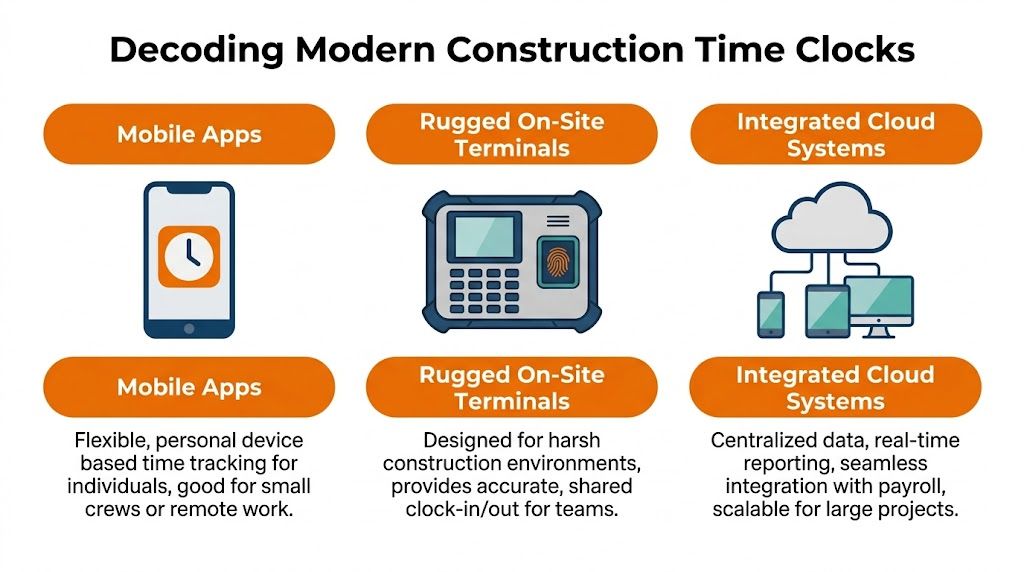
The mistake is thinking one category wins outright. It doesn’t. Each one solves a different failure mode.
Mobile apps on personal phones
This is usually where companies start, and for good reason. Mobile apps are fast to deploy, they don’t require much hardware, and they make sense for crews that move between sites.
The upside is obvious. A worker already has the device. A foreman can approve hours from the field. A manager can see clock-ins without waiting for paperwork to come back. For small crews or service-style operations, that simplicity goes a long way.
The downside is just as real.
Phones die. People forget them. Some workers are comfortable using a personal phone for work tasks, and some are not. Shared accountability gets murky when every record depends on a personal device with varying battery life, settings, and habits. If the app is even slightly confusing, adoption starts slipping by week two.
A mobile app works best when the crew is small, the jobs move often, and the company is disciplined about approvals. It works worst when you assume “everybody has a phone” means “everybody will use it the same way.”
Rugged on-site terminals
This is the category that feels most like a true jobsite tool. Shared terminal, fixed process, everyone clocks at the same spot. It’s simple in a way crews understand immediately.
And the hardware is built for the field. According to Arcoro’s rugged time clock overview, rugged portable time clocks are built to withstand conditions from -10°F to 170°F and can cut payroll processing time and errors by up to 90% through automatic cloud syncing and integrations. That matters on sites where dust, vibration, weather, and rough handling are part of normal life, not edge cases.
What terminals get right
A rugged terminal solves three practical problems at once:
Shared process: Everyone clocks the same way, on the same device, at the same place.
Lower ambiguity: There’s less room for “my phone glitched” or “I thought I hit submit.”
Stronger site discipline: On larger projects, a common clock-in point creates order at the beginning and end of the shift.
That said, terminals have their own baggage. Somebody has to place them, power them, protect them, and sometimes move them. On a large or spread-out site, one fixed station can turn into a bottleneck or a long walk. On a smaller site, the hardware may be more than you need.
Integrated cloud systems
This is the category people underestimate until they’re juggling too many disconnected tools.
An integrated system doesn’t just record time. It ties time to scheduling, approvals, communication, and payroll flow. That matters when the company’s real problem isn’t missing clock-ins, but what happens after the clock-in. If labor data has to be exported, cleaned, re-entered, and explained in three different places, the time clock didn’t solve much. It just digitized the first step.
That’s also why broader resources on workforce tracking and safety systems are worth reading. In construction, attendance, site visibility, and safety awareness often live in the same operational conversation, even if vendors sell them as separate products.
Here’s the trade-off in plain terms:
Type | Best fit | Usually breaks when |
|---|---|---|
Mobile app | Small crews, moving sites, low hardware appetite | Workers rely on inconsistent personal phone habits |
Rugged terminal | Fixed or larger sites, harsh conditions, shared clock-in routine | The site layout changes often or one device creates friction |
Integrated cloud system | Multi-site operations that need clean flow into admin and field workflows | The company only needs a very basic punch record |
One example in this bucket is Pebb, which combines scheduling, clock-in, communication, and PTO tracking in one app. That kind of setup makes sense when the business wants one place for field coordination instead of another standalone tool.
Buy for the mess after the punch, not just the punch itself.
That’s the part most comparison charts miss.
The Truth About Payroll and Compliance
Construction time clocks stop being a convenience and start being protection.
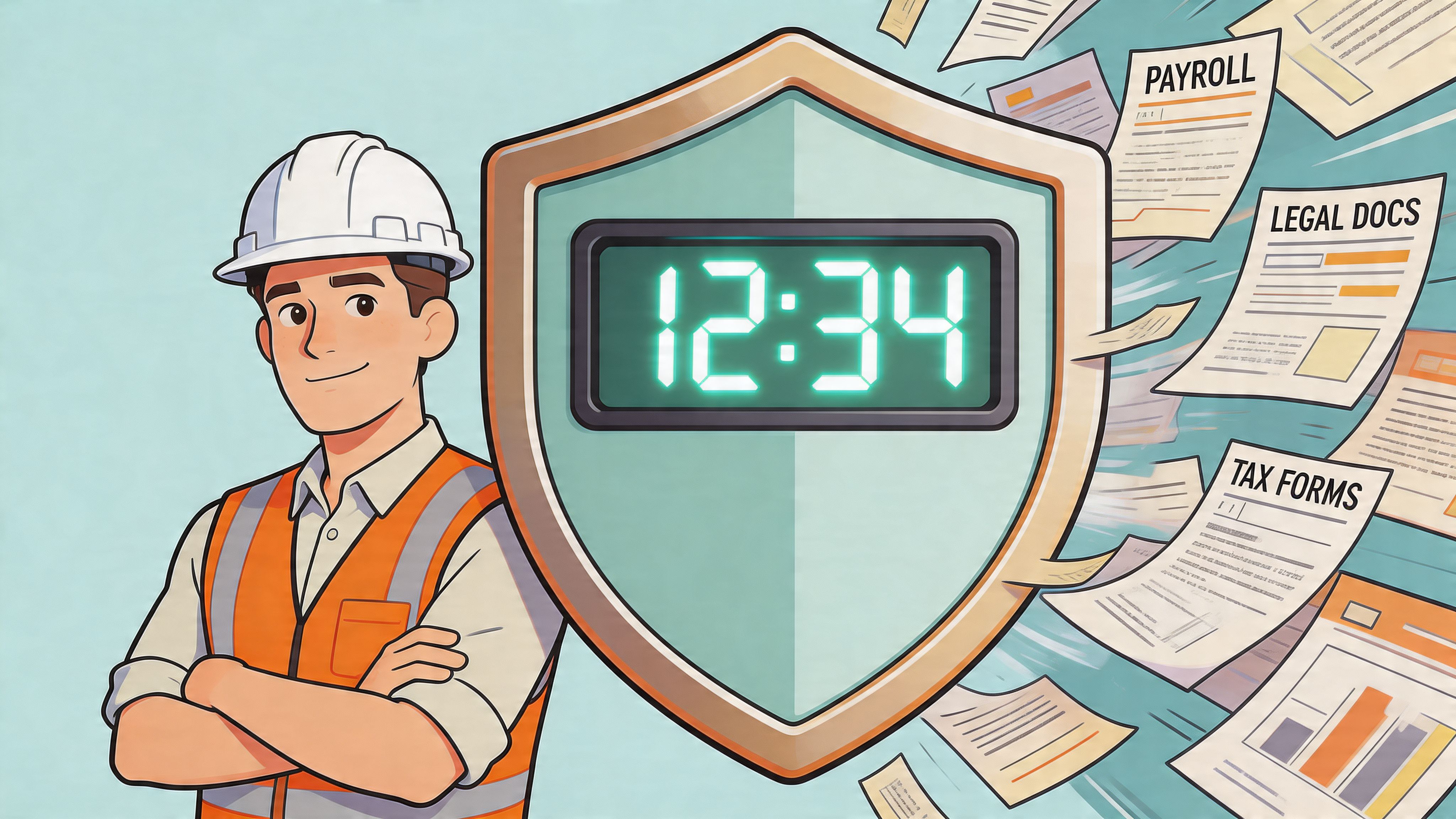
Nobody buys a time system because they love timesheets. They buy one because payroll mistakes are expensive, compliance mistakes are worse, and both usually start with bad records. When the hours are fuzzy, everything downstream gets harder. Wage calculations. overtime review. certified payroll. union rules. break disputes. prevailing wage documentation. It all depends on the same basic thing: a clean record.
Accuracy is cheaper than arguments
The cleanest payroll process I’ve seen is not the one with the flashiest reporting. It’s the one with the fewest exceptions.
That’s why GPS and identity checks matter. According to AMGtime’s construction attendance overview, modern construction time clocks using GPS geofencing and biometric verification can lead to payroll cost reductions of up to 7% by eliminating time theft and ensuring workers clock in only when they are physically on-site. On paper that sounds like a finance benefit. In practice, it’s an operations benefit too. The fewer questionable punches you have, the fewer Friday arguments you carry into payroll.
What a good record actually protects
A reliable time record helps with three things at once:
Pay accuracy: Start, stop, break, and task changes are easier to verify when they’re recorded at the time they happen.
Audit defense: If someone asks who worked, where, and when, you have more than handwriting and memory.
Budget control: Hours tied to the right job or cost code show labor drift before it spreads.
If you deal with public work, the paperwork can get even more demanding. A plain-English guide to certified payroll reporting requirements is useful because it shows how quickly “good enough” time records stop being good enough once formal reporting enters the picture.
If a timesheet can’t survive a simple question, it won’t survive a serious one.
Compliance isn’t only a legal issue
Managers often talk about compliance like it lives in a binder. Workers experience it through their paycheck.
If someone worked overtime and the system missed it, that’s not a legal theory. That’s a trust problem. If a break was auto-deducted when it wasn’t taken, same thing. When records are weak, payroll becomes negotiable. That’s a bad place to run a crew from.
A strong time process helps because it reduces interpretation. Geofencing can show that a worker was on-site when overtime started. Break tracking can show when the day paused and restarted. A supervisor approval trail can show who signed off and when. None of that makes the company infallible. It just gives everyone something better than guesswork.
The hidden cost of loose records
Loose records create two kinds of waste. The first is direct. Overpayment, underpayment, rework in payroll, and admin cleanup. The second is slower and nastier. People stop believing the system is fair.
Once that happens, every correction feels political. Every missing hour becomes a debate. Every payroll run carries a bit more suspicion than the last one. A good construction time clock doesn’t eliminate every dispute, but it lowers the temperature because the data is stronger than anybody’s recollection.
That’s worth more than most budget lines capture.
How to Choose the Right Clock for Your Crew
A lot of buying decisions go wrong because managers shop for features instead of friction.
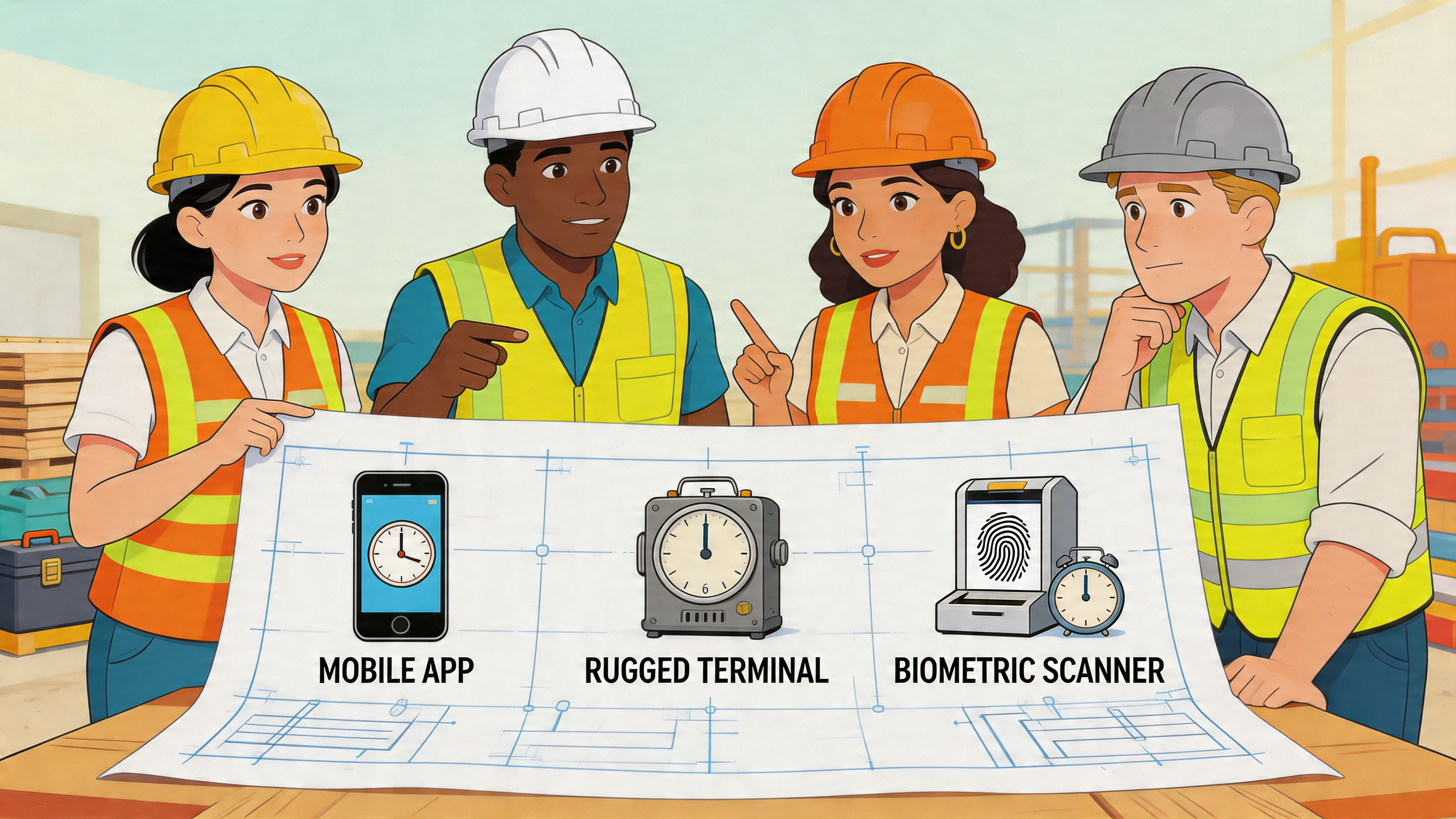
The right construction time clock is the one your crew can use on a rushed Monday morning without a speech, a cheat sheet, or a rescue call to the office. If the system needs perfect conditions and patient users, it’s the wrong system for construction.
Start with your actual failure point
Don’t ask what the software can do. Ask what keeps going wrong now.
Is the main issue buddy punching? Then stronger identity verification matters. Is the problem missed job codes and weak labor allocation? Then the clock has to make task selection dead simple. Are supervisors spending too much time chasing missing entries? Then approvals and reminders matter more than exotic features.
That sounds obvious, but companies skip this step all the time. They buy an impressive tool for a problem they don’t really have.
Four questions that usually decide it
These questions get you closer to the right fit than any feature matrix:
How does your crew start the day? If everyone funnels through one trailer, a shared terminal may fit naturally. If crews scatter across sites or move during the day, mobile matters more.
What level of tech friction will your team tolerate? Some crews adopt new tools quickly. Others will reject anything that adds taps, passwords, or uncertainty at 6 a.m.
Do you need a record, or do you need a workflow? If hours still have to be copied into scheduling, payroll, chat, or job costing tools, you haven’t solved the whole problem.
Who fixes mistakes when something goes wrong? If the answer is “the office will clean it up,” be careful. Hidden admin work is still work.
Integration matters more than buyers expect
Standalone systems often disappoint. The clock itself works fine. The pain starts afterward.
As noted by WorkMax’s discussion of construction time clock features, many businesses struggle with integrating standalone time clocks into their broader systems, which creates data silos and duplicate effort. That tracks with what I’ve seen. The field enters the hours once. The office ends up handling them twice.
A cheap tool that creates another data island usually isn’t cheap for long.
Field note: The most expensive time clock is the one that forces your team to re-enter clean data into a second system.
Match the tool to the culture
This part gets ignored because it’s hard to put in a product demo.
Some teams respond well to a fixed shared process. They like one terminal, one routine, one place to ask questions. Other teams hate lines, hate waiting, and work better with quick mobile punches tied to the site. Neither group is wrong. They just need different setups.
If your culture already runs on text threads, whiteboards, and verbal updates, a highly structured workflow can feel like a foreign object. If your operation has multiple supervisors, formal approvals, and heavy reporting needs, a loose app may feel too flimsy. You’re not choosing for an imaginary business. You’re choosing for this one.
The best buying decision usually feels slightly boring. Not flashy. Not dramatic. Just suited to the way your people already work, with enough structure to tighten the weak spots.
Rolling It Out Without a Revolt
Buying the hardware or turning on the app is easy. Getting the crew to trust it is the main job.
Most failed rollouts don’t fail because the software was impossible. They fail because management treated implementation like a settings menu instead of a people problem. Workers weren’t told what was changing, why it was changing, or how the data would be used. So they filled in the blanks themselves, and the blanks usually sound like surveillance.
Tell the truth early
If you’re adding GPS or biometric verification, say it plainly. Don’t hide it in policy language. Don’t wait for rumors to do the explaining.
The honest version is better: we need a cleaner record of hours, site presence, and payroll approval. We need fewer disputes. We need less back-and-forth over missing time. If you believe the system protects people from bad estimates, forgotten punches, and questioned hours, say that out loud.
That’s especially important because, as NoahFace notes in its construction overview, biometric and GPS features require careful handling of worker privacy concerns and data security to comply with regulations like GDPR and CCPA and to ensure employee acceptance. The tool may prevent fraud, but if people think it’s collecting more than necessary or using data carelessly, adoption will stall.
The crew doesn’t need a product pitch. They need a straight answer about what’s being tracked and what isn’t.
Rollout steps that actually help
A calm rollout usually looks like this:
Explain the reason before the launch. Tie it to accurate pay, fewer corrections, and clearer records.
Show the exact clock-in flow on-site. Don’t rely on an emailed guide nobody will read.
Name one person who owns support. If something breaks, the crew should know exactly who to call.
Run a short parallel period. Let people compare the digital record with what they would have written by hand.
Fix edge cases fast. One unresolved pay issue in the first week can poison the whole rollout.
For teams comparing options, a practical look at a clock in clock out app can help frame what a simpler rollout should feel like on the user side.
Privacy policies are operations tools too
A lot of managers treat privacy as legal cleanup. It’s not. It’s operational.
If workers don’t know who can see their data, how long it’s kept, or whether location tracking stops after clock-out, they will assume the broadest version. That assumption creates resistance long before any policy document gets opened.
Keep the rules simple enough to explain in the field:
Who can access the records
What the location data is used for
Whether tracking applies only at clock-in and clock-out or more broadly
How workers can report an error
That clarity lowers tension fast.
Don’t confuse control with credibility
The goal is not to prove management can monitor everything. The goal is to create records that people trust.
That means supervisors need discipline too. If the company says the system is for accurate payroll, then leaders shouldn’t use it as a casual gotcha machine. If a foreman starts nitpicking every minute of movement because the app makes it visible, the rollout is dead. The data stops feeling fair and starts feeling punitive.
A construction time clock earns acceptance when it removes ambiguity without removing dignity. That’s a narrow line, but it’s the line that matters.
Beyond the Punch The Real ROI
The obvious return on construction time clocks is cleaner payroll. That matters. But it’s not the whole story.
The deeper return is operational clarity. Once labor hours show up cleanly and quickly, decisions improve. You can see where a crew is burning time before the week is over. You can spot whether one site is drifting while another is tight. You can bid the next job with a little less fiction and a little more evidence.
That changes the mood of the business too. The office spends less time chasing paper. Supervisors spend less time reconstructing the past. Workers spend less time defending hours they already worked. A better system doesn’t just save admin effort. It reduces friction between people who all think they’re trying to do the right thing.
A useful digital time clock for employees is really a recordkeeping habit with better tools around it. The companies that benefit most are usually the ones that understand that. They don’t treat the clock as a spy device or a silver bullet. They treat it as shared infrastructure for fairness, clarity, and calmer operations.
That’s the payoff. Less chaos. Fewer arguments. Better records. A crew that trusts payroll a little more than they did before.
And in construction, that’s no small thing.
If you’re trying to replace paper timesheets or patch together separate tools for scheduling, clock-ins, and crew communication, Pebb is one option to look at. It brings those pieces into one app, along with chat, tasks, PTO tracking, file sharing, and analytics, which can help reduce the handoffs that make time tracking messy in the first place.
