
Is Your Clock In Clock Out App an Ally or a Babysitter?
Discover how the clock in clock out app boosts trust, clarity, and fairness in time tracking—unlock transparent payroll and smoother workflows.
Dan Robin
At its core, a clock in clock out app lets your team log their work hours from a phone. It's the modern version of a paper timesheet or a rusty punch clock. But if you think of it as just a digital start/stop button, you're missing the entire point.
A good app is really about fairness. It’s about clarity. And it’s about finally getting a clear picture of how your business actually runs.
Thinking Beyond The Digital Punch Card
Let’s be honest. The old punch clock was a symbol of distrust. A mechanical babysitter. A blunt instrument to make sure people showed up. For decades, we’ve looked at time tracking all wrong.
I remember managing a chaotic retail team years ago. We were stuck with paper timesheets. Every payroll was a nightmare of illegible handwriting, forgotten hours, and frustrated employees. The day we switched to a proper clock in clock out app, everything changed.
It wasn't about catching people who were late. It was about seeing our operation clearly for the first time.
A Shift In Perspective
Suddenly, we saw things that were invisible before. Who was consistently nearing overtime. Which shifts were secretly understaffed. How much time we were burning on manual corrections. The conversation shifted from “Are you here?” to “How can we make your time here better?”
That simple change made a huge difference.
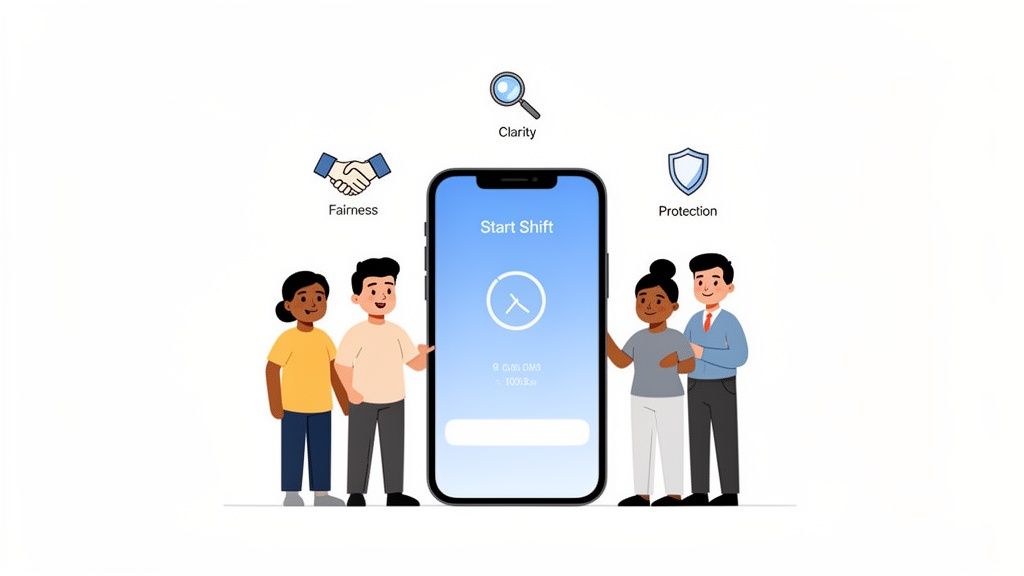
It created fairness. Everyone got paid for the exact time they worked. No more disputes.
It brought clarity. Managers could approve timesheets with a tap, not a calculator and a headache.
It offered protection. We could finally protect our best people from burnout by managing overtime before it became a problem.
This is the human side of time tracking. It’s where the real value is hiding.
The goal isn’t surveillance; it's understanding. A good app gives you the data to build a smarter, fairer workplace for everyone.
The market reflects this. The global time tracking software market was valued at $3.9 billion in 2025 and is projected to hit $7.89 billion by 2030. That growth isn’t just about tech. It’s driven by businesses realizing that accurate time data is the backbone of a healthy company—especially for small and mid-sized businesses, which make up 54% of the market.
This all fits into a bigger idea of workflow automation for small business. It’s about creating systems that work for your people, not the other way around. When a clock in clock out app works quietly in the background, it frees everyone to focus on what actually matters: the work itself.
What A Modern Time Tracking App Actually Does
When you hear “clock in clock out app,” you probably picture a digital punch card. A start button. A stop button. And sure, that’s part of it. But that’s like calling a smartphone a pocket calculator. The function is there, but you’re missing the whole story.
A modern time tracking app is less about counting hours and more about bringing calm and clarity to the messy reality of running a business. It's not about watching over your team's shoulder; it's about giving them—and you—tools that make the workday smoother.
Let’s talk about what separates a glorified stopwatch from a true operational partner.
More Than A Start Button
The magic is in the features that work quietly in the background. Take geofencing. It sounds a little "Big Brother," but in practice, it’s just a helpful, automated nudge. Instead of a manager chasing down someone who forgot to clock in, the app sends a gentle reminder when they arrive at the job site. It’s a simple way to prevent forgotten punches and make sure people get paid accurately from the moment they start.
Then you have biometrics, like a fingerprint or face scan. The immediate reaction can be suspicion, but that’s looking at it from the wrong angle. It’s not about mistrust; it’s a quick, secure handshake to confirm the right person is clocking in. This one feature practically eliminates “buddy punching”—when one employee clocks in for a friend. It’s a huge deal, as an estimated 75% of businesses lose money to this. Biometrics creates a fair playing field.
A modern clock in clock out app isn't about watching people. It's about creating a system so reliable and transparent that you don't have to. It builds trust through consistency.
These aren’t just disconnected features. They work together to build a system people can rely on, removing the small daily frustrations that become major headaches.
This is a fundamental shift in how we think about time and attendance—moving from a system of policing to one of partnership.
Old Ways vs. New Tools: A Shift In Thinking
The Old Way (Manual & Mistrustful) | The Modern Way (Automated & Trust-Building) |
|---|---|
Manual Punch Cards/Spreadsheets: Prone to errors, easy to fudge, and a pain to process. | Automated Time Capture: Punches are logged instantly and accurately with a tap or even automatically. |
"Buddy Punching" is Rampant: One employee clocks in for another, costing the business money. | Biometric & GPS Verification: Confirms the right person is in the right place, ensuring fairness for everyone. |
Guesswork & Backtracking: Managers spend hours correcting timesheets and chasing down forgotten punches. | Proactive Reminders: Geofencing gently reminds employees to clock in/out, preventing issues before they start. |
Disconnected Systems: PTO requests are on paper, schedules are on a whiteboard, and timesheets are in a spreadsheet. | Unified Platform: Time tracking, scheduling, and leave requests all live in one connected system. |
This new approach isn’t just about better technology. It’s about fostering a better, more trusting work environment where everyone is on the same page.
Built For The Real World
Of course, all the fancy features in the world don’t matter if they can’t handle the chaos of a real workday.
What happens when your crew is in a basement with no signal, or on a new construction site miles from a cell tower? That’s where offline mode is a lifesaver. Team members can still clock in, switch tasks, or take breaks without a connection. The moment their phone is back online, the app syncs everything up. No lost data, no frustrated calls to the office.
And let's not forget time off. The old way—paper forms, lost emails, confusing spreadsheets—is a nightmare. A good app builds PTO and leave management right in. An employee opens the app, sees their leave balance, and requests time off in 30 seconds. The manager gets a notification, reviews the team calendar, and approves it on the spot. Everything is documented, transparent, and connected directly to payroll.
You can learn more about how these pieces fit into the bigger picture with modern employee time tracking software.
Ultimately, this is about more than a feature list. It’s how tools like geofencing, biometrics, and offline mode come together to create a single source of truth—one that both managers and employees can finally depend on.
The Business Case For Building Trust And Transparency
When we talk about the ROI of a good clock in clock out app, it's easy to fixate on minutes saved or dollars-and-cents efficiency. But the real return is something far more valuable: a foundation of trust that makes your entire organization stronger.
The financial benefits are real, but they're a byproduct. They happen naturally when you first focus on creating a fair system that everyone, from the front line to the back office, can count on.
The Quiet Power of Compliance
Let's be honest—no one likes thinking about wage and hour disputes. But they are a quiet, creeping risk for any company. A simple mistake, like 15 minutes of unrecorded overtime or a miscalculated break, can snowball into a massive legal and financial headache.
This is where accurate records become your best defense. A reliable clock in clock out app creates a clear, time-stamped log of every hour worked. It's not about micromanaging; it's about protecting the business and, just as importantly, ensuring every employee is treated fairly under the law.
When your team knows their time is valued and tracked correctly, it removes doubt and builds a culture of mutual respect. That's a powerful asset.
Ending The Payroll Nightmare
Think about your payroll process. How many hours are spent chasing down timesheets, reading messy handwriting, or fixing spreadsheet errors? For many admin teams, it's a recurring nightmare.
Automating your time tracking ends that cycle. For your administrative staff, it’s not just a time-saver; it’s a morale booster.
Payroll accuracy is a sign of respect. Paying your people correctly and on time, every time, is one of the most fundamental ways you show you value their work.
No more manual data entry. No more chasing people down on payday. Just a clean, simple approval process that gives your team total confidence in their paychecks. That’s a win you can feel immediately.
This infographic shows how modern features go beyond simple time tracking to create a more accurate and efficient system.
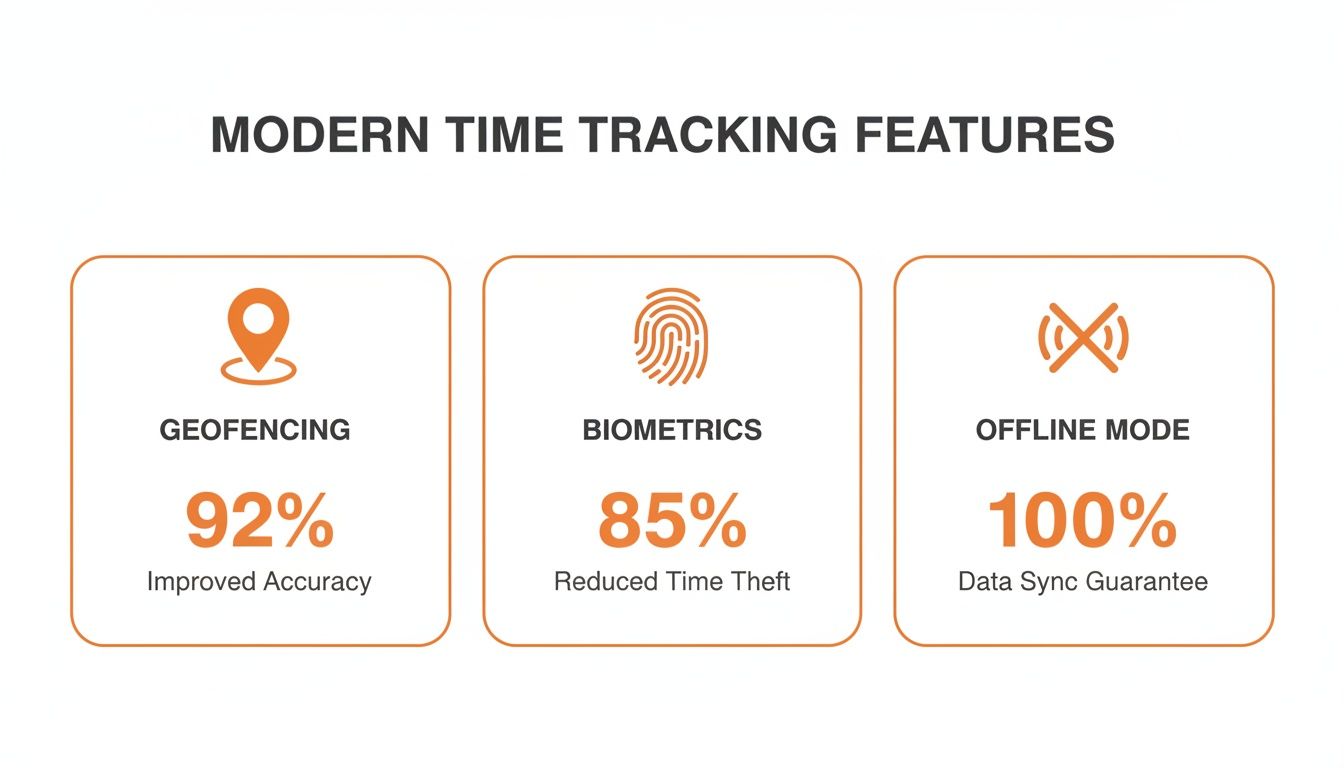
Features like these are built to eliminate guesswork and create a single source of truth that both employees and managers can rely on.
Data That Tells A Human Story
But the real magic happens when you start looking at the stories your time data tells. I once worked with a retail manager who used her clock-in data to solve a problem that had been nagging her for months. She noticed her team was consistently logging unplanned overtime, but only on Tuesdays and Thursdays.
By digging into the data from her clock in clock out app, she discovered that's when the big delivery trucks arrived, pulling staff off the sales floor right during the afternoon rush. The result? Stressed employees and unhappy customers. The data didn't just point to a number; it revealed a human story. Armed with that insight, she simply adjusted the delivery schedule. Almost overnight, customer satisfaction went up and team burnout went down.
This kind of operational intelligence is why the time tracking market, valued at $3.38 billion in 2024, is projected to soar to $18.17 billion by 2035. It’s also why 54% of SMEs with hybrid teams say intuitive reporting is a must-have feature. You can explore a deeper dive into these market shifts from Market Research Future for more context.
This isn’t about getting lost in complex dashboards. It's about using clear information to make smarter, more empathetic decisions for your team. You can learn more about how a great clock in app provides these kinds of insights. Ultimately, it’s about making work better, not just tracking it.
How To Choose The Right App For Your Team
Search for a "clock in clock out app," and you'll be hit with a tidal wave of options. Hundreds of tools all promise to do it all. So how do you find the right one? The one that actually simplifies your day, instead of forcing you to change how you work.
Here’s what we’ve learned after seeing countless businesses tackle this: the most important factor isn't the number of features. It’s how well the tool disappears into your team's existing workflow.
A standalone time clock is just another app to manage. Another password to forget. Another icon cluttering up a phone screen. But when that same tool lives inside the app your team already uses for schedules and communication? That's when things click.
Look For Seamlessness, Not Feature Bloat
It's easy to be impressed by a flashy demo with complex dashboards and a feature list a mile long. But in our experience, the most effective tools are the simplest. When you're evaluating a clock in clock out app, the conversation shouldn't be about what it can do, but how it feels to use every day.
We've seen companies spend months rolling out new systems that employees end up dreading because they're clunky. The real goal is to remove friction, not add another piece of tech that needs constant hand-holding. A tool a new hire can master in five minutes is always more valuable than one with a hundred features nobody touches.
The best technology is invisible. It doesn’t demand your attention; it just works, quietly making everyone's day a little easier. The right app should feel like a natural part of your team's routine, not a chore.
When you start looking at different options, don't start with a spreadsheet of features. Start with your people.
A Simple Checklist For Making Your Choice
Instead of comparing feature lists, try asking these simple, human-centered questions. This is the same checklist we use, and it cuts through the marketing noise every time.
Is it effortless on mobile? Your team is on the move. They need an app that works flawlessly from their pocket, whether they’re on a job site or behind a register. If the mobile experience feels clunky, it's a non-starter.
Can a new hire figure it out in five minutes? Simplicity shows respect for your team's time. If an app requires a long training session or a thick manual, it’s too complicated. The best tools need no explanation.
Does it connect to payroll without a headache? The point is to make payroll easier. Look for reliable, pre-built integrations with the payroll provider you already use. If you're stuck manually exporting CSV files, the workflow is broken.
Is it part of a bigger picture? Does the app live where work already happens? A clock-in button right next to the team chat and daily schedule is infinitely more useful than a siloed app. Context is everything. It transforms time tracking from a tedious task into a natural part of the day's rhythm.
Choosing the right tool is less about a technical deep-dive and more about empathy. It's about understanding the daily reality your team faces and finding an app that serves them, not the other way around. The goal is always to find something that makes work just a little bit simpler for everyone.
Bringing Your Team Onboard Without The Skepticism
Let’s be real. Rolling out any new tool can stir up resistance. If you introduce a new clock in clock out app the wrong way, it feels like Big Brother is watching—a surefire way to make people feel untrusted. But if you get the approach right, it can be a genuine win for everyone.
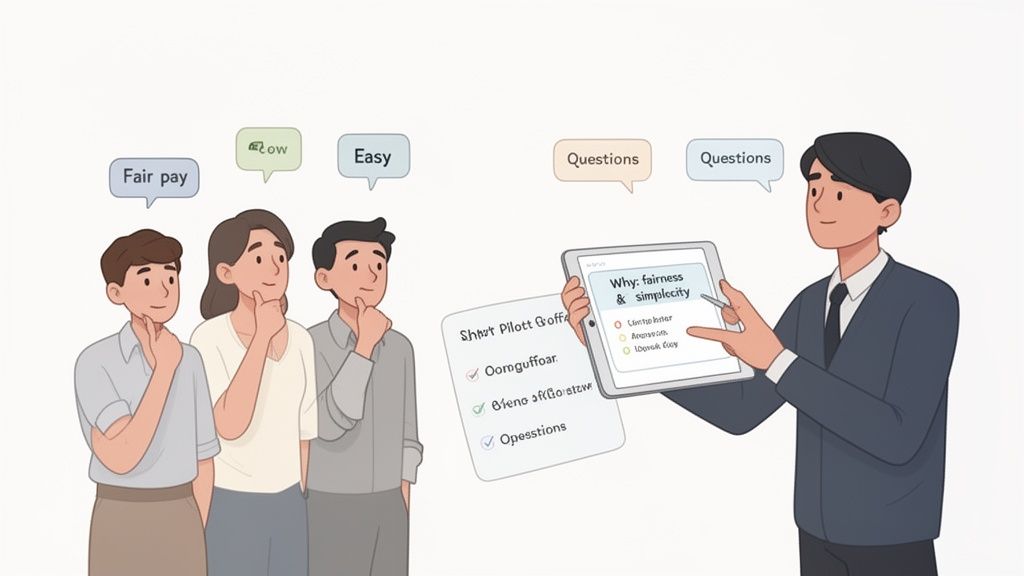
The secret isn’t complicated, but you’d be surprised how many companies miss it: honest communication. You have to start by explaining why. This isn't about tracking their every move; it's about making sure payroll is accurate and fair. It's about taking the headache out of PTO requests.
Frame The Change Around Them
When your team hears "time tracking app," their minds don't jump to operational efficiency. They think, "Are they spying on me?" You have to get out in front of that fear.
I once helped a small logistics company roll out a new app, and the manager, Maria, handled it perfectly. She got everyone together and kicked things off by saying, "I know what this looks like, so let's talk about what it isn't." She was transparent about how much time her team spent manually fixing timesheets and how it frustrated her when payroll got delayed because of it.
She positioned the app as a solution to their biggest problems—guaranteeing they got paid correctly for every minute of overtime without having to chase down a manager. She made it about making their lives easier. By the time she had answered every question, the team wasn't just on board; they were relieved.
Start Small With A Pilot Program
Even with the best communication, going all-in at once is a gamble. A smarter move is to run a small pilot program. Pick a few of your most engaged team members—the ones who are always curious to try new things.
Let this small group test-drive the app for a couple of weeks. This gives you two huge advantages:
You work out the kinks. They’ll find any confusing features or workflow snags before you roll it out to everyone.
You create your first champions. This pilot group becomes your most powerful asset. When the full launch happens, they can vouch for the app and help their colleagues get the hang of it.
Their feedback is pure gold. It helps you perfect the process and proves to everyone else that you're listening. To make the transition even smoother, it's worth learning how internal campaigns that drive platform adoption can provide a solid game plan.
The goal isn’t to force a tool on your team. It’s to introduce a better way of working and invite them to be a part of it. When they understand the benefits for them, they won’t just accept it—they’ll embrace it.
Tackling privacy concerns head-on is also non-negotiable. When bringing in a new clock in clock out app, you must acknowledge employee worries, especially if personal info is involved. For staff who are hesitant to share their phone number, showing them how to protect their privacy with a temporary phone number service can go a long way in building trust.
At the end of the day, a successful rollout has little to do with the technology. It all comes down to trust, transparency, and treating your team like the capable adults they are.
Why An All-In-One Platform Changes Everything
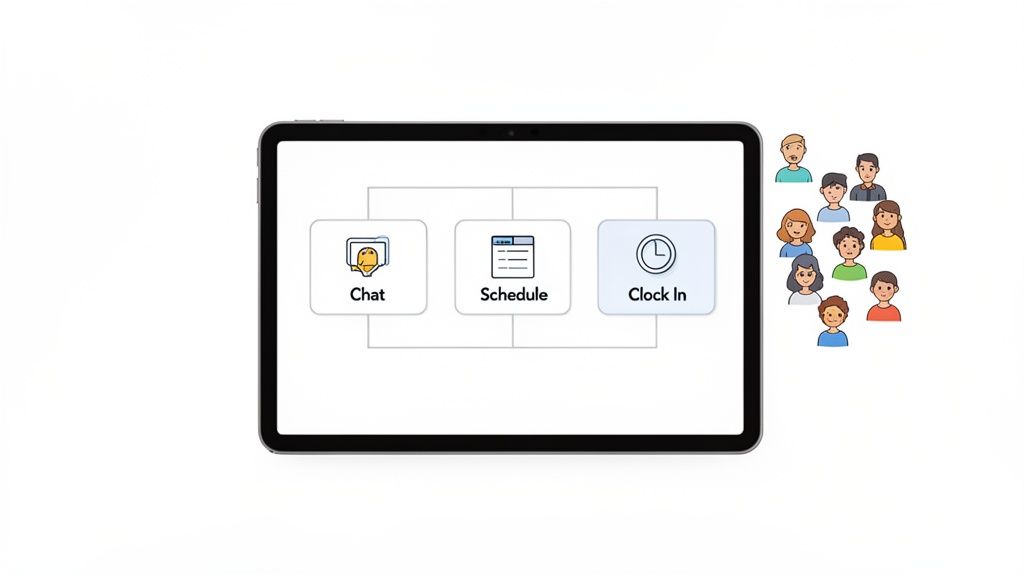
This is a story we’ve heard countless times. You have one app for team chat, another for schedules, and a completely separate one for tracking hours. Your team is constantly juggling logins and hopping between screens just to get through the day. It’s exhausting, messy, and slowly pulls everyone apart.
Frankly, it’s a big part of why we built Pebb. We saw how this patchwork of tools was creating fragmented teams.
A clock in clock out app shouldn't be a lonely island. It’s not just an administrative chore. We see it as one connected piece of a bigger puzzle—your company's digital home base.
The Problem With Silos
Here’s the thing about standalone tools: they operate in a vacuum. A time clock app that only tracks hours is a one-way street. It takes information from an employee but offers nothing meaningful in return. It’s a utility, not a teammate.
When your tools are siloed, your entire operation follows suit. The schedule lives in one system, but a last-minute shift swap gets sorted out in a messy group text. An employee emails a time-off request, forcing their manager to hunt down a spreadsheet to see if it’s possible. Each disconnect is a tiny crack in your operational foundation.
Sound familiar? It’s the definition of busywork.
This headache is why the time tracking software market is changing so fast. The industry was valued at $8.16 billion in 2024 and is projected to skyrocket to $37.04 billion by 2033. That incredible growth isn't about finding better ways to track hours; it’s about a massive demand for integrated platforms that eliminate this complexity. You can dig into the numbers in the full time tracking market analysis from SkyQuest.
Connection Creates Context
This is where a unified, all-in-one platform changes the game.
With a tool like Pebb, clocking in happens in the same app where you check your schedule, see your daily tasks, and chat with your team. It’s all right there, all connected. When an employee requests time off, that request is instantly linked to their schedule and pops up for their manager in the same interface.
That’s more than a convenience—it creates a shared context. It turns time tracking from a cold, boring task into a natural part of the workday's rhythm.
An all-in-one platform turns a collection of separate tools into a single, shared reality. It’s the difference between handing your team a flashlight, a map, and a compass, and just giving them a GPS that does it all.
When you bring all your operational tools under one roof, something bigger starts to happen. It's not just about getting more efficient. You’re sending a clear message to your team: everything is connected here, and we’re all on the same page.
From A Tool To A Team Hub
Think about the ripple effects. A manager can see an employee is nearing overtime and shoot them a quick message right in the app. A team member can see an open shift and immediately clock in for it when they arrive, all without leaving the platform.
Here’s what that unified experience gives you:
A Single Source of Truth: No more guessing if the schedule taped to the wall is the right one. The app becomes the undisputed source of truth for hours, shifts, and communication.
Reduced Friction for Everyone: Your employees aren't fumbling with three different apps. Your managers aren’t piecing together information from scattered emails, texts, and spreadsheets.
Deeper Operational Insight: When all your data lives in one place, you see the bigger picture. You can finally connect the dots between communication, scheduling, and attendance.
This is where work apps are heading. We believe that when you unify your tools, you unify your team. You can stop managing logins and start leading people. And that simple shift changes everything.
Frequently Asked Questions
If you're thinking about a time-tracking app, you probably have a few questions. We hear them all the time from managers like you, so we’ve put together some straight answers to the most common ones.
Will My Employees Feel Like I Am Micromanaging Them?
This is the big one, isn't it? It's a totally fair concern. Nobody wants to feel like Big Brother is watching.
Honestly, the answer comes down to how you introduce it. If the message is about cracking down and enforcing rules, then yes, they will absolutely feel micromanaged. But if you present a clock in clock out app as a tool that makes life fairer and easier for everyone, it’s a different story.
Explain that it’s about making sure their paychecks are always 100% accurate down to the minute. Talk about how it simplifies time-off requests and makes scheduling transparent. When it’s positioned as a benefit for them, it stops feeling like a punishment.
Is A Clock In Clock Out App Difficult To Set Up?
Some of them can be a real headache, especially old-school systems that feel like they were designed for dial-up. That’s why we’re big believers in simplicity. A modern app should take minutes to get running, not weeks of IT projects and training.
You want a tool that just works. It should feel intuitive from the get-go and connect easily with the payroll software you’re already using.
The goal is to find a tool that fits into your existing workflow with minimal fuss. In Pebb, the clock-in feature is already part of the system, so there's no separate setup—you just turn it on, configure your rules, and you’re ready to go.
The whole point is to take work off your plate, not add more to it.
What Is The Real Difference Between Standalone And All-In-One?
Think of it this way: a standalone app is a single screwdriver. It does one job, and hopefully, it does it well. An all-in-one platform is a complete toolbox.
The real difference is context.
With a standalone app, clocking in is just a chore—an isolated task disconnected from everything else. Your employees have to open one app to punch in, another to check their schedule, and maybe a third to chat.
An all-in-one platform brings it all together. Punching the clock is directly tied to an employee's schedule, their team messages, their daily tasks, and their PTO balance. This means less app-juggling for your team and a single source of truth for you. It turns a simple function into a central part of your daily operations. That’s just a smarter way to run a business.
Ready to stop juggling apps and bring your team together? Pebb unifies communication, scheduling, and time tracking into one simple, modern app for frontline and office teams. See how Pebb brings it all together.
