
Cards for Employees: Boost Culture & Streamline Operations
Beyond gift cards: 'cards for employees' build culture, streamline operations, and connect teams with a modern, integrated approach. Discover the benefits.
Dan Robin
Most employee card programs start with good intentions and end in clutter.
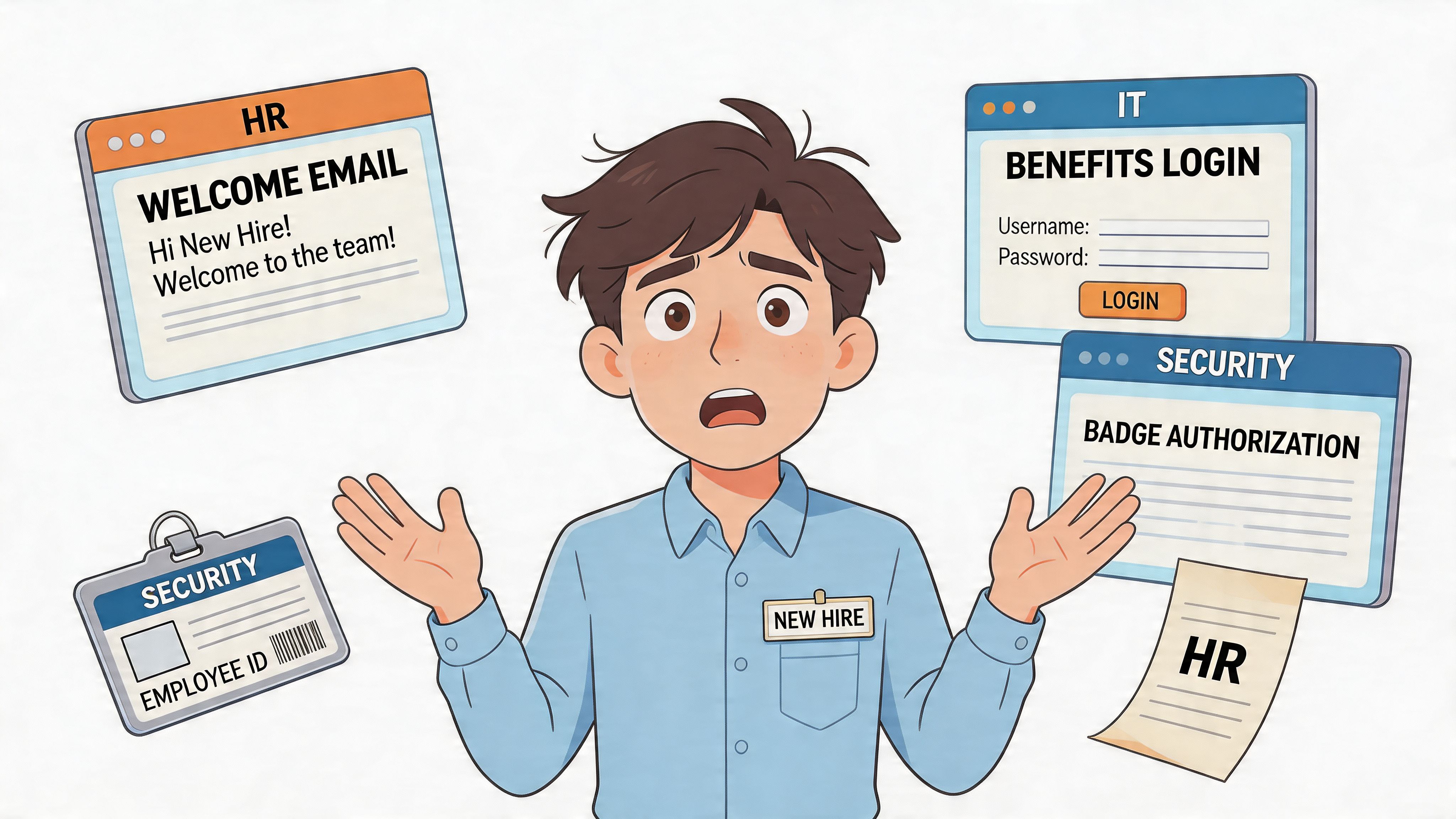
A new hire gets a welcome email from HR, a separate login from IT, a badge from security, a benefits portal nobody remembers, and maybe a generic gift card from their manager on day five. Every piece is meant to help. Together, they feel like admin debris.
I’ve seen this pattern too many times. Companies think they’re building an employee experience, but they’re really handing out disconnected artifacts. Nothing talks to anything else. Nothing lives where employees already work. And because of that, even thoughtful gestures land flat.
That’s why I care about cards for employees as a category. Not because “card” is a trendy format. Because cards sit at the intersection of culture, identity, access, rewards, and operations. Done right, they become useful. Done really right, they become part of the everyday rhythm of work.
More Than Just a Thank You Note
A few years ago, I watched a leadership team celebrate a “great onboarding refresh.” They had branded welcome cards, a printed values card, a discount card for local shops, and a recognition eCard template for managers. On paper, it looked polished.
The new hires still felt lost.
Nobody had fixed the underlying issue. The experience was split across inboxes, PDFs, portals, and paper. The cards were just more stuff to keep track of. That’s the trap. We treat cards like standalone gestures when they should be part of one connected system.
The problem isn't the card
The problem is fragmentation. HR sends one thing. Ops sends another. Managers improvise. Employees piece it together themselves.
That’s not a warm welcome. That’s scavenger hunting.
When people search for cards for employees, they usually mean gift cards, recognition cards, or ID cards. Fair enough. Those are real use cases. But in practice, employees experience all of these as part of the same question: How does this company communicate with me, recognize me, and help me get what I need?
A card matters when it reduces friction, not when it adds another login.
That’s why the best programs don’t stop at recognition. They connect welcome moments, identity, access, updates, perks, and records into one place employees can find. If you’re rethinking recognition, these employee recognition program ideas are useful, but recognition is only one slice of the bigger picture.
A better standard
I’d use a simple test. If an employee receives a card, can they do something with it right away?
Can they read it, tap it, redeem it, share it, save it, or use it to get where they need to go? If the answer is no, it’s probably decoration disguised as culture.
Good cards for employees work like small doors. One opens belonging. Another opens a shift update. Another confirms tax data. Another gives a manager a fast way to recognize excellent work while it’s still fresh.
That’s the shift. Stop thinking about cards as isolated objects. Start treating them as digital assets inside the employee experience.
What We Really Mean by Cards for Employees
Most companies make this harder than it needs to be. They create separate conversations for ID badges, welcome notes, prepaid reward cards, and compliance records, as if these belong to different worlds.
They don’t. They’re all cards. They just do different jobs.
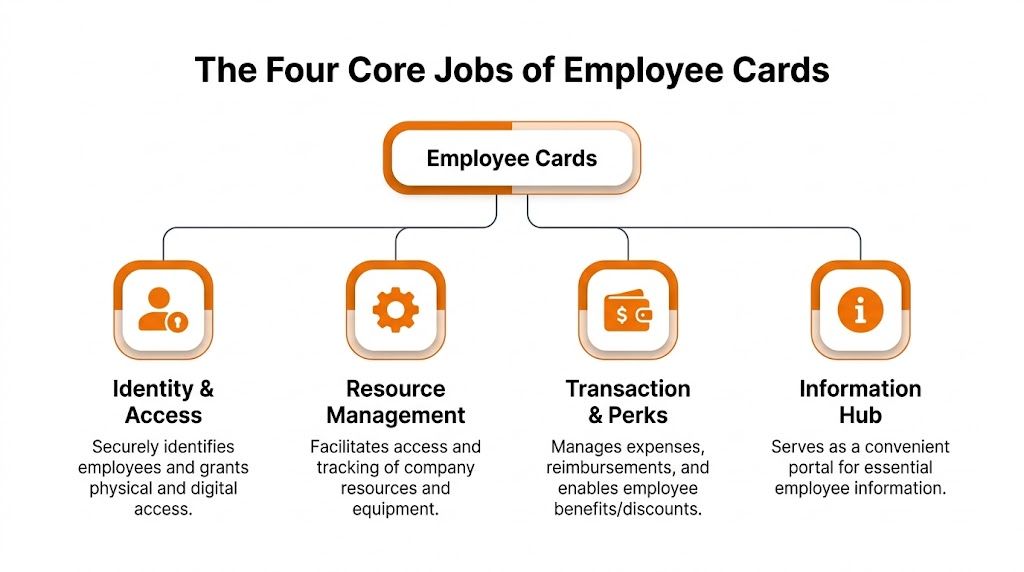
The useful way to think about cards for employees is this: they handle four jobs. Connection and culture. Identity and access. Benefits and rewards. Information and operations.
Connection and culture
This is often the first aspect that comes to mind. Welcome cards. Thank-you cards. Work anniversary cards. Peer recognition. Manager praise.
These matter because work is emotional, even when companies pretend it isn’t. A simple card can tell someone, “We noticed,” or “You belong here,” or “That hard week meant something.” But only if it feels timely and personal. Generic recognition cards do the opposite. They make appreciation feel outsourced.
I like culture cards when they’re visible, specific, and tied to real behavior. Not “great job.” More like, “You stayed late to help the closing team reset inventory, and everyone felt it.”
Identity and access
This is where things get more interesting. Cards for employees also define who a person is inside the company and what they can access.
Sometimes that’s literal, like an employee ID card. If you need help thinking through the practical side of that, this guide on how to create employee ID card workflows is a solid starting point. But identity cards can go much further than a photo badge.
At Bridgewater Associates, founder Ray Dalio described a digital “baseball card” system in Principles. Employee cards in the Dots app include peer ratings across more than 100 attributes on a 1 to 10 scale, and the format is designed for quick review during meetings. Microsoft has also used a standardized one-page “baseball card” format for talent reviews since at least the early 2000s, giving leaders an at-a-glance view of accomplishments, attributes, and feedback in high-stakes discussions, as described in this overview of employee baseball cards.
That idea is powerful because it turns abstract talent talk into something concrete. Not shallow. Concrete.
Benefits and rewards
This is the financial layer. Gift cards, prepaid reward cards, payroll cards, per diem cards, expense cards. Different tools, same underlying purpose. Move value to employees quickly, clearly, and with less friction.
The mistake I see is treating reward cards like a side program. They work better when they’re connected to actual work moments. A shift picked up at the last minute. A safety milestone. A referral thank-you. A sales win. A clean audit. The closer the reward is to the behavior, the stronger the signal.
Information and operations
This is the least glamorous category, and in many businesses it’s the most important.
Cards also hold information people need to do their jobs and stay compliant. Policy cards. Training cards. Reporting records. Tax and payroll data. Equipment issue records. Location-specific updates. They may not feel exciting, but they save people from confusion, delays, and preventable mistakes.
The best cards aren’t always the most memorable. Sometimes they’re the ones that quietly keep the business running.
When you see the category this way, cards stop looking like random HR artifacts. They become a practical system for how a company recognizes people, identifies them, pays them, and informs them.
Why Your Best Cards Are Digital
I’m not sentimental about paper. Most companies shouldn’t be either.
Physical cards have their place. A security badge at the door. A printed keepsake at a retirement party. Fine. But for most day-to-day employee use, digital wins because it’s faster, easier to manage, and easier to connect to actual work.
Speed beats ceremony
A card that arrives three days late by email attachment isn’t thoughtful. It’s late.
Digital cards are immediate. They show up on the device people already use, at the moment the message still matters. That changes the experience completely. In mobile-first employee communication, push notifications can achieve open rates up to 90% compared with 20 to 30% for email, and they can increase response rates by 40 to 60% in targeted groups, according to Korbyt’s write-up on mobile-first workforce communication.
That gap matters because a card nobody sees has no value.
Digital cards are easier to improve
Paper gets printed and forgotten. Digital cards leave a trail. You can see if people opened the message, reacted to it, redeemed it, or ignored it. That makes the next version better.
Many teams overlook this opportunity. They move from paper to digital, but they keep the old mindset. Same static message. Same one-way delivery. Same zero visibility into impact. That’s not transformation. That’s a PDF with better timing.
A good digital card should do at least one of these things:
Prompt action by linking to a shift change, form, task, or update
Create visibility through a shared feed, team channel, or manager view
Carry context so people know why they received it and what comes next
Feed measurement so leaders can tell what people use and what they ignore
Integration is the whole point
The advantage isn’t that digital cards live on a screen. It’s that they can live inside the same place employees use for work.
That means a recognition card can sit beside team updates. A payroll-related card can connect to employee records. A role or profile card can support staffing and talent reviews. A reward card can tie directly to the event that triggered it.
Practical rule: if your card program requires employees to remember a separate portal, it’s already weaker than it should be.
I’ve seen companies spend months designing lovely assets that nobody revisits. The problem wasn’t design. The problem was placement. If the card doesn’t show up in the flow of work, people treat it like wallpaper.
How Different Teams Use Cards Every Day
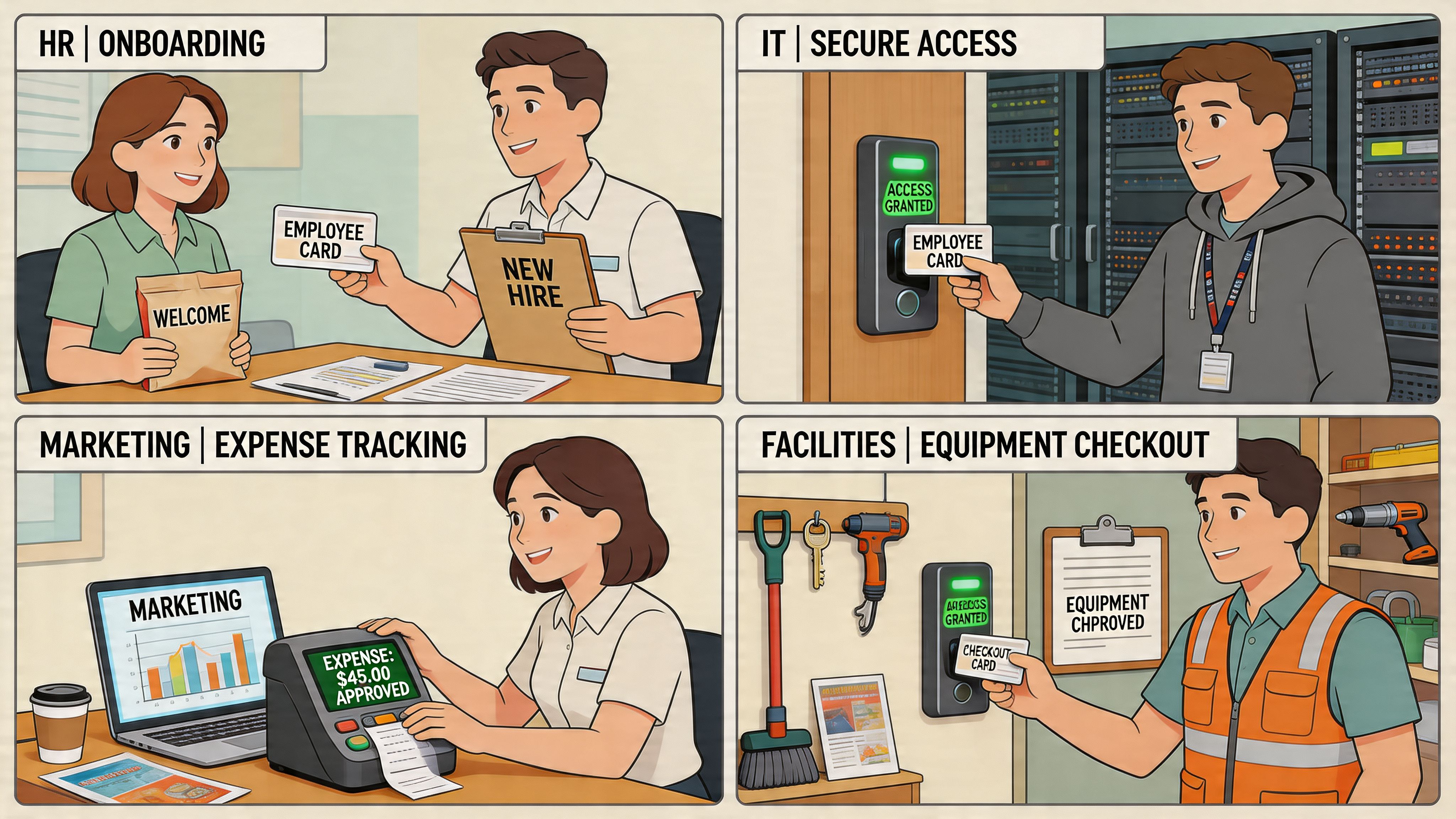
The best employee card systems don’t live in HR alone. They show up wherever work happens. Hiring. Scheduling. Safety. Recognition. Payroll. Daily operations.
That’s why broad advice about cards for employees often feels useless. It doesn’t show the way teams use them on a Tuesday afternoon.
HR and People Ops
HR usually starts with onboarding, and that makes sense. A welcome card can introduce the manager, the team, the first-week schedule, and the key links that matter. Done well, it reduces anxiety on day one.
Recognition cards also belong here, but not as a side hobby. They’re part of how culture becomes visible. If you want a useful companion read, the importance of team bonding for your employees makes the broader case well. Cards work best when they support that bonding in real moments instead of trying to manufacture it with canned praise.
Operations and frontline management
In this context, integrated cards become practical fast.
In retail, hospitality, and logistics, managers often need a quick way to reward people for picking up a tough shift, training a new hire, or hitting a location goal. According to Berkeley Payment’s look at prepaid cards for employees, 81% of employee rewards programs now use prepaid business debit cards in frontline industries like retail and logistics. The interesting part isn’t the card itself. It’s the fact that these rewards can be tied to performance moments inside the flow of work.
For operations teams, information cards matter just as much. Safety reminders, route changes, equipment notes, and urgent policy updates all work better when they’re short, visible, and delivered where employees already look during a shift.
If your frontline team has to dig through old email threads to find a policy, the process is broken.
Sales, internal comms, and cross-functional teams
Sales leaders can use cards for short-term rewards, contest updates, and spot recognition tied to behavior they want repeated. Internal comms teams can use content cards for leadership messages, campaign rollouts, benefit reminders, and local announcements.
The useful pattern is simple. Cards are strongest when they sit close to the event.
A leader update about a policy change should connect to the actual policy. A reward card should connect to the work that earned it. A profile card should help another employee know who this person is and why they matter.
Employee card use cases in Pebb
Use Case | Card Type | Who Benefits | Pebb Feature |
|---|---|---|---|
New hire welcome | Digital welcome card | New employees, managers, HR | Posts, Spaces, Files |
Peer recognition | Kudos card | Whole team | Feed posts, comments, mentions |
Shift reward | Prepaid reward card notice | Frontline staff, supervisors | Mobile updates, analytics |
Talent visibility | Profile or baseball-card style summary | Managers, team leads | Profiles, People Directory |
Urgent update | Information card | Operations, compliance leads, employees | Spaces, push delivery, Knowledge Library |
Payroll or record prompt | Administrative data card | HR, payroll, employees | Admin workflows, files, integrations |
I like this kind of setup because it stops cards from floating around as separate programs. They become part of the operating system of the company.
Designing Cards That People Actually Care About
Most employee cards fail for a boring reason. They sound like they were approved by six people.
You can spot them instantly. Over-designed graphic. Stiff copy. No context. No personality. The sender disappears. The employee gets “recognized” in a way that feels automated and oddly impersonal.
Write like a manager, not a brand team
The best card copy is specific and plain. It names what happened, why it mattered, and who it helped. That’s it.
Bad version: “Thank you for your continued dedication and excellence.”
Better version:
Name the action: “You stayed after your shift to help reset the floor.”
Explain the impact: “That kept the morning team from starting behind.”
Make it personal: “I noticed it, and I appreciate it.”
Short wins. People don’t want a performance review hidden inside a greeting card.
If you need inspiration for the tone of a celebratory message, this collection of congratulation message for new job examples is useful because it sounds human instead of ceremonial.
Design for purpose
Not every card should look the same, because not every card does the same job.
Recognition cards should feel warm and immediate. Profile cards should be scannable. Information cards should make the next step obvious. Compliance cards should favor accuracy over charm.
That last category matters more than many teams realize. In Oracle HCM, Reporting Information Cards store data used for Form 941 and W-2 reporting, and for the 153 million W-2s issued in 2023, the accuracy of those digital records matters for compliance and avoiding problems, as Oracle explains in its overview of US reporting information cards.
That’s a good reminder. Some cards are meant to delight. Others are meant to be exact. Don’t confuse the two.
Clean design beats clever design. Employees should know what a card is for within a glance.
Timing does half the work
A well-written card sent late loses force. A simple card sent immediately can land perfectly.
I’d keep a few rules in place:
Send recognition close to the event. Memory fades fast.
Make praise visible when appropriate. Public appreciation reinforces norms.
Keep operational cards current. Expired instructions create distrust.
Use photos carefully. They help with identity, onboarding, and familiarity when they add clarity.
And one more thing. Don’t make every card a celebration. Employees also need cards that help them act, decide, confirm, and move.
Measuring the Impact of Your Employee Card Program
If you can’t tell whether your card program is working, you don’t have a program. You have activity.
That sounds harsh, but it’s true. Too many teams confuse output with impact. They count how many cards were sent and call it success. That tells you almost nothing.
Start with behavior, not volume
The first question isn’t “How many cards did we create?” It’s “What changed because people received them?”
For recognition cards, look at whether people react, comment, redeem, or repeat the behavior being recognized. For information cards, look at whether employees open the update and take the next step. For reward cards, look at whether people use them.
Then connect that to larger signals over time. Not every card needs a spreadsheet attached to it. But the program should lead somewhere.
Use leading and lagging indicators
I like to separate metrics into two buckets.
Leading indicators are the early signs. Opens, clicks, reactions, comments, redemption, repeat participation.
Lagging indicators tell you whether the pattern mattered. Retention, engagement trends, manager participation, and team consistency.
According to WorkTango’s discussion of digital employee recognition cards, recognition programs that combine peer-to-peer, milestones, and incentives are most effective. The same source notes 81% adoption for programs using prepaid cards, and that integrated analytics can correlate card activity to a 25% uplift in employee retention.
That’s the standard. Don’t ask whether people liked the card. Ask whether the card system supports a better employee experience over time.
Make the data usable
Teams often don’t need more dashboards. They need cleaner visibility.
If you’re working on this, focus on a small set of questions and review them consistently. This guide on how to measure employee engagement is worth reading because it helps separate meaningful signals from vanity metrics.
A card program earns its keep when leaders can connect small moments of recognition or information to bigger patterns in engagement and retention.
If the data can’t help a manager act differently next week, it’s not useful yet.
Putting It All Together Inside Pebb
A lot of employee programs fail at rollout, not strategy. The idea is sound. The setup is messy. People don’t know where anything belongs, who owns it, or how to keep it consistent.
That’s why I’d build cards for employees inside one clear operating model.
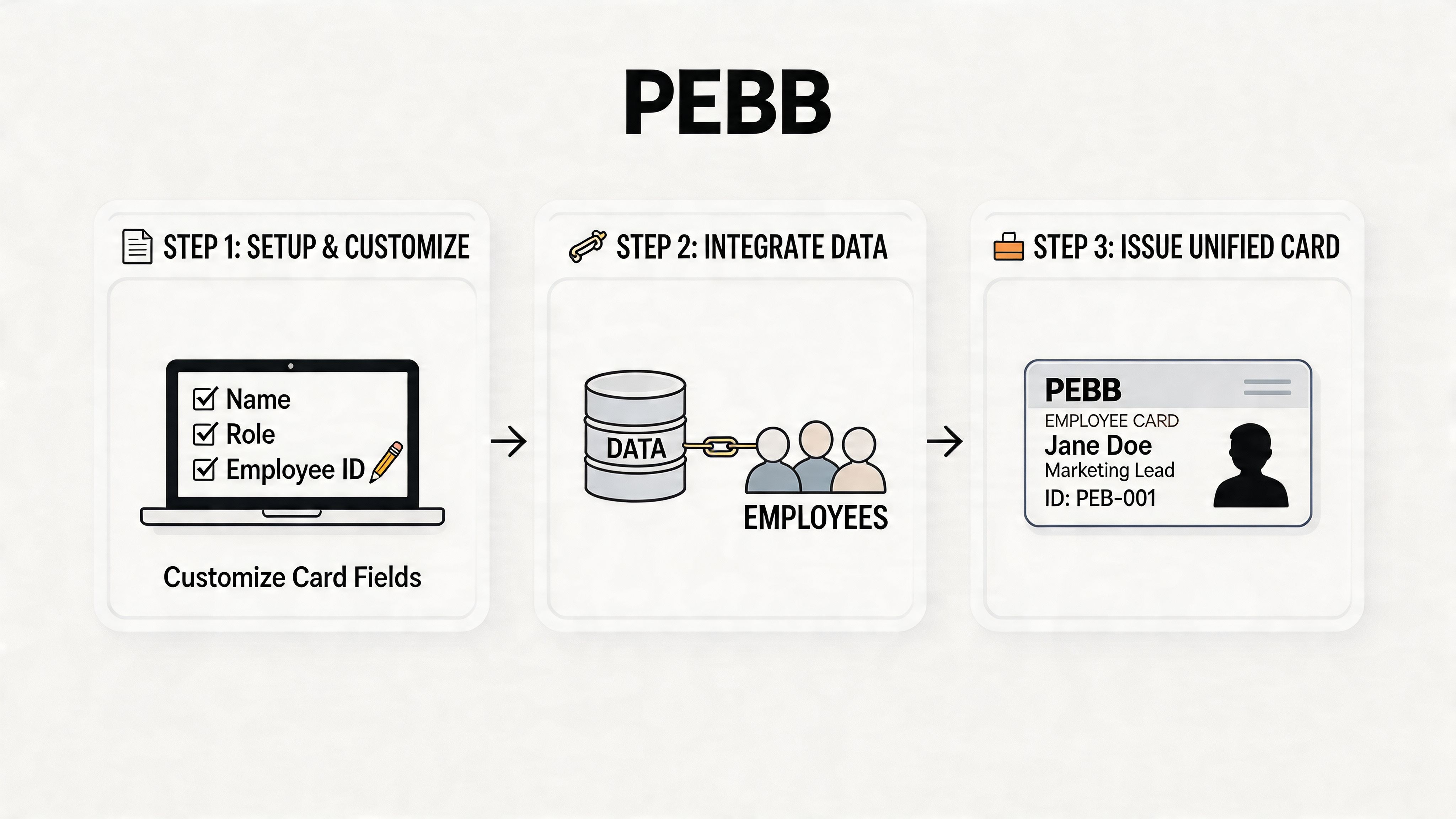
Start with spaces, not templates
Before anyone designs a card, decide where each kind of card will live.
Create separate Spaces for different jobs. One for recognition and wins. One for new hires. One for urgent operations updates. One for policy and knowledge. One for team or location-specific notices. This sounds basic, and it is. It also prevents chaos later.
When teams skip this step, card programs sprawl. Recognition gets mixed with compliance updates. New hires miss key information. Managers invent their own methods. A tidy system beats a creative mess.
Build a few repeatable formats
Once the Spaces are set, create a small set of reusable post formats.
I’d keep it tight:
Recognition post card for peer praise, manager thanks, and milestone moments
Welcome post card for new hires, internal moves, and return-from-leave announcements
Information post card for policy changes, benefits reminders, or urgent updates
Profile summary card for making people easier to know across teams and locations
Don’t over-template it. Give people enough structure to be clear, not so much that every card sounds machine-made.
Use profiles as living employee cards
This is one of the smartest shifts companies can make. Stop treating profiles like static directories. Use them as living cards.
A strong employee profile gives people enough signal to collaborate better. Photo, role, team, location, reporting line, contact details, maybe skills or interests depending on the culture. That becomes useful on day one and stays useful long after onboarding.
There’s a practical echo here of the baseball-card idea from Bridgewater and Microsoft, but in a simpler daily format. Employees don’t need a performance dossier in their pocket. They do need fast context about who someone is.
The profile is often the most undervalued card in the company.
Deliver cards where work already happens
Inside Pebb, posts, mentions, Spaces, files, and mobile access make distribution much easier than the old portal model.
A manager can post recognition in a shared Space and tag the employee. HR can publish a welcome card for a new hire and attach the documents that are essential. Operations can push out a time-sensitive information card to the right group instead of blasting everyone. That’s the difference between communication and noise.
Track what people use
The last step is discipline. Watch what people engage with and what they ignore.
If a recognition Space is active, that tells you something about manager habits and team culture. If policy cards are posted but never opened, the issue may be the format, the timing, or the trust level. If new hire cards get strong engagement, you know the practice is helping people connect.
You don’t need a giant launch. You need a clean structure, a few reliable formats, and leaders who use them consistently.
The Real Point of It All
Cards are just containers.
That’s worth remembering, because it’s easy to get distracted by format. Fancy recognition card. Branded welcome card. Digital reward card. Profile card. Compliance card. Useful, all of them, in the right context.
But none of them matter on their own.
What matters is whether employees feel seen, informed, and connected. Whether they know where to go. Whether recognition feels honest. Whether information arrives on time. Whether the company makes daily work a little clearer and a little less lonely.
That’s a key reason to care about cards for employees. Not to add another program. To make the company feel more coherent to the people inside it.
And if you’re doing it well, the cards won’t feel like “initiatives” at all. They’ll just feel like work that’s been thought through by people who care.
If you want one place to run recognition, updates, employee profiles, onboarding, scheduling, and frontline communication without scattering everything across separate tools, take a look at Pebb. It gives teams a simple digital home for the moments that usually get lost between HR, operations, and internal comms.
