
Choosing a Workplace Communication Platform That Works
Find the best workplace communication platform for your team in 2026. Compare features, pricing, and integrations to boost productivity.
Dan Robin

If you've ever watched a shift handoff unravel because the right people were looking at the wrong app, you already know the problem. The message existed. It just didn't reach the people who needed it, when they needed it.
That's what a workplace communication platform is really about. Not software for its own sake, but a way to keep work moving when people are split across shifts, sites, and screens. The category grew up fast during and after COVID-19, when instant messaging stopped being a side tool and became part of the core communication stack for remote and hybrid work, while businesses kept piling on more apps instead of fewer. A 2024 review found that adoption accelerated in that period, and by 2026 industry reporting showed 91% of businesses used at least two messaging apps according to the peer-reviewed review summarized here.
That's the starting point. Not “what app has the prettiest interface,” but “how do we stop work from fragmenting in the first place?”
The Moment Workplace Communication Breaks Down
At 6:55 a.m. in a hospital break room, a charge nurse is trying to reach three different groups at once. One team is in a group text, another is buried in an email thread, and the whiteboard on the wall still lists yesterday's staffing plan. Nobody is wrong, exactly. They're just working with a system that can't keep up.
That's the moment teams recognize, even if they use different words for it. A shift changes, a policy update lands late, a manager repeats the same instruction twice, and everybody loses a few minutes that add up to a lot more than a few minutes. Poor communication isn't a soft problem. Grammarly's estimate, as reported by Zoom, puts the annual cost of ineffective communication at up to $12,506 per employee in the U.S. Zoom's summary.
Why this feels worse now
Work used to tolerate loose coordination because everyone shared a hallway. That's gone. Workers are spending a huge chunk of their week inside digital tools, with one 2024 report showing an average of 20 hours per week and 16% of respondents spending 21 to 25 hours weekly on digital communication platforms Forbes Advisor. Email still hangs on too, with 52.2% of employees using it at least weekly EmailTooltester.
That mix is why the category matters now. We're not replacing one neat channel with another neat channel. We're untangling a messy stack of chat, email, announcements, calls, and offline moments where the message has to land even if Wi‑Fi doesn't. A useful internal primer on the cost of missed communication is this breakdown of workplace communication failure.
The test isn't whether a message was sent. The test is whether the right person could act on it.
Frontline teams feel this first because they can't always sit at a desk and wait for the next thread reply. That's why a platform choice is really an operating choice. It decides whether information flows like a live system or dies in a pile of disconnected tools. For teams already comparing employee apps, this overview of an employee communication app is a useful companion to this bigger decision.
What a Workplace Communication Platform Actually Does
The cleanest way to think about the category is in layers. The first layer is obvious. People talk to each other through chat, voice, and video. But a platform worth using doesn't stop there, because communication without structure just becomes noise with faster delivery.
The second layer is operational. That's where schedules, files, tasks, documents, and knowledge live. The point isn't to cram everything into one window. The point is to put the right work next to the conversation that created it, so people don't have to hunt across five tools to finish one job.
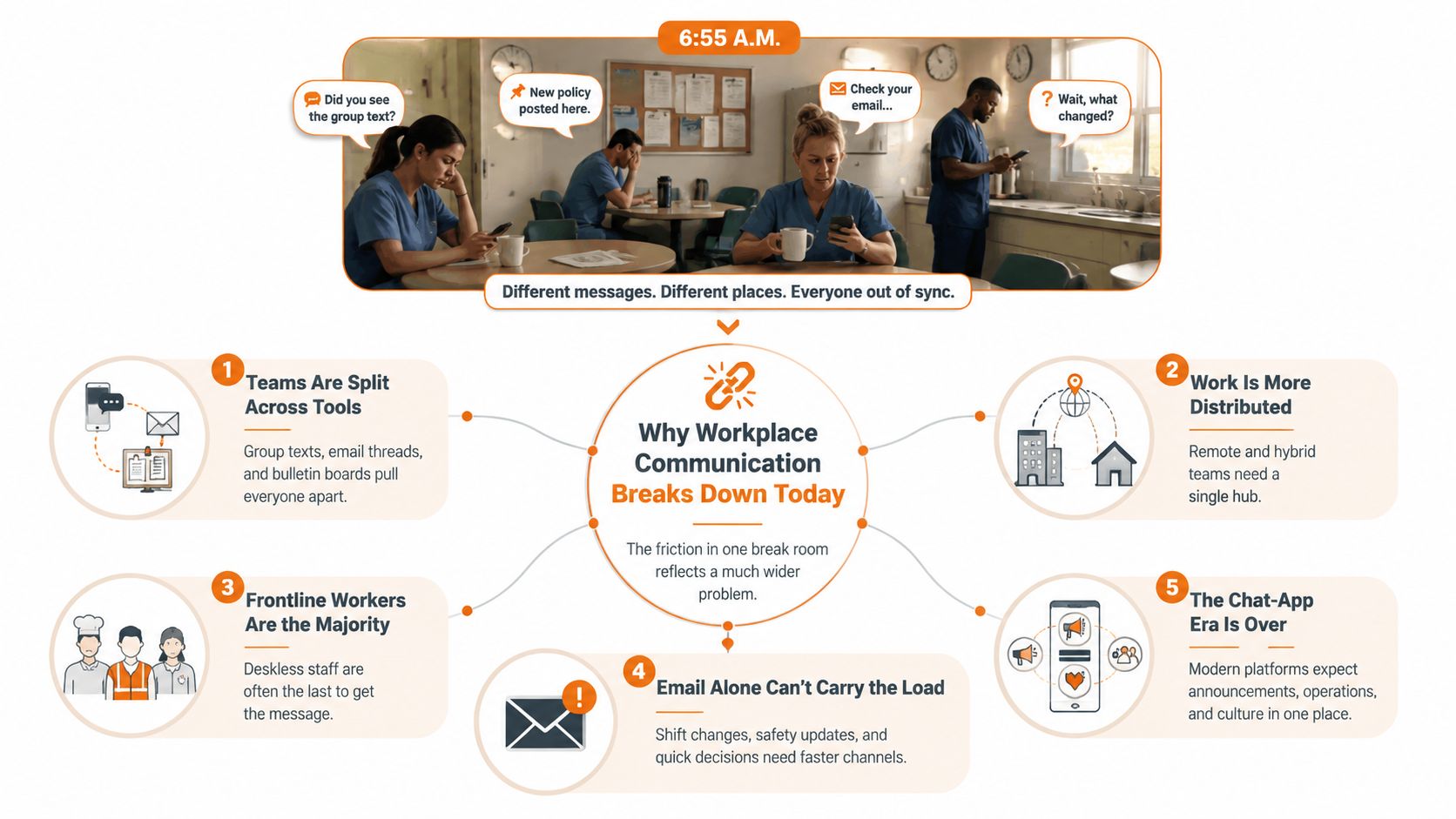
The layers that matter
A good platform usually has three working zones:
Conversation: chat, calls, video, and announcements that move quickly.
Operations: tasks, shifts, files, forms, and document access that let people act.
Connection: news feeds, onboarding, recognitions, and polls that keep the organization human.
That's the difference between a chat app and a workplace system. One helps people talk. The other helps them work together without constantly switching context.
For teams that want a compact reference point on how workspace messaging gets organized, workspace messenger overview for teams is a useful lens. It's not about piling on features. It's about understanding which jobs belong in which channel.
If every update looks the same, people stop noticing any of them.
That's why I don't like platforms that blur announcements, discussion, and task follow-up into one endless feed. A manager posting a safety notice needs a different channel role than a team chatting about coverage. A knowledge base isn't a group chat. A schedule isn't a document. Once you see those distinctions clearly, the buying decision gets a lot easier.
The practical version is simple. If the tool can't show you who needs to know, who needs to act, and where the record lives, it's not really a workplace communication platform. It's just another place to send messages.
Core and Advanced Features Worth Paying Attention To
Most demo rooms try to impress you with the wrong things. A fancy dashboard looks great until you realize nobody uses it. A long feature list feels reassuring until you notice it overlaps with tools you already pay for. I'd sort the feature set into two buckets, the stuff you need, and the stuff that only matters if it supports a real workflow.
Start with the core
The core features are boring for a reason. Chat, voice, video, file sharing, search, and solid mobile access are table stakes. If a platform can't do those well, it doesn't matter how clever the extras are. Employees won't forgive a tool that makes basic communication harder.
The same goes for announcements. Company updates need a distinct home, not a buried thread. When information matters, it should be easy to post, easy to find, and hard to ignore. That's especially true for organizations with shift work, because the message has to survive staff changes and off-hours.
Then judge the advanced layer
Advanced features start to matter once the rollout grows. Workspaces or Spaces, permissioning, automation, analytics, knowledge libraries, shift scheduling, and integrations with HR, payroll, and identity systems all help the platform fit real operations. They're useful because they reduce duplicate work and make the app a place people return to, not just a place they check.
Pebb sits in that second bucket. It combines Team Chat, a News Feed, a People Directory, Spaces, Tasks, Knowledge Library, File Sharing, and also covers events, shifts scheduling, clock-in, and PTO tracking in one app, with integration options for HR, payroll, and authentication systems. That's the kind of product shape that makes sense for teams trying to reduce app sprawl without losing the operational pieces.
What sounds good but often turns into shelfware
Some features look useful until they meet real behavior. Analytics can become vanity reporting if they track clicks instead of actions. Task tools can get ignored when another system already owns project work. Recognition feeds can feel empty if managers don't use them. I'd push hard on whether the feature changes behavior, not whether it looks complete in a demo.
Ask one question at every feature: does this remove a step, or just add another place to look?
That question saves a lot of money and a lot of regret. A good platform should narrow the distance between noticing something and doing something about it. If it doesn't, keep looking.
Evaluating Platforms Without Falling for the Demo
Feature grids make buyers feel organized. They're also where a lot of bad decisions start. A better review looks at how the platform behaves in the world, not how it behaves under perfect conditions in a sales call.
Fit for frontline and hybrid workers
If your workforce includes people who don't sit at a desk all day, this is the first filter. A mobile app is not enough. You want to know whether the tool works without email or VPN, whether it handles offline moments, and whether it still feels usable on a warehouse floor, in a hospital basement, or on a delivery route. A practical guide to that gap is this frontline-focused communication piece.
Integration, security, and the stuff people skip
The second filter is fit with systems you already trust. Ask how it connects to identity, HR, payroll, document storage, and the tools your managers already use. The cleanest rollouts I've seen don't force people to abandon everything else. They reduce the number of places people need to check.
Security and governance matter just as much. Who can post? Who can see a shift change? Who can publish policy? If the admin model is vague, the platform will create more risk than it removes. For teams comparing broader internal communication systems, this internal communication platform guide is a useful reference point.
Total cost means rollout cost too
The sticker price never tells the whole story. Training, setup, content migration, manager time, and adoption work all count. If the vendor talks only about licensing and not about rollout effort, that's a warning sign. The cheapest platform on paper can become the most expensive one in practice if nobody uses it.
A simple scorecard helps:
Lens | Key Question | Green Flag | Red Flag |
|---|---|---|---|
Frontline fit | Can people use it in low-connectivity, no-email conditions? | Works on mobile, offline moments, and shared devices | Assumes every worker has desk access |
Integration | Does it connect cleanly to current systems? | Identity, HR, and file tools fit without awkward workarounds | More logins, more copying, more manual steps |
Governance | Can we control who sees and posts what? | Clear roles, permissions, and admin controls | Everyone can post everywhere |
Total cost | What does rollout really cost? | Setup, support, and adoption are discussed honestly | Only subscription pricing is visible |
That scorecard won't pick the vendor for you. It will keep you from confusing a polished demo with an actual operating tool.
What Good Looks Like Across Four Industries
The same platform can look like a lifesaver in one company and a poor fit in another. That's not a flaw. It's the point. Communication only works when it matches the shape of the work.
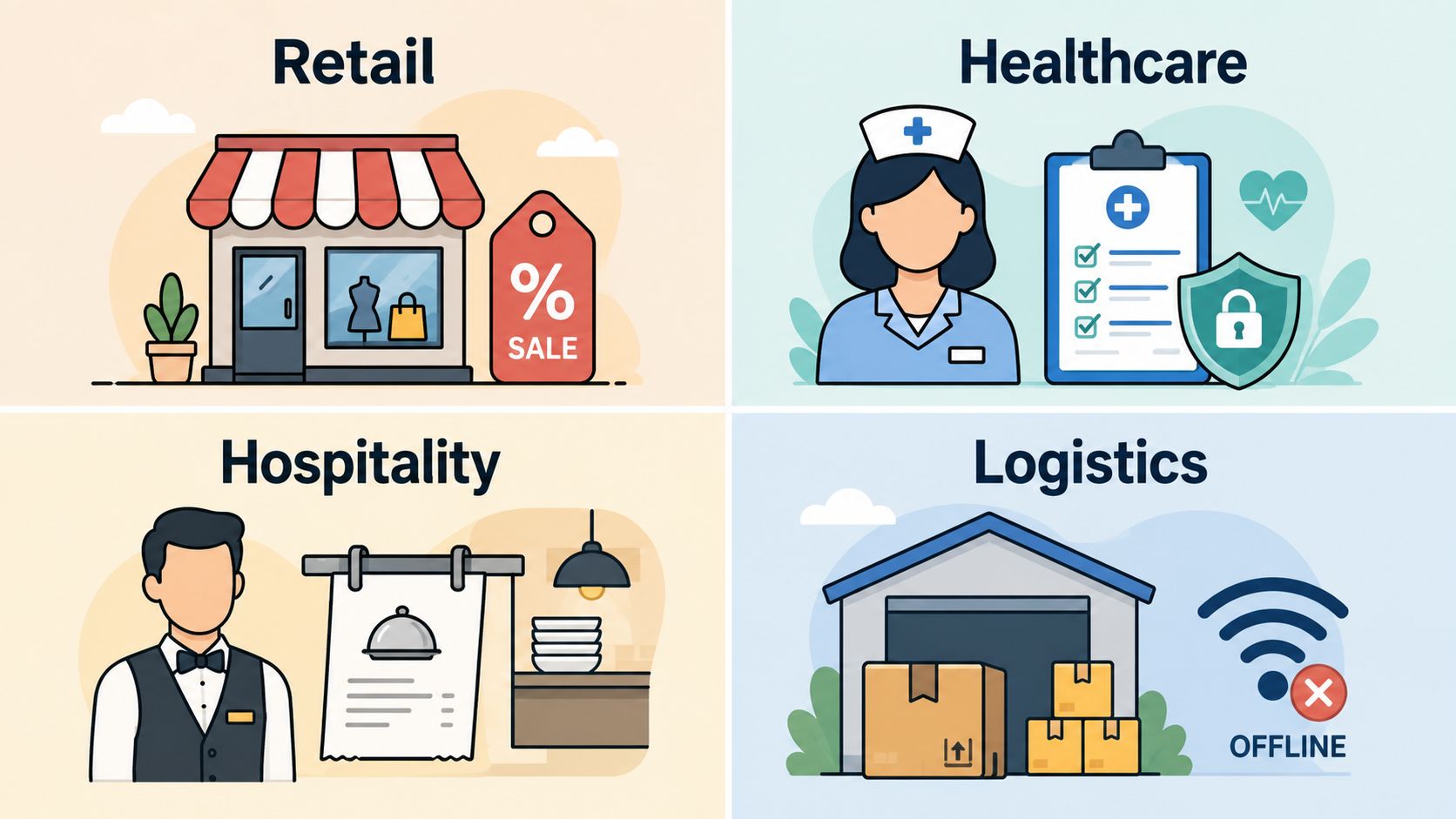
Retail
In retail, the message has to reach hourly staff fast, and it has to be simple enough to act on between customers. A sale-day update buried in email won't help the store manager on the floor. What works is a mobile-first feed for announcements, a way to pin store priorities, and enough role-based structure that regional updates don't drown in local chatter.
Healthcare
Healthcare needs secure handoffs more than clever features. Shift changes, policy updates, and urgent notices all need clear routing, because the wrong audience can't see the wrong information. The best fit here is a platform that separates broadcast updates from team discussion and keeps access tight enough that staff can trust what they're reading.
Hospitality
Hospitality breaks down when front of house and back of house operate like separate companies. On a sold-out weekend, managers need one thread for coverage, one place for updates, and a fast way to reach the right team without turning the whole app into a noise machine. A shared feed plus team spaces usually does more good than a dozen scattered chat rooms.
Logistics
Logistics is where connectivity assumptions get tested. Patchy Wi‑Fi, shared devices, and workers moving across sites mean the app has to be usable when the network isn't perfect. Offline access, simple task updates, and a clean way to see shifts or notices matter more than fancy collaboration extras.
The strongest rollouts I've seen all had one thing in common, they matched the tool to the work instead of asking the work to adapt to the tool.
That's the pattern worth copying. Retail wants speed. Healthcare wants clarity and control. Hospitality wants coordination without clutter. Logistics wants resilience when the network gets messy. If your vendor can't explain how the product behaves in your environment, it probably wasn't built for it.
Rolling Out a Platform People Actually Use
Adoption doesn't fail because people hate change. It fails because leaders treat rollout like an IT install instead of a behavior change. If you want people to use a new platform, start small, stay practical, and prove value where the work already happens.
The first 90 days
The first month should be a pilot with one real workflow. Pick a team that feels the pain clearly, maybe shift handoffs, store announcements, or manager updates. Give them one job to solve, and make the platform earn its place.
The second month is for a second team with a different use case. That's where you learn whether the tool only works in one corner of the business or whether it can hold up across functions. The third month is when you widen the rollout, but only after you've cleaned up the rough edges and heard from the people who used it.
What usually goes wrong
Too many launches try to do everything at once. People get every feature on day one, and nobody knows where to start. Another common mistake is letting IT own the install while line managers never change how they communicate. If managers still send important updates by email or text, the new platform becomes decoration.
You also need to watch for the wrong success signals. A burst of logins isn't the same as real adoption. Read rates matter. Response times matter. So do the quiet signs a manager hears in one-on-ones, like fewer “I didn't see that” moments and fewer repeated instructions.
Measure whether the message reached action, not whether the app opened.
That's the clean test. If the platform helps managers give clearer updates, helps workers find what they need, and reduces the number of places people have to check, you're on the right track. If it just creates another inbox, the rollout was too shallow.
A Short Decision Checklist and Where the Category Is Going
More features don't make a better platform. Better fit does. That's even more true now that communication, operations, and employee experience keep blending into the same daily workflow.
Here's the short version I'd use before signing anything: does the platform work for frontline staff without extra friction, can it connect to your core systems, can you control who sees what, and can you tell whether people use it for real work. If the answer is shaky on any of those, keep looking.
Lens | Key Question | Green Flag | Red Flag |
|---|---|---|---|
Frontline access | Can every worker use it easily? | Mobile, no-email, and offline-friendly access | Desk-first assumptions |
Governance | Who can post and who can see? | Clear roles and permissions | Loose admin controls |
Integration | Does it fit with our current stack? | Identity and HR systems connect cleanly | Manual copying and workarounds |
Adoption | Are people acting on messages? | Clear read and response signals | Logins without behavior change |
The category is heading toward tighter blends of communication and operations, not looser ones. AI will keep moving from novelty to quiet helper, but winners won't be the tools that talk the loudest about AI. They'll be the ones that help teams say less, mean more, and get work done without hunting across five apps to do it.
If you're weighing a rollout now, Pebb is worth a look because it brings chat, announcements, Spaces, tasks, knowledge, shifts, and employee engagement into one app for frontline and office teams. Visit Pebb and see whether a single connected workspace makes more sense than another layer of tools.
